Here are the key takeaways from the meeting notes about Samsung’s WindFree and Wearable integration for sleep:
– Product and feature overview
– WindFree cooling is a quiet, draft-free mode that uses up to 77% less energy than Fast Cooling.
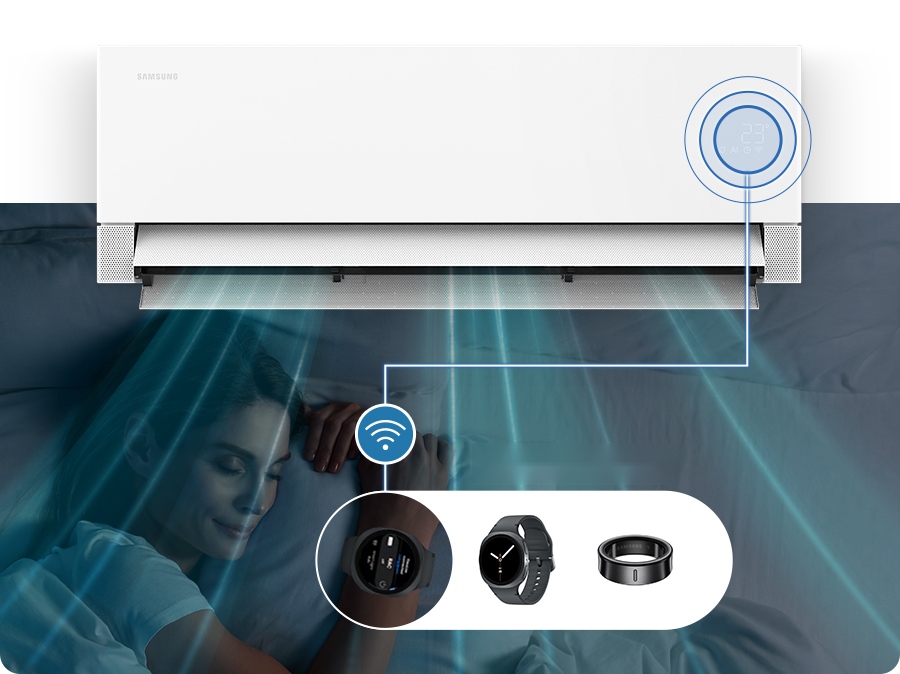
– The system integrates with Samsung SmartThings and Galaxy wearables (Galaxy Watch and Galaxy Ring) to automate bedtime cooling.
– The “WindFree Wearable Good Sleep” mode automatically activates when the connected wearable detects you’ve fallen asleep, adjusting temperature through the night.
– Sleep optimization approach
– Three-stage Good Sleep mode:
– Stage 1: Quick cooling as you fall asleep.
– Stage 2: Maintains comfortable environment during deeper sleep.
– Stage 3: Gradually increases temperature as you wake.
– The mode adapts to sleep stages to maintain ideal conditions for better sleep quality.
– Setup and integration steps
– Requirements:
– Compatible Bespoke AI WindFree air conditioner.
– Galaxy Watch or Galaxy Ring.
– Samsung SmartThings app and a shared Wi-Fi network.
– Setup flow in SmartThings:
– Create routine: Sleep trigger -> Air Conditioner -> Good Sleep or WindFree + Good Sleep.
– Wearable detects sleep; presets activate automatically without remotes or manual input.
– Sleep data insights:
– Galaxy Watch/Ring can monitor sleep patterns and provide insights on nightly sleep quality.
– Availability and compatibility
– Samsung Bespoke AI AR70 WindFree Air Conditioner available in Australia (Harvey Norman) starting October.
– Requires compatible devices and apps; features may vary by country, model, and device.
– Requires Android or iOS with Wi-Fi and a Samsung account.
– How the features work (FAQs)
– How it works: Wearable detects sleep, SmartThings activates WindFree cooling for the night.
– Other bedtime features: AI Fast & Comfort Cooling quickly reduces temperature, then transitions to WindFree cooling to avoid cold blasts.
– Data sharing: For Sleep to appear in SmartThings, enable Sleep data sharing from Samsung Health to SmartThings.
– Optional action items
– Confirm regional availability and model compatibility for the upcoming rollout in other markets.
– Verify whether any additional firmware or app updates are required for seamless SmartThings integration.
– Prepare customer-facing guidance or onboarding materials explaining setup steps and troubleshooting tips.
– Consider creating a quick reference checklist for users to enable Sleep Environment sharing in Samsung Health and SmartThings.
Summary of Wear It, Sleep Better: A Good Night’s Rest Powered by Your Bespoke AI AR70 WindFree Air Conditioner and Galaxy Wearable
As we head into the warmer seasons, the heat can make it difficult to fall asleep, and even harder to stay comfortable through the night. Disrupted sleep caused by heat and humidity is one of the biggest reasons people invest in or upgrade their air conditioners
Samsung’s answer is the , equipped withWindFree cooling – a quiet, draft-free cooling mode which uses up to 77% less energy than Fast Cooling2. Combined with and connected to the Samsung SmartThings[1] ecosystem and Galaxy devices, like your Galaxy Watch or Galaxy Ring, the air conditioner is designed to respond to your needs automatically, helping create a more comfortable environment throughout the night.
‘WindFree Wearable Good Sleep’ Mode: Cooling That Works While You Sleep
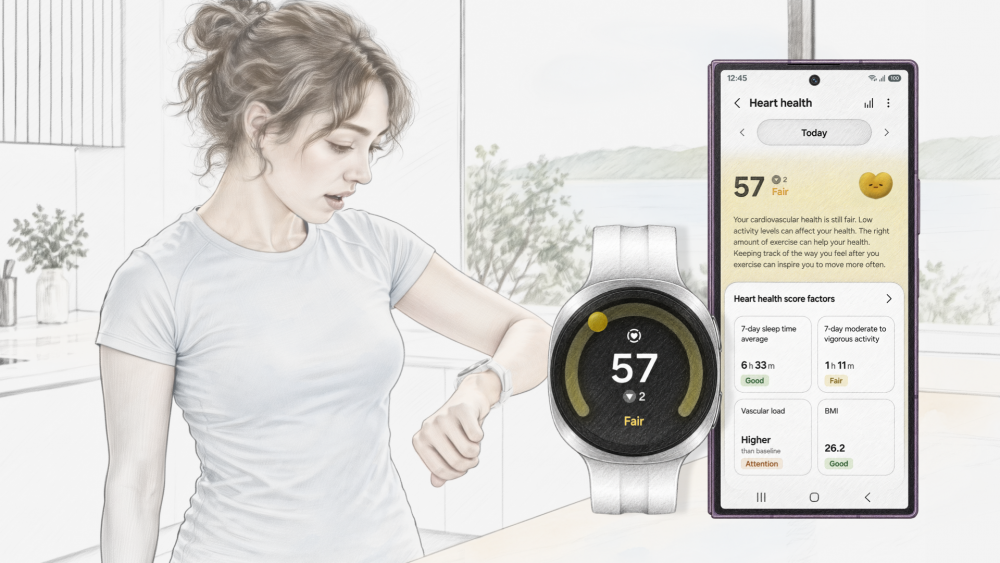
Compatible Samsung air conditioners are designed to know when you fall asleep. Pair your Galaxy Watch or Galaxy Ring to the Bespoke AI AR70 WindFree Air Conditioner, and the mode automatically switches on by itself — no need for remotes or fumbling in the dark.
Designed to support quality sleep throughout the night, it automatically adjusts the room temperature in response to the different stages of your sleep cycle, as the optimal sleeping temperature varies throughout the night.
The Good Sleep mode has three key stages: cooling quickly as you fall asleep, maintaining a comfortable environment during deeper sleep, and gradually increasing the temperature as you wake. This helps create a more comfortable sleep environment, particularly during warm summer nights.
Set Up ‘Good Sleep’ Mode In A Few Steps
Download the SmartThings app on your Galaxy Watch or Galaxy Ring and ensure your compatible Bespoke AI WindFree air conditioner and wearable device are connected to the same Wi-Fi network.
Make sure your air conditioner is connected to SmartThings, and pair your compatible Galaxy wearable with your Galaxy smartphone.
In the SmartThings app, go to Routines > Create routine. Under If, select Sleep[2], then choose “When you fall asleep” as the trigger.
Select Control devices > Air Conditioner, turn on the air conditioner, and select Good Sleep or WindFree + Good Sleep under Options.
Wear your Galaxy Watch or Galaxy Ring to bed. Once your wearable detects that you have fallen asleep, the preset air conditioner settings will be activated automatically.
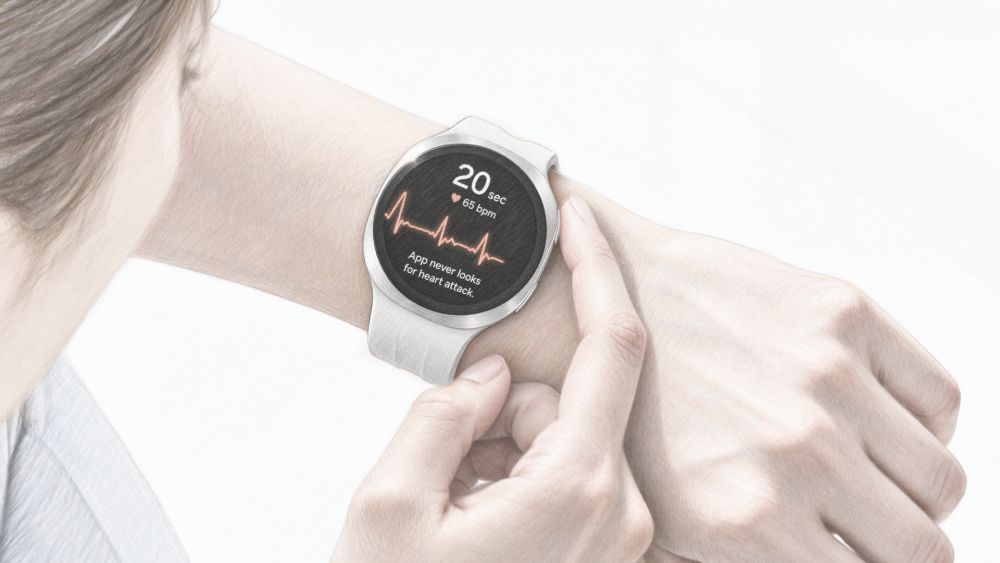
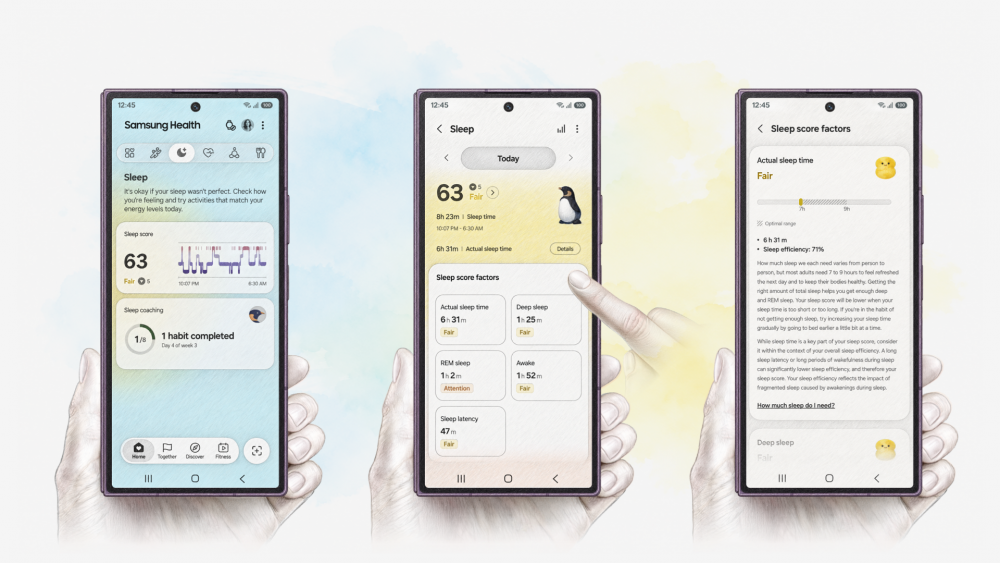
Additionally, your Galaxy Watch or Galaxy Ring can also monitor your sleep patterns and provide insights into how well you’re sleeping, helping you better understand your nightly routine.
Q. How does ‘WindFree Wearable Good Sleep’ mode work?
It connects the air conditioner to compatible Galaxy wearables, such as the Galaxy Watch or Galaxy Ring, through SmartThings. When the wearable detects that you have fallen asleep, it automatically activates WindFree cooling throughout the night to help create the ideal climate for a deep and pleasant sleep.
Q. What other features of Bespoke AI WindFree air conditioner can be part of my bedtime routine?
AI Fast & Comfort Cooling helps bring the temperature down quickly based on room conditions and usage patterns. Once the room is comfortable, it eases into WindFree cooling, providing relief without the uncomfortable cold blast of air.
[1] Available on Android and iOS devices. A Wi-Fi connection and a Samsung account are required. Feature availability may vary by country, model and device.
[2] For ‘Sleep’ to show up on your SmartThings app, go to your Samsung Health app, select ‘Sleep Environment’ and enable sharing of Sleep data with SmartThings.
Here are clear takeaways from the meeting notes about Samsung Health updates:
– Sleep Coaching updates
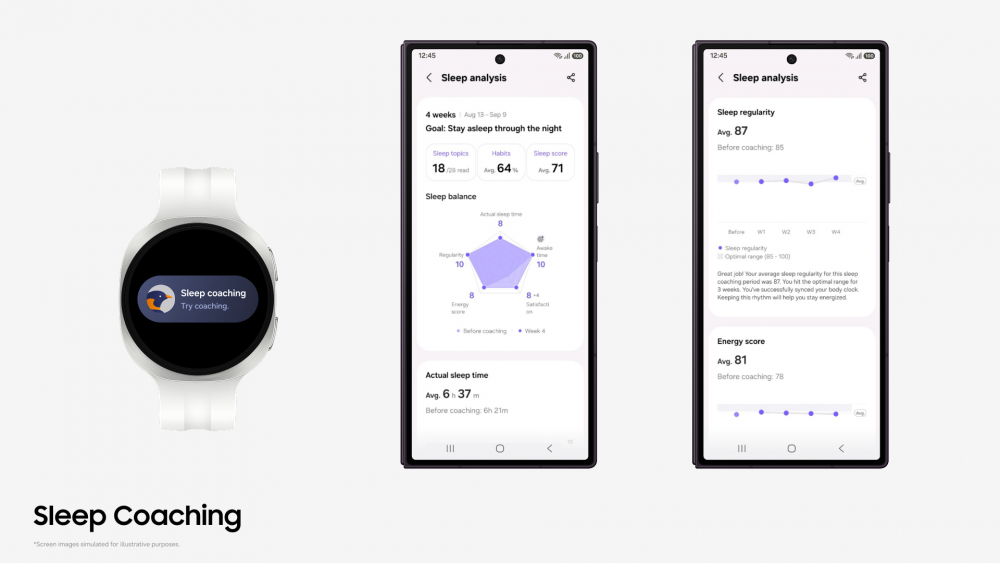
– Easier to start: Sleep Coaching now requires only 3 days of sleep data within the past 2 weeks to begin, down from 7 days in a month.
– Onboarding: Setup includes a brief survey on sleep patterns, interruptions, alcohol/caffeine intake, and subjective sleep scores.
– Personalization: Post-survey + 3 days of data yields a personalized Sleep Animal symbol and a tailored 4–8 week coaching program.
– Dynamic progression: The coaching program adapts weekly recommendations based on changing sleep patterns.
– Behavior guidance: Daily habit checklists and tips (e.g., screen-free time before bed, avoiding late caffeine, outdoor stretching after waking).
– Insights: Enhanced analysis with a new pentagon-shaped Sleep Balance graph (sleep time, regularity, night waking, sleep satisfaction, Energy Score).
– Daily and weekly reporting: Morning insights tie into weekly/final reports to show sleep trends and progress.
– Running programs and Strava integration
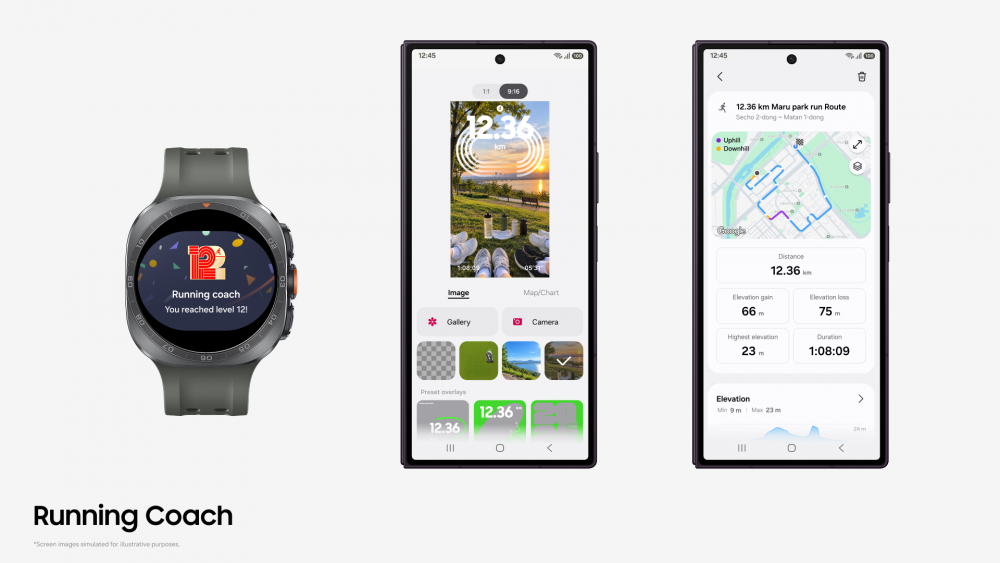
– Expanded Running Coach: Training tiers increased from 10 to 12 levels, adding support for intermediate/advanced runners.
– Personalized plans: Still based on a 12-minute running test or historical data.
– Social sharing: Enhanced templates for exporting workout data to social platforms to celebrate milestones and routes.
– Strava integration: Import Strava Routes for running, trail running, and cycling directly into Samsung Health, improving cross-platform usability.
– Leadership/intent
– Quote from Hon Pak emphasizes Samsung Health’s goal of turning health data into actionable, daily habits within the Galaxy ecosystem.
– Rollout and availability
– Features will be rolled out progressively.
– Availability: In Australia, October release window noted.
– Prerequisites and caveats:
– Requires Samsung Health app v6.24+ (Sleep Coaching) and compatible Galaxy devices (Android 13+).
– Sleep Coaching requires at least 3 days of sleep data in a 7–14 day window.
– Some features depend on app version (e.g., Energy Score requires v6.27+, Android 13+).
– Not a medical device; intended for fitness/wellness. Users should consult a physician before starting an exercise program.
– Strava availability excludes certain countries/regions.
– Actionable items for teams
– Prepare marketing/comms plan highlighting the new easier start and personalization features.
– Ensure compatibility messaging: app versions and device requirements clearly communicated.
– Plan localized rollout for October in Australia; consider regional availability beyond Australia.
– Update help docs/tutorials to reflect the Sleep Animal concept, the Sleep Balance graph, and the new Running Coach levels.
– Coordinate with Strava integration teams to ensure smooth import of Routes and any regional limitations.
If you’d like, I can convert these into a briefing slide outline or a one-page stakeholder memo.
Summary of Samsung Health Makes Sleep Coaching Easier to Start and Tailors Weekly Guidance
Samsung Electronics Co., Ltd. today announced a major update to the Samsung Health app making Sleep Coaching[1] even easier to start by lowering the data requirement to begin. The update also delivers more personalised sleep guidance and expanded running program tiers to help users build lasting, healthier routines.
Sleep Coaching Becomes Easier to Start and More Personalised
While sleep tracking can show users how they slept, sleep coaching can help them sleep better by turning personal sleep goals and data into daily habits.
Samsung has made it even easier to begin sleep management. Users can now initiate Sleep Coaching with just three days of data within the past two weeks instead of seven days in a month.
During setup, users complete a survey on sleep regularity, sleep interruptions, alcohol and caffeine intake and subjective sleep scores. With these survey responses and three days of sleep data, the app assigns a personalised Sleep Animal symbol and builds a tailored four- to eight-week coaching program based on individual goals. As users progress, the program dynamically adapts its weekly recommendations to reflect changing sleep patterns, tracking daily sleep satisfaction and lifestyle shifts.
Informed by principles of behavioural sleep science, the program gives users daily habit checklists and sleep tips — making it easier to build healthier routines, such as avoiding screens an hour before bed, skipping late caffeine and stretching outdoors after waking up.
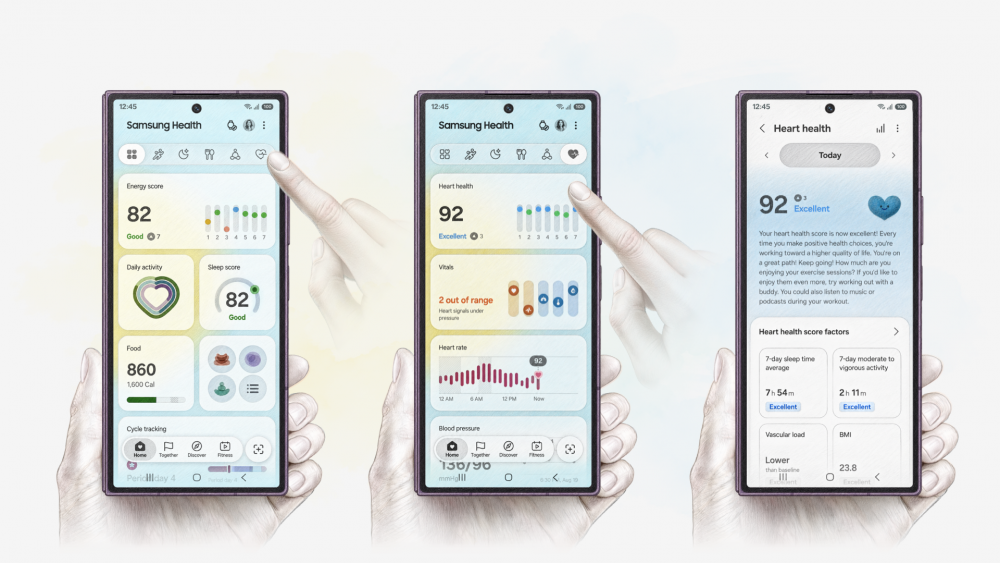
Users can also enjoy more intuitive and detailed analysis reports. The new pentagon-shaped Sleep Balance graph consolidates five key aspects of sleep indicators —sleep time, sleep regularity, awake time during the night, sleep satisfaction, and Energy Score[2]— to provide an at-a-glance view of sleep trends and areas that may warrant attention, based on data collected or inputted through sleep coaching.
Morning daily insight messages, which review the previous night’s sleep with helpful tips, integrate closely with weekly and final reports to provide a comprehensive view of sleep trends. By linking daily actions with this data-driven progress, Samsung Health helps users establish sustainable lifestyle habits to support everyday wellness.
Expanded Running Programs and Strava Routes Integration
In response to the growing popularity of running, Running Coach[3] has been upgraded to deliver a more dynamic and connected training experience.
Training tiers have expanded from 10 to 12 levels. While users continue to receive a personalised training plan based on a 12-minute running test or their historical running data, this update introduces new levels to support intermediate and advanced runners. These dedicated training tiers enable them to set higher benchmarks, challenge themselves, and steadily improve their performance.
To celebrate achievements and sustain motivation, Running Coach introduces an enhanced social media sharing feature. Runners can seamlessly export their workout data into share-ready templates designed for various social platforms, making it easier to share milestones, personal records, and route highlights with their fitness communities.
Samsung continues to strengthen ecosystem connectivity through a partnership with Strava[4], a global fitness platform. Users can import their favorite Strava Routes for running, trail running, and cycling directly into Samsung Health. This integration supports compatibility and user convenience across both platforms.
“Samsung Health’s personalised coaching empowers users to understand their health data, taking a step toward supporting everyday wellness,” said Hon Pak, Senior Vice President and Head of the Digital Health Team for the Mobile eXperience Business at Samsung Electronics. “We will continue to leverage the Galaxy ecosystem and our technology to build a trusted health platform.
These upgraded features will be progressively rolled out via Samsung Health app updates and will be available in Australia in October.[5]
[1] Available on Samsung Health app v.6.24 or above and must be paired with Samsung Galaxy smartphones with Android OS 13 and above. Samsung account login required. Requires sleep data of at least 3 days of sleep data tracked within a 7-to-14-day period. Sleep Coaching feature does not act as a medical/therapeutic device. It is solely intended for fitness and wellness purposes only and is not intended for use in the diagnosis of disease or other conditions; or in the cure, mitigation, treatment or prevention of disease. Samsung recommends that you consult with your doctor or physician before participating in any exercise program.
[2] Energy Score is available on Android phones (Android 13 or above) and requires Samsung Health app (v6.27 or above). Samsung Account login required. Service availability may vary by country, region, language. To check the Energy Score, the health data tracked from Samsung Galaxy Watch must be synchronised with the Samsung Health app. Needs at least the previous day’s activity data and sleep, and heart rate data during sleep. Energy Score does not act as a medical/therapeutic device. It is solely intended for fitness and wellness purposes only and is not intended for use in the diagnosis of disease or other conditions; or in the cure, mitigation, treatment or prevention of disease. Samsung recommends that you consult with your doctor or physician before participating in any exercise program.
[3] Running Coach program is available on Android phones (Android 13 or above) and requires Samsung Health app (v6.30.2 or above). Samsung account login required. Service only available with Galaxy Watch8 Series or later released Galaxy Watch Series. Running Coach feature does not act as a medical/therapeutic device. It is solely intended for fitness and wellness purposes only and is not intended for use in the diagnosis of disease or other conditions; or in the cure, mitigation, treatment or prevention of disease. Samsung recommends that you consult with your doctor or physician before participating in any exercise program.
[4] Strava is available worldwide, excluding Belarus, China, Cuba, Iran, North Korea, Syria, Russia, parts of Ukraine, and South Korea.
[5] Some features may be supported through future software updates, and availability and timing may vary by market, model, and other conditions.
Here are concise takeaways from the notes on Samsung’s Good Design Awards recognition:
– Awards won (Australia, 2026 Good Design Awards):
– Gold Winner – Samsung Music Studio 5 and 7 Wireless Speakers (Product Design, Consumer Electronics)
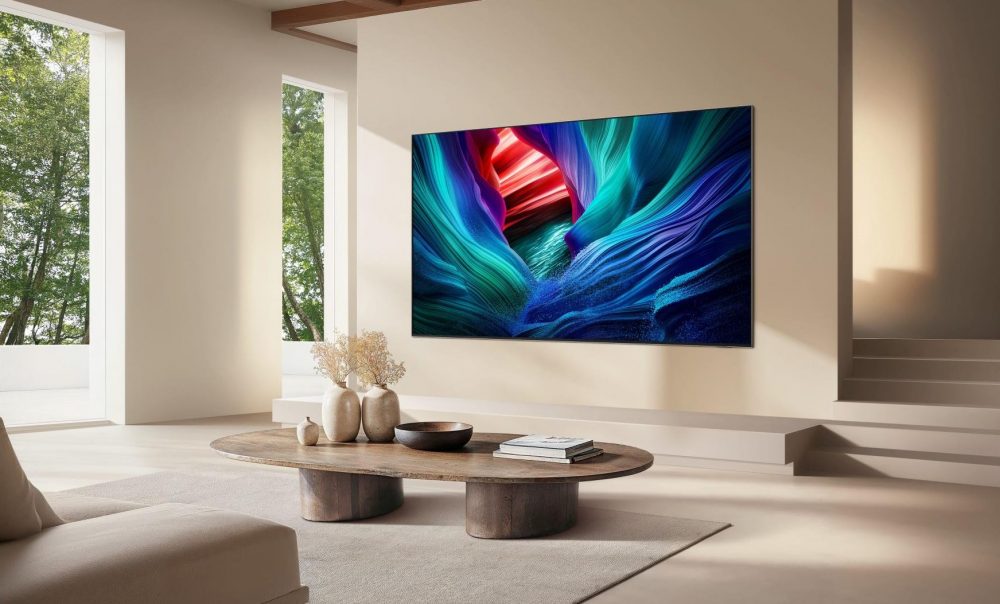
– Winner – 115-Inch Micro RGB MR95F 4K Vision AI Smart TV (Product Design, Consumer Electronics)
– Design and value themes:
– Jury praised balance between advanced technology and visual restraint; products integrate with contemporary Australian interiors rather than dominating spaces.
– Samsung emphasizes products that are connected, intelligent, and personalized for Australian living.
– Samsung Music Studio range details:
– Models: Music Studio 5 and Music Studio 7 (Gold Winner)
– Design approach: Dot Design by Erwan Bouroullec; minimalist form intended to function as furniture/art and suit varied interiors
– Purpose: Immersive audio for music, podcasts, and Q-Symphony TVs
– Jury notes: High-quality sound with refined, timeless aesthetics and strong spatial integration
– Samsung 115-Inch Micro RGB MR95F TV details:
– Status: Winner in Product Design, Consumer Electronics
– Innovation: First ultra-large TV in Australia to bring Micro RGB with broader colour standards
– Technology: Micro RGB backlight with individually controlled LEDs (<100 µm); 81-bit processing; BT.2020 color gamut (CIE u’, v’) ≥ 100%
- Jury notes: Significant advancement in large-scale display engineering; glare-free performance; slim 35.7 mm profile; strong balance between innovation and architectural restraint
- Global positioning and perspective:
- Awards underscore Samsung’s design leadership in Australia, highlighting ongoing commitment to trusted performance, premium design, and long-term value
- Samsung’s Micro RGB and Music Studio lines are framed as enhancing, not dominating, interior spaces
- Context and broader recognition:
- The awards align with Samsung’s broader accolades, including Finder Customer Satisfaction honors and being named Global No. 1 TV brand for 20 years (per independent sources)
- Emphasizes Samsung as offering a broad range of features (glare-free options, Art Store, Knox security, Gaming Hub, Samsung TV Plus) with long-term software/upgrades (7-year Tizen updates)
- Supporting notes and conditions:
- Micro RGB claims are supported by VDE testing reports (color gamut, LED size ≤ 100 µm, etc.; validity until Feb 2027)
- Some features (Gaming Hub content/services, required accounts, subscriptions) may require external services, internet, or accessories
- Glare-free verification and other third-party validations referenced (UL/UL Solutions)
- Actionable implications for teams:
- Marketing / comms: Highlight the design narrative of “timeless, furniture-like” speakers and “architecture-friendly” large TV; emphasize color accuracy, glare reduction, and spatial integration
- Sales / SKUs: Leverage gold/winner status in Australia to support premium positioning; prepare case studies illustrating interior integration
- Product roadmap: Continue aligning high-end display technology with interior-friendly design language; emphasize longevity and software/upgrades
If you’d like, I can turn these into a one-page briefing memo, a slide-ready slide deck outline, or a Q&A for internal stakeholders.
Summary of Samsung Music Studio Range and 115-Inch Micro RGB TV Win 2026 Good Design Awards
The Good Design Awards Jury commended both Samsung audio visual products for demonstrating a balance between advanced technology and visual restraint, creating experiences that complement contemporary Australian interiors rather than dominate them.
According to Phil Gaut, Director, Consumer Electronics, Samsung Australia, the 2026 Good Design Award accolades recognise Samsung’s ongoing commitment to provide products that Australians can trust to provide incredible performance, premium designs, and long-term value.
“At Samsung, we always strive to push the limits of innovation to bring Australians products that will make a meaningful difference in their lives. We were the first to bring Micro RGB TV technology to Australia,[1] setting a new benchmark of display excellence, colour accuracy and cinema-like[2] home entertainment experiences made for Australian conditions,” said Phil Gaut, Director, Consumer Electronics at Samsung Australia.
“We truly believe great products need to be connected, intelligent, and personalised, designed around how Australians really live. We’re proud to see our 115-inch Micro RGB and Music Studio Series recognised by the most prestigious design awards in Australia.”
Samsung Music Studio 7 and 5 (Gold Winner, Product Design Consumer Electronics)
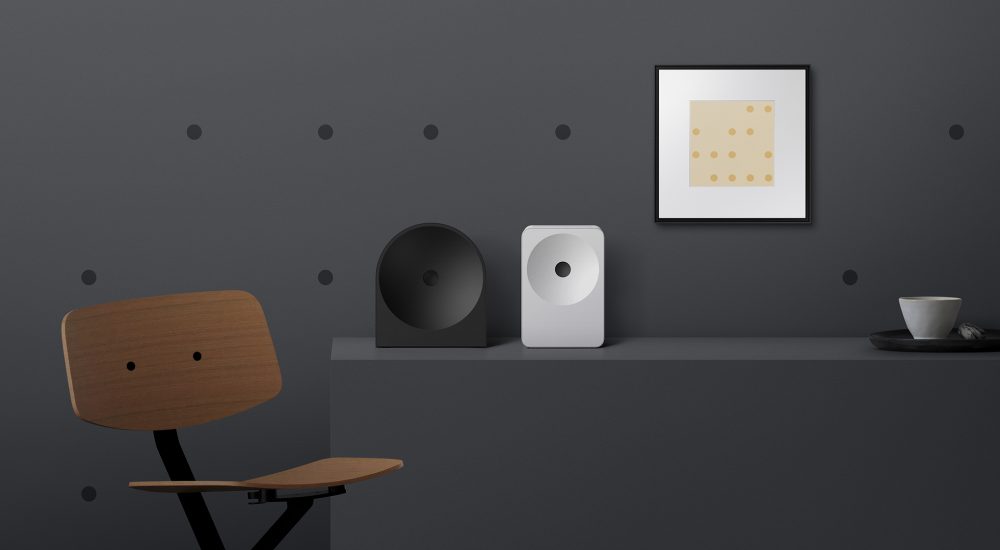
Pictured: Samsung Music Studio 5 (left) and Music Studio 7 (right). Image simulated for illustrative purposes. Cables not shown.
Launched in 2026, Samsung’s Music Studio range is designed to deliver immersive audio for music, podcasts, and compatible Q-Symphony TVs, while harmonising with Australian living spaces.
To create the range comprising the Music Studio 7 and Music Studio 5 models, Samsung combined its Audio Labs expertise with a timeless “Dot Design” by renowned designer Erwan Bouroullec. The result gives both Music Studio models a minimalist form intended to avoid association with any particular era or style and enabling the speakers to sit as furniture or art in various settings – from a bedroom to a workshop to a contemporary living room mantel.
As a 2026 Good Design Awards Gold Winner, the Samsung Music Studio 7 and 5 Wireless Speakers were recognised by the jury for transforming audio products into refined lifestyle objects that integrate seamlessly into contemporary interiors.
Of the Samsung Music Studio 5 and 7, the Good Design Awards Jury said:
“The Jury recognises the thoughtful balance achieved between immersive audio performance and visual restraint, noting the product’s successful departure from conventional consumer electronics aesthetics. Particular praise was given to the timeless form language and attention to spatial integration, which demonstrates strong aesthetic sensitivity. The Jury congratulates the team on creating a resolved product that delivers high-quality sound while sitting comfortably across diverse interior environments. Simply beautiful design.”
Samsung 115-Inch Micro RGB MR95F 4K Vision AI Smart TV (Winner, Product Design Consumer Electronics)
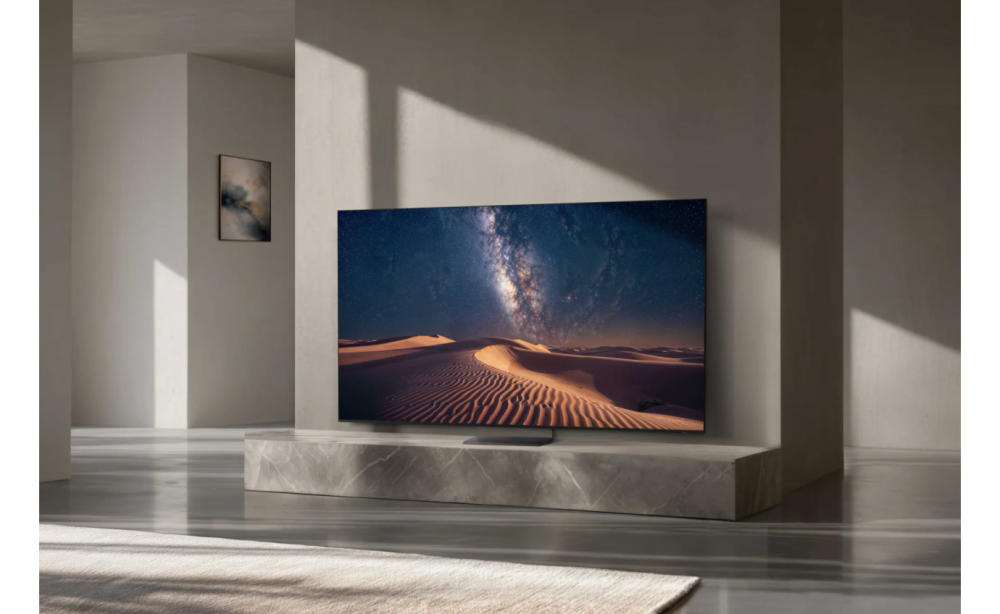
Pictured: Samsung 115-inch Micro RGB R95F. Image simulated for illustrative purposes. Cables not shown.
To achieve this new standard, Samsung’s proprietary Micro RGB backlight technology comprises individually controlled red, green, and blue micro RGB LEDs – each less than 100µm in size[4] – producing a hyper-realistic picture via exceptional colour accuracy. Certified by VDE for Micro RGB Precision Colour, the MR95F was the first 115-inch Micro RGB to support 81-bit processing and deliver a colour gamut ratio of the BT 2020 standard (CIE u`,v`) of 100% or more[5].
Of the 115″ Micro RGB MR95F 4K Vision AI Smart TV, the Good Design Awards Jury said:
“The Jury recognises the Samsung 115″ Micro RGB 4K Vision AI Smart TV as a significant advancement in large-scale display engineering, combining proprietary Micro RGB Technology with sophisticated AI processing to deliver hyper-realistic colour precision at an unprecedented scale. The integration of glare-free technology addresses a critical challenge in bright Australian living environments, while the remarkably slim 35.7mm profile and wireless connectivity options demonstrate thoughtful consideration of spatial integration. The Jury was super impressed by how the design and engineering team at Samsung balanced advanced display innovation with architectural restraint, creating an immersive viewing experience that enhances rather than dominates contemporary interiors. The Jury congratulates the team on this refined premium offering.”
Setting the Global Benchmark for Design Excellence
Established in 1958, the Australian Good Design Awards are Australia’s longest-running international design awards and one of the world’s most respected design recognition programs.
The Awards recognise excellence from around the world, with projects evaluated by an independent Jury of more than 100 Australian and international design experts against three core criteria: Good Design, Design Innovation and Design Impact.
Good Design Australia Managing Director, Rachel Wye, said the range of projects recognised in 2026 reflects the role design now plays across the economy and community.
“Design is an important economic and social capability. It influences the products we create, the services we rely on, the policies we develop and the way organisations respond to complex problems,” Ms Wye said. “This year’s Award winners are addressing energy costs, healthcare, environmental degradation, artificial intelligence, disaster preparedness, accessibility and community wellbeing.
“Australia has an extraordinary design community and an opportunity to use that capability to strengthen our economy, improve lives and build industries that can compete internationally,” Ms Wye concluded.
Ongoing recognition for the Global No.1 TV brand for 20 years
Recognition of the 115-inch Micro RGB R95F and Music Studio Series at the 2026 Good Design Awards follows Samsung achieving a sweep of 2026 Finder Customer Satisfaction awards including Most Loved TV Brand for seven consecutive years. As the Global No. 1 TV brand for 20 years[6], Samsung has a TV to suit every Australian lifestyle, offering models featuring certified glare-free[7], Art Store[8], Knox security[9], Gaming Hub[10], and 200+ subscription free channels via Samsung TV Plus[11], all backed by 7 years of One UI Tizen[12] upgrades across various price points.
To find out more about Samsung’s Audio Visual Range, visit www.samsung.com/au
[1] Based on internal research as at 17 November 2025. VDE Testing and Certification Institute evaluated RGB Micro LED size is ≤ 100 µm. Test Report 337580-TL6-1, 331701-TL6-1valid until 25 February 2027.
[2] VDE Testing and Certification Institute has tested and positively evaluated that Series MR95 has a picture quality for Micro RGB Colour gamut ratio of BT.2020 (CIE u`,v` ≥ 100%). Test Report 337580-TL6-1, 331701-TL6-1valid until 25 February 2027.
[3] Based on the wider colour gamut of BT.2020 when compared to DCI-P3. VDE Testing and Certification Institute has tested and positively evaluated that Series MR95 has a picture quality for Micro RGB Colour gamut ratio of BT.2020 (CIE u`,v` ≥ 100%). Test Report 337580-TL6-1, 331701-TL6-1 valid until 25 February 2027.
[4] VDE Testing and Certification Institute evaluated RGB Micro LED size is ≤ 100 µm. Test Report 337580-TL6-1, 331701-TL6-1 valid until 25 February 2027.
[5] VDE Testing and Certification Institute has tested and positively evaluated that Series MR95 has a picture quality for Micro RGB Colour gamut ratio of BT.2020 (CIE u`,v` ≥ 100%). Test Report 337580-TL6-1, 331701-TL6-1 valid until 25 February 2027.. Based on the wider colour gamut of BT.2020 when compared to DCI-P3.
[6] Global No.1 TV brand for 20 years. Source – Omdia, Feb 2026. Based on overall TV market share by manufacturer on an annual unit & revenue basis.
[7] Independently verified as Glare Free by UL LLC. (UL Solutions).
[8] Stream complimentary curated art or additional artworks available via subscription. Internet connection required.
[9] Samsung Knox Security applies to Samsung TVs powered by Tizen®, launched since 2015. Latest software update is required.
[10] A controller may be required depending on the specific game being played on the Gaming Hub. Internet connection, additional gaming service subscriptions and third party apps (depending on game or service) may be required. Content services are subject to change without notice. Requires Samsung Account. Xbox Game Pass Ultimate subscription and compatible controller required. Fees apply.
[11] Ad-supported streaming service with content subject to change without notice. Available for free on Samsung Smart TVs since 2016.
[12] Internet connection and Samsung Account required. Data and subscription charges may apply. Apps and UI may be subject to change without notice. Agreement of the Smart Hub Terms and Conditions and Privacy Policy is required before use. Kayo & BINGE not available for use in Very Remote regions of Australia. Tizen OS upgrades will be provided for 7 years, starting from release year 2025.
Here are concise, action-oriented takeaways from the meeting notes about Galaxy AI on the Galaxy Z8 Series:
Key message
– Galaxy AI on the Galaxy Z8 Series is optimized for each foldable form factor (Z Fold8, Z Fold8 Ultra, Z Flip8) to transform thought into action, reduce app-toggling, and keep conversations and tasks side-by-side on large, flexible displays.
Core features to know
– Now Brief (Z Flip8): Delivers a daily briefing with weather, schedule, and important notifications at a glance; includes security/privacy insights and risk flags; accessible without unfolding the phone.
– Now Nudge (Z Fold8 series): Surfaces next steps (e.g., checking calendars, finding a place) alongside ongoing conversations on the unfolded display.
– Gemini Intelligence: Enables task execution from natural voice or text, with optional screen/image context, reducing steps from request to result.
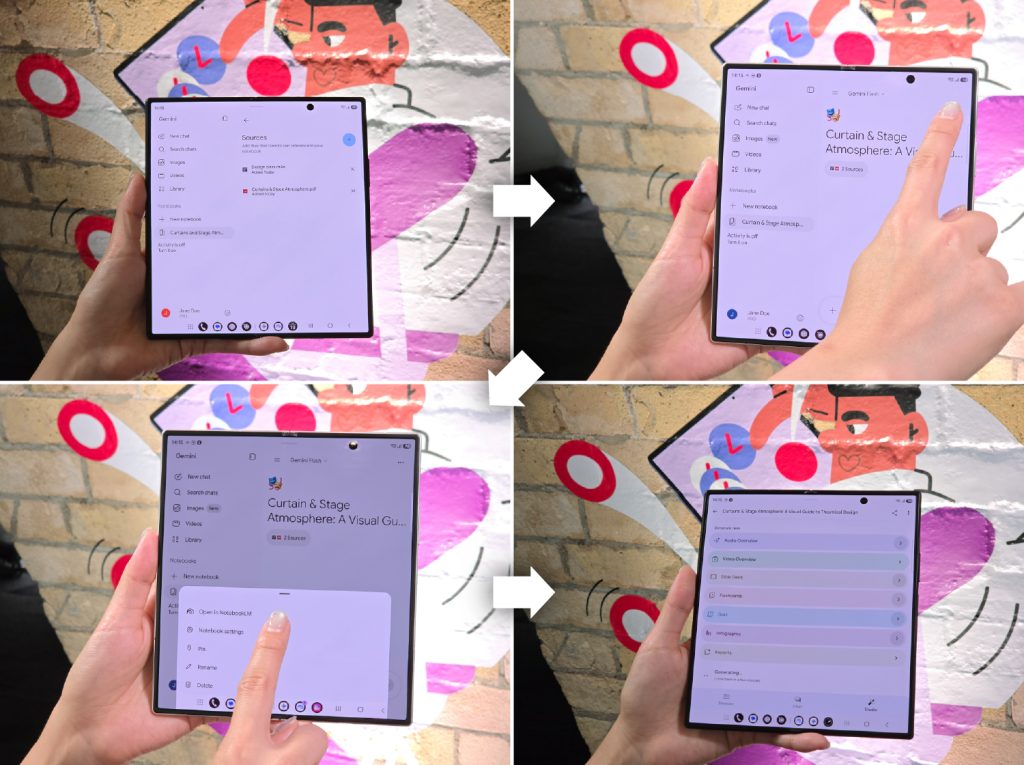
– Gemini Notebook: Centralized workspace for notes, images, recordings, files; can generate meeting recaps, reports, visual summaries, infographics, or audio overviews; on Z Fold8 Ultra, drag-and-drop in Split View for easy organization and sharing.
– Split View/Multi-tasking: Deeper multi-tasking on larger displays; Foldable form factors support side-by-side apps and easier window management.
Practical use cases (by time of day)
– Start of day: Quick daily brief with weather, schedule, and priorities; security/privacy insights flagged early.
– Mid-morning: Now Nudge provides next steps for coordinating plans directly beside the chat.
– Post-meeting: Gemini Notebook gathers notes, images, and recordings, turning them into a recap or document; split view enables live drafting while preserving source material.
– End of day: Recap delivered; tasks prioritized for tomorrow.
What changes for users with Galaxy Z8 Series
– AI experiences adapt to foldable form factors, enabling faster, less manual planning and more seamless collaboration.
– On Z Flip8, access insights and actions from the cover screen via FlexWindow; on Z Fold8/Ultra, use the larger screen for extended multitasking and easier planning.
Key FAQs (highlights for support and sales)
– Availability and form-factor differences: Z8 series supports deeper multi-tasking on Fold models and quick access on Flip model via FlexWindow.
– Samsung Care+ options: Optional service with swaps or screen replacement; integrated health of warranty and care settings in One UI 9.0.
– Data transfer: Smart Switch supports wireless transfer from iOS via QR code, including passwords, eSIM, etc.
– Availability: Z Fold8, Z Fold8 Ultra, and Z Flip8 available in Australia now via Samsung.com/au and retailers.
Risks/notes to communicate
– Some features require Samsung Account login and may vary by country/region, language, device model, and apps.
– Certain AI features may be paid or have future enhancements; terms apply.
– Data transfer via wireless methods may have limitations depending on content type.
Next steps for teams
– Prepare training materials and quick-start guides focusing on:
– How to use Now Brief, Now Nudge, and Gemini Notebook on respective devices.
– How to leverage Split View on Fold models and FlexWindow on Flip model.
– Update customer-facing FAQs and sales scripts to reflect foldable-specific capabilities and availability.
– Confirm regional support and feature variations for targeted markets.
– Promote Samsung Care+ options as part of post-purchase conversations.
If you’d like, I can convert these into a one-page executive summary or a slide-ready briefing with bullet points and recommended talking points for sales or onboarding teams.
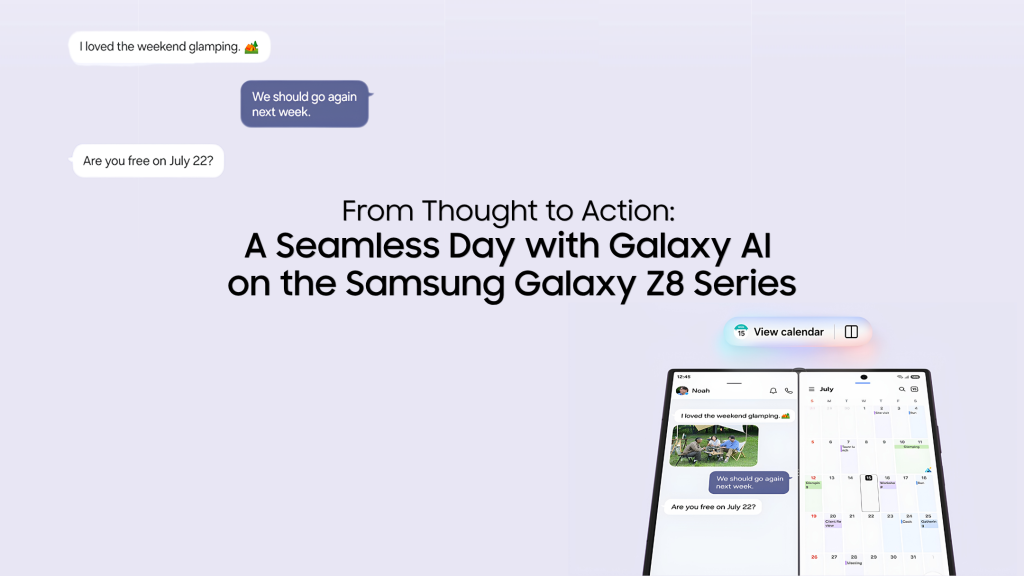
Summary of From Thought to Action: A Seamless Day with Galaxy AI on the Samsung Galaxy Z8 Series
You’re probably familiar with the gaps that happen every day – the half-made dinner plan in a group chat, meeting notes scattered across three apps, and that one tiny thing you meant to sort out three hours ago. But stress no more – with Galaxy AI[1] on the SamsungGalaxy Z Fold8 Ultra, Galaxy Z Fold8, and Galaxy Z Flip8, get ready to transform your thoughts into action.
You heard that right – Galaxy AI on the new Z8 series has been optimised to each of the foldable form factors, with intuitive helpful features that make it easier to stay in control of your day, even when life gets busy.
And what’s great is that all this intelligence happens on a screen that unfolds into an expansive display — so the conversation you’re having and the task you’re working on can sit side by side if you wish, providing helpful reference when needed, while reducing the hassle of toggling between apps. Another good part? If you’re reading this on a mobile that’s not Galaxy, getting here might be even easier than you think.
Start the Day Knowing What Matters
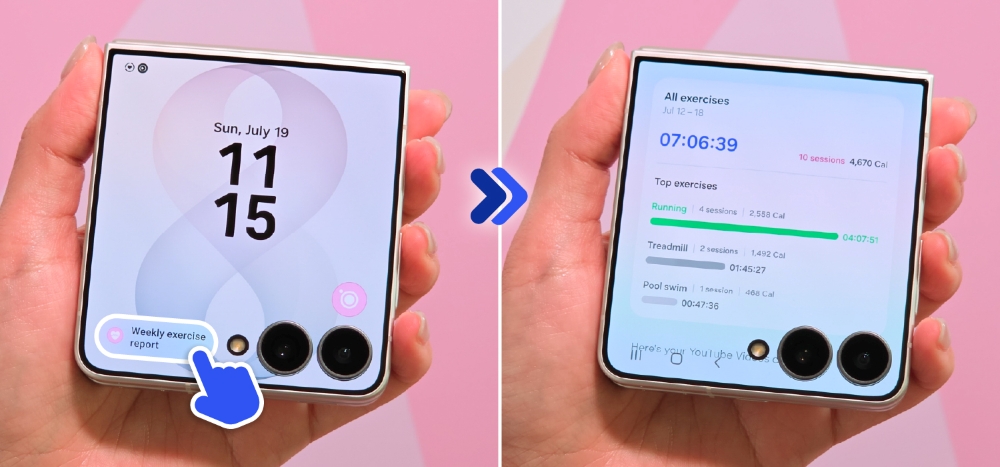
Now Brief surfaces personalised insights and recommendations on the Galaxy Z Flip8’s versatile FlexWindow, giving users all the information they need with just a glance.
Can my phone provide a daily summary of my to-do list and important things I should take note of?
For many people, the morning usually begins with a dozen things half-loaded in mind — an upcoming work deadline, a reply you owe a friend, a dinner plan with family for tonight — and keeping them straight has been your job alone. Now Brief[2] takes on that job, surfacing personalised insights tailored to your routines, interests and daily needs. Without unfolding your Galaxy Z Flip8, the FlexWindow also offers a view of the day’s weather, schedule and important notifications at a glance.
In 2026, Now Brief also keeps an eye out for you, by surfacing security and privacy insights, as well as flagging potential risks alongside the day’s priorities. By the time your first coffee is done, you already have a helpful snapshot of what’s ahead.
Anticipating the Next Step
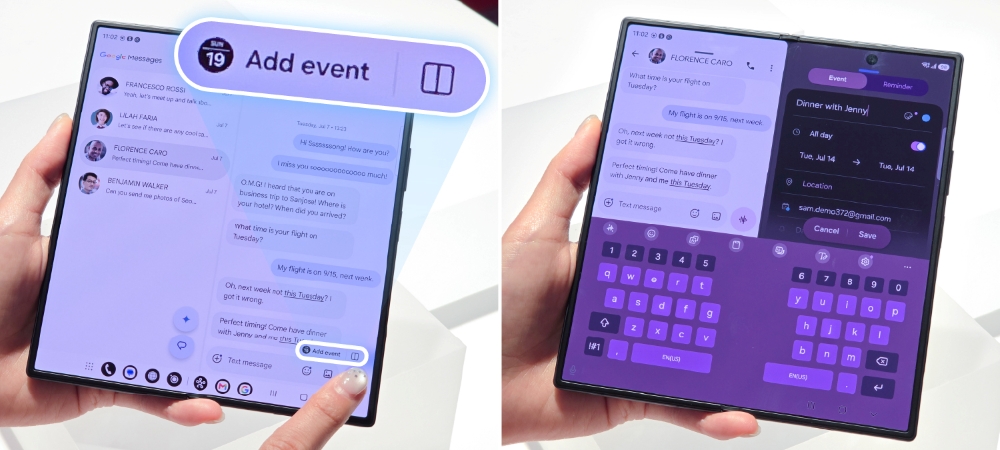
Now Nudge surfaces next steps — checking a schedule, finding a place — side by side with the conversation on the unfolded display.
How can the Galaxy Z8 series help me coordinate and manage my schedule?
Late morning, a dinner plan starts to take shape in your group chat. Everyone’s keen, but no one’s checked a schedule or picked a place — and this is exactly where plans usually stall. Now Nudge[3] catches them: when plans begin brewing in a conversation, it surfaces relevant next steps like checking calendars for a suitable date and time to keep things moving.
On the Galaxy Z Fold8’s unfolded main display, those suggestions sit right beside the conversation, so the chat can continue while your plan comes together – less manual effort but more progress.
Getting Things Done
How can my mobile phone help me finish tasks with less effort?
Knowing what you need to do is the first step. But having to toggle between three different apps can be a big obstacle. With the hassle of tab-switching and copy-pasting, it’s no wonder tasks get abandoned halfway. But with Galaxy AI on Samsung’s latest Galaxy Z8 Series, when you need something, all you have to do is simply ask.
Gemini Intelligence can help you move from request to result in fewer steps: simply describe what you need in a natural voice or through text, or add screen or image context.
Turning Scattered Information into Useful Outputs
Gemini Notebook collects notes, images and recordings in one workspace and turns them into meeting recaps and documents, with drag-and-drop in Split view.
Can my mobile phone help me quickly organise my meeting notes?
By afternoon, a long meeting has just ended, and the recap you owe your team lives everywhere at once — a voice memo, photos of a whiteboard, half-typed notes in two languages.
Gemini Notebook is that one, consistent workplace where you can collect, organise and develop your ideas. Whether your content is in notes, images, recordings, files, or document format, use Gemini Notebook to transform that content into meeting recaps, reports, visual summaries, infographics or audio overviews.
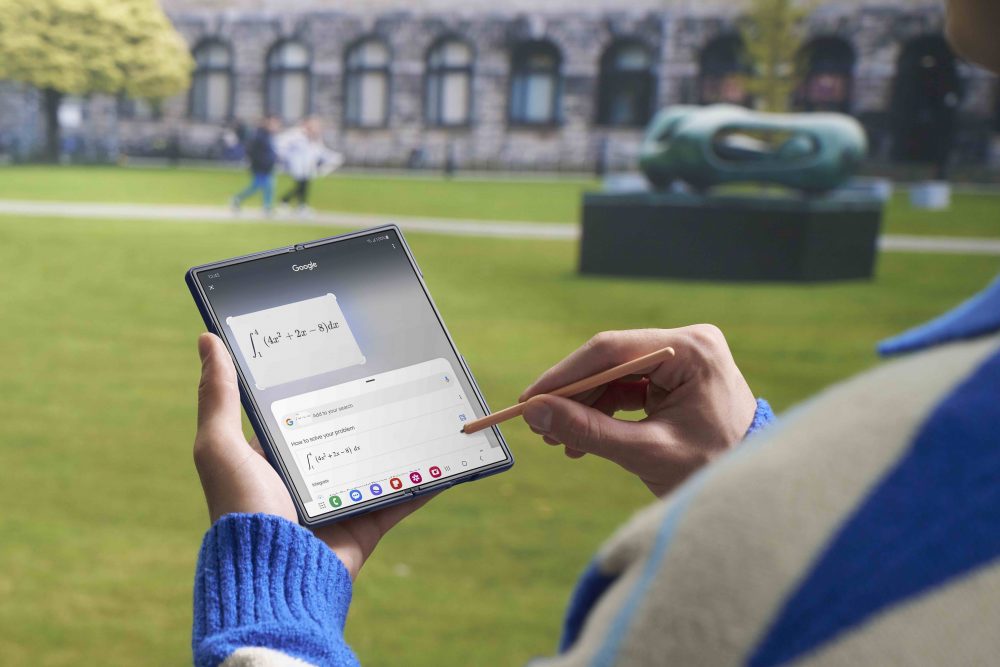
On the Galaxy Z Fold8 Ultra, drag-and-drop in Split view makes your workflow even more direct and simple: retain your source material on one side of the 8.0-inch main display[4], and see the finished recap taking shape on the other. Getting organised – even on the go – then becomes one shareable document with minimal time and effort.
Ending the Day a Step Ahead
Usually the day just ends — whatever didn’t get done rolls quietly into tomorrow, unexamined. This evening looks different. Dinner’s booked and the recap’s sent so you can wind down today and calmly look forward to tomorrow.
The Galaxy Z8 Series is available in Australia now — ready to help you close the gap between thought and action.
Frequently Asked Questions
Q. How is Galaxy AI different on a foldable?
On the new Galaxy Z8 series, Galaxy AI adapts to each form factor. With the wider display of the Galaxy ZFold8 and Galaxy ZFold8 Ultra, users can enjoy deeper multi-tasking with Split View that lets you run multiple apps side by side and shift between windows with a single tap. Meanwhile, the AI-native Galaxy Z Flip8’s FlexWindow keeps relevant information and shortcuts conveniently within reach so users can access apps, insights, and actions directly from the cover screen.
Q. What support is available if my Galaxy Z8 Series is damaged or needs repair?
Samsung Care+[5] is available for the Galaxy Z8 Series, giving you the option of added peace of mind. If you subscribe to Samsung Care+, you can access Swaps or Screen Replacement for any reason, with fees applying, as well as Samsung’s expert support.
With One UI 9.0, the Warranty and care settings hub lets you access information about Samsung Care+ directly from your device, alongside warranty information, self-diagnostics, repair requests and remote support.
Q. Can I transfer my data from another phone to a Galaxy Z8 series device?
Yes. With the updated Smart Switch, iOS users scan a QR code and transfer data wirelessly[6] — including passwords, passkeys, call history, accessibility settings and eSIM data — without downloading additional apps.
Q. When is the Galaxy Z8 Series available in Australia?
The new Samsung Galaxy Z Fold8, Galaxy Z Fold8 Ultra, Galaxy Z Flip8 is now available in Australia from Samsung.com/au and your local retailers.
[1] Galaxy AI basic features provided by Samsung are free. Future releases may include enhanced features or new services that are offered on a paid basis. Different terms may apply for AI features provided by third parties. Galaxy AI basic features are those listed under “Advanced Intelligence” in the current Samsung T&C’s. For details visit http://www.samsung.com/au/.
[2] Now Brief feature requires Samsung Account login. Available functions and features may vary by country, region, language, device model and apps. Some features may require a network connection. Customised briefing content provided is based only on the personal information to which the user has consented. Accuracy of generated results is not guaranteed.
[3] Now Nudge feature requires a Samsung Account login. Available functions and features may vary by country, region and language. Text message prompts available with Samsung Messages and certain third-party messaging apps including Google Messages, Google Chat. Split view supported apps may vary. Share photos in Now Nudge works by analysing available image content. Accuracy of results is not guaranteed.
[4] Measured diagonally, Galaxy Z Fold8 Ultra’s Main Screen size is 8.0-inch in the full rectangle and 8.0-inch accounting for the rounded corners; actual viewable area is less due to the rounded corners.
[5] Terms and conditions apply. Samsung Care+ coverage, service type and promotion details may vary by country/region and a deductible (service fee) may apply. To be eligible for Samsung Care+ promotion benefits, registration may be required. For detailed Samsung Care+ information, please visit https://ift.tt/rIPZsn8. Care at home: When in need of Samsung Care+ services visit your country/region’s local customer services center in advance for Samsung Care+ availability.
[6] Transferring of data types may be limited when using a wireless method.
Here are concise takeaways from the Galaxy Z Fold8 briefing notes:
– Product positioning
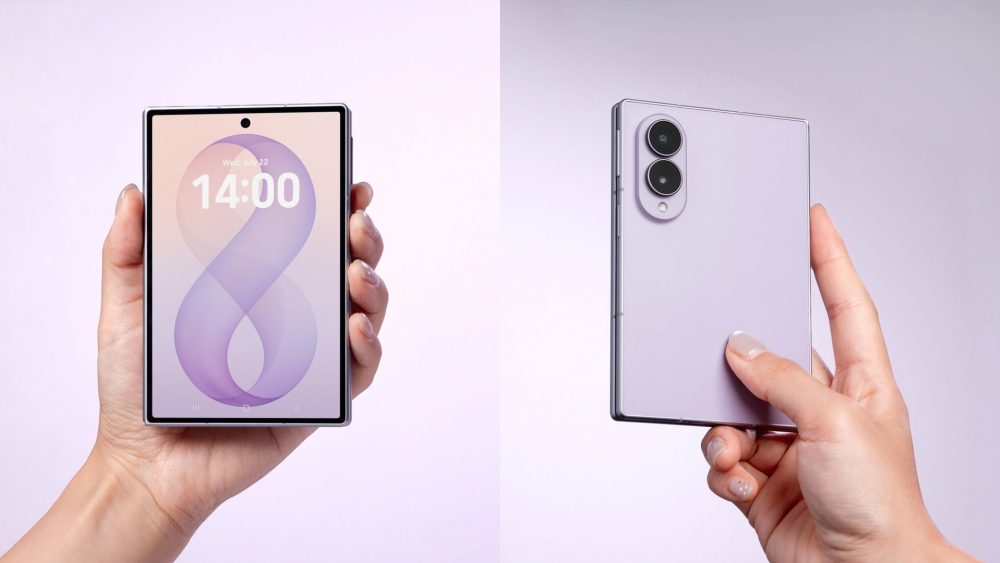
– Galaxy Z Fold8 combines strong performance with AI-driven experiences in a lighter, slimmer form factor designed for portability and daily use.
– Target audiences: tech creators and general consumers who value large-display productivity, media consumption, and seamless device switching.
– Design and portability
– Weight: 201g, making it the lightest Galaxy Z Fold to date.
– Emphasis on slim profile and durable hinge design to support everyday use and large-screen multitasking.
– Performance and display
– Introduces Flex Titanium technology to support a slimmer display with reduced crease visibility.
– Display oriented for content consumption and productivity on a foldable form factor.
– AI and software features
– Galaxy AI features available on the Fold8 to assist productivity, content creation, and communication.
– Now Nudge (Demo via TechNave) enhances tasks on the large display by suggesting next steps in a side-by-side view (requires Samsung Account).
– Multitasking and usability
– Enhanced multitasking experiences enabled by Galaxy AI and improved hinge/firmware optimizations.
– Smart Switch 4 simplifies moving from previous Galaxy devices or switching from other brands, including data like passwords and eSIM data via QR code transfer.
– Smart Switch improvements
– Wireless transfer with QR code simplifies setup; supports transferring photos, contacts, messages, settings, eSIM data, and more.
– Emphasizes ease of transition and reduced manual setup time.
– Content consumption and display optimization
– Display ratios and responsiveness tailored for streaming, social media, and e-books, enabling immersive viewing and reading experiences.
– Availability and pricing (Australia)
– Multiple configurations available with varying RAM/Storage and colors:
– 16GB + 1TB: $3599 (Cream, Graphite, Lavender) — Online Exclusive Pistachio
– 12GB + 512GB: $2999
– 12GB + 256GB: $2699
– Visit samsung.com/au/smartphones/galaxy-z-fold8/ for more details.
– Notable comparisons
– Improvements over predecessor include slimmer/lighter design, enhanced hinge, upgraded software optimizations for multitasking, and upgraded Smart Switch (4).
– FAQ highlights
– Availability: Now available to order in Australia with listed options.
– What’s new vs. predecessor: Slimmer, lighter, Galaxy AI optimizations for foldable form factor, improved hinge/construction, better multitasking, and enhanced Smart Switch 4.
– Supporting notes and disclosures
– Galaxy AI features may vary by country/region; some features may be paid or require account setup.
– Now Nudge functionality and accuracy are contingent on Samsung Account and regional availability.
– Weight claims note potential regional variations.
– Data transfer via Smart Switch depends on OS compatibility and device capabilities.
If you’d like, I can convert these into a one-page executive briefing or a slide-ready summary with bullet points and a quick before/after comparison to previous Galaxy Z Fold models.
Summary of Tech Reviewers Across Southeast Asia & Oceania Share Their Thoughts on the Galaxy Z Fold8
The Galaxy Z Fold8 brings together powerful performance and intelligent experiences in a fresh form factor that adapts to the way people work, create and stay connected. Across Southeast Asia and Oceania, tech creators have been putting the device to the test, trying out their favourite apps on the expansive display, exploring Galaxy AI[1] features, and discovering just how easy it is to make the switch to a new Galaxy device.
Watch them share their experiences below.
Slim and Sleek: The Lightest Galaxy Z Fold Yet
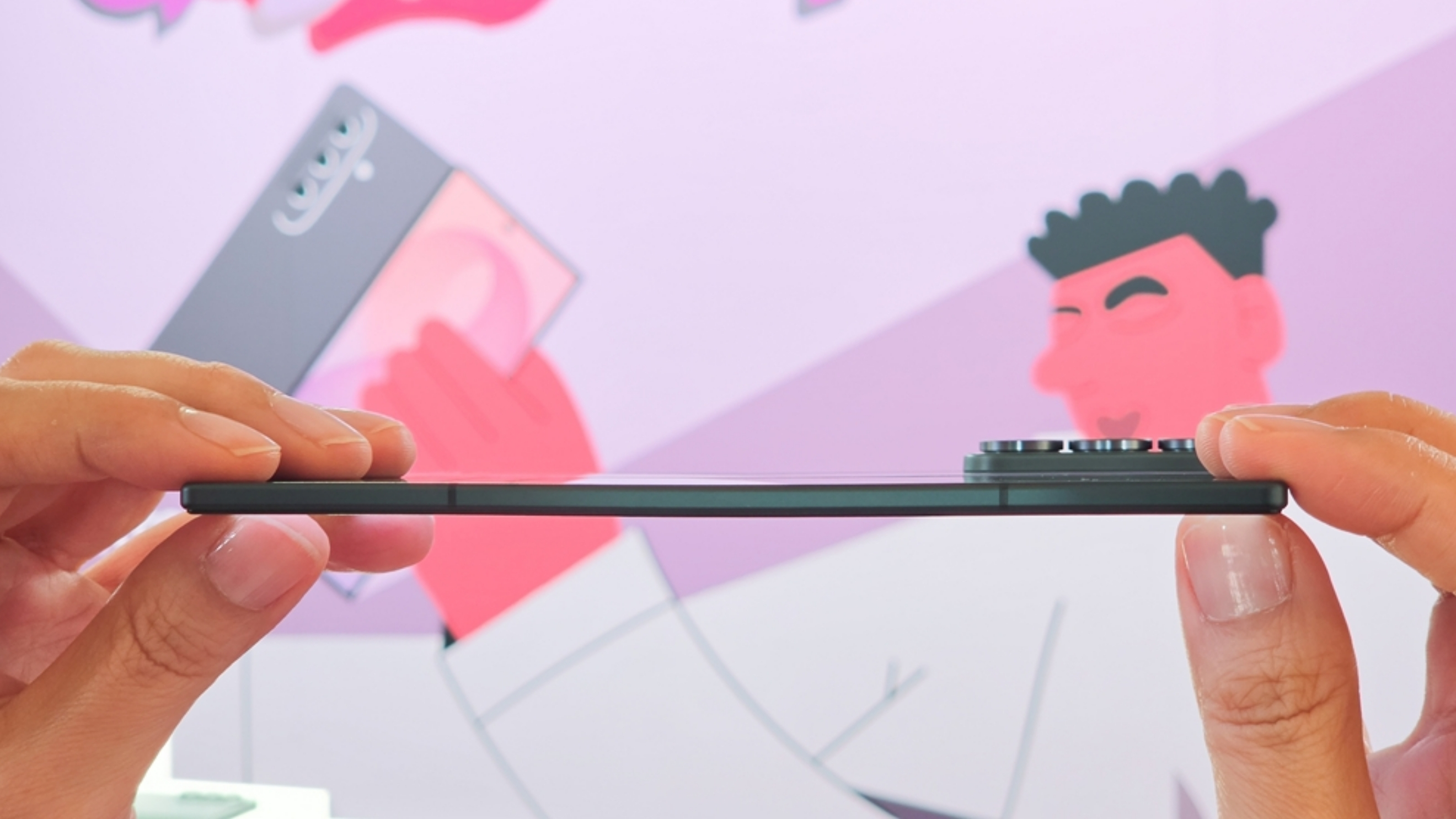
At only 201g[2], the Galaxy Z Fold8 is incredibly lightweight and reviewers across the region have been impressed by its slim profile.
Davis Fang Tech from Australia highlights the portability of the device, noting that it fits perfectly in a pocket when folded and is also extremely light at just 201g2.
Performance: Built for Everyday Confidence
Samsung’s new Flex Titanium technology helps support a slimmer display structure with reduced crease visibility.
YugaTech from the Philippines shares more about the device’s sturdy hinges. Thin but strong, the Galaxy Z Fold8 is designed for daily use while maintaining the flexibility users expect from a foldable device.
Galaxy AI: AI Experiences Optimised for the Foldable Form Factor
Equipped with Galaxy AI1, the Galaxy Z Fold8 brings AI assistance to everyday tasks. From productivity and content creation, to communication and search, Galaxy AI1 helps users get more done while taking full advantage of the foldable form factor.
Watch as @TechNave from Malaysia shows how Now Nudge[3] is even more useful on the Galaxy Z Fold8’s large display. By recognising what is shown on the screen and suggesting relevant next steps in a side-by-side view, Now Nudge[3] helps users continue what they are doing without interruption. When planning a meet-up with friends, for example, users can check on their schedule or save a location while keeping the conversation screen open.
Built for Discovery – A Display Optimised for Content Consumption
The Galaxy Z Fold8’s display ratios are designed around the way people consume content throughout the day. Whether it’s streaming videos, scrolling through social media, or reading e-books, the expansive display adapts to different types of content for a more natural and immersive viewing experience.
Bobby Tonelli from Singapore demonstrates how the Galaxy Z Fold8’s display is perfect for anything from watching videos and enjoying movies, to comfortably reading e-books.
Smart Switch: Moving to Galaxy Made Easy
Whether upgrading from another Galaxy device or switching from a different brand, Smart Switch[4] helps users conveniently transfer photos, contacts, messages, settings and more, making it easier to start using the Galaxy Z Fold8 from day one.
Bestindotech from Indonesia shows just how simple it is to wirelessly set up the new device – less manual effort required and no need for any additional apps. With the updated Smart Switch4, users can scan a QR code and transfer data wirelessly — including passwords, passkeys, call history, accessibility settings and eSIM data (subject to device, operating system and carrier compatibility) — without downloading additional apps.
Frequently Asked Questions
Where can I purchase the Galaxy Z Fold8 devices in Australia
Samsung Galaxy Z Fold8 are now available to order in Australia, with pricing and colour options listed below:
Model
RRP
Memory
Colour
Online Exclusive
Galaxy Z Fold8
$3599
16GB + 1TB
Cream
Graphite
Lavender
Pistachio
$2999
12GB + 512GB
$2699
12GB + 256GB
For more information on the Galaxy Z Fold8, please visit samsung.com/au/smartphones/galaxy-z-fold8/.
How does the Samsung Galaxy Z Fold8 improve compared to its predecessor?
The Galaxy Z Fold8 builds on the previous generation with a slimmer and lighter design that enhances portability without compromising the foldable experience.[5] It also introduces Galaxy AI1 experiences optimised for the new foldable form factor, such as allowing users to experience AI-powered multitasking through split-screen experiences on an expansive display.
Samsung has further refined the device through enhancements to its hinge design and overall construction, while continued software optimisations help users get more out of multitasking and large-screen experiences. Additionally, Smart Switch4 has been enhanced to make moving apps, settings and personal content from a previous device even more seamless.
[1] Galaxy AI basic features provided by Samsung are free. Future releases may include enhanced features or new services that are offered on a paid basis. Different terms may apply for AI features provided by third parties. Galaxy AI basic features are those listed under “Advanced Intelligence” in the current Samsung T&C’s. For details visit https://ift.tt/EFgNmtj
[3] Now Nudge feature requires a Samsung Account login. Available functions and features may vary by country, region and language. Text message prompts available with Samsung Messages and certain third-party messaging apps including Google Messages, Google Chat. Based on availability at the time of product launch. May change without notice. Share photos in Now Nudge works by analysing available image content. Accuracy of results is not guaranteed.
[4] Transferable data may vary depending on the device OS (Android or iOS), OS version, and/or connection option. Available connection option may vary depending on device OS, manufacturer or availability of expandable storage.
[5] Compared to previous Galaxy Z Fold models, including Z Fold and Z Fold Ultra models. The Galaxy Z Fold8 measures 201g in weight.
Here are clear takeaways from the Samsung Galaxy Z series briefing (October 2026):
Key messages
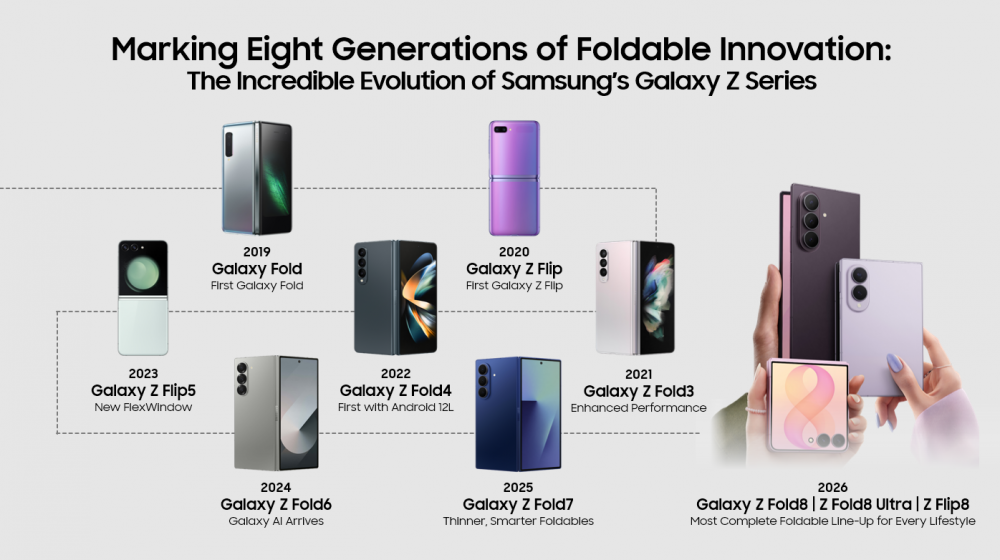
– Samsung emphasizes eight generations of foldable innovation culminating in the Galaxy Z8 series (Fold8 Ultra, Fold8, Flip8) designed for immersion, productivity, and self-expression.
– The 2026 lineup targets distinct user needs with three models offering different foldable experiences and capabilities.
Product highlights by model (2026)
– Galaxy Z Fold8
– New form factor optimized for content consumption: 10:16 cover ratio; 4:3 main display for games/movies/reading.
– Lightweight at 201g; powered by Snapdragon 8 Elite Gen 5 for Galaxy; 4,800mAh battery.
– Flex Titanium technology reduces crease visibility and strengthens the display.
– Galaxy Z Fold8 Ultra
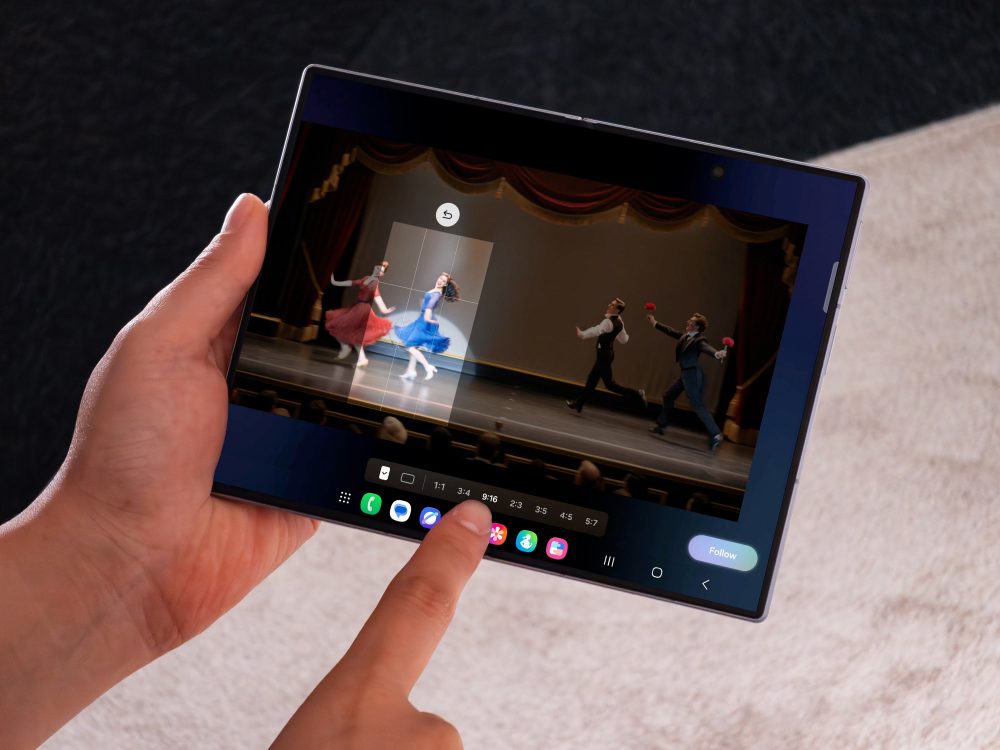
– First Ultra foldable with an expansive 8-inch main display for multitasking and content creation.
– Ultra-level camera system: 200MP main HDR mode, 50MP ultrawide, improved Nightography, 8K video with APV codec and Cine LUT.
– Galaxy Z Flip8
– Reimagined FlexWindow on cover screen for timely insights; now “Brief” on FlexWindow.
– Enhanced flip camera with 50MP and ProVisual Engine; features like Camcorder Grip with Zoom Rocker, Super Steady with Horizontal Lock, FlipShot, Mirror view.
– Slimmest and lightest Flip at 180g and 6.1mm thickness.
AI and software highlights
– Galaxy AI integrated across foldables since 2024, with form-factor–tailored AI experiences.
– 2024: AI features enable large-screen multitasking (Note Assist, Composer, Sketch to Image on Fold6) and auto-framing on Flip6 (Auto Zoom, FlexCam).
– 2025: Galaxy Z Fold7/Flip7 introduced higher imaging (200MP wide-angle on Fold7) and edge-to-edge FlexWindow, plus thinner profile (Fold7 8.9mm folded, 215g).
Durability and build quality
– IPX8 water resistance was introduced with Fold3/Flip3 (2021), with Armor Aluminum used for stronger chassis.
– Folding durability improvements emphasized across generations, including Flex Hinge refinements (Fold5) and Flex Window enhancements (Flip5).
Productivity and ecosystem trends
– Emphasis on PC-like multitasking capabilities via large displays, new Taskbar features in earlier models (Fold4), and expansion of AI-driven productivity tools.
– Smarter data transfer: Upgraded Smart Switch enables wireless migration of data, passwords, eSIM data, etc., to Galaxy Fold8 Ultra, Fold8, and Flip8.
Key historical milestones (context)
– 2019 Galaxy Fold introduced foldables to mainstream; 2020 Hideaway Hinge and Flex Mode expanded usage scenarios.
– 2021-2023: Durability, improved form factors (Flex Hinge, Flex Window), and IPX8 water resistance for Fold3/Flip3; Android 12L support (Fold4) and PC-like multitasking enhancements; Flip4/Camera improvements (FlexCam, Quick Shot).
– 2024-2025: Galaxy AI rollout tailored to foldables; 2025 introduced 200MP camera on Fold7; thinner form factor on Fold7; edge-to-edge FlexWindow (Flip7).
Consumer impact and regional focus
– 2026 rollout aims to accelerate adoption in Southeast Asia and Oceania, with a broader portfolio appealing to a wide range of use cases (entertainment, productivity, self-expression).
Frequently asked questions (summary)
– Differences among Galaxy Z Fold8 Ultra, Fold8, Flip8: Ultra for productivity/content creation; Fold8 for immersive consumption; Flip8 for quick interactions and AI-native FlexWindow.
– Lightest foldable: Fold8 weighs around 201g.
– Data transfer: Upgraded Smart Switch supports wireless migration of data, including passwords, eSIM, and more, without extra apps (varies by OS and region).
Actionable takeaways for decision-makers
– Align marketing and training materials to emphasize three distinct value propositions (Ultra for creators/prodMod, Fold8 for immersive viewing, Flip8 for quick AI-enabled interactions).
– Prepare regional campaigns highlighting Galaxy AI features tailored to form factors; ensure messaging around AI availability and potential paid features is clear.
– Highlight durability upgrades (Flex Hinge, Armor Aluminum, IPX8 where applicable) to address reliability concerns.
– Ensure cross-device ecosystem messaging (Smart Switch ease of data migration and Galaxy AI integration across devices).
– Consider inventory and GTM plans for Southeast Asia and Oceania to capitalize on regional adoption momentum.
If you’d like, I can convert these into a slide-ready concise briefing or a one-page executive summary tailored to your audience.
Summary of Marking Eight Generations of Foldable Innovation: The Incredible Evolution of Samsung’s Galaxy Z Series
Do you remember the first time you ever saw a foldable mobile phone?
Modern foldables of today have evolved far beyond just a screen that folds. Samsung’s line-up now combines intelligent features with large displays for productivity, entertainment, and communication.
Since the introduction of the first Galaxy Fold in 2019, Samsung has been leveraging a deep understanding of consumer needs and strengthening expertise in this category. Valuable insights and experiences gained from seven generations of foldable innovation has resulted in the most complete line-up yet – the all-new Galaxy Z8 series.
This exciting line-up is resonating with consumers globally, including those in Southeast Asia and Oceania. The new series is also compelling more people in the region to embrace Samsung foldables.
From the latest innovations unveiled in 2026, let’s trace Samsung’s evolution of foldable technology through the years – from its newest breakthroughs, all the way back to the debut of its very first foldable phone. Here’s how the journey unfolded.
2026: Three distinct foldables built for immersion, productivity and self-expression
The latest foldable line-up presents a broad portfolio designed to meet distinct user needs. The Galaxy Z Fold8 Ultra, Galaxy Z Fold8 and Galaxy Z Flip8 bring together advancements across form factor, display engineering, camera features, and Galaxy AI[1], empowering users with more choice than ever to pick a foldable that best suits their needs.
Galaxy Z Fold8
· A new form factor offers display ratios optimised for content consumption: A 10:16[2] cover screen for quick everyday interactions and a 4:3 main display for games, films, and also reading.
· At 201g, it is Samsung’s lightest Galaxy Z Fold[3], and is powered by the Snapdragon® 8 Elite Gen 5 Mobile Platform for Galaxy[4] and 4,800mAh battery[5].
· Flex Titanium is introduced across the Galaxy Z series – a display structure combining a titanium alloy film with an enhanced titanium plate to make the foldable thinner, strengthen display support, and reduce crease visibility over time.
Galaxy Z Fold8 Ultra
· First Ultra foldable brings Galaxy’s Ultra standard for performance, capability and innovation to an expansive 8-inch main display[6] designed for multitasking and content creation.
· Ultra-level camera system: 200MP Main Camera with HDR capability in 200MP mode, new 50MP ultra-wide Camera, improved Nightography[7], and 8K video recording with the new APV codec and Cine LUT.
Galaxy Z Flip8
· Reimagined FlexWindowbrings apps, insights and actions to the cover screen – Now Brief[8] on the FlexWindow surfaces timely insights and next steps.
· Flip camera experience is enhanced with a 50MP camera and ProVisual Engine, alongside Flex Mode, Camcorder Grip with Zoom Rocker, Super Steady with Horizontal Lock, FlipShot and Mirror view.
· Weighing 180g and measuring 6.1mm thick, it is Samsung’s slimmest and lightest Flip[9].
2024 to 2025: Bigger possibilities for everyone with mobile AI
In 2024, the Galaxy Z series was first equipped with Galaxy AI, offering users AI-powered experiences tailored to each form factor.
2025: A Thinner Fold and an Edge-to-Edge FlexWindow
· The Galaxy Z Fold7 introduced the first flagship-level 200MP wide-angle camera in the Galaxy Z series, pairing upgraded imaging capabilities with a large screen for editing and content creation.
· At just 8.9mm thick when folded[10] and weighing only 215 grams, the Galaxy Z Fold7 was lighter than even the Galaxy S25 Ultra.
· The Galaxy Z Flip7 featured a new 4.1-inch[11] edge-to-edge FlexWindow[12], enabling users to access AI-powered experiences and features like Now Brief without opening the device.
2024: Galaxy AI Comes to Foldables
· The arrival of Galaxy AI was a pivotal moment, with AI experiences adapted to the distinct foldable form factors.
· On Galaxy Z Fold6, large-screen multitasking was supported by AI-powered features like Note Assist, Composer and Sketch to Image.
· Galaxy AI unlocked new possibilities for content creation with the Galaxy Z Flip6. With Auto Zoom, FlexCam could automatically detect the subject and adjust framing, making it easier to capture hands-free photos and videos.[13]
2021-2023: Bringing foldables into everyone’s everyday life
As the category developed, Samsung continued to refine foldables and increase versatility, enabling the form factor to better fit into everyday life.
2023: Flex Hinge and Flex Window Refine the Foldable Form
· Galaxy Z Fold5 introduced the new Flex Hinge, designed to diffuse external impact and support a more balanced foldable design.
· The Galaxy Z Flip5 was equipped with a 3.4-inch FlexWindow, expanding access to Widgets, messages, and camera functions directly from the cover screen.
2022: Foldable Experiences Support Hands-Free Content and PC-Like Multitasking
· Galaxy Z Fold4 was Galaxy’s firstfoldable to ship with Android 12L, a version of Android created specifically for large-screen experiences.
· A new Taskbar supported a PC-like layout, and new swipe gestures made it easier to move between apps and multitask on the Main Screen.
· Galaxy Z Flip4 expanded creative possibilities with FlexCam, enabling hands-free photos and videos from multiple angles, while enhanced Quick Shot right from the cover screen made selfies more convenient.
2021: Enhanced durability with IPX8 Water Resistance
· As foldables became a bigger part of everyday life, improving performance was a top priority.
· Galaxy Z Fold3 and Galaxy Z Flip3 brought IPX8[14] water resistance to the foldable line-up, marking an important advancement for the category.
· Both devices were also built with Armor Aluminum, which was the strongest aluminum ever used on a Galaxy phone.
2019-2020: Can you fold a mobile phone?
Long before foldables became familiar in everyday mobile experiences, Samsung took the bold step of reimagining what the category could look like. And after launching a foldable for the first time in 2019, Samsung continued to show that foldables were not just phones with flexible screens, but devices that could support entirely new ways to enjoy mobile experiences. With relentless innovation over the years, Samsung has driven the technology from concept to mainstream adoption.
2020: Hideaway Hinge and Flex Mode Unlock New Foldable Experiences
· Galaxy Z Fold2 came with an expanded 6.2-inch Infinity-O Display and introduced Flex Mode, enabling the phone to be used with a variety of angles depending on user needs – wide open, standing upright in a folded position, and more.
· At the same time, Samsung launched the first Galaxy Z Flip, featuring the Galaxy’s first foldable glass display built using Samsung’s Ultra-Thin Glass technology.
· These innovations showed that foldables were not simply smartphones with flexible screens; they could create entirely new ways of interacting with mobile devices.
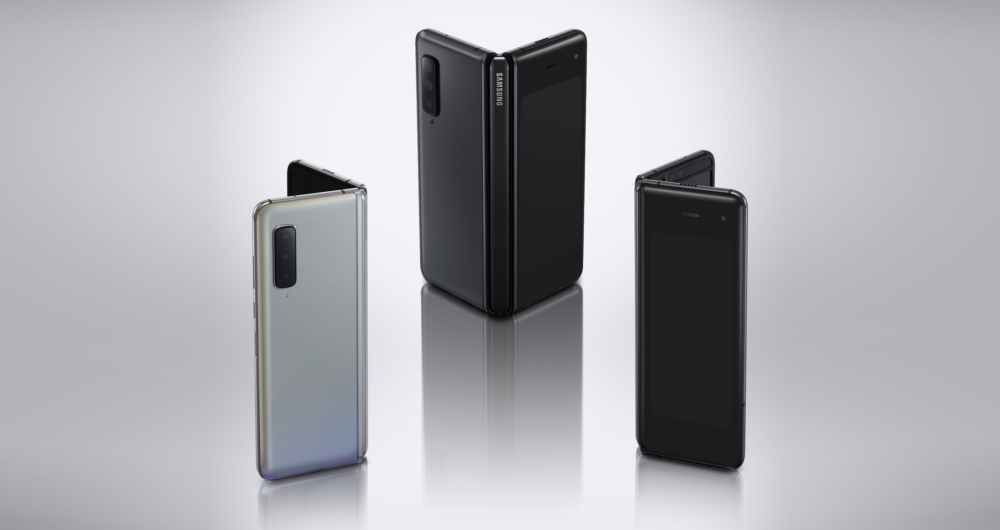
2019: Galaxy Fold Opens a New Chapter in Smartphone Innovation
· The first step in the journey began in 2019 with the Galaxy Fold bringing foldable technology to mainstream consumers for the first time.
· Its 7.3-inch Infinity Flex Display could transform a compact phone into a larger screen designed for viewing, productivity and multitasking.
· Features such as App Continuity and Multi-Active Window demonstrated how software and hardware could work together across a completely new form factor.
· At the time, it was a bold vision of what the future of mobile technology could look like.
More still to come for the Galaxy Z series
What began as a bold idea in 2019 has evolved into a comprehensive Galaxy Z portfolio shaped by relentless innovation and improvements. The journey is far from over. Across the Galaxy Z series, Samsung will continue to make the foldable experience even more intuitive, capable, and seamless for everyone.
Frequently Asked Questions
Q. What is the difference between Galaxy Z Fold8 Ultra, Galaxy Z Fold8 and Galaxy Z Flip8?
The three devices are designed around different foldable experiences. Galaxy Z Fold8 Ultra brings Ultra-level productivity and content creation to an expansive foldable display, Galaxy Z Fold8 focuses on immersive content discovery and consumption through its new form factor, while Galaxy Z Flip8 centres on self-expression and quick interactions through its AI-native FlexWindow.
Q. Is Galaxy Z Fold8 one of the lightest foldable phones available?
The Galaxy Z Fold8 is the Samsung’s lightest book-style foldable phone, combining the portability with an expansive screen when you want more. Weighing just 201g[5], the device is easy to carry throughout your day and its slim profile fits comfortably in your hand. You can slip it into your pocket smoothly or unfold whenever you want more room to watch, read, work, or play on the spacious main screen.
Q. How do I transfer my data over from another phone to Galaxy?
Bringing your data over is easier than ever with the upgraded Smart Switch[15] experience on Galaxy Z Fold8 Ultra, Galaxy Z Fold8 and Galaxy Z Flip8. There is no need for an extra app and data can be transferred wirelessly to make the move over to Galaxy even simpler. Migrate data including passwords and passkeys, call history, accessibility settings, eSIM data and more.
[1] Galaxy AI basic features provided by Samsung are free. Future releases may include enhanced features or new services that are offered on a paid basis. Different terms may apply for AI features provided by third parties. Galaxy AI basic features are those listed under “Advanced Intelligence” in the current Samsung T&C’s. For details visit http://www.samsung.com/au/.
[2] Measured diagonally, Galaxy Z Fold8’s cover screen size is 5.5” in the full rectangle and 5.4” accounting for the rounded corners. The Main Screen size is 7.6” in the full rectangle and 7.6” accounting for the rounded corners; actual viewable area is smaller due to the rounded corners and camera hole. Aspect ratios shown are approximate, based on representative model values.
[3] Compared to previous Galaxy Z Fold models, including Z Fold and Z Fold Ultra models. The Galaxy Z Fold8 measures 201g in weight.
[4] Snapdragon branded products are products of Qualcomm Technologies, Inc. and/or its subsidiaries. Snapdragon is a trademark or registered trademark of Qualcomm Incorporated.
[5] Typical value tested under third-party laboratory conditions. Typical value is the estimated average value considering the deviation in battery capacity among the battery samples tested under IEC 61960 standard. Rated capacity is 4660 mAh for Galaxy Z Fold8.
[6] Measured diagonally, Galaxy Z Fold8 Ultra’s cover screen size is 6.5” in the full rectangle and 6.5” accounting for the rounded corners. The main screen size is 8.0” in the full rectangle and 8.0” accounting for the rounded corners; actual viewable area is smaller due to the rounded corners and camera hole.
[7] Results may vary depending on light condition and/or shooting conditions including multiple subjects, being out of focus or moving subjects.
[8] Now Brief feature requires Samsung Account login. Service availability may vary by country, language, device model and apps. Some features may require a network connection. Modes and Routines need to be enabled to use Personal Data Engine for context-based Routines suggestions. User needs to consent to access permissions such as photos, videos, audio files, and calendar events. May not display moments depending upon exposure policy. The description of photos provided by moments may not align with the user’s intent. Events schedule notification is supported with calendar apps that utilize Android calendar database and available if Samsung Calendar is installed. Notifications for coupons only available for coupons added to Samsung Wallet with expiration date.
[9] Compared to previous Galaxy Z Flip models. Galaxy Z Flip8 measures 13.1mm when folded and 6.1mm when unfolded. Thickness measured from top to bottom of the glass at the thinnest point. The Z Flip8 measures 180g in weight and the Z Flip7 measures 188g.
[10] The thickness of Galaxy Z Fold7 when unfolded does not include the frame of the Main Screen.
[11] Measured diagonally, Galaxy Z Flip7’s Cover Screen size is 4.1 inch in the full rectangular form; actual viewable area is less due to the rounded corners and camera hole.
[12] Measured diagonally, Galaxy Z Flip7’s cover screen size is 4.1-inch in the full rectangular form; actual viewable area is less due to the rounded corners and camera hole.
[13] Results may vary depending on light condition and/or shooting conditions including multiple subjects, being out of focus or moving subjects.
[14] IPX8 is based on test conditions for submersion in up to 1.5 meters of freshwater for up to 30 minutes. Not advised for beach or pool use. Not dust-resistant.
[15] Transferable data may vary depending on the device OS (Android or iOS), OS version and connection method. Data transfer from an iOS device to a Galaxy device using the upgraded method is available on devices running Android 17 or later and iOS 26.6 or later in regions outside mainland China
Here are clear takeaways from the notes about ultra-large TVs and Footy Finals:
– Footy finals drive big TV purchases in Australia, with a notable spike in sales and a strong push toward ultra-large sizes (75 inches and above).
– 2026 trend: Australians are not only buying bigger TVs but increasingly opting for ultra-large (98 inches to 115 inches).
– Size growth: 98-inch and above category value is up over 45% year over year; this is the fastest-growing TV size segment for Samsung in Australia.
– Market positioning: Australia is among the world leaders in large-screen adoption (fourth globally for 75-inch+ Samsung TV sales; top in the Southern Hemisphere).
– Product range and price points: Samsung offers a broad ultra-large lineup across multiple ranges (Micro RGB, The Frame, Neo QLED, Mini LED) with sizes from 98″ to 115″. Current market averages show a 98″ TV around $5,000, with examples like the U9000H at $3,799 and the 115″ R95F at $41,999.
– Accessibility and evolution: The ultra-large market has matured since 2019, with more models at varied price points and improved features (glare-free options, matte/anti-reflective coatings, and smart features).
– Benefits highlighted: Big screen immersion for sports, stadium-like experience, and premium home aesthetics (e.g., The Frame’s Art Mode for wall-appearance when not in use).
– Key features to watch for in ultra-large TVs:
– Large-screen-optimized processing (AI upscaling, noise reduction, sharpness, black enhancements).
– Certified glare-free or glare-reducing coatings to mitigate reflections.
– Wall presence considerations (design options like The Frame can transform into art).
– Support and ecosystem: Ultra-large TVs come with extensive support including 7 years of Tizen upgrades, Gaming Hub with Xbox Game Pass, and Samsung TV Plus with 200+ channels.
– Brand confidence: Samsung is positioned as Australia’s most loved TV brand for seven consecutive years in Finder Customer Satisfaction awards.
– Purchasing guidance for consumers: Focus on:
– Processing power for large screens (image quality at scale)
– Glare management (not just “glare-free” but certified glare reduction)
– Aesthetic and wall integration (art mode options)
– Long-term software and entertainment support (updates, gaming services, streaming options)
If you’d like, I can convert these into a one-page executive takeaway memo or tailor a short briefing for a presentation, including a simple decision checklist for choosing an ultra-large TV.
Summary of Australians are Scoring Ultra-large TVs ahead of Footy Finals
Footy finals season is once again one of the biggest catalysts for a new TV purchase amongst Australians with Samsung’s internal sales data showing TV sales spiked by 20% in the lead-up to last year’s back-to-back AFL and NRL finals weekend[1]. Large screens (75 inches and above) grew by 27%[2], reinforcing Australians’ love of gathering around their TV with friends and family to watch big sporting moments across the nation.
According to Simon Howe, Director – Audio Visual, Samsung Australia, Australians are on track to match last years’ sell out in 2026, with one key change: Australians aren’t just buying bigger TVs for the big game, they’re going ultra-large.
“Samsung’s 98 inch and above TV category has grown in value by over 45% year on year[3], making it our fastest-growing TV size segment and cementing the ultra-large screen as the new centrepiece of the Australian lounge room,” said Mr Howe. “Footy finals is now a catalyst for Australians to get that big TV they’ve been craving because it helps bring stadium-like immersion to our homes.”
Beyond the viewing experience itself, Mr Howe attributes the prevalence of ultra-large screen purchases to increased accessibility in recent years, in both range and price. In 2025, Samsung offered four 98 inch or bigger TVs across its Neo QLED and QLED ranges. Today, Samsung’s line-up features eight ultra-large TVs, spanning Samsung’s premium Micro RGB, The Frame Art TV, Neo QLED, and Mini LED ranges, with displays available in 98 inches to 115 inches.
Further, Samsung insights show that the current market average selling price for a 98 inch TV is approximately $5,000, with Samsung offering the 98-inch Crystal UHD U9000H for $3,799 and the premium 115-inch Micro RGB R95F at $41,999.
“Today’s ultra-large screen market is very different to 2019 when Samsung’s first 98-inch 8K TV launched at $99,999,” said Mr Howe. “Samsung offers a wide range of ultra-large TVs at various price points to ensure there is an option to suit every Australian lifestyle. From Glare-Free options, to Art TV options, every Samsung ultra-large screen is made for Australians, designed to deliver amazing picture and audio quality, a premium design, and Vision AI Companion smart features that consumers expect from the global number one TV brand for 20 years[4],” said Mr Howe.
Samsung insights also show that Australians’ appetite for big screens has secured our nation’s position as one of the world’s leading markets for large-screen TVs. Australia currently ranks fourth globally for the proportion of 75-inch-plus Samsung TV sales, putting us at number one in the Southern Hemisphere[5].
With more ultra-large options on the market than ever, Mr Howe warns that not all big screens are created equal. Ahead of finals weekend, here’s what he says Australians should keep an eye out for:
Processing power built for big screens. “Detail can get lost when content is simply stretched across a larger screen. Ensure the TV you’re looking at has big-screen specific technology like Samsung’s Supersize Picture Enhancer[6]. This feature uses AI to upscale content, focusing on noise reduction, tailored sharpness and black enhancement, helping to ensure picture quality is maintained at scale.”
Certified Glare-Free. “Big screens can mean big reflections in bright Australian homes, and anti-reflection does not mean ‘glare-free’. Samsung’s Glare-Free coating[7] is certified to help minimise on-screen distractions[8], so nobody misses the winning try or the final siren due to a stray reflection.”
A screen that earns its place on the wall. “A big TV can mean a big black box when it’s switched off. Samsung’s ultra-large range includes the 98-inch The Frame TV which can transform into a work of art via Art Mode and The Art Store[9] before and after the final whistle.”
[1] Samsung internal sales data as at 28 Sept 2026.
[2] Samsung internal sales data as at 28 Sept 2026.
[3] Samsung internal sales data 2026 – year to date in 98 inch and larger category as at 28 Sept 2026.
[4] Omdia, Feb 2026. Based on overall TV market share by manufacturer on an annual unit & revenue basis.
[5] Samsung internal sales data as at 22 April 2026.
[6] Picture quality may vary depending on the quality and resolution of source content and viewing conditions.
[7] Available on select Samsung ultra-large TVs only.
[8] Based on Reflection Glare UGR <10, Discomfort Glare UGR <22, Disability Glare UGR <34 certification for compatible Samsung TV models validated by UL LLC. (UL Solutions).
[9] Stream complimentary curated art or additional artworks available via subscription. Internet connection required.
[10] A controller may be required depending on the specific game being played on the Gaming Hub. Internet connection, additional gaming service subscriptions and third party apps (depending on game or service) may be required. Content services are subject to change without notice. Requires Samsung Account. Xbox Game Pass Ultimate subscription and compatible controller required. Fees apply.
[11] Ad-supported streaming service with content subject to change without notice. Available for free on Samsung Smart TVs since 2016.
Here are concise takeaways from the Samsung Galaxy Tab S12 Series launch notes:
– Product lineup and positioning
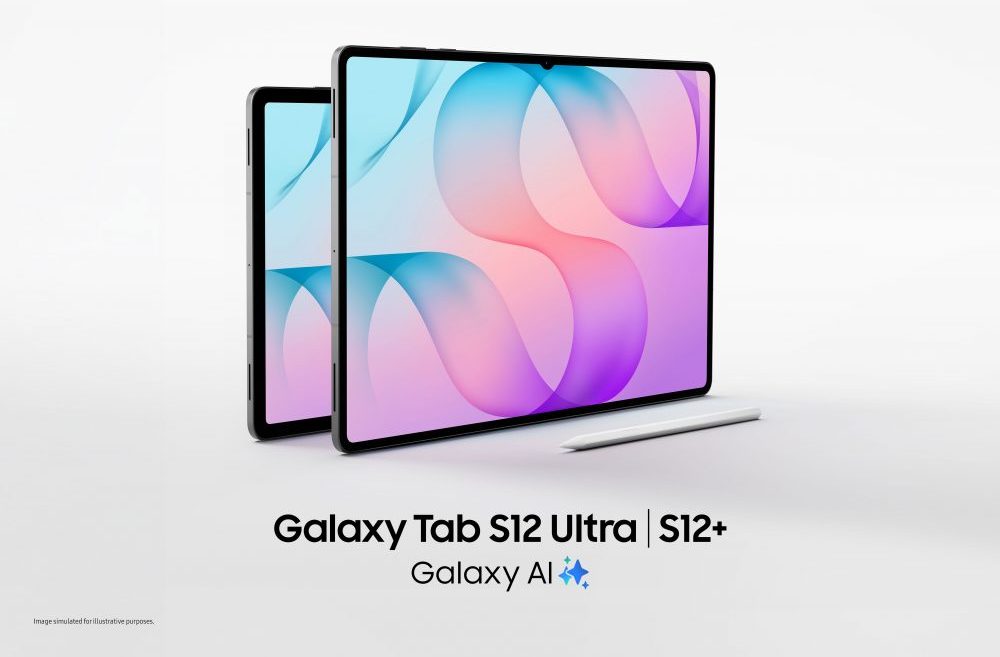
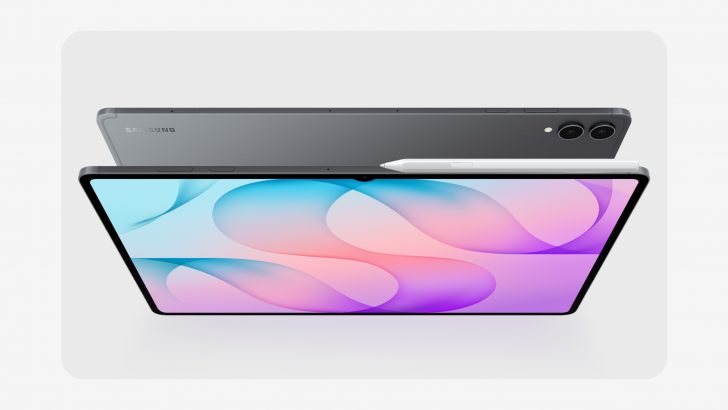
– Introduces Galaxy Tab S12 Ultra (14.6-inch) and Galaxy Tab S12+ (12.6-inch) as Samsung’s most capable tablet lineup yet.
– Emphasizes productivity, long battery life, and Galaxy AI integration in a slim, ultra-thin design.
– Key hardware highlights
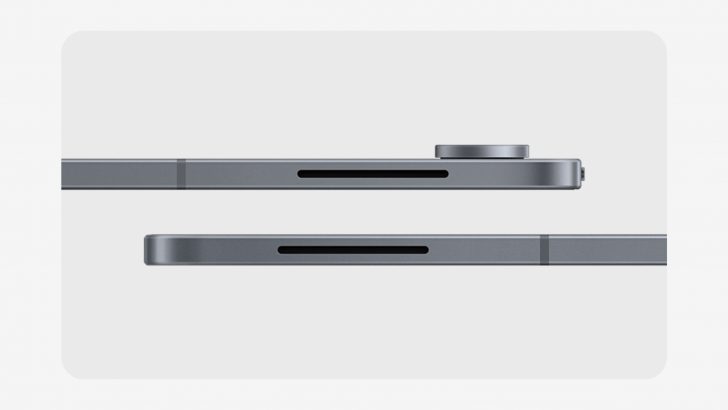
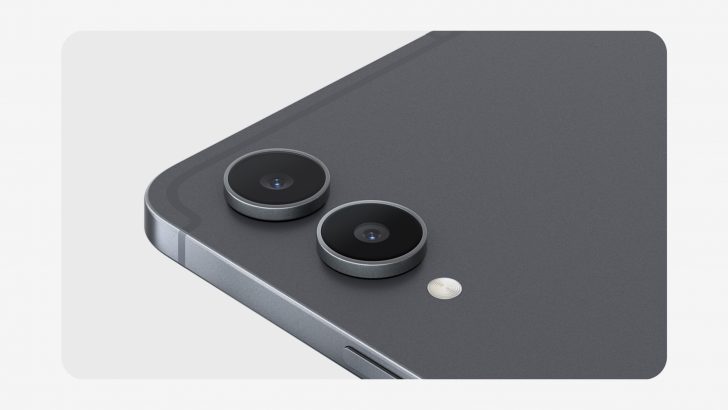
– Ultra-thin chassis: Tab S12 Ultra at 5.1 mm.
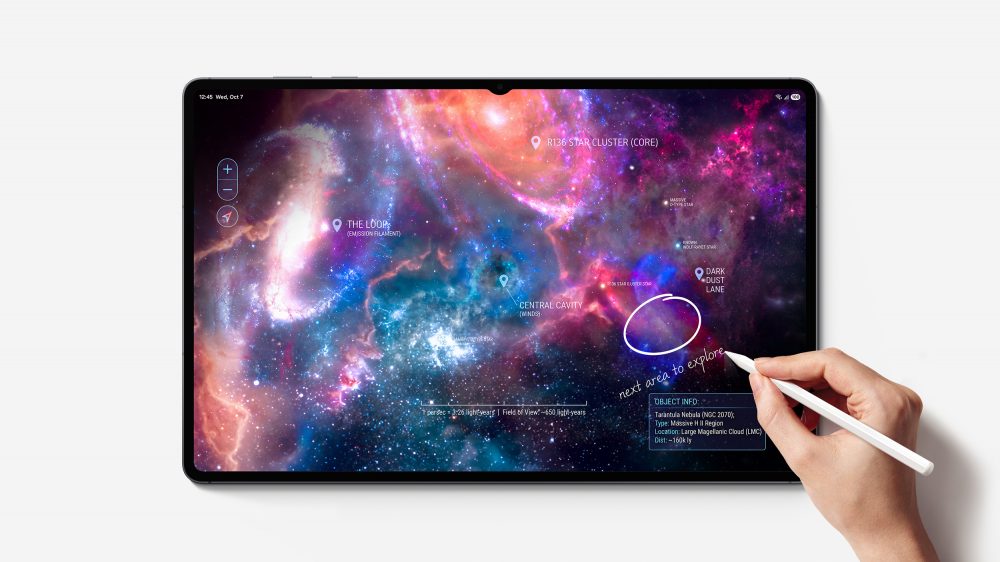
– Display: Dynamic AMOLED 2X with high brightness (up to 1,600 nits; 1,000 nits in High Brightness Mode); Ultra 14.6″ and Plus 12.6″ panels.
– Performance: MediaTek Dimensity 9500 AP; up to 16GB RAM and 1TB storage on Ultra; multiple memory/storage options on Plus.
– Cooling: New 3D Vapour Chamber for sustained performance.
– Durability: IP68 water and dust resistance; S Pen included (BLE not supported).
– Battery and charging
– All-day battery: up to 23 hours on Ultra, 21 hours on Plus (video playback tests); 45W fast charging (adapter sold separately).
– AI and software ecosystem
– One UI 9 + Android 17; integrated Galaxy AI features for research, note-taking, creation, and AI assistance.
– Includes six-month Google AI Pro trial (Gemini integration and Gemini Notebook) and Galaxy Browser improvements for cross-page summarization and quick insights.
– Enhanced multitasking: Multi Window supports up to three sections.
– S Pen and accessories
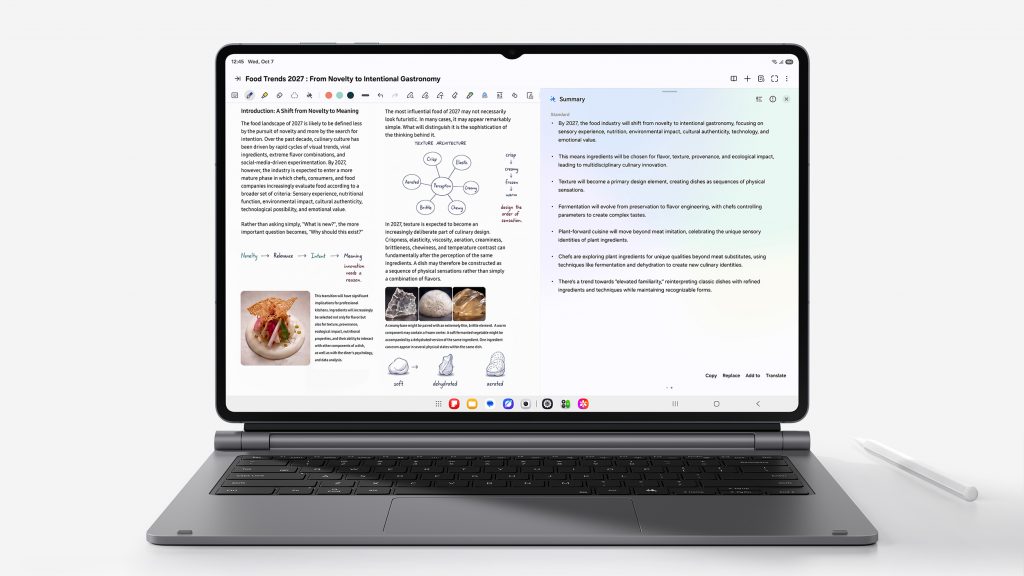
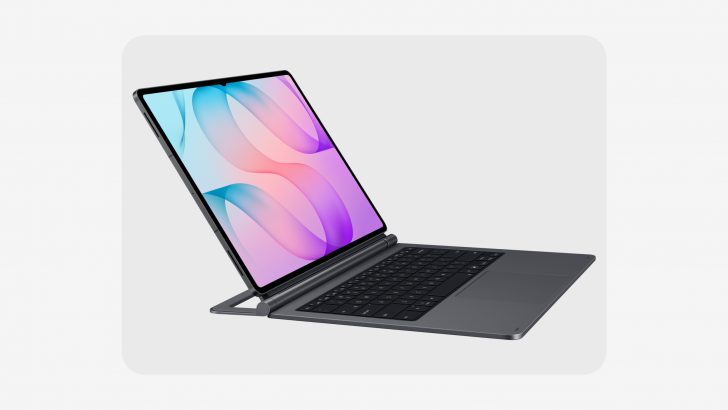
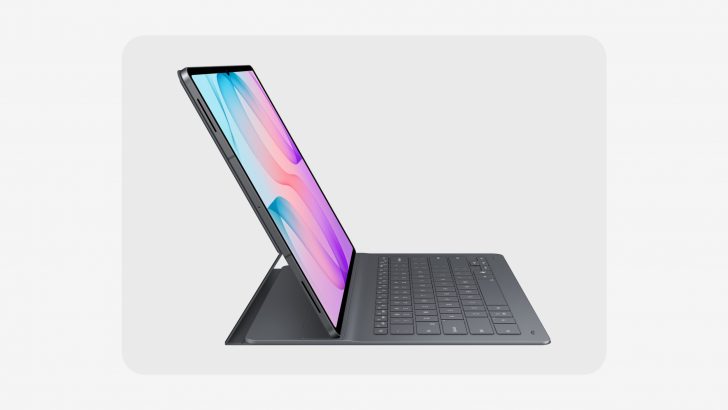
– S Pen included; Pro Keyboard, Book Cover Keyboard Slim, and other accessories available (some optional or separate purchases).
– Galaxy AI Key available on select keyboards; shortcuts for AI assistants.
– Creative and productivity app integration
– Pre-loaded professional apps and bundles with promotions:
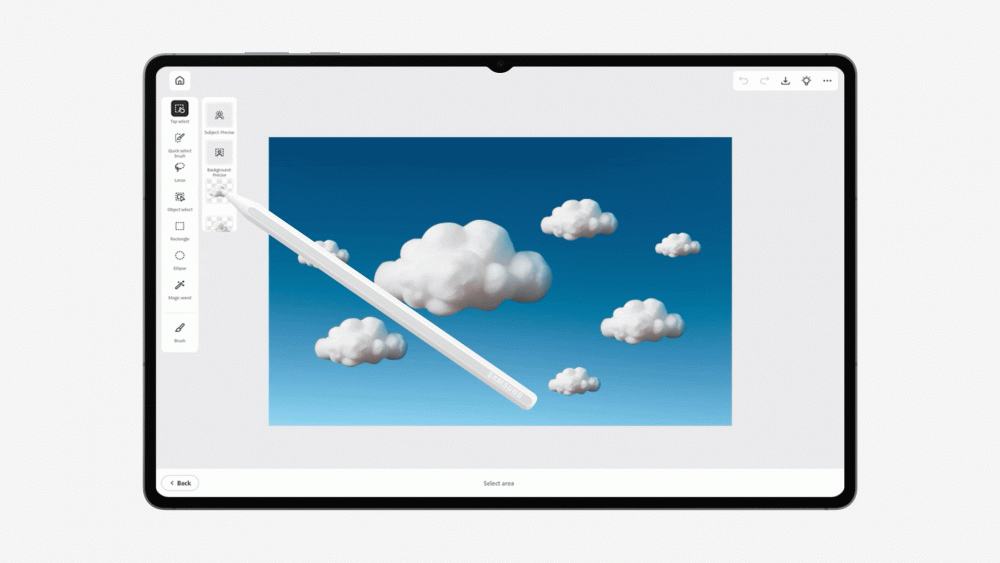
– Adobe Photoshop on Galaxy Tab S12 (4 months of premium mobile access; AI features via Firefly).
– Notability, Goodnotes, LumaFusion (discounts and trials), Notion, Clip Studio Paint, and more with varying trial periods and discounts.
– MyScript, Noteshelf 3, ArcSite, and others with trials or discounts.
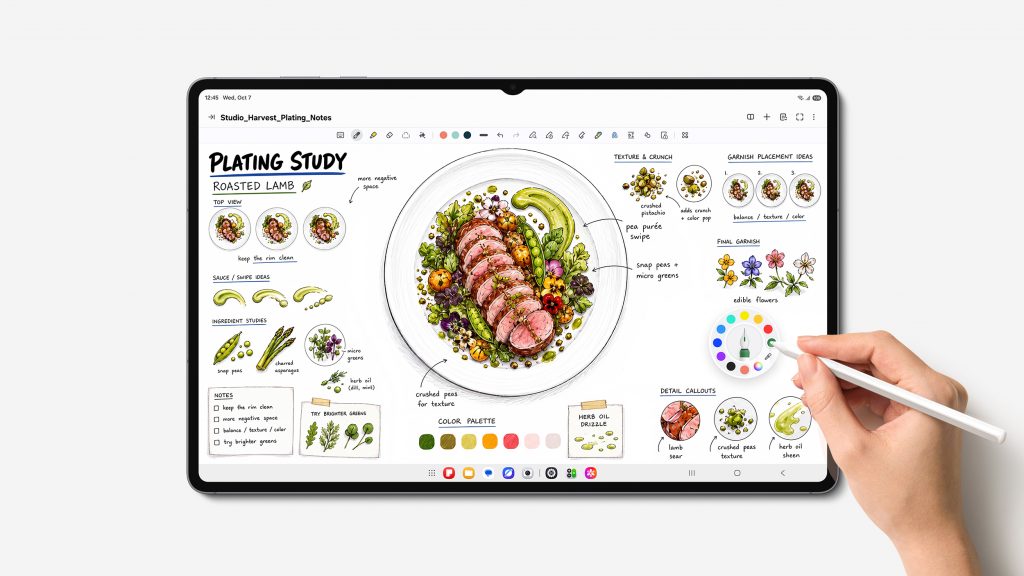
– Studio and note-taking enhancements: S Pen, Note Assist, and Samsung Notes for efficient note capture and summarization.
– Availability and pricing
– Availability in Australia from October 22; color option: Grey.
– Pricing: Tab S12 Ultra from AU$2,299; Tab S12+ from AU$1,999.
– OS upgrades and security updates: up to seven OS/security updates.
– Warranty and care
– Samsung Care+ offers device coverage with at-home service options; users can check Care+ status via One UI 9.
– Warranty and support access integrated into Settings.
– Sustainability and user guidance
– Document notes variations by market; specs may change; adapters/accessories sold separately.
– Official sources and further information available on Samsung Newsroom AU and Samsung Australia.
If you’d like, I can convert these into a one-page briefing for executives, a checklist for sales teams, or a slide-ready summary with the most impactful differentiators.
Summary of Samsung Introduces Galaxy Tab S12 Series: The Ultimate Productivity Powerhouse Built for Growth
Samsung Electronics Co., Ltd. today unveiled the Galaxy Tab S12 series — Galaxy Tab S12 Ultra and Tab S12+ — delivering Samsung’s most capable and versatile tablet experience yet. Packing breakthrough performance, long-lasting battery life, and the latest Galaxy AI1 into Galaxy Tab’s signature ultra-thin design, the new lineup turns complex workflows into effortless, everyday achievements whether it’s mastering skills, pursuing career goals or exploring creative passions.
Galaxy Tab S12 Ultra and Tab S12+ both feature immersive displays and come bundled with the ergonomically designed S Pen for effortless note-taking and precise editing. With easy access to professional-grade apps and versatile accessories, users can pursue their passions and progress toward their goals with ease. Combining portability with professional-grade power, the Galaxy Tab S12 series gives users instant access to powerful capabilities whenever inspiration strikes.
“The Galaxy Tab S12 series is designed for people who are constantly exploring new ideas, developing new skills and bringing their ambitions to life,” said Jay Kim, Executive Vice President and Head of Customer Experience Office, Mobile eXperience (MX) Business at Samsung Electronics. “Built with industry-leading hardware, the Galaxy Tab S12 series pairs an expansive screen with the power of Galaxy AI — helping remove friction from complex tasks so users can stay focused on achieving impactful results.”
Peak Performance in an Ultra-Thin Design
The Galaxy Tab S12 series combines powerful performance and long-lasting battery life into a thin and light design, making it easy for users to achieve more, wherever ambition takes them. At a remarkably slim 5.1mm[1], Galaxy Tab S12 Ultra delivers the most powerful performance of any Galaxy Tab to date, supporting productive use throughout the day. For example, users taking an online course alongside a full-time job can catch up on a lesson during the commute, then work through course exercises on the large screen at a café or library later in the day.
Both models are built to go the distance, allowing users to keep going without losing momentum. On a single charge, the all-day battery lasts up to 23 hours on Galaxy Tab S12 Ultra[2] and up to 21 hours on Galaxy Tab S12+[3], supporting long stretches of productivity anywhere. When it is time to recharge, users can quickly get their tablet to 100% with the 45W adapter[4] — minimising downtime so users can get back to what they were doing.[5]
Beyond long-lasting battery life, the Galaxy Tab S12 series delivers the most powerful performance of any Galaxy Tab to date, keeping pace with even intensive tasks. In everyday use, that means users can take on more demanding tasks with increased speed and responsiveness. Whether rendering complex creative projects or watching a lecture while taking notes and asking AI for clarification — the experience stays responsive and fast with fewer interruptions to break their focus.
A newly designed 3D Vapour Chamber efficiently dissipates heat to support more reliable performance during demanding tasks, whether users are editing video or designing graphics for hours.[6] Engineered for resilience and durability to withstand the elements and give users peace of mind, the Galaxy Tab S12 series also comes with IP68-rated water and dust resistance.[7]
The Galaxy Tab S12 series comes with an expansive screen designed to help users think bigger and give ideas more room to unfold. Galaxy Tab S12 Ultra features a large 14.6-inch display[8], making it easy to explore complex topics and keep multiple perspectives in view. The Galaxy Tab S12+ features a 12.6-inch display[9] and slimmer bezels than its predecessor, offering more screen space without sacrificing portability. Both models feature Dynamic AMOLED 2X displays reaching up to 1,600 nits of peak brightness[10] — delivering clear, vivid visuals indoors or out, The upgraded seamless Vision Booster now adjusts brightness in real time based on lighting conditions for comfortable viewing.
Sound gets a major upgrade as well, with 4-channel spatial audio — twice as many channels as the previous generation — delivering a richer, more immersive experience whether users are streaming content, following a tutorial or editing.
Making Everyday Tasks More Intuitive and Effortless
Building on an industry-leading hardware foundation, the Galaxy Tab S12 series turns its large screen into a flexible workspace that makes it easy to keep up with different tasks without missing a beat. Running Android 17 with One UI 9 and the latest Galaxy AI, it brings research, note-taking, creation and AI assistance into one place, giving users more freedom to explore new ideas, capture what matters and put what they learn into practice.
Thanks to the Galaxy Tab S12 series’ immersive screen, users can split the screen into up to three sections in Multi Window layout. For example, users can take notes in Samsung Notes on one side while playing a lecture and opening an AI assistant on the other. As key takeaways or questions come up, users can capture them with the S Pen directly in Samsung Notes, while Note Assist[11] summarises their notes – all without pausing the lecture.
Both models come bundled with an ergonomic S Pen, offering precise, intuitive input for note-taking, annotating materials, and sketching concepts. For a more structured, professional workstation, the Pro Keyboard[12] elevates productivity with a premium aluminum finish and a Galaxy AI Key[13] that enables instant access to AI assistants, while the Book Cover Keyboard Slim[14] delivers flexibility with comfortable viewing angles and an effortless typing experience.[15]
The Galaxy Tab S12 series helps users bring information together and get real-time support the moment curiosity strikes. The Galaxy Tab S12 series comes equipped with a six-month trial of Google AI Pro[16], providing expanded access to Google’s most capable AI models from day one. Users can ask Gemini[17] about anything unclear or dive deeper into subjects they want to explore the moment a question comes up. With Gemini Notebook, users can bring together notes, images, recordings, and files in one workspace and create summaries, podcasts, and even quizzes to make key information easier to understand.
As exploration expands into deeper research, Samsung Browser helps users stay focused without losing track of what they have already discovered. By understanding webpage content, context across multiple tabs, and browsing history, it can summarise information across open pages or surface a relevant source viewed days earlier – helping users spend less time searching through past tabs and more time capturing the key insights that matter most.[18]
A Complete Ecosystem Designed to Take Skills and Creativity Further
The Galaxy Tab S12 series gives users the ideal place to put knowledge into practice, bringing together professional-grade apps[19] alongside various app benefits [20] to help them take their skills further.
Adobe Photoshop[21] comes pre-loaded on the Galaxy Tab S12 series — a first for Android tablets — bringing pro-grade image editing and design to the tablet. The interface is optimised for tablets, and S Pen support makes it more intuitive to move ideas from hand to screen. Photoshop includes AI-powered features including AI Assistant[22] and generative AI features powered by Adobe Firefly, like Generative Fill and Image to Video, helping creatives edit faster and effortlessly. Exclusively for the Galaxy Tab S12 series, users receive four months of free access to the Photoshop mobile plan[23].
Notability[24], newly pre-loaded on Galaxy Tab, helps users capture their ideas, organise notes and build knowledge more efficiently with S Pen optimisation and AI-driven study tools with a six-month free trial, plus 20% off the first subscription[25].
Goodnotes[26] delivers clean note-taking and organisation with one year of free access and LumaFusion[27] enables professional-grade video editing, offered at a 66% discount. And Notion[28] supports flexible writing, planning and organisation with one month of its Plus plan free. Clip Studio Paint[29] brings precision drawing and painting tools for digital art with a six-month trial and 20% off the first subscription.
In addition to these apps, users can explore a broader range of options that support different needs. MyScript Math app solves handwritten equations and shows the steps behind each one, while MyScript Notes app summarises handwritten notes into study materials with built-in AI tools to explain concepts or generate quizzes.[30]Noteshelf 3[31] offers customisable layouts for capturing and organising ideas, while ArcSite[32] converts rough field sketches into precise CAD drawings.
Availability
The Galaxy Tab S12 series will be available in Australia from the 22nd of October and will be offered in Grey.[33] Galaxy Tab S12 Ultra will be available from $2,299 and Galaxy Tab S12+ from $1,999.
Built for lasting and confident use, Galaxy Tab S12 Ultra and Galaxy Tab S12+ support up to seven times of OS upgrades and security updates.[34]
To give users added peace of mind, Samsung Care+[35] offers comprehensive coverage tailored to users’ device needs, including Device Swaps and certified expert support available both at home. Additionally, Galaxy mobile phone users running One UI 9 can easily check the Samsung Care+ status of their Galaxy Tab and enroll through the Warranty and care menu in the Settings. It provides quick access to warranty information, self-diagnostics, repair requests, and remote support for connected devices—all directly from the tablet.
*All specifications and descriptions provided herein may be different from the actual specifications and descriptions for the product. Samsung reserves the right to make changes to this document and the product described herein, at any time, without obligation on Samsung to provide notification of such change. All functionality, features, specifications, GUI and other product information provided in this document including, but not limited to, the benefits, design, pricing, components, performance, availability and capabilities of the product are subject to change without notice or obligation. The contents within the screen are simulated images and are for demonstration purposes only.
[1] Thickness measured from top to bottom of the glass at the thinnest point.
[2] Typical value tested under third-party lab conditions. Typical value is the estimated average value considering the deviation in battery capacity among the battery samples tested under IEC61960 standard. Rated (minimum) capacity is 11374 mAh. Based on Samsung internal lab test conditions with pre-release version of given model connected to earphone via Bluetooth under default settings over LTE. Estimated against battery capacity and measured current over battery power consumption during video playback (video file resolution 720 p, saved on device), respectively. Actual video playback times vary by network connection, settings, file format, screen brightness, battery condition and other factors.
[3] Typical value tested under third-party lab conditions. Typical value is the estimated average value considering the deviation in battery capacity among the battery samples tested under IEC61960 standard. Rated (minimum) capacity is 10392 mAh. Based on Samsung internal lab test conditions with pre-release version of given model connected to earphone via Bluetooth under default settings over LTE. Estimated against battery capacity and measured current over battery power consumption during video playback (video file resolution 720 p, saved on device), respectively. Actual video playback times vary by network connection, settings, file format, screen brightness, battery condition and other factors.
[5] Super Fast Charging speed may vary depending on charging conditions and other factors. Galaxy Tab S12 series supports up to 45W wired charging. 45W power adapter sold separately. Use only Samsung approved chargers and cables. Fast charger sold separately.
[6] The 3D vapor chamber on both Galaxy Tab S12 Ultra and Galaxy Tab S12+ helps heat dissipate faster and more efficiently than the flat vapor chamber on their respective predecessors, the Galaxy Tab S11 Ultra and Galaxy Tab S10+.
[7] Galaxy Tab S12 series and the included S Pen have an IP68 rating based on lab test conditions and are dust resistant and water resistant for submersion in up to 1.5 meters of fresh water for up to 30 minutes. Third party testing was conducted in fresh water. Not suitable for diving or high pressure water activities. Refer to user manual for further care and instructions.
[8] Measured diagonally, Galaxy Tab S12 Ultra’s screen size is 14.6″ in the full rectangle and 14.5″ accounting for the rounded corners. Actual viewable area is less due to the rounded corners and the camera hole.
[9] Measured diagonally, Galaxy Tab S12+’s screen size is 12.6″ in the full rectangle and 12.5″ accounting for the rounded corners. Actual viewable area is less due to the rounded corners and the camera hole.
[10] Galaxy Tab S12 series has maximum brightness of 1,600 nits and outdoor brightness of 1,000 nits in High Brightness Mode.
[11] *Samsung Account and Wi-Fi or mobile data required. Feature must be enabled with latest version of Samsung Notes. May not work on all content pasted or written content. The Auto format function has a limit on the number of characters. Summary feature for Note Assist is activated when a certain number of characters is met and is under the character limit. Accuracy of results is not guaranteed.
[13] Galaxy AI Key available on Book Cover Keyboard and Book Cover Keyboard Slim only. Book Cover Keyboard sold separately. Features and keyboard layout may vary by country, language and device model. App shortcuts can be assigned for select apps only. A network connection is required to use Bixby or Google Gemini. Gemini is a trademark of Google LLC. Compatibility and availability may vary.
[15] Pro Keyboard and Book Cover Keyboard Slim sold separately. The products are available for Galaxy Tab S12 Series. Features and keyboard layout may vary by country, language and device model. Galaxy AI Key can be assigned for select apps only. Pressing Alt + Galaxy AI Key provides the option to switch the AI assistant to Bixby, Gemini or Perplexity. A network connection is required to use Bixby, Gemini or Perplexity. To launch Gemini using the Galaxy AI Key, Google Assistant needs to be updated to Gemini.
[16] Purchasers of eligible new Galaxy Tab S12 Series devices can receive 6 months of Google AI Pro at no extra cost, valued at AUD $197.94, based on an Australian subscription price of AUD $32.99 per month. Google Account sign-in and Google Payments registration are required. Additional eligibility requirements and exclusions apply. Google AI Pro offer must be redeemed by 1 August 2027. All other benefits, including YouTube Premium Lite, AI Top Up Credit or other Google AI Pro benefits not mentioned are excluded during the promotional period. At the end of the 6-month promotional period, the subscription will renew automatically at the applicable Australian subscription price unless cancelled. Gemini is a trademark of Google LLC. Offer is subject to Google’s eligibility, redemption, account, subscription and service terms. Availability of individual services, features and content may vary.
[17] Gemini is a trademark of Google LLC. Gemini Live feature requires internet connection and Google Account login. Compatible with certain features and certain accounts. Available on select devices and select countries, languages, and to users 18+.
[18] Available functions and features may vary by country, region, language, and Samsung Browser version. The number of search queries may be subject to limitations. Accuracy of results is not guaranteed. Some features of Samsung Browser for Android requires a network connection and Samsung Account login.
[19] App availability and the terms of service may vary by country and region.
[20] Includes free trial periods and first-subscription discounts for Adobe Photoshop, Notability, Goodnotes, LumaFusion, Notion, Clip Studio Paint, MyScript Notes, MyScript Math, Noteshelf 3, and ArcSite, plus a 6-month Google AI Pro trial. Actual value and availability may vary by country, region, market, and currency.
[21] Adobe Photoshop comes preloaded on Galaxy Tab S12 series in the Galaxy Picks folder. Adobe Photoshop for Tablet will be launched exclusively in the Galaxy Store for a period of at least six months starting 7 Oct , 2026, after which Adobe may launch the app in other app stores. Galaxy Tab S12 series users are eligible to receive a 4-month free Adobe Photoshop premium mobile subscription, including 100 monthly generative credits.
[22] AI Assistant on Adobe Photoshop is beta version.
[23] Purchasers of eligible new Galaxy Tab S12 Series devices can receive 4 months of premium access to Adobe Photoshop: Photo Editor at no extra cost, valued at AUD $143.96, based on an Australian subscription price of AUD $35.99 per month. Adobe Photoshop: Photo Editor is preloaded as a stub application on eligible devices. Offer is available to users who have not previously subscribed to the Adobe Photoshop Android app. The promotional offer is currently indicated as available until 19 May 2028. At the end of the 4-month promotional period, the subscription will renew automatically at the applicable Australian subscription price unless cancelled. Adobe Photoshop’s offer is subject to Adobe’s eligibility, redemption, account, subscription and service terms. Availability of individual services, features and content may vary.
[24] Notability comes preloaded on Galaxy Tab S12 series in the Galaxy Picks folder. Galaxy Tab S12 series users are eligible to receive a 6-month free Notability subscription. App availability and the terms of service may vary by country and region.
[25] Purchasers of eligible new Galaxy Tab S12 Series devices can receive a 6-month free trial of Notability Plus, valued at AUD $69, based on an Australian subscription price of AUD $11.50 per month. Notability is preloaded as a stub application on eligible devices. Eligible customers may also receive a 20% discount on their first Notability subscription following the promotional trial period. Eligibility requirements apply, offer limited to new Notability subscribers who have not previously redeemed a Notability free trial. At the end of the 6-month promotional trial, the subscription will renew automatically at 20% discount for the first subscription period after the promotional trial. The subscription fee will automatically renew at the Australian subscription price unless cancelled after this. Notability’s offer is subject to Notability’s eligibility, redemption, account, subscription and service terms. Availability of individual services, features and content may vary.
[26] Goodnotes app comes with a 1-year free full version. Once the free full version period ends, an additional purchase is required for continuous use. Eligibility requirements apply, offer available to new and existing users provided no paid premium applies at time of redemption. App availability and the terms of service may vary by country and region.
[27] LumaFusion app is preloaded as stub, requiring users to click the icon and complete the purchase from Galaxy Store. All Galaxy device users can get a 66% discount when purchasing from Galaxy Store and receive a 1-month free Creator Pass subscription. 66% discount promotion limited until Nov 30, 2026.
[28] Notion app requires a separate download from Galaxy Store and comes with a 1-month free trial of the Plus & Notion AI for one newly created Notion workspace. App availability and the terms of service may vary by country and region.
[29] Clip Studio Paint membership required. Clip Studio Paint app comes pre-installed in select markets. The app can be downloaded from Galaxy Store and comes with a 6-month free trial for first-time users. Once the free trial period ends, paid subscription to a monthly or annual usage plan is required for continuous use. A 20% discount is available on the first subscription.
[30] MyScript Math and MyScript Notes apps require a separate download from Galaxy Store and comes with a 30 day free trial. App availability and the terms of service may vary by country and region.
[31] Noteshelf 3 app requires a separate purchase for a Premium plan upgrade. A 30% discount on the upgrade is available only via Galaxy Store.
[32] ArcSite app requires a separate download from Galaxy Store and comes with a 1-month free trial for first-time users. Once the free trial period ends, paid subscription to a monthly or annual usage plan is required for continuous use. A 30% discount is available on the first monthly subscription. App availability and the terms of service may vary by country and region.
[33] Availability and timing may vary by market, carrier or model. Color and model availability may vary depending on country, region or carrier.
[34] Availability and timing of OS upgrades and security updates may vary by device model and market.
[35] Terms and conditions apply. Samsung Care+ coverage, service type and promotion details may vary by country/region and a deductible (service fee) may apply. To be eligible for Samsung Care+ promotion benefits, registration may be required. For detailed Samsung Care+ information, please visit https://ift.tt/l8nmIKE. Care at home: When in need of Samsung Care+ services, contact the local customer services center in advance for Samsung Care+ availability.
[36] Measured diagonally, Galaxy Tab S12 Ultra’s screen size is 14.6″ in the full rectangle and 14.5″ accounting for the rounded corners. Actual viewable area is less due to the rounded corners and the camera hole.
[37] Measured diagonally, Galaxy Tab S12+’s screen size is 12.6″ in the full rectangle and 12.5″ accounting for the rounded corners. Actual viewable area is less due to the rounded corners and the camera hole.
[38] Galaxy Tab S12 series and the included S Pen have an IP68 rating based on lab test conditions and are dust resistant and water resistant for submersion in up to 1.5 meters of fresh water for up to 30 minutes. Third party testing was conducted in fresh water. Not suitable for diving or high pressure water activities. Refer to user manual for further care and instructions.
Here are clear takeaways from the Samsung Galaxy SmartTag3 press release notes:
Key announcements
– Samsung announces Galaxy Galaxy SmartTag3, a smaller, lighter tracker with longer-range finding, cross-OS support (Galaxy and iOS), faster location updates via Galaxy Find Network, and expanded proactive alerts.
– Availability: Ships in Korea starting Oct 7, 2026; Australia and other markets in 2027. Colors: White and Black.
Design and compatibility
– Size/weight: ~35% smaller in volume and ~33% lighter than previous Gen.
– Attachments: New Silicone Case with keyring and Loop Case for flexibility.
– Cross-OS compatibility: First Galaxy SmartTag with cross-OS support for Galaxy and iOS devices via SmartThings Find; enables location sharing and Search Nearby across platforms.
Location capabilities and range
– Compass View: Expanded range for locating items from farther away.
– Bluetooth 6.0 Channel Sounding allows distance/direction guidance up to 60 meters (line-of-sight); UWB provides higher precision as you get closer.
– Galaxy Find Network: Over 900 million participating Galaxy devices globally to locate items beyond personal device range; faster updates after disconnection.
Proactive and smart features
– Place Notification: Proactively alerts you when a tagged item enters or leaves a defined area; uses Galaxy Find Network data.
– Location History: View historical locations (retains data for up to 7 days).
– Movement Detection Alert: Notifies you if movement is detected while disconnected from your device.
– Privacy and security: Location data encrypted; IP67 water/dust resistance retained.
SmartTag3 functionalities and privacy safeguards
– NFC-powered Lost Mode: Displays registered contact info or a message when scanned by an Android device (Android 9.0+); Lost Mode involves predefined contact details.
– SmartThings IoT Control: Tag can trigger predefined routines for compatible smart devices via the tag button.
– Left Behind Alert: Notifies if your mobile device loses connection with the tagged item.
– Privacy: Emphasizes encryption of location data.
Important caveats and usage notes
– Availability/region specifics: Feature availability may vary by platform; some features (Compass View, Ring Phone, Left Behind Alert) are not available on iOS.
– Potential limitations: Place Notification (trial feature); location accuracy and notifications may be affected by surroundings, network conditions, and nearby devices. Availability varies by platform and market.
– Safety note: Some warnings about choking hazards if detached; ensure secure attachment and inspect regularly.
Technical and care details
– IP67 rating for dust and water resistance (not suitable for diving).
– Location updates depend on nearby participating Galaxy devices and network conditions.
– Battery life described as long-lasting, though no specific figures provided in notes.
Links and resources
– Official information: samsung.com/au and Samsung Australia Newsroom
– SmartThings Find platform and compatibility details: SmartThings site
Recommended follow-ups
– If evaluating for procurement: Confirm exact feature availability for your target markets (Australia, etc.) and device compatibility (Android version, Galaxy devices, iOS support).
– For product strategy: Consider messaging around cross-OS benefits for families and travelers, and emphasize proactive alerts as a differentiator.
– For internal use: Note regulatory and safety disclaimers (choking hazard, Lost Mode instructions) to update onboarding materials.
Would you like a one-page executive summary or a slide-ready brief with bullet points and visuals?
Summary of Samsung Galaxy SmartTag3 Makes It Easier to Keep Track of What Matters
Samsung Electronics today announced the new Galaxy SmartTag3, a compact tracker that combines a smaller, lighter design with longer-range finding, cross-OS (Operating System) support, faster location updates through the Galaxy Find Network and expanded proactive alerts.[1]
“People want simpler and more convenient ways to keep track of belongings and pets with greater peace of mind, and Galaxy SmartTag3 was designed around those everyday needs,” said Jay Kim, Executive Vice President and Head of Customer Experience Office, Mobile eXperience (MX) Business at Samsung Electronics. “Powered by the vast Galaxy Find Network, it delivers our most capable Galaxy SmartTag experience yet.”
Versatile Design, More Possibilities
Galaxy SmartTag3 introduces a compact design that is approximately 35% smaller by volume and 33% lighter than the previous generation[2], making it easier to attach to keys, smaller bags, luggage or a pet collar.[3] Its rounded form is finished with an aluminum-decorated button for a refined, durable feel, while new official accessories including a Silicone Case with a keyring and a Loop Case offer even more flexibility.[4]
For the first time in the Galaxy SmartTag lineup, Galaxy SmartTag3 also brings cross-OS compatibility for Galaxy and iOS devices, making it easier for families and groups to access core finding and sharing features across platforms. Through SmartThings Find, users can check and share a tag’s location and use Search Nearby across supported devices.[5] This is especially useful when a friend or family member borrows a suitcase for a trip, allowing them to check its location and use supported finding features from their own Galaxy or iOS device.
Galaxy SmartTag3 offers long-lasting battery life for everyday life to help keep track of belongings and items that matter most.
See Further, Find Faster
When something goes missing, knowing where to start looking can make all the difference. Galaxy SmartTag3 significantly expands the range of Compass View[6], helping users begin narrowing in on an item from farther away.
Bluetooth 6.0 Channel Sounding enables Compass View to provide distance and directional guidance from up to 60 meters away — around three times farther than the previous generation. As users get closer, ultra-wideband (UWB) delivers even greater precision, creating a more continuous finding experience from long range to close range. If a set of keys goes missing somewhere in a large park, Compass View can help users narrow in on its location from farther away and guide them more precisely as they get closer.
When Galaxy SmartTag3 moves beyond direct connection range, the GalaxyFind Network helps keep the search going. More than 900 million participating Galaxy devices[7] worldwide can act as finding nodes, helping detect Galaxy SmartTag3 and update its location beyond the reach of the user’s own phone.[8] Faster Galaxy Find Network updates can surface new location information sooner after disconnection, helping reduce uncertainty when luggage or another tagged belonging is unexpectedly separated from its owner.
Stay Informed Proactively
Galaxy SmartTag3 goes beyond finding by helping users stay informed without actively searching. The new Place Notification[9] feature adds a proactive layer, letting users define an area and receive an alert when a tagged item moves in or out of it.
Using location data from the Galaxy Find Network, Place Notification can notify users when a family pet leaves the garden or when a bicycle is detected moving out of its usual parking area. Instead of requiring users to repeatedly check a location, Galaxy SmartTag3 can surface the information when it becomes relevant.
Location History[10] lets users review where their tag has been, while Movement Detection Alert[11]can notify them when movement is detected so they can stay informed without actively checking.[12]
Built for Everyday Privacy and Confidence
Galaxy SmartTag3 retains an IP67[13] water and dust resistance rating alongside key Galaxy SmartTag capabilities including:
NFC-poweredLost Mode[14], which can display registered contact information or a short message when a lost tag is scanned with a NFC on any Android 9.0 or above compatible mobile device.
SmartThings IoT Control, which allow users to trigger preset routines for compatible connected devices using the tag button.
Left Behind Alert[15], which can notify users when their mobile device loses connection with a tagged belonging.
Privacy and security remain central to the Galaxy SmartTag experience with location data encrypted to help protect user privacy.
Availability
Samsung Galaxy SmartTag3 will be available in Korea beginning 7 October, 2026, with additional markets including Australia to follow in 2027. It will be available in White and Black.
[2] The reduction in volume and weight is based on a comparison of the respective product weights.
[3] If the Galaxy SmartTag3 detaches from the item it is attached to, it may pose a swallowing hazard to young children and pets. Always ensure the Galaxy SmartTag3 is securely fastened before use and inspect regularly. Discontinue use immediately if the Galaxy SmartTag3 is damaged, deformed, or has detached. If swallowed, contact emergency medical services or a veterinarian immediately.
[4] Accessories sold separately. Colour and availability may vary by carrier and retailer.
[5] Feature availability may vary by platform. Compass View, Ring Phone and Left Behind Alert are not available on iOS. Devices compatible with the SmartThings app can be checked on the SmartThings website at https://ift.tt/K7jg5wa
[6]Compass View is available on Galaxy devices running Android 12 or later that support ultra-wideband (UWB) or Bluetooth Channel Sounding. Bluetooth Channel Sounding is available only on Galaxy Z Fold8 Ultra, Galaxy Z Fold8, Galaxy S26 Ultra and Galaxy S26 Plus; additional devices may be supported in the future. For Bluetooth Channel Sounding, an up-to-60 m detection range is measured under line-of-sight (LOS) conditions, with no obstacles between the transmitter and receiver. Its detection range and the accuracy of direction and distance measurements may be reduced by nearby electronic devices, walls and other physical obstructions. Availability may vary by country, region and device.
[7] Based on number of purchased Samsung Galaxy smartphones sold, as of 30 September 2026.
[8]Galaxy Find Network availability and location update timing depend on nearby participating Galaxy devices, network conditions, device settings and regional conditions.
[9] Place Notification feature is a trial feature. To enable the feature, go to SmartThings > Life > Find, then turn on Notify when in set place. The displayed location of Galaxy SmartTag3 may differ from its actual location depending on its surroundings.
[10] Location history is stored for up to 7 days. Older records will automatically be deleted.
[11] Movement Detection Alert feature operates only when Galaxy SmartTag3 is disconnected from the device and relies on signals detected by nearby Galaxy devices that have agreed to Offline finding. Notifications may not be triggered depending on the surroundings of Galaxy SmartTag3.
[12] Depending on the availability and status of nearby Galaxy devices that have agreed to Offline finding, there may be a delay in sending or receiving notifications, or notifications may not be received at all. Notifications may not be triggered depending on the surroundings of Galaxy SmartTag3.
[13] SmartTag3 has an IP67 rating based on lab test conditions and is dust resistant and water resistant for submersion between 0.15 and 1m of fresh water for up to 30 minutes. Third party testing was conducted in fresh water. Not suitable for diving or high pressure water activities. Refer to user manual for further care and instructions.
[14] Contact information and message must be registered beforehand on the SmartThings app to have it shown on the finder’s device on Lost Mode. The finder’s device must support NFC reading and be connected to the internet to display the pre-registered contact information upon tagging. To help protect your personal information, it is recommended that Lost Mode be turned off when it is no longer needed.
[15] Notify When Left Behind feature relies entirely on the connection to your device. False alerts may occur if obstacles or environmental factors disrupt the connection, even when the item is still nearby. Feature availability may vary by platform, device and market. Left Behind Alert is not available on iOS.
Here are clear takeaways from the meeting notes on World Heart Day and Samsung Health features:
– World Heart Day message:
– Emphasizes daily heart monitoring from the wrist using wearable tech (Galaxy Watch) to support proactive heart health.
– Small daily choices (sleep, exercise, routine, stress management) add up to cardiovascular benefits.
– Heart Health Score and lifestyle factors:
– Life’s Essential 8 (diet, exercise, sleep, weight, blood pressure, blood sugar, cholesterol, smoking cessation) are used as key measures.
– Samsung Health’s Heart Health Score combines indicators (sleep, activity, body composition, vascular load) into a simple, understandable score.
– The score provides actionable insights and recommendations (e.g., if exercise decreases, the score drops and a nudge to be more active is issued).
– Advanced sensor capabilities:
– Galaxy Watches integrate optical HR (PPG), ECG, and BIA sensors.
– Blood pressure can be checked from the wrist with monthly calibration using a compatible BP monitor.
– ECG and Irregular Heart Rhythm Notification (IHRN) monitor for potential abnormal rhythms and provide proactive alerts when repeated irregularities occur.
– Sleep and nocturnal monitoring:
– Sleep analysis includes heart rate, heart rate variability, respiratory rate, skin temperature, and SpO2, compared against personal baselines.
– Notifications can alert users to deviations upon waking, enabling early action (rest, recovery, or medical guidance).
– Data sharing and connected care:
– Health Data Sharing lets users share selected data (steps, BP, heart rate, medication adherence, etc.) with loved ones in real time.
– This feature supports remote monitoring and reassurance for family members or caregivers.
– User guidance and limitations:
– Features are not medical diagnoses or treatments; consult healthcare professionals for health concerns.
– Some features require newer Galaxy Watch models (e.g., Watch9, Ultra2) and specific Android/Samsung Health app versions.
– BP measurements and ECG features have age and usage restrictions and are intended for general wellness, not diagnostic purposes.
– Calibration and wearing requirements (e.g., 24 hours initial setup, sleep data, wearing the watch during sleep) are necessary for certain features.
– Practical actions for communications and onboarding:
– Encourage users to wear Galaxy Watch regularly, track sleep and activity, and enable Heart Health Score tracking.
– Promote adoption of Health Data Sharing with trusted contacts for peace of mind.
– Remind users of calibration requirements and consult a health professional for medical concerns.
– Highlight that World Heart Day emphasizes small daily changes and proactive monitoring to prevent heart disease.
– Resources and references:
– World Heart Day official resources and WHO statistics referenced.
– Heart Health Score and Life’s Essential 8 concepts aligned with AHA guidance.
– Samsung Newsroom sources for health features and user guidance.
Summary of [World Heart Day] Check your heart rate every day, starting from your wrist
No matter who you are or what you do, we all have one constant companion we rely on every single day: our heart. Unseen but always at work, it beats around 100,000 times a day, keeping pace with us through every moment. Yet for something so essential to our lives, taking care of our hearts is often overlooked until it’s too late.
Heart disease is the number one cause of death worldwide,[1] which is why the World Health Organisation (WHO) and the World Heart Federation recognise 29 Sept as World Heart Day. It is a reminder that the choices we make today can make a meaningful difference tomorrow.
These choices don’t have to be big. From choosing when to go to bed to making time for even just 30 minutes of exercise, the small choices we make every day add up to a healthier lifestyle. The good news is that an help you make proactive prevention part of daily life. By monitoring your sleep, activity level, stress and blood pressure, Galaxy Watch helps you better understand what’s happening in your body and what steps to take to support your heart is doing its job well.[3]
Understanding Your Body at a Glance: Heart Health Score
The American Heart Association recommends looking at Life’s Essential 8[4] as key measures for improving and maintaining cardiovascular health: diet, exercise, sleep, weight, blood pressure, blood sugar, cholesterol and smoking cessation. But knowing what matters raises an important question: how do these factors change the choices we make every day?
Samsung Health’s Heart Health Score[5] is designed to help you in this journey. It tracks and analyses health indicators such as sleep duration, daily activity level, body composition and vascular load,[6] converting them into a single, simple score that anyone can intuitively understand and follow.
Think about what happens if you miss your daily exercise for a few days: your Galaxy Watch recognises your moderate-to-high intensity activity level has decreased, reflects this change in a lower Heart Health Score, and makes a recommendation to go for a run. With convenient insights right from your wrist, Galaxy Watch delivers personalised insights that make it easier to recognise changes, understand your habits, and take the next step toward healthier ones.
Galaxy Watch and Samsung Health provide effortless understanding of cardiovascular wellness through the Heart Health Score.Image simulated for illustrative purposes. Actual UX/UI may be different.
Advanced Sensor Technology: From Measurement to Meaning
Samsung Galaxy Watches are equipped with an advanced which integrates three precision sensors in one: an optical heart rate sensor (PPG), an electrocardiogram sensor (ECG),[7] and a bioelectrical impedance analysis sensor (BIA).
With calibration just once every four weeks using a home blood pressure monitor, you can easily check your blood pressure[8] from your wrist anytime, anywhere. When you place your finger on the watch’s side electrode for just 30 seconds, the watch measures an electrocardiogram to detect potential signs of abnormal heartbeats. The Irregular Heart Rhythm Notification (IHRN)[9] feature, which detects potential abnormal heart signals, monitors the user’s heart rhythm throughout the day and provides a proactive notification if abnormal signs are repeated.
Even small reminders like this can make a meaningful difference to heart health awareness. In several countries, these notifications[10] have led to early awareness of risks such as certain cardiovascular concerns.
Galaxy Watch supports heart rhythm monitoring through irregular heart rhythm notifications and ECG readings. Image simulated for illustrative purposes. Actual UX/UI may be different.
Around-the-Clock Care: How Galaxy Watch Proactively Monitors Your Health Even During Sleep
Your heart is a constant you can count on, and it works whether you’re awake or asleep. When you wear your Galaxy Watch to sleep, it analyses: heart rate during sleep, heart rate variability,[11] respiratory rate, skin temperature and blood oxygen saturation.[12] These signals are compared against your personal baseline.
When you wake up, your Galaxy Watch will send a notification if it detects deviations from your baseline. By highlighting meaningful changes early, it gives you an opportunity to rest, recover or seek medical guidance before small issues become larger concerns.[13]
Galaxy Watch and Samsung Health give users a clear view of their sleep quality with detailed metrics and insights they can use to improve their sleep habits.
Heart to Heart: Connected Care That Adds Peace of Mind
Looking after your own heart is only one side of the story. From parents to partners, siblings to grandparents or even friends, the burden of caring for the hearts of those around you weighs heavily. Samsung Health’s Health Data Sharing[14] function lightens the load by sharing agreed-upon data items (number of steps, blood pressure, heart rate, medication adherence, etc.) with loved ones in real time.
You can check if your parents who live far away have completed their daily walk or taken their prescribed medication on time, just as if you were right there with them.
Samsung Health lets users share selected health data with loved ones, helping them stay connected and informed about one another’s wellbeing. Image simulated for illustrative purposes. Actual UX/UI may be different.
World Heart Day coincides with the seasonal transition when chilly winds begin to blow in the mornings and evenings.
The key to preventing heart disease lies not in reactive treatment, but in proactive habits of paying close attention to the subtle signals your body sends every day. Start managing your heart health with Galaxy Watch, a reliable health partner that stays with you around the clock.
[1] Source: World Health Organization (WHO), “Cardiovascular diseases (CVDs)” Fact Sheet (July 31, 2025), “The top 10 causes of death” (Aug. 7, 2024).
[2] Health features referred to in this article are only available on newer models of the Galaxy Watch9 and Galaxy Watch Ultra2. Some health features may be available for older models of the Galaxy Watches via a software update later in the year.
[3] Galaxy Watch is not intended for use in the diagnosis or treatment of any medical condition. If you have health concerns, be sure to see a medical professional. Vitals requires sleep data of at least 7 nights. Vitals is available on Android phones (Android 11 or above) and requires the Samsung Health app (v7.0 or above). Samsung account login required. To use Vitals, it is necessary to wear a Galaxy Watch or Galaxy Ring while sleeping.
[4] Source: American Heart Association (AHA), “Life’s Essential 8” (2022).
[5] Heart health is available on Android phones (Android 13 or above) and requires Samsung Health app (v7.0 or above). Samsung Account login required. Requires initial setup wearing watch for 24 hours (including awake and asleep). To calculate Heart health score, data on related lifestyle factors – including sleep duration, BMI, vascular trends and stress, and moderate to vigorous activity time – must be collected. To use this feature, you need a Galaxy Watch7 or above with One UI 9 or above. Heart health score is not a medical/therapeutic feature. It is solely intended for fitness and wellness purposes only and is not intended for use in the diagnosis of disease or other conditions; or in the cure, mitigation, treatment or prevention of disease; or for the prevention or control of conception or pregnancy. Samsung recommends that you consult with your doctor or physician before participating in any exercise program.
[6] Vascular Load feature available on Android phones (Android 10 or above) and requires the Samsung Health app (v6.30.2 or above). Samsung account login required. It is required to wear Galaxy Watch (Galaxy Watch Ultra, Watch8 and later released Galaxy Watch series) when sleeping for at least 3 days out of recent 14 days. Vascular load feature does not act as a medical/therapeutic device. It is solely intended for fitness and wellness purposes only and is not intended for use in the diagnosis of disease or other conditions; or in the cure, mitigation, treatment or prevention of disease; or for the prevention or control of conception or pregnancy. Samsung recommends that you consult with your doctor or physician before participating in any exercise program.”
[7] “The ECG feature is intended to create, record, store, transfer, and display a single channel electrocardiogram (ECG), similar to a Lead I ECG for adults 22 years and older. The ECG feature is not intended to replace traditional methods of diagnosis or treatment. The ECG feature is not intended for users with other known arrhythmias. If an irregular heartbeat or atrial fibrillation is detected, consult a doctor. If you experience symptoms of a heart attack, stroke, or other cardiovascular conditions, do not rely on the notification of the device and consult a doctor. FOLLOW THE INSTRUCTIONS FOR USE. IF SYMPTOMS PERSIST, WORSEN OR CHANGE UNEXPECTEDLY, TALK TO YOUR HEALTH PROFESSIONAL.”
[8] Blood pressure feature only to be used by adults 22 years and older. Intended for general wellness and fitness purposes only. Not intended for use in detection, monitoring, diagnosis, treatment of any medical condition or disease. The measurements are for your personal reference only. Please consult a medical professional for advice. For accurate BP readings, a calibration is required every 28 days by BP monitor & arm cuff. Requires a Galaxy smartphone running Android 7.0 or above. Users should measure their blood pressure when at rest, as they would do with a traditional cuff, and refrain from measuring when they are working out, smoking or drinking. Measured blood pressure history can be reviewed within the Samsung Health Monitor app on a paired smartphone.”
[9] The ECG Monitor App is intended for adults 22 years and older analyses pulse rate data to identify episodes of irregular heart rhythms suggestive of atrial fibrillation (AFib) and provides a notification suggesting the user record an ECG to analyze the heart rhythm. The IHRN feature is not intended to provide a notification on every episode of irregular rhythm suggestive of AFib and the absence of a notification is not intended to indicate no disease process is present. The ECG Monitor App is not intended to replace traditional methods of diagnosis or treatment. The ECG Monitor App is not intended for users with known arrhythmias other than AFib or users under 22 years old. Users should not interpret or take clinical action based on the device output without consultation of a qualified healthcare professional. If an irregular heartbeat or atrial fibrillation is detected, consult a doctor. If you experience symptoms of a heart attack, stroke, or other cardiovascular conditions, do not rely on the notification of the device and consult a doctor. ALWAYS FOLLOW THE INSTRUCTIONS FOR USE. IF SYMPTOMS PERSIST, WORSEN OR CHANGE UNEXPECTEDLY, TALK TO A HEALTHCARE PROFESSIONAL.
[11] Heart Rate Variability (HRV) feature analyzes minute-to-minute variations in the intervals between heartbeats to show autonomic nervous system balance. It is automatically recorded during sleep and resting states.
[12] Vitals is available on Samsung Galaxy phones and requires Samsung Health app. Samsung Account login required. Requires initial setup wearing the Galaxy Watch for 7 out of 28 nights. Vitals is not a medical/therapeutic feature. It is solely intended for fitness and wellness purposes only and is not intended for use in the diagnosis of disease or other conditions; or in the cure, mitigation, treatment or prevention of disease; or for the prevention or control of conception or pregnancy. Samsung recommends that you consult with your doctor or physician before participating in any exercise program.
[13] Heart Health Score and Vitals features are supported on the Samsung Health app (version 7.0 or higher).
[14] Health Data Sharing feature requires user consent, and users can independently choose which health data to share (including steps, workouts, sleep, weight, body composition, food intake, heart rate, stress, blood pressure, blood glucose, medication and vital signs).




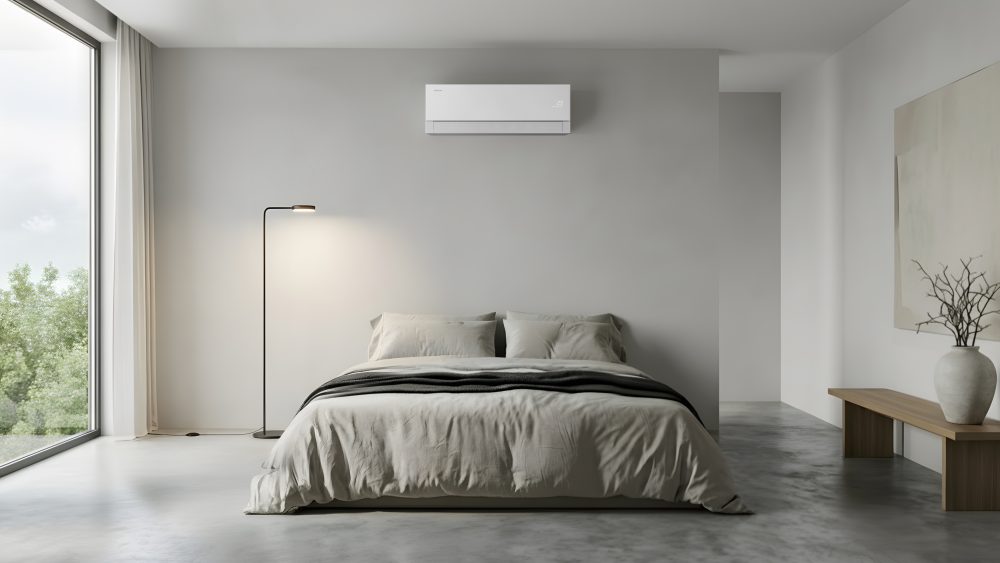
 cooling – a quiet, draft-free cooling mode which uses up to 77% less energy than Fast Cooling2. Combined with and connected to the Samsung SmartThings[1] ecosystem and Galaxy devices, like your Galaxy Watch or Galaxy Ring, the air conditioner is designed to respond to your needs automatically, helping create a more comfortable environment throughout the night.