Foldable Phone Screen Failure: Repairing a Samsung Galaxy Z Flip 5 That Shuts Down Suddenly – Ultimate Guide with 9 Proven Fixes
Introduction
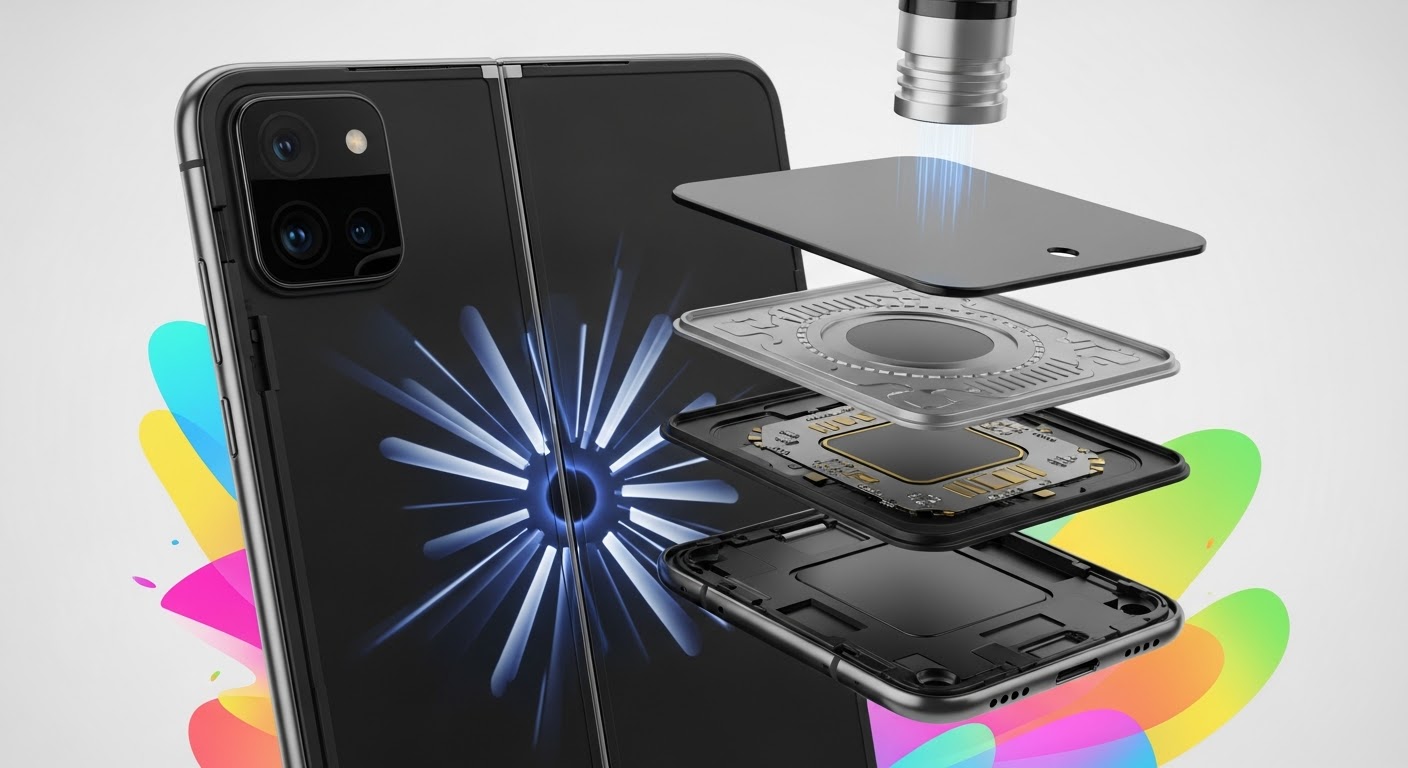
Foldable Screen Failure begins with understanding what actually goes wrong inside a foldable device. Foldable screen failure refers to damage or malfunction in the flexible OLED display system, hinge mechanism, or internal flex cables that connect the screen to the motherboard. Unlike traditional smartphones, foldable devices bend hundreds of times per week. Over time, that motion creates stress.
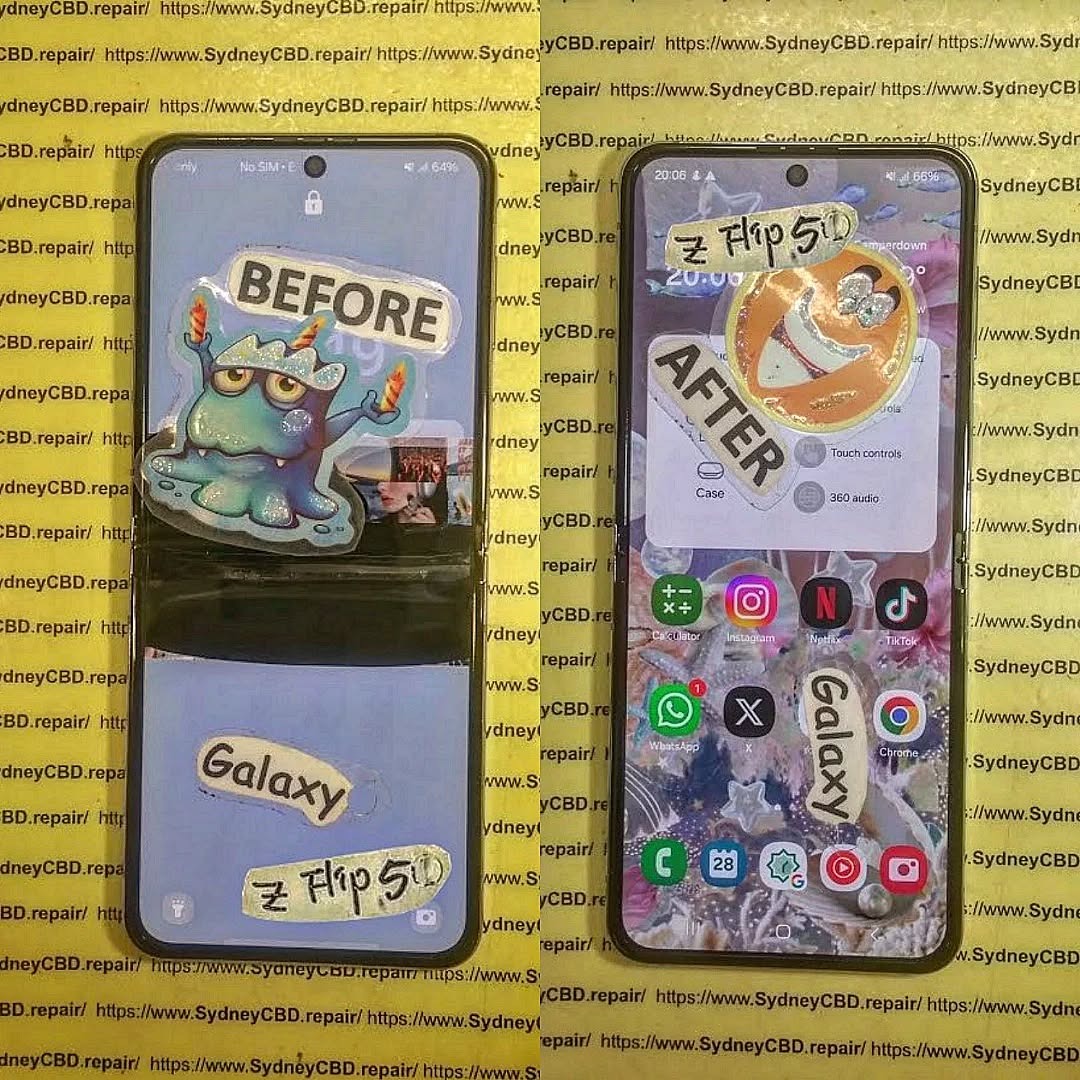
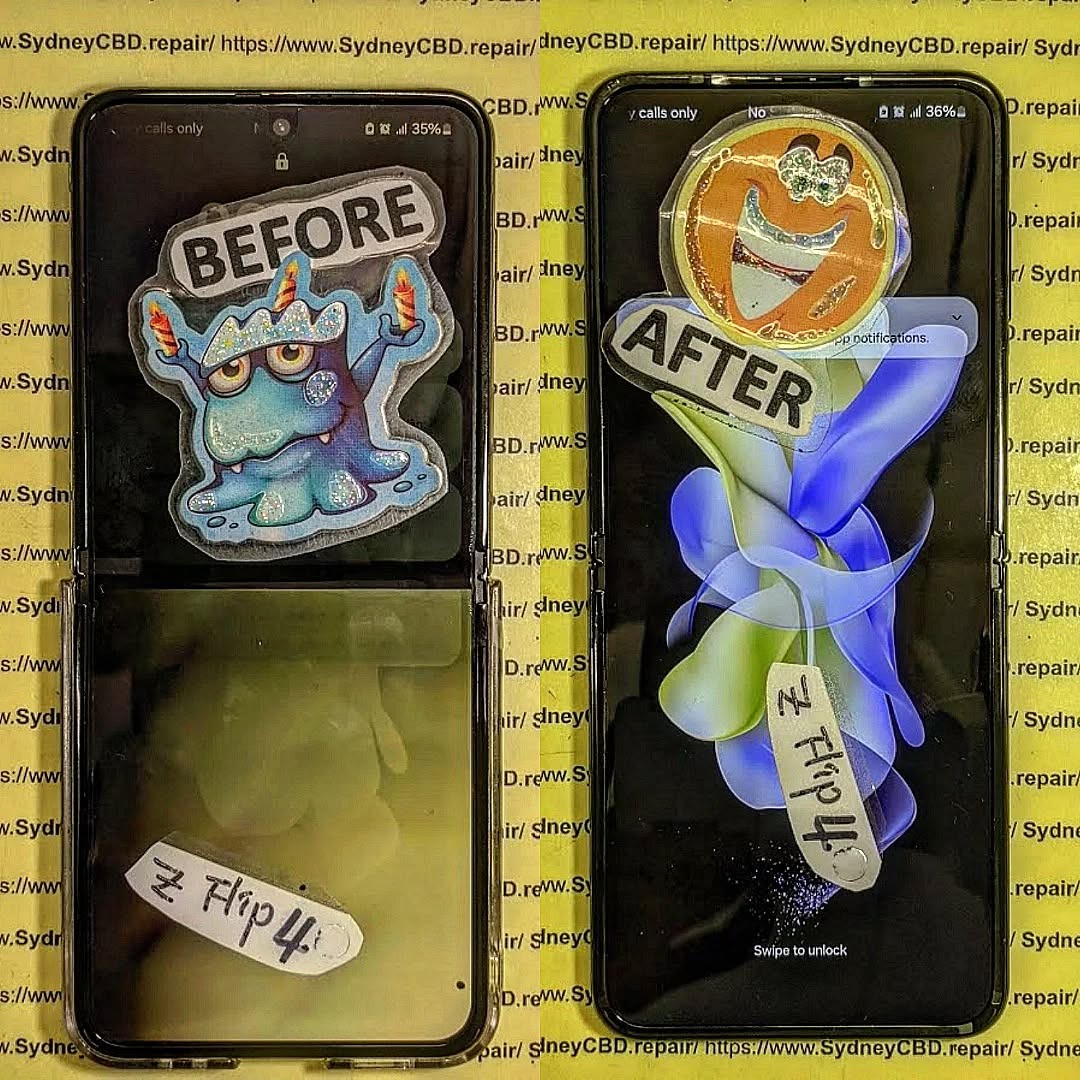
Foldable Screen Failure: Repairing a Z Flip 5 That Shuts Down Suddenly is becoming one of the most common concerns among Samsung foldable users. While the Galaxy Z Flip 5 represents cutting-edge engineering, its innovative foldable OLED display introduces unique vulnerabilities. When your phone shuts down suddenly while folding or unfolding, it’s more than frustrating—it’s alarming.
So what exactly is happening?
Foldable screen failure typically involves damage to the flexible AMOLED panel, internal display cable, hinge mechanism, or even the power management circuitry. Because the Z Flip 5 folds hundreds of times per week, the internal flex cable endures constant stress. Over time, this repetitive motion can lead to microscopic fractures.
Why the Z Flip 5 Is Unique
Unlike traditional smartphones, the Z Flip 5 features:
Ultra-Thin Glass (UTG)
Flexible AMOLED panel
Dual battery configuration
Precision hinge assembly
Internal ribbon flex connectors
These components allow the phone to bend smoothly. However, they also increase repair complexity. Even a minor misalignment can interrupt the power supply to the display, causing random shutdowns.
According to Samsung’s official foldable technology overview, foldables rely on layered structural engineering to distribute bending stress evenly. You can read more about Samsung’s display technology here: https://www.samsung.com/global/galaxy/what-is/foldable-display/
Early Warning Signs
Before complete failure, you may notice:
Screen flickering when folding
Black line along the crease
Touch not responding in the center
Phone shutting down at specific fold angles
Overheating during use
If ignored, these symptoms often escalate. The device may stop powering on entirely.
The good news? Most cases of Foldable Screen Failure: Repairing a Z Flip 5 That Shuts Down Suddenly can be resolved professionally—often the same day.
Understanding the cause is half the solution. When diagnosing Foldable Screen Failure: Repairing a Z Flip 5 That Shuts Down Suddenly, technicians look at both hardware and software triggers.
1. Display Flex Cable Damage
This is the #1 culprit.
Each time you fold the phone, the internal ribbon cable bends. Over time, the copper traces weaken. Eventually, connection loss causes:
Instant black screen
Sudden power cut
Reboot loop
Because the cable is integrated into the screen assembly, replacement typically involves full display replacement.
2. Battery and Power IC Issues
The Z Flip 5 uses dual batteries connected by a power distribution board. If voltage drops unexpectedly:
Device shuts down at 20–40% battery
Phone dies while folding
Random reboots occur
Sometimes it’s not the battery itself—it’s the Power Management IC (PMIC) on the motherboard.
3. Software Corruption
Though less common, firmware glitches can mimic hardware failure. Signs include:
Shutdown during updates
Boot loop after system crash
Device freezing before power off
A professional diagnostic always rules out software before recommending hardware repair.
4. Hinge Pressure Damage
Debris inside the hinge can place pressure on the display from behind. This causes:
Pressure spots
Internal OLED crack
Short circuit triggering shutdown
Because foldables are precision devices, even tiny dust particles matter.
Step-by-Step Diagnosis Process
Professional repair centers follow a structured approach when handling Foldable Screen Failure: Repairing a Z Flip 5 That Shuts Down Suddenly.
Step 1: External Inspection
Technicians check:
Crease integrity
Dead pixels
Frame separation
Impact marks near hinge
Step 2: Angle Testing
The device is opened and closed at multiple angles to identify if shutdown occurs at specific positions. This confirms flex cable damage.
Step 3: Internal Teardown
The Z Flip 5 requires careful heating and panel removal. Inside, experts test:
Display flex continuity
Battery voltage stability
Motherboard integrity
Short circuits
Step 4: Software Scan
Before replacing parts, technicians:
Reflash firmware
Check boot logs
Perform safe mode test
This ensures the correct repair path.
Professional diagnosis prevents unnecessary replacement costs. That’s why experience matters.
Repair Options Explained
When addressing Foldable Screen Failure: Repairing a Z Flip 5 That Shuts Down Suddenly, repair options depend on diagnosis.
Option 1: Genuine OLED Screen Replacement
Most common solution.
Includes:
New AMOLED foldable panel
Integrated flex cable
Fresh adhesive sealing
Benefits:
Restores original brightness
Fixes shutdown issue
Preserves folding mechanism
Maintains durability
Using genuine parts ensures compatibility and longevity.
Option 2: Battery Replacement
If shutdown occurs at random percentages, replacing one or both batteries may solve the issue.
Option 3: Motherboard Micro-Soldering
For advanced cases involving power IC damage, micro-soldering repairs can:
Restore voltage stability
Prevent data loss
Avoid full board replacement
This requires specialized equipment and certified technicians.
Cost of Repairing a Z Flip 5
Repair pricing depends on the fault.
Repair Type
Estimated Cost Range
Screen Replacement
Premium-tier pricing
Battery Replacement
Moderate
Motherboard Repair
Variable
Software Repair
Lower cost
Foldable screens are more expensive than standard displays due to:
Ultra-Thin Glass layer
Integrated flex assembly
Complex installation process
However, professional repair is often significantly cheaper than replacing the entire device.
Preventing Future Foldable Screen Failure
While no foldable lasts forever, you can extend its life.
Maintenance Tips
Avoid snapping the phone shut
Keep hinge clean
Don’t press the crease
Use official screen protector
Avoid extreme temperatures
Smart Charging Habits
Avoid 0% battery drains
Use certified chargers
Don’t overheat device while charging
Handle with Care
Foldables aren’t fragile—but they require mindful use. Think of them like precision laptops rather than rugged bricks.
Why Professional Repair Matters
Repairing a foldable device isn’t DIY territory.
At Sydney CBD Repair Centre, technicians:
Use genuine parts
Offer 90-day warranty
Provide same-day service
Conduct full device diagnostics
With 2000+ 5-star Google reviews and 7 consecutive awards, expertise makes all the difference.
Attempting unofficial repairs may:
Void warranty
Damage hinge alignment
Cause permanent data loss
Professional service ensures safety, reliability, and peace of mind.
Frequently Asked Questions (FAQs)
1. Why does my Z Flip 5 shut down when I fold it?
This usually indicates flex cable damage linked to foldable screen failure.
2. Can software updates fix sudden shutdown?
Only if the issue is firmware-related. Hardware issues require repair.
3. Is it safe to keep using the phone?
Not recommended. Continued folding may worsen damage.
4. How long does repair take?
Most professional repairs are completed same day.
5. Will my data be safe?
Screen replacements do not affect stored data.
6. Is foldable screen failure common?
With heavy use, yes—but professional repair restores full function.
Conclusion
Foldable Screen Failure: Repairing a Z Flip 5 That Shuts Down Suddenly may sound intimidating, but it’s completely manageable with the right expertise. Foldable devices represent the future of smartphones. And like any advanced technology, they require specialized care.
If your Z Flip 5 shuts down unexpectedly, don’t panic. Early diagnosis and professional repair can restore your device to like-new performance.
David from Sydney CBD Repair Centre – The Best place to fix mobile phones as 7 Years In A Row! Top Mobile Phone Repair In Sydney. More than 2000 Positive Reviews on Google and Same Day Repairs.
We take pride in delivering exceptional repair services for all major phone brands including Apple, Samsung, Google, and more. Our expert technicians use only genuine parts and offer 90days warranty on repairs. Located in the heart of Sydney CBD, we’re your one-stop solution for all mobile device repairs.
Our commitment to excellence has earned us the trust of thousands of satisfied customers. Whether it’s a cracked screen, battery replacement, or water damage repair, we handle it all with professional care and expertise. Walk in today and experience why we’re Sydney’s #1 choice for mobile phone repairs.
Visit us for:
✓ Same Day Express Repairs
✓ Genuine Parts Guarantee
✓ Professional Technicians
✓ Competitive Pricing
✓ 2000+ 5-Star Google Reviews
✓ 7-Time Award Winner for Best Phone Repairs
The Foldable Screen Replacement Google Pixel Fold phone’s vs. Samsung Galaxy Z Flip phone’s — Which Offers the Best Value in 2025?
Introduction to Foldable Smartphones in 2025
The foldable smartphone market has evolved rapidly over the past few years, with devices like the Google Pixel Fold and Samsung Galaxy Z Flip leading the innovation race. These premium phones offer a unique blend of flexibility and performance, yet their sophisticated displays make foldable screen replacement a critical topic for consumers in 2025.
As these devices age, more users encounter issues like creased displays, hinge malfunctions, and cracked foldable screens. Repair costs can be substantial, so understanding which phone offers better long-term repairability and value is essential for informed decision-making.
Understanding Foldable Screen Technology
How Foldable Displays Differ from Traditional Screens
Unlike standard OLED displays, foldable screens use ultra-thin glass (UTG) or flexible polymer materials, enabling them to bend without breaking. This advanced engineering allows for compact designs but also introduces new vulnerabilities.
Key differences include:
Layered structure with protective polymer coating
Hinge integration, crucial for folding motion
Touch digitizer flexibility to maintain responsiveness
Common Screen Issues in Foldable Phones
Foldable screens, while durable, still face recurring problems:
Visible crease marks after extended use
Dead pixels along the fold line
Protective layer peeling
Hinge dust accumulation causing uneven folds
Understanding these weaknesses highlights the importance of professional screen repair services that use genuine parts and experienced technicians.
Google’s Pixel Fold boasts a 7.6-inch OLED inner display and 5.8-inch outer display, crafted with Corning Gorilla Glass Victus and aluminum alloy framing. The hinge mechanism is robust, offering smooth folding and resistance to accidental pressure.
Pixel Fold Display Performance
With a 120Hz refresh rate, HDR10+ support, and bright color reproduction, the Pixel Fold delivers exceptional visual quality. However, due to the device’s complex screen layering, replacement costs can be higher than average.
Screen Replacement Cost and Process for Pixel Fold
Replacing a Pixel Fold screen typically involves:
Carefully heating the adhesive layers.
Detaching the flexible OLED display from the hinge.
Installing a genuine replacement display.
Calibrating the touch and brightness sensors.
At professional centers like Sydney CBD Repair Centre, Pixel Fold replacements are completed same-day, with a 90-day warranty on parts and labor.
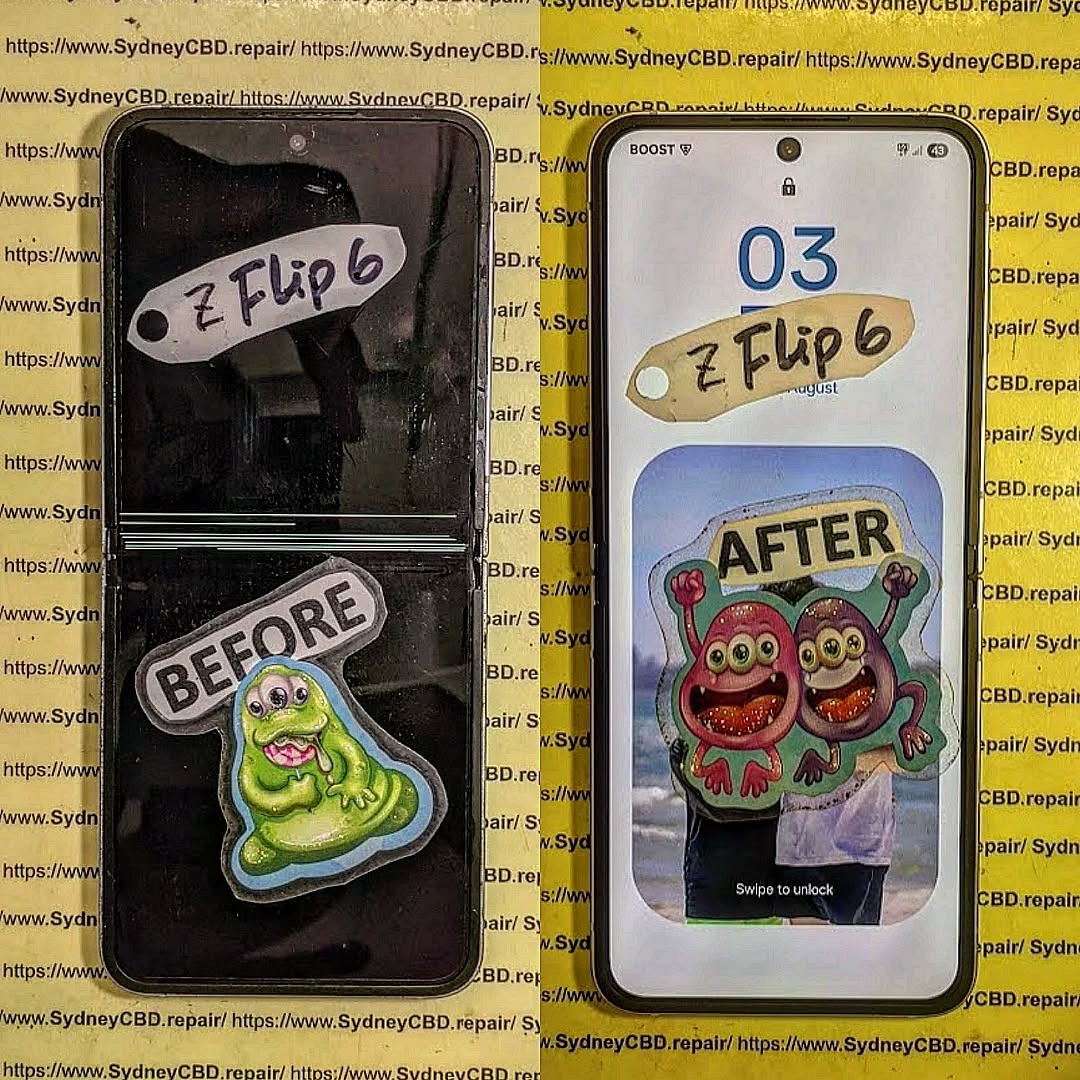
Samsung’s Z Flip series uses ultra-thin glass and a reinforced aluminum frame. The newest Z Flip 6 (2025) iteration includes improved crease resistance and dust protection, making it one of the most refined foldables to date.
Z Flip Display Performance
The Z Flip offers vibrant AMOLED colors, smooth animations, and impressive outdoor brightness. Samsung’s Flex Mode adds functionality, allowing half-folded use for hands-free video calls or content capture.
Screen Replacement Cost and Process for Z Flip
The Z Flip screen replacement involves similar complexity to the Pixel Fold but is more accessible due to Samsung’s global service network. Still, genuine part replacements can cost between AUD 650–850, depending on the model and availability.
At Sydney CBD Repair Centre, technicians replace Z Flip screens using original Samsung OLED panels, ensuring seamless performance post-repair.
Pixel Fold vs. Z Flip: Screen Replacement Comparison Table
Feature
Pixel Fold
Galaxy Z Flip
Display Type
OLED (7.6” + 5.8”)
AMOLED (6.7”)
Average Repair Cost
AUD 800–950
AUD 650–850
Repair Duration
Same-Day
Same-Day
Parts Availability
Moderate
High
Durability Score (2025)
8.5/10
9/10
Warranty Offered (Sydney CBD Repair Centre)
90 Days
90 Days
Repair Complexity
High
Moderate
Factors That Affect Foldable Screen Longevity
Usage Habits
Frequent folding, dropping, or applying pressure can accelerate micro-creases and touch failures. Gentle use and protective cases help prolong display lifespan.
Environmental Exposure
Dust, humidity, and temperature fluctuations can affect hinge performance and screen adhesives. IPX8-rated models like the Z Flip have a durability advantage.
Repair Quality and Replacement Parts
Using genuine OEM parts ensures compatibility and performance. Low-quality replacements risk color distortion, touch lag, or shortened display life.
How Sydney CBD Repair Centre Handles Foldable Screen Replacements
Step-by-Step Repair Process
Diagnostic testing for display and hinge integrity.
Precision disassembly using specialized tools.
Screen replacement with genuine parts.
Hinge realignment and recalibration.
Final quality check ensuring smooth folding.
Genuine Parts and Warranty Benefits
Sydney CBD Repair Centre uses factory-grade OEM components, ensuring original performance and color accuracy. Every repair comes with a 90-day warranty for peace of mind.
Same Day Repairs and Expert Technicians
Backed by over 2000 5-star Google reviews, their expert team offers same-day repairs for Pixel Fold, Z Flip, and other premium devices.
External Link: Learn More About Foldable Display Innovations
1. How long does a foldable screen replacement take?
Most foldable screen replacements are completed within a few hours, depending on parts availability and diagnostic results.
2. Can I use my phone immediately after repair?
Yes. Once the repair is done, you can use your phone right away—though it’s best to avoid folding and unfolding repeatedly for 24 hours.
3. What warranty does Sydney CBD Repair Centre provide?
All screen replacements come with a 90-day warranty covering parts and labor.
4. Are foldable screen replacements worth it?
Absolutely. Replacing a foldable screen restores device value, performance, and usability—making it more economical than buying a new phone.
5. What’s the difference between OEM and third-party parts?
OEM parts come directly from the manufacturer, ensuring full compatibility and longevity. Third-party parts may be cheaper but can affect display quality and touch response.
6. How can I protect my foldable screen from damage?
Use a dedicated foldable screen protector, avoid pocket pressure, and keep your device away from sand or sharp objects.
Conclusion: Choosing the Right Foldable Repair Partner in 2025
When it comes to foldable screen replacement, both the Pixel Fold and Z Flip showcase cutting-edge innovation. However, Samsung’s Z Flip edges ahead in repair accessibility and durability, while Google’s Pixel Fold excels in display clarity and software optimization.
Ultimately, choosing a trusted repair partner like Sydney CBD Repair Centre ensures the best results — combining genuine parts, same-day service, and expert care that protects your investment.
Sydney CBD Repair Centre
📍 Located in the heart of Sydney
📞 Call: +61 2 8011 4119
🌐 https://SydneyCBD.repair/locate-us
✓ Genuine Parts Guarantee
✓ Professional Technicians
✓ 2000+ 5-Star Reviews
✓ 6-Time Award Winner for Best Phone Repairs
ULTRA THIN GLASS! Samsung Galaxy Z Flip 7 Inner Screen Repair Sydney – Ultimate 10 Expert Facts You Must Know
Introduction to Samsung Galaxy Z Flip 7 Inner Screen Repair Sydney
The Samsung Galaxy Z Flip 7 Inner Screen Repair Sydney service has become increasingly important as more Australians embrace foldable smartphones. Samsung continues to improve its foldable technology every year, but even the newest devices remain more delicate than traditional smartphones because of their complex hinge mechanism and Ultra Thin Glass (UTG) display.
Unlike conventional phones, the Galaxy Z Flip 7 folds hundreds of times every week. Every opening and closing movement creates tiny amounts of stress across the flexible display. Samsung engineered the screen to withstand years of use, yet accidents, impacts, manufacturing fatigue, and unexpected failures can still happen.
When the inner display develops issues, many owners worry they’ll have to replace the entire phone. Fortunately, that’s rarely necessary. Professional technicians can replace the damaged inner display while preserving the rest of the handset.
A quality repair restores:
Crystal-clear OLED colors
Responsive touch functionality
Smooth folding operation
Original viewing experience
Reliable daily performance
Professional repair centres also inspect the hinge, internal flex cables, battery connections, and frame alignment during the repair process. This comprehensive approach helps ensure the repaired device performs as expected after reassembly.
Throughout this guide, you’ll learn how Ultra Thin Glass works, why foldable displays fail, what warning signs to watch for, and how professional technicians perform safe and reliable repairs.
Understanding Ultra Thin Glass Technology
Samsung revolutionized foldable smartphones by introducing Ultra Thin Glass (UTG). Instead of relying entirely on plastic, modern Galaxy Z Flip devices combine extremely thin glass with flexible protective materials to achieve durability while maintaining flexibility.
This technology allows users to enjoy a premium glass-like feel while still enabling the display to fold thousands of times.
What Makes UTG Different?
Traditional smartphone screens are built using rigid glass. If you attempt to bend regular smartphone glass, it immediately cracks.
Ultra Thin Glass is different because it undergoes specialized manufacturing processes that reduce its thickness dramatically while increasing flexibility. The glass is then combined with several protective layers that work together to distribute stress across the fold.
The Galaxy Z Flip 7 display is actually made from multiple components working together.
Layer
Purpose
Protective Film
Scratch resistance
Ultra Thin Glass
Structural strength
Flexible OLED
Image generation
Touch Digitizer
Touch recognition
Adhesive Layers
Flexibility and bonding
Metal Support Plate
Structural reinforcement
Each layer must align perfectly. If one layer becomes damaged, the entire display assembly usually requires replacement.
Flexible OLED and Protective Layers
Beneath the Ultra Thin Glass lies Samsung’s flexible OLED technology.
OLED displays produce exceptional:
Deep black levels
High contrast
Excellent brightness
Vibrant colors
Wide viewing angles
Unlike LCD panels, OLED screens don’t require a backlight. Each pixel produces its own light, allowing thinner construction that’s ideal for foldable devices.
The Galaxy Z Flip 7 also includes an upgraded protective film engineered specifically for repeated folding. This outer layer helps reduce scratches while distributing pressure more evenly during everyday use.
Although improvements continue every generation, no foldable display is completely immune to accidental damage.
Even with Samsung’s latest engineering improvements, foldable displays remain among the most sophisticated smartphone components ever produced.
Understanding why failures occur helps owners prevent unnecessary damage and recognize early warning signs before problems become severe.
Everyday Wear and Tear
Every time you fold your Galaxy Z Flip 7, the display bends along the center crease.
This constant movement creates microscopic stress within the flexible display assembly.
Over months or years, this repetitive motion may contribute to:
Crease deepening
Protective film lifting
Touch sensitivity changes
Pixel deterioration
Flex cable fatigue
Samsung designs these devices for extensive durability testing, but real-world conditions vary from laboratory environments.
Dust, pocket lint, pressure, temperature fluctuations, and accidental drops all influence long-term reliability.
Accidental Damage
One of the most common reasons customers seek Samsung Galaxy Z Flip 7 Inner Screen Repair Sydney services is accidental damage.
Common accidents include:
Dropping the phone while open
Closing the phone on small debris
Heavy impacts
Pressure inside bags
Sitting with the phone in a back pocket
Water exposure
Hinge contamination
Because the display folds inward, even tiny particles trapped between the two halves can create pressure points that eventually crack the OLED underneath the Ultra Thin Glass.
Many users don’t even notice the debris before folding the device.
Manufacturing Improvements
Samsung has significantly improved foldable durability over recent generations.
Enhancements include:
Stronger hinge construction
Improved shock absorption
Better dust resistance
More durable protective films
Enhanced display adhesives
Refined UTG manufacturing
These improvements help reduce failures compared to early foldable phones, yet professional repair services remain essential when accidental damage occurs.
Rather than attempting risky DIY repairs, experienced technicians use specialized tools designed specifically for foldable smartphones.
Signs Your Inner Screen Needs Repair
Recognizing the early warning signs can save your Samsung Galaxy Z Flip 7 from further damage. Many display issues start small but become more severe if the phone continues to be folded and used without professional inspection.
If you notice any of the following symptoms, it’s best to stop using the device and have it examined by an experienced technician.
Green Lines Appearing on the Display
One of the most common OLED failures is the appearance of one or more bright green vertical lines across the screen.
These lines often:
Appear suddenly
Remain permanently visible
Increase in number over time
Affect viewing quality
Indicate OLED panel failure
The issue may occur after a drop, but sometimes it develops from internal display fatigue or hinge-related stress.
Black Spots That Continue Growing
Black spots usually indicate internal OLED damage.
Initially, the affected area may be tiny, but after repeated folding it often spreads.
Signs include:
Small dark circles
Ink-like spreading
Loss of nearby pixels
Reduced touch response
Complete screen failure if ignored
Unlike surface scratches, black spots cannot be repaired individually. The complete display assembly must typically be replaced.
Flickering Screen
Screen flickering may occur because of:
OLED damage
Loose display connections
Flex cable wear
Internal impact damage
Moisture intrusion
Some users notice flickering only when adjusting brightness, while others experience flashing whenever the device is opened.
Professional diagnostics determine whether the issue originates from the display itself or another internal component.
Dead Touch Areas
Sometimes the screen still displays images normally, but touch input stops responding.
Common symptoms include:
Unable to unlock phone
Keyboard not responding
Swipe gestures failing
Random ghost touches
Touch working only on one side
Because the touch digitizer is integrated into the flexible display assembly, replacing the inner screen generally restores normal touch functionality.
Visible Crease Damage
Although every foldable phone has a visible crease, certain changes should never be ignored.
Warning signs include:
Raised bubbles
Cracks along the fold
Peeling protective film
Bright crease line
Clicking noises while folding
These symptoms usually indicate the display assembly is under excessive stress.
Prompt repair reduces the likelihood of additional internal damage.
Professional Repair Process
Professional Samsung Galaxy Z Flip 7 Inner Screen Repair Sydney services involve far more than simply replacing the display.
Foldable smartphones require specialized tools, manufacturer-approved procedures, precision alignment, and extensive testing to ensure the repaired phone performs reliably.
Experienced technicians follow a structured repair workflow.
Initial Diagnostic Inspection
Every repair begins with a comprehensive assessment.
Technicians inspect:
Display condition
Frame alignment
Hinge operation
Outer screen
Cameras
Charging port
Speakers
Microphones
Wireless charging
Battery health
This diagnostic process identifies hidden problems that may not be immediately visible.
If multiple issues exist, customers receive a clear explanation before repairs begin.
Safe Device Disassembly
Foldable smartphones require careful disassembly.
Unlike conventional phones, technicians must work around:
Flexible display cables
Multiple battery cells
Precision hinge components
Delicate adhesives
Thin internal brackets
Specialized heating equipment softens factory adhesives without damaging nearby components.
Using professional tools helps prevent accidental tearing of flex cables or distortion of the aluminum frame.
Every screw, bracket, and connector is organized carefully during disassembly to ensure accurate reassembly.
Removing the Damaged Display
The damaged inner screen is separated using manufacturer-approved procedures.
Technicians carefully:
Disconnect the batteries.
Remove internal protective covers.
Disconnect display flex cables.
Separate the damaged display.
Clean residual adhesive.
Prepare the frame.
Inspect hinge alignment.
This preparation ensures the replacement display sits perfectly flat without introducing unnecessary stress.
Installing the New Screen
Installing a foldable OLED display requires exceptional precision.
Technicians verify:
Display alignment
Adhesive positioning
Flex cable routing
Hinge clearance
Frame integrity
Connector security
Even slight misalignment may affect folding performance or reduce the lifespan of the replacement display.
This is why experienced repair centres invest heavily in specialized equipment for foldable devices.
Extensive Quality Testing
Before returning the phone to the customer, technicians perform multiple quality checks.
Testing includes:
Inspection
Purpose
OLED Display Test
Image quality
Touch Test
Full responsiveness
Brightness Test
Uniform lighting
Hinge Test
Smooth folding
Camera Test
Image quality
Charging Test
Wired charging
Wireless Charging
Charging coil function
Speaker Test
Audio performance
Microphone Test
Voice clarity
Sensor Test
Normal operation
Only after successfully completing every inspection is the phone considered ready for collection.
Why Genuine Samsung Parts Matter
Choosing genuine replacement components makes a significant difference to the quality and longevity of a repair.
Although aftermarket screens may appear similar, they often differ in important ways.
Benefits of genuine parts include:
Accurate colors
Original brightness levels
Better touch sensitivity
Improved durability
Factory-like folding performance
Higher compatibility
Reliable adhesive bonding
Inferior replacement parts may develop problems such as:
Reduced brightness
Poor viewing angles
Faster OLED degradation
Uneven touch response
Premature crease wear
Increased battery consumption
Professional repair centres prioritize high-quality replacement components because they provide a better overall user experience and reduce the likelihood of repeat repairs.
DIY Repair vs Professional Repair
Some online videos make foldable screen replacement appear simple.
In reality, repairing a Galaxy Z Flip 7 is one of the most technically demanding smartphone repairs available.
DIY Repair
Professional Repair
High risk of damage
Specialized expertise
No calibration tools
Professional equipment
Limited quality testing
Comprehensive diagnostics
Potential warranty issues
Repair warranty provided
Adhesive challenges
Proper factory-grade bonding
Greater chance of repeat failure
Long-lasting results
Attempting a repair without the proper tools can easily damage:
Flexible OLED panel
Display flex cables
Hinge mechanism
Battery connectors
Internal frame
Waterproof seals
Professional technicians are trained to work with these delicate components safely, minimizing the risk of additional damage.
Preventing Future Screen Damage
After investing in a Samsung Galaxy Z Flip 7 Inner Screen Repair Sydney service, you’ll naturally want to keep your foldable phone in excellent condition. While Samsung has made significant improvements to the durability of the Galaxy Z Flip series, a little extra care goes a long way toward extending the lifespan of the Ultra Thin Glass display.
Keep the Inner Screen Clean
Dust and debris are among the biggest enemies of foldable smartphones. Small particles trapped inside the folding area can create pressure points that may damage the OLED display beneath the Ultra Thin Glass.
Good cleaning habits include:
Wiping the display with a clean microfiber cloth
Avoiding paper towels or rough fabrics
Removing lint from pockets before storing the phone
Keeping sand and dirt away from the hinge
Never closing the phone if an object is on the display
These simple habits help reduce unnecessary stress on the folding screen.
Open and Close the Phone Gently
The Galaxy Z Flip 7 hinge is engineered for thousands of folds, but smooth and controlled movements are always better than forcing the device open or shut.
Avoid:
Snapping the phone closed
Twisting the display
Opening with excessive force
Applying pressure directly on the crease
Instead, open and close the device using steady movements that allow the hinge to operate as designed.
Use a Quality Protective Case
A well-designed case protects the aluminum frame and absorbs impact during accidental drops.
Look for a case that offers:
Hinge protection
Raised edges
Shock absorption
Lightweight construction
Secure grip
Compatibility with wireless charging
While no case can prevent every type of screen failure, it significantly reduces the risk of impact damage.
Avoid Extreme Temperatures
Foldable displays perform best within normal operating temperatures.
Extreme heat may:
Soften adhesives
Affect OLED performance
Accelerate battery aging
Extreme cold may:
Reduce display flexibility
Increase material stress
Make accidental damage more likely
Whenever possible, avoid leaving your phone inside hot vehicles or in freezing outdoor conditions for extended periods.
Leave the Factory Screen Protector Installed
Samsung installs a specially engineered protective film over the Ultra Thin Glass.
This layer is designed specifically for the folding mechanism.
Do not:
Peel it off
Replace it with generic protectors
Scratch it with sharp objects
If the protector begins bubbling or peeling, have it professionally replaced instead of attempting to remove it yourself.
Choosing an experienced repair centre provides peace of mind that your foldable smartphone is handled correctly.
Professional technicians understand the unique engineering of foldable devices and use specialized equipment designed for delicate OLED assemblies.
Benefits include:
Experienced foldable phone specialists
Genuine-quality replacement parts
Professional diagnostic equipment
Precision installation
Careful hinge inspection
Comprehensive testing
Fast turnaround times
Repair warranty for added confidence
Professional repairs don’t simply restore the display—they help ensure the entire device continues operating safely and reliably.
Frequently Asked Questions
1. Can the Samsung Galaxy Z Flip 7 inner screen be replaced?
Yes. In most cases, the damaged inner display assembly can be professionally replaced without replacing the entire phone.
2. How long does an inner screen replacement usually take?
Depending on parts availability and the extent of the damage, many professional repair centres can complete the repair on the same day or within a short turnaround period.
3. Will replacing the screen remove my data?
No. A screen replacement generally does not affect your photos, contacts, apps, or files. However, it’s always recommended to back up important data before any repair.
4. Why are foldable screen repairs more expensive than standard phone repairs?
Foldable phones use advanced technologies such as Ultra Thin Glass, flexible OLED panels, precision hinges, and specialized adhesives. These components require expert handling and premium replacement parts.
5. Should I continue using my phone if black spots appear?
It’s best not to. Black spots usually indicate internal OLED damage, which can spread with continued folding. Prompt repair helps prevent further deterioration.
6. Are genuine replacement parts worth it?
Absolutely. Genuine-quality components provide:
Better color accuracy
Improved brightness
Reliable touch performance
Longer lifespan
Better compatibility with the device
They also help maintain the premium experience expected from a flagship Samsung foldable.
Conclusion
The Galaxy Z Flip 7 showcases just how far smartphone innovation has come. Its Ultra Thin Glass display, flexible OLED technology, and refined hinge mechanism deliver a unique user experience that combines style with practicality. However, this advanced engineering also means that the inner screen requires specialized care when damage occurs.
Whether you’re dealing with green lines, black spots, flickering, unresponsive touch, or accidental impact damage, seeking a professional Samsung Galaxy Z Flip 7 Inner Screen Repair Sydney service is the safest and most reliable solution. Experienced technicians use precision tools, high-quality replacement parts, and thorough testing procedures to restore your device to excellent working condition.
Regular maintenance, careful handling, and timely repairs can significantly extend the life of your foldable phone. By addressing problems early and trusting qualified repair professionals, you can continue enjoying the convenience and innovation of your Galaxy Z Flip 7 for years to come.
For more information about Samsung devices and foldable technology, visit the official Samsung Australia support website: https://www.samsung.com/au/support/
Foldable smartphones represent the future of mobile technology, and the Galaxy Z Flip 7 is a prime example of Samsung’s commitment to innovation. Protecting your investment with professional repairs and preventative care ensures you continue to enjoy its cutting-edge features without compromise. When your foldable phone needs expert attention, choosing a trusted repair specialist is the smartest decision you can make.
David from Sydney CBD Repair Centre – The Best place to fix mobile phones as 7 Years In A Row! Top Mobile Phone Repair In Sydney. More than 2000 Positive Reviews on Google and Same Day Repairs.
We take pride in delivering exceptional repair services for all major phone brands including Apple, Samsung, Google, and more. Our expert technicians use only genuine parts and offer 90 days warranty on repairs. Located in the heart of Sydney CBD, we’re your one-stop solution for all mobile device repairs.
Our commitment to excellence has earned us the trust of thousands of satisfied customers. Whether it’s a cracked screen, battery replacement, or water damage repair, we handle it all with professional care and expertise. Walk in today and experience why we’re Sydney’s #1 choice for mobile phone repairs.
Visit us for:
✓ Same Day Express Repairs
✓ Genuine Parts Guarantee
✓ Professional Technicians
✓ Competitive Pricing
✓ 2000+ 5-Star Google Reviews
✓ 7-Time Award Winner for Best Phone Repairs
Sydney CBD Repair Centre – Where Quality Meets Reliability.
Mail-In Repair Masterclass: Safely Shipping Your Broken Z Fold 6 to Sydney – 11 Powerful Expert Tips
Introduction
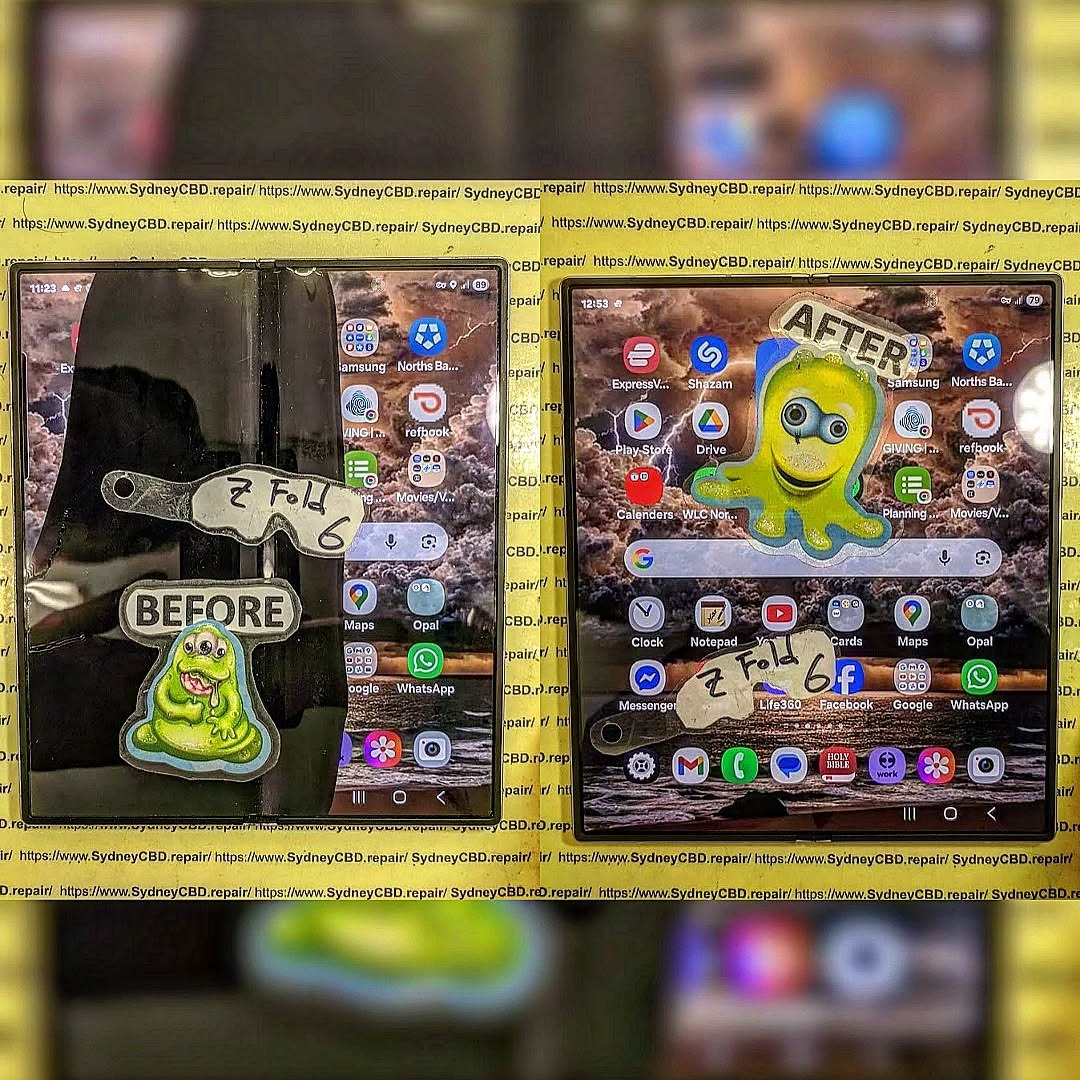
The rise of foldable smartphones has changed the mobile industry forever. Devices like the Samsung Galaxy Z Fold 6 deliver cutting-edge technology, powerful multitasking, and sleek designs. However, these premium phones are also more delicate than traditional smartphones. When damage happens, many owners choose mail-in repair services to get professional help quickly and safely.
Shipping a broken foldable phone might sound risky at first. After all, the device contains flexible OLED panels, advanced hinges, and fragile internal components. Yet with the right preparation and packaging methods, mail-in repair can be secure, convenient, and surprisingly fast.
In this detailed guide, you’ll learn how to safely ship your broken Z Fold 6 to Sydney for repair while avoiding common mistakes that could cause additional damage.
Mail-in phone repair services have become incredibly popular across Australia. People living outside major cities often don’t have access to professional foldable phone repair specialists nearby. Instead of travelling long distances, users can securely package their damaged device and send it directly to a trusted technician.
There are several reasons why mail-in repairs continue gaining momentum:
Convenience from home
Access to specialised technicians
Faster turnaround times
Availability of genuine replacement parts
Better pricing compared to local providers
Foldable devices require highly skilled technicians because the repair process is much more complex than standard smartphones. That’s especially true for the Samsung Galaxy Z Fold 6.
Additionally, many repair centres in Sydney now offer same-day assessment and rapid turnaround for mail-in customers. This reduces downtime and keeps customers connected.
Foldable phones are engineering marvels, but they also contain delicate parts that require careful handling.
Foldable Screen Vulnerabilities
The inner folding display is ultra-thin and flexible. Unlike traditional glass screens, foldable panels can suffer from:
Creasing
Dead pixels
Touch sensitivity failure
Internal OLED bleeding
Pressure damage
Even minor shipping pressure can worsen existing damage if the phone isn’t packed properly.
Hinge Mechanism Risks
The hinge is another critical component. Dust intrusion, impact damage, and improper handling may lead to:
Stiff folding
Misalignment
Grinding noises
Failure to fully open or close
Because of this complexity, professional repair services are strongly recommended.
Common Reasons People Mail Their Z Fold 6 for Repair
Many customers send their foldable phones to Sydney due to specific repair issues.
Here are the most common problems:
Problem
Symptoms
Cracked inner screen
Black spots, flickering
Broken outer display
Touch failure
Faulty hinge
Phone won’t fold smoothly
Water damage
Overheating, random shutdowns
Battery issues
Fast drain, swelling
Charging failure
Intermittent charging
Dead motherboard
No power
These repairs often require specialised tools and premium replacement parts.
Choosing a Trusted Repair Centre in Sydney
Not every repair shop is equipped to handle foldable devices.
Experience and Certifications
Before shipping your device, look for repair centres with:
Proven foldable repair experience
Positive customer reviews
Certified technicians
Transparent pricing
Professional diagnostic procedures
An experienced technician understands the risks involved in handling foldable OLED technology.
Genuine Parts and Warranty
Always ask whether the repair centre uses genuine or premium-grade parts. Cheap aftermarket components may lead to poor display quality or reduced durability.
A trustworthy repair provider should also offer warranty coverage on repairs.
Preparation is essential before sending your device.
Backing Up Your Data
Always back up your phone before repair. Use:
Samsung Cloud
Google Drive
External SSD
Computer backup software
Although professional repair centres handle devices carefully, data protection is ultimately the owner’s responsibility.
Removing SIM and Accessories
Before packing the device:
Remove your SIM card
Remove memory cards
Take off the case
Remove accessories
Disconnect chargers
This prevents loss during transit.
Disabling Security Locks
Disable features like:
Samsung Find My Mobile
Google Factory Reset Protection
Passcodes if requested by technicians
This allows diagnostic testing after repair.
Best Packaging Methods for Foldable Phones
Proper packaging is the most important step in safe shipping.
Recommended Packaging Materials
Use high-quality materials including:
Bubble wrap
Foam padding
Rigid cardboard box
Packing tape
Zip-lock bag for accessories
Avoid using paper envelopes or thin satchels.
Step-by-Step Packing Process
Follow these steps carefully:
Power off the phone completely
Fold the device gently
Wrap it in microfiber cloth
Add multiple bubble wrap layers
Place into a snug inner box
Add foam around the box
Place inside larger outer box
Seal securely with tape
The double-box method provides excellent impact protection.
Shipping Options Available in Australia
Several shipping providers operate nationwide.
Express Post vs Courier Services
Australia Post Express is popular because it’s affordable and trackable. However, private couriers may offer:
Faster delivery
Better insurance
Signature confirmation
Real-time tracking
Choosing the right service depends on your budget and urgency.
Insurance and Tracking Importance
Never ship a foldable phone without tracking.
Insurance is also strongly recommended because the Samsung Galaxy Z Fold 6 is an expensive premium device.
Keep records of:
Tracking number
Photos before shipping
Packaging photos
Shipping receipt
These documents help protect you if problems arise.
What Happens After Your Device Arrives
Once your phone reaches the repair centre, technicians typically perform:
Physical inspection
Diagnostic testing
Repair quotation
Customer approval
Repair process
Quality control testing
Return shipping
Professional centres usually contact customers before starting major repairs.
This transparent process gives customers confidence and clarity.
Repair Timeframes and Expectations
Repair times vary depending on the issue.
Repair Type
Typical Time
Outer screen replacement
2–4 hours
Inner foldable screen
1–2 days
Hinge repair
1–3 days
Water damage cleaning
2–5 days
Motherboard repair
3–7 days
Shipping times should also be considered when planning repairs.
Most reputable repair centres provide status updates throughout the process.
Costs Involved in Mail-In Z Fold 6 Repairs
Foldable repairs are more expensive than regular smartphones because of:
Premium components
Specialised labour
Complex assembly
OLED technology
Hinge engineering
Factors affecting cost include:
Extent of damage
Parts availability
Labour intensity
Water exposure severity
Although pricing may seem high, professional repair is still significantly cheaper than replacing the entire phone.
Risks of DIY Shipping Mistakes
Many customers unintentionally cause further damage while preparing devices for shipping.
Common mistakes include:
Using oversized boxes
Insufficient padding
Shipping while powered on
Including loose accessories
Forgetting waterproof bags
Poor sealing methods
These errors can result in:
Additional screen cracking
Internal component damage
Moisture exposure
Lost accessories
Taking extra time to package correctly can save hundreds of dollars.
Benefits of Professional Mail-In Repair Services
Professional mail-in repair offers several advantages.
Convenience
Customers can arrange repairs from home without visiting a store physically.
Expert Foldable Repairs
Specialists understand foldable engineering and use proper tools.
Quality Assurance
Professional centres perform post-repair testing to ensure reliability.
Warranty Protection
Many repairs include warranty coverage for peace of mind.
Faster Turnaround
Experienced technicians can complete repairs efficiently.
For busy professionals and regional customers, mail-in repair is often the most practical solution.
How to Protect Your Z Fold 6 After Repair
After receiving your repaired device, taking preventive measures can extend its lifespan.
Recommended protection tips include:
Use a premium protective case
Avoid dust-heavy environments
Keep liquids away
Open and close gently
Avoid extreme temperatures
Use certified chargers
Apply quality screen protection
Foldable devices require careful handling, but good habits can significantly reduce future repair costs.
Frequently Asked Questions
Is it safe to ship a broken Z Fold 6 by mail?
Yes, it’s generally safe if the phone is packaged properly using bubble wrap, double boxing, and tracked shipping services.
Should I insure my foldable phone shipment?
Absolutely. The Samsung Galaxy Z Fold 6 is a high-value device, so insurance provides financial protection during transit.
How long does mail-in repair usually take?
Most repairs are completed within 1–5 business days after the device arrives, depending on the damage severity.
Can water-damaged Z Fold 6 phones still be repaired?
In many cases, yes. Immediate professional cleaning improves the chances of successful repair.
Will my data be safe during repair?
Professional repair centres handle devices carefully, but backing up your data beforehand is strongly recommended.
What’s the safest packaging method?
The safest method involves wrapping the device in microfiber cloth, bubble wrap, and placing it inside double boxes with foam padding.
Is genuine screen replacement important?
Yes. Genuine-quality screens maintain original display quality, touch responsiveness, and folding durability.
Conclusion
Mail-in repair services have transformed the way Australians repair premium foldable smartphones. Sending your damaged Samsung Galaxy Z Fold 6 to a trusted Sydney repair centre can save time, reduce stress, and restore your device professionally.
The key to successful shipping lies in preparation. Back up your data, remove accessories, package carefully, and choose tracked shipping with insurance. Most importantly, work with experienced technicians who understand foldable phone technology.
When handled correctly, mail-in repair is a secure and efficient solution for even the most delicate smartphone repairs.
David from Sydney CBD Repair Centre – The Best place to fix mobile phones as 7 Years In A Row! Top Mobile Phone Repair In Sydney. More than 2000 Positive Reviews on Google and Same Day Repairs.
We take pride in delivering exceptional repair services for all major phone brands including Apple, Samsung, Google, and more. Our expert technicians use only genuine parts and offer 90days warranty on repairs. Located in the heart of Sydney CBD, we’re your one-stop solution for all mobile device repairs.
Our commitment to excellence has earned us the trust of thousands of satisfied customers. Whether it’s a cracked screen, battery replacement, or water damage repair, we handle it all with professional care and expertise. Walk in today and experience why we’re Sydney’s #1 choice for mobile phone repairs.
Visit us for:
✓ Same Day Express Repairs
✓ Genuine Parts Guarantee
✓ Professional Technicians
✓ Competitive Pricing
✓ 2000+ 5-Star Google Reviews
✓ 7-Time Award Winner for Best Phone Repairs
Sydney CBD Repair Centre – Where Quality Meets Reliability.
Call : +61280114119
Website: Sydney CBD Repair Centre
What’s the Worst Phone to Repair? – 10 Challenging Models You Need to Know
# Introduction
When it comes to smartphones, not all are created equal—especially when it’s time for a repair.
Some phones are a technician’s dream to work on. Others? A nightmare wrapped in glass and glue. In this article, we’ll reveal the worst phone to repair, what makes certain devices so difficult, and how professionals like those at Sydney CBD Repair Centre manage even the most frustrating jobs.
These are the traits that make a phone a repair shop’s worst nightmare:
Factor
Why It’s a Problem
Excessive glue
Makes screen or battery removal risky
Delicate flex cables
Can tear during disassembly
Foldable hinges
Add moving parts and complexity
No modular components
Everything’s soldered or fused
Inaccessible batteries
Buried under layers of hardware
Calibration-locked parts
Require manufacturer tools after replacement
# The Worst Phone to Repair – #1 Revealed
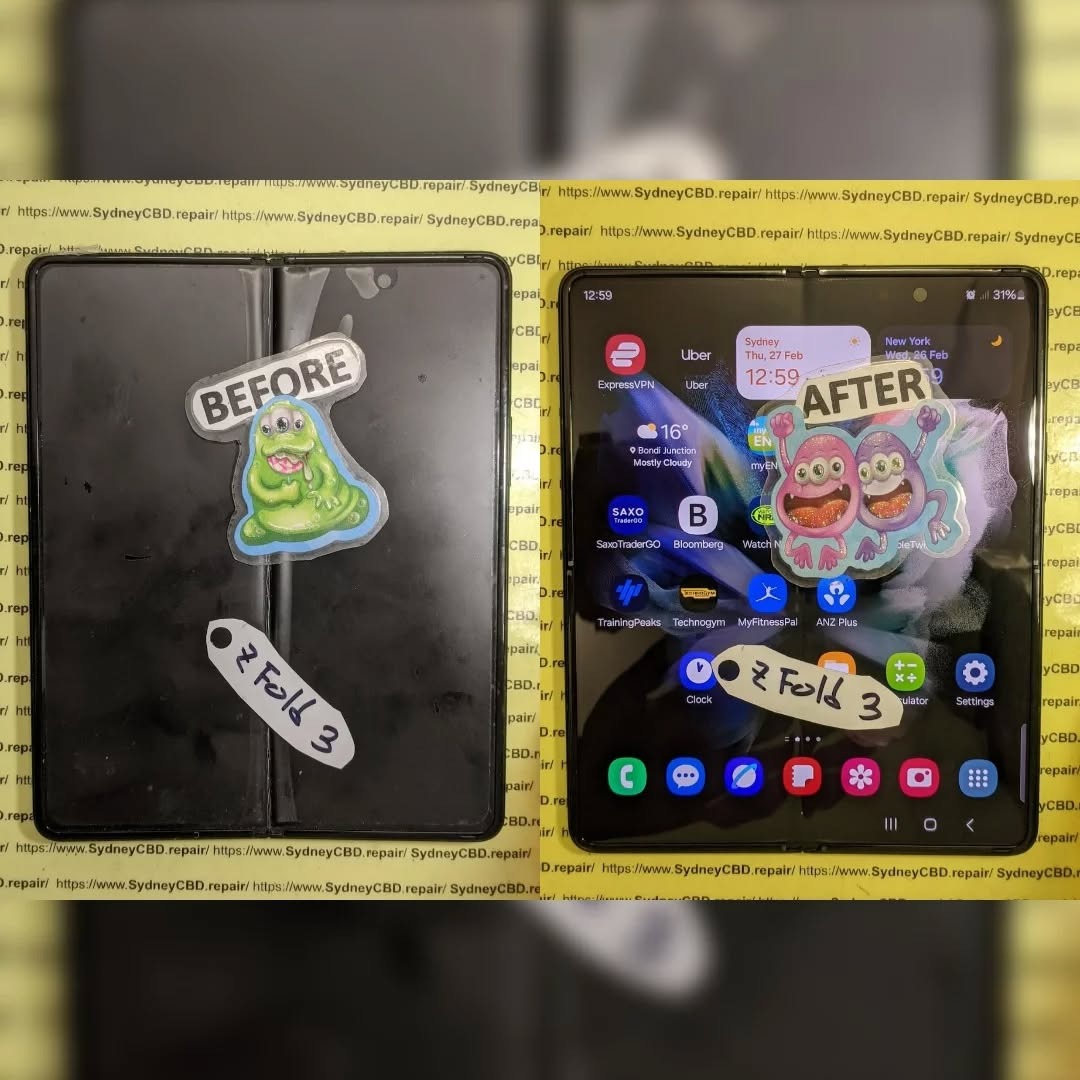
🏆 Samsung Galaxy Z Fold Series (Z Fold 3, Z Fold 4, Z Fold 5)
These cutting-edge foldables top the list. Here’s why:
Dual displays (outer and inner) = twice the failure points
Ultra-thin glass = super fragile and easy to crack
Hinge mechanism = complex and easy to misalign
Expensive replacement parts
Risk of screen creases or ghost touches post-repair
Even experienced techs take hours to complete a Fold repair—and many shops won’t even attempt it.
# Other Challenging Models Ranked
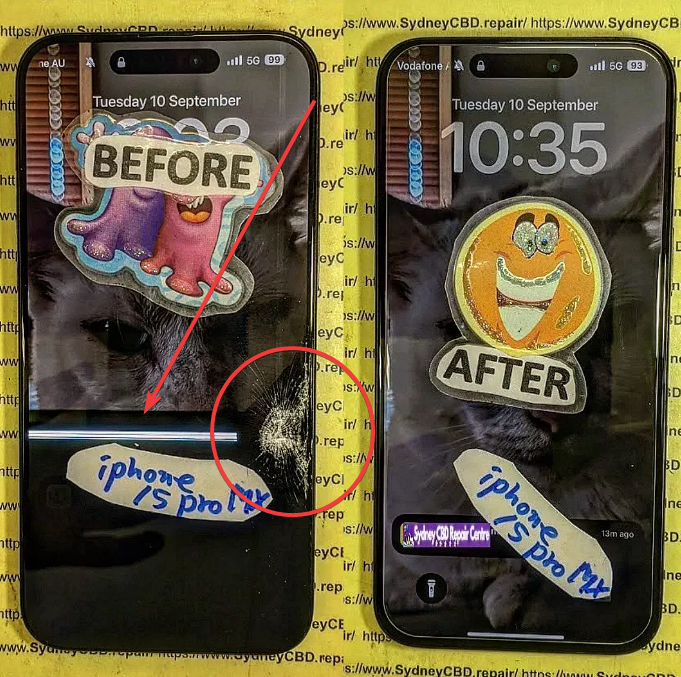
2. iPhone 14 Pro Max
Face ID sensors are delicate
Back glass removal requires laser
Glue-intensive build
3. Google Pixel 7 Pro
Curved OLED hard to align
Risk of damaging fingerprint sensor
Tight component layout
4. Huawei Mate Xs
Foldable with flexible OLED
Limited part availability
Proprietary screws and software
5. Sony Xperia 1 IV
Ultra-slim chassis
Overlapping internal layers
Fragile screen removal
# Foldables: The Double Trouble in Phone Repairs
Phones like the Galaxy Z Fold and Flip line are technological masterpieces, but they’re built with:
Two screens
Custom hinges
Special adhesives
Micro-flex cables
These features make repair expensive, time-consuming, and risky without the exact OEM-grade tools and techniques we use at Sydney CBD Repair Centre.
# iPhones vs Androids: Which Are More Repair-Friendly?
iPhones:
Predictable layout
High part availability
Software locks (Face ID, TrueTone)
Androids:
Vary greatly by brand
Samsung: glue-heavy, curved screens
Google: fragile under-display sensors
Verdict: iPhones are generally easier to open and repair—but risk losing functionality if parts aren’t transferred properly.
# Are Premium Phones Always Harder to Fix?
Not always—but they often are due to:
Compact internal design
Higher-density components
Biometric tech (Face ID, in-display fingerprint)
Expensive, hard-to-find parts
Cheaper models may be easier to repair but can still pose challenges due to poor part compatibility or build quality.
# Hidden Repair Obstacles Most Users Don’t Realise
Here’s what’s really going on under the hood:
Dust or moisture traps during reassembly
Display calibration mismatches
Loose or over-torqued screws causing board flex
Battery damage from prying tools
Sensors that detach during screen removal
At Sydney CBD Repair Centre, we handle these subtleties with ESD-safe gear, microscopes, and heat control stations.
# Why DIY Repairs Often Fail on Complex Phones
DIY kits may seem appealing, but:
Lack of tools = high risk of internal damage
Improper heat application = screen burnout
Static discharge = dead logic boards
No calibration = ghost touch or dim displays
You may void your warranty entirely
Leave complex repairs to trained professionals with certified tools and real-world experience.
# Expert Techniques Used to Tackle Tough Repairs
Here’s how we succeed where others fail:
Laser cutting tools for back glass and screen separation
Microsoldering for fine connections
Vacuum laminators for OLED assembly
Real-time diagnostics during repair
Sensor mapping and data retention tools
No matter how difficult the phone, we make sure it leaves fully functional—like new.
# The Role of OEM Parts in Difficult Repairs
Using fake or low-quality parts in complex phones leads to:
Flickering screens
Poor touch response
Face ID or camera failure
More costly re-repairs
That’s why we only use OEM or high-grade parts with warranty at Sydney CBD Repair Centre—especially on tough models.
# Should You Repair or Replace a Hard-to-Fix Phone?
It depends. Here’s a guide:
Situation
Recommended Action
Minor screen crack on Fold
Repair – save money
Hinge issue + screen failure
Consider replacing
iPhone 14 with back glass damage
Repair – cost-effective with right tools
Water-damaged Google Pixel
Inspect first – may still be fixable
Cosmetic scratches only
No urgent repair needed
Get a free diagnosis before making the call.
# 6 Frequently Asked Questions
1. What is the most difficult phone to repair in 2024?
The Samsung Galaxy Z Fold series (especially Z Fold 4 and 5) due to dual displays, hinge complexity, and fragile internal parts.
2. Can I repair a foldable phone at home?
Not recommended. These phones require heat separation, special adhesives, and hinge calibration—tools most DIYers don’t have.
3. Is it worth fixing a phone that’s hard to repair?
Often, yes. If the phone is high-end and less than 2 years old, repairs are usually cheaper than replacing it.
4. Why are some phones glued so tightly?
To improve water resistance and reduce internal movement. Unfortunately, it also makes them harder to open without damage.
5. What’s the risk of using a third-party repair shop for a tough repair?
Without proper training and tools, they may damage sensors, void warranties, or install faulty parts.
6. What should I do if my phone is on the “worst to repair” list?
Visit a certified repair centre like Sydney CBD Repair Centre. We’ve handled even the toughest models with 100% success.
# Conclusion
While technology keeps advancing, so does the complexity of smartphone design. The worst phones to repair often have foldable screens, ultra-thin profiles, or sensor-heavy internals, making them a challenge for anyone without proper tools and training.
But at Sydney CBD Repair Centre, we don’t back down from tough repairs. Whether it’s a Z Fold, iPhone Pro Max, or Google Pixel, we deliver reliable, fast, and warranty-backed repairs every time.
David from Sydney CBD Repair Centre – The Best place to fix mobile phones as 6 Years In A Row!
Top Mobile Phone Repair In Sydney. More than 2000 Positive Reviews on Google and Same Day Repairs.
Visit us today for:
✓ Same Day Express Repairs
✓ Genuine Parts Guarantee
✓ Competitive Pricing
✓ 90-Day Warranty
✓ 6-Time Award Winner for Best Phone Repairs
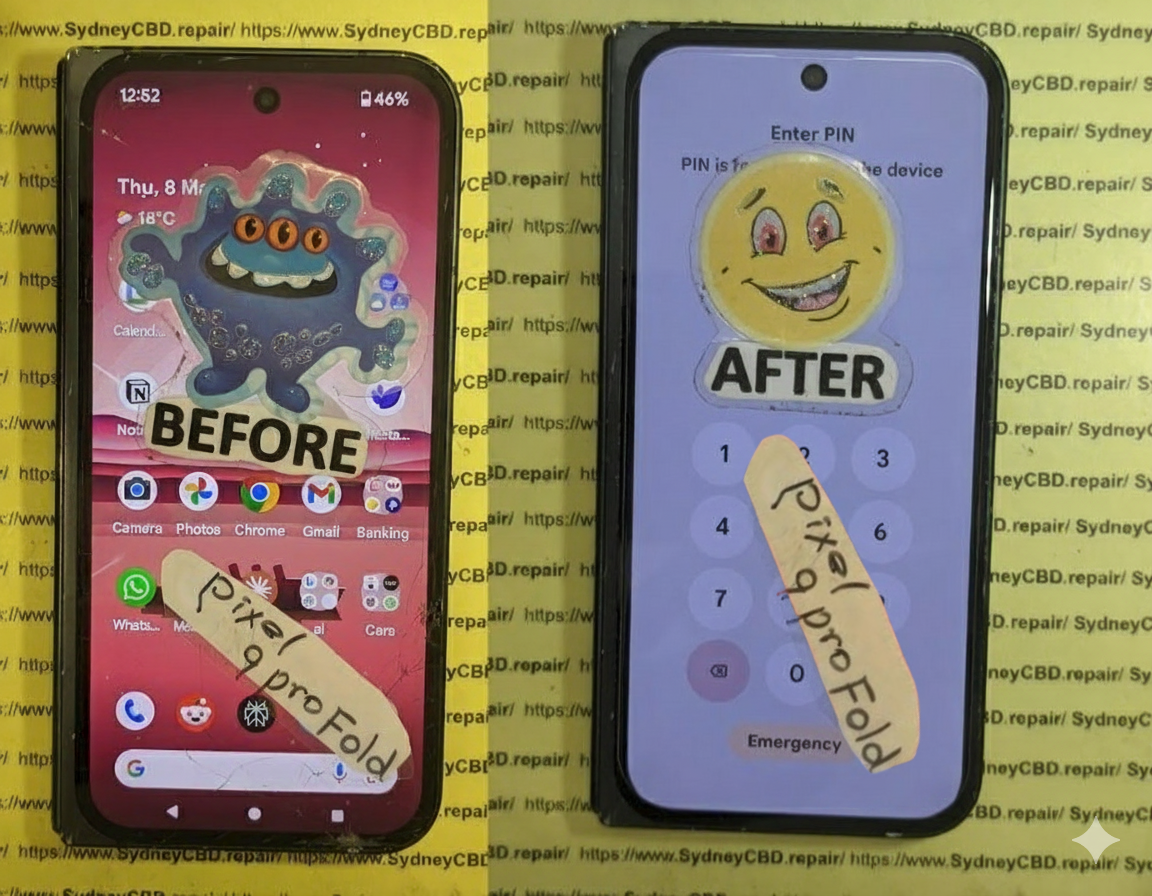
The Google Pixel Fold represents one of the most advanced breakthroughs in modern smartphone engineering. With its beautifully crafted hinge system and ultra-thin foldable OLED display, it delivers a premium experience that feels both futuristic and practical. However, as many Sydney users have discovered, the Pixel Fold inner screen is also one of the device’s most vulnerable components. Even with careful use, issues such as crease-line damage, touch failures, flickering, and brightness irregularities can appear without warning.
In a bustling urban environment like Sydney—where temperature shifts, daily travel, and busy lifestyles are the norm—foldable phones face conditions that can accelerate wear and tear. When the Pixel Fold inner screen starts showing signs of trouble, it’s not just a cosmetic inconvenience. It can affect usability, productivity, and even device safety. That’s why understanding the causes, symptoms, and repair solutions is crucial for every Pixel Fold owner.
This article explores the complete landscape of Pixel Fold inner screen repairs in Sydney, breaking down the technical challenges, diagnosis methods, repair options, and preventative care. Whether you’re dealing with early-stage screen issues or a fully malfunctioning display, this guide provides the expert insights needed to restore your device efficiently and safely.
The Pixel Fold has been one of Google’s most ambitious smartphone releases. With its futuristic foldable OLED display and seamless hinge engineering, the device promised a new era of productivity and immersion. Still, as many Sydney users have experienced, the Pixel Fold inner screen can become a technical headache when something goes wrong. This article explores the real challenges behind inner screen failures, why repairs in Sydney are uniquely complex, and how professional technicians handle these problems daily.
The keyword “Pixel Fold inner screen” appears early in the content—as required—and will naturally reappear throughout this article to maintain readability and SEO integrity.
Foldable smartphones, including the Pixel Fold, are more fragile than traditional candy-bar phones. The ultra-thin glass (UTG), flexible OLED layers, and mechanical hinge system work in harmony, but even a slight disruption can cause significant display problems. In Sydney’s busy environment—between temperature changes, daily commuting, and casual rough handling—these issues can appear more frequently.
When your Pixel Fold inner screen acts up, it’s rarely random. Several technical factors are usually at play:
Hinge tension imbalance
Micro-fractures in the ultra-thin glass
Pressure damage from objects inside pockets
Shock damage from minor drops
Moisture trapped in the hinge mechanism
OLED layer delamination
Because the inner screen is flexible, it’s much more susceptible to bending stress compared with typical rigid displays. These breakdown points are why early diagnosis is so important.
Common Symptoms of Pixel Fold Inner Screen Damage
You may notice one or more of the following signs:
A bright line across the fold crease
Black spots or bubble-like distortions
Flickering or random white flashes
A completely dead half-screen
Touch response failures
Vertical or horizontal lines
These indicators typically mean that the OLED or digitizer layer in the Pixel Fold inner screen has been compromised. Left untreated, the damage worsens quickly.
The Importance of Early Diagnosis
Fixing a Pixel Fold inner screen isn’t cheap—so catching issues early can save hundreds of dollars and prevent data loss. In a city like Sydney, where professionals rely heavily on their devices, downtime isn’t an option.
When the inner screen begins to malfunction, some users keep folding and unfolding the phone, hoping it “sorts itself out.” Unfortunately, that only speeds up the damage.
Early diagnosis can prevent:
Extended OLED burn
Digitizer failure
Hinge-aligned glass cracks
Permanent display death
Let’s examine the specific signs you should watch closely.
Visual Signs You Shouldn’t Ignore
Sudden dimming along the crease
Hairline cracks that appear only under strong light
Colour patches near the hinge
Touch dead zones around the fold centre
Even these small issues often signal deeper structural problems.
Internal Damage Indicators
Delayed touch feedback
Random ghost touches
Subtle hinge clicking
Bright spots forming in the crease area
When these internal signals appear, it usually means the flexible OLED layers are misaligned or damaged beneath the UTG surface.
Sydney’s Unique Repair Challenges
Repairing a Pixel Fold inner screen in Sydney isn’t the same as repairing one in the U.S. or Asia. Several factors influence part availability, logistics, and expertise.
Availability of Pixel Fold Parts in Australia
Google does not mass-distribute foldable components within Australia. That makes Pixel Fold inner screen stock harder to obtain.
Challenges include:
Long part procurement times
Higher import duties
Region-locked parts shipments
Limited authorised vendors
Some repair shops resort to aftermarket or refurbished screens—something Sydney CBD Repair Centre avoids due to reliability concerns.
Why Foldable Repairs Are More Complex
Foldable repairs require:
Precision micro-soldering
Careful hinge rebalancing
Laser machinery for adhesive removal
UTG handling tools
Static-safe, dust-controlled benches
One small mistake can destroy the $700–$900 inner screen assembly. This is why only qualified repair shops should handle the Pixel Fold inner screen replacement.
Step-by-Step Diagnosis Guide
To determine if your Pixel Fold inner screen truly needs repair, professionals follow a standard diagnosis procedure.
Touch Response Testing
Technicians check:
Pressure sensitivity
Multi-touch coordination
Dead touch zones
Touch latency
This helps differentiate between digitizer damage and software glitches.
Crease Line Examination
Using magnification:
The crease is checked for micro-cracks
Edge stress lines
Glass delamination
Weak hinge tension
This is extremely common in inner-screen problems.
Pixel Brightness Uniformity Check
A diagnostic app tests:
Uniform colour reproduction
Brightness dips
Burn-in areas
Screen flicker under PWM
This confirms whether the OLED layer has been compromised.
Professional Repair Options in Sydney
While many Sydney repair shops claim to fix foldables, only a few have the tools, training, and experience to successfully repair a Pixel Fold inner screen.
Trusted Local Repair Centres
Only a handful of shops in Sydney specialise in foldable repairs, including:
Sydney CBD Repair Centre
A few high-end repair hubs in Newtown and Chatswood
Select independent specialists who import OEM parts
But the leading choice remains Sydney CBD Repair Centre due to expertise and genuine parts.
Why Choose Sydney CBD Repair Centre
10+ years repairing complex OLED technologies
Genuine and OEM Pixel Fold inner screen replacements
Same-day service (when parts are available)
Highly trained foldable technicians
Transparent pricing
90-day warranty
No data loss guarantee
Our team handles hundreds of foldable devices, giving customers confidence in every repair.
Pixel Fold Screen Replacement Process
Understanding the process helps users appreciate why the cost is high and why the job requires top-tier skill.
Disassembly Explained
The Pixel Fold inner screen repair starts with:
Removing the outer display
Detaching mid-frame components
Disconnecting flex cables beneath the hinge
Removing the inner display under controlled temperature
Heat distribution must be precise to prevent OLED damage.
Handling the Inner Display
The inner screen is:
Ultra-fragile
Sensitive to bending
Easily damaged by fingerprints, dust, or static
Technicians must use:
UTG lifters
Fold-safe adhesive softening tools
Laser cutters for precision
This is not a DIY-friendly process.
Reassembly and QC Testing
After installing the new screen:
Hinge tension is recalibrated
Display alignment is checked
Brightness uniformity tests are run
Touch grid calibration is performed
Stress-fold cycles are tested
Only then is the device ready for collection.
Cost Breakdown of Pixel Fold Inner Screen Repair
Pixel Fold repairs in Sydney aren’t cheap—but knowing the breakdown helps customers understand why.
OEM vs Aftermarket Price Comparison
Screen Type
Approx. Cost (AUD)
Notes
OEM Pixel Fold Inner Screen
$700–$900
Best quality, longest lifespan
Aftermarket Inner Screen
$400–$550
Lower durability, not recommended
Sydney CBD Repair Centre only uses genuine or OEM screens to ensure longevity.
Labour Costs and Turnaround Time
Labour: $180–$250
Time: 3–5 hours (depending on part availability)
Urgent same-day repairs possible
Foldable repairs take significantly longer than standard displays due to complex assembly.
Preventing Future Damage
Repairing a Pixel Fold inner screen is expensive—preventing damage is much cheaper.
Recommended Protective Accessories
Foldable-safe screen protector
Shock-absorbing hinge case
Anti-pressure pouch for bags
Gentle-fold hinge-friendly case designs
These accessories reduce hinge stress.
Daily Care Tips for Foldable Phones
Avoid folding your phone too quickly
Keep keys and coins away from the screen
Don’t press hard on the inner display
Keep the hinge clean and dust-free
Prevent exposure to extreme heat
Foldables require more gentle handling.
User Maintenance Tips
Best Cleaning Practices
Use microfiber only
Avoid alcohol near the crease
Use low-pressure air to clear dust
Never use wipes that contain ammonia
UTG reacts poorly to harsh cleaning agents.
Avoiding Pressure Damage
Don’t sit with the phone in your pocket
Avoid placing heavy items on top of your device
Keep your phone in a wide pocket or bag section
Even mild pressure can crack the inner screen.
Understanding Warranty and Repair Policies
Google Warranty Limitations
Google’s warranty typically does NOT cover:
Pressure damage
Crease cracks
Drops
Water damage
Dust ingress
These issues are considered user-caused.
Third-Party Repair Implications
Some users worry about losing warranty coverage. However:
If the warranty is already void from damage
Third-party repair is your only viable option
Sydney CBD Repair Centre ensures safe, professional, reversible repairs
You’re in good hands.
Frequently Asked Questions
1. How much does it cost to replace the Pixel Fold inner screen in Sydney?
Typically $700–$900 for OEM parts, plus labour.
2. How long does the repair take?
Around 3–5 hours depending on stock availability.
3. Can the Pixel Fold inner screen be repaired if it’s flickering?
Yes—if caught early. Severe flicker may require full replacement.
4. Does replacing the inner screen affect water resistance?
Foldables aren’t waterproof, so water resistance isn’t significantly impacted.
5. Will my data be erased during repair?
No—Sydney CBD Repair Centre performs non-intrusive repairs.
6. Is it worth repairing the Pixel Fold inner screen?
Yes, especially with OEM parts. It restores full functionality and resale value.
Conclusion
The Pixel Fold inner screen is a sophisticated piece of engineering that demands expert care and precision when damaged. In Sydney, where availability of original components is limited and foldable repairs require highly specialised skills, choosing the right repair centre is essential.
Sydney CBD Repair Centre leads the field with genuine parts, advanced tools, and experienced technicians who deliver reliable, fast, and customer-focused service. Whether you’re dealing with flickers, cracks, lines, or total screen failure, professional handling ensures your device returns to peak performance.
David from Sydney CBD Repair Centre – The Best place to fix mobile phones as 6 Years In A Row! Top Mobile Phone Repair In Sydney. More than 2000 Positive Reviews on Google and Same Day Repairs.
📍 Visit us today for:
✓ Same Day Express Repairs
✓ Genuine Parts Guarantee
✓ Professional Technicians
✓ Competitive Pricing
✓ 2000+ 5-Star Google Reviews
✓ 6-Time Award Winner for Best Phone Repairs
The Google Pixel Fold has made a bold statement in the smartphone industry, bringing Google into the competitive foldable phone market. With its cutting-edge design, dual-display technology, and powerful hardware, it stands as one of the most advanced devices today. However, its foldable screen also makes it one of the most delicate.
Screen repairs for foldable devices aren’t the same as for standard smartphones. The Pixel Fold’s hinge system, flexible OLED panel, and multiple layers of protective glass mean that even a simple crack or malfunction can quickly escalate into a complex repair challenge. That’s why understanding the Pixel Fold screen breakdown is crucial—not just for technicians, but also for users who want to know what happens when their $1,700+ device suffers damage.
In this guide, we’ll explore the common Pixel Fold screen problems, the tools required, and a step-by-step repair process that technicians follow. We’ll also highlight the risks of DIY attempts and why professional repairs are often the safest option.
Google’s Pixel Fold merges hardware innovation with user experience, but with complexity comes vulnerability. Let’s take a closer look.
Unique Features of the Pixel Fold
7.6-inch inner display with ultra-thin glass and protective plastic coating.
5.8-inch outer AMOLED screen for quick access without unfolding.
Custom hinge system designed for smooth folding with minimal crease visibility.
Multiple screen layers that include digitizers, OLED panels, and protective coverings.
The Dual-Screen Mechanism Explained
Unlike traditional smartphones, the Pixel Fold has two displays working in sync. The outer display behaves like a regular phone screen, while the inner foldable display expands into a mini-tablet. The hinge system allows smooth folding, but it also creates a high-stress point where dust, pressure, or accidental drops can cause screen separation or dead pixels.
This complex design means even minor screen damage requires careful disassembly.
Foldable devices are still relatively new, so their screen issues are more complicated compared to flat smartphones.
Cracked or Shattered Inner Screen
The inner OLED panel is thin and flexible, making it highly vulnerable to cracks. A single drop can damage the inner screen, leading to touch malfunctions or dead zones.
Outer Cover Display Damage
The outer display is sturdier, but being exposed makes it more prone to scratches and cracks. Replacing this requires detaching the adhesive and disconnecting cables—no small feat.
Dead Pixels and Flickering Issues
Some Pixel Fold owners report flickering screens, black lines, or dead pixels after extended use. These issues are often caused by stress on the OLED layers or malfunctioning connections inside the hinge area.
Tools and Equipment Required for Screen Repair
Repairing a foldable phone like the Pixel Fold requires specialized tools and genuine replacement parts.
Precision Tools Needed
Heat gun or heating mat (for loosening adhesive)
Plastic prying tools and spudgers
Precision screwdrivers (Torx and Phillips sets)
Suction handles for screen separation
Anti-static gloves and mats
Replacement Parts and Genuine Components
Using genuine Pixel Fold screens is critical. Third-party or low-quality replacements often lack the durability of Google-certified components. Professional shops like Sydney CBD Repair Centre use only original parts backed by warranty.
Pixel Fold Screen Repair Step-by-Step Guide
Here’s a 15-step breakdown of how expert technicians repair a damaged Pixel Fold screen:
Step 1: Powering Off and Prepping the Device
The repair starts with shutting down the Pixel Fold to prevent short circuits.
Step 2: Heating the Adhesive Safely
Technicians use controlled heat to loosen the adhesive around the screen without overheating the components.
Step 3: Removing the Outer Cover Display
The outer display is carefully lifted using suction and prying tools.
Step 4: Accessing the Inner Fold Panel
The device is unfolded, and technicians carefully reach the fragile foldable screen.
Step 5: Disconnecting the Battery
Safety first—disconnecting the battery prevents damage during disassembly.
Step 6: Safely Detaching the Screen
The old screen is gently separated from the frame to avoid damaging cables.
Step 7: Cleaning and Preparing the Frame
Residual adhesive and debris are removed to ensure a perfect fit for the new screen.
Step 8: Installing the New Screen
A genuine Pixel Fold display is placed into the frame with extreme precision.
Step 9: Reconnecting Components
Cables, connectors, and digitizers are reattached.
Step 10: Testing Before Sealing
Before sealing, the screen is tested for touch sensitivity, brightness, and fold response.
Step 11: Reapplying Adhesive Layers
New adhesive strips are applied for durability.
Step 12: Securing Hinges and Screen Alignment
Proper hinge alignment ensures smooth folding action.
Step 13: Testing the Fold Mechanism
The fold is tested multiple times to confirm smooth operation.
Step 14: Quality Assurance and Calibration
Software calibration ensures the display functions as intended.
Step 15: Final Reassembly
The Pixel Fold is reassembled and returned in like-new condition.
Risks of DIY Pixel Fold Repairs
While online tutorials might make repairs look simple, the Pixel Fold’s delicate design makes DIY attempts risky.
Warranty Voids
Opening the Pixel Fold can void the official warranty.
Hardware Damage Risks
A single mistake can cause damage to the hinge, battery, or OLED panel, leading to even higher repair costs.
Why Professional Repair Services Are Recommended
Professional repair centers like Sydney CBD Repair Centre provide safe and reliable solutions.
Access to Genuine Parts
Only certified repair shops can guarantee genuine Pixel Fold parts.
Expertise in Foldable Technology
Trained technicians understand the complex hinge and screen layers, reducing risks of repeat issues.
Pixel Fold repairs can cost comparable to Samsung Galaxy Z Fold series repairs, but are often higher due to part availability.
FAQs
1. How long does a Pixel Fold screen repair take?
Most professional repairs take 2–4 hours, depending on parts availability.
2. Is the Pixel Fold more fragile than other foldables?
Yes, its ultra-thin glass makes it slightly more delicate compared to rivals.
3. Can I still use my Pixel Fold with a cracked inner screen?
Technically yes, but it risks further damage and touch malfunction.
4. Will replacing the screen affect the hinge?
If done correctly by professionals, the hinge remains unaffected.
5. Is Pixel Fold repair covered under warranty?
Google’s warranty covers manufacturing defects, not accidental damage.
6. Why choose Sydney CBD Repair Centre for Pixel Fold repairs?
Because they offer same-day service, genuine parts, and a 90-day warranty, making them one of the top repair centers in Sydney.
Conclusion: The Future of Foldable Phone Repairs
The Pixel Fold is an engineering marvel, but its foldable screen comes with repair challenges. From fragile OLED layers to precision hinge systems, fixing a Pixel Fold requires advanced tools, technical knowledge, and genuine replacement parts.
For most users, trusting a professional repair service is the best way to restore their device safely and efficiently. With experienced technicians like Sydney CBD Repair Centre, customers can rest assured that their Pixel Fold will be repaired with the highest level of care and reliability.
David from Sydney CBD Repair Centre – The Best place to fix mobile phones as 6 Years In A Row! Top Mobile Phone Repair In Sydney. More than 2000 Positive Reviews on Google and Same Day Repairs.
📍 Visit us today for: ✓ Same Day Express Repairs ✓ Genuine Parts Guarantee ✓ Professional Technicians ✓ Competitive Pricing ✓ 2000+ 5-Star Google Reviews ✓ 6-Time Award Winner for Best Phone Repairs
Advanced Repair: Samsung Z Flip 4 Hinge Issues Explained + Proven Fixes in 2025
Introduction: The Rise of Foldable Phones and Their Challenges
The smartphone industry has undergone a massive transformation in recent years, with foldable devices like the Samsung Z Flip 4 leading the charge. Users love the futuristic design, compact form, and powerful hardware that Samsung has packed into this device. But with innovation comes unique challenges, and the hinge mechanism—the very feature that makes the Z Flip 4 stand out—can also be its most vulnerable part.
Many owners have reported issues such as stiff hinges, loose folding, clicking noises, or visible stress lines along the screen crease. While Samsung has made significant improvements compared to earlier models, the hinge still requires care, maintenance, and occasional repair.
This article will walk you through everything you need to know about Samsung Z Flip 4 hinge issues in 2025—from early warning signs and risks to professional repair solutions available at Sydney CBD Repair Centre, the trusted name in mobile phone repairs for over 6 years.
The hinge is the backbone of any foldable smartphone. Without a durable hinge, the flexible display simply can’t function as intended. In the Samsung Z Flip 4, the hinge allows the phone to open flat, close neatly, and hold positions at different angles for multitasking. It’s designed to withstand thousands of folds—but like any mechanical part, it’s subject to wear and tear.
Key Innovations in Z Flip 4’s Hinge
Samsung has improved the Z Flip 4 hinge with:
Flex Mode stability – lets users set the phone at angles between 75° and 115° for hands-free use.
Sweeper technology – tiny bristles inside the hinge that help prevent dust entry.
Enhanced durability – rated for over 200,000 folds, equal to years of regular use.
Despite these advancements, even the best technology is not immune to real-world damage caused by dirt, drops, or pressure.
Even with Samsung’s durability claims, many users experience hinge-related issues after months of use. Below are the most common problems:
Screen Creasing and Flex Stress
One of the most noticeable issues is the crease that develops along the folding line. While some crease is natural, deep or uneven lines can signal excessive stress on the hinge.
Stiff or Loose Hinge Problems
Stiff hinge: makes it hard to open or close the phone.
Loose hinge: causes the phone to flop around without holding angles properly.
Both problems affect usability and may worsen over time.
Dust and Debris Impact
Even with Samsung’s sweeper technology, tiny particles can sneak into the hinge. Dust buildup can cause grinding, resistance, or even long-term damage if ignored.
Clicking or Grinding Sounds
If your hinge makes unusual noises, it often means something is stuck or worn inside. Clicking or grinding sounds are warning signs that require immediate professional attention.
Early Warning Signs of Hinge Damage
Catching hinge issues early can save you from expensive repairs. Look out for these symptoms:
Increased resistance when folding or unfolding.
Device not staying open in flex mode.
Visible gaps in the hinge area.
Uneven folding of the screen.
Strange noises when moving the hinge.
If you notice any of these, it’s time to book a professional inspection.
Risks of Ignoring Hinge Issues
Many users try to “live with” hinge problems, but doing so can cause greater damage. Ignoring issues may lead to:
Permanent hinge failure.
Cracked or split screen along the crease.
Internal damage to the display and wiring.
Higher repair costs later.
A faulty hinge doesn’t just inconvenience you—it puts the entire phone at risk.
DIY vs Professional Repair: What You Need to Know
When hinge issues appear, many Samsung Z Flip 4 owners wonder if they can fix the problem themselves. While there are countless DIY videos and tutorials online, attempting a hinge repair at home comes with serious risks.
Why DIY Fixes Often Fail
Complex design: The hinge in the Z Flip 4 isn’t just a simple hinge—it’s a highly engineered system with dozens of micro-parts, including sweeper bristles, metal arms, and flexible connectors.
Specialized tools: Opening a Z Flip requires heat, suction, and precision tools that most people don’t own.
High damage risk: One slip can tear the flexible OLED display, which is much more expensive to replace than the hinge itself.
No warranty support: If you attempt DIY and fail, Samsung won’t cover the damage under warranty or insurance.
Benefits of Professional Hinge Repair
Expertise: Trained technicians understand the delicate mechanics of foldable devices.
Genuine parts: Repair centres like Sydney CBD Repair Centre use only original Samsung hinge components.
Proper equipment: Professionals use advanced repair stations that ensure dust-free, precise installation.
Warranty coverage: Reputable shops offer warranties on repairs, giving you peace of mind.
Bottom line: while DIY may save you money upfront, it usually ends up costing more if you cause further damage.
Step-by-Step: Professional Samsung Z Flip 4 Hinge Repair Process
At Sydney CBD Repair Centre, we follow a tried-and-tested repair process for Samsung Z Flip 4 hinges. Here’s what happens when you bring your phone in:
1. Initial Diagnostic and Inspection
Our technicians carefully inspect the hinge, screen, and frame to determine the extent of damage. We also check for dust, alignment issues, and screen tension.
2. Hinge Disassembly and Cleaning
The device is carefully opened with precision tools. The hinge is disassembled, and all parts are thoroughly cleaned to remove dust or debris.
3. Replacement Parts and Reassembly
If needed, we replace damaged hinge components with genuine Samsung parts. Then, the hinge is reassembled and lubricated for smooth operation.
4. Final Testing and Quality Assurance
Before returning your phone, we perform multiple fold tests to ensure durability and smoothness. We also test the display, touch sensitivity, and flex mode.
This step-by-step process ensures reliability, restoring your Samsung Z Flip 4 to near-new condition.
How Much Does Samsung Z Flip 4 Hinge Repair Cost?
Hinge repair costs depend on the extent of the damage and whether the screen has been affected. On average:
Minor hinge adjustments and cleaning: $150 – $200
Full hinge replacement: $300 – $450
Hinge + screen repair: $600+ (varies by model and parts availability)
At Sydney CBD Repair Centre, we keep our prices transparent and competitive, with no hidden charges. You’ll always know the cost upfront before any repair begins.
💡 Pro Tip: Compare the repair cost with your phone’s resale value. A hinge replacement is often much cheaper than buying a new foldable device.
Warranty and Insurance Coverage Options
Before paying for a repair, check if your Samsung Z Flip 4 hinge issue is covered by:
Samsung Manufacturer Warranty: Covers hinge defects within the warranty period (but not accidental damage).
Samsung Care+: Insurance plan that covers accidental damage including hinge failure.
Third-Party Insurance: Some mobile plans cover foldable hinge repairs.
Repair Centre Warranty: At Sydney CBD Repair Centre, every repair comes with a 90-day warranty for added peace of mind.
If you’re unsure, bring your device to us—we’ll help check your eligibility for coverage.
Preventive Care: How to Extend the Life of Your Z Flip 4 Hinge
Preventing hinge problems is easier than repairing them. Here are expert tips to keep your Samsung Z Flip 4 hinge working smoothly for years:
Cleaning and Handling Best Practices
Avoid folding/unfolding the device in dusty or sandy environments.
Never apply extra force if the hinge feels stiff—get it checked immediately.
Use a microfiber cloth to gently clean around the hinge area.
Protective Cases and Accessories
Choose a hinge-friendly protective case that doesn’t restrict folding.
Avoid bulky covers that place extra pressure on the hinge.
Consider a foldable-safe screen protector to reduce stress on the crease.
Smart Usage Habits
Don’t snap the phone shut too aggressively.
Keep liquids away from the hinge area.
Store the phone in a pouch or case when not in use to prevent debris entry.
By following these simple habits, you can extend the life of your hinge and minimize repair costs.
Sydney CBD Repair Centre: Your Trusted Z Flip 4 Repair Partner
When it comes to repairing Samsung Z Flip 4 hinge issues, choosing the right repair centre is just as important as the repair itself. Not every technician is trained to handle the delicate mechanics of foldable devices, but at Sydney CBD Repair Centre, we’ve built a reputation as Sydney’s #1 phone repair destination for six years in a row.
Why Choose Us for Samsung Z Flip 4 Repairs
Here’s what sets us apart:
✅ Same-Day Express Repairs – Most Z Flip 4 hinge repairs are completed within the same day.
✅ Genuine Samsung Parts – We only use original hinge components and display assemblies.
✅ Expert Technicians – Our team has extensive experience repairing foldable devices.
✅ 90-Day Warranty – Every repair is backed by a solid warranty for peace of mind.
✅ 2000+ 5-Star Google Reviews – Thousands of satisfied customers trust us with their devices.
✅ Award-Winning Service – Voted Top 3 Phone Repair Centre in Sydney for six consecutive years.
Customer Testimonials and Success Stories
Many of our customers came to us after struggling with hinge issues on their Samsung Z Flip devices. From stiff hinges to loose folding, we’ve successfully restored their phones to full functionality. Here’s a quick example:
“My Z Flip 4 started making clicking noises when folding, and I was worried I’d lose the phone completely. Sydney CBD Repair Centre fixed it in just a few hours, and now it feels brand new again. Highly recommended!” – Sarah, Sydney CBD
We take pride in delivering professional, affordable, and reliable repairs—giving your Z Flip 4 a second life.
1. How long does it take to repair a Samsung Z Flip 4 hinge?
Most hinge repairs are completed within the same day, depending on the damage severity. In rare cases where additional parts are required, it may take 1–2 business days.
2. Can I keep using my phone if the hinge feels loose?
It’s not recommended. Using the phone with a loose hinge may cause the screen to crack or misalign, leading to more expensive repairs.
3. Will Samsung repair the hinge under warranty?
If the hinge issue is caused by a manufacturing defect and the phone is still under warranty, Samsung will cover it. However, accidental damage isn’t included unless you’re enrolled in Samsung Care+.
4. How much does it cost to replace the hinge on a Samsung Z Flip 4?
The cost varies depending on the damage:
Hinge cleaning & adjustment: $150 – $200
Full hinge replacement: $300 – $450
Hinge + screen repair: $600+
5. Is it worth repairing a Samsung Z Flip 4 hinge in 2025?
Absolutely. A professional hinge repair is far cheaper than buying a new foldable phone, which can cost over $1,800 AUD. Repairing extends the lifespan of your device by years.
6. Can hinge issues damage the screen permanently?
Yes. A failing hinge puts uneven stress on the foldable display, which can lead to deep creases, cracks, or complete display failure if left untreated.
Conclusion: Restore Your Z Flip 4 with Expert Care
The Samsung Z Flip 4 is an engineering marvel, but its hinge—the heart of its foldable design—requires care and maintenance. From early warning signs like stiffness or clicking noises to full-blown hinge failure, knowing when to act can save you from costly screen replacements.
At Sydney CBD Repair Centre, we specialize in Samsung Z Flip 4 hinge repairs, using genuine parts and expert workmanship to bring your device back to life. With same-day service, competitive pricing, and thousands of happy customers, we remain Sydney’s most trusted name in phone repairs.
Don’t let hinge issues hold you back—book your repair today and keep your Z Flip 4 folding smoothly for years to come.
The Ultimate Guide to Foldable Phone Screen Care: 15 Proven Tips for Longevity
Introduction: Why Foldable Phone Screens Need Special Care
Foldable phones have become the latest innovation in mobile technology, offering sleek designs, larger displays, and futuristic features. However, unlike traditional smartphones, foldable screens require extra care and attention. Their flexible displays, delicate hinges, and unique materials make them more vulnerable to scratches, creases, and even internal damage if not handled properly.
Think of your foldable phone as a premium gadget that needs a little more love than your standard device. With the right maintenance and handling practices, you can extend its lifespan and keep it looking and performing like new. This guide walks you through everything you need to know about foldable phone screen care, from understanding the technology to applying 15 proven tips that will protect your investment.
How Foldable Screens Differ from Traditional Displays
Traditional smartphone displays are usually made of toughened glass, like Gorilla Glass, which offers solid resistance to scratches and drops. Foldable screens, on the other hand, are made of ultra-thin flexible materials such as plastic polymers combined with ultra-thin glass (UTG). This flexibility allows the screen to fold, but it also makes it more prone to wear and tear.
The Technology Behind Flexible Screens
Foldable phones use advanced AMOLED technology with layers of protective film to ensure brightness, touch responsiveness, and foldability. Beneath the screen lies a precision-engineered hinge mechanism, which allows the display to fold seamlessly. While this technology is groundbreaking, it’s also sensitive—dust, pressure, or misalignment can compromise the entire device.
Even with the latest advancements, foldable screens face unique challenges. Here are some of the most common issues users experience:
Scratches and Micro-Damage
Since foldable displays use softer materials compared to traditional glass, they are more susceptible to scratches from keys, coins, or even fingernails.
Creasing and Folding Weak Points
Over time, constant folding and unfolding may lead to visible creases or weakened areas in the middle of the display.
Dust, Dirt, and Moisture Vulnerabilities
Small particles or moisture can easily get trapped around the hinge, causing damage or reducing the smooth folding motion. This is why keeping your phone clean and dry is crucial.
15 Proven Tips for Foldable Phone Screen Care
1. Use a Certified Screen Protector
Always apply a protector designed specifically for foldable devices. Generic protectors may interfere with flexibility and damage the display.
2. Avoid Excessive Pressure
Unlike rigid screens, foldable displays don’t handle pressure well. Avoid pressing too hard when tapping or using your stylus.
3. Keep the Hinge Clean
Dust and lint are enemies of foldable hinges. Use a soft brush or compressed air to gently remove particles.
4. Avoid Extreme Temperatures
Both heat and cold can weaken screen materials and affect folding mechanisms. Store your phone in moderate environments.
5. Use a Protective Case Designed for Foldables
Standard cases may block folding functions. Invest in one that’s tailor-made for your model.
6. Clean with Microfiber Cloth Only
Never use paper towels or rough fabrics. A soft microfiber cloth prevents scratches while removing fingerprints.
7. Be Mindful When Folding and Unfolding
Use gentle movements and avoid snapping the phone shut too quickly. This prevents wear on the hinge and screen.
8. Don’t Remove Factory Screen Protector
Most foldable phones come with a pre-installed protector that should remain intact to safeguard the display.
9. Keep Away from Sharp Objects
Never store your foldable phone in the same pocket as keys, coins, or pens.
10. Store in a Safe Pocket or Bag
Choose a clean, soft-lined pocket or dedicated phone pouch to minimize accidental damage.
11. Avoid DIY Repairs
Attempting to fix hinge issues or screen cracks on your own can cause irreversible damage. Always consult professionals.
12. Use Wireless Charging When Possible
Frequent plugging and unplugging can stress ports near the hinge area. Wireless charging reduces physical strain.
13. Update Software Regularly
Manufacturers release software updates that enhance foldable screen optimization and hinge performance.
14. Handle with Clean Hands
Oils, lotions, or dirt on your fingers can leave residues that degrade the screen over time.
15. Schedule Professional Maintenance Checks
Just like a luxury car, your foldable phone benefits from expert inspections to ensure the hinge and screen are in top shape.
FAQs About Foldable Phone Screen Care
Can I replace a foldable phone screen myself?
No. Foldable screens are highly complex, and DIY repairs can permanently damage your device. Always seek professional help.
How often should I clean my foldable phone?
A light wipe daily and a deeper clean weekly is sufficient to prevent dust buildup.
Will a foldable screen last as long as a normal one?
Yes, with proper care. Most foldable phones are tested to withstand hundreds of thousands of folds.
Can dust permanently damage my foldable phone?
Yes. Dust particles can scratch the screen or damage the hinge mechanism if not cleaned promptly.
Do foldable phones come with a warranty for the screen?
Most major brands provide limited warranty coverage for foldable displays, but accidental damage may not be covered.
What should I do if my foldable screen develops a crease?
Minor creases are normal with use. If they worsen, consult a professional repair service for inspection.
Conclusion: Protect Your Foldable Investment
Owning a foldable phone is both exciting and rewarding, but it comes with extra responsibilities. By following these 15 proven tips, you’ll safeguard your device against scratches, creases, and hinge problems. Regular cleaning, mindful handling, and professional maintenance go a long way in ensuring your phone lasts for years to come.
If your foldable screen ever suffers damage, don’t risk DIY fixes—trust the experts.
📍 Sydney CBD Repair Centre – Your Trusted Foldable Phone Repair Partner
David from Sydney CBD Repair Centre – The Best place to fix mobile phones as 6 Years In A Row! Top Mobile Phone Repair In Sydney. More than 2000 Positive Reviews on Google and Same Day Repairs.
We take pride in delivering exceptional repair services for all major phone brands including Apple, Samsung, Google, and more. Our expert technicians use only genuine parts and offer 90 days warranty on repairs. Located in the heart of Sydney CBD, we’re your one-stop solution for all mobile device repairs.
Our commitment to excellence has earned us the trust of thousands of satisfied customers. Whether it’s a cracked screen, battery replacement, or water damage repair, we handle it all with professional care and expertise. Walk in today and experience why we’re Sydney’s #1 choice for mobile phone repairs.
✅ Same Day Express Repairs
✅ Genuine Parts Guarantee
✅ Professional Technicians
✅ Competitive Pricing
✅ 2000+ 5-Star Google Reviews
✅ 6-Time Award Winner for Best Phone Repairs
Disassembling a Foldable Phone for Internal Cleaning: 10 Expert Tips for Safe and Effective Maintenance
Introduction: Why Internal Cleaning Matters for Foldable Phones
Foldable phones are some of the most innovative devices in today’s mobile technology landscape. With sleek designs, flexible hinges, and cutting-edge displays, they bring futuristic functionality into our hands. But as advanced as they are, foldable phones are more vulnerable to dust, debris, and internal grime compared to traditional smartphones.
Over time, tiny particles can accumulate in the hinge mechanism and internal components, leading to reduced performance, hinge stiffness, or even permanent damage. That’s why internal cleaning—done correctly—is essential to prolonging your foldable phone’s life.
In this guide, we’ll walk you through 10 expert steps for safely disassembling and cleaning a foldable phone. Whether you’re a tech-savvy DIYer or just curious about the process, this detailed tutorial will help you understand what’s involved and when to seek professional assistance.
Before you even think about prying open your foldable device, gather the right tools. Using improper equipment can cause irreparable damage.
Essential Repair Tools
Precision screwdriver set (Phillips, Torx, pentalobe)
Plastic spudger and opening picks
Suction cup handle for glass removal
Anti-static tweezers
Cleaning Materials
99% isopropyl alcohol (safe for electronics)
Anti-static brush
Compressed air canister or rubber air blower
Microfiber cloth
Safety Gear
Anti-static wrist strap to prevent electrostatic discharge
Protective gloves for handling delicate components
Heat-resistant mat for working surface
Having these ready ensures a smoother and safer disassembly process.
Step 1: Backing Up Your Data
Disassembling a foldable phone involves disconnecting critical components, which risks data loss or corruption. Always back up your device before starting:
Use cloud services like Google Drive, iCloud, or OneDrive.
Create a full backup on your computer via cable connection.
Double-check that contacts, photos, and important files are synced.
This simple precaution saves you from unexpected headaches if something goes wrong.
Step 2: Powering Off and Preparing the Work Area
Shut down your device completely. Never attempt to open or clean a powered-on phone. Prepare your workspace by:
Using a clean, flat, well-lit surface.
Laying down an ESD-safe mat.
Organizing tools within easy reach.
Setting up a magnetic tray or small containers for screws.
A neat setup reduces the chance of losing tiny screws or damaging sensitive parts.
Step 3: Removing the SIM Tray and External Accessories
Before internal access, remove all external parts:
Eject the SIM and SD card trays.
Detach protective cases or skins.
Remove stylus pens (if applicable).
This step clears the way for safe disassembly without obstruction.
Step 4: Heating the Adhesive for Back Cover Removal
Most foldable phones have glass backs secured with strong adhesive. Applying controlled heat helps loosen it.
Safe Heat Application
Use a heat gun or phone heating pad.
Keep the temperature around 80–90°C.
Move heat evenly across the surface.
Risks of Excess Heat
Overheating may warp plastic parts.
Prolonged exposure can damage internal adhesive seals.
Glass may crack if heated unevenly.
Patience is key—never rush this step.
Step 5: Carefully Detaching the Back Cover
With adhesive softened, use a suction cup and plastic picks to gently lift the back cover.
Start from a corner and slide along edges.
Avoid metal tools—they scratch and crack glass.
Be extra cautious near the hinge area, where flex cables may be located.
Once lifted, place the back cover on a clean cloth to prevent dust contamination.
Step 6: Disconnecting the Battery Safely
Always disconnect the battery before touching internal components.
Locate the battery connector and use a plastic spudger to lift it.
Never use metal tweezers to pry connectors.
For glued batteries, apply small amounts of isopropyl alcohol to loosen adhesive.
This prevents short circuits during cleaning.
Step 7: Accessing the Hinge Mechanism for Cleaning
The hinge is the heart of any foldable phone—and the most prone to dust intrusion.
Dust and Debris Risks in Hinges
Dust buildup causes stiffness or uneven folding.
Foreign particles may scratch the display.
Excess pressure can damage internal gears.
How to Clean Without Damage
Use a soft anti-static brush to sweep debris.
Blow gently with a rubber air blower.
Avoid lubricants—oil attracts more dust and may seep into the screen.
Step 8: Cleaning Internal Components
Once the hinge is clear, inspect other components like speakers, charging ports, and motherboard.
Using Isopropyl Alcohol
Apply with lint-free swabs.
Only a few drops—never soak components.
Helps dissolve oily grime without leaving residue.
Safe Brush and Blower Techniques
Brush gently over circuit boards.
Blow air at an angle to avoid pushing dust deeper.
Wipe connectors with microfiber cloth.
This step restores airflow and prevents overheating.
Step 9: Inspecting for Wear and Tear
While inside, look for signs of damage:
Swollen or degraded batteries.
Burn marks on circuits.
Loose or frayed ribbon cables.
Cracks near hinge or frame.
Early detection of these issues saves you from future breakdowns.
Touching internal parts with bare hands (oils cause corrosion).
Avoiding these mistakes can mean the difference between a successful clean and a costly repair.
Professional Help vs. DIY: When to Call an Expert
Not everyone should attempt foldable phone disassembly. You should seek professional repair if:
Your phone is still under warranty.
The hinge feels unusually stiff.
You notice screen delamination.
Internal damage is beyond simple dust cleaning.
Sydney CBD Repair Centre offers expert foldable phone services with same-day repairs, genuine parts, and a 90-day warranty. With over 2000 5-star reviews, it’s the trusted choice for Australians needing safe, reliable phone maintenance.
1. How often should I clean my foldable phone internally?
Ideally once a year, or sooner if you notice hinge stiffness or dust accumulation.
2. Can I use a hair dryer instead of a heat gun?
Yes, but use low heat and caution. A proper heating pad or gun is safer.
3. Will cleaning void my warranty?
DIY disassembly may void warranties. Check your manufacturer’s policy first.
4. Is compressed air safe for foldable phones?
Yes, if used at a safe distance and angle. Avoid high-pressure bursts.
5. What if I damage the back glass during removal?
You’ll need a replacement part. Professional shops like Sydney CBD Repair Centre can replace it quickly.
6. Can hinge lubrication extend phone life?
No. Most manufacturers design hinges to work dry. Lubricants attract dust.
Conclusion: Keep Your Foldable Phone Running Smoothly
Disassembling a foldable phone for internal cleaning is not a beginner task. It requires the right tools, patience, and precision. By following these 10 expert tips, you can safely maintain your device, reduce dust-related issues, and extend its lifespan.
However, if you’re unsure or don’t have the right tools, trust professionals who handle these delicate repairs daily.
Sydney CBD Repair Centre – Where Quality Meets Reliability
David from Sydney CBD Repair Centre – The Best place to fix mobile phones as 6 Years In A Row!
Top Mobile Phone Repair in Sydney with 2000+ Positive Reviews on Google and Same Day Repairs.
We repair all major brands including Apple, Samsung, Google, and more using genuine parts with a 90-day warranty.