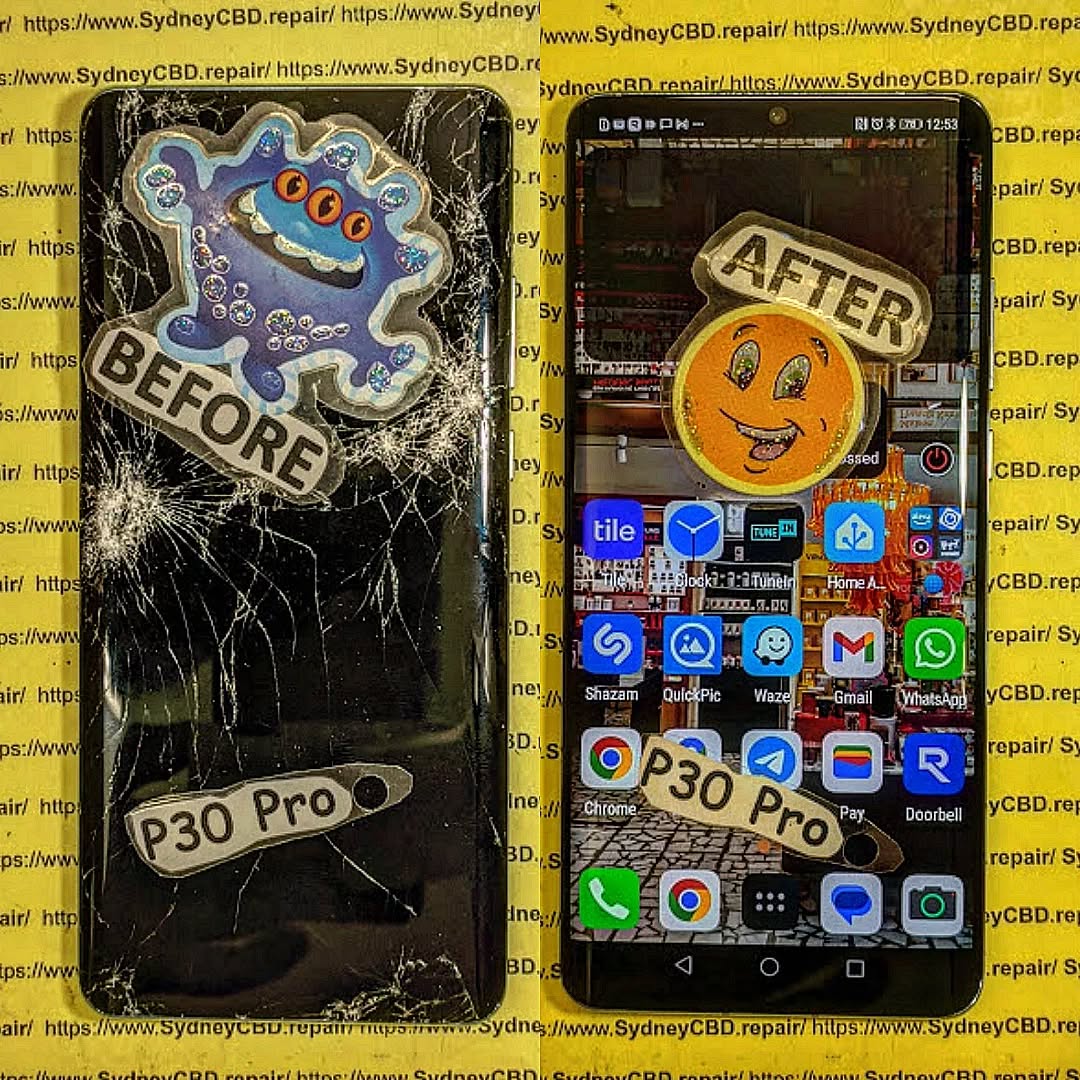
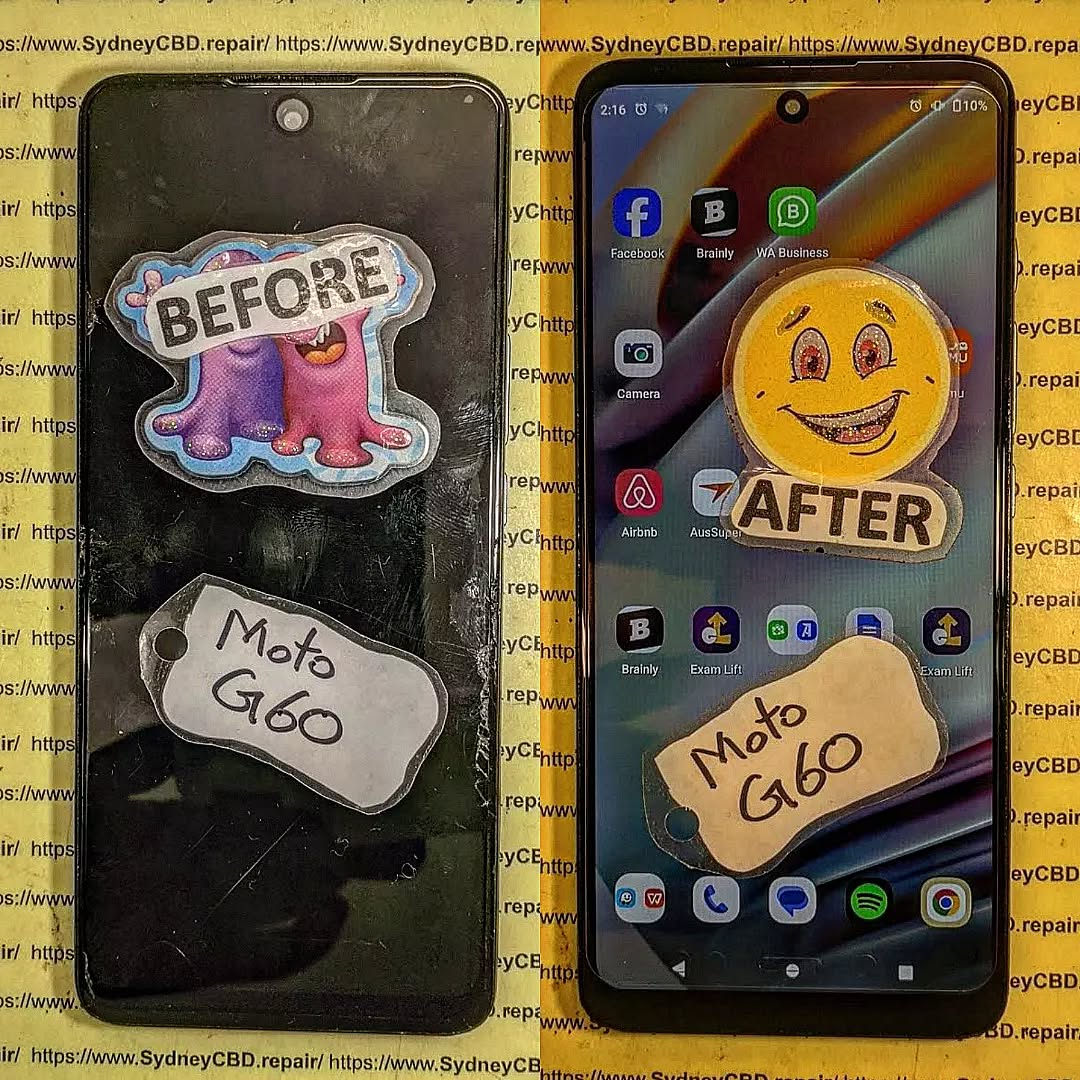
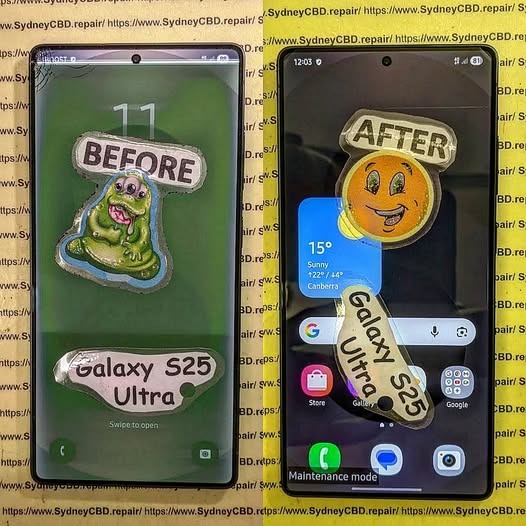
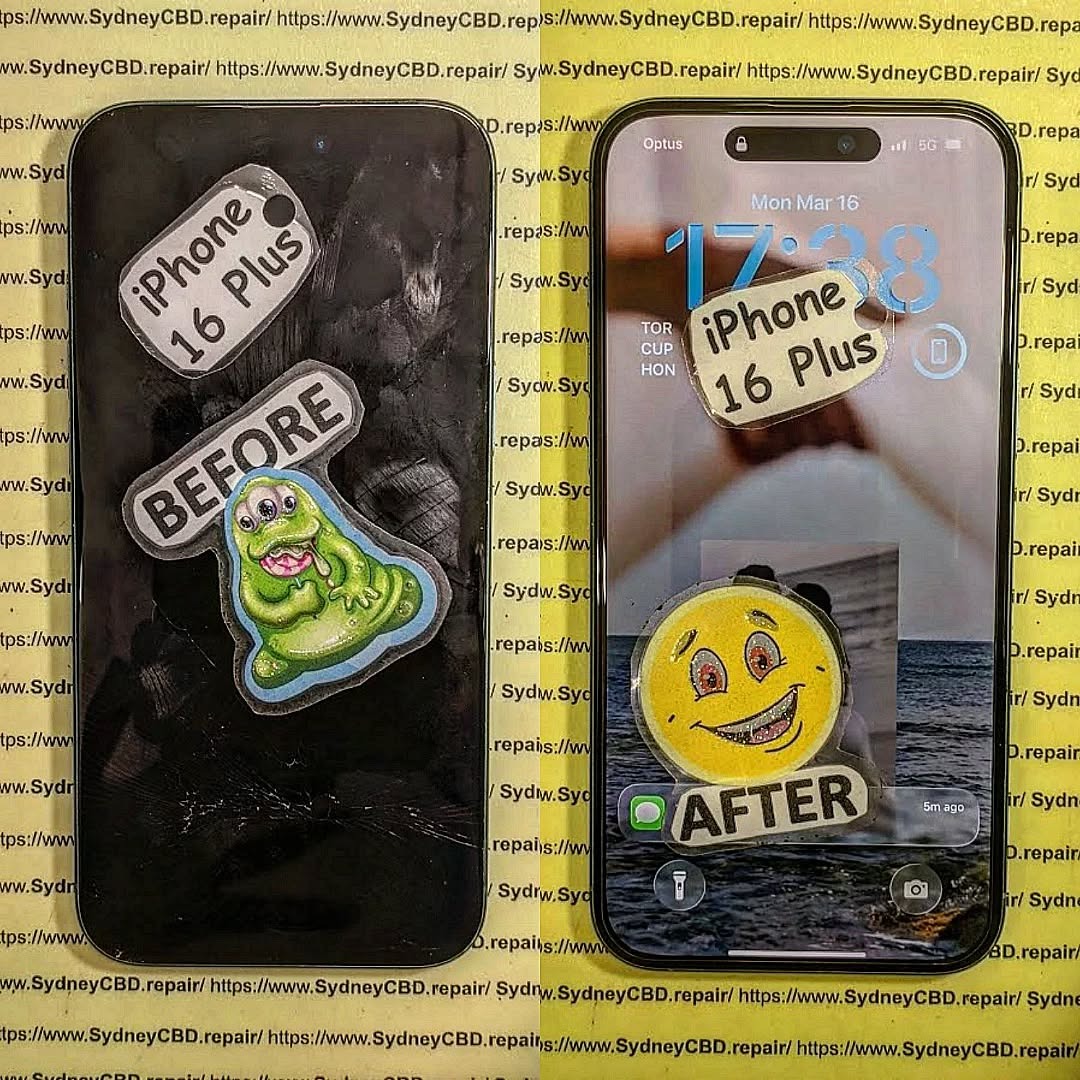
Look Inside a Phone Repair Shop: A Day in the Life + Expert Insights + 10 Tasks Uncovered
Inside a Phone Repair Shop: A Day in the Life
Ever wondered what really happens inside a phone repair shop? It’s not just screwdrivers and shattered screens—it’s a mix of precision, customer service, troubleshooting, and time-sensitive challenges.
At Sydney CBD Repair Centre, we open our doors every morning with one mission: to get our customers back online as quickly and reliably as possible. With over 2,000 glowing Google reviews and 6 years of award-winning service, our team knows a thing or two about what goes into a day’s work.
Here’s what life looks like inside one of Sydney’s busiest phone repair centres.
No two days are the same—but cracked screens and dead batteries are always at the top of the list.
Initial Diagnostics: The First Step
Every repair starts with a thorough check-up, which includes:
Visual inspection
Touchscreen and display testing
Battery health check
Port and speaker functionality
Internal component diagnostics
This process ensures we diagnose the real issue—not just what appears broken.
Tools of the Trade: What We Use
Our repair bench is packed with industry-grade tools like:
Anti-static mats and wristbands
Precision screwdrivers
Laser machines (for glass-only replacements)
Soldering stations
Thermal imaging tools
Ultrasonic cleaning tanks (for water damage)
High-quality tools = high-quality repairs.
Meet the Technicians
Behind every repair is a trained professional technician who understands the delicate nature of mobile device hardware. At Sydney CBD Repair Centre, our team includes:
Certified iPhone and Samsung repair experts
Technicians skilled in micro-soldering
Experienced staff for Android repairs
Customer support specialists trained in tech troubleshooting
Handling Screen Repairs
Screen replacements are one of the most delicate tasks we do. The process includes:
Disassembling the phone carefully
Detaching the cracked screen
Installing a genuine replacement screen
Recalibrating display settings
Testing touch sensitivity and brightness
Cleaning and reassembling the device
Some brands, like Samsung and Google, require frame-based replacements for better structural integrity.
Battery Replacements & Quick Fixes
Modern lithium-ion batteries degrade with time. Our technicians:
Measure battery health
Replace with genuine batteries
Ensure the battery sits flush (no swelling)
Run charging cycle tests before handover
Battery replacements are often completed in under 45 minutes.
Water Damage Repairs: Behind the Scenes
Water-damaged phones go through:
Complete disassembly
Board-level diagnostics
Cleaning in an ultrasonic bath
Corrosion removal
Component-level testing
Moisture removal in a heated vacuum chamber
Success depends on how quickly you bring in the device after exposure.
Dealing with Software & Boot Issues
Sometimes it’s not the hardware—it’s the software. We handle:
Boot loops
App crashes
OS reinstallation
Data recovery
Factory resets
Unlocks and updates
We always back up data (if accessible) before making changes.
Real-Time Customer Interactions
Our front desk team plays a crucial role:
Explaining repair options
Providing transparent quotes
Educating on care tips
Offering honest recommendations
We believe in clear, jargon-free communication—every customer deserves to understand what’s happening with their device.
Quality Control: Post-Repair Testing
No repair leaves our hands without rigorous testing. This includes:
Visual inspection
Battery charging test
Display calibration
Button and port functionality
Camera check
Face ID/Touch ID functionality
Only after passing all tests do we hand the phone back to the customer.
Managing Urgent Repairs
Many customers rely on their phones for work or emergencies. For urgent jobs:
We fast-track the diagnostics
Assign senior technicians
Offer same-day turnaround (often under 2 hours)
Prioritise genuine parts availability
Express service is always available—especially for screen and battery replacements.
The Role of Genuine Parts
Using genuine parts ensures:
Optimal compatibility
Full feature retention (like Face ID)
Longevity
Manufacturer-level performance
Peace of mind under warranty
All repairs at Sydney CBD Repair Centre come with a 90-day warranty when using genuine components.
Customer Education & Repair Advice
We don’t just fix phones—we empower customers by:
Explaining the cause of the issue
Sharing tips to prevent repeat damage
Advising on accessories (like screen protectors)
Offering upgrade vs. repair comparisons
Helping with software tips and battery care
Wrapping Up: End-of-Day Tasks
By 6 PM, we:
Update inventory
Clean workstations
Confirm next-day appointments
Review quality assurance logs
Back up diagnostics data
Shut down machinery
Then we get ready to do it all again tomorrow—with the same commitment to quality, speed, and customer care.
FAQs
1. How long does a typical phone repair take?
Most screen and battery replacements are done within 1–2 hours. Water damage and complex jobs may take longer.
2. Can I walk in without an appointment?
Absolutely! We accept walk-ins every day at Sydney CBD Repair Centre.
3. Are your parts genuine?
Yes. We use only genuine parts unless otherwise requested—and all come with a 90-day warranty.
4. Do you repair all phone brands?
We service Apple, Samsung, Google, Oppo, Huawei, and more.
5. Will my data be safe during repair?
Yes. We take extreme care to avoid data loss and always inform you before any reset.
6. Do you fix tablets and smartwatches too?
Yes! We handle tablets, smartwatches, and other smart devices.
Conclusion
Working in a phone repair shop isn’t just about swapping parts—it’s about precision, patience, and people. At Sydney CBD Repair Centre, every day brings new challenges, new devices, and new opportunities to help someone reconnect with their world.
If you’ve got a phone problem—we’ve got the solution. From screen repairs and battery replacements to water damage and data recovery, trust the pros who’ve been doing it right for over 6 years.
David from Sydney CBD Repair Centre
📍 Find us: SydneyCBD.repair/locate-us
📞 Call: +61280114119
✓ Same Day Express Repairs
✓ Trusted Technicians
✓ 2000+ 5-Star Reviews
✓ Genuine Parts. Fast Fixes. Zero Fuss.
Is Fixing A Smashed Screen Worth It Or Should You Upgrade? + 7 Powerful Money-Saving Secrets
Introduction
Have you ever dropped your smartphone, looked at the cracked display, and wondered whether it’s worth repairing or simply time to upgrade? A smashed screen can be frustrating, especially when your phone is still working perfectly apart from the damage. Before spending money on a brand-new device, it’s worth exploring your repair options and comparing the costs.
In this guide, Is Fixing a Smashed Screen Worth It or Should You Upgrade? we’ll reveal 7 powerful money-saving secrets to help you make the right decision. You’ll learn how screen repair costs compare with buying a new phone, why display quality matters, how to identify hidden damage, and when upgrading makes more financial sense. We’ll also explain the benefits of choosing professional repairs and reliable replacement parts.
Whether you own an iPhone, Samsung Galaxy, Google Pixel, or another smartphone, understanding your options can help you avoid unnecessary expenses. With practical advice from the mobile repair industry, you’ll be better prepared to protect your budget, extend your phone’s lifespan, and choose the solution that offers the best value for money.
Now you’re facing a difficult question: Is fixing a smashed screen worth it or should you upgrade?
The answer depends on several factors, including the phone’s age, the cost of a replacement display, its overall condition, and whether it still meets your everyday needs. In many cases, repairing your existing phone is cheaper and more convenient than purchasing a new device. However, upgrading may make more sense when your phone has multiple serious problems or no longer receives important software updates.
The good news is that you don’t need to make this decision blindly. By understanding your options, you can protect your budget, avoid unnecessary spending, and get the best value from your smartphone.
In this comprehensive guide, we’ll explore seven money-saving secrets, compare repair and upgrade costs, explain the risks of damaged screens, and help you decide which option makes the most sense.
Not every cracked smartphone screen needs the same repair. A phone may have a few harmless-looking surface cracks, while another may suffer severe display damage that affects touch controls and internal components.
Understanding the difference is the first step toward making the right decision.
Glass Damage vs Display Damage
Most modern smartphones use several layers to create a working screen. These may include protective glass, touch-sensitive components, adhesive layers, and an LCD or OLED display panel.
A fall can damage one or several of these layers.
Glass-only damage occurs when the outer glass cracks but the image remains clear and the touchscreen works normally. Depending on the phone’s construction and the repair provider’s capabilities, glass-only refurbishment may be possible.
Display panel damage occurs when the LCD or OLED panel beneath the glass is damaged. You might notice black patches, coloured lines, flickering, distorted images, or a completely black display.
Touchscreen damage happens when touch input becomes unreliable. Some areas may stop responding, or the phone may register touches you didn’t make.
These problems can overlap. A phone with a badly cracked screen may still display images correctly, while a device with only a small visible crack could have significant internal display damage.
Common Signs Your Screen Needs Professional Attention
Look for these warning signs:
Black spots or spreading dark patches.
Green, pink, white, or purple lines.
Flickering or flashing brightness.
Touchscreen areas that no longer respond.
Ghost touches that open apps or type without your input.
A display that remains black while the phone still vibrates.
Sharp glass fragments that could injure your fingers.
A screen separating from the frame.
If the screen is lifting because the battery may be swollen, stop using and charging the phone. Don’t press the display back into place. A swollen lithium-ion battery can be dangerous and needs professional assessment.
Can You Continue Using a Cracked Phone?
Sometimes, but it’s not always wise.
Small cracks may not immediately affect the display. However, damaged glass can weaken the screen’s structure and allow moisture or dust to enter more easily. A later impact may also turn a minor crack into a much larger failure.
A cracked screen can interfere with everyday tasks, from answering messages to using banking apps. If the display becomes unreliable, accessing important information may become difficult.
Expert tip: Back up your photos, contacts, messages, and other important files as soon as possible. If the display is unstable, avoid unnecessary handling and arrange an assessment.
The decision isn’t simply about whether a repair is possible. It’s about whether repairing the phone provides better value than replacing it.
A relatively recent smartphone with a healthy battery and reliable performance is often a strong repair candidate. An older device with several failing components may be a better candidate for replacement.
When Screen Repair Is Usually Worth It
Repair is often the sensible choice when:
Your phone is relatively new.
The battery still lasts through most of your day.
The processor and storage meet your needs.
The camera, charging port, and speakers work properly.
The phone receives security updates.
A quality screen replacement costs much less than buying an equivalent phone.
You want to preserve your apps, settings, and familiar workflow.
For example, imagine you own a two-year-old premium smartphone. Its display is smashed, but the camera, battery, and internal components work well.
If a reliable screen replacement costs $300 and a comparable replacement phone costs $1,000, repairing the device could save you a substantial amount.
The exact savings depend on the quoted repair price, the replacement phone you choose, and any additional expenses.
When Upgrading May Be the Better Choice
Upgrading becomes more attractive when your phone has several problems at once.
Consider replacement if:
The battery needs replacement as well as the screen.
The charging port or motherboard has serious damage.
The phone frequently crashes or overheats.
Storage is consistently insufficient.
Security updates have ended and no supported alternative is available.
The repair cost approaches the cost of a suitable replacement device.
Essential apps no longer support your operating system.
An old phone with a broken display, weak battery, and damaged charging port may require several repairs. Paying for each component separately could be poor value.
However, don’t assume an old phone is automatically beyond repair. Some older premium devices remain fast and useful for years.
The Three Questions That Matter Most
Before choosing, ask yourself:
How much will the repair cost? Get a clear quote that identifies the screen type, parts, labour, and warranty.
How long will the phone remain useful? Consider performance, battery health, software support, and your needs.
What would replacing it really cost? Compare equivalent devices, not just the newest flagship.
The cheapest immediate option isn’t always the cheapest long-term option. A reliable repair that gives you another two years of use may be better value than replacing a perfectly capable phone.
3. Money-Saving Secret #1: Compare the Total Cost, Not Just the Repair Quote
The first money-saving secret is simple: compare the full cost of repairing your current phone with the full cost of replacing it.
Don’t base your decision on the screen repair price alone.
Calculate the Real Cost of Repair
Your repair budget may include:
Screen replacement.
Additional repairs for hidden damage.
Battery replacement, if necessary.
Post-repair testing.
Shipping or collection fees.
Any accessories required after repair.
A trustworthy technician should explain which items are necessary and which are optional.
Compare Repair and Upgrade Costs
The following figures are illustrative examples, not current market quotations.
Expense
Repair Existing Phone
Buy Replacement Phone
Screen repair or device purchase
$300
$1,000
Additional battery expense
$0
$0
Accessories
$0
$50
Data transfer or setup
$0
$0
Total estimated cost
$300
$1,050
In this example, repairing the phone saves $750 compared with purchasing the replacement.
Now imagine the repair costs $650 because the display and battery both need attention. If the replacement device costs $800, upgrading may be more attractive, especially if the current phone has other problems.
The numbers change from one device to another, so always obtain an actual quote.
Use the Cost-per-Month Method
Another useful approach is to estimate how long you’ll continue using the phone after repair.
Suppose a repair costs $300 and you expect the device to remain useful for another 18 months.
The repair cost works out to approximately $16.67 per month.
If you buy a $1,000 phone and use it for 36 months, the purchase price works out to approximately $27.78 per month, before considering resale value or other expenses.
This method isn’t a perfect financial comparison, but it helps you think beyond the initial payment.
Don’t Forget Resale Value
A repaired phone may be easier to sell than one with a smashed display. However, the repair cost doesn’t always translate into an equal increase in resale value.
Before paying for a premium screen, check the phone’s likely resale price and the cost of comparable used devices.
The key lesson: Choose the option that provides the best combination of reliability, useful lifespan, and total cost.
4. Money-Saving Secret #2: Check the Phone’s Overall Condition Before Spending Money
A screen replacement won’t fix every smartphone problem. That’s why an assessment of the entire device matters.
Check the Battery
Battery condition can make a big difference to your decision.
Warning signs of a worn battery include:
Rapid battery drain.
Unexpected shutdowns.
Slow charging.
Poor performance under heavy use.
Excessive heat during normal tasks.
If your phone has a healthy battery, replacing the display may restore its usefulness at a reasonable cost.
If the battery is near the end of its life, ask for a combined quote. This lets you compare the total repair cost against the price of a replacement phone.
Never ignore a swollen battery. It requires safe handling, not ordinary screen repair alone.
Test the Camera, Speakers, and Charging Port
Before approving a repair, tell the technician about any existing problems.
Check the following if the phone is safe to operate:
Front and rear cameras.
Microphones and speakers.
Charging and data connections.
Wi-Fi and mobile connectivity.
Physical buttons.
Fingerprint recognition or other biometric functions.
Some damage from a drop may affect components beyond the display.
For example, a hard impact could damage the screen and loosen an internal connector. Replacing the display without identifying the second problem could leave you with a phone that still doesn’t work properly.
Consider Water or Liquid Exposure
A smashed screen can leave a device more vulnerable to moisture, but a cracked display doesn’t automatically mean water has entered.
If the phone has also been exposed to rain, seawater, or another liquid, explain this during the assessment.
Liquid damage can affect connectors, circuits, and sensors. Symptoms may appear hours or days later.
Don’t charge a wet phone or use a hairdryer to speed up drying. Seek appropriate professional advice, especially if the device heats up or behaves unusually.
Make an Informed Decision
A technician’s assessment should help you understand the phone’s overall condition rather than focusing only on the visible crack.
If the rest of the device is healthy, repair may be worthwhile. If several costly components are failing, upgrading could be the smarter investment.
One reason smartphone screen repairs vary so much in price is that not all displays are made the same way.
Your replacement screen affects image quality, touch performance, brightness, power consumption, and sometimes biometric features.
What Is an LCD Screen?
LCD stands for liquid crystal display.
LCD panels use a backlight to illuminate the screen. They’re common in many budget and older smartphones.
Advantages may include:
Affordable replacement options.
Good performance for everyday tasks.
Reliable image quality when a suitable panel is installed.
However, an LCD replacement won’t necessarily match the performance of an OLED screen if your phone was designed for OLED technology.
What Is OLED or AMOLED?
OLED screens use pixels that produce their own light. AMOLED is a type of active-matrix OLED technology widely used in modern smartphones.
Depending on the device, OLED displays can offer:
Deep blacks.
High contrast.
Rich colours.
Fast response times.
Potential power savings when displaying darker content.
Premium OLED assemblies may cost more than basic LCD panels because of their construction and specifications.
Foldable phones and flagship devices can be especially expensive to repair because their displays are more complex.
Compare Screen Types Before Approving a Repair
Feature
LCD
OLED/AMOLED
Backlight
Uses a backlight
Pixels produce their own light
Black levels
Usually less deep
Can produce true black
Contrast
Depends on panel quality
Often very high
Repair cost
Often lower
Can be higher
Typical applications
Budget and some older phones
Many modern and premium phones
Compatibility
Device-dependent
Device-dependent
This is a general comparison. Actual performance depends on the panel and phone design.
Why a Cheap Replacement Can Become Expensive
A very inexpensive replacement screen may appear attractive. However, a poor-quality panel can introduce new problems, such as weak brightness, inaccurate colours, touch delays, uneven illumination, or higher power consumption.
Compatibility also matters. Certain devices use display-linked fingerprint readers, proximity sensors, or other components that require careful installation and testing.
Ask your repair provider to explain the replacement part’s specifications and whether it matches the original display technology.
The goal isn’t necessarily to buy the most expensive screen. It’s to choose a reliable, compatible component that meets your expectations.
6. Money-Saving Secret #4: Check Software Support and Long-Term Performance
A phone can have a beautiful new screen and still be a poor long-term investment if it no longer receives security updates or struggles with everyday tasks.
Software support is an important part of the repair-versus-upgrade decision.
Why Security Updates Matter
Security updates help address vulnerabilities that could put your data at risk.
If your phone has reached the end of its supported software lifecycle, check whether the manufacturer offers further updates for that particular model and region.
You can consult the official support pages for your device manufacturer:
Support periods differ by model, launch date, region, and software version. Don’t assume every phone from the same brand receives updates for the same length of time.
Is Your Phone Still Fast Enough?
Think about how you use your phone every day.
Do you mainly browse websites, send messages, use maps, and take photographs? An older phone may still handle these tasks comfortably.
Do you use demanding games, professional camera features, advanced editing tools, or large work applications? A newer phone might offer meaningful benefits.
Also consider storage. A device with limited storage may become frustrating even after a successful screen repair.
Compare the Benefits of Upgrading
A newer phone may offer:
A faster processor.
Better cameras.
Longer remaining software support.
Improved battery efficiency.
A brighter or more efficient display.
New connectivity features.
But these improvements aren’t equally valuable to everyone.
If your current device already meets your needs, paying for a new phone just because the screen broke may not be the best use of your money.
Smart approach: Repair a capable, supported device. Consider upgrading when the damaged screen is only one part of a broader decline in performance or usefulness.
7. Money-Saving Secret #5: Choose Quality Replacement Parts and a Reliable Technician
The quality of the replacement screen and the skill of the technician can determine whether your repair is a good investment.
A low quote may look appealing, but it’s important to understand what’s included.
Genuine, Original, Compatible, and Aftermarket Parts
Repair businesses may describe screens using terms such as genuine, original, refurbished, compatible, or aftermarket.
These labels aren’t always used consistently. Ask the provider to explain the exact part being supplied.
A genuine service part, a refurbished original assembly, and a third-party replacement are not necessarily equivalent.
Likewise, a high-quality aftermarket display may perform better than a low-quality alternative. The label alone doesn’t tell the entire story.
Questions to Ask Before Repair
Use these questions to compare repair providers:
What type and specification of display will be installed?
Is the part genuine, refurbished, or third-party?
Does the quote include labour and testing?
Is there a written repair warranty?
Will touch response, brightness, and display functions be tested?
Will fingerprint recognition or other relevant sensors be checked?
Could the repair affect water resistance?
What happens if the replacement screen develops a fault?
A professional provider should be willing to explain the repair clearly.
Why Installation Quality Matters
Modern smartphones often contain delicate flex cables, compact connectors, adhesive seals, and tightly fitted components.
Poor installation can damage these parts or leave the device vulnerable to dust and moisture.
A skilled technician should follow a suitable procedure for the specific model, protect internal components, and test the device after assembly.
For phones with advanced biometric features, additional checks or calibration may be necessary, depending on the model and replacement part.
Understand the Warranty
Ask what the warranty covers and what it excludes.
For example, a repair warranty may cover faults in the supplied screen but exclude new impact damage or liquid exposure. The exact terms depend on the provider.
Get the terms in writing before proceeding.
A good repair isn’t just about fitting a new display. It’s about restoring the phone’s functionality as reliably as possible.
8. Money-Saving Secret #6: Don’t Delay a Necessary Repair
Putting off a screen repair can seem like an easy way to save money. However, continuing to use a damaged phone may increase the inconvenience and risk.
Cracks Can Spread
A screen may remain usable after a minor impact, but further pressure or another drop can extend the cracks.
A display that initially works normally may develop black spots, lines, flickering, or touch problems later.
Although not every crack becomes worse, it’s wise to avoid bending, squeezing, or putting heavy objects on a damaged phone.
Broken Glass Can Cause Injuries
Sharp glass edges can cut your fingers or catch on clothing.
If you use a temporary screen protector, ensure it doesn’t put pressure on a damaged display or conceal a dangerous condition. A protector is not a substitute for repairing a badly broken screen.
Moisture Protection May Be Compromised
Many phones are designed with water-resistance features, but a damaged display or frame can affect their protective seals.
Even after a professional repair, water resistance should not be assumed unless the repair process and device testing support that claim.
Avoid exposing a cracked phone to water, steam, or high humidity.
Protect Your Data
If the screen still works, back up your data before the damage gets worse.
If touch input is unreliable, a technician may be able to advise on safe ways to access or preserve your information. Options depend on the phone model, security settings, and extent of the damage.
Don’t share your password unnecessarily. Use secure methods to protect sensitive information during service.
When to Stop Using the Phone
Stop using the device and seek professional assistance if you notice:
A swollen battery.
Unusual heat.
Smoke, a chemical smell, or hissing.
A screen lifting away from the frame.
Signs of liquid entering the phone.
If a battery appears damaged, don’t puncture, compress, or attempt to remove it yourself.
Timely repair can reduce inconvenience and help prevent a minor problem from becoming a more complicated one.
9. Money-Saving Secret #7: Consider Resale Value and the Environmental Impact
A smashed screen can affect more than your daily phone use. It can also affect resale value, trade-in offers, and the environmental cost of replacing a device.
Will Repairing Your Phone Increase Its Resale Value?
A phone with a cracked display may receive a lower trade-in offer or be harder to sell privately.
Repairing it can improve its appearance and functionality. However, you shouldn’t assume the repair cost will be recovered in full when you sell it.
Before paying for a repair, compare:
The estimated resale value with the broken screen.
The estimated resale value after repair.
The cost of the screen replacement.
The trade-in value of a newer phone.
Any fees or conditions attached to the trade-in.
If a repair costs $350 but increases the likely selling price by only $200, repairing solely to sell the phone may not make financial sense.
On the other hand, if you intend to use the phone for another two years, the value comes from continued use rather than resale alone.
Repairing Can Reduce Electronic Waste
Smartphones contain valuable materials and complex components. Replacing a device unnecessarily can contribute to electronic waste.
Repairing a phone that remains useful can extend its lifespan and delay the need for a replacement.
The environmental benefit depends on several factors, including the parts required, the repair process, and how long you continue using the device.
If you eventually replace the phone, consider an appropriate electronics recycling program rather than placing it in ordinary household rubbish.
A Practical Sustainability Decision
Repair may be a good option when:
The phone is otherwise reliable.
Suitable replacement parts are available.
The repair can restore normal operation.
You expect to keep using the device.
Replacement may be more appropriate when the phone is unsafe, extensively damaged, or no longer suitable for your needs.
The aim is to avoid unnecessary waste without sacrificing safety, reliability, or value.
10. What Determines the Cost of a Smartphone Screen Repair?
Screen repair prices vary considerably. The model, display technology, availability of parts, and complexity of installation all affect the final quote.
Factors That Affect the Price
Factor
Why It Matters
Phone model
Premium and newer models may have expensive displays
Display technology
OLED and specialised panels can cost more
Screen assembly
Some repairs require replacing a complete assembly
Frame damage
A bent or damaged frame may require additional work
Additional faults
Cameras, connectors, or other components may be affected
Part availability
Limited supply can increase cost or waiting time
Labour
Complex devices may require more time and skill
Warranty and testing
The quote may include additional quality checks
Foldable phones deserve particular attention. Their inner displays, hinges, and flexible components can make repairs more complicated than those of conventional smartphones.
Ask for an Itemised Quote
An itemised quote helps you understand exactly what you’re paying for.
It should identify the screen replacement, labour, additional parts, and any relevant warranty conditions.
Ask whether the technician has inspected the phone or whether the quote is only an estimate based on the symptoms you described.
If the repair reveals additional damage, the provider should explain the options before performing work that changes the agreed price.
Is a More Expensive Repair Always Better?
No. Price alone doesn’t guarantee quality.
Compare the part specifications, repair experience, warranty, testing procedure, and clarity of communication.
A slightly higher quote may provide better value if it includes a suitable display, careful installation, and reliable after-service support. However, you should still understand what makes the offer different.
The best option is the one that meets your needs at a fair, clearly explained price.
11. DIY Screen Repair vs Professional Repair
Some people enjoy repairing electronics themselves. Others prefer to have a trained technician handle delicate components.
Both approaches have advantages, but the right choice depends on your experience, tools, and phone model.
Advantages of DIY Repair
DIY repair may appeal to people who:
Have electronics repair experience.
Own the appropriate tools.
Can obtain a compatible replacement screen.
Understand the risks of handling batteries and fragile components.
Are comfortable following model-specific repair instructions.
It may reduce labour costs, but the total expense can still include specialised tools, replacement adhesive, parts, and the risk of mistakes.
Risks of DIY Screen Replacement
Modern phones can be difficult to open without damaging the frame, display cables, battery, or other components.
Potential problems include:
Torn flex cables.
Damaged connectors.
Punctured batteries.
Poor adhesive installation.
Dust trapped beneath the screen.
Faulty fingerprint or sensor functions.
Lost water-resistance protection.
A replacement panel that doesn’t fit or work correctly.
A cheap part and an online tutorial don’t guarantee a successful repair.
Why Professional Repair Can Be Worthwhile
Professional technicians have experience with model-specific procedures and may have access to specialised tools and suitable parts.
They can also inspect the phone for related damage and test important functions after installation.
This can be especially helpful for premium devices, foldable phones, and models with complex biometric systems.
Which Option Should You Choose?
Consideration
DIY Repair
Professional Repair
Labour expense
May be lower
Included in the quote
Tool requirements
Must be sourced or owned
Supplied by the technician
Technical experience
Essential for complex repairs
Technician provides expertise
Risk of accidental damage
Depends on skill and preparation
Reduced with competent service
Warranty
Depends on parts and supplier
May include a repair warranty
Convenience
Requires your time
Often more convenient
If you have limited repair experience, a professional assessment is generally the safer starting point.
12. Warning Signs That a Smashed Screen Has Caused Internal Damage
Sometimes, the broken screen is only the most visible part of the problem.
A strong impact can affect the frame, connectors, cameras, battery, or motherboard. Knowing the warning signs can help you avoid spending money on a repair that won’t fully restore your phone.
The Phone Vibrates but the Screen Is Black
This may indicate a damaged display, a loose connection, or another hardware fault.
A black screen doesn’t automatically mean the motherboard has failed. A proper diagnosis is needed to identify the cause.
Coloured Lines or Flickering Appear
Green, pink, or white lines may indicate display panel damage.
If the lines appear after a drop, the display assembly may need replacement. However, a technician should also inspect the connectors and surrounding components when appropriate.
Touch Controls Work Only in Some Areas
Partial touch failure can make the phone difficult to use.
Avoid repeatedly pressing hard on the damaged area. Excess pressure may worsen the damage.
The Frame Is Bent
A bent frame can prevent a new screen from sitting correctly.
Forcing a replacement display into a distorted frame may create uneven pressure, poor adhesion, or further damage.
The frame should be inspected before the replacement screen is installed.
The Phone Becomes Hot or Restarts Unexpectedly
Heat and random restarts can have several causes, including battery issues, software faults, or internal damage.
If the phone becomes unusually hot after an impact, stop using it and seek assistance. Don’t continue charging a device that may have battery damage.
Why Diagnosis Matters
Replacing the screen without identifying related problems can lead to disappointment.
A proper assessment helps establish whether the display alone needs replacement or whether additional work is necessary. It also gives you a better basis for comparing repair costs with the price of a replacement phone.
13. The Environmental Benefits of Repairing Instead of Replacing
Smartphone production requires raw materials, manufacturing energy, transportation, and packaging.
Keeping a device in use for longer can help reduce the need to manufacture a replacement, particularly when the existing phone remains functional and supported.
Repair Helps Extend Product Life
A cracked screen doesn’t necessarily mean a phone has reached the end of its useful life.
If the processor, battery, cameras, and other components remain in good condition, replacing the display may allow you to continue using the device for years.
This can also delay the cost and inconvenience of setting up a new phone.
Recycle Responsibly When Repair Isn’t Practical
Sometimes, replacement really is the better choice.
If the phone has extensive internal damage or repair costs are unreasonable, look for an approved electronics recycling service or a manufacturer take-back program.
Before recycling or trading in a device, protect your personal information. Back up important files, sign out of accounts where appropriate, and follow the manufacturer’s instructions for securely erasing your data.
If the phone has a damaged or swollen battery, tell the recycling provider before handing it over and follow its safety instructions.
14. A Simple Checklist to Decide Whether to Repair or Upgrade
Still unsure? Use this practical checklist before making a decision.
Your repair decision checklist
Select each statement that applies to your phone.
The phone is still fast enough for my needs
Everyday apps and important features work well.
The battery is in good condition
There are no signs of swelling or serious battery problems.
The phone still receives security updates
The manufacturer continues to support this model.
The repair quote is reasonable
The full cost is comfortably below a suitable replacement option.
The rest of the phone works properly
Cameras, charging, audio, and connectivity are functioning.
The replacement screen is suitable
The provider explains the part, testing, and warranty.
0 of 6 conditions met
Investigate before committing. Check the battery, software support, other faults, and total repair cost before deciding.
This checklist is a guide, not a technical diagnosis. Safety concerns or extensive internal damage take priority.
How to Use the Results
If most statements apply, repair may be the most practical option.
If several statements don’t apply, compare the total repair cost with the price of a suitable replacement device.
You should also consider how much you value your existing phone. A familiar device with important data, preferred features, and a comfortable size may be worth keeping even if a newer model offers better specifications.
On the other hand, if the current phone no longer meets your needs, upgrading could provide better long-term value.
The final decision should balance cost, reliability, security, convenience, and expected lifespan.
15. Frequently Asked Questions About Smashed Screen Repair
1. Is fixing a smashed screen worth it?
Yes, in many cases. Repair is often worthwhile when the phone is relatively new, the battery is healthy, and the rest of the device works properly. Compare the repair quote with the cost of a suitable replacement before deciding.
2. How much should I spend repairing a broken phone screen?
There isn’t one price that applies to every phone. Costs depend on the model, display technology, part availability, labour, and additional damage. Obtain an itemised quote and compare it with the price of an equivalent replacement device.
3. Should I repair my screen or buy a new phone?
Repair the screen if the phone still performs well, receives security updates, and can be restored at a reasonable cost. Consider upgrading if the device has several expensive faults, poor battery health, or limited remaining software support.
4. Can I use my phone with a cracked screen?
Possibly, if the damage is minor and the device remains safe and functional. However, cracks may spread, sharp glass can cause injuries, and moisture protection may be compromised. Back up your data and arrange a repair if the damage affects safe or reliable use.
5. Is a cheap aftermarket screen worth buying?
It depends on the screen’s quality, compatibility, and performance. A low-cost panel may offer poor brightness, colour accuracy, or touch response. Ask about the exact part, its specifications, and the repair warranty rather than choosing based on price alone.
6. Will replacing my screen erase my data?
A standard screen replacement doesn’t usually require erasing the phone’s data, but no repair process is entirely risk-free. Back up your information before service whenever possible. Ask the provider whether any reset or software procedure is expected.
7. Does a screen replacement restore water resistance?
Not automatically. A replacement may involve new adhesive and seals, but the result depends on the phone, repair procedure, and testing. Don’t assume the device has regained its original water resistance unless this has been appropriately verified.
8. Is it better to repair an old iPhone or Samsung phone?
The brand alone doesn’t determine the answer. Consider the specific model, screen cost, battery health, software support, and remaining performance. An older flagship can still be worth repairing, while a heavily damaged device nearing the end of its supported life may be better replaced.
9. Can a smashed screen damage other phone components?
Yes. A hard impact can affect the frame, display connectors, cameras, battery, or other internal components. A technician should inspect the phone if it has additional symptoms, such as overheating, unexpected restarts, or charging problems.
10. How long does a smartphone screen replacement take?
Some repairs can be completed on the same day, while others require additional time for part availability, complex disassembly, testing, or related damage. Foldable devices and phones with specialised components may take longer. Ask the repair provider for an estimate based on your model.
11. Should I repair my phone before selling it?
Not always. Compare the repair cost with the likely increase in resale or trade-in value. If the repair costs more than the value it adds, selling the phone as damaged or trading it in under the applicable conditions may make more financial sense.
12. What should I do immediately after smashing my phone screen?
Check for battery swelling, unusual heat, and other safety concerns. If the phone appears safe to use, back up your data and avoid putting pressure on the damaged screen. If the battery may be damaged, the phone is unusually hot, or liquid has entered the device, stop using it and seek professional assistance.
Conclusion: Make the Smart Choice for Your Phone and Your Budget
So, is fixing a smashed screen worth it or should you upgrade?
For many smartphone owners, repairing the existing device is a practical way to save money and extend its useful life. If the phone is fast enough, has a healthy battery, receives security updates, and works properly apart from the display, a quality screen replacement may be the smartest option.
However, upgrading can make more sense when the phone has several failing components, serious internal damage, poor performance, or limited remaining software support.
Before making your decision, compare the total repair cost with the price of a suitable replacement. Ask about the display quality, installation procedure, warranty, and any additional faults that may affect the final bill.
Most importantly, don’t choose based on price alone. A reliable repair can offer excellent value, while an unsuitable replacement screen may create more problems than it solves.
If you’re in Sydney and your phone has a smashed display, Sydney CBD Repair Centre can help you explore your repair options. Professional assessment, suitable replacement parts, and careful testing can help you decide whether restoring your current device is the right move.
A broken screen doesn’t automatically mean it’s time for a new phone. Get the facts, compare your options, and make a decision that works for your budget.
David from Sydney CBD Repair Centre – The Best place to fix mobile phones as 7 Years In A Row! Top Mobile Phone Repair In Sydney. More than 2000 Positive Reviews on Google and Same Day Repairs.
We take pride in delivering exceptional repair services for all major phone brands including Apple, Samsung, Google, and more. Our expert technicians use only genuine parts and offer 90days warranty on repairs. Located in the heart of Sydney CBD, we’re your one-stop solution for all mobile device repairs.
Our commitment to excellence has earned us the trust of thousands of satisfied customers. Whether it’s a cracked screen, battery replacement, or water damage repair, we handle it all with professional care and expertise. Walk in today and experience why we’re Sydney’s #1 choice for mobile phone repairs.
Visit us for:
✓ Same Day Express Repairs
✓ Genuine Parts Guarantee
✓ Professional Technicians
✓ Competitive Pricing
✓ 2000+ 5-Star Google Reviews
✓ 7-Time Award Winner for Best Phone Repairs
Sydney CBD Repair Centre – Where Quality Meets Reliability.
DIY Phone Screen Repairs: Is It Worth It? + Must-Know Facts + 7 Risks
With smartphones becoming more advanced and expensive, it’s no wonder users explore alternatives when accidents happen. One of the most common dilemmas? Cracked screens. Many tech-savvy users have asked themselves: “Should I fix my phone screen myself?” On the surface, DIY screen repair promises a cheaper and empowering alternative to professional services. But is it really worth the risk?
In this comprehensive guide, we’ll unpack the process, tools, challenges, benefits, and long-term implications of DIY phone screen repair. Whether you’re holding an iPhone, Samsung, or any Android phone, we’ll help you decide what’s best.
DIY tech culture has exploded in recent years thanks to platforms like YouTube and Reddit. From changing batteries to replacing motherboards, tutorials are everywhere. As device repair kits flood the market and the “Right to Repair” movement gains traction, users now feel more confident about fixing things themselves.
But the truth is, what works in a 10-minute video may not reflect the complexity of real-life repairs.
Here’s why many opt to take matters into their own hands:
Save Money: Professional repairs can be pricey, especially out of warranty.
Curiosity & Skill Building: Some want the satisfaction of fixing things.
Convenience: Immediate need to use the phone—no time for repair shops.
Misinformation: Belief that it’s easier than it really is.
Influence from Content Creators: “If they can do it, why can’t I?”
While these reasons are valid, many don’t account for the possible complications.
Tools and Equipment Needed
Before opening up your phone, you’ll need:
Tool
Purpose
Precision Screwdriver Set
Remove micro-screws
Suction Cup
To gently lift the screen
Plastic Pry Tools
Avoid damaging internal components
Anti-static Wrist Strap
Protect from electrostatic discharge
Heat Gun or iOpener
Soften adhesive under the screen
Replacement Screen
Must match exact model and specs
Magnetic Mat
Organize screws and components
Safety Tip: Never work on a phone that’s powered on or connected to a charger.
Step-by-Step DIY Phone Screen Replacement
⚠️ This is a general guide. Always refer to your phone model’s repair manual.
Power Off Device
Remove SIM Card and Back Cover (if accessible)
Unscrew and Open the Frame
Disconnect Battery First
Gently Remove Screen With Heat & Suction
Unclip Display Connectors
Install New Screen
Reconnect Battery & Components
Power On & Test
Reassemble Carefully
If at any point you feel unsure—pause. Forcing components can cause irreversible damage.
Pros of DIY Phone Screen Repair
Lower Costs (initially)
Sense of Accomplishment
Learn a New Skill
No Waiting or Appointments
For hobbyists or tech lovers, DIY repairs can be a fun challenge. But don’t let enthusiasm override preparation.
Cons of DIY Phone Screen Repair
Voids Warranty
Might Damage Internal Components
Screen Quality Can Vary
Lack of Specialized Tools or Knowledge
Time-Consuming
No Warranty on Workmanship
One slip could turn a cracked screen into a non-functional phone.
Hidden Costs Most DIYers Miss
Buying wrong tools or duplicate parts
Replacing parts more than once
Damaged fingerprint sensors
Loss of waterproofing
Data loss due to improper disconnection
Missed calls or work while waiting to fix it
DIY vs Professional Repairs: Cost Breakdown
Repair Type
DIY Cost (AUD)
Pro Repair Cost (AUD)
iPhone 13
$150–$200 (parts/tools)
$250–$330
Samsung Galaxy S21
$160–$210
$280–$350
Google Pixel 7
$140–$180
$270–$320
Note: Pro repairs usually include warranty and genuine parts.
Safety Risks and Precautions
Electric Shock
Sharp Glass Cuts
Short Circuits
Data Loss
Fire Hazards with Lithium Batteries
Always use protective gear, and don’t attempt repairs on a swollen battery.
Phone Models Not Ideal for DIY
Avoid attempting DIY on these models due to complex build:
Samsung Galaxy Fold / Flip series
iPhones with Face ID (X and up)
Huawei with curved displays
Phones with under-display fingerprint readers
These require professional calibration tools post-repair.
Case Study: Cracked iPhone 13 Repair Gone Wrong
John from Parramatta tried replacing his iPhone 13 screen. He followed a YouTube guide and bought a screen online. But the display had no True Tone support, and he accidentally tore the Face ID cable. In the end, he had to pay double for a proper repair—and lost Face ID permanently.
Why Genuine Parts Matter
Cheap screens can affect:
Touch Sensitivity
Brightness & Color Accuracy
Durability
Face ID/Fingerprint Reader Functionality
Always ask for genuine parts, especially for flagship models.
Environmental Impact of Failed DIYs
Each failed DIY attempt could result in:
More e-waste
Discarded parts and packaging
Shorter device lifespan
Professional repairs often reuse, recycle, or refurbish parts responsibly.
Professional Repair Benefits
Trained Technicians
Access to Genuine Parts
Warranty Coverage (like 90 days at Sydney CBD Repair Centre)
Quick Turnaround
Data Protection Measures
Specialized Tools
You get peace of mind knowing your phone is in safe hands.
FAQs
1. Can I fix a cracked phone screen myself?
Yes, but it requires proper tools, patience, and the right screen. It’s not recommended unless you’re experienced.
2. Will DIY screen replacement void my warranty?
Yes, most manufacturers void warranties if unauthorized repairs are done.
3. Are DIY screen replacement kits reliable?
Some are, but quality varies. Always research reviews and ensure compatibility.
4. How long does it take to replace a screen?
It can take anywhere from 1 to 3 hours for DIYers. Professionals can do it in 30–60 minutes.
5. Is it cheaper to fix a phone or buy a new one?
Repairing is usually cheaper and more environmentally friendly than replacing a device.
6. Where can I get my screen professionally repaired in Sydney?
So, is DIY phone screen repair worth it? For the few with experience, proper tools, and a steady hand—maybe. But for most users, the risks outweigh the rewards. Between possible damage, lack of warranty, and hidden costs, professional repair remains the safest and smartest option.
David from Sydney CBD Repair Centre
The Best place to fix mobile phones 6 Years In A Row! With expert technicians, genuine parts, and a 90-day warranty, we’ve got your back.
🛠️ Visit us: SydneyCBD.repair/locate-us
📞 Call us: +61280114119
💬 Let us help: Cracked screen? Battery issues? Water damage? We fix it all—fast.
MICROSURGERY ON THE EDGE: Samsung Galaxy S25 Ultra Digitizer Flex Cable Restoration + 10 Power Tips
Introduction to Digitizer Flex Cables
When it comes to the Samsung Galaxy S25 Ultra, the digitizer flex cable is one of the most critical components that ensures seamless touch functionality. This tiny, ribbon-like connector serves as the nervous system of your phone’s display, transmitting your every swipe and tap from the glass surface to the motherboard. Damage to this component can manifest as unresponsive touch, ghost touches, or complete screen failure, making understanding its function and restoration process essential.
Many users underestimate the fragility of the flex cable. Even minor bending, accidental punctures, or exposure to moisture can compromise its integrity. Fortunately, with precision tools, careful techniques, and a step-by-step microsurgical approach, the Samsung Galaxy S25 Ultra digitizer flex cable can be restored, saving both cost and data.
In this article, we’ll explore the anatomy of the digitizer flex cable, common causes of damage, essential tools for repair, detailed restoration steps, troubleshooting, preventive measures, and a real-world case study from the Sydney CBD Repair Centre. By the end, you’ll have a comprehensive understanding of how to tackle one of the trickiest yet most rewarding repairs for the S25 Ultra.
Anatomy of the Samsung Galaxy S25 Ultra Digitizer Flex Cable
The digitizer flex cable is more than just a connector—it’s a complex network of conductive traces designed to relay touch input with incredible precision. In the S25 Ultra, it consists of:
Connector pins: Tiny metallic contacts that slot into the motherboard.
Ribbon pathways: Flexible circuits that run across the back of the OLED panel.
Reinforcement layers: Thin polymer layers that prevent accidental tearing.
Integrated sensors: In some models, pressure-sensitive areas for advanced touch features.
Understanding these components is crucial because any improper handling during repair can permanently damage the cable. Even a slight misalignment when reattaching can lead to partial touch failure or flickering.
Common Causes of Digitizer Flex Cable Damage
Flex cables are surprisingly fragile. Here are the most frequent culprits behind failure:
Physical stress – Dropping, bending, or squeezing the phone can crack the ribbon traces.
Water and moisture exposure – Liquids cause corrosion of the metallic contacts.
Poor manufacturing tolerances – Rare, but occasional defects in solder points or connectors.
Improper DIY repair attempts – Without proper tools, flex cables are prone to tearing.
Heat exposure – Excessive heat during charging or soldering can warp the cable.
Identifying the root cause helps technicians determine whether a full replacement or cleaning-and-restoration approach is required.
Precision is everything when restoring a Samsung S25 Ultra digitizer flex cable. Here’s what professionals use:
Tool
Purpose
Anti-static wrist strap
Prevents electrostatic discharge (ESD) from frying the motherboard
Microscrewdriver set
For safely removing tiny screws without damaging the chassis
Spudgers & plastic picks
Gently separate screen and body without scratches
Magnifying microscope
Inspect cable traces for breaks or corrosion
Isopropyl alcohol (99%)
Cleans contacts and removes residue
Fine-tip tweezers
Handle delicate flex cable safely
Heat gun / iOpener
Softens adhesive without overheating the panel
Multimeter
Tests continuity of flex traces
Essential Safety Precautions
Always work on an ESD-safe mat to prevent static damage.
Keep the workspace dust-free and well-lit to avoid contamination.
Avoid excessive bending; flex cables can tear under slight pressure.
Always power off the device before attempting any disassembly.
These precautions reduce the risk of permanent damage and ensure a smooth restoration process.
Step-by-Step Restoration Process
Disassembly of the S25 Ultra Screen
Power off the device and remove any SIM cards or accessories.
Heat the edges using a heat gun or iOpener to soften the adhesive.
Use plastic picks or spudgers to gently separate the OLED screen from the frame.
Lift the screen carefully, taking note of ribbon cable locations to avoid tension.
Disconnect the battery first, followed by the digitizer and display connectors.
Pro tip: Avoid using metal tools directly on the OLED panel to prevent scratches or dead pixels.
Flex Cable Diagnosis and Cleaning
Inspect the flex cable under a microscope.
Look for broken traces, kinks, or corrosion.
Clean contacts with 99% isopropyl alcohol and a lint-free cloth.
Use a multimeter to check continuity along the flex cable. Broken pathways often indicate the need for replacement rather than repair.
Installing the New Digitizer Flex Cable
Align the new cable carefully with the connectors.
Press gently until it clicks into place.
Avoid twisting or bending; ensure the cable follows the original path without tension.
Reconnect the battery temporarily to test touch response before final assembly.
Reassembling the Device Safely
Reapply adhesive strips or use liquid adhesive sparingly.
Replace the screen carefully, ensuring even pressure to avoid air bubbles.
Reinsert all screws and connectors.
Power on the device to confirm full functionality.
Testing and Calibration
After assembly, testing is critical:
Perform touch sensitivity tests across all areas of the screen.
Check for ghost touches or unresponsive zones.
Run calibration software if necessary to ensure the touch controller is fully aligned.
Repeat testing after 24 hours to catch any delayed issues caused by adhesive settling.
Troubleshooting Common Post-Repair Issues
Even experienced technicians encounter issues post-repair:
Issue
Cause
Solution
Ghost touches
Flex cable misalignment or debris
Re-seat and clean contacts
Partial touch failure
Broken trace undetected
Replace flex cable
Flickering screen
Loose connectors
Secure and test connections
Screen unresponsive
ESD damage
Evaluate motherboard; may need replacement
Proactive troubleshooting ensures the repair holds up over time.
Preventive Measures to Extend Flex Cable Life
Always use a protective case to avoid accidental bends.
Keep your phone away from moisture and extreme heat.
Avoid DIY screen repairs unless trained.
Clean the screen and edges carefully to prevent debris accumulation.
Regularly inspect for signs of flex cable wear, especially after drops or impacts.
Cost Analysis: DIY vs Professional Repair
Option
Average Cost
Pros
Cons
DIY Repair
$50-$120
Lower cost, hands-on learning
High risk of permanent damage
Professional Repair
$180-$300
Warranty, genuine parts, expertise
Higher upfront cost
Professional repairs like those at Sydney CBD Repair Centre offer peace of mind with guaranteed functionality and genuine parts.
Case Study: Sydney CBD Repair Centre Success Stories
At Sydney CBD Repair Centre, technicians handle complex microsurgeries on S25 Ultra devices daily. Here’s a recent success:
Issue: Unresponsive digitizer due to flex cable tear.
Solution: Complete microsurgical restoration using genuine replacement cable.
Result: Full touch functionality restored, same-day service, 90-day warranty.
Thousands of satisfied customers trust the centre for high-risk repairs, highlighting the importance of experience, precision, and quality parts.
Frequently Asked Questions (FAQs)
Q1: Can a damaged flex cable be repaired without replacement? A1: Minor corrosion or dirt can sometimes be cleaned, but torn traces usually require a replacement for reliable performance.
Q2: How long does an S25 Ultra digitizer flex cable repair take? A2: Professional repair typically takes 2–3 hours, including diagnosis, restoration, and testing.
Q3: Is DIY repair safe for beginners? A3: Not recommended. Flex cables are fragile, and incorrect handling can cause permanent screen or motherboard damage.
Q4: How can I prevent future flex cable damage? A4: Use protective cases, avoid bending, and keep the device away from liquids and heat.
Q5: Will a replacement cable affect touch sensitivity? A5: Genuine replacement cables restore full touch sensitivity. Non-genuine parts may result in ghost touches or lag.
Q6: Does professional repair come with a warranty? A6: Yes. Sydney CBD Repair Centre offers a 90-day warranty on all flex cable repairs, ensuring peace of mind.
Conclusion
The Samsung Galaxy S25 Ultra digitizer flex cable is a delicate but vital component. Proper restoration requires precision, specialized tools, and careful adherence to microsurgical techniques. Whether you’re attempting a DIY fix or choosing a professional service, understanding the anatomy, causes of damage, restoration steps, and preventive measures ensures long-term performance.
For complex repairs, professional assistance from experienced technicians, like those at Sydney CBD Repair Centre, guarantees reliability, genuine parts, and peace of mind. With the right approach, your S25 Ultra can continue delivering a smooth, responsive touch experience for years to come.
David from Sydney CBD Repair Centre – The Best place to fix mobile phones as 7 Years In A Row! Top Mobile Phone Repair In Sydney. More than 2000 Positive Reviews on Google and Same Day Repairs.
We take pride in delivering exceptional repair services for all major phone brands including Apple, Samsung, Google, and more. Our expert technicians use only genuine parts and offer 90days warranty on repairs. Located in the heart of Sydney CBD, we’re your one-stop solution for all mobile device repairs.
Our commitment to excellence has earned us the trust of thousands of satisfied customers. Whether it’s a cracked screen, battery replacement, or water damage repair, we handle it all with professional care and expertise. Walk in today and experience why we’re Sydney’s #1 choice for mobile phone repairs.
Visit us for:
✓ Same Day Express Repairs
✓ Genuine Parts Guarantee
✓ Professional Technicians
✓ Competitive Pricing
✓ 2000+ 5-Star Google Reviews
✓ 7-Time Award Winner for Best Phone Repairs
International Repairs Thought: How We Fix Phones for Customers Worldwide – The Ultimate 7-Step Proven System
Introduction to International Repairs and Global Phone Servicing
International repairs are no longer a niche service—they’re a necessity in today’s connected world. People travel, relocate, study abroad, and do business across borders every day. Naturally, their smartphones travel with them. When a device breaks, customers don’t want to wait until they return home. They want fast, professional, and trustworthy international repairs that work no matter where they are.
At the heart of international repairs is one simple promise: your phone should work flawlessly, wherever life takes you. That’s why professional repair centres have developed structured global systems that handle logistics, compliance, quality control, and customer communication across time zones. It’s not magic—it’s process, experience, and accountability.
In this guide, we explain exactly how international repairs work, why they matter, and how phones are fixed safely and efficiently for customers worldwide. We’ll also show how experience, expertise, authoritativeness, and trustworthiness (E-E-A-T) are built into every step.
Smartphones are essential tools. They store personal memories, manage finances, and keep families connected. When devices fail abroad, the impact is bigger than a cracked screen—it can disrupt work, travel, and safety.
International repairs matter because they:
Eliminate long waits for local replacements
Preserve data and personal settings
Reduce electronic waste through repair, not replacement
Offer consistent quality regardless of location
Customers choose international repairs because they want reliability. They don’t want guesswork. They want a proven system that delivers the same quality whether the phone comes from Asia, Europe, the Americas, or Australia.
According to global consumer trends and manufacturer guidance such as Apple’s official repair standards , professional repair using genuine components significantly extends device lifespan. That’s the foundation of international phone servicing.
International repairs succeed because they follow a repeatable, transparent framework. Below is the proven 7-step system trusted by global customers.
Step 1: Global Device Assessment and Diagnostics
Every international repair begins with accurate diagnostics. Customers submit device details online, including model, issue, and region. Once the phone arrives, technicians run hardware and software tests to confirm the fault.
This step prevents unnecessary repairs and ensures accuracy. Clear diagnostics reduce delays and protect customers from surprise costs. It’s a simple idea, but it sets the tone for the entire international repairs experience.
Step 2: Transparent Quoting Across Borders
After diagnostics, customers receive a detailed quote. International repairs require clarity—currency conversions, taxes, and shipping costs must be explained upfront.
Transparency builds trust. Customers know exactly what they’re paying for and why. There’s no fine print, no vague estimates—just straight talk.
Step 3: Secure International Shipping and Handling
Shipping is the backbone of international repairs. Devices are packed using anti-static materials, shock-resistant cases, and tracked courier services.
Security measures include:
Tamper-evident packaging
Full shipment tracking
Insurance for high-value devices
These safeguards ensure phones arrive safely, no matter the distance.
Step 4: Genuine Parts Sourcing Worldwide
One of the biggest risks in international repairs is counterfeit components. Professional repair centres source genuine or manufacturer-approved parts only.
Using authentic parts ensures:
Proper fit and performance
Long-term reliability
Warranty protection
This commitment separates professional international repairs from low-quality alternatives.
Step 5: Expert Repair and Quality Control
Repairs are performed by certified technicians using specialised tools. After repair, devices undergo strict quality control testing—display calibration, battery health checks, camera alignment, and network functionality.
Quality control isn’t rushed. Every phone must meet internal performance standards before moving forward.
Step 6: International Compliance and Testing
Different regions use different network standards and power regulations. International repairs include compliance checks to ensure devices work correctly in the customer’s country.
This step avoids issues like network incompatibility or charging failures, which are common when repairs ignore regional requirements.
Step 7: Safe Return Shipping and Aftercare
Once testing is complete, devices are shipped back using secure, tracked services. Customers also receive aftercare support and warranty coverage, typically 90 days or more.
Aftercare ensures peace of mind. If something feels off, help is only a message away.
Technologies and Tools Powering International Repairs
International repairs rely on advanced tools:
Micro-soldering stations
Laser glass removal machines
OEM diagnostic software
Data protection systems
These technologies allow precision repairs that match manufacturer standards. Combined with skilled technicians, tools turn complex global repairs into reliable outcomes.
Data Security, Privacy, and Customer Trust
Trust is critical in international repairs. Customers are sending their personal devices across borders. That’s why strict data security protocols are enforced:
Devices powered off during shipping
No data access without permission
Secure workstations and logging
Professional centres treat privacy as non-negotiable. This ethical approach reinforces long-term trust.
Common Devices We Repair Internationally
International repairs cover all major brands, including:
Apple iPhone models
Samsung Galaxy devices
Google Pixel phones
Oppo, Xiaomi, Huawei, and more
Common issues include cracked screens, battery degradation, charging faults, camera failures, and water damage.
Challenges in International Repairs and How We Solve Them
International repairs face challenges such as customs delays, incompatible parts, and communication gaps. These are solved through:
Pre-clearance documentation
Global supplier networks
Multichannel customer support
Preparation and experience make all the difference.
Cost, Timeframes, and Value for Global Customers
While international repairs may cost more than local fixes, they deliver superior value:
Higher-quality parts
Certified workmanship
Extended warranties
Turnaround times typically range from 5–12 business days, depending on location.
Sustainability and Responsible International Repairs
Repairing phones internationally reduces e-waste. By extending device life, international repairs support sustainability goals and reduce environmental impact.
Repair is the responsible choice—for customers and the planet.
FAQs About International Repairs
1. Are international repairs safe for my phone?
Yes. Professional international repairs use secure shipping, genuine parts, and certified technicians.
2. How long do international repairs take?
Most international repairs are completed within 5–12 business days, depending on shipping distance.
3. Will my data be safe during international repairs?
Absolutely. Devices are handled under strict privacy and data protection protocols.
4. Are international repairs more expensive?
Costs may be higher than local repairs, but the quality, warranty, and reliability offer better long-term value.
5. Do international repairs include warranty coverage?
Yes. Reputable centres offer warranties, typically 90 days or more.
6. Can any phone be repaired internationally?
Most major brands and models are supported, subject to parts availability.
Conclusion: The Future of International Phone Repairs
International repairs are shaping the future of device care. With proven systems, genuine parts, and global logistics, customers can trust their phones are in expert hands—anywhere in the world. As technology evolves, international repairs will only become faster, smarter, and more accessible.
David from Sydney CBD Repair Centre – The Best place to fix mobile phones as 6 Years In A Row! Top Mobile Phone Repair In Sydney. More than 2000 Positive Reviews on Google and Same Day Repairs.
We take pride in delivering exceptional repair services for all major phone brands including Apple, Samsung, Google, and more. Our expert technicians use only genuine parts and offer 90days warranty on repairs. Located in the heart of Sydney CBD, we’re your one-stop solution for all mobile device repairs.
Our commitment to excellence has earned us the trust of thousands of satisfied customers. Whether it’s a cracked screen, battery replacement, or water damage repair, we handle it all with professional care and expertise. Walk in today and experience why we’re Sydney’s #1 choice for mobile phone repairs.
Visit us for:
✓ Same Day Express Repairs
✓ Genuine Parts Guarantee
✓ Professional Technicians
✓ Competitive Pricing
✓ 2000+ 5-Star Google Reviews
✓ 6-Time Award Winner for Best Phone Repairs
The Foldable Screen Replacement Google Pixel Fold phone’s vs. Samsung Galaxy Z Flip phone’s — Which Offers the Best Value in 2025?
Introduction to Foldable Smartphones in 2025
The foldable smartphone market has evolved rapidly over the past few years, with devices like the Google Pixel Fold and Samsung Galaxy Z Flip leading the innovation race. These premium phones offer a unique blend of flexibility and performance, yet their sophisticated displays make foldable screen replacement a critical topic for consumers in 2025.
As these devices age, more users encounter issues like creased displays, hinge malfunctions, and cracked foldable screens. Repair costs can be substantial, so understanding which phone offers better long-term repairability and value is essential for informed decision-making.
Understanding Foldable Screen Technology
How Foldable Displays Differ from Traditional Screens
Unlike standard OLED displays, foldable screens use ultra-thin glass (UTG) or flexible polymer materials, enabling them to bend without breaking. This advanced engineering allows for compact designs but also introduces new vulnerabilities.
Key differences include:
Layered structure with protective polymer coating
Hinge integration, crucial for folding motion
Touch digitizer flexibility to maintain responsiveness
Common Screen Issues in Foldable Phones
Foldable screens, while durable, still face recurring problems:
Visible crease marks after extended use
Dead pixels along the fold line
Protective layer peeling
Hinge dust accumulation causing uneven folds
Understanding these weaknesses highlights the importance of professional screen repair services that use genuine parts and experienced technicians.
Google’s Pixel Fold boasts a 7.6-inch OLED inner display and 5.8-inch outer display, crafted with Corning Gorilla Glass Victus and aluminum alloy framing. The hinge mechanism is robust, offering smooth folding and resistance to accidental pressure.
Pixel Fold Display Performance
With a 120Hz refresh rate, HDR10+ support, and bright color reproduction, the Pixel Fold delivers exceptional visual quality. However, due to the device’s complex screen layering, replacement costs can be higher than average.
Screen Replacement Cost and Process for Pixel Fold
Replacing a Pixel Fold screen typically involves:
Carefully heating the adhesive layers.
Detaching the flexible OLED display from the hinge.
Installing a genuine replacement display.
Calibrating the touch and brightness sensors.
At professional centers like Sydney CBD Repair Centre, Pixel Fold replacements are completed same-day, with a 90-day warranty on parts and labor.
Samsung’s Z Flip series uses ultra-thin glass and a reinforced aluminum frame. The newest Z Flip 6 (2025) iteration includes improved crease resistance and dust protection, making it one of the most refined foldables to date.
Z Flip Display Performance
The Z Flip offers vibrant AMOLED colors, smooth animations, and impressive outdoor brightness. Samsung’s Flex Mode adds functionality, allowing half-folded use for hands-free video calls or content capture.
Screen Replacement Cost and Process for Z Flip
The Z Flip screen replacement involves similar complexity to the Pixel Fold but is more accessible due to Samsung’s global service network. Still, genuine part replacements can cost between AUD 650–850, depending on the model and availability.
At Sydney CBD Repair Centre, technicians replace Z Flip screens using original Samsung OLED panels, ensuring seamless performance post-repair.
Pixel Fold vs. Z Flip: Screen Replacement Comparison Table
Feature
Pixel Fold
Galaxy Z Flip
Display Type
OLED (7.6” + 5.8”)
AMOLED (6.7”)
Average Repair Cost
AUD 800–950
AUD 650–850
Repair Duration
Same-Day
Same-Day
Parts Availability
Moderate
High
Durability Score (2025)
8.5/10
9/10
Warranty Offered (Sydney CBD Repair Centre)
90 Days
90 Days
Repair Complexity
High
Moderate
Factors That Affect Foldable Screen Longevity
Usage Habits
Frequent folding, dropping, or applying pressure can accelerate micro-creases and touch failures. Gentle use and protective cases help prolong display lifespan.
Environmental Exposure
Dust, humidity, and temperature fluctuations can affect hinge performance and screen adhesives. IPX8-rated models like the Z Flip have a durability advantage.
Repair Quality and Replacement Parts
Using genuine OEM parts ensures compatibility and performance. Low-quality replacements risk color distortion, touch lag, or shortened display life.
How Sydney CBD Repair Centre Handles Foldable Screen Replacements
Step-by-Step Repair Process
Diagnostic testing for display and hinge integrity.
Precision disassembly using specialized tools.
Screen replacement with genuine parts.
Hinge realignment and recalibration.
Final quality check ensuring smooth folding.
Genuine Parts and Warranty Benefits
Sydney CBD Repair Centre uses factory-grade OEM components, ensuring original performance and color accuracy. Every repair comes with a 90-day warranty for peace of mind.
Same Day Repairs and Expert Technicians
Backed by over 2000 5-star Google reviews, their expert team offers same-day repairs for Pixel Fold, Z Flip, and other premium devices.
External Link: Learn More About Foldable Display Innovations
1. How long does a foldable screen replacement take?
Most foldable screen replacements are completed within a few hours, depending on parts availability and diagnostic results.
2. Can I use my phone immediately after repair?
Yes. Once the repair is done, you can use your phone right away—though it’s best to avoid folding and unfolding repeatedly for 24 hours.
3. What warranty does Sydney CBD Repair Centre provide?
All screen replacements come with a 90-day warranty covering parts and labor.
4. Are foldable screen replacements worth it?
Absolutely. Replacing a foldable screen restores device value, performance, and usability—making it more economical than buying a new phone.
5. What’s the difference between OEM and third-party parts?
OEM parts come directly from the manufacturer, ensuring full compatibility and longevity. Third-party parts may be cheaper but can affect display quality and touch response.
6. How can I protect my foldable screen from damage?
Use a dedicated foldable screen protector, avoid pocket pressure, and keep your device away from sand or sharp objects.
Conclusion: Choosing the Right Foldable Repair Partner in 2025
When it comes to foldable screen replacement, both the Pixel Fold and Z Flip showcase cutting-edge innovation. However, Samsung’s Z Flip edges ahead in repair accessibility and durability, while Google’s Pixel Fold excels in display clarity and software optimization.
Ultimately, choosing a trusted repair partner like Sydney CBD Repair Centre ensures the best results — combining genuine parts, same-day service, and expert care that protects your investment.
Sydney CBD Repair Centre
📍 Located in the heart of Sydney
📞 Call: +61 2 8011 4119
🌐 https://SydneyCBD.repair/locate-us
✓ Genuine Parts Guarantee
✓ Professional Technicians
✓ 2000+ 5-Star Reviews
✓ 6-Time Award Winner for Best Phone Repairs
iPhone 16 Plus Genuine Charge Port Replacement In Our Sydney CBD Workshop – Ultimate Reliability Guide With 7 Powerful Benefits
Introduction
The iPhone 16 Plus Genuine Charge Port Replacement In Our Sydney CBD Workshop service is designed for customers who depend on their phones every day. Whether you’re using your device for business, communication, photography, or entertainment, a faulty charging port can quickly become a major inconvenience.
Charging issues are among the most common smartphone problems. While many users initially assume their battery is failing, the real culprit is often a damaged, worn, or contaminated charging port. Fortunately, professional repair services can restore your device to full functionality without compromising performance.
At Sydney CBD Repair Centre, our technicians specialize in iPhone 16 Plus Genuine Charge Port Replacement In Our Sydney CBD Workshop procedures using premium-quality genuine components and industry-leading repair techniques. This ensures optimal charging performance, data transfer reliability, and long-term durability.
Throughout this guide, we’ll explain everything you need to know about charge port failures, repair procedures, genuine parts, and why professional repair remains the safest choice.
Modern smartphones are engineered to withstand years of daily use. However, the charging port experiences constant wear due to repeated cable insertion and removal.
The iPhone 16 Plus Genuine Charge Port Replacement In Our Sydney CBD Workshop service addresses problems caused by:
Physical wear and tear
Liquid exposure
Dust accumulation
Connector damage
Electrical faults
Accidental impacts
Because charging ports serve as a critical connection point between the device and power source, even minor damage can significantly affect functionality.
Professional replacement ensures that every component is correctly installed and tested, helping restore your device to manufacturer-level performance.
Understanding the causes of charging port failure helps users identify problems before they worsen.
Common Symptoms of Charge Port Damage
When a charging port begins to fail, several symptoms often appear:
Symptom
Possible Cause
Intermittent charging
Loose connector
Slow charging
Internal damage
Charging cable falls out
Worn contacts
Device not recognized by computer
Data pin failure
Overheating while charging
Electrical fault
Complete charging failure
Severe port damage
These issues can gradually worsen over time.
Early Warning Signs to Watch For
Many users overlook small signs that indicate future charging port failure.
Examples include:
Needing to reposition the charging cable
Slow charging speeds
Inconsistent connection
Random charging interruptions
Debris visible inside the port
Addressing these symptoms early can prevent additional damage and reduce repair complexity.
Importance of Genuine Charge Port Replacement
Choosing genuine components is one of the most important factors in repair quality.
Genuine vs Aftermarket Components
Many repair providers offer cheaper aftermarket parts. While they may initially function correctly, they often present long-term reliability concerns.
Genuine Components Offer:
Precise fitment
Reliable charging performance
Better durability
Improved compatibility
Consistent data transfer
Enhanced safety standards
Aftermarket Components May Cause:
Charging inconsistencies
Connection failures
Reduced lifespan
Poor build quality
Compatibility issues
This is why our iPhone 16 Plus Genuine Charge Port Replacement In Our Sydney CBD Workshop focuses on quality-first repair solutions.
Long-Term Performance Benefits
Using genuine components delivers several long-term advantages:
Stable charging performance
Reliable computer connectivity
Lower risk of future failures
Better overall device value
Enhanced user experience
Reduced repair frequency
Greater peace of mind
Investing in quality repairs often saves money over the lifetime of the device.
Our Sydney CBD Repair Process
Professional repair involves far more than simply replacing a component.
Initial Device Inspection
Every repair begins with a comprehensive assessment.
Technicians examine:
External condition
Charging behavior
Connector alignment
Internal damage indicators
Liquid exposure evidence
This helps identify any underlying issues that may affect repair outcomes.
Diagnostic Testing
Advanced diagnostics verify the exact source of the problem.
Testing includes:
Charging current analysis
Voltage monitoring
Data communication checks
Battery performance evaluation
System functionality verification
Accurate diagnosis ensures that customers only pay for repairs they actually need.
Precision Component Replacement
The repair process requires specialized equipment and technical expertise.
Steps typically include:
Device disassembly
Internal inspection
Removal of damaged components
Installation of genuine replacement parts
Connector calibration
Reassembly
Attention to detail is essential throughout the procedure.
Quality Assurance Procedures
Following installation, every repaired device undergoes extensive testing.
Checks include:
Charging performance
Fast charging functionality
Cable fitment
Data transfer capability
Physical inspection
Operational verification
Only after passing all tests is the device returned to the customer.
Benefits of Professional Repair Services
Many consumers wonder whether professional repair is worth the investment.
In most cases, the answer is yes.
Data Safety and Protection
One significant benefit of professional repair is data preservation.
Unlike device replacement, charge port repair generally allows customers to retain:
Photos
Videos
Contacts
Applications
Messages
Documents
Professional handling also reduces the risk of accidental data loss.
Maintaining Device Performance
The iPhone 16 Plus Genuine Charge Port Replacement In Our Sydney CBD Workshop service helps maintain overall device functionality.
Benefits include:
Restored charging efficiency
Improved reliability
Better cable connectivity
Reduced downtime
Extended device lifespan
For many users, repairing an existing device is significantly more cost-effective than purchasing a replacement.
Why Customers Choose Sydney CBD Repair Centre
Selecting the right repair provider can make a substantial difference in outcomes.
Experienced Technicians
Our repair specialists have extensive experience working with advanced smartphone technologies.
Their expertise includes:
Micro-soldering
Component-level diagnostics
Advanced repair procedures
Precision hardware replacement
This knowledge helps ensure accurate repairs and reliable results.
Fast Same-Day Service
We understand how important smartphones are to daily life.
That’s why many repairs can be completed on the same day, minimizing disruption and helping customers get back to normal quickly.
Advantages include:
Reduced downtime
Faster turnaround
Immediate diagnostics
Convenient service experience
Warranty Protection
Professional repairs should always include warranty support.
Warranty coverage provides:
Additional confidence
Protection against defects
Greater customer satisfaction
Long-term reliability assurance
Customers can feel comfortable knowing their repair is backed by professional service standards.
Cost Factors for Charge Port Replacement
Several factors influence repair pricing.
These may include:
Factor
Impact
Part quality
Higher quality may cost more
Device condition
Additional repairs may be needed
Internal damage
Increased labor requirements
Liquid exposure
Additional diagnostics required
Previous repairs
Potential complexity increase
Although cheaper repair options may seem attractive, investing in genuine components often results in better long-term value.
Tips to Prevent Future Charge Port Damage
After completing an iPhone 16 Plus Genuine Charge Port Replacement In Our Sydney CBD Workshop, following good maintenance practices can help extend the lifespan of your new charging port.
Use High-Quality Charging Accessories
Poor-quality cables can damage charging contacts.
Always choose:
Certified charging cables
Reliable power adapters
Trusted accessories
Keep the Port Clean
Dust and debris accumulation can cause connection issues.
Helpful habits include:
Storing the device in clean environments
Avoiding dusty workspaces when possible
Periodic professional cleaning
Avoid Excessive Force
Charging connectors are designed for smooth insertion.
Never:
Force cables into the port
Use damaged connectors
Pull cables sideways during charging
Protect Against Moisture
Even moisture-resistant devices can experience internal damage if exposed to excessive liquid.
Avoid:
Charging with wet hands
Using devices in heavy rain
Leaving phones in humid environments
Disconnect Carefully
Many charging port failures result from improper cable removal.
Instead:
Hold the connector firmly
Pull straight outward
Avoid twisting motions
Simple habits can significantly increase component longevity.
Frequently Asked Questions
1. How do I know if my iPhone 16 Plus charging port needs replacement?
Common indicators include intermittent charging, cable looseness, slow charging speeds, and failure to connect to a computer.
2. Can a dirty charging port mimic hardware failure?
Yes. Dust, lint, and debris often create symptoms similar to damaged charging ports. Professional cleaning may resolve the issue if no hardware damage exists.
3. How long does charge port replacement take?
Many repairs can be completed on the same day, depending on device condition and part availability.
4. Will my data be erased during repair?
In most cases, no. Charge port replacement generally does not affect stored data.
5. Why should I choose genuine replacement parts?
Genuine parts provide superior compatibility, reliability, durability, and charging performance compared with many aftermarket alternatives.
6. Is repairing my iPhone 16 Plus better than replacing it?
For many users, yes. Professional repair is often significantly more affordable than purchasing a new device while restoring full functionality.
7. Can water damage affect the charging port?
Absolutely. Even minor liquid exposure can corrode charging contacts and internal circuitry, leading to charging issues.
8. Does a faulty charging port damage the battery?
A malfunctioning charging system can create inconsistent charging behavior, potentially affecting battery performance over time.
Conclusion
A damaged charging port can severely impact the usability of your smartphone. Fortunately, the iPhone 16 Plus Genuine Charge Port Replacement In Our Sydney CBD Workshop service offers a dependable solution that restores charging reliability, improves connectivity, and helps extend device lifespan.
By choosing genuine components, experienced technicians, and professional diagnostics, customers receive repairs that prioritize quality, safety, and long-term performance. Whether your device suffers from intermittent charging, connector damage, or complete charging failure, professional repair remains the most effective path to restoring functionality.
For additional information about iPhone support and device care, visit the official Apple Support website.
David from Sydney CBD Repair Centre – The Best place to fix mobile phones as 7 Years In A Row! Top Mobile Phone Repair In Sydney. More than 2000 Positive Reviews on Google and Same Day Repairs.
We take pride in delivering exceptional repair services for all major phone brands including Apple, Samsung, Google, and more. Our expert technicians use only genuine parts and offer 90days warranty on repairs. Located in the heart of Sydney CBD, we’re your one-stop solution for all mobile device repairs.
Our commitment to excellence has earned us the trust of thousands of satisfied customers. Whether it’s a cracked screen, battery replacement, or water damage repair, we handle it all with professional care and expertise. Walk in today and experience why we’re Sydney’s #1 choice for mobile phone repairs.
Visit us for:
✓ Same Day Express Repairs
✓ Genuine Parts Guarantee
✓ Professional Technicians
✓ Competitive Pricing
✓ 2000+ 5-Star Google Reviews
✓ 7-Time Award Winner for Best Phone Repairs
Sydney CBD Repair Centre – Where Quality Meets Reliability.
Saving a Crushed iPhone 17 Pro Max with Genuine Parts Sydney CBD: Ultimate Recovery Guide 2026
Introduction
A severely damaged smartphone can feel like a disaster, especially when it’s a premium device such as the iPhone 17 Pro Max. Many owners assume that a crushed phone is beyond repair. However, modern repair techniques and access to genuine components have dramatically improved restoration outcomes.
When it comes to Saving a Crushed iPhone 17 Pro Max with Genuine Parts Sydney CBD, professional repair specialists can often restore functionality, preserve valuable data, and extend the lifespan of the device. Whether the damage resulted from a vehicle accident, workplace incident, or accidental drop, expert technicians can evaluate the situation and provide effective solutions.
In today’s digital world, smartphones hold precious memories, business information, financial records, and daily communication tools. Consequently, investing in professional repair services is often far more economical than replacing an expensive flagship device.
This guide explores everything you need to know about restoring a crushed iPhone 17 Pro Max using genuine parts and professional repair methods in Sydney CBD.
Crushing damage differs significantly from a standard cracked screen. While many phones survive minor drops, crushing forces can affect multiple layers of the device simultaneously.
A crushed iPhone 17 Pro Max may experience:
Broken OLED display assemblies
Bent frames
Damaged camera systems
Battery deformation
Logic board complications
Charging port issues
Internal connector failures
Water resistance seal compromise
The extent of damage often depends on the type and duration of pressure applied to the device.
Why Genuine Parts Matter for Premium Devices
Premium smartphones are engineered with precise specifications. Therefore, using genuine components during repairs helps preserve the original performance standards.
Benefits include:
Better compatibility
Improved reliability
Factory-level functionality
Enhanced durability
Accurate sensor performance
Optimized battery management
Professional repair centres understand that genuine components maintain the integrity of advanced flagship devices.
The Risks of Non-Genuine Components
While aftermarket components may initially seem attractive because of lower pricing, they can introduce significant challenges.
Potential risks include:
Issue
Impact
Display quality reduction
Poor brightness and color accuracy
Touch sensitivity problems
Delayed or inaccurate responses
Battery instability
Reduced lifespan and safety concerns
Camera performance issues
Lower image quality
Software compatibility problems
Error messages and feature limitations
As a result, many customers ultimately spend more replacing inferior components later.
Long-Term Benefits of Authentic Repairs
Choosing genuine parts offers advantages beyond immediate functionality.
Long-term benefits include:
Greater resale value
Improved reliability
Longer service life
Better user experience
Reduced repair frequency
These factors make professional repairs a smart investment for high-end smartphones.
Understanding how crushing damage occurs helps users appreciate the complexity of the repair process.
Vehicle Accidents
One of the most common causes involves phones being run over by vehicles. Surprisingly, many devices remain partially recoverable despite severe external destruction.
Damage may include:
Shattered display assemblies
Twisted frames
Camera lens destruction
Internal board stress
Construction Site Incidents
Workers frequently carry phones in challenging environments. Heavy machinery, dropped tools, and equipment pressure can create catastrophic damage.
In these situations, professional diagnostics become essential.
Heavy Impact Drops
Although modern smartphones are durable, repeated impacts can weaken structural integrity. Eventually, a severe drop may result in extensive crushing damage.
Common symptoms include:
Black screens
Display flickering
Charging failure
Audio issues
Camera malfunction
Initial Assessment of a Crushed Device
Before beginning any repair, technicians conduct a detailed evaluation.
External Damage Inspection
The first stage involves visual examination.
Technicians assess:
Screen condition
Frame alignment
Camera lens integrity
Button functionality
Charging port condition
This process helps determine the overall repair strategy.
Internal Component Evaluation
External damage often tells only part of the story.
Internal assessments focus on:
Battery health
Logic board condition
Connector integrity
Camera modules
Wireless charging systems
Advanced diagnostic tools help identify hidden issues that may not be immediately visible.
The Professional Repair Process
The process of Saving a Crushed iPhone 17 Pro Max with Genuine Parts Sydney CBD involves multiple specialized stages.
Diagnostic Procedures
Comprehensive diagnostics form the foundation of every successful repair.
Technicians test:
Power delivery systems
Display functionality
Touch responsiveness
Charging circuits
Wireless connectivity
Face ID components
Audio systems
Accurate diagnostics prevent unnecessary component replacement.
Component Replacement
After diagnostics are complete, damaged parts are carefully removed and replaced.
Common replacement components include:
OLED display assemblies
Rear glass panels
Battery units
Camera modules
Charging ports
Housing assemblies
Precision tools ensure proper installation and alignment.
Quality Assurance Testing
Following repairs, extensive testing verifies performance.
Quality checks typically include:
Test Area
Purpose
Display testing
Verify brightness and touch accuracy
Camera testing
Confirm photo and video performance
Charging verification
Ensure proper power delivery
Audio testing
Validate speakers and microphones
Connectivity testing
Confirm Wi-Fi and Bluetooth functionality
Only after successful testing is the device returned to the customer.
Genuine Parts Sydney CBD Repair Advantages
Repairing flagship smartphones with authentic components offers significant advantages.
First, compatibility remains consistent with manufacturer specifications.
Second, genuine parts help preserve advanced features such as:
High-refresh-rate displays
Premium camera performance
Battery optimization
Face ID functionality
Third, authentic repairs reduce the likelihood of future failures.
Customers frequently report improved confidence knowing their devices have been restored using professional standards.
Moreover, repair specialists in Sydney CBD possess extensive experience working with premium Apple devices. Their expertise allows them to address even complex damage scenarios efficiently.
Data Recovery Possibilities
For many users, data is more valuable than the device itself.
Fortunately, a crushed iPhone 17 Pro Max often retains recoverable information.
Professional technicians may recover:
Photos
Videos
Contacts
Documents
Messages
Application data
The success rate depends largely on the condition of the logic board and storage components.
Early intervention improves recovery chances significantly.
Therefore, owners should avoid attempting DIY repairs that could worsen internal damage.
Cost Considerations and Value
Many customers initially worry about repair costs. However, comparing repair expenses to replacement costs often reveals substantial savings.
Factors influencing repair pricing include:
Damage severity
Components required
Labor complexity
Data recovery requirements
A professionally repaired iPhone 17 Pro Max can continue functioning reliably for years, making repair an economically sensible choice.
When evaluating value, consider:
Device replacement cost
Data recovery importance
Downtime reduction
Environmental sustainability
Repairing rather than replacing also reduces electronic waste, supporting environmentally responsible technology use.
Preventing Future Damage
While professional repairs can restore damaged devices, prevention remains the best strategy.
Protective measures include:
Use a High-Quality Case
A premium protective case absorbs impact forces and helps prevent catastrophic damage.
Install Tempered Glass Protection
Screen protectors provide an additional defense layer against impacts and scratches.
Avoid Risky Storage Locations
Never place smartphones:
On vehicle roofs
Under heavy equipment
In unstable positions
Near crushing hazards
Perform Regular Device Inspections
Early detection of minor issues helps prevent larger problems later.
Choosing the Right Repair Centre
Selecting an experienced repair provider is crucial.
Look for:
Genuine parts availability
Positive customer reviews
Qualified technicians
Warranty coverage
Transparent pricing
Advanced diagnostic equipment
An established repair centre can dramatically improve repair outcomes.
Questions to ask include:
Are genuine parts used?
Is a repair warranty provided?
What diagnostic procedures are performed?
How long will repairs take?
Reliable answers indicate professional standards and customer-focused service.
Frequently Asked Questions
1. Can a completely crushed iPhone 17 Pro Max be repaired?
Yes. Many severely damaged devices can be restored depending on the condition of the internal logic board and critical components.
2. Why are genuine parts important?
Genuine parts provide optimal compatibility, reliability, and performance while maintaining factory-level functionality.
3. Can my data be recovered from a crushed phone?
In many cases, yes. Professional technicians can often recover data if the storage system remains intact.
4. How long does the repair process take?
Repair times vary depending on damage severity. Some repairs can be completed the same day, while complex restorations may require additional time.
5. Will Face ID continue working after repair?
When genuine parts and proper procedures are used, technicians can often preserve important features, including Face ID functionality.
6. Is repairing cheaper than replacing an iPhone 17 Pro Max?
In many situations, professional repair is significantly less expensive than purchasing a brand-new flagship device.
7. Does a crushed frame always require replacement?
Not always. Technicians evaluate whether the frame can be restored or if replacement is necessary for structural integrity.
8. Can water resistance be restored after repair?
While original factory sealing may be affected, professional technicians can install replacement seals to improve protection against moisture.
Conclusion
The process of Saving a Crushed iPhone 17 Pro Max with Genuine Parts Sydney CBD demonstrates how advanced repair technology can transform what appears to be an irreparable device into a fully functional smartphone once again.
From comprehensive diagnostics and genuine component replacement to data recovery and quality assurance testing, professional repair specialists provide valuable solutions that extend device lifespan and protect customer investments.
Rather than assuming a crushed phone is beyond saving, owners should seek expert evaluation from experienced technicians who understand the complexities of flagship smartphone restoration. In many cases, professional repair delivers excellent results while preserving important data and reducing replacement costs.
For users seeking dependable, high-quality repairs, genuine parts and experienced technicians remain the key ingredients for successful smartphone restoration.
Helpful External Resource
For additional information about device support and genuine components, visit the official Apple support website: https://support.apple.com
David from Sydney CBD Repair Centre – The Best place to fix mobile phones as 7 Years In A Row! Top Mobile Phone Repair In Sydney. More than 2000 Positive Reviews on Google and Same Day Repairs.
We take pride in delivering exceptional repair services for all major phone brands including Apple, Samsung, Google, and more. Our expert technicians use only genuine parts and offer 90days warranty on repairs. Located in the heart of Sydney CBD, we’re your one-stop solution for all mobile device repairs.
Our commitment to excellence has earned us the trust of thousands of satisfied customers. Whether it’s a cracked screen, battery replacement, or water damage repair, we handle it all with professional care and expertise. Walk in today and experience why we’re Sydney’s #1 choice for mobile phone repairs.
Visit us for:
✓ Same Day Express Repairs
✓ Genuine Parts Guarantee
✓ Professional Technicians
✓ Competitive Pricing
✓ 2000+ 5-Star Google Reviews
✓ 7-Time Award Winner for Best Phone Repairs
Genuine vs Counterfeit Parts: 7 Powerful Ways We Identify Quality Screens For Sydney Customers
Introduction
Mobile phones have become essential tools for work, communication, banking, entertainment, and navigation. When a screen cracks or stops working, many people rush to the nearest repair shop looking for a quick fix. However, not all replacement parts are equal. The difference between genuine and counterfeit screens can affect your phone’s performance, safety, lifespan, and overall user experience.
In today’s repair market, counterfeit parts are more common than ever. Some fake screens may look convincing at first glance, yet they often fail within weeks or months. Worse still, low-quality replacement parts can damage other internal components. That’s why professional repair technicians focus heavily on identifying quality screens before installation.
For Sydney customers, choosing a trusted repair centre matters. Reliable technicians understand how to spot counterfeit displays and ensure every repair meets strict quality standards. This article explores the most effective ways experts identify genuine screens, the risks associated with counterfeit parts, and how customers can protect their devices from poor-quality repairs.
Modern smartphones are built with advanced display technologies. Devices from Apple Inc., Samsung Electronics, and Google use highly engineered OLED and LCD panels designed for precise colour reproduction, energy efficiency, and touch responsiveness.
When genuine screens are replaced with counterfeit versions, several problems may occur:
Reduced brightness
Inaccurate colour tones
Weak touch sensitivity
Poor fingerprint sensor performance
Faster battery drain
Increased overheating
Random screen flickering
Customers often don’t notice the difference immediately. However, over time, counterfeit screens usually reveal their weaknesses. Genuine screens provide smoother operation, stronger durability, and better compatibility with internal components.
Professional repair shops understand that long-term reliability matters more than short-term savings. While counterfeit parts may appear cheaper initially, they often lead to repeated repairs and additional expenses.
The global smartphone repair industry has grown rapidly over the last decade. As repair demand increased, counterfeit manufacturers entered the market with low-cost alternatives. Unfortunately, many consumers cannot easily distinguish between genuine and fake components.
What Makes A Screen Counterfeit
A counterfeit screen is typically manufactured without approval from the original device maker. These screens often use:
Lower-grade glass
Inferior OLED or LCD panels
Cheap adhesive materials
Weak connectors
Inconsistent digitizers
Although some counterfeit screens imitate original branding, they rarely match genuine manufacturing standards.
Why Fake Parts Flood The Repair Industry
There are several reasons counterfeit screens remain widespread:
Consumers often search for the cheapest repair option.
Some repair shops prioritise profit over quality.
Online marketplaces make fake parts easy to source.
Many customers lack technical knowledge about display quality.
According to the International AntiCounterfeiting Coalition, counterfeit electronics remain a growing concern worldwide. The mobile repair industry is especially vulnerable because replacement parts are constantly in demand.
7 Powerful Ways We Identify Quality Screens
Experienced technicians use multiple inspection methods to determine whether a screen meets professional standards. These tests help ensure Sydney customers receive reliable repairs with dependable components.
Visual Inspection Standards
The first step involves careful visual analysis. Genuine screens typically display:
Uniform brightness
Accurate colour balance
Deep black levels
Smooth refresh performance
High-quality glass finishing
Counterfeit screens may show uneven lighting, washed-out colours, or visible manufacturing defects around the edges.
Technicians also inspect bezels, adhesive application, and connector precision. Even tiny inconsistencies can indicate a low-quality replacement.
Touch Sensitivity Testing
A phone’s touchscreen experience depends heavily on digitizer quality. Genuine screens respond smoothly and accurately to touch input.
Technicians test:
Swipe responsiveness
Multi-touch accuracy
Typing precision
Gesture recognition
Edge sensitivity
Counterfeit screens often produce delayed responses or “ghost touches,” where the screen reacts without user input.
Frame Alignment Checks
Professional repair specialists inspect how the replacement screen fits within the phone frame. Genuine-quality parts align perfectly with:
Front cameras
Sensors
Buttons
Speaker grills
Waterproof seals
Poor alignment may cause pressure points, display lifting, or reduced water resistance.
OLED And LCD Verification
Modern flagship phones use advanced OLED technology for better colour and energy efficiency.
Technicians examine:
Contrast ratios
Pixel consistency
Burn-in resistance
Brightness calibration
Refresh rates
Counterfeit OLED panels may mimic genuine appearance briefly, but performance often deteriorates quickly.
Manufacturer Coding Authentication
Many genuine components contain serial numbers or manufacturer-specific coding.
Repair professionals verify:
QR labels
Factory serials
Connector markings
Firmware compatibility
Supplier traceability
These checks help identify whether the screen originated from trusted supply chains.
Heat And Power Consumption Analysis
Counterfeit screens often consume more power because they use inefficient components.
Technicians perform thermal testing to monitor:
Battery usage
Charging behaviour
Heat generation
Voltage consistency
Overheating can reduce battery lifespan and damage nearby components.
Long-Term Durability Testing
Before installation, reputable repair centres evaluate overall durability through:
Pressure resistance checks
Adhesion testing
Flex testing
Impact simulation
Operational stress analysis
These procedures help prevent future failures and improve repair reliability.
Common Problems Caused By Counterfeit Screens
Counterfeit screens may initially appear functional, but problems often develop over time.
Battery Drain And Overheating
Low-quality displays require more power to operate efficiently. This increased energy consumption causes:
Faster battery depletion
Excessive heat
Slower phone performance
In severe cases, overheating may affect the motherboard or battery health.
Ghost Touch And Flickering
Poor digitizer calibration frequently leads to:
Random touches
Delayed typing
Screen jittering
Display flickering
These issues make daily phone use frustrating.
Weak Glass Durability
Counterfeit glass lacks the same structural integrity found in genuine parts. As a result:
Cracks occur more easily
Small drops cause major damage
Scratches appear faster
For customers who rely heavily on their devices, durability matters significantly.
How Professional Repair Shops Protect Customers
Trusted repair centres follow strict quality control procedures to ensure every replacement screen performs properly.
Technician Training And Certification
Experienced technicians undergo continuous training to stay updated with modern smartphone technology.
Professional repair specialists understand:
Advanced diagnostics
Screen calibration
Component compatibility
Safe installation techniques
Repair expertise plays a major role in identifying counterfeit components before they reach customers.
Warranty Protection
Reliable repair centres provide warranty coverage because they trust the quality of their parts and workmanship.
A professional warranty typically covers:
Repair Element
Genuine Quality Repair
Counterfeit Repair
Display Performance
Stable and reliable
Often inconsistent
Touch Response
Smooth and accurate
Delayed or erratic
Battery Efficiency
Optimised
Higher power drain
Durability
Strong glass quality
Easily damaged
Warranty Support
Commonly included
Often unavailable
Warranty protection gives customers confidence that their repair investment is protected.
Comparing Genuine Vs Counterfeit Screens
The difference between genuine and counterfeit displays becomes clearer during long-term usage.
Feature
Genuine Screen
Counterfeit Screen
Brightness
Consistent
Uneven
Colour Accuracy
Natural tones
Washed-out colours
Touch Sensitivity
Precise
Inconsistent
Durability
High impact resistance
Fragile
Battery Usage
Efficient
Excessive
Compatibility
Fully optimised
Limited
Lifespan
Long-lasting
Short-term reliability
Although counterfeit screens may cost less upfront, genuine-quality replacements often save money over time due to reduced repair frequency.
Why Sydney Customers Choose Quality Repairs
Sydney customers increasingly value transparency, reliability, and long-term performance when choosing phone repair services.
Professional repair providers focus on:
Genuine-quality components
Skilled technicians
Fast turnaround times
Warranty-backed repairs
Honest diagnostics
Customers who invest in proper repairs usually experience better device performance and fewer repeat issues.
Repair centres with strong reputations often receive positive customer reviews because they consistently prioritise quality over shortcuts.
Tips For Customers Before Choosing A Repair Service
Before handing over a valuable smartphone, customers should ask important questions.
Key Questions To Ask
Are genuine-quality screens used?
Is there a repair warranty?
How experienced are the technicians?
Are diagnostic tests performed after installation?
What brands does the shop specialise in?
Warning Signs Of Low-Quality Repairs
Be cautious if a repair provider:
Offers unusually cheap prices
Refuses warranty coverage
Cannot explain part sourcing
Rushes diagnostics
Avoids discussing quality standards
Choosing a professional repair centre protects both the device and the customer’s investment.
Frequently Asked Questions
How can I tell if my phone screen is counterfeit?
Counterfeit screens often show poor brightness, inaccurate colours, weak touch responsiveness, and fast battery drain. Professional technicians use specialised diagnostic tests to verify screen quality.
Are genuine screens worth the higher price?
Yes. Genuine-quality screens provide better durability, smoother performance, and improved compatibility with your phone’s hardware. They also reduce the likelihood of future repairs.
Can counterfeit screens damage my phone?
Yes. Poor-quality screens may cause overheating, battery issues, motherboard stress, and touchscreen malfunctions over time.
Why do some repair shops use counterfeit parts?
Some repair businesses focus on lowering costs rather than maintaining quality standards. Counterfeit parts are cheaper and easier to source through unofficial suppliers.
Do counterfeit screens affect Face ID or fingerprint sensors?
Yes. In many cases, low-quality screens interfere with biometric systems such as fingerprint readers and facial recognition sensors.
How long should a genuine replacement screen last?
A genuine-quality replacement screen can last several years when installed correctly and protected from major physical damage.
Should I choose OEM or aftermarket screens?
High-quality OEM or premium aftermarket screens are generally the safest choice. Trusted repair centres explain the differences clearly and recommend the best option for your device.
Conclusion
The difference between genuine and counterfeit screens is far more significant than appearance alone. Quality screens improve durability, battery efficiency, touch responsiveness, and long-term reliability. Counterfeit displays, on the other hand, may introduce ongoing problems that frustrate users and increase repair costs.
For Sydney customers, choosing an experienced repair centre remains one of the most important decisions when repairing a damaged phone. Skilled technicians use detailed inspection methods, advanced diagnostics, and strict quality control processes to ensure every screen replacement meets professional standards.
By understanding how quality screens are identified and why counterfeit parts pose serious risks, customers can make informed decisions that protect both their devices and their wallets. Investing in genuine-quality repairs ultimately delivers better value, greater peace of mind, and a much better smartphone experience overall.
David from Sydney CBD Repair Centre – The Best place to fix mobile phones as 7 Years In A Row! Top Mobile Phone Repair In Sydney. More than 2000 Positive Reviews on Google and Same Day Repairs.
We take pride in delivering exceptional repair services for all major phone brands including Apple, Samsung, Google, and more. Our expert technicians use only genuine parts and offer 90days warranty on repairs. Located in the heart of Sydney CBD, we’re your one-stop solution for all mobile device repairs.
Our commitment to excellence has earned us the trust of thousands of satisfied customers. Whether it’s a cracked screen, battery replacement, or water damage repair, we handle it all with professional care and expertise. Walk in today and experience why we’re Sydney’s #1 choice for mobile phone repairs.
Visit us for:
✓ Same Day Express Repairs
✓ Genuine Parts Guarantee
✓ Professional Technicians
✓ Competitive Pricing
✓ 2000+ 5-Star Google Reviews
✓ 7-Time Award Winner for Best Phone Repairs
A cracked screen can be more than just an eyesore—it can affect your phone’s performance, touch responsiveness, and even its resale value. Many people rush to buy cheap replacement screens online or from unverified sellers. While this might save money upfront, it often leads to bigger problems later. Authentic parts are specifically designed to match your device’s original specifications, ensuring proper fit, functionality, and longevity.
Using genuine parts also protects your warranty and reduces the risk of damaging other components. For devices like iPhones, Samsung Galaxy phones, and Google Pixels, quality replacement parts make a noticeable difference in clarity, brightness, and touch sensitivity. Understanding how to find authentic parts is essential for keeping your device reliable.
Identifying authentic parts is crucial to avoid scams or substandard components. Here are some effective strategies:
Manufacturer Labels and Holograms
Most genuine parts come with manufacturer labels, holograms, or QR codes. Apple, Samsung, and Google often include unique serial numbers on their replacement parts. These codes can be verified online to confirm authenticity. Always check for any signs of tampering or mismatched logos, which are red flags for counterfeit components.
Comparing OEM vs Third-Party Parts
OEM (Original Equipment Manufacturer) parts are made by the same manufacturer as your device. They offer perfect compatibility and full warranty coverage. Third-party parts can be cheaper but vary in quality. Some reputable third-party components may work well, but they often lack durability and can cause software or touch issues over time. Prioritize OEM parts whenever possible.
Finding genuine replacement parts requires careful research. Here are reliable sources:
Apple, Samsung, and Google Official Parts
Purchasing parts directly from official brand stores ensures authenticity. Apple’s Genuine Parts Program provides verified replacements. Samsung and Google also maintain certified online and physical stores for authentic components.
Local Certified Repair Centers
Local repair centers like Sydney CBD Repair Centre specialize in genuine parts for all major brands. They guarantee professional installation and offer warranties, saving you from potential DIY mistakes. Walk-in services with same-day repairs are often available, making it both convenient and reliable.
Cost vs Quality: Understanding the Investment
While authentic parts may cost more, the investment pays off over time. Cheap replacements often fail within months, requiring additional repairs and causing frustration.
Long-Term Device Longevity
Using genuine parts extends the lifespan of your phone. Screen clarity, touch response, and structural integrity are maintained, ensuring your device performs like new.
Warranty Considerations
Non-genuine parts can void your device warranty. Official parts from authorized sellers keep your warranty intact, offering peace of mind in case of future issues.
Tips for Safe Online Purchases
If buying online, ensure the following:
Check seller reviews and ratings
Verify part authenticity via serial numbers
Use secure payment methods like PayPal or credit cards
Avoid deals that seem “too good to be true”
This reduces the risk of receiving counterfeit or damaged components.
The Role of Professional Technicians
Professional installation is just as important as authentic parts. Certified technicians know how to handle delicate components without causing additional damage.
Benefits of Certified Technicians
Precise installation without harming internal components
Accurate alignment ensuring proper touch sensitivity
Access to tools specifically designed for each device
Same-Day Repair Options
Many repair centers, including Sydney CBD Repair Centre, offer same-day services. Quick repairs don’t compromise quality when performed by skilled professionals.
Common Mistakes When Replacing Screens
Avoid these pitfalls:
DIY installation without proper tools
Buying counterfeit parts
Ignoring manufacturer guidelines
Skipping warranty verification
These mistakes can cause irreparable damage or reduce device functionality.
How to Maintain Your Screen Post-Replacement
To maximize the lifespan of your new screen:
Apply a high-quality screen protector
Clean gently with microfiber cloths
Avoid exposure to extreme temperatures
Handle your phone carefully to prevent drops
Proper maintenance keeps your device looking new and functioning optimally.
FAQs About Authentic Parts and Screen Replacement
Q1: How can I tell if a replacement screen is genuine?
A: Look for manufacturer labels, serial numbers, and holograms. Verify them on official websites.
Q2: Are OEM parts worth the extra cost?
A: Yes. OEM parts ensure proper fit, durability, and maintain warranty coverage.
Q3: Can third-party screens work well?
A: Some can, but they may have reduced brightness, touch sensitivity issues, or shorter lifespan.
Q4: How long does a professional screen replacement take?
A: Typically 1–2 hours at certified repair centers; same-day repairs are common.
Q5: Will using non-genuine parts void my warranty?
A: Often yes. Manufacturers may refuse warranty service for devices with counterfeit components.
Q6: Where can I buy authentic parts online?
A: Official brand stores, authorized resellers, and certified repair centers are the safest sources.
Conclusion: Making Smart Choices for Your Device
Replacing a cracked screen is more than a cosmetic fix. Using authentic parts protects your device, maintains warranty coverage, and ensures optimal performance. Whether purchasing from official stores or trusted repair centers like Sydney CBD Repair Centre, prioritize quality and professional installation. Investing in genuine parts saves time, money, and frustration in the long run. Protect your device today by making informed, smart choices.
David from Sydney CBD Repair Centre – The Best place to fix mobile phones as 6 Years In A Row! Top Mobile Phone Repair In Sydney. More than 2000 Positive Reviews on Google and Same Day Repairs.
Visit us for:
✓ Same Day Express Repairs
✓ Genuine Parts Guarantee
✓ Professional Technicians
✓ Competitive Pricing
✓ 2000+ 5-Star Google Reviews
✓ 6-Time Award Winner for Best Phone Repairs