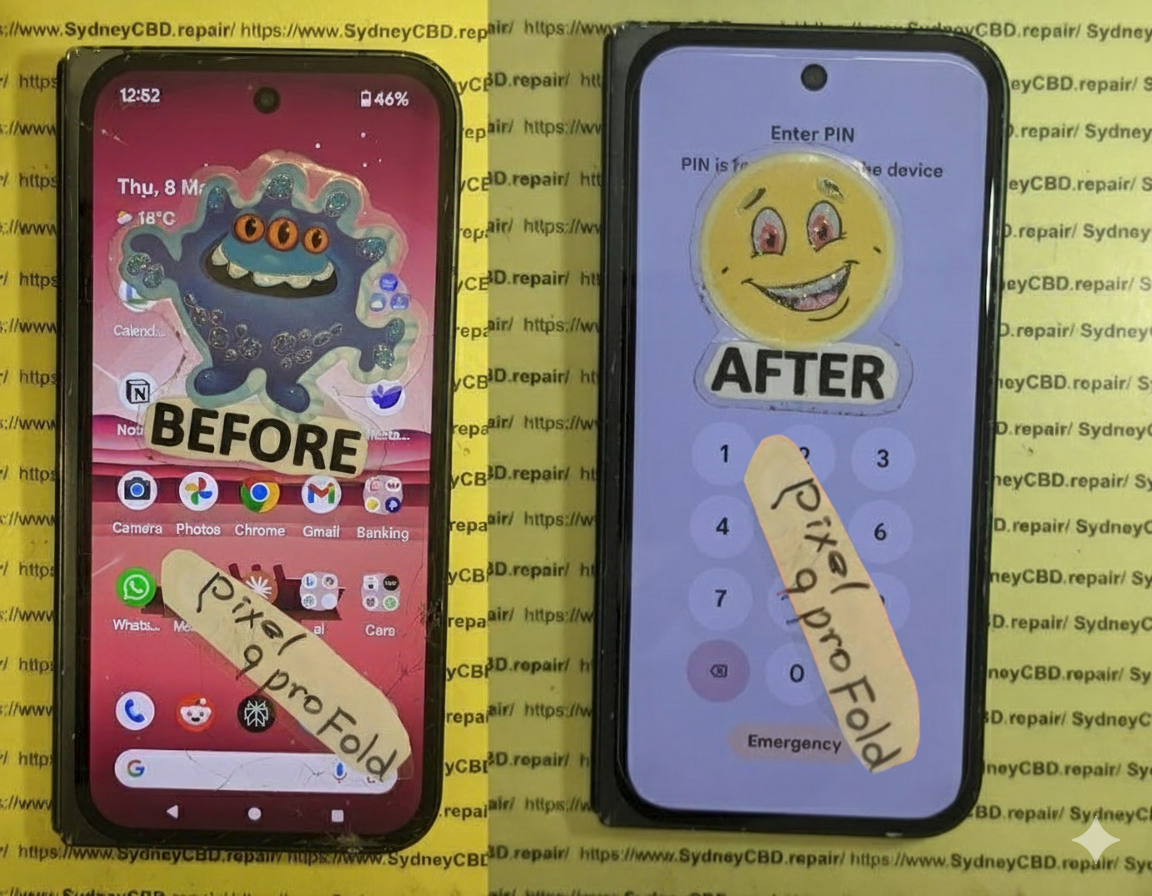
Look Inside a Phone Repair Shop: A Day in the Life + Expert Insights + 10 Tasks Uncovered
Inside a Phone Repair Shop: A Day in the Life
Ever wondered what really happens inside a phone repair shop? It’s not just screwdrivers and shattered screens—it’s a mix of precision, customer service, troubleshooting, and time-sensitive challenges.
At Sydney CBD Repair Centre, we open our doors every morning with one mission: to get our customers back online as quickly and reliably as possible. With over 2,000 glowing Google reviews and 6 years of award-winning service, our team knows a thing or two about what goes into a day’s work.
Here’s what life looks like inside one of Sydney’s busiest phone repair centres.
No two days are the same—but cracked screens and dead batteries are always at the top of the list.
Initial Diagnostics: The First Step
Every repair starts with a thorough check-up, which includes:
Visual inspection
Touchscreen and display testing
Battery health check
Port and speaker functionality
Internal component diagnostics
This process ensures we diagnose the real issue—not just what appears broken.
Tools of the Trade: What We Use
Our repair bench is packed with industry-grade tools like:
Anti-static mats and wristbands
Precision screwdrivers
Laser machines (for glass-only replacements)
Soldering stations
Thermal imaging tools
Ultrasonic cleaning tanks (for water damage)
High-quality tools = high-quality repairs.
Meet the Technicians
Behind every repair is a trained professional technician who understands the delicate nature of mobile device hardware. At Sydney CBD Repair Centre, our team includes:
Certified iPhone and Samsung repair experts
Technicians skilled in micro-soldering
Experienced staff for Android repairs
Customer support specialists trained in tech troubleshooting
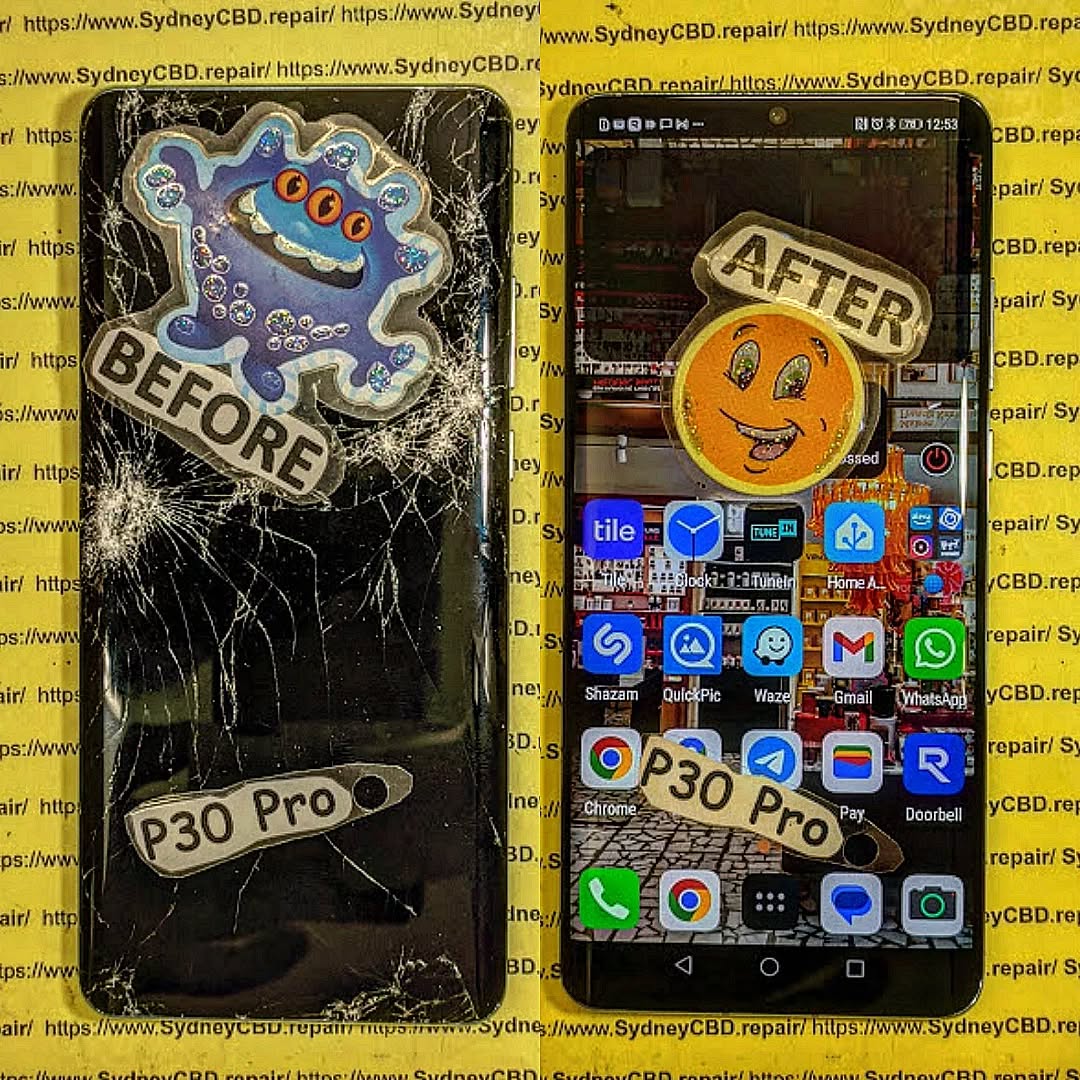
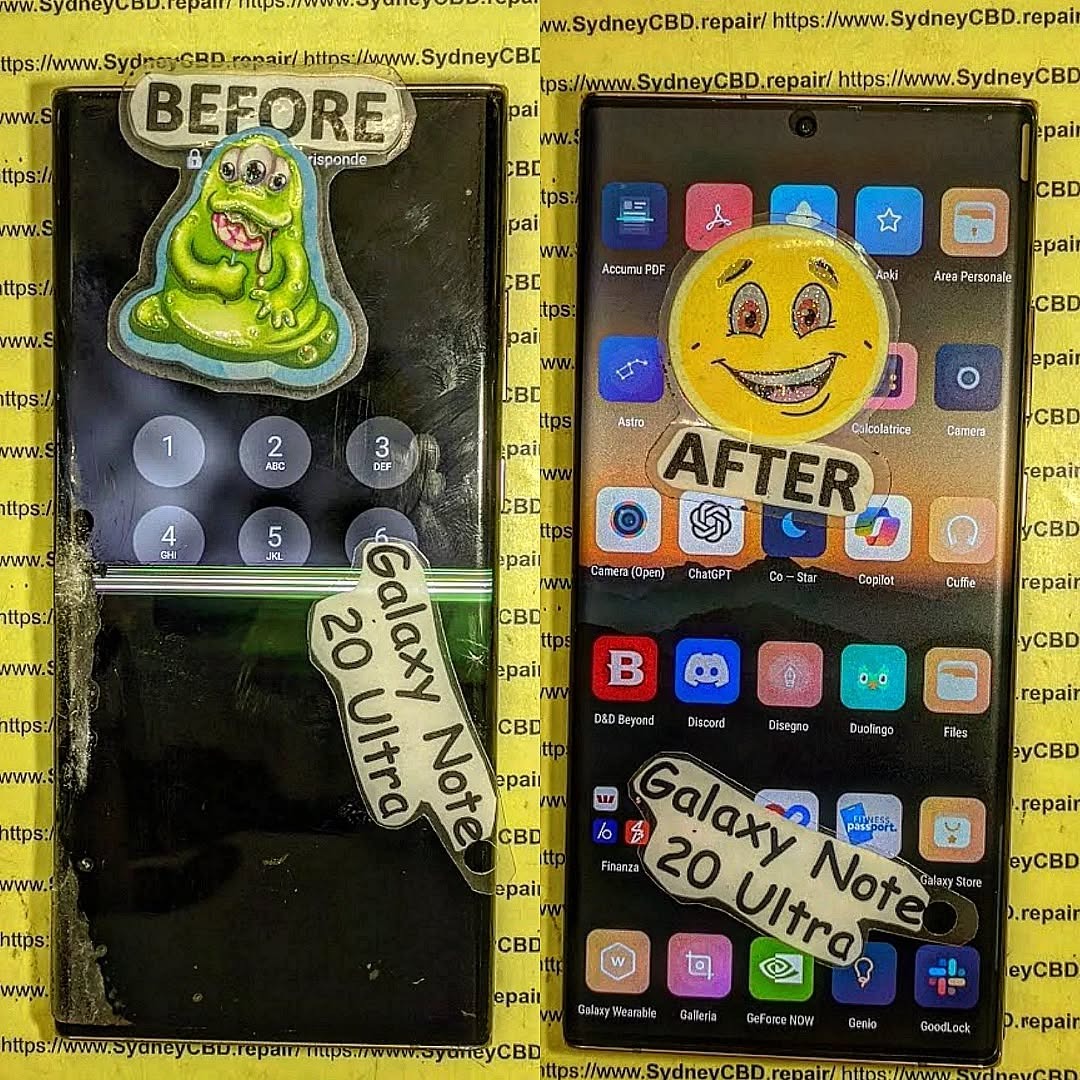
Handling Screen Repairs
Screen replacements are one of the most delicate tasks we do. The process includes:
Disassembling the phone carefully
Detaching the cracked screen
Installing a genuine replacement screen
Recalibrating display settings
Testing touch sensitivity and brightness
Cleaning and reassembling the device
Some brands, like Samsung and Google, require frame-based replacements for better structural integrity.
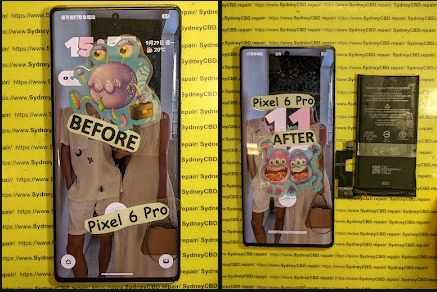
Battery Replacements & Quick Fixes
Modern lithium-ion batteries degrade with time. Our technicians:
Measure battery health
Replace with genuine batteries
Ensure the battery sits flush (no swelling)
Run charging cycle tests before handover
Battery replacements are often completed in under 45 minutes.
Water Damage Repairs: Behind the Scenes
Water-damaged phones go through:
Complete disassembly
Board-level diagnostics
Cleaning in an ultrasonic bath
Corrosion removal
Component-level testing
Moisture removal in a heated vacuum chamber
Success depends on how quickly you bring in the device after exposure.
Dealing with Software & Boot Issues
Sometimes it’s not the hardware—it’s the software. We handle:
Boot loops
App crashes
OS reinstallation
Data recovery
Factory resets
Unlocks and updates
We always back up data (if accessible) before making changes.
Real-Time Customer Interactions
Our front desk team plays a crucial role:
Explaining repair options
Providing transparent quotes
Educating on care tips
Offering honest recommendations
We believe in clear, jargon-free communication—every customer deserves to understand what’s happening with their device.
Quality Control: Post-Repair Testing
No repair leaves our hands without rigorous testing. This includes:
Visual inspection
Battery charging test
Display calibration
Button and port functionality
Camera check
Face ID/Touch ID functionality
Only after passing all tests do we hand the phone back to the customer.
Managing Urgent Repairs
Many customers rely on their phones for work or emergencies. For urgent jobs:
We fast-track the diagnostics
Assign senior technicians
Offer same-day turnaround (often under 2 hours)
Prioritise genuine parts availability
Express service is always available—especially for screen and battery replacements.
The Role of Genuine Parts
Using genuine parts ensures:
Optimal compatibility
Full feature retention (like Face ID)
Longevity
Manufacturer-level performance
Peace of mind under warranty
All repairs at Sydney CBD Repair Centre come with a 90-day warranty when using genuine components.
Customer Education & Repair Advice
We don’t just fix phones—we empower customers by:
Explaining the cause of the issue
Sharing tips to prevent repeat damage
Advising on accessories (like screen protectors)
Offering upgrade vs. repair comparisons
Helping with software tips and battery care
Wrapping Up: End-of-Day Tasks
By 6 PM, we:
Update inventory
Clean workstations
Confirm next-day appointments
Review quality assurance logs
Back up diagnostics data
Shut down machinery
Then we get ready to do it all again tomorrow—with the same commitment to quality, speed, and customer care.
FAQs
1. How long does a typical phone repair take?
Most screen and battery replacements are done within 1–2 hours. Water damage and complex jobs may take longer.
2. Can I walk in without an appointment?
Absolutely! We accept walk-ins every day at Sydney CBD Repair Centre.
3. Are your parts genuine?
Yes. We use only genuine parts unless otherwise requested—and all come with a 90-day warranty.
4. Do you repair all phone brands?
We service Apple, Samsung, Google, Oppo, Huawei, and more.
5. Will my data be safe during repair?
Yes. We take extreme care to avoid data loss and always inform you before any reset.
6. Do you fix tablets and smartwatches too?
Yes! We handle tablets, smartwatches, and other smart devices.
Conclusion
Working in a phone repair shop isn’t just about swapping parts—it’s about precision, patience, and people. At Sydney CBD Repair Centre, every day brings new challenges, new devices, and new opportunities to help someone reconnect with their world.
If you’ve got a phone problem—we’ve got the solution. From screen repairs and battery replacements to water damage and data recovery, trust the pros who’ve been doing it right for over 6 years.
David from Sydney CBD Repair Centre
📍 Find us: SydneyCBD.repair/locate-us
📞 Call: +61280114119
✓ Same Day Express Repairs
✓ Trusted Technicians
✓ 2000+ 5-Star Reviews
✓ Genuine Parts. Fast Fixes. Zero Fuss.
Cracked Phone Screen, Dead Battery: Double Repair, Double Trouble? ⚡ 9 Shocking Truths You Must Know
Introduction
In today’s fast-paced digital world, smartphones have become an essential part of daily life. From managing work and staying connected to capturing memories, we rely on our devices more than ever. That’s why encountering a cracked screen, dead battery problem can feel like a double blow. One moment your phone slips from your hand, and the next you’re dealing with shattered glass and a battery that barely lasts the day.
While a cracked screen and a failing battery may seem like separate issues, they’re often closely connected. Physical impact, internal stress, and increased power consumption can cause these problems to appear together, creating what many users see as “double trouble.” Unfortunately, ignoring one issue while fixing the other usually leads to higher repair costs and reduced phone performance over time.
This article takes a clear, practical look at why cracked screen, dead battery problems happen so frequently, how they affect your device, and what smart repair decisions can save you time and money. Whether you’re deciding between repair or replacement, or simply want to prevent future damage, this guide will help you make informed, confident choices about your smartphone’s health.
A cracked screen, dead battery scenario is more common than most phone owners realize. At first glance, a shattered display and a battery that won’t hold charge may seem unrelated. However, they’re often two sides of the same coin. When a phone is dropped, exposed to pressure, or overheats, both the screen and battery can suffer simultaneously.
Phones today are compact powerhouses. Everything is tightly packed. So when one component fails, stress transfers quickly to others. In many repair cases, technicians discover battery damage only after opening a phone for screen replacement. That’s why ignoring either problem can snowball into bigger, more expensive repairs later.
What’s more, users often keep using their phone despite visible cracks or battery warnings. That’s understandable—we’re attached to our devices. Still, continuing to use a damaged phone can accelerate internal wear. In short, a cracked screen isn’t just cosmetic, and a dead battery isn’t just inconvenient.
Most cracked screens result from drops. That same impact can jolt the battery, loosening connectors or damaging battery cells. Even if the phone keeps working, micro-damage may already be done.
Pressure and Heat Build-Up
A cracked display can compromise the phone’s seal. Dust and moisture sneak in, forcing the battery to work harder. Over time, heat builds up, and battery health declines rapidly.
Power Drain from Touch Malfunctions
When a screen is cracked, ghost touches or unresponsive areas can occur. The phone repeatedly tries to process faulty inputs, increasing power consumption. That extra strain drains the battery faster than usual.
Common User Behaviors That Cause Double Damage
Many users unknowingly worsen a cracked screen, dead battery issue through daily habits:
Continuing to charge overnight with a damaged screen
Using cheap, uncertified chargers
Ignoring overheating warnings
Carrying phones in back pockets or tight bags
These behaviors add pressure to already weakened components. Over time, what could’ve been a simple screen repair turns into a battery replacement too.
How a Cracked Screen Impacts Battery Health
A cracked screen does more than affect visibility—it changes how the phone behaves internally.
Increased Power Consumption
Damaged displays often need more power to maintain brightness or register touch input. That means the battery works overtime, shortening its lifespan.
Short Circuits and Power Leakage
Cracks can expose internal layers of the screen. This exposure increases the risk of electrical leakage, which drains the battery even when the phone is idle.
Heat Retention
Phones rely on intact screens to dissipate heat properly. Once cracked, heat gets trapped, and batteries hate heat. According to general lithium-ion battery research (see insights from sources like Battery University: https://batteryuniversity.com), heat is one of the biggest enemies of battery longevity.
Dead Battery Symptoms You Should Never Ignore
A failing battery rarely dies suddenly. It sends warnings first.
Rapid Power Drain
If your phone drops from 40% to 10% in minutes, that’s a red flag—especially after screen damage.
Unexpected Shutdowns
Phones shutting down at 20–30% battery often indicate internal battery cell damage.
Battery Swelling
In severe cases, batteries swell, pushing against the cracked screen. This is dangerous and should be addressed immediately.
Ignoring these signs doesn’t save money—it usually costs more in the long run.
Repair or Replace? Making the Smart Decision
When facing a cracked screen, dead battery situation, many people ask: Should I just replace the phone?
Cost Comparison: Single vs Double Repairs
Scenario
Approximate Cost
Outcome
Screen only
Moderate
Short-term fix
Battery only
Moderate
Performance improves
Screen + Battery
Cost-effective bundle
Phone feels new
New Phone
High
Data transfer hassle
In most cases, repairing both components together is cheaper than buying a new device. Plus, bundled repairs often come with warranties.
Professional Repair vs DIY Risks
DIY repair videos make it look easy. However, modern smartphones are complex.
Why Certified Technicians Matter
Professional repair centers use calibrated tools, genuine parts, and proper sealing methods. That ensures:
Correct battery calibration
Screen pressure alignment
Waterproofing restoration
DIY repairs often lead to loose connections, further battery drain, or even complete device failure.
Preventing Future Cracked Screen, Dead Battery Issues
Prevention is always better than cure.
Practical Protection Tips That Work
Use tempered glass and quality cases
Avoid extreme temperatures
Replace batteries every 18–24 months
Don’t ignore small cracks—they spread
Simple habits can extend your phone’s life by years.
Frequently Asked Questions (FAQs)
1. Can a cracked screen really cause battery problems?
Yes. A cracked screen increases power consumption, heat retention, and internal stress, all of which degrade battery health.
2. Is it safe to keep using a phone with a cracked screen and dead battery?
Not recommended. It increases the risk of sudden shutdowns, data loss, and battery swelling.
3. Should I replace the battery when fixing a cracked screen?
Often, yes. Combined repairs are cost-effective and restore optimal performance.
4. How long does a combined repair usually take?
At professional centers, most screen and battery replacements are completed the same day.
5. Will repairing both parts make my phone feel new again?
In many cases, absolutely. Users often report better performance, battery life, and responsiveness.
6. Is professional repair better than upgrading my phone?
If the phone is less than 3–4 years old, professional repair is usually the smarter choice.
Conclusion: Double Trouble or Smart Opportunity?
A cracked screen, dead battery situation might feel like double trouble at first. However, with the right approach, it’s an opportunity to restore your phone’s performance without the high cost of replacement. Addressing both issues together saves time, money, and frustration.
Phones are investments. Treating them with timely, professional care ensures they serve you longer and better. Instead of waiting for complete failure, act early—and smartly.
David from Sydney CBD Repair Centre – The Best place to fix mobile phones as 7 Years In A Row! Top Mobile Phone Repair In Sydney. More than 2000 Positive Reviews on Google and Same Day Repairs.
We take pride in delivering exceptional repair services for all major phone brands including Apple, Samsung, Google, and more. Our expert technicians use only genuine parts and offer 90 days warranty on repairs. Located in the heart of Sydney CBD, we’re your one-stop solution for all mobile device repairs.
Our commitment to excellence has earned us the trust of thousands of satisfied customers. Whether it’s a cracked screen, battery replacement, or water damage repair, we handle it all with professional care and expertise. Walk in today and experience why we’re Sydney’s #1 choice for mobile phone repairs.
Visit us for:
✓ Same Day Express Repairs
✓ Genuine Parts Guarantee
✓ Professional Technicians
✓ Competitive Pricing
✓ 2000+ 5-Star Google Reviews
✓ 7-Time Award Winner for Best Phone Repairs
Shipping Repairs to Sydney CBD: How Our International Mail-In Service Saves Dead Devices – 7 Proven Ways
Introduction
In today’s fast-paced, technology-driven world, a malfunctioning smartphone, tablet, or laptop can bring your day to a standstill. Whether it’s a cracked screen, a dead battery, or water damage, finding a reliable repair service while living abroad or far from Sydney can feel overwhelming. That’s where Sydney CBD Repair Centre’s international mail-in service comes to the rescue.
Our service allows customers from anywhere in the world to ship their dead or damaged devices directly to Sydney, where our expert technicians provide fast, professional, and secure repairs. From precise diagnostics to genuine part replacements, we ensure every device is treated with the highest level of care. By bridging the gap between distance and expertise, we make sure your devices are up and running again—without the hassle of hunting for local repair options or risking substandard service.
This article will explore how our international mail-in repairs work, the types of devices and issues we handle, and why choosing a trusted repair service like Sydney CBD Repair Centre is a smart decision. Whether you’re a traveler, expat, or remote professional, we’ll show you how shipping repairs to Sydney can save your dead devices efficiently and securely.
In today’s fast-paced world, being without your phone, tablet, or laptop can be more than just inconvenient—it can be disruptive. Sydney CBD Repair Centre offers an international mail-in service that revives dead devices quickly, securely, and professionally. Whether your device suffered water damage, a cracked screen, or battery failure, shipping it to Sydney might be the smartest decision you make this year.
When devices fail, owners often panic, especially if they are far from home or live in areas with limited repair options. International mail-in repairs solve this problem, bridging the gap between remote customers and professional services.
Common Scenarios Requiring Mail-In Repairs
Travelers & Expats – Devices fail while abroad or away from home country.
Limited Local Service – Some regions lack certified repair centers.
Specialized Repairs – Certain issues, like motherboard repairs, require advanced tools.
Why Local Repairs May Not Be an Option
Lack of genuine parts in local markets.
Untrained technicians risking further damage.
Longer repair times due to limited diagnostic equipment.
Our process is designed to ensure your device is handled safely from pickup to return. Each step incorporates transparency and accountability.
Step 1: Secure Shipping Instructions
We provide detailed instructions to ensure devices are safely packaged and labeled. Our guidelines help prevent damage during transit and ensure proper customs handling.
Step 2: Tracking and Notification
Every shipped device receives a tracking number. Customers are notified upon arrival, during repair, and when dispatched back, keeping you informed at every stage.
Step 3: Expert Assessment and Diagnostics
Our certified technicians perform a comprehensive assessment, identifying hidden issues. This step ensures that your device receives precise repairs, avoiding unnecessary replacements.
Types of Devices We Repair via Mail
We cater to a wide range of electronic devices, ensuring that no device is left behind.
Smartphones
All major brands including Apple, Samsung, Google, and Huawei are accepted. Issues such as unresponsive screens, battery drainage, or system failures are quickly resolved.
Tablets and iPads
From iPads to Android tablets, our mail-in service restores functionality, whether it’s a cracked display or software malfunction.
Laptops and Other Electronics
We handle laptops, Chromebooks, and even gaming consoles. Our experts diagnose both hardware and software issues efficiently.
Common Repairs Offered Through Mail-In Service
The most frequent repairs we manage cover both hardware and software issues.
Screen Replacements
Broken displays, dead pixels, and unresponsive touchscreens are replaced with high-quality, genuine parts.
Battery Replacements
Old or failing batteries are swapped with manufacturer-certified replacements, extending device life and performance.
Water Damage Restoration
Our advanced cleaning and drying techniques revive devices that have suffered water exposure, minimizing corrosion and data loss.
Charging Port & Connectivity Issues
Devices failing to charge or connect to networks are diagnosed and repaired, restoring full operational capacity.
Security and Warranty Assurance for International Repairs
Ensuring the safety of your data and device is paramount.
Data Privacy and Device Security
Our technicians adhere to strict privacy protocols. We never access personal data beyond what is necessary for repair.
Warranty Coverage and Genuine Parts
All repairs come with a 90-day warranty, guaranteeing genuine parts and professional workmanship.
Cost-Effectiveness of Mail-In Repairs
Mail-in repairs are often more economical than local alternatives.
Comparing International Mail-In vs Local Repairs
Lower costs due to centralized operations.
No need to purchase tools or parts yourself.
Faster resolution for complex repairs.
Hidden Costs to Avoid
International shipping insurance.
Customs duties (varies by country).
Premium services that aren’t necessary.
Tips to Prepare Your Device for International Shipping
Proper preparation minimizes risk and ensures faster turnaround.
Backup and Data Protection
Always back up data. Remove sensitive info if possible and encrypt the device to protect privacy.
Proper Packaging Techniques
Use bubble wrap, protective cases, and original boxes if available. Label packages clearly with return address and contact info.
Insurance Options for Shipping
Insure devices to cover loss or damage during transit. We can advise on recommended carriers.
FAQs About Shipping Repairs to Sydney
How long does international shipping take?
Transit times vary by country, typically 5–15 business days, plus repair time.
Is my device safe during transit?
Yes, using proper packaging and shipping insurance ensures maximum safety.
Do you repair devices from all countries?
We accept devices from virtually any country, provided international shipping is available.
Are the parts used genuine?
Absolutely. We use only manufacturer-certified or original parts for all repairs.
How is payment processed for mail-in repairs?
Payments can be made via secure online transfer or credit card before shipping or after diagnostics.
What if my repair isn’t successful?
We offer alternative solutions including part replacement or full refund if the device cannot be repaired.
Conclusion: Why Mail-In Repairs Are a Smart Choice
Choosing an international mail-in repair service with Sydney CBD Repair Centre ensures your device gets expert attention without geographical limitations. With secure shipping, transparent communication, genuine parts, and competitive pricing, you can have your device restored as if you never left home. It’s fast, safe, and effective—a true solution for today’s mobile lifestyle.
For more information, you can visit Sydney CBD Repair Centre to explore our services and detailed shipping instructions.
David from Sydney CBD Repair Centre – The Best place to fix mobile phones as 7 Years In A Row! Top Mobile Phone Repair In Sydney. More than 2000 Positive Reviews on Google and Same Day Repairs.
We take pride in delivering exceptional repair services for all major phone brands including Apple, Samsung, Google, and more. Our expert technicians use only genuine parts and offer 90days warranty on repairs. Located in the heart of Sydney CBD, we’re your one-stop solution for all mobile device repairs.
Our commitment to excellence has earned us the trust of thousands of satisfied customers. Whether it’s a cracked screen, battery replacement, or water damage repair, we handle it all with professional care and expertise. Walk in today and experience why we’re Sydney’s #1 choice for mobile phone repairs.
Visit us for:
✓ Same Day Express Repairs
✓ Genuine Parts Guarantee
✓ Professional Technicians
✓ Competitive Pricing
✓ 2000+ 5-Star Google Reviews
✓ 7-Time Award Winner for Best Phone Repairs
Is It Really Worth It? Repairing Your Phone Versus Buying A New Model in 2026 + Proven 7-Point Decision Guide
Introduction: The Big Dilemma in 2026
Repairing your phone versus buying a new 2026 model—this is the question millions of people are asking right now. With every new launch from brands like Apple, Samsung, and Google, the pressure to upgrade feels stronger than ever.
But here’s the truth: not every broken phone needs replacing.
Many users assume that once their screen cracks or battery drains faster, it’s time to buy the newest flagship. Yet, repairing your phone often costs a fraction of a new device—and in many cases, restores it to near-new performance.
In 2026, smartphones are powerful. Even devices released in 2022 or 2023 still run smoothly with proper maintenance. So instead of rushing into a $1,500 purchase, let’s explore whether repairing your phone might actually be the smarter move.
A new flagship in 2026 can cost anywhere between $1,200 and $2,000. Devices like the latest iPhone 16 Pro or Samsung Galaxy S26 Ultra are packed with advanced features. However, do you really need all of them?
Here’s a simple comparison:
Expense Type
New 2026 Model
Repairing Your Phone
Device Cost
$1,200–$2,000
$100–$400
Accessories
Often Required
Not Needed
Setup Time
2–4 Hours
Same Day
Data Migration
Required
Not Required
Learning Curve
Moderate
None
Repairing your phone often saves 70–85% of the total upgrade cost.
Hidden Expenses Most Buyers Forget
When buying a new phone, people often overlook:
New case and screen protector
Insurance upgrades
Increased data usage
Subscription bundles
Trade-in undervaluation
Suddenly, that “$1,400 phone” becomes a $1,700 expense.
Repairing your phone eliminates these hidden costs. It keeps your ecosystem stable and your wallet happier.
Let’s say your battery health drops below 80%. A battery replacement costs significantly less than buying a new device.
Common repair costs:
Screen replacement: $150–$400
Battery replacement: $90–$180
Charging port repair: $120–$200
Camera repair: $150–$350
Compared to a new device? That’s a massive difference.
Repairing your phone also protects your investment. You’ve already paid for it—why not extend its life?
Same-Day Repairs and Convenience
Modern repair centres offer same-day service. That means:
No long setup
No data transfer stress
No app reinstallation
No password reset nightmares
It’s quick. It’s simple. And frankly, it just makes sense.
Performance Comparison: Repaired Phone vs 2026 Flagship
Processor & Speed Differences
Yes, 2026 processors are faster. But the real question is: do you need that extra speed?
Most users:
Scroll social media
Watch videos
Use messaging apps
Take photos
Phones from 2023 onward still handle these tasks effortlessly. Unless you’re gaming heavily or editing 4K videos daily, the difference may be negligible.
Battery and Display Considerations
Battery degradation is the most common reason people consider upgrading.
However, replacing the battery restores performance dramatically. Apple itself explains battery health impacts performance in detail here: https://support.apple.com/en-us/HT208387
Repairing your phone by replacing worn components can restore 80–95% of original performance.
Environmental Impact: Repairing Your Phone Helps the Planet
E-Waste Statistics
According to the Global E-waste Statistics Partnership, over 50 million metric tons of e-waste are generated annually.
That’s staggering.
When you choose repairing your phone instead of buying a new device, you:
Reduce electronic waste
Lower carbon footprint
Support sustainable practices
Sustainability Benefits
Manufacturing a new smartphone requires:
Rare earth metals
Large energy consumption
Global transportation
Repairing your phone dramatically reduces environmental strain.
7-Point Decision Guide: Should You Repair or Upgrade?
Here’s your practical checklist:
Question
If YES →
If NO →
Is repair under 40% of new phone cost?
Repair
Upgrade
Is your phone under 4 years old?
Repair
Consider Upgrade
Does it still receive updates?
Repair
Upgrade
Is damage limited to screen/battery?
Repair
Upgrade
Is performance acceptable?
Repair
Upgrade
Do you rely on latest camera tech?
Upgrade
Repair
Is storage full and unexpandable?
Upgrade
Repair
If you answered “Repair” more than 4 times, repairing your phone is likely the smarter choice.
Brand-Specific Considerations
Apple Devices
iPhones receive long software support. Repairing your phone often extends usability by 2–3 years.
Samsung Devices
Premium Galaxy models maintain strong performance for years. Repairing your phone is typically cost-effective.
Google Devices
Pixel devices benefit from AI software updates. A repair keeps those benefits intact.
When Buying a New Phone Actually Makes Sense
Repairing your phone isn’t always the best option.
Upgrade if:
Motherboard is damaged
Repair cost exceeds 60% of new device
No more software updates
Severe water damage
In such cases, investing in a 2026 model may provide better long-term value.
When Repairing Your Phone Is the Smart Move
Repairing your phone is ideal when:
Damage is minor
Device still performs well
You want to save money
You care about sustainability
You need immediate turnaround
For most everyday users, this option makes financial and practical sense.
Frequently Asked Questions
1. Is repairing your phone safe?
Yes, when done by certified professionals using genuine parts.
2. How long does a phone repair last?
Quality repairs can last 2–3 years or more.
3. Will replacing the battery improve speed?
Yes. A new battery can restore performance and prevent throttling.
4. Is repairing your phone cheaper than insurance claims?
Often yes, especially considering deductibles.
5. Does repairing your phone void warranty?
It depends on manufacturer policy and repair provider.
6. How do I know if repair is worth it?
Compare repair cost to 40–50% of new device price.
Conclusion: Making the Right Choice in 2026
Repairing your phone versus buying a new 2026 model isn’t just about technology—it’s about smart decision-making.
In many cases, repairing your phone offers:
Massive cost savings
Comparable performance
Environmental responsibility
Immediate convenience
Unless your device is severely damaged or outdated, repair is often the practical choice.
Before spending thousands on the newest release, evaluate your situation carefully. Sometimes, the smartest upgrade… is no upgrade at all.
David from Sydney CBD Repair Centre – The Best place to fix mobile phones as 7 Years In A Row! Top Mobile Phone Repair In Sydney. More than 2000 Positive Reviews on Google and Same Day Repairs.
We take pride in delivering exceptional repair services for all major phone brands including Apple, Samsung, Google, and more. Our expert technicians use only genuine parts and offer 90days warranty on repairs. Located in the heart of Sydney CBD, we’re your one-stop solution for all mobile device repairs.
Our commitment to excellence has earned us the trust of thousands of satisfied customers. Whether it’s a cracked screen, battery replacement, or water damage repair, we handle it all with professional care and expertise. Walk in today and experience why we’re Sydney’s #1 choice for mobile phone repairs.
Visit us for:
✓ Same Day Express Repairs
✓ Genuine Parts Guarantee
✓ Professional Technicians
✓ Competitive Pricing
✓ 2000+ 5-Star Google Reviews
✓ 7-Time Award Winner for Best Phone Repairs
Global Logistics Guide: How to Ship Your Broken Device to Sydney CBD Repair Centre – 15 Powerful Steps for Safe International Repairs
Introduction
In today’s interconnected world, device owners are no longer limited to repair providers within their own city or country. Thanks to modern courier networks and streamlined logistics systems, customers can safely ship smartphones, tablets, smartwatches, and laptops internationally for professional servicing.
This Global Logistics Guide: How to Ship Your Broken Device to Sydney CBD Repair Centre explains every stage of the process, from preparing your device and packaging it correctly to navigating customs requirements and tracking international shipments.
Whether you’re dealing with a cracked screen, battery issue, charging failure, water damage, motherboard fault, or software malfunction, understanding international shipping procedures can help ensure your valuable device reaches its destination safely and returns fully repaired.
Many customers worldwide choose Sydney CBD Repair Centre because specialized repairs often require experienced technicians, quality replacement parts, and advanced diagnostic equipment.
Several factors make professional mail-in repairs attractive:
Access to highly skilled technicians
Advanced diagnostic capabilities
Genuine or premium-quality replacement components
Competitive repair pricing
Reliable turnaround times
Detailed repair assessments
Professional quality control procedures
For rare devices or complex repairs, local options may be limited. In such situations, shipping a device to an experienced repair center becomes a practical solution.
Additionally, many customers find that international repairs remain cost-effective when compared with replacing an expensive smartphone or tablet.
Devices Eligible for Mail-In Repairs
Most modern electronic devices can be shipped for repair, including:
iPhones
Samsung Galaxy devices
Google Pixel smartphones
iPads
Android tablets
Smartwatches
Gaming handhelds
Laptops
MacBooks
Before shipping, it’s advisable to confirm device eligibility and available repair services.
Benefits of International Repair Services
International repair services provide access to expertise that may not exist locally.
Benefits include:
Specialized knowledge
Access to difficult-to-source parts
Comprehensive diagnostics
Professional testing
Secure return logistics
As a result, customers can extend the life of their devices while reducing electronic waste.
This systematic approach reduces the likelihood of unresolved issues.
Final Certification
After successful testing, devices are prepared for return shipping.
Packaging standards are applied again to protect repaired devices during transit.
Return Shipping Procedures
Once repairs are complete, the return logistics phase begins.
Secure Packaging for Return Transit
The repair center typically:
Repackages the device securely
Applies protective materials
Generates tracking information
Confirms shipping details
Tracking the Return Shipment
Customers receive tracking numbers to monitor:
Dispatch
International transit
Customs clearance
Delivery progress
Receiving Your Repaired Device
Upon arrival:
Inspect packaging.
Verify device condition.
Test major functions.
Review repair documentation.
Prompt inspection helps identify any shipping-related concerns.
Common Shipping Mistakes to Avoid
Avoiding common mistakes can improve repair success rates.
Poor Packaging
Insufficient cushioning may lead to additional damage.
Missing Documentation
Missing forms often result in customs delays.
Shipping Accessories Unnecessarily
Unneeded accessories increase risk and complexity.
Failing to Back Up Data
Data protection should always remain a priority.
Ignoring Tracking Updates
Monitoring shipments enables faster problem resolution.
Choosing the Cheapest Option Only
Low-cost shipping isn’t always the safest option for valuable electronics.
Balancing reliability, insurance, and tracking features usually provides better results.
Frequently Asked Questions
1. Can I ship a water-damaged phone internationally for repair?
Yes. Water-damaged devices can often be shipped safely. Ensure the device is powered off and packaged securely.
2. Should I remove the battery before shipping?
For most smartphones, batteries are built-in and should remain installed. Follow courier regulations regarding lithium batteries.
3. How long does international shipping usually take?
Transit times vary by country and courier but generally range from several days to a few weeks.
4. Is shipping insurance necessary?
Insurance is strongly recommended for high-value devices because it provides financial protection against loss or damage.
5. Can I track my device throughout the entire journey?
Most major couriers provide end-to-end tracking from pickup through delivery.
6. What if customs holds my shipment?
Customs may request additional information. Providing accurate documentation generally helps resolve issues quickly.
7. Are repaired devices tested before being returned?
Yes. Professional repair centers typically perform extensive testing and quality assurance procedures before return shipment.
8. Can tablets and laptops also be shipped for repair?
Absolutely. Many repair centers accept smartphones, tablets, laptops, and other electronic devices through mail-in repair programs.
Conclusion
This Global Logistics Guide: How to Ship Your Broken Device to Sydney CBD Repair Centre demonstrates that international mail-in repairs are more accessible than ever. With proper preparation, secure packaging, accurate customs documentation, and reliable courier services, customers worldwide can confidently send valuable devices for professional repair.
By following the steps outlined in this guide, you can reduce shipping risks, streamline customs processing, protect your device during transit, and ensure a smooth repair experience from start to finish. Whether you’re sending a smartphone with a cracked display, a tablet suffering from battery issues, or a laptop requiring advanced diagnostics, professional mail-in repair services offer a dependable solution that can significantly extend the lifespan of your technology investment.
For the best results, prioritize careful preparation, maintain clear communication, and choose secure shipping methods that provide tracking and insurance coverage.
External Resource
For international shipping regulations and customs guidance, visit the official website of the Universal Postal Union (UPU).
David from Sydney CBD Repair Centre – The Best place to fix mobile phones as 7 Years In A Row! Top Mobile Phone Repair In Sydney. More than 2000 Positive Reviews on Google and Same Day Repairs.
We take pride in delivering exceptional repair services for all major phone brands including Apple, Samsung, Google, and more. Our expert technicians use only genuine parts and offer 90days warranty on repairs. Located in the heart of Sydney CBD, we’re your one-stop solution for all mobile device repairs.
Our commitment to excellence has earned us the trust of thousands of satisfied customers. Whether it’s a cracked screen, battery replacement, or water damage repair, we handle it all with professional care and expertise. Walk in today and experience why we’re Sydney’s #1 choice for mobile phone repairs.
Visit us for:
✓ Same Day Express Repairs
✓ Genuine Parts Guarantee
✓ Professional Technicians
✓ Competitive Pricing
✓ 2000+ 5-Star Google Reviews
✓ 7-Time Award Winner for Best Phone Repairs
International Mail-In Repair Guide: Fixing Your Phone From Any Part of the World To Sydney – 15 Powerful Tips for Hassle-Free Repairs
Introduction
In today’s connected world, smartphones are more than just gadgets. They’re cameras, wallets, communication hubs, workstations, and entertainment systems rolled into one. So, when your device suddenly stops working, it can feel like your entire routine has hit a brick wall.
That’s where an international mail-in repair guide becomes incredibly useful. Instead of replacing an expensive device, people from around the globe now send their phones to trusted repair centres in Sydney for fast, professional repairs.
Whether you own an Apple iPhone, a Samsung Galaxy device, or a Google Pixel phone, professional technicians in Sydney can often restore your device quickly and affordably.
This comprehensive international mail-in repair guide explains everything you need to know before shipping your phone across borders for expert repair services.
The international mail-in repair process is surprisingly straightforward. Most professional repair centres follow a clear workflow to ensure devices are safely repaired and returned.
Step 1: Contact the Repair Centre
First, you contact the repair provider with details about your phone model and the issue you’re experiencing.
Common information requested includes:
Device brand and model
Type of damage
Device condition
Whether the phone powers on
Any previous repair history
Step 2: Receive a Repair Quote
After reviewing your information, the repair centre typically provides:
Service Detail
Description
Estimated repair cost
Approximate price
Repair timeframe
Expected turnaround
Shipping instructions
Packaging guidance
Warranty details
Coverage period
Step 3: Ship the Device
Once you approve the quote, you safely package and ship your phone internationally.
Step 4: Diagnostic Inspection
Upon arrival, technicians inspect the phone thoroughly. Sometimes the actual problem differs from the initial description.
Step 5: Repair Completion
After approval, technicians complete the repair using specialized tools and replacement parts.
Step 6: Return Shipping
Finally, the repaired device is securely shipped back to your location.
Devices Commonly Sent for Mail-In Repairs
An international mail-in repair guide covers more than just screen repairs. Customers send various devices for multiple issues.
Popular Devices Include:
iPhones
Samsung Galaxy phones
Google Pixel phones
Oppo smartphones
Huawei devices
Xiaomi phones
Tablets
Smartwatches
Common Repair Issues
Cracked Screens
Accidental drops remain the leading cause of smartphone damage worldwide.
Battery Problems
Over time, batteries degrade and may:
Drain quickly
Overheat
Shut down unexpectedly
Charging Issues
Charging ports can wear out due to daily use or debris buildup.
Water Damage
Liquid exposure can damage internal components rapidly if untreated.
Camera Malfunctions
Modern smartphones rely heavily on advanced camera systems, making camera repairs increasingly common.
How to Prepare Your Phone Before Shipping
Before shipping your device internationally, proper preparation is essential.
Backup Your Data
Always back up your data before sending your phone for repair.
You can use:
Cloud storage
External hard drives
Computer backups
Remove SIM Cards
Take out your SIM card to avoid accidental loss during transit.
Disable Security Locks
Some repairs require testing device functionality. Disable:
Passcodes
Face unlock
Fingerprint locks
Factory Reset If Necessary
If privacy is a concern, consider performing a factory reset after backing up your data.
Document Device Condition
Take photos of:
Screen condition
Device frame
Existing scratches
Accessories included
This creates a clear record before shipment.
Choosing the Right Packaging Materials
Packaging matters more than many people realize. Poor packaging increases the risk of shipping damage.
Recommended Materials
Packaging Material
Purpose
Bubble wrap
Shock absorption
Small sturdy box
Structural protection
Foam padding
Prevents movement
Anti-static bag
Protects electronics
Packaging Tips
Avoid oversized boxes
Don’t use envelopes
Seal all openings securely
Add “Fragile Electronics” labels
A little extra care during packaging can save major headaches later.
Best International Couriers for Phone Shipping
Reliable courier services help ensure your phone arrives safely and quickly.
Popular International Couriers
DHL
FedEx
UPS
EMS
TNT
Each courier offers different benefits regarding speed, insurance, and tracking.
Important Shipping Features
When selecting a courier, prioritize:
Tracking services
Signature confirmation
Insurance coverage
Fast customs processing
A tracked shipment gives both you and the repair centre peace of mind.
Customs and Declaration Tips for International Repairs
Customs paperwork can feel confusing, but it’s manageable with the right approach.
Proper Item Description
When declaring the package, clearly state:
“Used mobile phone sent for repair and return.”
This helps reduce customs complications.
Declare Accurate Values
Avoid undervaluing or overvaluing the device.
Include Repair Documentation
Some repair centres provide:
Repair authorization forms
Commercial invoices
Customs declarations
These documents streamline border processing.
Typical Repair Services Offered
Professional repair centres in Sydney offer a wide range of services.
Screen Replacements
Screen repairs remain the most requested service worldwide.
Modern OLED and AMOLED displays require skilled installation to preserve:
Brightness
Touch sensitivity
Color accuracy
Battery Replacements
Battery replacements can restore a phone’s usability dramatically.
Signs you may need a replacement include:
Rapid battery drain
Swollen battery
Random shutdowns
Charging Port Repairs
Charging issues may involve:
Dirty connectors
Broken pins
Motherboard faults
Professional diagnostics help identify the real cause.
Water Damage Treatment
Water damage repair often involves:
Internal cleaning
Corrosion removal
Component replacement
Logic board repair
Fast treatment significantly improves recovery chances.
Camera Repairs
Advanced smartphones use multiple camera sensors. Repairs may involve:
Lens replacement
Autofocus repair
Sensor replacement
Repair Timeframes and What to Expect
Repair turnaround depends on several factors.
Factors Affecting Repair Speed
Factor
Impact
Parts availability
Delays uncommon models
Damage severity
Complex repairs take longer
Shipping times
International transit varies
Customs clearance
May add extra days
Average Repair Timelines
Most standard repairs are completed within:
1–3 business days for simple repairs
3–7 business days for advanced repairs
International shipping usually adds additional transit time.
How Professional Technicians Diagnose Devices
Professional diagnostics are critical in any international mail-in repair guide.
Technicians use advanced tools to inspect:
Logic boards
Power circuits
Charging systems
Display connectors
Internal sensors
Common Diagnostic Tools
Thermal imaging cameras
Microsoldering stations
USB power testers
Oscilloscopes
These tools help technicians identify hidden faults accurately.
Genuine vs Aftermarket Parts in Mail-In Repairs
One major concern for international customers is replacement part quality.
Genuine Parts
Genuine parts usually offer:
Better durability
Accurate fit
Original display quality
Manufacturer-level performance
Aftermarket Parts
Aftermarket parts can reduce repair costs but may vary in quality.
Which Is Better?
It depends on your priorities:
Priority
Recommended Option
Best quality
Genuine parts
Lower cost
Premium aftermarket
Long-term reliability
Genuine parts
Budget repairs
Aftermarket
Trusted repair centres explain these differences clearly before starting repairs.
Data Security and Privacy Protection
Sending a phone internationally naturally raises privacy concerns.
The centre handles repairs for devices from major brands including:
Apple
Samsung
Google
Huawei
Xiaomi
Customers appreciate the combination of professional service and personalized support throughout the repair journey.
Frequently Asked Questions
Can I send my phone from another country to Sydney for repair?
Yes. Many repair centres in Sydney accept international mail-in repairs from customers worldwide.
How long does international phone repair usually take?
Repair times vary, but most standard repairs are completed within a few business days after the device arrives.
Is it safe to mail my phone internationally?
Yes, provided you use secure packaging, insured shipping, and a trusted courier service.
Will my data remain secure during repair?
Professional repair centres follow strict privacy procedures, but backing up and removing sensitive information is always recommended.
What if additional problems are discovered during repair?
Most repair centres contact customers before performing extra repairs or charging additional fees.
Are genuine parts available for all devices?
Availability depends on the model and manufacturer, but many premium repair centres offer genuine parts for major brands.
Do international customers receive repair warranties?
Yes. Reputable repair centres usually provide warranties covering parts and labor.
Can water-damaged phones really be repaired?
Sometimes. Success depends on how quickly the device receives professional treatment after exposure.
Conclusion
An international mail-in repair guide helps simplify what might otherwise feel like a stressful process. Today, customers around the world can confidently send damaged smartphones to Sydney for expert repairs, professional diagnostics, and reliable customer support.
From cracked screens and battery issues to water damage and motherboard repairs, trusted Sydney repair specialists provide high-quality solutions that often extend a device’s life significantly.
With careful packaging, reliable shipping, and professional repair technicians, international phone repair has become safer, faster, and more convenient than ever before.
For many customers, repairing a premium smartphone through an experienced Sydney repair centre is a practical, affordable, and environmentally responsible alternative to buying a brand-new device.
External Resource: Learn more about international shipping services through DHL Official Website.
David from Sydney CBD Repair Centre – The Best place to fix mobile phones as 7 Years In A Row! Top Mobile Phone Repair In Sydney. More than 2000 Positive Reviews on Google and Same Day Repairs.
We take pride in delivering exceptional repair services for all major phone brands including Apple, Samsung, Google, and more. Our expert technicians use only genuine parts and offer 90days warranty on repairs. Located in the heart of Sydney CBD, we’re your one-stop solution for all mobile device repairs.
Our commitment to excellence has earned us the trust of thousands of satisfied customers. Whether it’s a cracked screen, battery replacement, or water damage repair, we handle it all with professional care and expertise. Walk in today and experience why we’re Sydney’s #1 choice for mobile phone repairs.
Visit us for:
✓ Same Day Express Repairs
✓ Genuine Parts Guarantee
✓ Professional Technicians
✓ Competitive Pricing
✓ 2000+ 5-Star Google Reviews
✓ 7-Time Award Winner for Best Phone Repairs
📱 Introduction: When a Google Pixel 7 Meets Trouble
The Google Pixel 7 is known for its sleek design, powerful camera, and smooth Android experience. But like all smartphones, it’s not invincible. One unlucky Pixel 7 owner found themselves with a badly damaged screen after a sudden drop — and feared they’d be without their phone for days or even weeks.
This is the story of how Sydney CBD Repair Centre swooped in to save the day.
Our customer’s Pixel 7 had a completely cracked AMOLED display, with visible black spots and a flickering backlight. The touchscreen was intermittently unresponsive, making it impossible to use for work or personal communication.
Common issues with such damage include:
Loss of touch sensitivity
Screen flicker or blackout
Compromised water resistance
Increased risk of further internal damage
🔍 Our Diagnosis Process
At Sydney CBD Repair Centre, we start with a thorough inspection:
Visual Check – Confirm visible cracks and damage.
Function Test – Check touch response, fingerprint sensor function, and display brightness.
Internal Damage Assessment – Ensure there’s no motherboard or battery damage.
The verdict? The screen needed a full OEM replacement to restore both display quality and touch functionality.
Using precision tools, our technicians carefully opened the Pixel 7 without damaging its water-resistant seals more than necessary.
2. Removal of the Broken Screen
We detached the damaged AMOLED panel and cleaned the adhesive from the frame.
3. Installation of a Genuine Google OEM Screen
We used a 100% original Pixel 7 display, ensuring perfect color accuracy, brightness, and compatibility with the in-screen fingerprint sensor.
4. Resealing & Calibration
We resealed the phone using professional-grade adhesive to restore as much water resistance as possible, then recalibrated the touch and fingerprint systems.
⏱️ The Result: Same-Day Success
From drop-off to pick-up, the entire repair took just 2 hours. The Pixel 7 looked and functioned like new — and the customer walked away relieved and happy.
🏆 Why Choose Sydney CBD Repair Centre for Google Pixel Repairs
Genuine Parts Guarantee – No cheap knock-offs that compromise performance.
90-Day Warranty – Peace of mind for every repair.
Same-Day Repairs – Most Pixel repairs completed in hours, not days.
Expert Technicians – Over a decade of combined repair experience.
2000+ 5-Star Google Reviews – Proof of our commitment to quality.
💡 Pixel 7 Screen Care Tips
Use a tempered glass screen protector to absorb impact.
Keep your phone in a shockproof case.
Avoid extreme heat or cold.
Address small cracks quickly before they spread.
❓ FAQs
1. How much does a Pixel 7 screen repair cost at Sydney CBD Repair Centre?
Typically between $350–$450 depending on part availability and whether you choose genuine or high-grade aftermarket.
2. Will the fingerprint sensor still work after repair?
Yes — when we use OEM parts and calibrate correctly, the fingerprint sensor works flawlessly.
3. How long does a Pixel 7 repair take?
Most are completed the same day, often within 1–3 hours.
4. Can you fix water-damaged Pixel 7 devices?
Yes, but water damage requires immediate attention to prevent corrosion.
5. Do you repair other Google Pixel models?
Absolutely — from the Pixel 3 to the latest Pixel 8 Pro.
✅ Conclusion: Your Pixel 7 is in Good Hands
If your Google Pixel 7 suffers a screen crack, display glitch, or other hardware failure, don’t risk DIY mishaps or wait weeks for a manufacturer repair. Sydney CBD Repair Centre offers fast, reliable, and professional Pixel repairs with genuine parts and expert workmanship — all backed by a 90-day warranty.