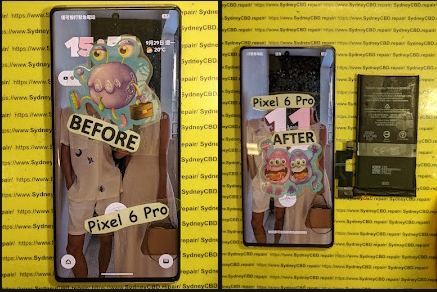
Is Fixing A Smashed Screen Worth It Or Should You Upgrade?

Is Fixing A Smashed Screen Worth It Or Should You Upgrade? + 7 Powerful Money-Saving Secrets
Introduction
Have you ever dropped your smartphone, looked at the cracked display, and wondered whether it’s worth repairing or simply time to upgrade? A smashed screen can be frustrating, especially when your phone is still working perfectly apart from the damage. Before spending money on a brand-new device, it’s worth exploring your repair options and comparing the costs.
In this guide, Is Fixing a Smashed Screen Worth It or Should You Upgrade? we’ll reveal 7 powerful money-saving secrets to help you make the right decision. You’ll learn how screen repair costs compare with buying a new phone, why display quality matters, how to identify hidden damage, and when upgrading makes more financial sense. We’ll also explain the benefits of choosing professional repairs and reliable replacement parts.
Whether you own an iPhone, Samsung Galaxy, Google Pixel, or another smartphone, understanding your options can help you avoid unnecessary expenses. With practical advice from the mobile repair industry, you’ll be better prepared to protect your budget, extend your phone’s lifespan, and choose the solution that offers the best value for money.
Now you’re facing a difficult question: Is fixing a smashed screen worth it or should you upgrade?
The answer depends on several factors, including the phone’s age, the cost of a replacement display, its overall condition, and whether it still meets your everyday needs. In many cases, repairing your existing phone is cheaper and more convenient than purchasing a new device. However, upgrading may make more sense when your phone has multiple serious problems or no longer receives important software updates.
The good news is that you don’t need to make this decision blindly. By understanding your options, you can protect your budget, avoid unnecessary spending, and get the best value from your smartphone.
In this comprehensive guide, we’ll explore seven money-saving secrets, compare repair and upgrade costs, explain the risks of damaged screens, and help you decide which option makes the most sense.

1. Understanding What a Smashed Smartphone Screen Really Means
Not every cracked smartphone screen needs the same repair. A phone may have a few harmless-looking surface cracks, while another may suffer severe display damage that affects touch controls and internal components.
Understanding the difference is the first step toward making the right decision.
Glass Damage vs Display Damage
Most modern smartphones use several layers to create a working screen. These may include protective glass, touch-sensitive components, adhesive layers, and an LCD or OLED display panel.
A fall can damage one or several of these layers.
Glass-only damage occurs when the outer glass cracks but the image remains clear and the touchscreen works normally. Depending on the phone’s construction and the repair provider’s capabilities, glass-only refurbishment may be possible.
Display panel damage occurs when the LCD or OLED panel beneath the glass is damaged. You might notice black patches, coloured lines, flickering, distorted images, or a completely black display.
Touchscreen damage happens when touch input becomes unreliable. Some areas may stop responding, or the phone may register touches you didn’t make.
These problems can overlap. A phone with a badly cracked screen may still display images correctly, while a device with only a small visible crack could have significant internal display damage.
Common Signs Your Screen Needs Professional Attention
Look for these warning signs:
-
Black spots or spreading dark patches.
-
Green, pink, white, or purple lines.
-
Flickering or flashing brightness.
-
Touchscreen areas that no longer respond.
-
Ghost touches that open apps or type without your input.
-
A display that remains black while the phone still vibrates.
-
Sharp glass fragments that could injure your fingers.
-
A screen separating from the frame.
If the screen is lifting because the battery may be swollen, stop using and charging the phone. Don’t press the display back into place. A swollen lithium-ion battery can be dangerous and needs professional assessment.
Can You Continue Using a Cracked Phone?
Sometimes, but it’s not always wise.
Small cracks may not immediately affect the display. However, damaged glass can weaken the screen’s structure and allow moisture or dust to enter more easily. A later impact may also turn a minor crack into a much larger failure.
A cracked screen can interfere with everyday tasks, from answering messages to using banking apps. If the display becomes unreliable, accessing important information may become difficult.
Expert tip: Back up your photos, contacts, messages, and other important files as soon as possible. If the display is unstable, avoid unnecessary handling and arrange an assessment.
2. Is Fixing a Smashed Screen Worth It or Should You Upgrade?
The decision isn’t simply about whether a repair is possible. It’s about whether repairing the phone provides better value than replacing it.
A relatively recent smartphone with a healthy battery and reliable performance is often a strong repair candidate. An older device with several failing components may be a better candidate for replacement.
When Screen Repair Is Usually Worth It
Repair is often the sensible choice when:
-
Your phone is relatively new.
-
The battery still lasts through most of your day.
-
The processor and storage meet your needs.
-
The camera, charging port, and speakers work properly.
-
The phone receives security updates.
-
A quality screen replacement costs much less than buying an equivalent phone.
-
You want to preserve your apps, settings, and familiar workflow.
For example, imagine you own a two-year-old premium smartphone. Its display is smashed, but the camera, battery, and internal components work well.
If a reliable screen replacement costs $300 and a comparable replacement phone costs $1,000, repairing the device could save you a substantial amount.
The exact savings depend on the quoted repair price, the replacement phone you choose, and any additional expenses.
When Upgrading May Be the Better Choice
Upgrading becomes more attractive when your phone has several problems at once.
Consider replacement if:
-
The battery needs replacement as well as the screen.
-
The charging port or motherboard has serious damage.
-
The phone frequently crashes or overheats.
-
Storage is consistently insufficient.
-
Security updates have ended and no supported alternative is available.
-
The repair cost approaches the cost of a suitable replacement device.
-
Essential apps no longer support your operating system.
An old phone with a broken display, weak battery, and damaged charging port may require several repairs. Paying for each component separately could be poor value.
However, don’t assume an old phone is automatically beyond repair. Some older premium devices remain fast and useful for years.
The Three Questions That Matter Most
Before choosing, ask yourself:
-
How much will the repair cost? Get a clear quote that identifies the screen type, parts, labour, and warranty.
-
How long will the phone remain useful? Consider performance, battery health, software support, and your needs.
-
What would replacing it really cost? Compare equivalent devices, not just the newest flagship.
The cheapest immediate option isn’t always the cheapest long-term option. A reliable repair that gives you another two years of use may be better value than replacing a perfectly capable phone.
3. Money-Saving Secret #1: Compare the Total Cost, Not Just the Repair Quote

The first money-saving secret is simple: compare the full cost of repairing your current phone with the full cost of replacing it.
Don’t base your decision on the screen repair price alone.
Calculate the Real Cost of Repair
Your repair budget may include:
-
Screen replacement.
-
Additional repairs for hidden damage.
-
Battery replacement, if necessary.
-
Post-repair testing.
-
Shipping or collection fees.
-
Any accessories required after repair.
A trustworthy technician should explain which items are necessary and which are optional.
Compare Repair and Upgrade Costs
The following figures are illustrative examples, not current market quotations.
| Expense | Repair Existing Phone | Buy Replacement Phone |
|---|---|---|
| Screen repair or device purchase | $300 | $1,000 |
| Additional battery expense | $0 | $0 |
| Accessories | $0 | $50 |
| Data transfer or setup | $0 | $0 |
| Total estimated cost | $300 | $1,050 |
In this example, repairing the phone saves $750 compared with purchasing the replacement.
Now imagine the repair costs $650 because the display and battery both need attention. If the replacement device costs $800, upgrading may be more attractive, especially if the current phone has other problems.
The numbers change from one device to another, so always obtain an actual quote.
Use the Cost-per-Month Method
Another useful approach is to estimate how long you’ll continue using the phone after repair.
Suppose a repair costs $300 and you expect the device to remain useful for another 18 months.
The repair cost works out to approximately $16.67 per month.
If you buy a $1,000 phone and use it for 36 months, the purchase price works out to approximately $27.78 per month, before considering resale value or other expenses.
This method isn’t a perfect financial comparison, but it helps you think beyond the initial payment.
Don’t Forget Resale Value
A repaired phone may be easier to sell than one with a smashed display. However, the repair cost doesn’t always translate into an equal increase in resale value.
Before paying for a premium screen, check the phone’s likely resale price and the cost of comparable used devices.
The key lesson: Choose the option that provides the best combination of reliability, useful lifespan, and total cost.
4. Money-Saving Secret #2: Check the Phone’s Overall Condition Before Spending Money
A screen replacement won’t fix every smartphone problem. That’s why an assessment of the entire device matters.
Check the Battery
Battery condition can make a big difference to your decision.
Warning signs of a worn battery include:
-
Rapid battery drain.
-
Unexpected shutdowns.
-
Slow charging.
-
Poor performance under heavy use.
-
Excessive heat during normal tasks.
If your phone has a healthy battery, replacing the display may restore its usefulness at a reasonable cost.
If the battery is near the end of its life, ask for a combined quote. This lets you compare the total repair cost against the price of a replacement phone.
Never ignore a swollen battery. It requires safe handling, not ordinary screen repair alone.
Test the Camera, Speakers, and Charging Port
Before approving a repair, tell the technician about any existing problems.
Check the following if the phone is safe to operate:
-
Front and rear cameras.
-
Microphones and speakers.
-
Charging and data connections.
-
Wi-Fi and mobile connectivity.
-
Physical buttons.
-
Fingerprint recognition or other biometric functions.
Some damage from a drop may affect components beyond the display.
For example, a hard impact could damage the screen and loosen an internal connector. Replacing the display without identifying the second problem could leave you with a phone that still doesn’t work properly.
Consider Water or Liquid Exposure
A smashed screen can leave a device more vulnerable to moisture, but a cracked display doesn’t automatically mean water has entered.
If the phone has also been exposed to rain, seawater, or another liquid, explain this during the assessment.
Liquid damage can affect connectors, circuits, and sensors. Symptoms may appear hours or days later.
Don’t charge a wet phone or use a hairdryer to speed up drying. Seek appropriate professional advice, especially if the device heats up or behaves unusually.
Make an Informed Decision
A technician’s assessment should help you understand the phone’s overall condition rather than focusing only on the visible crack.
If the rest of the device is healthy, repair may be worthwhile. If several costly components are failing, upgrading could be the smarter investment.
5. Money-Saving Secret #3: Understand OLED, AMOLED, and LCD Screen Options
One reason smartphone screen repairs vary so much in price is that not all displays are made the same way.
Your replacement screen affects image quality, touch performance, brightness, power consumption, and sometimes biometric features.
What Is an LCD Screen?
LCD stands for liquid crystal display.
LCD panels use a backlight to illuminate the screen. They’re common in many budget and older smartphones.
Advantages may include:
-
Affordable replacement options.
-
Good performance for everyday tasks.
-
Reliable image quality when a suitable panel is installed.
However, an LCD replacement won’t necessarily match the performance of an OLED screen if your phone was designed for OLED technology.
What Is OLED or AMOLED?
OLED screens use pixels that produce their own light. AMOLED is a type of active-matrix OLED technology widely used in modern smartphones.
Depending on the device, OLED displays can offer:
-
Deep blacks.
-
High contrast.
-
Rich colours.
-
Fast response times.
-
Potential power savings when displaying darker content.
Premium OLED assemblies may cost more than basic LCD panels because of their construction and specifications.
Foldable phones and flagship devices can be especially expensive to repair because their displays are more complex.
Compare Screen Types Before Approving a Repair
| Feature | LCD | OLED/AMOLED |
|---|---|---|
| Backlight | Uses a backlight | Pixels produce their own light |
| Black levels | Usually less deep | Can produce true black |
| Contrast | Depends on panel quality | Often very high |
| Repair cost | Often lower | Can be higher |
| Typical applications | Budget and some older phones | Many modern and premium phones |
| Compatibility | Device-dependent | Device-dependent |
This is a general comparison. Actual performance depends on the panel and phone design.
Why a Cheap Replacement Can Become Expensive
A very inexpensive replacement screen may appear attractive. However, a poor-quality panel can introduce new problems, such as weak brightness, inaccurate colours, touch delays, uneven illumination, or higher power consumption.
Compatibility also matters. Certain devices use display-linked fingerprint readers, proximity sensors, or other components that require careful installation and testing.
Ask your repair provider to explain the replacement part’s specifications and whether it matches the original display technology.
The goal isn’t necessarily to buy the most expensive screen. It’s to choose a reliable, compatible component that meets your expectations.
6. Money-Saving Secret #4: Check Software Support and Long-Term Performance
A phone can have a beautiful new screen and still be a poor long-term investment if it no longer receives security updates or struggles with everyday tasks.
Software support is an important part of the repair-versus-upgrade decision.
Why Security Updates Matter
Security updates help address vulnerabilities that could put your data at risk.
If your phone has reached the end of its supported software lifecycle, check whether the manufacturer offers further updates for that particular model and region.
You can consult the official support pages for your device manufacturer:
Support periods differ by model, launch date, region, and software version. Don’t assume every phone from the same brand receives updates for the same length of time.
Is Your Phone Still Fast Enough?
Think about how you use your phone every day.
Do you mainly browse websites, send messages, use maps, and take photographs? An older phone may still handle these tasks comfortably.
Do you use demanding games, professional camera features, advanced editing tools, or large work applications? A newer phone might offer meaningful benefits.
Also consider storage. A device with limited storage may become frustrating even after a successful screen repair.
Compare the Benefits of Upgrading
A newer phone may offer:
-
A faster processor.
-
Better cameras.
-
Longer remaining software support.
-
Improved battery efficiency.
-
A brighter or more efficient display.
-
New connectivity features.
But these improvements aren’t equally valuable to everyone.
If your current device already meets your needs, paying for a new phone just because the screen broke may not be the best use of your money.
Smart approach: Repair a capable, supported device. Consider upgrading when the damaged screen is only one part of a broader decline in performance or usefulness.
7. Money-Saving Secret #5: Choose Quality Replacement Parts and a Reliable Technician
The quality of the replacement screen and the skill of the technician can determine whether your repair is a good investment.
A low quote may look appealing, but it’s important to understand what’s included.
Genuine, Original, Compatible, and Aftermarket Parts
Repair businesses may describe screens using terms such as genuine, original, refurbished, compatible, or aftermarket.
These labels aren’t always used consistently. Ask the provider to explain the exact part being supplied.
A genuine service part, a refurbished original assembly, and a third-party replacement are not necessarily equivalent.
Likewise, a high-quality aftermarket display may perform better than a low-quality alternative. The label alone doesn’t tell the entire story.
Questions to Ask Before Repair
Use these questions to compare repair providers:
-
What type and specification of display will be installed?
-
Is the part genuine, refurbished, or third-party?
-
Does the quote include labour and testing?
-
Is there a written repair warranty?
-
Will touch response, brightness, and display functions be tested?
-
Will fingerprint recognition or other relevant sensors be checked?
-
Could the repair affect water resistance?
-
What happens if the replacement screen develops a fault?
A professional provider should be willing to explain the repair clearly.
Why Installation Quality Matters
Modern smartphones often contain delicate flex cables, compact connectors, adhesive seals, and tightly fitted components.
Poor installation can damage these parts or leave the device vulnerable to dust and moisture.
A skilled technician should follow a suitable procedure for the specific model, protect internal components, and test the device after assembly.
For phones with advanced biometric features, additional checks or calibration may be necessary, depending on the model and replacement part.
Understand the Warranty
Ask what the warranty covers and what it excludes.
For example, a repair warranty may cover faults in the supplied screen but exclude new impact damage or liquid exposure. The exact terms depend on the provider.
Get the terms in writing before proceeding.
A good repair isn’t just about fitting a new display. It’s about restoring the phone’s functionality as reliably as possible.
8. Money-Saving Secret #6: Don’t Delay a Necessary Repair
Putting off a screen repair can seem like an easy way to save money. However, continuing to use a damaged phone may increase the inconvenience and risk.
Cracks Can Spread
A screen may remain usable after a minor impact, but further pressure or another drop can extend the cracks.
A display that initially works normally may develop black spots, lines, flickering, or touch problems later.
Although not every crack becomes worse, it’s wise to avoid bending, squeezing, or putting heavy objects on a damaged phone.
Broken Glass Can Cause Injuries
Sharp glass edges can cut your fingers or catch on clothing.
If you use a temporary screen protector, ensure it doesn’t put pressure on a damaged display or conceal a dangerous condition. A protector is not a substitute for repairing a badly broken screen.
Moisture Protection May Be Compromised
Many phones are designed with water-resistance features, but a damaged display or frame can affect their protective seals.
Even after a professional repair, water resistance should not be assumed unless the repair process and device testing support that claim.
Avoid exposing a cracked phone to water, steam, or high humidity.
Protect Your Data
If the screen still works, back up your data before the damage gets worse.
If touch input is unreliable, a technician may be able to advise on safe ways to access or preserve your information. Options depend on the phone model, security settings, and extent of the damage.
Don’t share your password unnecessarily. Use secure methods to protect sensitive information during service.
When to Stop Using the Phone
Stop using the device and seek professional assistance if you notice:
-
A swollen battery.
-
Unusual heat.
-
Smoke, a chemical smell, or hissing.
-
A screen lifting away from the frame.
-
Signs of liquid entering the phone.
If a battery appears damaged, don’t puncture, compress, or attempt to remove it yourself.
Timely repair can reduce inconvenience and help prevent a minor problem from becoming a more complicated one.
9. Money-Saving Secret #7: Consider Resale Value and the Environmental Impact
A smashed screen can affect more than your daily phone use. It can also affect resale value, trade-in offers, and the environmental cost of replacing a device.
Will Repairing Your Phone Increase Its Resale Value?
A phone with a cracked display may receive a lower trade-in offer or be harder to sell privately.
Repairing it can improve its appearance and functionality. However, you shouldn’t assume the repair cost will be recovered in full when you sell it.
Before paying for a repair, compare:
-
The estimated resale value with the broken screen.
-
The estimated resale value after repair.
-
The cost of the screen replacement.
-
The trade-in value of a newer phone.
-
Any fees or conditions attached to the trade-in.
If a repair costs $350 but increases the likely selling price by only $200, repairing solely to sell the phone may not make financial sense.
On the other hand, if you intend to use the phone for another two years, the value comes from continued use rather than resale alone.
Repairing Can Reduce Electronic Waste
Smartphones contain valuable materials and complex components. Replacing a device unnecessarily can contribute to electronic waste.
Repairing a phone that remains useful can extend its lifespan and delay the need for a replacement.
The environmental benefit depends on several factors, including the parts required, the repair process, and how long you continue using the device.
If you eventually replace the phone, consider an appropriate electronics recycling program rather than placing it in ordinary household rubbish.
A Practical Sustainability Decision
Repair may be a good option when:
-
The phone is otherwise reliable.
-
Suitable replacement parts are available.
-
The repair can restore normal operation.
-
You expect to keep using the device.
Replacement may be more appropriate when the phone is unsafe, extensively damaged, or no longer suitable for your needs.
The aim is to avoid unnecessary waste without sacrificing safety, reliability, or value.
10. What Determines the Cost of a Smartphone Screen Repair?
Screen repair prices vary considerably. The model, display technology, availability of parts, and complexity of installation all affect the final quote.
Factors That Affect the Price
| Factor | Why It Matters |
|---|---|
| Phone model | Premium and newer models may have expensive displays |
| Display technology | OLED and specialised panels can cost more |
| Screen assembly | Some repairs require replacing a complete assembly |
| Frame damage | A bent or damaged frame may require additional work |
| Additional faults | Cameras, connectors, or other components may be affected |
| Part availability | Limited supply can increase cost or waiting time |
| Labour | Complex devices may require more time and skill |
| Warranty and testing | The quote may include additional quality checks |
Foldable phones deserve particular attention. Their inner displays, hinges, and flexible components can make repairs more complicated than those of conventional smartphones.
Ask for an Itemised Quote
An itemised quote helps you understand exactly what you’re paying for.
It should identify the screen replacement, labour, additional parts, and any relevant warranty conditions.
Ask whether the technician has inspected the phone or whether the quote is only an estimate based on the symptoms you described.
If the repair reveals additional damage, the provider should explain the options before performing work that changes the agreed price.
Is a More Expensive Repair Always Better?
No. Price alone doesn’t guarantee quality.
Compare the part specifications, repair experience, warranty, testing procedure, and clarity of communication.
A slightly higher quote may provide better value if it includes a suitable display, careful installation, and reliable after-service support. However, you should still understand what makes the offer different.
The best option is the one that meets your needs at a fair, clearly explained price.
11. DIY Screen Repair vs Professional Repair
Some people enjoy repairing electronics themselves. Others prefer to have a trained technician handle delicate components.
Both approaches have advantages, but the right choice depends on your experience, tools, and phone model.
Advantages of DIY Repair
DIY repair may appeal to people who:
-
Have electronics repair experience.
-
Own the appropriate tools.
-
Can obtain a compatible replacement screen.
-
Understand the risks of handling batteries and fragile components.
-
Are comfortable following model-specific repair instructions.
It may reduce labour costs, but the total expense can still include specialised tools, replacement adhesive, parts, and the risk of mistakes.
Risks of DIY Screen Replacement
Modern phones can be difficult to open without damaging the frame, display cables, battery, or other components.
Potential problems include:
-
Torn flex cables.
-
Damaged connectors.
-
Punctured batteries.
-
Poor adhesive installation.
-
Dust trapped beneath the screen.
-
Faulty fingerprint or sensor functions.
-
Lost water-resistance protection.
-
A replacement panel that doesn’t fit or work correctly.
A cheap part and an online tutorial don’t guarantee a successful repair.
Why Professional Repair Can Be Worthwhile
Professional technicians have experience with model-specific procedures and may have access to specialised tools and suitable parts.
They can also inspect the phone for related damage and test important functions after installation.
This can be especially helpful for premium devices, foldable phones, and models with complex biometric systems.
Which Option Should You Choose?
| Consideration | DIY Repair | Professional Repair |
|---|---|---|
| Labour expense | May be lower | Included in the quote |
| Tool requirements | Must be sourced or owned | Supplied by the technician |
| Technical experience | Essential for complex repairs | Technician provides expertise |
| Risk of accidental damage | Depends on skill and preparation | Reduced with competent service |
| Warranty | Depends on parts and supplier | May include a repair warranty |
| Convenience | Requires your time | Often more convenient |
If you have limited repair experience, a professional assessment is generally the safer starting point.
12. Warning Signs That a Smashed Screen Has Caused Internal Damage
Sometimes, the broken screen is only the most visible part of the problem.
A strong impact can affect the frame, connectors, cameras, battery, or motherboard. Knowing the warning signs can help you avoid spending money on a repair that won’t fully restore your phone.
The Phone Vibrates but the Screen Is Black
This may indicate a damaged display, a loose connection, or another hardware fault.
A black screen doesn’t automatically mean the motherboard has failed. A proper diagnosis is needed to identify the cause.
Coloured Lines or Flickering Appear
Green, pink, or white lines may indicate display panel damage.
If the lines appear after a drop, the display assembly may need replacement. However, a technician should also inspect the connectors and surrounding components when appropriate.
Touch Controls Work Only in Some Areas
Partial touch failure can make the phone difficult to use.
Avoid repeatedly pressing hard on the damaged area. Excess pressure may worsen the damage.
The Frame Is Bent
A bent frame can prevent a new screen from sitting correctly.
Forcing a replacement display into a distorted frame may create uneven pressure, poor adhesion, or further damage.
The frame should be inspected before the replacement screen is installed.
The Phone Becomes Hot or Restarts Unexpectedly
Heat and random restarts can have several causes, including battery issues, software faults, or internal damage.
If the phone becomes unusually hot after an impact, stop using it and seek assistance. Don’t continue charging a device that may have battery damage.
Why Diagnosis Matters
Replacing the screen without identifying related problems can lead to disappointment.
A proper assessment helps establish whether the display alone needs replacement or whether additional work is necessary. It also gives you a better basis for comparing repair costs with the price of a replacement phone.
13. The Environmental Benefits of Repairing Instead of Replacing
Smartphone production requires raw materials, manufacturing energy, transportation, and packaging.
Keeping a device in use for longer can help reduce the need to manufacture a replacement, particularly when the existing phone remains functional and supported.
Repair Helps Extend Product Life
A cracked screen doesn’t necessarily mean a phone has reached the end of its useful life.
If the processor, battery, cameras, and other components remain in good condition, replacing the display may allow you to continue using the device for years.
This can also delay the cost and inconvenience of setting up a new phone.
Recycle Responsibly When Repair Isn’t Practical
Sometimes, replacement really is the better choice.
If the phone has extensive internal damage or repair costs are unreasonable, look for an approved electronics recycling service or a manufacturer take-back program.
Before recycling or trading in a device, protect your personal information. Back up important files, sign out of accounts where appropriate, and follow the manufacturer’s instructions for securely erasing your data.
If the phone has a damaged or swollen battery, tell the recycling provider before handing it over and follow its safety instructions.
14. A Simple Checklist to Decide Whether to Repair or Upgrade
Still unsure? Use this practical checklist before making a decision.
Your repair decision checklist
Select each statement that applies to your phone.
The phone is still fast enough for my needs
Everyday apps and important features work well.
The battery is in good condition
There are no signs of swelling or serious battery problems.
The phone still receives security updates
The manufacturer continues to support this model.
The repair quote is reasonable
The full cost is comfortably below a suitable replacement option.
The rest of the phone works properly
Cameras, charging, audio, and connectivity are functioning.
The replacement screen is suitable
The provider explains the part, testing, and warranty.
0 of 6 conditions met
Investigate before committing. Check the battery, software support, other faults, and total repair cost before deciding.
This checklist is a guide, not a technical diagnosis. Safety concerns or extensive internal damage take priority.
How to Use the Results
If most statements apply, repair may be the most practical option.
If several statements don’t apply, compare the total repair cost with the price of a suitable replacement device.
You should also consider how much you value your existing phone. A familiar device with important data, preferred features, and a comfortable size may be worth keeping even if a newer model offers better specifications.
On the other hand, if the current phone no longer meets your needs, upgrading could provide better long-term value.
The final decision should balance cost, reliability, security, convenience, and expected lifespan.
15. Frequently Asked Questions About Smashed Screen Repair
1. Is fixing a smashed screen worth it?
Yes, in many cases. Repair is often worthwhile when the phone is relatively new, the battery is healthy, and the rest of the device works properly. Compare the repair quote with the cost of a suitable replacement before deciding.
2. How much should I spend repairing a broken phone screen?
There isn’t one price that applies to every phone. Costs depend on the model, display technology, part availability, labour, and additional damage. Obtain an itemised quote and compare it with the price of an equivalent replacement device.
3. Should I repair my screen or buy a new phone?
Repair the screen if the phone still performs well, receives security updates, and can be restored at a reasonable cost. Consider upgrading if the device has several expensive faults, poor battery health, or limited remaining software support.
4. Can I use my phone with a cracked screen?
Possibly, if the damage is minor and the device remains safe and functional. However, cracks may spread, sharp glass can cause injuries, and moisture protection may be compromised. Back up your data and arrange a repair if the damage affects safe or reliable use.
5. Is a cheap aftermarket screen worth buying?
It depends on the screen’s quality, compatibility, and performance. A low-cost panel may offer poor brightness, colour accuracy, or touch response. Ask about the exact part, its specifications, and the repair warranty rather than choosing based on price alone.
6. Will replacing my screen erase my data?
A standard screen replacement doesn’t usually require erasing the phone’s data, but no repair process is entirely risk-free. Back up your information before service whenever possible. Ask the provider whether any reset or software procedure is expected.
7. Does a screen replacement restore water resistance?
Not automatically. A replacement may involve new adhesive and seals, but the result depends on the phone, repair procedure, and testing. Don’t assume the device has regained its original water resistance unless this has been appropriately verified.
8. Is it better to repair an old iPhone or Samsung phone?
The brand alone doesn’t determine the answer. Consider the specific model, screen cost, battery health, software support, and remaining performance. An older flagship can still be worth repairing, while a heavily damaged device nearing the end of its supported life may be better replaced.
9. Can a smashed screen damage other phone components?
Yes. A hard impact can affect the frame, display connectors, cameras, battery, or other internal components. A technician should inspect the phone if it has additional symptoms, such as overheating, unexpected restarts, or charging problems.
10. How long does a smartphone screen replacement take?
Some repairs can be completed on the same day, while others require additional time for part availability, complex disassembly, testing, or related damage. Foldable devices and phones with specialised components may take longer. Ask the repair provider for an estimate based on your model.
11. Should I repair my phone before selling it?
Not always. Compare the repair cost with the likely increase in resale or trade-in value. If the repair costs more than the value it adds, selling the phone as damaged or trading it in under the applicable conditions may make more financial sense.
12. What should I do immediately after smashing my phone screen?
Check for battery swelling, unusual heat, and other safety concerns. If the phone appears safe to use, back up your data and avoid putting pressure on the damaged screen. If the battery may be damaged, the phone is unusually hot, or liquid has entered the device, stop using it and seek professional assistance.
Conclusion: Make the Smart Choice for Your Phone and Your Budget

So, is fixing a smashed screen worth it or should you upgrade?
For many smartphone owners, repairing the existing device is a practical way to save money and extend its useful life. If the phone is fast enough, has a healthy battery, receives security updates, and works properly apart from the display, a quality screen replacement may be the smartest option.
However, upgrading can make more sense when the phone has several failing components, serious internal damage, poor performance, or limited remaining software support.
Before making your decision, compare the total repair cost with the price of a suitable replacement. Ask about the display quality, installation procedure, warranty, and any additional faults that may affect the final bill.
Most importantly, don’t choose based on price alone. A reliable repair can offer excellent value, while an unsuitable replacement screen may create more problems than it solves.
If you’re in Sydney and your phone has a smashed display, Sydney CBD Repair Centre can help you explore your repair options. Professional assessment, suitable replacement parts, and careful testing can help you decide whether restoring your current device is the right move.
A broken screen doesn’t automatically mean it’s time for a new phone. Get the facts, compare your options, and make a decision that works for your budget.
David from Sydney CBD Repair Centre – The Best place to fix mobile phones as 7 Years In A Row! Top Mobile Phone Repair In Sydney. More than 2000 Positive Reviews on Google and Same Day Repairs.
We take pride in delivering exceptional repair services for all major phone brands including Apple, Samsung, Google, and more. Our expert technicians use only genuine parts and offer 90days warranty on repairs. Located in the heart of Sydney CBD, we’re your one-stop solution for all mobile device repairs.
Our commitment to excellence has earned us the trust of thousands of satisfied customers. Whether it’s a cracked screen, battery replacement, or water damage repair, we handle it all with professional care and expertise. Walk in today and experience why we’re Sydney’s #1 choice for mobile phone repairs.
Visit us for:
-
✓ Same Day Express Repairs
-
✓ Genuine Parts Guarantee
-
✓ Professional Technicians
-
✓ Competitive Pricing
-
✓ 2000+ 5-Star Google Reviews
-
✓ 7-Time Award Winner for Best Phone Repairs
Sydney CBD Repair Centre – Where Quality Meets Reliability.
Call: +61280114119
Website: https://SydneyCBD.repair/locate-us