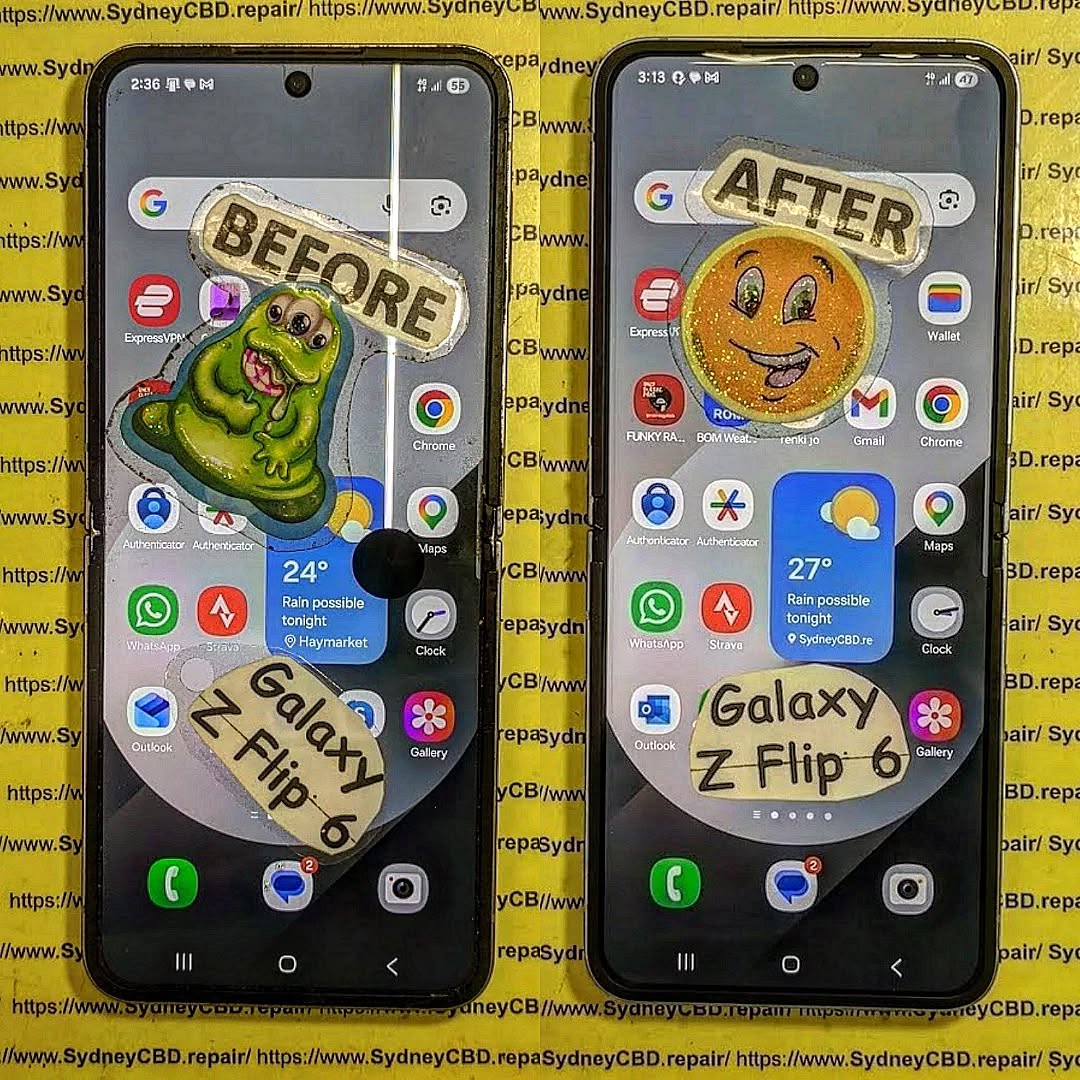
Emergency Data Recovery: Bypassing A Dead Samsung Galaxy Z Flip 6 Screen for Files + Power Word + 7 Proven Methods
Introduction: Why Emergency Data Recovery Matters
When your phone suddenly stops showing anything, panic sets in fast—especially if it’s a premium foldable device like the Z Flip 6. In many cases, users urgently search for Emergency Data Recovery Bypassing a Dead Z Flip 6 Screen For Files because photos, contacts, and business documents are locked inside an unresponsive device.
The good news? Even if the screen is black, your data is often still intact. You just need the right approach. This guide breaks down practical, safe, and proven ways to recover your files without damaging your device further.
A dead screen doesn’t always mean a dead phone. In most cases, the system is still running in the background. That’s why Emergency Data Recovery Bypassing a Dead Z Flip 6 Screen For Files is possible using external tools, cloud access, or hardware connections.
Why Z Flip 6 Screens Fail
Common reasons include:
Internal flex cable damage (common in foldables)
Software crash after update
Physical impact or drops
Battery or motherboard issues
Even if the display fails, storage usually remains untouched.
Hardware vs Software Failure
Understanding the difference helps:
Hardware failure: Screen is dead but phone works
Software failure: Phone may freeze or reboot loop
This distinction is key in Emergency Data Recovery Bypassing a Dead Z Flip 6 Screen For Files situations.
This makes Emergency Data Recovery Bypassing a Dead Z Flip 6 Screen For Files much easier.
Method 3: OTG Mouse Screen Bypass
If display is black but touch system works:
Process
Plug OTG adapter
Connect mouse
Navigate blindly or via faint display
Why It Works
Android still responds to input even if display fails.
A clever trick in Emergency Data Recovery Bypassing a Dead Z Flip 6 Screen For Files cases.
Method 4: Samsung DeX External Display Recovery
Setup Steps
Connect phone to monitor via USB-C HDMI adapter
Launch DeX mode
Access files visually
Benefits
Full desktop interface
Easy drag-and-drop file access
This is one of the most effective Emergency Data Recovery Bypassing a Dead Z Flip 6 Screen For Files methods.
Method 5: Google Account Cloud Recovery
If syncing was enabled:
What You Can Recover
Photos via Google Photos
Contacts via Google Contacts
Drive files
Steps
Log into Google account on another device
Access synced data
Cloud backup is a lifesaver in Emergency Data Recovery Bypassing a Dead Z Flip 6 Screen For Files situations.
Method 6: Advanced Recovery Software Tools
Some tools include:
Dr.Fone
iMobie PhoneRescue
Tenorshare UltData
What They Do
Scan internal storage
Recover deleted or locked files
Warning
Not all tools are safe or free.
Use carefully during Emergency Data Recovery Bypassing a Dead Z Flip 6 Screen For Files attempts.
Method 7: Professional Repair & Data Recovery Services
Sometimes DIY fails.
When to Go Pro
Device not detected by PC
Motherboard issues suspected
Critical business data missing
Professionals use chip-level recovery.
This is the most reliable form of Emergency Data Recovery Bypassing a Dead Z Flip 6 Screen For Files.
Preventing Future Data Loss
Smart Backup Habits
Enable Google Drive backup
Use Samsung Cloud
Regular PC backups
Device Maintenance
Avoid pressure on foldable hinge
Use protective case
Keep firmware updated
Prevention reduces the need for Emergency Data Recovery Bypassing a Dead Z Flip 6 Screen For Files later.
Frequently Asked Questions (FAQs)
1. Can I recover data from a Z Flip 6 with a dead screen?
Yes, most Emergency Data Recovery Bypassing a Dead Z Flip 6 Screen For Files methods work if the phone still powers on.
2. Will a factory reset fix the screen?
No, and it may erase your data permanently.
3. Is Samsung Smart Switch safe?
Yes, it is the official recovery tool.
4. Can I use USB debugging without screen access?
Only if it was enabled beforehand.
5. What if the phone is not detected by PC?
Try DeX mode or professional recovery services.
6. How much does professional recovery cost?
It varies, but often depends on hardware damage severity.
Conclusion
Dealing with a broken display can feel like a disaster, but Emergency Data Recovery Bypassing a Dead Z Flip 6 Screen For Files is often achievable with the right steps. Whether you use USB transfer, Smart Switch, DeX, or professional help, your data is rarely gone—it’s just locked behind a screen barrier.
The key takeaway is simple: act carefully, avoid risky resets, and use structured recovery methods. With patience, most users successfully recover their files without permanent loss.
David from Sydney CBD Repair Centre – The Best place to fix mobile phones as 7 Years In A Row! Top Mobile Phone Repair In Sydney. More than 2000 Positive Reviews on Google and Same Day Repairs.
We take pride in delivering exceptional repair services for all major phone brands including Apple, Samsung, Google, and more. Our expert technicians use only genuine parts and offer 90days warranty on repairs. Located in the heart of Sydney CBD, we’re your one-stop solution for all mobile device repairs.
Our commitment to excellence has earned us the trust of thousands of satisfied customers. Whether it’s a cracked screen, battery replacement, or water damage repair, we handle it all with professional care and expertise. Walk in today and experience why we’re Sydney’s #1 choice for mobile phone repairs.
Visit us for:
✓ Same Day Express Repairs
✓ Genuine Parts Guarantee
✓ Professional Technicians
✓ Competitive Pricing
✓ 2000+ 5-Star Google Reviews
✓ 7-Time Award Winner for Best Phone Repairs
DON’T PANIC! Samsung Galaxy S26 Ultra Internal Liquid Damage Repair and Recovery – Ultimate Guide with 12 Expert Recovery Tips
Introduction
If your Samsung Galaxy S26 Ultra has been exposed to water, don’t panic. Modern flagship phones offer impressive water resistance, but no device is completely waterproof. Internal liquid damage can affect components long after the phone appears to work normally.
This guide explains how liquid damage occurs, how professionals diagnose hidden issues, what repairs may be necessary, and how to maximize the chances of successful recovery.
The Samsung Galaxy S26 Ultra Internal Liquid Damage Repair and Recovery process begins with understanding one important fact: water damage isn’t always immediate. A phone may continue working for hours or even days before hidden corrosion starts affecting critical components.
Samsung has equipped its flagship Ultra devices with advanced engineering, premium sealing, and water-resistant construction. These features provide protection against accidental splashes and temporary immersion. However, seals naturally wear over time, and impacts or previous repairs can reduce their effectiveness.
Even a small amount of moisture entering the device can create significant problems. Tiny water droplets may reach delicate electronic circuits, connectors, cameras, speakers, or the charging port. As corrosion develops, electrical resistance increases, leading to intermittent failures.
Fortunately, professional repair techniques have advanced considerably. Skilled technicians now use sophisticated diagnostic equipment, ultrasonic cleaning systems, precision microscopes, and microsoldering tools to recover many devices that would once have been considered beyond repair.
Understanding the repair process helps owners make informed decisions while avoiding costly mistakes.
The Samsung Galaxy S26 Ultra Internal Liquid Damage Repair and Recovery journey truly begins once moisture reaches internal circuitry.
Many users think water itself destroys electronics instantly.
Actually, corrosion is usually the biggest enemy.
Stage One: Water Entry
Moisture can enter through:
Damaged display adhesive
Broken back glass
Cracked frame
Speaker mesh
Charging port
SIM tray
Camera openings
Even tiny droplets may reach sensitive components.
Stage Two: Electrical Short Circuits
Once moisture bridges electrical pathways, current begins flowing where it shouldn’t.
Possible consequences include:
Component
Potential Problem
Battery
Short circuit
Charging IC
Charging failure
Display connector
Black screen
Cameras
Autofocus problems
Motherboard
Random restarts
Speakers
Distorted audio
USB Port
Charging errors
Sometimes the phone shuts off immediately.
Sometimes nothing happens for several hours.
Stage Three: Corrosion Begins
Corrosion starts surprisingly fast.
Minerals dissolved in water react with exposed metals inside the phone.
This creates:
Oxidation
Rust-like deposits
Broken solder joints
Increased electrical resistance
Connector contamination
Even clean tap water contains minerals capable of causing long-term damage.
Salt water is even worse because it dramatically speeds up corrosion.
Stage Four: Progressive Failure
Days or weeks later, new symptoms begin appearing.
Examples include:
Random freezes
Battery drain
Camera failures
Green screen
Touchscreen issues
Boot loops
Overheating
No network signal
Many owners mistakenly believe these issues are unrelated to their earlier water accident.
Professional inspection often reveals corrosion hidden beneath motherboard shields.
Common Types of Liquid Damage
Not all liquids affect smartphones in the same way.
Understanding the source of contamination helps technicians determine the most effective repair strategy.
Fresh Water Exposure
Fresh water is generally the least destructive type of liquid damage.
Examples include:
Rain
Drinking water
Filtered water
Sink water
Even so, dissolved minerals can still create corrosion if the phone is not cleaned promptly.
Salt Water Exposure
Salt water is significantly more aggressive.
It accelerates corrosion and leaves conductive residue behind, increasing the risk of electrical shorts even after the device dries.
Phones exposed to ocean water require urgent professional cleaning to improve the chances of recovery.
Sugary Drinks
Soft drinks, juice, coffee with sugar, and energy drinks introduce sticky residue that can interfere with buttons, ports, speakers, and connectors.
Cleaning these contaminants often requires complete disassembly and specialized equipment.
Warning Signs of Hidden Internal Liquid Damage
One of the biggest mistakes people make is assuming their phone is safe simply because it still turns on. Hidden corrosion can take hours, days, or even weeks to develop into noticeable problems.
Recognizing the early warning signs can help you seek professional Samsung Galaxy S26 Ultra Internal Liquid Damage Repair and Recovery before the damage becomes irreversible.
Display Problems
The display is one of the first components to show signs of liquid damage.
Watch for symptoms such as:
Flickering screen
Green or purple lines
Black spots
Ghost touches
Touchscreen lag
Random brightness changes
Complete display failure
These issues often occur when moisture reaches the display connector or damages the OLED panel.
Charging Issues
Charging problems are another common symptom.
You may notice:
Slow charging
Charging stops unexpectedly
Moisture detection warning
Phone refuses to charge
Overheating while charging
USB connection repeatedly disconnects
Sometimes only the charging port requires replacement. In other cases, the charging IC on the motherboard may also be affected.
Audio Problems
Water entering the speaker chambers can cause:
Distorted sound
Crackling
Low speaker volume
Microphone failure
Earpiece not working
Echo during calls
Professional cleaning often restores audio quality if corrosion has not progressed too far.
Camera Problems
Modern flagship smartphones contain several sophisticated camera modules.
Liquid damage may result in:
Foggy camera lens
Autofocus failure
Camera app crashes
Blurry photos
Black camera preview
Optical image stabilization errors
Moisture trapped inside the camera housing may also leave permanent stains on internal lenses.
Battery Performance Changes
Corrosion around the power management system can affect battery performance.
Possible symptoms include:
Rapid battery drain
Unexpected shutdowns
Battery percentage jumping
Phone overheating
Device won’t power on
Charging percentage stuck
Because lithium-ion batteries are sensitive components, any signs of swelling or excessive heat require immediate professional inspection.
What You Should Do Immediately After Water Exposure
Fast action significantly improves the chances of successful recovery.
Here are the recommended steps.
Step 1: Turn the Phone Off
If the phone is still operating, switch it off immediately.
Electricity flowing through wet circuits dramatically increases the likelihood of permanent damage.
Step 2: Remove Accessories
Disconnect everything including:
USB cable
Earphones
SIM tray
Memory card (if applicable)
Phone case
This allows trapped moisture to evaporate more efficiently.
Step 3: Dry the Exterior
Use a clean microfiber cloth to remove visible moisture.
Avoid forcing water deeper into the phone.
Step 4: Keep the Phone Upright
Allow gravity to help moisture drain naturally.
Avoid shaking the device excessively.
Step 5: Visit a Professional Repair Centre
The sooner corrosion is removed, the greater the chance of saving expensive components.
Professional technicians can completely disassemble the phone and clean hidden moisture before oxidation spreads.
Things You Should NEVER Do
Many popular internet “fixes” actually make the situation worse.
Avoid these common mistakes.
Don’t Put the Phone in Rice
This is one of the oldest smartphone myths.
Rice cannot:
Remove corrosion
Clean motherboard residue
Extract trapped moisture beneath chips
Dry sealed components
It simply delays proper repair.
Don’t Use a Hair Dryer
Hot air may:
Damage display adhesive
Warp plastic components
Force moisture deeper inside
Overheat the battery
Controlled professional drying equipment is much safer.
Don’t Keep Charging the Device
If moisture remains inside, charging the phone increases the risk of:
Electrical shorts
Charging IC failure
Motherboard damage
Battery overheating
Wait until the phone has been professionally inspected.
Don’t Ignore Minor Symptoms
A phone that still works may already have corrosion forming beneath protective shields.
Early intervention usually costs less than waiting until multiple components fail.
Professional Diagnosis Process
Professional Samsung Galaxy S26 Ultra Internal Liquid Damage Repair and Recovery begins with a detailed inspection rather than replacing parts at random.
Experienced technicians follow a structured diagnostic process.
External Inspection
Technicians first examine:
Display condition
Rear glass
Camera lenses
Charging port
Speaker grills
SIM tray
Frame alignment
Physical damage often reveals where water entered.
Internal Inspection
After safely opening the phone, technicians inspect:
Moisture indicators
Motherboard
Flex cables
Battery
Camera connectors
Wireless charging coil
Display connectors
Special lighting and microscopes help reveal corrosion invisible to the naked eye.
Diagnostic Testing
Professional workshops use diagnostic equipment to measure:
Test
Purpose
Power Consumption Test
Detects motherboard faults
Battery Health Test
Identifies battery damage
Thermal Camera Inspection
Locates overheating components
Charging Analysis
Tests charging circuitry
Camera Testing
Verifies all camera modules
Network Testing
Confirms antenna functionality
Display Testing
Detects touch and OLED faults
These tests help determine whether cleaning alone is sufficient or whether component replacement is necessary.
Internal Components Most Vulnerable to Liquid Damage
Every smartphone contains dozens of delicate electronic systems. Some are more vulnerable than others.
Motherboard
The motherboard is the heart of the Galaxy S26 Ultra.
It contains:
Processor
Memory chips
Storage
Power management ICs
Charging IC
Audio IC
RF components
Even tiny amounts of corrosion can interrupt communication between these circuits.
Battery
Although modern batteries include multiple safety systems, water exposure can still create dangerous conditions.
Signs of battery damage include:
Swelling
Heat generation
Fast discharge
Failure to charge
If any of these symptoms appear, replacement is usually the safest option.
Display Assembly
OLED displays are highly sophisticated.
Liquid intrusion may affect:
Touch digitizer
OLED pixels
Display controller
Flex cable
Connector pins
In severe cases, replacing the complete display assembly becomes necessary.
Camera Modules
The Galaxy S26 Ultra features advanced camera hardware with precision moving parts.
Moisture can damage:
Autofocus motors
Optical stabilization
Lens coatings
Sensor electronics
Prompt cleaning may prevent permanent damage if performed before corrosion advances.
Charging Port
The USB-C charging port is frequently exposed to dust, moisture, and daily wear.
Water can cause:
Corroded pins
Loose connections
Charging interruptions
Data transfer failures
Fortunately, charging ports are often replaceable without replacing the entire motherboard.
Professional Samsung Galaxy S26 Ultra Internal Liquid Damage Repair and Recovery Process
Professional Samsung Galaxy S26 Ultra Internal Liquid Damage Repair and Recovery involves far more than simply drying the phone. Experienced technicians follow a systematic repair process to restore functionality while preventing future failures.
Step 1: Complete Device Disassembly
The repair begins by carefully opening the Galaxy S26 Ultra using professional tools designed to protect the display, rear glass, and internal components.
Once opened, technicians remove:
Rear glass
Wireless charging coil
NFC assembly
Battery
Cameras
Charging port assembly
Motherboard
Speaker modules
Flex cables
Each component is inspected individually for signs of corrosion or contamination.
Step 2: Ultrasonic Cleaning
One of the most effective methods for removing corrosion is ultrasonic cleaning.
The motherboard is submerged in a specialized cleaning solution while ultrasonic waves gently remove:
Mineral deposits
Oxidation
Salt residue
Sugary contaminants
Microscopic corrosion
This process reaches areas that conventional cleaning cannot access.
Step 3: Drying and Inspection
After cleaning, every component is thoroughly dried using controlled equipment.
Technicians then inspect the motherboard under high-powered microscopes to ensure all corrosion has been removed.
If damaged solder joints or burnt components are discovered, additional repairs may be required.
Step 4: Microsoldering Repairs
Some liquid-damaged phones require board-level repairs.
Microsoldering allows experienced technicians to replace damaged components such as:
Charging IC
Power Management IC (PMIC)
USB controller
Audio IC
Display connectors
Capacitors
Resistors
Filters
This highly specialized repair often saves a motherboard that would otherwise need complete replacement.
Step 5: Component Replacement
If certain parts cannot be recovered, they are replaced with quality components.
Common replacements include:
Component
Reason for Replacement
Display Assembly
OLED or touch failure
Battery
Swelling or reduced capacity
Charging Port
Corroded USB-C connector
Camera Module
Internal moisture damage
Loudspeaker
Distorted sound
Earpiece Speaker
Water contamination
Microphone
Audio failure
Rear Glass
Broken during impact
Replacing only the damaged components helps keep repair costs reasonable.
Step 6: Final Testing
Before returning the phone to the customer, technicians perform extensive testing.
Typical tests include:
Charging speed
Fast charging
Wireless charging
Touchscreen response
Fingerprint sensor
Camera performance
Wi-Fi
Bluetooth
GPS
Mobile network
Speakers
Microphones
Face recognition
Battery performance
Only after every major function has been verified is the repair considered complete.
Can Your Data Be Recovered?
One of the biggest concerns after water damage is losing valuable data.
Fortunately, successful Samsung Galaxy S26 Ultra Internal Liquid Damage Repair and Recovery often includes data recovery.
If the motherboard can be stabilized—even temporarily—technicians may be able to retrieve:
Photos
Videos
Contacts
Messages
Notes
Documents
Apps
Business files
The sooner professional repairs begin, the better the chances of recovering important memories and information.
Preventing Future Liquid Damage
Although accidents happen, a few simple habits can greatly reduce the risk of water damage.
Protect Your Phone
Use a quality protective case that helps absorb impacts and reduces the chance of cracked seals.
Avoid High-Risk Environments
Try to keep your phone away from:
Swimming pools
Beaches
Kitchens
Bathrooms
Hot tubs
Steam rooms
Heat and humidity can weaken water-resistant seals over time.
Replace Damaged Glass Promptly
Cracked screens and broken rear glass create openings where moisture can enter.
Repairing external damage quickly helps preserve the phone’s water resistance.
Back Up Your Data
Regular backups ensure that even if your phone cannot be repaired, your important information is still safe.
Samsung Cloud, Google Drive, or a local computer backup are all excellent options.
Professional Repair vs DIY Repair
Many online tutorials make smartphone repair look simple, but liquid damage is one of the most challenging problems to fix.
DIY Repair
Professional Repair
Limited tools
Professional equipment
No ultrasonic cleaner
Advanced cleaning systems
No microscope
Precision inspection
Risk of additional damage
Experienced technicians
No board-level repair
Microsoldering available
No warranty
Repair warranty provided
Lower success rate
Significantly higher success rate
For premium devices like the Galaxy S26 Ultra, professional repair usually offers the safest and most cost-effective solution.
For additional information about protecting your Samsung device, visit the official Samsung Support website: https://www.samsung.com/support/
Frequently Asked Questions
1. Can the Samsung Galaxy S26 Ultra survive water exposure?
Yes. The Galaxy S26 Ultra is designed with water-resistant features, but it is not completely waterproof. Damage can still occur if water enters through worn seals, cracks, or damaged ports.
2. How quickly should I seek professional repair?
Immediately. The sooner corrosion is removed, the better the chances of saving expensive internal components.
3. Does putting the phone in rice actually work?
No. Rice cannot remove corrosion or clean internal components. Professional cleaning remains the most effective solution.
4. Will all liquid-damaged phones need a new motherboard?
Not necessarily. Many motherboards can be recovered using ultrasonic cleaning and microsoldering if treatment begins early.
5. Is data recovery possible after liquid damage?
Yes. In many cases, technicians can recover photos, videos, contacts, and documents, provided the motherboard has not suffered catastrophic damage.
6. How can I reduce the risk of future water damage?
Use a protective case, repair cracked glass promptly, avoid unnecessary water exposure, and maintain regular backups of your important data.
Conclusion
Experiencing water damage can be stressful, but it doesn’t automatically mean your smartphone is beyond repair. Understanding the Samsung Galaxy S26 Ultra Internal Liquid Damage Repair and Recovery process empowers you to respond quickly and make informed decisions.
Modern repair techniques—including ultrasonic cleaning, advanced diagnostics, and microsoldering—have dramatically improved recovery rates for liquid-damaged smartphones. Acting promptly, avoiding common DIY mistakes, and trusting experienced professionals can make the difference between a successful repair and permanent device failure.
Remember, water damage is often progressive rather than immediate. Even if your Galaxy S26 Ultra appears to function normally after an accident, hidden corrosion may already be developing. A professional inspection provides peace of mind and greatly improves the likelihood of preserving both your device and your valuable data.
With proper care, timely intervention, and expert repair services, many liquid-damaged Samsung Galaxy S26 Ultra devices can continue delivering reliable performance for years to come.
David from Sydney CBD Repair Centre – The Best place to fix mobile phones as 7 Years In A Row! Top Mobile Phone Repair In Sydney. More than 2000 Positive Reviews on Google and Same Day Repairs.
We take pride in delivering exceptional repair services for all major phone brands including Apple, Samsung, Google, and more. Our expert technicians use only genuine parts and offer 90days warranty on repairs. Located in the heart of Sydney CBD, we’re your one-stop solution for all mobile device repairs.
Our commitment to excellence has earned us the trust of thousands of satisfied customers. Whether it’s a cracked screen, battery replacement, or water damage repair, we handle it all with professional care and expertise. Walk in today and experience why we’re Sydney’s #1 choice for mobile phone repairs.
Visit us for:
✓ Same Day Express Repairs
✓ Genuine Parts Guarantee
✓ Professional Technicians
✓ Competitive Pricing
✓ 2000+ 5-Star Google Reviews
✓ 7-Time Award Winner for Best Phone Repairs
Sydney CBD Repair Centre – Where Quality Meets Reliability.
Fixing a Black Screen Samsung Phone That Still Vibrates and Rings: 11 Powerful Solutions That Actually Work
Introduction
A Samsung phone with a black screen can be alarming, especially when the device still vibrates, receives notifications, and rings during incoming calls. This situation often leaves users confused because the phone appears to be functioning internally while the display remains completely dark.
Fortunately, fixing a black screen Samsung phone that still vibrates and rings is often possible without immediately replacing the device. The issue may stem from software glitches, display connector problems, physical damage, firmware corruption, or battery-related faults.
In this comprehensive guide, we’ll explain the causes, troubleshooting methods, repair options, and preventive measures to help you restore your Samsung smartphone.
A black screen issue occurs when the display stops showing any visual output even though the phone itself remains powered on.
Typical signs include:
Phone rings during incoming calls
Vibration works normally
Notification sounds continue
Charging sounds are heard
Alarm functions remain active
Touchscreen may still respond in some cases
When fixing a black screen Samsung phone that still vibrates and rings, identifying whether the problem is software-related or hardware-related is the first critical step.
Recognizing these signs helps narrow down the source of the problem quickly.
Why a Samsung Phone Vibrates and Rings but Shows No Display
Several factors can trigger this issue.
Physical Screen Damage
A cracked screen or impact damage may destroy the AMOLED panel internally while leaving the rest of the phone operational.
Even if the glass appears intact, the display underneath may have failed.
Software Crashes
Android occasionally encounters system-level crashes that prevent the display from initializing correctly.
This is one of the most common reasons behind fixing a black screen Samsung phone that still vibrates and rings without replacing hardware.
Display Connector Issues
A loose display flex cable can interrupt communication between the motherboard and the screen.
This often happens after:
Drops
Previous repairs
Excessive pressure
Manufacturing defects
Water Damage
Liquid exposure can corrode display circuits and connectors.
Even minor moisture ingress can eventually cause the screen to stop functioning entirely.
Initial Safety Checks Before Repair
Before opening the device or attempting advanced troubleshooting, perform these basic checks:
Inspect for visible cracks.
Check if the phone responds to charging.
Listen for notification sounds.
Try calling the device.
Observe whether vibration feedback still works.
Remove accessories and cases.
These steps help determine if the phone remains operational internally.
Solution 1: Perform a Forced Restart
A forced reboot is often the simplest and most effective fix.
Steps
Press and hold:
Volume Down
Power Button
Hold for 10-20 seconds.
Wait for Samsung logo.
A forced restart clears temporary software crashes that may be preventing the display from loading.
Many users report success with this method when fixing a black screen Samsung phone that still vibrates and rings.
Solution 2: Charge the Device Properly
A depleted battery can sometimes cause display abnormalities.
Recommended Charging Procedure
Use original Samsung charger.
Charge for at least 30 minutes.
Check for charging vibration.
Observe LED indicators.
If the screen reappears after charging, battery calibration may have been the underlying issue.
Solution 3: Boot Into Safe Mode
Safe Mode disables third-party applications.
How to Enter Safe Mode
Power off device.
Press Power button.
Release Power when Samsung logo appears.
Hold Volume Down immediately.
If the screen functions in Safe Mode, an app conflict is likely causing the issue.
Common Problematic Apps
Battery optimizers
Screen filter apps
Custom launchers
Performance boosters
Removing recently installed applications may resolve the problem permanently.
Solution 4: Use Recovery Mode
Recovery Mode provides access to repair utilities without fully booting Android.
Enter Recovery Mode
Turn off phone.
Press:
Power
Volume Up
Release when Samsung logo appears.
Recovery Mode allows advanced troubleshooting while preserving data.
Solution 5: Clear Cache Partition
Corrupted system cache can interfere with display initialization.
Steps
Enter Recovery Mode.
Select:
Wipe Cache Partition
Confirm action.
Reboot system.
This procedure does not erase personal files.
Many Samsung users successfully resolve black screen problems using this maintenance step.
Solution 6: Update Firmware
Outdated firmware can cause display-related bugs.
Benefits of Firmware Updates
Bug fixes
Security patches
Improved hardware compatibility
Stability enhancements
Samsung regularly releases software updates to address known issues.
For official support information, visit the Samsung support website: Samsung Support
Solution 7: Check for Display Damage
Hardware failure becomes more likely if software troubleshooting fails.
Signs of Screen Failure
Black Ink Spots
Dark patches usually indicate OLED damage.
Green Lines
Vertical green or pink lines often precede total display failure.
Flickering
Intermittent flickering suggests a failing AMOLED panel.
No Backlight Activity
A completely dark screen despite phone activity may indicate display circuit failure.
Inspecting for these symptoms can determine whether repair or replacement is necessary.
Solution 8: Connect to an External Display
Many Samsung flagship devices support external display output.
Using Samsung DeX
Compatible devices can connect to:
Monitors
TVs
Computers
If the external display works correctly, the motherboard is likely healthy while the screen assembly has failed.
This diagnostic step can save considerable repair costs.
Solution 9: Recover Important Data
Before pursuing extensive repairs, back up valuable data.
Data Recovery Options
Samsung Smart Switch
Useful for transferring files between devices.
Samsung Cloud
Restores:
Contacts
Photos
Settings
Notes
Google Backup
Recovers:
Applications
Messages
Calendar entries
Device preferences
Data protection should always be a priority before major troubleshooting procedures.
Solution 10: Factory Reset the Device
A factory reset removes deeply rooted software corruption.
Warning
This process erases:
Photos
Apps
Messages
Documents
Factory Reset Steps
Enter Recovery Mode.
Select:
Wipe Data/Factory Reset
Confirm selection.
Reboot phone.
Only perform this step after backing up important files.
Solution 11: Seek Professional Repair
If all troubleshooting fails, professional diagnosis becomes necessary.
Common Hardware Repairs
Repair Type
Typical Cause
Screen Replacement
OLED damage
Display Connector Repair
Loose flex cable
Motherboard Repair
IC failure
Water Damage Repair
Corrosion
Power Circuit Repair
Charging faults
Technicians use specialized equipment to identify faults that cannot be detected through software troubleshooting.
Professional repair often proves more economical than purchasing a new phone.
Preventing Future Black Screen Issues
Preventive care significantly reduces the risk of display failures.
Use a Quality Protective Case
Cases absorb impact energy during drops.
Install Tempered Glass Protection
Screen protectors reduce damage from scratches and minor impacts.
Avoid Excessive Heat
Heat accelerates OLED degradation and battery wear.
Keep Software Updated
Regular updates improve stability and security.
Avoid Low-Quality Chargers
Poor-quality accessories may cause voltage irregularities that affect internal components.
Protect Against Moisture
Water resistance has limits. Avoid exposing the device to liquids whenever possible.
Following these habits extends the lifespan of Samsung smartphones considerably.
Frequently Asked Questions
1. Why is my Samsung phone black but still ringing?
The phone is likely functioning normally, but the display system has failed due to software corruption, connector issues, or screen damage.
2. Can a black screen fix itself?
Occasionally, temporary software crashes resolve after a forced restart. Hardware failures generally require repair.
3. Will a factory reset fix a black screen?
If software corruption is responsible, a factory reset may restore functionality. Hardware issues won’t be resolved through resetting.
4. How much does Samsung screen repair usually cost?
Costs vary depending on model, region, and damage severity. Premium Galaxy devices generally require more expensive display replacements.
5. Can I recover data from a Samsung phone with a black screen?
Yes. Samsung Smart Switch, Samsung Cloud, Google Backup, and external display connections often allow data recovery.
6. Is a black screen always caused by a broken display?
No. Software crashes, firmware corruption, battery issues, and motherboard faults can produce similar symptoms.
7. Can water damage cause a black screen later?
Yes. Corrosion can develop gradually after exposure, leading to delayed screen failure days or even weeks later.
8. Should I repair or replace my Samsung phone?
If the device is relatively new and otherwise functional, repair is often the most cost-effective option.
Conclusion
Fixing a black screen Samsung phone that still vibrates and rings begins with understanding whether the problem originates from software or hardware. Forced restarts, Safe Mode, Recovery Mode, cache clearing, firmware updates, and factory resets can resolve many software-related issues. However, physical screen damage, connector failures, and motherboard faults typically require professional repair.
By following the troubleshooting steps outlined in this guide, users can accurately diagnose the issue, protect their data, and make informed repair decisions. In many cases, a seemingly dead display can be restored quickly, allowing the device to continue serving reliably for years to come.
David from Sydney CBD Repair Centre – The Best place to fix mobile phones as 7 Years In A Row! Top Mobile Phone Repair In Sydney. More than 2000 Positive Reviews on Google and Same Day Repairs.
We take pride in delivering exceptional repair services for all major phone brands including Apple, Samsung, Google, and more. Our expert technicians use only genuine parts and offer 90days warranty on repairs. Located in the heart of Sydney CBD, we’re your one-stop solution for all mobile device repairs.
Our commitment to excellence has earned us the trust of thousands of satisfied customers. Whether it’s a cracked screen, battery replacement, or water damage repair, we handle it all with professional care and expertise. Walk in today and experience why we’re Sydney’s #1 choice for mobile phone repairs.
Visit us for:
✓ Same Day Express Repairs
✓ Genuine Parts Guarantee
✓ Professional Technicians
✓ Competitive Pricing
✓ 2000+ 5-Star Google Reviews
✓ 7-Time Award Winner for Best Phone Repairs
Sydney CBD Repair Centre – Where Quality Meets Reliability.
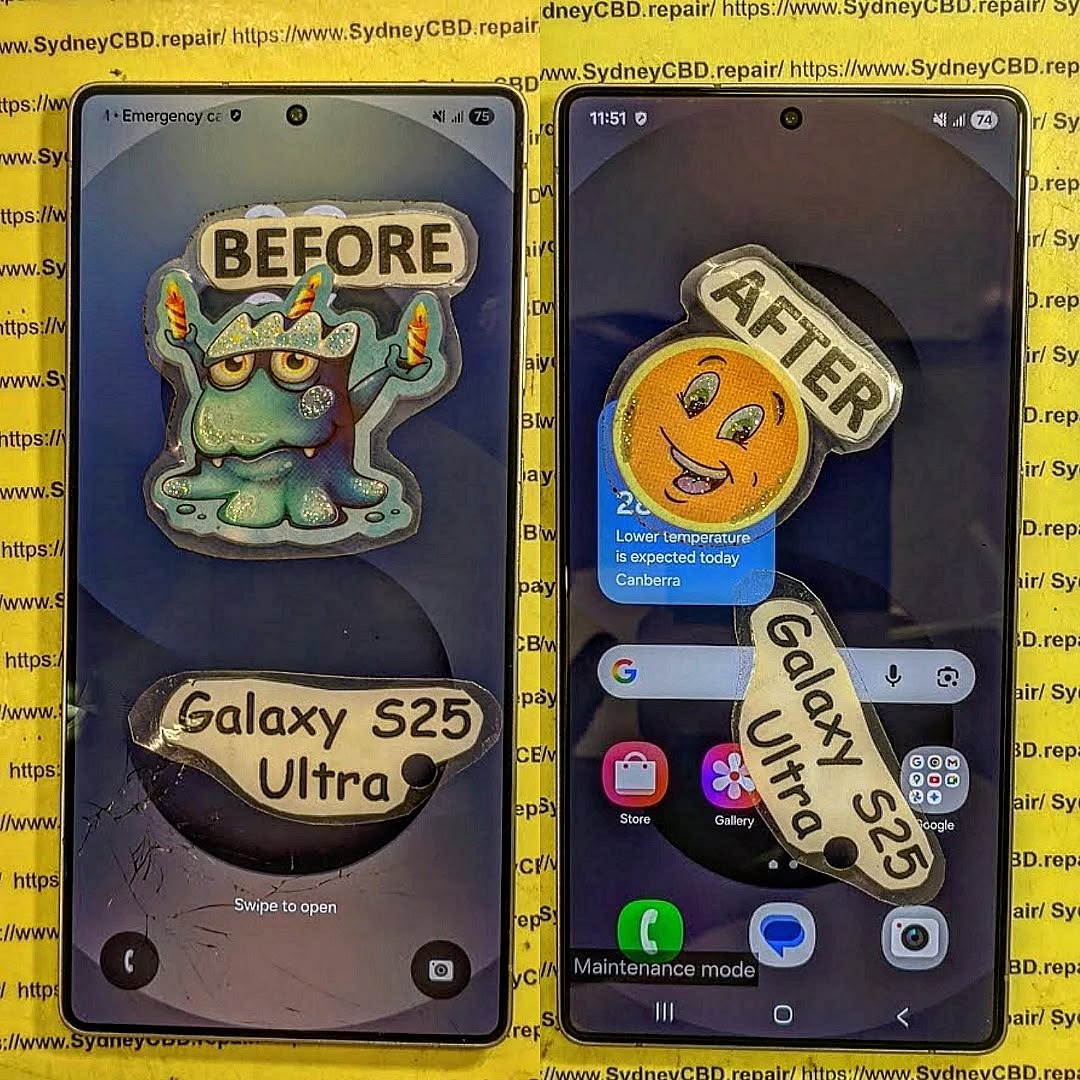
WATER DAMAGE RECOVERY! Samsung Galaxy S25 Ultra Display and Component Precision Repair + Ultimate Guide 2026
Introduction
The Samsung Galaxy S25 Ultra is one of the most advanced smartphones ever created. With its premium AMOLED display, high-powered chipset, and sophisticated camera system, it’s built for performance and durability. However, even flagship smartphones can suffer severe problems after accidental liquid exposure. That’s where Samsung Galaxy S25 Ultra water damage recovery becomes critical.
Water damage can happen in seconds. A spilled drink, sudden rainstorm, swimming pool accident, or bathroom mishap may cause hidden corrosion inside the device. Even though the Samsung Galaxy S25 Ultra offers water resistance, no phone is entirely waterproof forever. Over time, seals weaken, adhesives degrade, and accidental impacts can compromise water protection.
Professional repair technicians now use advanced methods like ultrasonic cleaning, motherboard diagnostics, and micro soldering to restore water-damaged devices. These procedures help revive displays, charging systems, and internal components while protecting valuable user data.
In this detailed guide, we’ll explore the entire Samsung Galaxy S25 Ultra display and component precision repair process. You’ll also discover what causes internal damage, how experts diagnose problems, and why fast action dramatically increases recovery success.
Water damage affects smartphones differently depending on the type of liquid involved, exposure duration, and internal component sensitivity. While some devices survive brief splashes, others experience instant failures.
Common Causes of Liquid Damage
Several everyday situations can expose your Samsung Galaxy S25 Ultra to moisture:
Dropping the phone into water
Rain exposure during outdoor use
Spilled coffee or soft drinks
Steam from bathrooms or kitchens
Saltwater exposure at beaches
Sweat buildup during workouts
Interestingly, saltwater and sugary liquids are usually more destructive than clean water. They accelerate corrosion and leave conductive residue across sensitive circuits.
Early Warning Signs After Water Exposure
Sometimes the phone continues functioning temporarily after exposure. However, hidden issues may appear later.
Common symptoms include:
Symptom
Possible Cause
Screen flickering
Display connector corrosion
Ghost touch
Moisture affecting digitizer
No charging
Damaged charging IC
Overheating
Short circuit on motherboard
Camera fogging
Internal condensation
Speaker distortion
Water trapped in speaker mesh
If you notice these signs, immediate professional inspection is essential.
Why Immediate Action Matters
Time plays a massive role in successful Samsung Galaxy S25 Ultra water damage recovery. Corrosion begins almost instantly once liquid reaches internal circuits.
How Corrosion Begins Inside the Phone
Modern smartphones contain microscopic pathways carrying electrical signals across the motherboard. When water bridges those pathways, it creates unintended electrical connections.
This process causes:
Short circuits
Component overheating
Burned IC chips
Power failures
Permanent motherboard damage
Corrosion spreads like rust. Even tiny traces of moisture continue damaging the phone long after the initial accident.
Risks of Delayed Repairs
Many users make the mistake of waiting several days before seeking repair services. Unfortunately, delays often worsen internal damage.
Here’s what can happen:
Corrosion spreads further
Battery swelling develops
Display connectors deteriorate
Data becomes unrecoverable
Motherboard repair costs increase
Quick professional intervention dramatically improves recovery chances.
The display assembly is one of the most vulnerable parts affected by water exposure.
AMOLED Display Failure Symptoms
The Samsung Galaxy S25 Ultra uses a sophisticated AMOLED panel that delivers vivid colors and ultra-smooth refresh rates. However, moisture can severely impact the display system.
Common display problems include:
Green lines
Black spots
Flickering brightness
Touch response failure
Complete display blackout
Sometimes the display itself remains functional while flex cables or connectors become corroded.
Touchscreen and Flex Cable Issues
Flex cables carry signals between the display and motherboard. Water intrusion near these connectors often causes intermittent display behavior.
Technicians carefully inspect:
Display flex connectors
Backlight circuits
Touch IC chips
AMOLED control lines
Precision repair procedures help restore functionality without replacing unnecessary components.
Precision Repair Process for Water-Damaged Devices
Professional repair centers follow systematic recovery procedures to maximize success.
Initial Diagnostic Procedures
The first step involves complete device disassembly. Technicians inspect every component using magnification tools and specialized equipment.
Diagnostic checks include:
Voltage testing
Thermal imaging
Corrosion inspection
Power rail analysis
Display functionality tests
This process identifies both visible and hidden failures.
Ultrasonic Cleaning Techniques
One of the most important repair methods is ultrasonic cleaning. Specialized cleaning machines use high-frequency vibrations to remove corrosion from delicate motherboard components.
Benefits include:
Deep contaminant removal
Safe precision cleaning
Reduced corrosion spread
Improved electrical stability
This step is critical for successful Samsung Galaxy S25 Ultra display and component precision repair.
Component-Level Repairs
If corrosion damages specific chips or connectors, technicians perform targeted repairs.
Examples include:
Replacing charging ICs
Rebuilding damaged pads
Repairing broken traces
Replacing connectors
Restoring display circuits
These repairs require advanced soldering expertise and professional equipment.
Motherboard Recovery and Micro Soldering
The motherboard is the heart of the Samsung Galaxy S25 Ultra. Water damage here can affect every major function.
Common IC Components Affected
Several motherboard chips are especially vulnerable:
Component
Function
Power Management IC
Controls power distribution
Charging IC
Manages charging system
Audio IC
Handles sound functions
Display IC
Controls screen output
Wi-Fi IC
Wireless connectivity
Damage to any of these components may cause major device failures.
Precision Soldering Methods
Micro soldering involves repairing tiny electronic components under a microscope.
Technicians use:
Hot air rework stations
Precision soldering irons
Microscope magnification
Fine solder wire
PCB repair tools
This delicate process allows specialists to restore severely damaged boards.
Battery and Charging Port Restoration
Water damage often affects charging systems before other components.
Charging Failure Symptoms
A damaged charging system may show signs like:
Slow charging
No charging response
Moisture detection errors
Overheating while charging
Intermittent charging
Technicians inspect both the charging port and surrounding motherboard circuits.
Battery Safety Concerns
Lithium-ion batteries can become dangerous after water exposure. Internal short circuits may lead to swelling or overheating.
Warning signs include:
Battery bulging
Excessive heat
Rapid power drain
Random shutdowns
Replacing compromised batteries is essential for device safety.
Camera and Audio Component Repairs
Modern flagship phones contain sophisticated imaging and sound systems that are highly sensitive to moisture.
Lens Fogging and Camera Failure
Water vapor trapped inside camera modules often creates fogging. Over time, moisture damages autofocus motors and image sensors.
Repair procedures may involve:
Camera module replacement
Lens cleaning
Connector restoration
Sensor diagnostics
Speaker and Microphone Issues
Audio components frequently suffer after liquid exposure.
Typical problems include:
Muffled sound
Crackling speakers
Microphone failure
Reduced audio volume
Cleaning and replacing affected parts restores clear sound quality.
Data Recovery From Water-Damaged Samsung Phones
For many users, recovering photos, messages, and business files matters more than repairing the phone itself.
Professional Recovery Techniques
Experienced technicians use specialized tools to retrieve important data.
Methods include:
Temporary power restoration
NAND chip recovery
Board-level bypass techniques
Data extraction software
In severe cases, partial motherboard repairs may be necessary just to access stored information.
Preventing Permanent Data Loss
To protect your data:
Avoid turning the phone on repeatedly
Don’t attempt DIY charging
Seek immediate professional help
Backup recovered data immediately
Fast action significantly increases recovery success rates.
DIY Water Damage Myths
The internet is full of misleading advice regarding water-damaged smartphones.
Why Rice Doesn’t Work
Placing phones in rice is one of the most common myths. Unfortunately, rice doesn’t remove corrosion or trapped moisture inside sealed components.
Rice may actually:
Delay professional repairs
Introduce dust particles
Trap moisture internally
Professional cleaning remains the safest option.
Common Mistakes Users Make
Avoid these harmful actions:
Charging the phone immediately
Using a hairdryer
Freezing the phone
Shaking out water aggressively
Ignoring minor symptoms
These mistakes often worsen internal damage.
Benefits of Professional Samsung Galaxy S25 Ultra Repairs
Professional repair services offer major advantages over temporary fixes.
Genuine Parts and Warranty
Reliable repair centers use high-quality replacement components and proper repair procedures.
Benefits include:
Better durability
Improved display performance
Safer charging behavior
Manufacturer-grade compatibility
Professional warranties also provide peace of mind.
Long-Term Reliability
Proper repairs restore structural integrity and reduce future failure risks.
Experienced technicians ensure:
Internal cleaning
Correct adhesive sealing
Precision calibration
Full functionality testing
This comprehensive approach extends device lifespan considerably.
For official Samsung device support and care information, visit Samsung Support
Preventing Future Water Damage
Prevention is always better than expensive repairs.
Waterproofing Limitations
Even water-resistant devices have limitations. IP ratings apply only under controlled laboratory conditions.
Factors reducing resistance include:
Previous repairs
Physical drops
Aging adhesive seals
Extreme temperatures
Users should still treat their devices carefully around liquids.
Protective Habits for Daily Use
Here are smart habits to reduce risk:
Use waterproof pouches outdoors
Avoid bathroom steam exposure
Keep drinks away from devices
Dry phones immediately after splashes
Inspect damaged frames promptly
Simple precautions can prevent costly repairs.
Frequently Asked Questions
Can a Samsung Galaxy S25 Ultra survive water damage?
Yes, many devices can be successfully repaired if treated quickly. Immediate professional cleaning greatly improves recovery chances.
How long should I wait before turning on a wet phone?
Avoid powering it on entirely until inspected by a technician. Turning it on too soon can cause short circuits.
Does rice fix water-damaged phones?
No. Rice doesn’t remove corrosion or internal moisture effectively.
Can water damage affect the display only?
Sometimes. However, moisture often spreads beyond the screen and impacts the motherboard or battery.
Is data recovery possible after severe liquid damage?
In many cases, yes. Professional repair labs can often recover photos, contacts, and files even from heavily damaged devices.
How much does Samsung Galaxy S25 Ultra water damage repair cost?
Costs vary depending on affected components. Minor cleaning is cheaper than motherboard reconstruction or display replacement.
Can a water-damaged battery become dangerous?
Yes. Damaged lithium batteries may swell, overheat, or fail unpredictably. Professional inspection is important.
Conclusion
The Samsung Galaxy S25 Ultra is an impressive flagship smartphone, but water damage remains a serious threat to its advanced internal systems. From AMOLED display failures to motherboard corrosion, liquid exposure can quickly turn into a costly disaster if ignored.
Fortunately, modern Samsung Galaxy S25 Ultra display and component precision repair techniques offer highly effective recovery solutions. Ultrasonic cleaning, micro soldering, and advanced diagnostics now allow experienced technicians to restore many water-damaged devices that once seemed beyond repair.
Most importantly, acting quickly makes a huge difference. Immediate professional inspection reduces corrosion, protects valuable data, and improves repair success rates dramatically.
Whether you’re facing screen flickering, charging issues, speaker failure, or complete device shutdown, professional repair specialists can often restore your phone safely and efficiently. By understanding the repair process and avoiding common mistakes, you can maximize the chances of full recovery and extend the life of your Samsung Galaxy S25 Ultra.
David from Sydney CBD Repair Centre – The Best place to fix mobile phones as 7 Years In A Row! Top Mobile Phone Repair In Sydney. More than 2000 Positive Reviews on Google and Same Day Repairs.
We take pride in delivering exceptional repair services for all major phone brands including Apple, Samsung, Google, and more. Our expert technicians use only genuine parts and offer 90days warranty on repairs. Located in the heart of Sydney CBD, we’re your one-stop solution for all mobile device repairs.
Our commitment to excellence has earned us the trust of thousands of satisfied customers. Whether it’s a cracked screen, battery replacement, or water damage repair, we handle it all with professional care and expertise. Walk in today and experience why we’re Sydney’s #1 choice for mobile phone repairs.
Visit us for:
✓ Same Day Express Repairs
✓ Genuine Parts Guarantee
✓ Professional Technicians
✓ Competitive Pricing
✓ 2000+ 5-Star Google Reviews
✓ 7-Time Award Winner for Best Phone Repairs
ASMR Restoration: Reviving a Water-Damaged Samsung S25 Ultra in Sydney + 7 Proven Techniques
Introduction
Water damage is one of the most common and devastating issues a smartphone owner can face, and when it happens to a premium device like the Samsung S25 Ultra, the stakes are even higher. A single drop of liquid can interfere with sensitive internal components, causing unresponsive screens, erratic battery behavior, or even total device failure. In Sydney, where mobile devices are an essential part of daily life, professional repair services have perfected the art of restoring water-damaged phones through ASMR restoration techniques—a meticulous process that focuses on reviving devices while preserving their original functionality.
This article will guide you through understanding water damage in Samsung S25 Ultra devices, immediate actions to minimize harm, professional restoration procedures, DIY options, and preventive strategies to safeguard your phone. By the end, you’ll know how to act quickly, choose the right repair solution, and protect your device from future accidents, ensuring that your Samsung S25 Ultra continues to function smoothly for years to come.
Water damage is a nightmare for any smartphone owner, especially for premium devices like the Samsung S25 Ultra. Even a few drops of liquid can compromise sensitive electronics, resulting in malfunctioning screens, unresponsive touch features, or total system failure. Fortunately, expert repair services in Sydney specialize in ASMR restoration techniques that bring water-damaged devices back to life while preserving data and functionality. This article will provide a comprehensive guide on handling water damage, professional restoration methods, and preventive measures.
Water can infiltrate your device through various entry points, causing immediate or delayed problems. Understanding how water affects your Samsung S25 Ultra is critical for taking the right action.
Common Causes of Water Damage
Spills and Accidents: Coffee, soda, or even water bottles leaking in bags or pockets.
Environmental Exposure: Rain, snow, or humidity while carrying your phone outdoors.
Device Mishandling: Dropping your phone in sinks, toilets, or swimming pools.
Condensation: Rapid temperature changes causing moisture accumulation internally.
Signs Your Samsung S25 Ultra is Water-Damaged
Flickering or unresponsive screen
Random shutdowns or boot loops
Battery draining faster than usual
Unusual sounds or overheating
Charging port corrosion or malfunction
Moisture indicators showing water contact
Early detection is key to preventing permanent damage. If you notice any of these signs, act quickly.
Q1: Can a water-damaged Samsung S25 Ultra be fully restored?
A1: Yes, with professional ASMR restoration techniques, most water-damaged devices can be fully recovered, especially if action is taken quickly.
Q2: How long does water damage repair take?
A2: Depending on severity, repairs may take 1–3 days. Complex motherboard cleaning may require additional time.
Q3: Is DIY restoration safe?
A3: Minor drying can help, but attempting repairs without expertise can cause permanent damage.
Q4: Will data be safe after water damage?
A4: Professional restoration prioritizes data recovery. Acting fast increases success rates.
Q5: Does insurance cover water damage?
A5: Many smartphone insurance plans include accidental water damage coverage. Check your policy details.
Q6: How to prevent water damage in future?
A6: Use waterproof cases, avoid risky environments, and keep the device dry.
Conclusion
Water damage doesn’t have to mean the end of your Samsung S25 Ultra. Immediate action, combined with professional ASMR restoration in Sydney, can restore your device fully while safeguarding data. Invest in preventive measures and rely on trusted repair services like Sydney CBD Repair Centre to keep your phone safe, functional, and long-lasting.
David from Sydney CBD Repair Centre – The Best place to fix mobile phones as 6 Years In A Row! Top Mobile Phone Repair In Sydney. More than 2000 Positive Reviews on Google and Same Day Repairs.
We take pride in delivering exceptional repair services for all major phone brands including Apple, Samsung, Google, and more. Our expert technicians use only genuine parts and offer 90days warranty on repairs. Located in the heart of Sydney CBD, we’re your one-stop solution for all mobile device repairs.
Visit us for:
✓ Same Day Express Repairs
✓ Genuine Parts Guarantee
✓ Professional Technicians
✓ Competitive Pricing
✓ 2000+ 5-Star Google Reviews
✓ 6-Time Award Winner for Best Phone Repairs