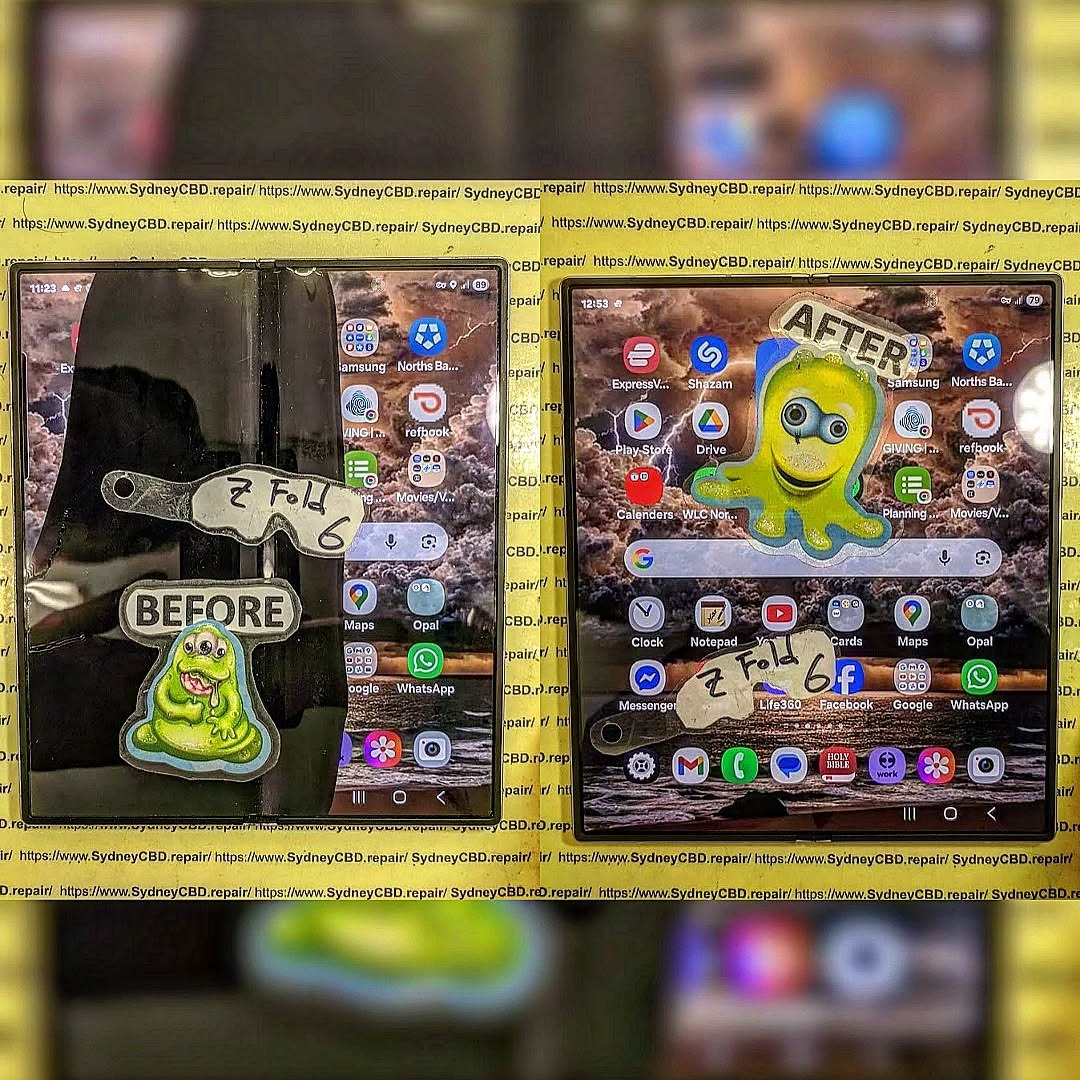
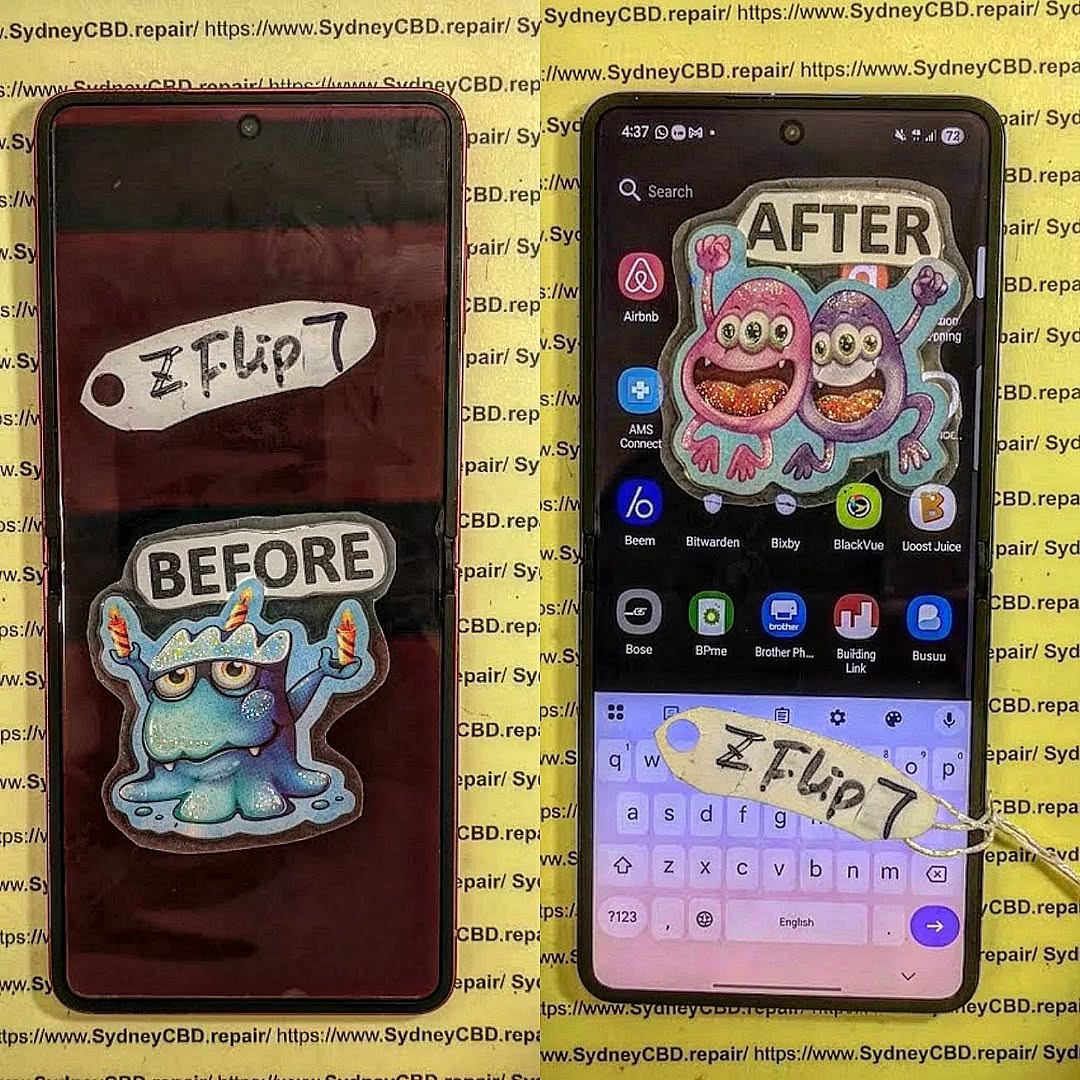
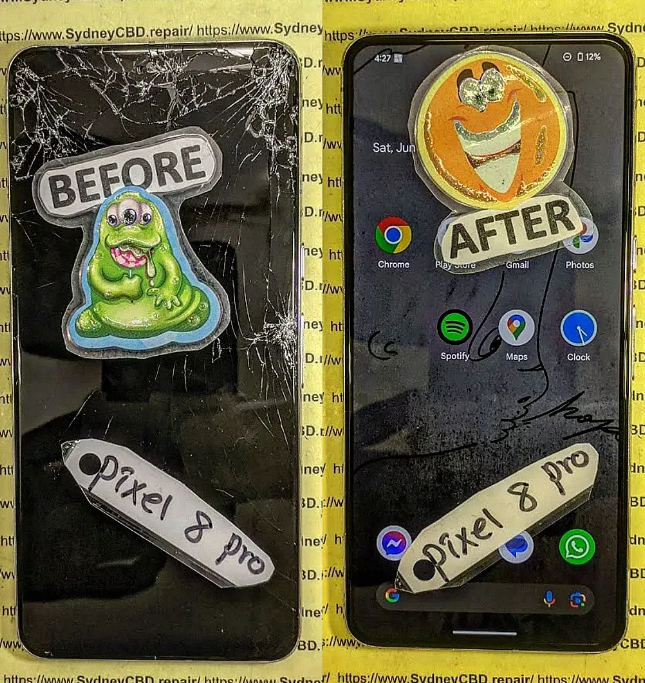
The $2000 Mistake: Repairing a crushed Samsung Z Fold 6 Slim Screen
Introduction
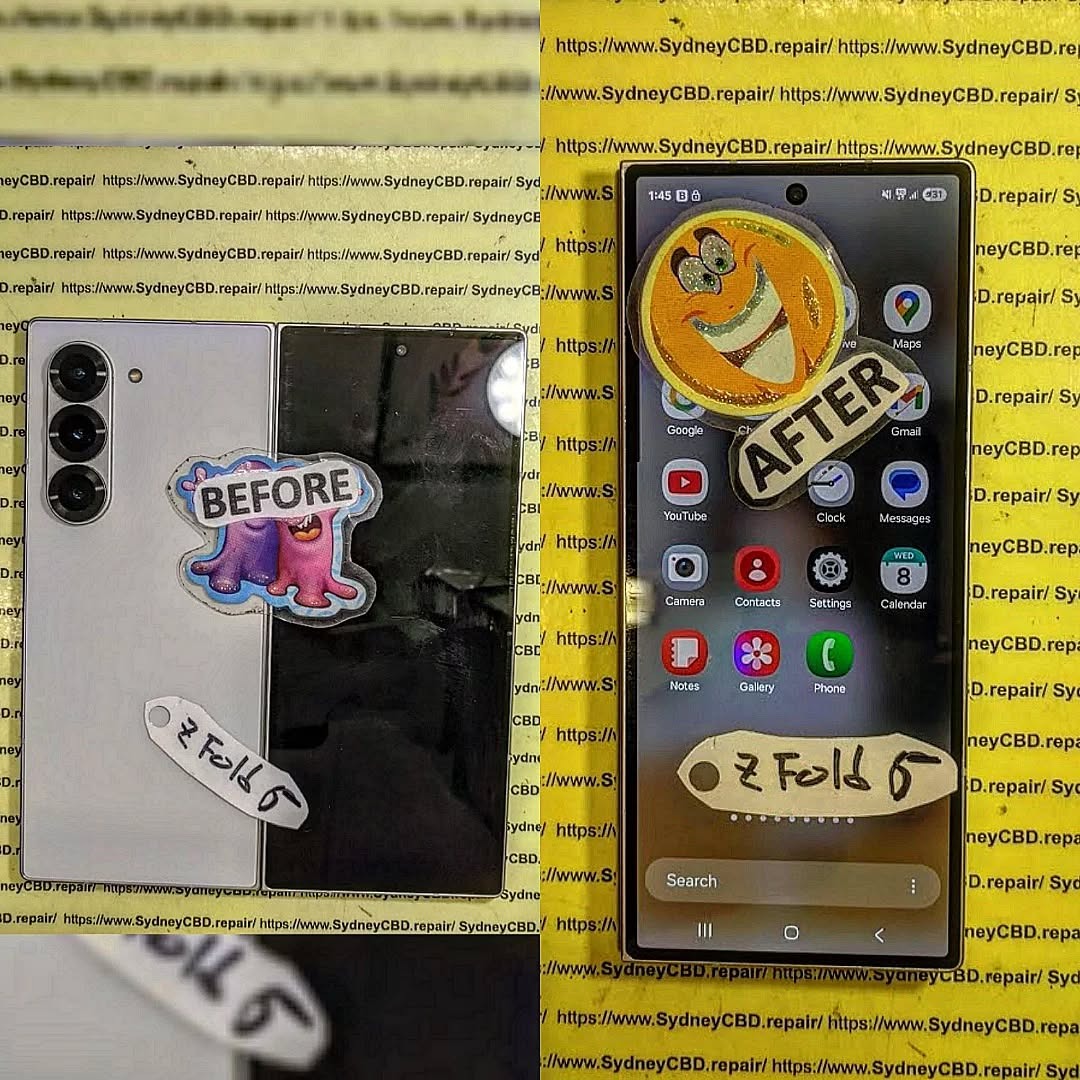
The Samsung Galaxy Z Fold 6 is one of the most advanced foldable smartphones on the market, offering users the convenience of a tablet-sized display in a sleek, pocket-friendly design. However, this cutting-edge technology comes with a delicate side: the slim, foldable screen is highly susceptible to damage. A single drop or accidental pressure can crush the display, leaving users facing an expensive repair bill that can reach up to $2000 if handled incorrectly.
At Sydney CBD Repair Centre, we’ve witnessed countless cases where a rushed DIY repair or a visit to an unofficial technician turned a small crack into a costly disaster. With over 7 years of experience, thousands of satisfied customers, and more than 2000 positive Google reviews, we specialize in providing reliable, same-day repairs for Samsung Galaxy devices. Our expert technicians use only genuine parts and back every repair with a 90-day warranty, ensuring your phone works like new.
In this article, we’ll explore why the Galaxy Z Fold 6 screen is so fragile, the common mistakes that lead to skyrocketing repair costs, and why professional service at Sydney CBD Repair Centre is the smartest choice for keeping your device safe and fully functional.
The Samsung Galaxy Z Fold 6 is a marvel of modern technology—a phone that doubles as a tablet, offering flexibility, cutting-edge features, and a sleek, ultra-thin design. But with innovation comes vulnerability. One wrong drop, one sharp edge, and the delicate slim screen can be crushed, leaving owners facing a potentially shocking repair bill. In fact, a crushed Galaxy Z Fold 6 screen can cost up to $2000 if not handled correctly.
At Sydney CBD Repair Centre, we’ve seen countless customers panic over a folded, cracked, or smashed Z Fold 6. With 7 consecutive years as Sydney’s top mobile phone repair shop, our team has helped thousands avoid costly mistakes.
Unlike traditional smartphone displays, the Galaxy Z Fold 6 features a foldable AMOLED screen, which is thinner, flexible, and more intricate than standard glass. Repairing it isn’t as simple as swapping a screen. Challenges include:
Delicate Folding Mechanism – A crushed screen can affect the folding hinge, requiring precise calibration.
Ultra-Thin OLED Layer – The slim display can tear or warp if not replaced by a certified technician.
High Part Costs – Genuine replacement parts for foldable screens are expensive and not widely available.
Labor-Intensive Repair – Technicians need specialized tools and expertise to ensure the screen functions seamlessly after repair.
Attempting a DIY repair or using cheap third-party parts can cause further damage, leading to double the cost or even a total loss of the device.
The $2000 Mistake Explained
Many customers believe they can save money by going to unofficial repair shops or attempting home fixes. This is a huge risk for the Galaxy Z Fold 6. Here’s what often happens:
Non-Genuine Parts Fail – After a few days, the display may flicker, show dead pixels, or stop folding properly.
Hidden Damage Overlooked – Internal damage to the battery, hinge, or circuit boards may be missed, causing long-term malfunctions.
Voided Warranty – Using unofficial repairs voids Samsung’s warranty, leaving you liable for full replacement costs.
The end result? A repair attempt that was supposed to save money can easily turn into a $2000 disaster.
Why Sydney CBD Repair Centre Is Your Best Choice
When it comes to high-end devices like the Galaxy Z Fold 6, professional repair is non-negotiable. At Sydney CBD Repair Centre, we offer:
Same-Day Express Repairs – Get your device back in working condition without unnecessary delays.
Genuine Parts Guarantee – Only official Samsung parts are used for every repair.
Professional Technicians – Our team has 7+ years of experience with foldable devices.
Competitive Pricing – Transparent quotes without hidden fees.
90-Day Warranty – Peace of mind with every repair.
Proven Reputation – Over 2000 positive Google reviews and 7-time award winner for best phone repair in Sydney.
We handle everything from cracked screens to hinge repairs, battery replacements, water damage restoration, and more.
Q1: Can I still use my Z Fold 6 if the screen is cracked?
A: Technically, yes, but it’s risky. Cracks can worsen over time, affecting touch sensitivity and folding function. Immediate professional repair is recommended.
Q2: How long does a screen replacement take?
A: At Sydney CBD Repair Centre, same-day repairs are standard. Most Galaxy Z Fold 6 screens are replaced within a few hours.
Q3: Are third-party repair parts safe?
A: No. Non-genuine parts can cause permanent damage and void your warranty. Always opt for certified parts.
Q4: Will the warranty cover a crushed screen?
A: Typically, physical damage isn’t covered under standard warranties. Professional repair is your best way to restore functionality.
Q5: Can water damage affect the foldable screen?
A: Absolutely. Even minor exposure can damage the AMOLED layer. Immediate service is crucial.
Avoid the $2000 Mistake – Act Fast
Crushed or folded screens are urgent repairs. The longer you wait, the higher the risk of additional damage. Don’t gamble with your high-value device. Trust the experts who have handled thousands of Samsung, Apple, and Google repairs successfully.
Visit Sydney CBD Repair Centre Today
Located in the heart of Sydney CBD, we are the city’s #1 mobile phone repair centre. Walk in or book a repair and experience our unmatched service.
✓ Same Day Express Repairs
✓ Genuine Parts Guarantee
✓ Professional Technicians
✓ Competitive Pricing
✓ 2000+ 5-Star Google Reviews
✓ 7-Time Award Winner for Best Phone Repairs
At Sydney CBD Repair Centre, quality meets reliability. Don’t risk $2000 on a bad repair—trust the experts who get it right the first time.
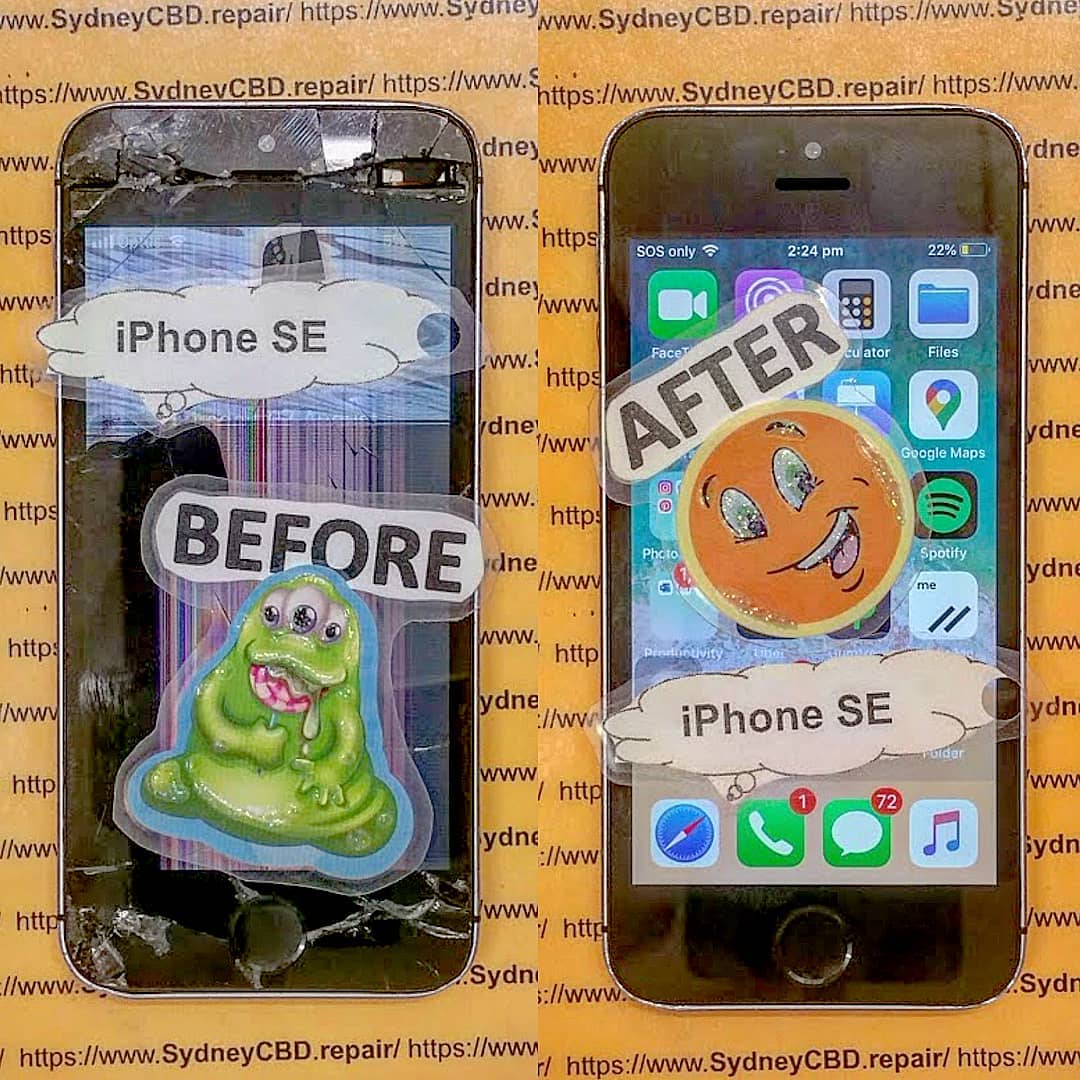
RESTORING A CLASSIC! Original iPhone SE Screen Restoration Sydney CBD Repair Centre | Expert Revival Guide 2026
Introduction
The original iPhone SE remains one of Apple’s most beloved compact smartphones. Even years after its release, many users still rely on this pocket-sized powerhouse because of its reliable performance, lightweight design, and familiar home button. However, daily wear and tear can eventually damage the screen, making professional Original iPhone SE screen restoration Sydney CBD Repair Centre services more important than ever.
Whether your screen is cracked, flickering, unresponsive, or showing black spots, restoring your iPhone SE can breathe new life into the device. Instead of replacing your phone entirely, expert technicians can restore it using professional tools, premium-quality parts, and tested repair techniques.
In this detailed guide, we’ll explain everything you need to know about restoring a classic iPhone SE screen, why professional repairs matter, and how trusted technicians in Sydney can help preserve your device for years to come.
Apple introduced the original iPhone SE as a compact alternative to larger smartphones. Surprisingly, it remains highly popular among users who prefer smaller devices that are easy to carry and operate with one hand.
Reasons People Still Love the Original iPhone SE
Compact and lightweight design
Reliable iOS support
Fast performance for everyday tasks
Physical home button with Touch ID
Durable aluminum body
Excellent portability
For many users, restoring the screen is far more practical than upgrading to a newer model. The device still performs well for messaging, browsing, music streaming, and business communication.
Over time, even durable phones can suffer screen damage. Professional Original iPhone SE screen restoration Sydney CBD Repair Centre technicians frequently encounter several recurring issues.
Cracked Glass Damage
The most obvious issue is shattered or cracked front glass. Even a small crack can spread over time and affect touchscreen functionality.
Common causes include:
Accidental drops
Pressure damage
Impact from hard surfaces
Sitting on the phone accidentally
LCD Display Issues
Sometimes the display underneath the glass becomes damaged too. Symptoms may include:
Black spots
Flickering display
Colored lines
Screen bleeding
Dim brightness
Touchscreen Malfunctions
A damaged digitizer can cause:
Ghost touching
Delayed responses
Unresponsive areas
Random screen behavior
These problems can make using the device frustrating and unreliable.
Signs Your iPhone SE Needs Immediate Screen Restoration
Ignoring screen damage can lead to bigger issues later. Here are warning signs that indicate your phone needs professional repair immediately.
Warning Indicators
Problem
What It Means
Flickering display
LCD damage
Touch not responding
Digitizer failure
Sharp glass edges
Safety hazard
Black display areas
Internal panel damage
Screen separating from frame
Battery swelling or adhesive failure
Moisture under display
Water damage risk
If you notice these symptoms, prompt repair can prevent further internal damage.
Why Professional Restoration Is Better Than DIY Repairs
DIY repair kits may look tempting online, but repairing an original iPhone SE requires skill, patience, and precision equipment.
Risks of Cheap Replacement Parts
Low-cost aftermarket screens often suffer from:
Poor brightness
Weak touch sensitivity
Incorrect colors
Faster failure rates
Reduced durability
Professional repair shops use tested parts that maintain performance and reliability.
Importance of Precision Tools
Modern phone repair requires specialized tools such as:
Heat separation machines
Anti-static workstations
Microscope inspection equipment
Precision screwdrivers
Adhesive curing tools
Without proper tools, DIY repairs can damage sensitive internal components.
The Complete iPhone SE Screen Restoration Process
Professional technicians follow a structured process to ensure quality results.
Device Inspection
Before starting repairs, technicians inspect:
LCD condition
Frame alignment
Battery health
Water damage indicators
Touch functionality
This helps identify hidden issues that may affect repair quality.
Safe Screen Removal
The damaged display is carefully separated using heat and specialized opening tools. Technicians avoid damaging:
Flex cables
Home button assembly
Front camera
Internal connectors
Display Testing and Calibration
After installation, the new screen undergoes:
Brightness testing
Touch response testing
Color calibration
Sensor testing
Home button verification
Only after passing all tests is the phone returned to the customer.
Genuine vs Aftermarket iPhone SE Screens
Choosing the right screen quality is crucial for long-term satisfaction.
Feature
Genuine Quality Screen
Cheap Aftermarket Screen
Brightness
Excellent
Often dim
Touch Response
Smooth
Delayed
Durability
Strong
Fragile
Color Accuracy
Accurate
Washed out
Lifespan
Long-lasting
Shorter
Fitment
Perfect
May have gaps
Professional Original iPhone SE screen restoration Sydney CBD Repair Centre specialists understand the importance of quality components.
How Sydney CBD Repair Centre Restores Classic Apple Devices
Experienced repair professionals focus on preserving the integrity of classic Apple devices while delivering modern repair standards.
Certified Repair Technicians
Skilled technicians understand the internal structure of older Apple models and know how to handle delicate components safely.
High-Quality Components
Premium replacement parts ensure:
Better display performance
Long-term reliability
Improved durability
Better customer satisfaction
Same-Day Turnaround
Many original iPhone SE screen repairs can be completed the same day, minimizing downtime for customers.
Benefits of Restoring Instead of Replacing Your iPhone
Many people assume upgrading is the only solution. However, restoration offers several important advantages.
Financial Savings
Repairing an iPhone SE costs far less than purchasing a new smartphone.
Environmental Benefits
Restoring devices reduces electronic waste and supports sustainability.
Familiar User Experience
Users can continue enjoying:
Compact form factor
Existing settings
Favorite apps
Familiar controls
Preserving a Classic Device
The original iPhone SE has become somewhat iconic because of its size and reliability. Many users simply prefer keeping it alive.
How to Protect Your Restored iPhone SE Screen
Once your device is repaired, protecting it properly is essential.
Best Screen Protectors
A quality tempered glass protector helps:
Prevent scratches
Absorb impact
Reduce cracking risk
Maintain display clarity
Protective Cases
Look for cases with:
Raised edges
Shock absorption
Reinforced corners
Slim but durable construction
Avoid Common Damage Risks
Try to avoid:
Carrying phones with keys
Dropping phones on hard surfaces
Excessive pressure in pockets
Exposure to water and heat
Cost of Original iPhone SE Screen Restoration in Sydney
Repair pricing depends on:
Screen quality selected
Severity of damage
Additional internal issues
Labor complexity
Although cheaper repair providers exist, choosing professional services often saves money long-term because quality repairs reduce repeat failures.
What’s Usually Included
Service
Included
Screen replacement
Yes
Device testing
Yes
Touchscreen calibration
Yes
Adhesive sealing
Yes
Warranty coverage
Often included
Always ask about warranty coverage before approving repairs.
Data Safety During Screen Repairs
Many customers worry about losing personal data during repairs.
Professional technicians typically do not erase:
Photos
Contacts
Apps
Messages
Files
However, it’s still smart to back up your device before any repair service.
Tips for Data Protection
Create an iCloud backup
Remove sensitive information if possible
Disable passcodes only if requested
Choose reputable repair providers
Why Customers Trust Sydney CBD Repair Centre
Customers trust experienced repair specialists because they consistently deliver:
Fast turnaround times
Professional diagnostics
Reliable workmanship
Honest pricing
Genuine-quality parts
Strong warranties
The repair process focuses on quality rather than shortcuts, helping customers extend the life of their beloved devices.
For more information about Apple support and device care, visit Apple Support
Frequently Asked Questions
How long does original iPhone SE screen restoration take?
Most repairs can be completed within a few hours, depending on part availability and device condition.
Will my data be erased during repair?
In most cases, no. Screen restoration typically does not affect stored data.
Can deep cracks damage internal components?
Yes. Severe impact damage can affect the LCD, battery, connectors, or motherboard.
Is it worth repairing an original iPhone SE in 2026?
Absolutely. Many users still prefer its compact size and reliable performance.
Are aftermarket screens safe to use?
Some are acceptable, but low-quality screens may have poor durability and responsiveness.
Does screen restoration improve touch performance?
Yes. Replacing damaged components restores normal touch functionality and display clarity.
Can water-damaged iPhone SE screens be repaired?
Sometimes. Technicians first inspect internal corrosion before recommending repairs.
Do repaired screens come with warranty coverage?
Professional repair centers commonly provide warranties covering workmanship and replacement parts.
Conclusion
The original iPhone SE remains one of Apple’s most iconic compact smartphones. Even in today’s market filled with oversized devices, many users still value its simplicity, portability, and dependable performance. When screen damage occurs, professional Original iPhone SE screen restoration Sydney CBD Repair Centre services offer an excellent way to preserve and extend the life of this classic device.
Rather than replacing your phone entirely, expert restoration can return your iPhone SE to near-original condition using professional repair techniques and high-quality components. From cracked glass to unresponsive touchscreens, experienced technicians can restore functionality while maintaining the charm of this beloved device.
Choosing skilled repair professionals ensures your phone receives careful handling, precise installation, and proper testing for long-lasting results. With the right repair service, your classic iPhone SE can continue serving you reliably for years to come.
David from Sydney CBD Repair Centre – The Best place to fix mobile phones as 7 Years In A Row! Top Mobile Phone Repair In Sydney. More than 2000 Positive Reviews on Google and Same Day Repairs.
We take pride in delivering exceptional repair services for all major phone brands including Apple, Samsung, Google, and more. Our expert technicians use only genuine parts and offer 90days warranty on repairs. Located in the heart of Sydney CBD, we’re your one-stop solution for all mobile device repairs.
Our commitment to excellence has earned us the trust of thousands of satisfied customers. Whether it’s a cracked screen, battery replacement, or water damage repair, we handle it all with professional care and expertise. Walk in today and experience why we’re Sydney’s #1 choice for mobile phone repairs.
Visit us for:
✓ Same Day Express Repairs
✓ Genuine Parts Guarantee
✓ Professional Technicians
✓ Competitive Pricing
✓ 2000+ 5-Star Google Reviews
✓ 7-Time Award Winner for Best Phone Repairs
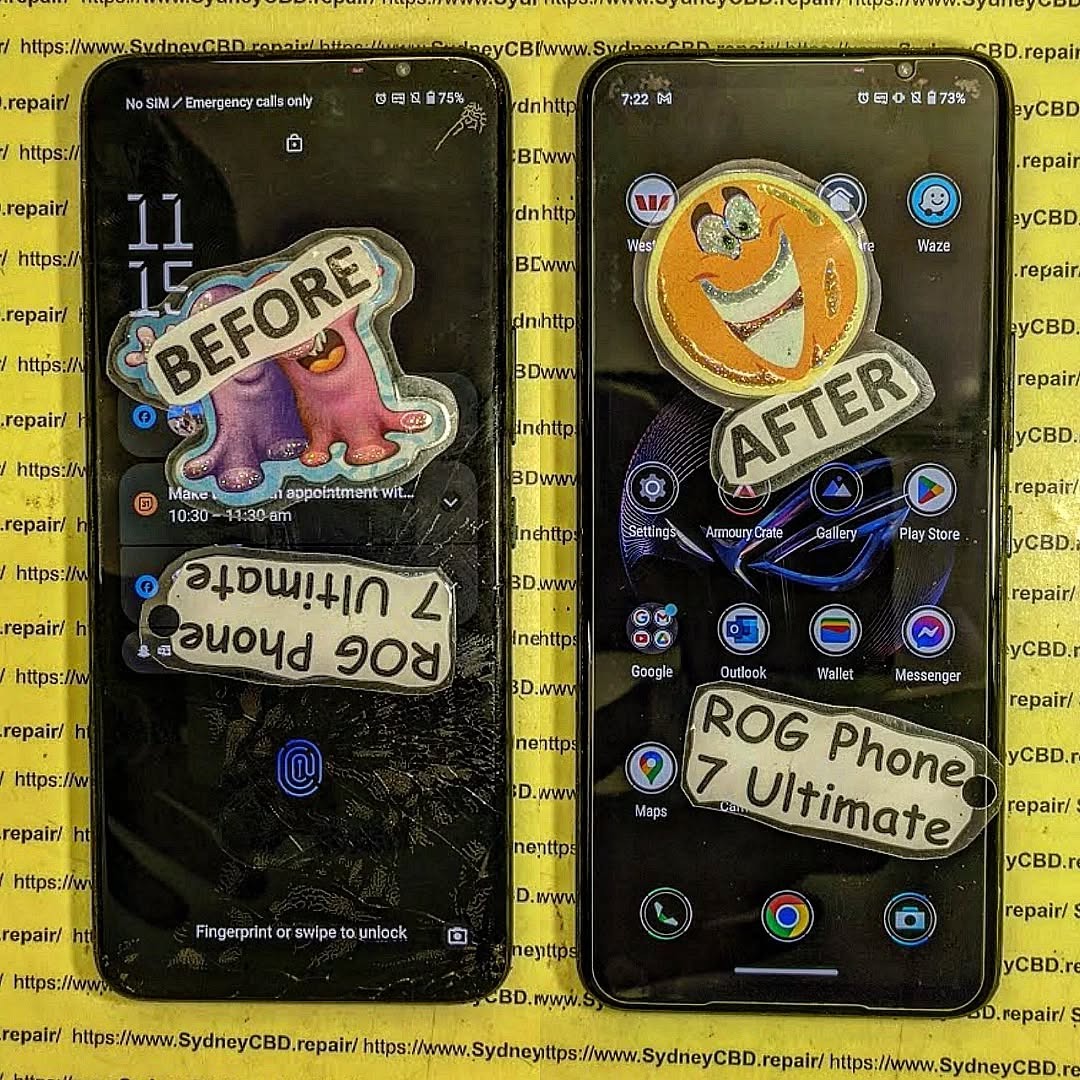
NO ROOM FOR ERROR! ASUS ROG Phone 7 Ultimate Screen Replacement Sydney CBD + Ultimate Fix Guide 2026
Introduction
The ASUS ROG Phone 7 Ultimate is one of the most advanced gaming smartphones ever created. With its ultra-fast AMOLED display, powerful cooling system, and elite gaming performance, this device was built for serious mobile gamers. However, despite its premium engineering, accidents can still happen. Cracked glass, OLED damage, touch issues, and black screens are among the most common problems users face.
That’s where professional ASUS ROG Phone 7 Ultimate screen replacement Sydney CBD services become essential. Whether your gaming phone suffered an accidental drop or developed internal display faults, choosing an experienced repair technician can restore your device quickly and safely.
Many users delay repairs because the phone still partially works. Unfortunately, ignoring screen damage can cause deeper hardware problems over time. Tiny cracks may spread across the OLED panel, moisture can enter the frame, and touch responsiveness may worsen after repeated gaming sessions.
In Sydney CBD, professional repair specialists now offer advanced OLED replacement solutions specifically designed for gaming smartphones like the ASUS ROG Phone 7 Ultimate. These repairs include premium replacement parts, precision installation, and post-repair quality testing to ensure your device performs like new again.
The ASUS ROG Phone 7 Ultimate features one of the most sophisticated gaming displays on the smartphone market. Unlike ordinary mobile screens, this display is engineered for competitive gaming and high-performance multimedia experiences.
Key display features include:
AMOLED technology
Ultra-high refresh rate
HDR gaming support
Fast touch sampling
Advanced color accuracy
Low latency performance
These premium specifications make the phone incredibly responsive during gaming sessions. However, they also mean repairs require specialized expertise. Replacing this type of OLED panel isn’t like repairing a standard budget smartphone.
Display Specifications That Matter
Feature
ASUS ROG Phone 7 Ultimate
Display Type
AMOLED
Refresh Rate
165Hz
HDR Support
Yes
Gaming Optimization
Advanced
Touch Sampling
Ultra Fast
Resolution
Full HD+
A damaged gaming display can significantly affect gameplay performance. Even minor touch delays can create frustrating experiences in competitive games.
Gaming smartphones often experience more stress than regular phones. Users hold them for long periods, expose them to heat, and use aggressive touch inputs during gameplay.
Physical Impact Damage
Drops remain the number one cause of screen damage. Even when using protective cases, edge impacts can still crack the OLED panel underneath the glass.
Common symptoms include:
Spiderweb cracks
Flickering display
Green lines
Dead pixels
Touch failure
OLED Burn-In Problems
Heavy gaming sessions with static UI elements can eventually lead to OLED burn-in. This issue becomes visible when ghost images remain permanently on the screen.
Burn-in usually appears after:
Long gaming sessions
Extended brightness usage
Static interface exposure
Continuous charging while gaming
Touchscreen Failure
Sometimes the glass looks perfectly fine, but touch responsiveness becomes inconsistent. This may happen because of internal digitizer damage.
Users often notice:
Delayed touch response
Random ghost touches
Dead touch zones
Multi-touch failure
Black Screen Issues
A completely black display doesn’t always mean the phone is dead. In many cases, the motherboard still functions while the OLED panel fails internally.
Signs include:
Vibration without display
Charging sounds
Notification alerts
Backlight flickering
Signs You Need an ASUS ROG Phone 7 Ultimate Screen Replacement
Many gamers attempt to continue using damaged phones. Unfortunately, this usually makes the situation worse.
You likely need professional repair if you notice:
Cracked front glass
Green vertical lines
Purple screen bleeding
Flickering visuals
Touchscreen lag
Display discoloration
Partial black screen
Dead pixels
Even small cracks can eventually spread due to thermal expansion during gaming sessions.
Why Gamers Should Never Ignore Display Damage
Gaming smartphones generate considerable heat. When a screen is already cracked, temperature fluctuations can worsen the damage much faster than on standard phones.
Here’s why immediate repairs matter:
Performance Stability
A damaged OLED panel can affect refresh rate consistency and touch sensitivity.
Battery Drain
Faulty displays may consume excessive power due to internal short circuits.
Internal Component Risk
Cracks allow dust and moisture to enter the device, increasing the risk of motherboard corrosion.
Reduced Gaming Precision
Competitive gamers rely on rapid touch response. A damaged display can negatively impact reaction times.
In short, delaying ASUS ROG Phone 7 Ultimate screen replacement Sydney CBD services can eventually lead to more expensive repairs.
Genuine vs Aftermarket ASUS ROG Phone 7 Ultimate Screens
One of the biggest decisions during repair is choosing between genuine and aftermarket parts.
OLED Quality Comparison
Genuine OLED displays provide:
Better brightness
Accurate colors
Smooth refresh rates
Longer lifespan
Aftermarket displays may look acceptable initially, but they often suffer from reduced quality over time.
| Feature | Genuine OLED | Aftermarket OLED |
|—|—|
| Brightness | Excellent | Moderate |
| Color Accuracy | High | Variable |
| Refresh Rate Support | Full | Limited |
| Gaming Response | Fast | Slower |
| Durability | Better | Lower |
Refresh Rate Performance
The ASUS ROG Phone 7 Ultimate supports extremely high refresh rates. Low-quality replacement screens may fail to maintain stable performance.
This can result in:
Frame skipping
Input lag
Stuttering
Inconsistent visuals
Touch Sampling Accuracy
Gaming phones depend heavily on accurate touch sampling rates. Genuine parts maintain smoother gameplay and better responsiveness.
Professional repair centers typically recommend premium OLED replacements for serious gamers.
ASUS ROG Phone 7 Ultimate Screen Replacement Process
Professional repair technicians follow a careful multi-step process to protect your device.
Diagnostic Testing
Before repairs begin, technicians perform a complete inspection.
This includes checking:
OLED functionality
Touch response
Battery health
Frame condition
Charging system
Screen Removal Procedure
Removing the damaged display requires specialized tools and controlled heat application.
Technicians carefully:
Heat the adhesive
Separate the OLED panel
Disconnect flex cables
Inspect internal components
New OLED Installation
After cleaning the frame, the replacement display is installed with precision alignment.
Professional installation helps ensure:
Proper sealing
Full touch responsiveness
Correct display calibration
Final Quality Testing
Before returning the device, technicians perform extensive quality testing.
Testing usually includes:
Brightness calibration
Touch accuracy
Gaming responsiveness
Camera inspection
Speaker functionality
How Long Does ASUS ROG Phone 7 Ultimate Screen Repair Take
Repair times vary depending on part availability and damage severity.
However, many Sydney CBD repair specialists offer:
Repair Type
Estimated Time
Basic Screen Replacement
1–3 Hours
OLED + Frame Repair
Same Day
Advanced Internal Repair
1–2 Days
Same day repair services are especially valuable for gamers who rely on their devices daily.
Cost of ASUS ROG Phone 7 Ultimate Screen Replacement Sydney CBD
Repair pricing depends on several factors.
These include:
OLED quality
Genuine vs aftermarket parts
Frame damage
Labor complexity
Internal motherboard issues
Premium gaming smartphones naturally cost more to repair because of their advanced display technology.
Factors influencing cost:
High refresh rate support
AMOLED panel complexity
Gaming touch calibration
Specialized repair tools
While cheaper repairs may seem tempting, low-quality replacements can reduce gaming performance dramatically.
Why Choose Professional Repair Technicians
Gaming smartphones require advanced repair knowledge. Choosing inexperienced technicians may create further damage.
Professional repair specialists provide:
Precision installation
Warranty protection
Proper diagnostics
Quality replacement parts
Advanced testing equipment
Benefits of Expert Repairs
Benefit
Why It Matters
Warranty Coverage
Added peace of mind
Genuine Parts
Better gaming experience
Safe Installation
Reduced damage risk
Faster Repairs
Minimal downtime
Professional Tools
Accurate repair process
Professional repair services also help preserve the resale value of your gaming smartphone.
Data Safety During Phone Repairs
One of the biggest concerns users have is data privacy.
Fortunately, screen replacements rarely require data deletion. Most professional repair technicians focus only on hardware components.
Still, it’s wise to:
Back up important files
Remove sensitive accounts
Enable screen locks
Discuss privacy concerns beforehand
Trusted repair centers prioritize customer confidentiality and secure handling procedures.
Tips to Protect Your ASUS ROG Phone 7 Ultimate Screen
Preventative care can significantly extend your display lifespan.
Use a Tempered Glass Protector
A high-quality tempered glass protector absorbs impact energy and reduces cracking risk.
Invest in a Shockproof Case
Gaming phones are larger and heavier than standard devices. A strong case helps absorb accidental drops.
Avoid Extreme Heat
Excessive gaming heat can stress OLED panels over time.
Try to:
Avoid charging while gaming
Use external cooling accessories
Lower brightness when possible
Clean Your Screen Properly
Use microfiber cloths instead of rough fabrics that may scratch the display.
Don’t Ignore Small Cracks
Tiny cracks often spread rapidly. Early repair usually costs less than waiting until the OLED fully fails.
Frequently Asked Questions
How do I know if my ASUS ROG Phone 7 Ultimate needs a full screen replacement?
If your phone has OLED bleeding, black spots, touch issues, or flickering visuals, a complete screen replacement is usually necessary.
Can a cracked ASUS ROG Phone 7 Ultimate screen still be repaired?
Yes. Most cracked screens can be repaired successfully if the motherboard remains functional.
Is it worth repairing a gaming phone screen?
Absolutely. The ASUS ROG Phone 7 Ultimate is a premium gaming device, and professional repairs can restore near-original performance.
How long does a gaming phone screen replacement last?
High-quality OLED replacements can last for years when installed correctly and protected properly.
Will my data be erased during screen replacement?
In most cases, no. Screen repairs generally don’t affect internal storage.
Should I choose genuine or aftermarket OLED screens?
Gamers typically benefit more from genuine-quality OLED displays because they maintain better refresh rates and touch responsiveness.
Can screen damage affect gaming performance?
Yes. Cracked or faulty displays can cause touch delays, refresh rate inconsistencies, and overheating issues.
Conclusion
The ASUS ROG Phone 7 Ultimate remains one of the most powerful gaming smartphones available today. Its advanced AMOLED display delivers exceptional visuals and ultra-responsive gameplay. However, once the screen becomes damaged, performance and usability can decline quickly.
Professional ASUS ROG Phone 7 Ultimate screen replacement Sydney CBD services provide the safest and most reliable solution for restoring your gaming phone. From OLED calibration to touch responsiveness testing, expert technicians ensure your device performs at its best again.
Choosing experienced repair specialists, high-quality replacement parts, and timely repairs can dramatically extend your phone’s lifespan while protecting your gaming experience.
If your ASUS ROG Phone 7 Ultimate has a cracked screen, flickering display, or touch problems, professional repair services can help restore your device efficiently and safely.
David from Sydney CBD Repair Centre – The Best place to fix mobile phones as 7 Years In A Row! Top Mobile Phone Repair In Sydney. More than 2000 Positive Reviews on Google and Same Day Repairs.
We take pride in delivering exceptional repair services for all major phone brands including Apple, Samsung, Google, and more. Our expert technicians use only genuine parts and offer 90days warranty on repairs. Located in the heart of Sydney CBD, we’re your one-stop solution for all mobile device repairs.
Our commitment to excellence has earned us the trust of thousands of satisfied customers. Whether it’s a cracked screen, battery replacement, or water damage repair, we handle it all with professional care and expertise. Walk in today and experience why we’re Sydney’s #1 choice for mobile phone repairs.
Visit us for:
✓ Same Day Express Repairs
✓ Genuine Parts Guarantee
✓ Professional Technicians
✓ Competitive Pricing
✓ 2000+ 5-Star Google Reviews
✓ 7-Time Award Winner for Best Phone Repairs
Sydney CBD Repair Centre – Where Quality Meets Reliability.
Call : +61280114119
Website: Sydney CBD Repair Centre
Future-Proof Fixes: Mastering the Art of Foldable Phone Repairs
Foldable smartphones have quickly evolved from futuristic concepts to mainstream devices, with brands like Samsung, Huawei, and Oppo leading the way. These innovative phones combine cutting-edge engineering with sleek designs, offering users larger displays without the bulk. However, with advanced technology comes a new challenge—repairs. Foldable phones are exciting, but they’re also more complex to fix than traditional smartphones.
As foldable technology matures, repair processes are also improving:
Modular designs: Future foldables may adopt more modular parts, making replacements easier and cheaper.
Enhanced durability: Stronger hinge materials and protective coatings will reduce common damage.
Specialized repair centres: Only expert shops like Sydney CBD Repair Centre will have the skills, tools, and access to genuine parts for complex foldable repairs.
Cost efficiency: As more foldables enter the market, repair costs are expected to become more competitive.
Conclusion
The rise of foldable phones is shaping the future of mobile technology, offering users flexibility, innovation, and style. However, with these advancements come unique challenges in terms of durability and repairs. From delicate folding screens to complex hinge mechanisms, foldable devices require specialized care that only experienced technicians can provide.
At Sydney CBD Repair Centre, we stay ahead of the curve by mastering the latest repair techniques for all phone types—including foldables. Our dedication to using genuine parts, same-day service, and professional expertise ensures that your device is not only restored but also protected for the long run.
Whether you’re dealing with a creased screen, a faulty hinge, or water damage, you can trust us to bring your device back to life with precision and care. The future of foldable phone repairs may be complex, but with the right experts by your side, your investment is always in safe hands.
Would you also like me to make this conclusion more SEO-focused with keyword integration (e.g., “foldable phone repair Sydney,” “professional hinge repair,” etc.)?
Why Choose Expert Repair for Foldables
Attempting DIY repairs on foldable devices can lead to irreversible damage. These phones require micro-precision work and genuine parts to ensure longevity. At Sydney CBD Repair Centre, our technicians are equipped to handle foldable screen replacements, hinge repairs, and full diagnostics, ensuring your investment stays protected.
David from Sydney CBD Repair Centre – The Best place to fix mobile phones as 6 Years In A Row!
Top Mobile Phone Repair In Sydney. More than 2000 Positive Reviews on Google and Same Day Repairs.
📍 Visit us for:
✓ Same Day Express Repairs
✓ Genuine Parts Guarantee
✓ Professional Technicians
✓ Competitive Pricing
✓ 2000+ 5-Star Google Reviews
✓ 6-Time Award Winner for Best Phone Repairs
Is It Worth Fixing? Comparing Repair Costs Versus Buying New Folding Phones + 7 Shocking Truths
Introduction: The Folding Phone Dilemma
Folding smartphones have revolutionized mobile technology. Devices like the Samsung Galaxy Z Fold 6, Samsung Galaxy Z Flip 6, and Google Pixel Fold offer tablet-sized displays in pocket-friendly formats. However, as innovative as they are, they’re also fragile.
So the big question remains: Is it worth fixing your folding phone, or should you buy a new one?
When comparing repair costs versus buying new folding phones, many users are shocked at the numbers. A cracked folding OLED screen isn’t cheap. A damaged hinge? Even worse. Yet replacing your entire device could cost twice as much.
Folding phones rely on ultra-thin glass, flexible OLED panels, and precision-engineered hinge systems. Unlike traditional slab phones, these devices bend thousands of times during their lifespan.
Popular Models in the Market
The current leaders include:
Samsung Galaxy Z Fold 6
Samsung Galaxy Z Flip 6
Google Pixel Fold
Each uses advanced hinge engineering and layered display protection. Still, complexity increases repair risk.
Hinges endure constant mechanical stress. Dust infiltration and micro-friction gradually reduce smoothness. Over time, internal cables can stretch or snap.
Screen Crease & OLED Issues
Flexible OLED displays develop crease lines. While cosmetic at first, pressure damage can evolve into dead pixels or black lines.
Simply put, folding phones have more failure points than traditional smartphones.
Repair Costs Breakdown in 2026

Now let’s examine the numbers carefully.
Screen Replacement Costs
Device
Average Screen Repair Cost (AUD)
Galaxy Z Fold Series
$750 – $950
Galaxy Z Flip Series
$480 – $650
Pixel Fold
$700 – $900
Screen repairs are the most expensive component when comparing repair costs versus buying new folding phones.
Battery & Internal Repairs
Battery replacement: $180 – $250
Charging port repair: $150 – $220
Hinge repair: $350 – $600
Compared to flagship slab phones, these costs are noticeably higher.
Now here’s the shocker: most screen repairs cost roughly 30–40% of the device’s original value.
That means repairing could extend your phone’s life at a fraction of replacement cost.
Repair vs Replace: Cost Comparison Table
Scenario
Repair Cost
Replacement Cost
Smarter Choice
Cracked Fold Screen
$850
$2,599
Repair
Dead Battery
$220
$2,599
Repair
Severe Water Damage
$900+
$2,599
Depends
Multiple Internal Failures
$1,200+
$2,599
Replace
When comparing repair costs versus buying new folding phones, the break-even point usually occurs when repair exceeds 50% of replacement value.
Environmental & Sustainability Factors
Replacing devices increases electronic waste. According to global sustainability reports, extending a phone’s lifespan by just one year reduces carbon emissions significantly.
Repairing supports circular economy principles and reduces landfill contribution.
Warranty, Insurance & Protection Plans
Most folding phones include:
1-year manufacturer warranty
Optional Samsung Care+
Carrier insurance programs
If under warranty, repair costs drop dramatically. Always check coverage before deciding.
When Repair Makes More Financial Sense
Repair is typically smarter when:
Device is under 2 years old
Damage is limited to screen or battery
Internal components remain functional
Repair cost is below 40% of replacement
Professionally done repairs using genuine parts restore performance without compromise.
When Buying New Is Smarter
Replacement makes sense if:
Logic board is damaged
Multiple repairs required
Device is 3–4 years old
Trade-in incentives are available
Sometimes upgrading improves performance and battery longevity significantly.
Expert Advice from Sydney CBD Repair Centre
At Sydney CBD Repair Centre, we’ve handled thousands of folding phone repairs. Our experience shows most customers benefit financially from repairing rather than replacing.
We use genuine parts, provide 90-day warranty coverage, and complete most repairs same-day. That practical, hands-on expertise matters.
Repair decisions shouldn’t be emotional. They should be strategic.
Frequently Asked Questions
1. Are folding phone screens more expensive to repair?
Yes. Flexible OLED displays cost more due to layered construction and hinge integration.
2. How long do folding phone hinges last?
Most are rated for 200,000 folds. However, real-world dust and pressure can shorten lifespan.
3. Does repairing affect water resistance?
Yes, but professional technicians reseal devices carefully to restore protection.
4. Is it safe to use third-party repair shops?
Choose experienced repair centres with proven reviews and genuine parts policies.
5. Will repair void my warranty?
Unauthorized repairs may void manufacturer warranty. Always confirm first.
6. What’s the average lifespan of a folding phone?
Typically 3–4 years with proper care.
Conclusion: Making the Smart Financial Decision
When comparing repair costs versus buying new folding phones, the answer isn’t one-size-fits-all. However, in most screen or battery cases, repair delivers better financial value.
Replacement only becomes logical when internal damage is severe or the device is nearing end-of-life.
The smart choice? Evaluate repair cost percentage, warranty coverage, and long-term usability. Think strategically, not impulsively.
David from Sydney CBD Repair Centre – The Best place to fix mobile phones as 7 Years In A Row! Top Mobile Phone Repair In Sydney. More than 2000 Positive Reviews on Google and Same Day Repairs.
We take pride in delivering exceptional repair services for all major phone brands including Apple, Samsung, Google, and more. Our expert technicians use only genuine parts and offer 90days warranty on repairs. Located in the heart of Sydney CBD, we’re your one-stop solution for all mobile device repairs.
Our commitment to excellence has earned us the trust of thousands of satisfied customers. Whether it’s a cracked screen, battery replacement, or water damage repair, we handle it all with professional care and expertise. Walk in today and experience why we’re Sydney’s #1 choice for mobile phone repairs.
Visit us for:
✓ Same Day Express Repairs
✓ Genuine Parts Guarantee
✓ Professional Technicians
✓ Competitive Pricing
✓ 2000+ 5-Star Google Reviews
✓ 7-Time Award Winner for Best Phone Repairs
The Samsung Galaxy Fold 6 is one of the most advanced foldable smartphones of 2025, combining innovation and craftsmanship. However, with its flexible inner display and ultra-thin glass, even a minor drop can lead to screen damage that’s costly to repair.
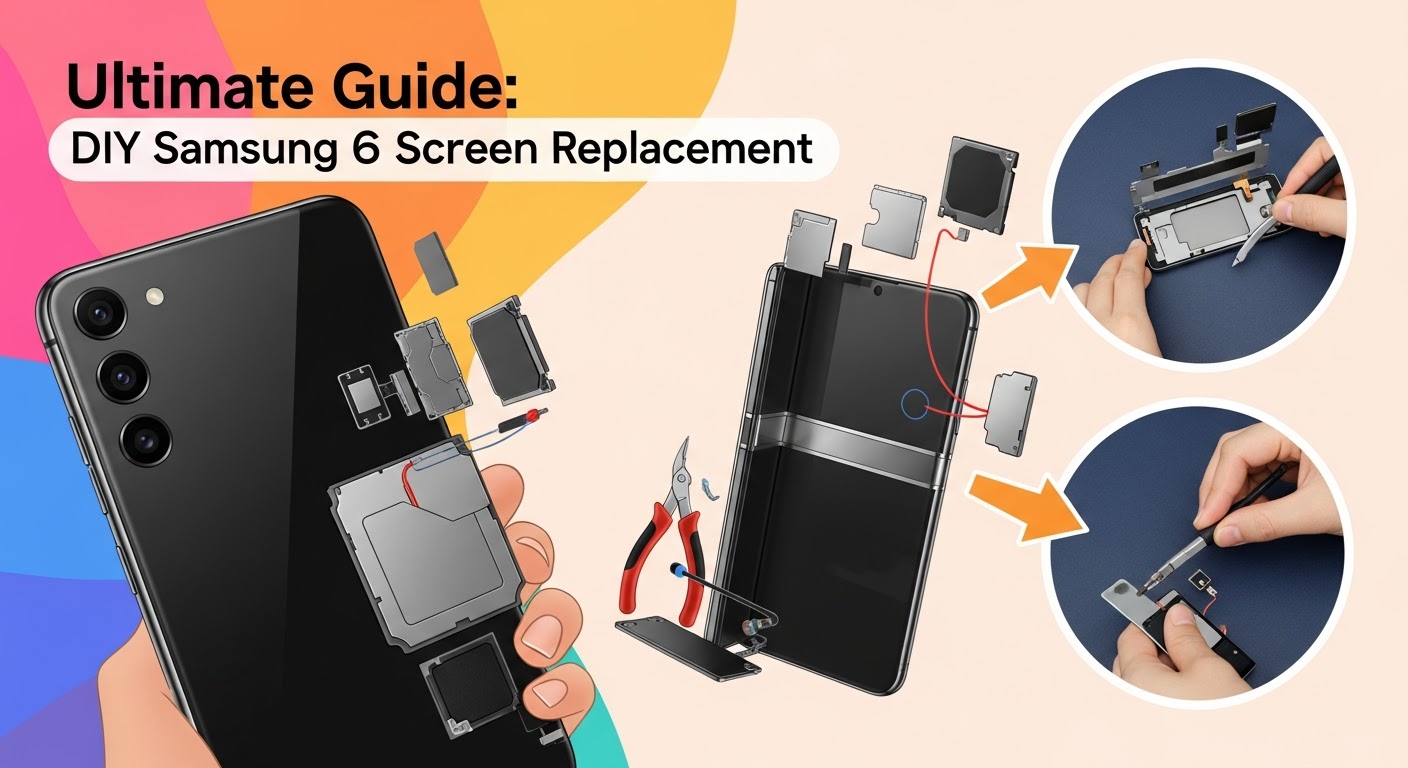
Replacing a Fold 6 screen isn’t like swapping a standard phone display. It requires technical precision, proper tools, and steady hands. Whether you’re dealing with cracks, dead pixels, or display flickering, this DIY Samsung Fold 6 screen replacement guide will walk you through each step safely and effectively.
Understanding the Samsung Fold 6 Display Technology
Before diving into the repair process, it’s crucial to understand what makes the Fold 6 display so unique — and why handling it properly matters.
The Dynamic AMOLED 2X Inner Screen
The inner foldable screen of the Fold 6 is a 7.6-inch Dynamic AMOLED 2X panel. It’s ultra-thin and flexible, designed to withstand thousands of folds. However, it uses a protective plastic layer instead of traditional glass, making it prone to creases or puncture damage if mishandled.
The External Cover Display
The outer cover display serves as your standard smartphone screen. It’s protected by Gorilla Glass Victus 2, offering more durability, but it’s still susceptible to cracks when dropped.
Common Screen Damage Types
Typical Fold 6 screen issues include:
Inner display bubbling or peeling
Touch response delay
Visible crease damage
Outer screen cracks or dead pixels
Display discoloration or black spots
Understanding these issues helps determine whether DIY replacement or professional service is the right move.
Heat the back cover edges for 2–3 minutes using a heat gun to loosen adhesive.
Use a suction cup and plastic pry tool to lift the back cover gently.
Be cautious near the camera housing — the adhesive is strongest there.
Step 2: Disconnecting the Battery and Motherboard
Unscrew all visible screws securing the internal shield.
Disconnect the battery flex cable before touching any other component.
Carefully detach the display connectors and motherboard flex cables using tweezers.
Step 3: Detaching the Inner Display
Heat the display area gradually to soften the adhesive.
Insert a thin plastic card between the frame and display — avoid bending the screen.
Lift the display slowly while keeping uniform pressure across both sides.
Step 4: Installing the New Screen
Clean the frame with isopropyl alcohol to remove old adhesive residue.
Align and connect the new inner display flex cable.
Secure the display and ensure no dust is trapped underneath.
Apply new adhesive strips and press the display gently for even sealing.
Step 5: Reassembling the Device
Reconnect the battery and motherboard cables.
Replace internal shields and screws.
Apply adhesive to the back cover and press firmly.
Power on your Fold 6 to test display responsiveness and touch accuracy.
Pro Tips to Ensure a Successful Repair
Avoid overheating — excessive heat can warp the plastic display.
Keep track of screws using a magnetic mat.
Test components before final assembly.
Use genuine adhesives for a firm seal and dust protection.
Work in a clean, static-free workspace to prevent internal damage.
Common Mistakes to Avoid During Samsung Fold 6 Screen Replacement
Rushing the removal process and cracking the display connector.
Using metal tools on the flexible inner display.
Reusing old adhesive (causes gaps and dust issues).
Forgetting to disconnect the battery first.
Not testing before sealing the back cover.
Cost Comparison: DIY vs. Professional Samsung Fold 6 Repair
Option
Average Cost
Warranty
Risk Level
Time
DIY Screen Replacement
$350–$500
None
High
3–4 hours
Sydney CBD Repair Centre
$699
90 Days
Low
Same Day
While DIY repairs save money, the Samsung Fold 6’s complexity often leads to additional damage if not handled correctly. Professional repair ensures OEM parts, tested quality, and peace of mind.
When to Seek Professional Help
If your Fold 6 has hinge damage, burned pixels, or battery swelling, it’s best to visit a professional repair shop. Sydney CBD Repair Centre, with 2000+ five-star reviews and 6 years of consecutive awards, is Sydney’s #1 choice for Samsung Fold screen repairs.
1. Can I replace the Samsung Fold 6 screen myself?
Yes, but only if you have prior experience with foldable device repairs. The process is complex and requires specialized tools.
2. How long does a Samsung Fold 6 screen replacement take?
DIY may take up to 4 hours, while professionals like Sydney CBD Repair Centre can complete it within the same day.
3. Does replacing the screen void the warranty?
If done outside Samsung-authorized centers, yes. However, Sydney CBD Repair Centre uses genuine parts and offers its own 90-day warranty.
4. How do I know if my inner screen or outer screen is damaged?
Inner screen issues often include bubbling or flickering, while outer screen cracks are visible on the front display.
5. Can water damage affect the screen replacement process?
Absolutely. If your Fold 6 was exposed to water, ensure it’s fully dried and inspected before replacement.
6. What’s the safest way to test the new screen before reassembly?
Connect all cables temporarily and power on the device to test touch response and color accuracy.
Conclusion: Restore Your Samsung Fold 6 Like New
Replacing your Samsung Fold 6 screen can be a rewarding DIY project if done carefully. However, given the foldable design’s complexity, most users prefer the security of professional service.
At Sydney CBD Repair Centre, you’re guaranteed genuine parts, fast turnaround, and trusted expertise. Don’t risk your premium device — let Sydney’s top-rated technicians bring your Fold 6 back to life!
About Sydney CBD Repair Centre
David from Sydney CBD Repair Centre
📍 Located in the heart of Sydney CBD
🏆 6-Time Award Winner for Best Phone Repairs
💬 Over 2000+ Positive Google Reviews
2025 Samsung S23 Ultra Rescue – How Sydney’s #1 Repair Centre Saved My Phone
Introduction
The Samsung Galaxy S23 Ultra is one of the most advanced smartphones of 2025, combining stunning design, cutting-edge performance, and world-class camera technology. But even with all its premium features, it’s still vulnerable to everyday accidents like drops, cracks, and unexpected damage.
When my S23 Ultra’s screen shattered, I felt that mix of frustration and worry every smartphone owner knows too well. With such a valuable device, I needed a repair service I could trust—fast, reliable, and professional. That’s what led me to Sydney CBD Repair Centre, the city’s most trusted mobile phone repair shop with over 2000 five-star Google reviews and a reputation for same-day, high-quality repairs.
This is the story of my Samsung S23 Ultra repair journey in 2025—from the accident to the flawless fix
Owning the Samsung Galaxy S23 Ultra in 2025 is both a joy and a challenge. It’s a powerhouse of a phone, equipped with one of the best cameras, lightning-fast performance, and a stunning display. But like all premium devices, accidents can happen—and that’s exactly how my repair journey began.
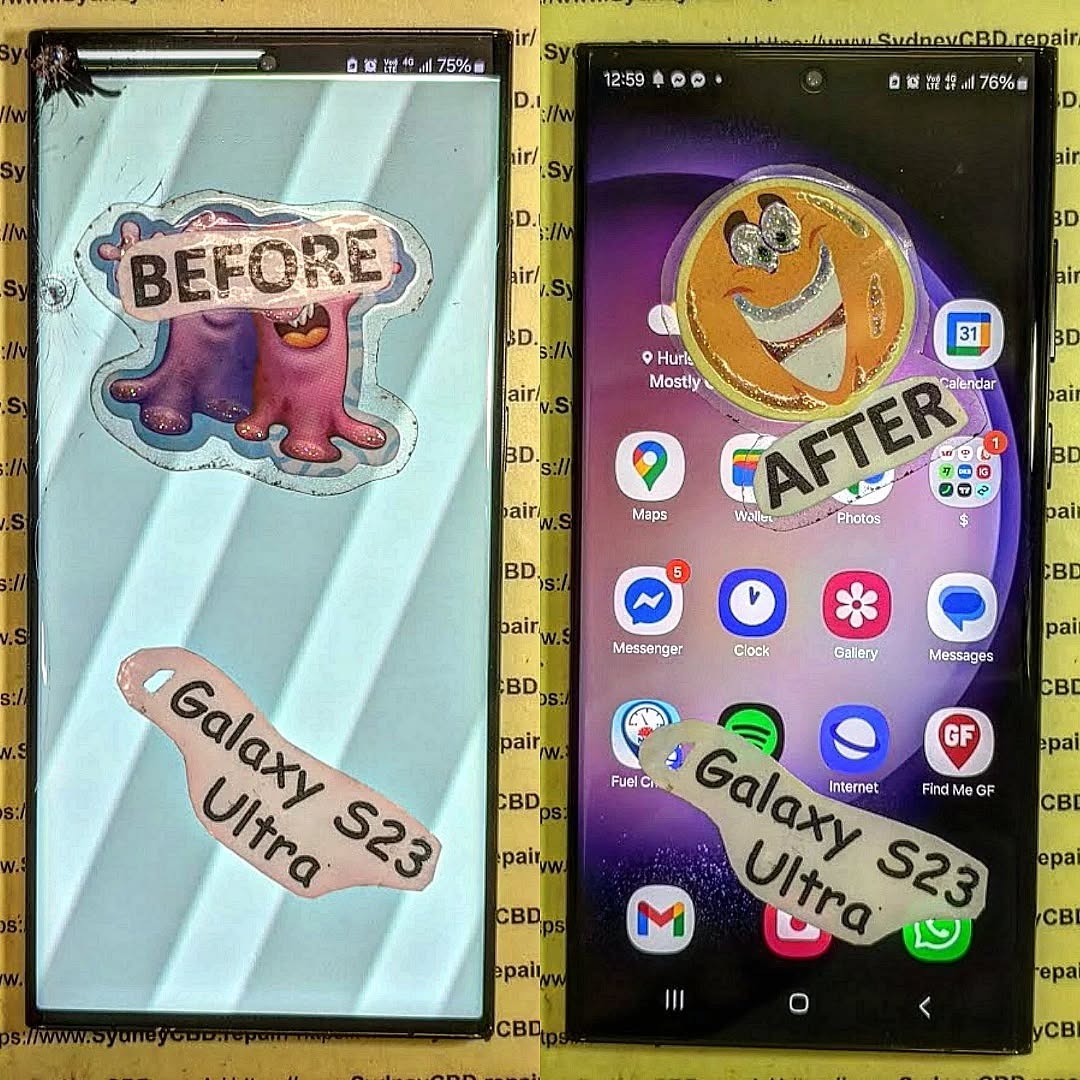
One unfortunate morning, my S23 Ultra slipped out of my hands and landed face down on concrete. The dreaded spiderweb crack spread across the screen, and suddenly, the device I relied on daily became difficult to use. With such an expensive smartphone, I knew I couldn’t trust just anyone with the repair.
After reading through over 2000+ five-star Google reviews and learning that they’ve been voted Sydney’s #1 phone repair shop for six years in a row, I felt confident I’d found the right place. Their promise of same-day repairs, genuine Samsung parts, and expert technicians reassured me that my S23 Ultra would be in safe hands.
When I walked into the repair centre, the staff was professional, knowledgeable, and welcoming. They explained the process step by step, from carefully removing the broken screen to installing a genuine Samsung replacement display.
The best part? The repair was completed the same day. I dropped my phone off during lunch, and by the evening, it looked brand new again. They even included a 90-day warranty for peace of mind.
Results That Speak for Themselves
After the repair, my S23 Ultra feels just as premium as when I first unboxed it. The touch responsiveness, vibrant colours, and smooth performance of the screen are flawless. It’s clear that Sydney CBD Repair Centre doesn’t compromise on quality.
Final Thoughts
My 2025 Samsung S23 Ultra repair journey was smoother than I expected, thanks to Sydney CBD Repair Centre. Their professionalism, genuine parts guarantee, and quick turnaround made the entire experience stress-free.
If you ever find yourself with a cracked screen, failing battery, or water-damaged phone, I can’t recommend them enough. Trust the experts who have been delivering award-winning repair services in Sydney for over six years.
✅ David from Sydney CBD Repair Centre – The Best place to fix mobile phones as 6 Years In A Row!
📍 Located in the heart of Sydney CBD
⭐ More than 2000 Positive Reviews on Google
🛠️ Same Day Express Repairs | Genuine Parts Guarantee | 90 Days Warranty
BEYOND SCREENS! Smartphone Camera Lens Fix Secrets That Boost Clarity by 7X
Introduction: Why Camera Lens Fixes Matter More Than Ever
Smartphone cameras have become one of the most important features of modern devices. From capturing family memories to creating professional-grade content for social media, the quality of your camera lens directly impacts your photos and videos. But what happens when your smartphone camera lens gets scratched, foggy, or damaged?
A smartphone camera lens fix isn’t just about restoring clarity—it’s about ensuring your phone continues to deliver high-quality results. For many users, a clean and undamaged lens means the difference between blurry, washed-out images and crisp, Instagram-worthy shots.
At Sydney CBD Repair Centre, we’ve seen countless smartphones come through our doors with damaged lenses, often due to accidental drops, neglect, or lack of protection. The good news? Most issues can be fixed—sometimes through simple cleaning methods, and other times with professional repair services.
Smartphone lenses are more advanced than ever before. Each lens is made from layers of glass or sapphire crystal, engineered to capture as much light as possible while minimizing distortion. Behind the lens, sensors and image processors work together to deliver sharp and vibrant images.
Unlike traditional DSLR cameras, smartphone lenses are fixed, meaning you can’t swap them out easily. That’s why protecting and repairing them properly is crucial.
Common Lens Types in Modern Phones
Wide-angle lenses – Standard in most smartphones, great for everyday shots.
Ultra-wide lenses – Ideal for landscapes, architecture, and group photos.
Telephoto lenses – Perfect for zooming without losing detail.
Macro lenses – Designed for capturing tiny details up close.
Each of these relies on a clear, undamaged lens to function at its best. A single scratch or piece of dust can compromise image quality across all camera modes.
Every lens works by bending light through its surface onto the phone’s sensor. When the lens is clean and smooth, light passes through accurately, producing sharp photos. But when scratches, cracks, or dirt disrupt that refraction, the result is hazy, distorted, or dull images.
Impact of Scratches, Dust, and Smudges
Scratches scatter light, leading to flares or ghosting effects in photos.
Dust and dirt block light, reducing brightness and sharpness.
Smudges and oils cause blurry, soft-focus images.
That’s why even the smallest imperfection on your lens can have a big impact.
Common Smartphone Camera Lens Problems
Scratched Lenses
One of the most frequent issues we see is scratched lenses. Even with protective cases, lenses can get scratched by keys, coins, or rough surfaces.
Cracked or Shattered Lenses
A drop on hard ground can crack or shatter the lens cover. This doesn’t always mean the camera itself is broken—but the protective glass will need to be replaced immediately.
Internal Fogging and Moisture Issues
Moisture trapped inside the lens cover can cause fogging. This is common if your phone has been exposed to humidity or water damage.
Dust and Debris Under the Lens
Over time, tiny particles can sneak inside the phone and settle under the lens. These appear as spots or shadows on your photos.
DIY Smartphone Camera Lens Fixes
Cleaning Techniques and Tools
For mild issues, cleaning can make a huge difference. Use:
A microfiber cloth to wipe smudges.
A blower to remove dust.
Isopropyl alcohol (90% or higher) for stubborn dirt.
Temporary Scratch Remedies
Some users try DIY methods like toothpaste or baking soda to buff out scratches. While these can reduce the appearance of light scratches, they often don’t restore full clarity and can cause further damage if overused.
When to Avoid DIY Repairs
If your lens is cracked, fogged, or severely scratched, DIY fixes won’t help. In fact, trying to pry open the lens without proper tools can damage the sensor behind it. That’s when professional help is essential.
Professional Smartphone Camera Lens Repairs
The Repair Process Explained
At Sydney CBD Repair Centre, lens repair is straightforward. Our technicians carefully remove the damaged lens cover, clean the internal components, and replace it with a genuine part. The process ensures your camera is restored to its original clarity.
Costs and Timeframes
Lens cleaning: Quick and affordable, usually done within an hour.
Lens replacement: Typically completed same-day, depending on model.
Costs vary by brand and model, but investing in professional repair guarantees long-lasting results.
Why Choose Authorized Repair Centres
Not all repairs are equal. Choosing trusted professionals means:
Genuine parts instead of cheap knockoffs.
Warranty-backed service for peace of mind.
Experienced technicians who won’t damage sensitive components.
One of the simplest ways to prevent lens damage is by applying a camera lens protector. These small glass covers add an extra shield without affecting photo quality. Pair this with a durable case for maximum protection.
Best Practices for Everyday Care
Avoid placing your phone in pockets with keys or coins.
Clean your lens regularly with a microfiber cloth.
Keep your phone away from water, sand, and dust whenever possible.
Smartphone Camera Lens Fix: Myths vs. Facts
Common Misconceptions
Myth: Toothpaste fixes all scratches.
Fact: It only works on the tiniest surface marks and often makes things worse.
Myth: A cracked lens means the camera is ruined.
Fact: In most cases, replacing just the lens cover restores full function.
Myth: Any repair shop can fix your camera lens.
Fact: Only skilled technicians with genuine parts can guarantee quality repairs.
Expert Clarifications
Your smartphone camera is one of the most delicate components of your device. Trusting myths or DIY hacks can cause irreversible damage. Professional care is always the smarter, safer option.
FAQs: Smartphone Camera Lens Fix
Q1: Can I fix a scratched smartphone camera lens at home?
A: Minor smudges can be cleaned, but deep scratches require professional repair.
Q2: How long does a camera lens replacement take?
A: At Sydney CBD Repair Centre, most lens replacements are completed within the same day.
Q3: Will a cracked lens affect photo quality?
A: Yes, cracks scatter light and reduce clarity, leading to blurry or distorted photos.
Q4: Is it worth repairing a damaged camera lens?
A: Absolutely. Repairing costs are far less than replacing your entire phone.
Q5: Can water damage permanently ruin my camera lens?
A: If treated quickly by professionals, many cases of water-related fogging can be resolved.
Q6: How can I prevent lens damage in the future?
A: Use protectors, clean regularly, and avoid placing your phone in risky environments.
Conclusion: See the World Through a Clearer Lens
A damaged camera lens doesn’t mean the end of great photography. With the right care, repairs, and protection, your smartphone can continue capturing life’s best moments with clarity.
At Sydney CBD Repair Centre, we specialize in same-day camera lens repairs using genuine parts, backed by expert care and warranty protection. Don’t settle for blurry photos—bring your phone to the professionals who have been Sydney’s #1 repair choice for six years in a row.
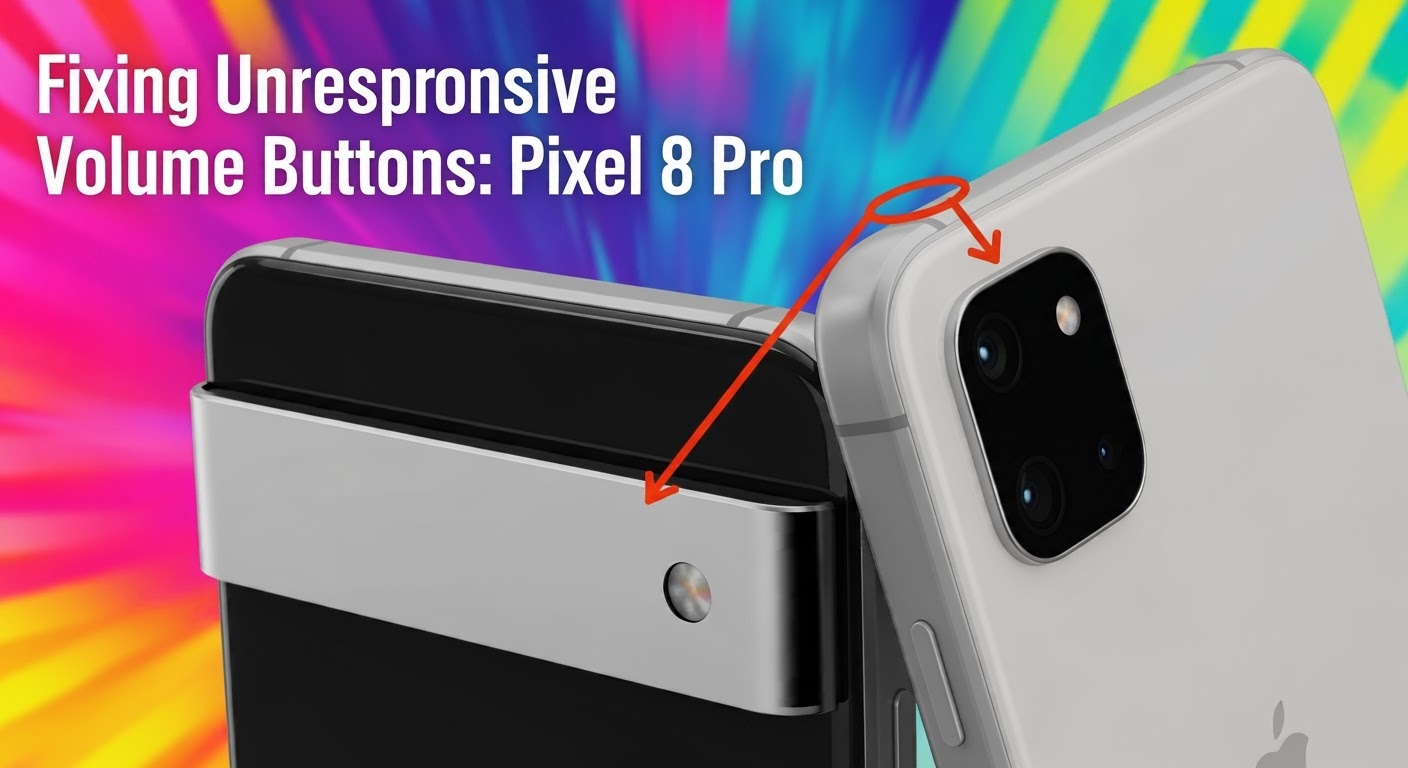
Introduction: Why Pixel 8 Pro Volume Buttons Stop Working
The Google Pixel 8 Pro is one of the most advanced smartphones in today’s market, known for its sleek design, smooth performance, and premium build quality. However, even the best devices encounter problems over time. One of the most frustrating issues Pixel 8 Pro users face is unresponsive volume buttons.
If your volume buttons are stiff, non-functional, or respond only intermittently, you’re not alone. This issue can stem from hardware wear, dust accumulation, or even software bugs after updates. The good news is that there are reliable ways to troubleshoot, fix, and even prevent such problems.
In this guide, you’ll learn everything from quick DIY checks to professional repair solutions. Plus, you’ll get 7 expert tips from Sydney CBD Repair Centre — trusted by over 2,000 happy customers with same-day, genuine part repairs.
Recognizing the early signs of failing volume buttons can save you time and money. Some of the most common symptoms include:
Button Press Feels Stiff or Loose
If your Pixel 8 Pro’s button no longer has that “clicky” feedback, it could mean dirt buildup, internal misalignment, or wear of the button mechanism.
Volume Control Only Works Occasionally
Intermittent response usually points to contact issues inside the button assembly or minor debris preventing consistent pressure recognition.
No Response Even After Multiple Presses
When neither the volume up nor down button works regardless of how many times you press, it’s often a sign of serious internal hardware damage or a disconnected flex cable.
Understanding what causes unresponsive buttons will help you determine whether it’s a simple fix or requires expert attention.
Physical Wear and Tear
Daily use naturally wears down mechanical buttons. Over months and years, the internal switch can lose sensitivity.
Dust, Dirt, and Debris
Small particles can slip under the button edges, interfering with functionality. This is especially common if you carry your phone without a protective case.
Software Glitches or Updates
Sometimes, your Pixel 8 Pro’s software may misinterpret input, especially after updates. Luckily, this is usually a temporary problem.
Internal Hardware Malfunction
In severe cases, the volume flex cable or motherboard connection may be damaged, requiring professional repair or part replacement.
Quick DIY Fixes Before Professional Repair
Before rushing to a repair shop, you can try a few safe DIY solutions:
Restarting Your Pixel 8 Pro
A simple restart often resolves temporary glitches. Hold the power button and reboot your phone.
Cleaning Around the Buttons Safely
Use a soft microfiber cloth and compressed air to gently clean around the buttons. Avoid liquid cleaners that may seep inside.
Checking for Software Updates
Go to Settings > System > Software Update and install the latest patch. Google frequently releases bug fixes for button responsiveness issues.
Advanced Troubleshooting for Tech-Savvy Users
If you’re confident with smartphone settings, here are a few deeper troubleshooting steps:
Running Pixel’s Safe Mode
Boot into Safe Mode to rule out third-party apps causing the problem. If buttons work in Safe Mode, an app is the culprit.
Factory Reset Considerations
As a last resort, back up your data and perform a factory reset. This clears software issues but won’t fix hardware faults.
Testing with Accessibility Settings
Use on-screen volume controls or Google Assistant to confirm if it’s purely a hardware failure.
When to Seek Professional Help
Not every problem can be solved at home. Seek professional repair when:
Identifying Irreparable Hardware Damage
If buttons don’t respond even after resets, cleaning, or Safe Mode testing, it’s likely a hardware issue.
Why DIY Repair Can Be Risky
Pixel 8 Pro is a delicate device with tightly sealed components. Attempting DIY disassembly without proper tools risks damaging the screen, battery, or motherboard.
Pixel 8 Pro Volume Button Replacement Process
At Sydney CBD Repair Centre, our technicians follow a professional procedure to restore full functionality:
Tools Required for Replacement
Precision screwdriver set
Plastic opening tools
Heat gun for adhesive removal
Genuine Pixel replacement parts
Step-by-Step Disassembly Overview
Power off device and remove SIM tray.
Gently heat and lift display with suction tools.
Disconnect battery and volume button flex cable.
Install new button assembly with genuine part.
Installing Genuine Replacement Parts
We only use original Google Pixel parts, ensuring your phone feels brand-new after repair.
Cost of Repair: DIY vs Professional Service
Average Costs in Sydney
A professional Pixel 8 Pro volume button repair typically ranges between $150 – $250, depending on the extent of damage.
Comparing Repair Shops vs Google Authorized Centers
Authorized repair centres may charge higher, while trusted independent shops like Sydney CBD Repair Centre offer affordable pricing, same-day turnaround, and genuine parts.
Preventing Future Pixel 8 Pro Volume Button Issues
To extend your phone’s lifespan, practice these habits:
Using a Protective Case
A case reduces dust entry and protects buttons from physical wear.
Regular Cleaning and Maintenance
Wipe your phone weekly with a microfiber cloth. Avoid lint and grime buildup around button edges.
Avoiding Excessive Button Pressure
Press gently. Repeated forceful pressing shortens button life.
Alternatives if Repair Isn’t Immediate
If you can’t repair your Pixel 8 Pro right away, use these temporary workarounds:
On-Screen Volume Controls
Enable volume sliders from settings for quick adjustments.
Why did my Pixel 8 Pro volume button suddenly stop working?
It may be due to hardware wear, dust, or a software bug. A quick restart can rule out temporary glitches.
Can software updates fix unresponsive buttons?
Yes, if the issue is software-related. Updates often patch responsiveness bugs.
How long does professional repair take?
At Sydney CBD Repair Centre, most repairs are done same day, often within 1-2 hours.
Is Pixel 8 Pro volume button repair covered under warranty?
If your phone is still under Google warranty and shows no signs of accidental damage, it may be covered.
Should I replace the button myself or hire a professional?
Professional repair is strongly recommended to avoid damaging your device.
How do I prevent volume button issues in the future?
Keep your phone clean, use a protective case, and avoid pressing buttons too hard.
Conclusion: Restoring Full Functionality to Your Pixel 8 Pro
A non-responsive volume button may seem like a small problem, but it can quickly affect how you use your Pixel 8 Pro daily. While basic troubleshooting may solve minor glitches, more serious cases require expert repair with genuine parts.
At Sydney CBD Repair Centre, we specialize in fast, reliable, and affordable Pixel repairs. With over 2,000 5-star Google reviews and recognition as Sydney’s #1 repair centre for six years in a row, you can trust us to restore your device to full working order.
📍 Visit us today for:
✓ Same Day Express Repairs
✓ Genuine Parts Guarantee
✓ Professional Technicians
✓ Competitive Pricing
✓ 2000+ 5-Star Google Reviews
✓ 6-Time Award Winner for Best Phone Repairs
Sydney CBD Repair Centre – Where Quality Meets Reliability.
Disassembling a Foldable Phone for Internal Cleaning: 10 Expert Tips for Safe and Effective Maintenance
Introduction: Why Internal Cleaning Matters for Foldable Phones
Foldable phones are some of the most innovative devices in today’s mobile technology landscape. With sleek designs, flexible hinges, and cutting-edge displays, they bring futuristic functionality into our hands. But as advanced as they are, foldable phones are more vulnerable to dust, debris, and internal grime compared to traditional smartphones.
Over time, tiny particles can accumulate in the hinge mechanism and internal components, leading to reduced performance, hinge stiffness, or even permanent damage. That’s why internal cleaning—done correctly—is essential to prolonging your foldable phone’s life.
In this guide, we’ll walk you through 10 expert steps for safely disassembling and cleaning a foldable phone. Whether you’re a tech-savvy DIYer or just curious about the process, this detailed tutorial will help you understand what’s involved and when to seek professional assistance.
Before you even think about prying open your foldable device, gather the right tools. Using improper equipment can cause irreparable damage.
Essential Repair Tools
Precision screwdriver set (Phillips, Torx, pentalobe)
Plastic spudger and opening picks
Suction cup handle for glass removal
Anti-static tweezers
Cleaning Materials
99% isopropyl alcohol (safe for electronics)
Anti-static brush
Compressed air canister or rubber air blower
Microfiber cloth
Safety Gear
Anti-static wrist strap to prevent electrostatic discharge
Protective gloves for handling delicate components
Heat-resistant mat for working surface
Having these ready ensures a smoother and safer disassembly process.
Step 1: Backing Up Your Data
Disassembling a foldable phone involves disconnecting critical components, which risks data loss or corruption. Always back up your device before starting:
Use cloud services like Google Drive, iCloud, or OneDrive.
Create a full backup on your computer via cable connection.
Double-check that contacts, photos, and important files are synced.
This simple precaution saves you from unexpected headaches if something goes wrong.
Step 2: Powering Off and Preparing the Work Area
Shut down your device completely. Never attempt to open or clean a powered-on phone. Prepare your workspace by:
Using a clean, flat, well-lit surface.
Laying down an ESD-safe mat.
Organizing tools within easy reach.
Setting up a magnetic tray or small containers for screws.
A neat setup reduces the chance of losing tiny screws or damaging sensitive parts.
Step 3: Removing the SIM Tray and External Accessories
Before internal access, remove all external parts:
Eject the SIM and SD card trays.
Detach protective cases or skins.
Remove stylus pens (if applicable).
This step clears the way for safe disassembly without obstruction.
Step 4: Heating the Adhesive for Back Cover Removal
Most foldable phones have glass backs secured with strong adhesive. Applying controlled heat helps loosen it.
Safe Heat Application
Use a heat gun or phone heating pad.
Keep the temperature around 80–90°C.
Move heat evenly across the surface.
Risks of Excess Heat
Overheating may warp plastic parts.
Prolonged exposure can damage internal adhesive seals.
Glass may crack if heated unevenly.
Patience is key—never rush this step.
Step 5: Carefully Detaching the Back Cover
With adhesive softened, use a suction cup and plastic picks to gently lift the back cover.
Start from a corner and slide along edges.
Avoid metal tools—they scratch and crack glass.
Be extra cautious near the hinge area, where flex cables may be located.
Once lifted, place the back cover on a clean cloth to prevent dust contamination.
Step 6: Disconnecting the Battery Safely
Always disconnect the battery before touching internal components.
Locate the battery connector and use a plastic spudger to lift it.
Never use metal tweezers to pry connectors.
For glued batteries, apply small amounts of isopropyl alcohol to loosen adhesive.
This prevents short circuits during cleaning.
Step 7: Accessing the Hinge Mechanism for Cleaning
The hinge is the heart of any foldable phone—and the most prone to dust intrusion.
Dust and Debris Risks in Hinges
Dust buildup causes stiffness or uneven folding.
Foreign particles may scratch the display.
Excess pressure can damage internal gears.
How to Clean Without Damage
Use a soft anti-static brush to sweep debris.
Blow gently with a rubber air blower.
Avoid lubricants—oil attracts more dust and may seep into the screen.
Step 8: Cleaning Internal Components
Once the hinge is clear, inspect other components like speakers, charging ports, and motherboard.
Using Isopropyl Alcohol
Apply with lint-free swabs.
Only a few drops—never soak components.
Helps dissolve oily grime without leaving residue.
Safe Brush and Blower Techniques
Brush gently over circuit boards.
Blow air at an angle to avoid pushing dust deeper.
Wipe connectors with microfiber cloth.
This step restores airflow and prevents overheating.
Step 9: Inspecting for Wear and Tear
While inside, look for signs of damage:
Swollen or degraded batteries.
Burn marks on circuits.
Loose or frayed ribbon cables.
Cracks near hinge or frame.
Early detection of these issues saves you from future breakdowns.
Touching internal parts with bare hands (oils cause corrosion).
Avoiding these mistakes can mean the difference between a successful clean and a costly repair.
Professional Help vs. DIY: When to Call an Expert
Not everyone should attempt foldable phone disassembly. You should seek professional repair if:
Your phone is still under warranty.
The hinge feels unusually stiff.
You notice screen delamination.
Internal damage is beyond simple dust cleaning.
Sydney CBD Repair Centre offers expert foldable phone services with same-day repairs, genuine parts, and a 90-day warranty. With over 2000 5-star reviews, it’s the trusted choice for Australians needing safe, reliable phone maintenance.
1. How often should I clean my foldable phone internally?
Ideally once a year, or sooner if you notice hinge stiffness or dust accumulation.
2. Can I use a hair dryer instead of a heat gun?
Yes, but use low heat and caution. A proper heating pad or gun is safer.
3. Will cleaning void my warranty?
DIY disassembly may void warranties. Check your manufacturer’s policy first.
4. Is compressed air safe for foldable phones?
Yes, if used at a safe distance and angle. Avoid high-pressure bursts.
5. What if I damage the back glass during removal?
You’ll need a replacement part. Professional shops like Sydney CBD Repair Centre can replace it quickly.
6. Can hinge lubrication extend phone life?
No. Most manufacturers design hinges to work dry. Lubricants attract dust.
Conclusion: Keep Your Foldable Phone Running Smoothly
Disassembling a foldable phone for internal cleaning is not a beginner task. It requires the right tools, patience, and precision. By following these 10 expert tips, you can safely maintain your device, reduce dust-related issues, and extend its lifespan.
However, if you’re unsure or don’t have the right tools, trust professionals who handle these delicate repairs daily.
Sydney CBD Repair Centre – Where Quality Meets Reliability
David from Sydney CBD Repair Centre – The Best place to fix mobile phones as 6 Years In A Row!
Top Mobile Phone Repair in Sydney with 2000+ Positive Reviews on Google and Same Day Repairs.
We repair all major brands including Apple, Samsung, Google, and more using genuine parts with a 90-day warranty.