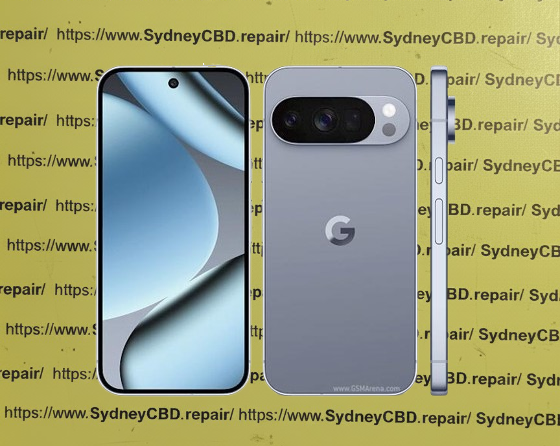
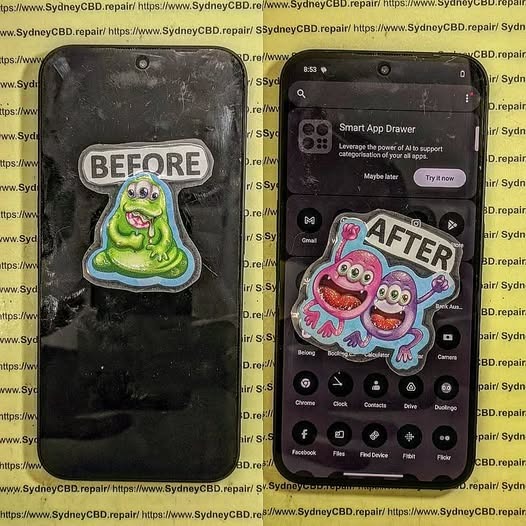
NEXT LEVEL TECH! Samsung Galaxy S26 Ultra Screen Replacement | Sydney CBD Repair Centre
Introduction
The Samsung Galaxy S26 Ultra is one of the most advanced smartphones ever created, featuring a stunning Dynamic AMOLED display, powerful performance, and premium design. While the display is built for durability, accidental drops and impacts can still result in cracked glass, display damage, touch issues, or black screens. When that happens, trust the experts at Sydney CBD Repair Centre for fast, professional, and reliable Samsung Galaxy S26 Ultra screen replacement services.
David from Sydney CBD Repair Centre proudly leads Sydney’s award-winning mobile phone repair team. Recognised as The Best Place to Fix Mobile Phones for 7 Years in a Row, we have earned the trust of thousands of customers through exceptional workmanship, honest pricing, and outstanding customer service. With more than 2,000 positive Google reviews, we continue to set the benchmark for smartphone repairs across Sydney.
Our experienced technicians specialise in repairing the latest Samsung flagship devices, including the Galaxy S26 Ultra. Every repair is carried out using premium genuine-quality replacement parts and professional repair equipment to ensure your device performs like new after the repair.
Whether your Samsung Galaxy S26 Ultra has suffered a shattered display, unresponsive touchscreen, flickering screen, green line issue, dead pixels, or complete display failure, our technicians can quickly diagnose the problem and restore your phone to perfect working condition.
We understand that your smartphone is an essential part of everyday life. That’s why we focus on delivering high-quality repairs with minimal downtime.
Our advantages include:
Same Day Samsung Galaxy S26 Ultra Screen Replacement
Genuine Parts Guarantee
Experienced Samsung Repair Specialists
Professional Diagnostic Testing
90-Day Repair Warranty
Competitive and Transparent Pricing
Advanced Repair Equipment
Over 2,000 Five-Star Google Reviews
7-Time Award Winner for Best Phone Repairs
Convenient Sydney CBD Location
Every Samsung Galaxy S26 Ultra repair includes comprehensive testing to ensure the touchscreen, display brightness, fingerprint functionality, cameras, speakers, charging, wireless charging, and all major features are operating perfectly before your device is returned.
No matter how severe the damage appears, our experienced repair team can provide the right solution.
Professional Samsung Repairs You Can Trust
At Sydney CBD Repair Centre, quality is our priority. Every Samsung Galaxy S26 Ultra is carefully disassembled using professional tools designed specifically for premium Samsung devices. We replace damaged components with precision while protecting sensitive internal hardware such as the cameras, motherboard, wireless charging coil, and S Pen functionality.
After reassembly, every phone undergoes a comprehensive quality control inspection to verify display performance, touch sensitivity, biometric security, camera functionality, network connectivity, charging performance, and overall device reliability.
Our goal is simple: return your Samsung Galaxy S26 Ultra looking and performing as close to factory condition as possible.
More Than Just Screen Repairs
In addition to Samsung Galaxy S26 Ultra screen replacement, we also provide:
Battery Replacement
Charging Port Repair
Rear Glass Replacement
Camera Lens Replacement
Water Damage Diagnostics
Motherboard Repairs
Speaker Repairs
Microphone Repairs
Power Button Repairs
Volume Button Repairs
Data Recovery Services
Software Troubleshooting
Whether your device has suffered accidental damage or developed a hardware fault, our technicians have the expertise to restore it quickly and professionally.
Conclusion
A damaged Samsung Galaxy S26 Ultra screen doesn’t have to mean the end of your premium smartphone. With professional repair services from Sydney CBD Repair Centre, you can restore your device’s stunning display, responsive touchscreen, and overall performance quickly and confidently. Our experienced technicians use genuine-quality parts, advanced repair techniques, and thorough quality testing to ensure every repair meets the highest standards.
Whether you’re dealing with a cracked screen, display failure, touch issues, or accidental damage, we’re committed to providing fast, reliable, and affordable solutions with same-day service whenever possible. Backed by over 2,000 five-star Google reviews, a 90-day repair warranty, and recognition as Sydney’s Best Mobile Phone Repair Centre for seven years in a row, you can trust us to treat your Samsung Galaxy S26 Ultra with the care it deserves.
Visit Sydney CBD Repair Centre today and experience expert workmanship, outstanding customer service, and repairs you can rely on. Your Samsung Galaxy S26 Ultra deserves nothing less than the best.
Visit Sydney CBD Repair Centre Today
If your Samsung Galaxy S26 Ultra needs a screen replacement, don’t trust just anyone with your premium device. Choose Sydney CBD Repair Centre for expert workmanship, genuine-quality parts, fast turnaround times, and customer service that has made us Sydney’s highest-rated mobile phone repair centre.
Sydney CBD Repair Centre – Where Quality Meets Reliability.
David from Sydney CBD Repair Centre – The Best place to fix mobile phones as 7 Years In A Row! Top Mobile Phone Repair In Sydney. More than 2000 Positive Reviews on Google and Same Day Repairs.
📍 Visit us today for:
✓ Same Day Express Repairs
✓ Genuine Parts Guarantee
✓ Professional Technicians
✓ Competitive Pricing
✓ 2000+ 5-Star Google Reviews
✓ 7-Time Award Winner for Best Phone Repairs
Rescuing a Google Pixel 10 Pro Crushed by a Sydney Light Rail Tram: 11 Remarkable Lessons from an Extreme Phone Recovery
Introduction to the Incident
Few smartphone accidents are as dramatic as watching a premium device disappear beneath the wheels of a moving tram. Yet that was exactly the situation involving a Google Pixel 10 Pro in Sydney. What began as a routine commute quickly transformed into a major recovery challenge when the device slipped onto the tracks and was subsequently crushed by a Sydney light rail tram.
At first glance, the phone appeared beyond saving. The display was shattered, the frame was twisted, and several internal components had suffered severe impact damage. However, modern smartphones are more resilient than many people realize. Through careful handling, advanced diagnostic procedures, and professional repair techniques, even a severely damaged device can sometimes be restored.
This article explores the complete journey of rescuing a Google Pixel 10 Pro crushed by a Sydney light rail tram, highlighting the repair process, lessons learned, and the importance of expert intervention.
Urban transportation systems move thousands of people every day. Busy stations, crowded platforms, and rushed commuters create countless opportunities for accidents involving personal devices.
The Moment Everything Went Wrong
The incident occurred during a typical weekday rush. While boarding the light rail, the owner attempted to place the phone into a pocket. Unfortunately, the device slipped free and landed near the platform edge.
Before retrieval was possible, the tram began moving. Within seconds, the Google Pixel 10 Pro found itself directly beneath several tonnes of moving rail equipment.
The result was catastrophic physical damage.
Initial Assessment of the Damage
Upon recovery, technicians observed:
Completely shattered front glass
Cracked rear panel
Bent aluminum frame
Damaged camera housing
Screen separation from chassis
Potential motherboard stress
Battery deformation concerns
Despite the destruction, there remained hope for recovering both functionality and valuable data.
Battery assessment remains one of the most important steps.
A damaged battery can:
Swell unexpectedly
Lose capacity
Overheat
Present safety hazards
Replacement is usually recommended after severe crush events.
Data Recovery from a Crushed Smartphone
One of the most encouraging aspects of a Google Pixel 10 Pro crushed by a Sydney light rail tram is that data often survives even when the phone appears destroyed.
Photos, videos, contacts, documents, and application data are frequently stored on memory chips that remain intact despite extensive physical damage.
Professional recovery methods include:
Logic Board Restoration
Technicians may repair:
Broken traces
Damaged connectors
Cracked solder joints
This temporary restoration can allow data extraction.
Temporary Screen Installation
In some situations, technicians install:
Test displays
Diagnostic batteries
Temporary charging assemblies
This enables phone access long enough to create a complete backup.
Chip-Level Techniques
Advanced recovery sometimes involves:
Microsoldering
Board reconstruction
Data extraction procedures
These methods require specialized equipment and extensive experience.
Fortunately, modern Google cloud synchronization also provides an additional layer of protection.
Why Professional Repair Matters
When facing severe smartphone damage, DIY repairs rarely succeed.
Professional repair centers provide:
Specialized Equipment
Experts use:
Thermal cameras
Microscopes
Precision soldering stations
Diagnostic software
Professional calibration tools
These resources significantly improve repair outcomes.
Experience with Complex Cases
Repair specialists have encountered:
Vehicle-crushed phones
Water-damaged devices
Fire-damaged electronics
Extreme impact failures
This experience helps identify practical recovery options.
Cost Savings
Replacing a flagship smartphone is expensive.
Repairing a Google Pixel 10 Pro crushed by a Sydney light rail tram can often cost substantially less than purchasing a new device while preserving important personal data.
Preventing Similar Accidents
Although accidents happen, several precautions can reduce risk.
Use Secure Storage
Avoid placing phones loosely in shallow pockets.
Better options include:
Zippered compartments
Secure bags
Dedicated phone sleeves
Install Protective Cases
A quality case offers:
Improved grip
Shock absorption
Reduced slipping risk
While a case won’t stop tram damage, it can prevent the drop that causes the accident.
Enable Automatic Backups
Regular backups are essential.
Consider:
Google Drive synchronization
Cloud photo backup
Automatic contacts syncing
Data protection should never depend solely on physical device survival.
Stay Aware During Commuting
Busy transport environments demand extra attention.
Simple habits can prevent costly accidents:
Hold devices securely
Avoid multitasking near platform edges
Use both hands when boarding
Small precautions often make a big difference.
Frequently Asked Questions
1. Can a Google Pixel 10 Pro survive being crushed by a tram?
While severe damage is expected, internal components and stored data may survive. Professional assessment is necessary to determine repairability.
2. Is data recovery possible after tram damage?
Yes. In many cases, technicians can recover photos, contacts, and documents even when the phone itself appears destroyed.
3. Should I try charging a crushed phone?
No. Charging a physically damaged smartphone may create safety risks, especially if the battery has been compromised.
4. How long does the repair process take?
Repair times vary depending on parts availability and damage severity. Simple repairs may take hours, while complex recoveries can require several days.
5. Is repairing a tram-crushed Google Pixel 10 Pro worth it?
If valuable data can be recovered or the motherboard remains functional, repair may be considerably more economical than replacement.
6. Can a bent frame be repaired?
Minor bends may be corrected. Severe deformation often requires complete housing replacement.
7. Will waterproofing remain intact after repairs?
Professional technicians can install new seals, although original factory water resistance may not always be fully restored.
8. What is the most important step after recovering the phone?
Avoid using or charging the device and seek professional diagnostic assessment immediately.
Conclusion
The story of rescuing a Google Pixel 10 Pro crushed by a Sydney light rail tram demonstrates both the vulnerability and resilience of modern smartphones. While tram-related accidents can inflict devastating physical damage, professional repair techniques continue to advance, allowing many devices to be restored or at least yield their valuable data.
The key lessons are straightforward: act quickly, prioritize safety, avoid DIY experimentation, and consult experienced technicians. Even when a phone appears beyond hope, expert diagnostics may reveal surprising recovery possibilities.
Most importantly, maintaining regular backups ensures that no accident—no matter how dramatic—results in the permanent loss of important memories, documents, or personal information.
For additional information about smartphone safety and device protection, visit the official Android support resources at Android Help Center.
David from Sydney CBD Repair Centre – The Best place to fix mobile phones as 7 Years In A Row! Top Mobile Phone Repair In Sydney. More than 2000 Positive Reviews on Google and Same Day Repairs.
We take pride in delivering exceptional repair services for all major phone brands including Apple, Samsung, Google, and more. Our expert technicians use only genuine parts and offer 90days warranty on repairs. Located in the heart of Sydney CBD, we’re your one-stop solution for all mobile device repairs.
Our commitment to excellence has earned us the trust of thousands of satisfied customers. Whether it’s a cracked screen, battery replacement, or water damage repair, we handle it all with professional care and expertise. Walk in today and experience why we’re Sydney’s #1 choice for mobile phone repairs.
Visit us for:
✓ Same Day Express Repairs
✓ Genuine Parts Guarantee
✓ Professional Technicians
✓ Competitive Pricing
✓ 2000+ 5-Star Google Reviews
✓ 7-Time Award Winner for Best Phone Repairs
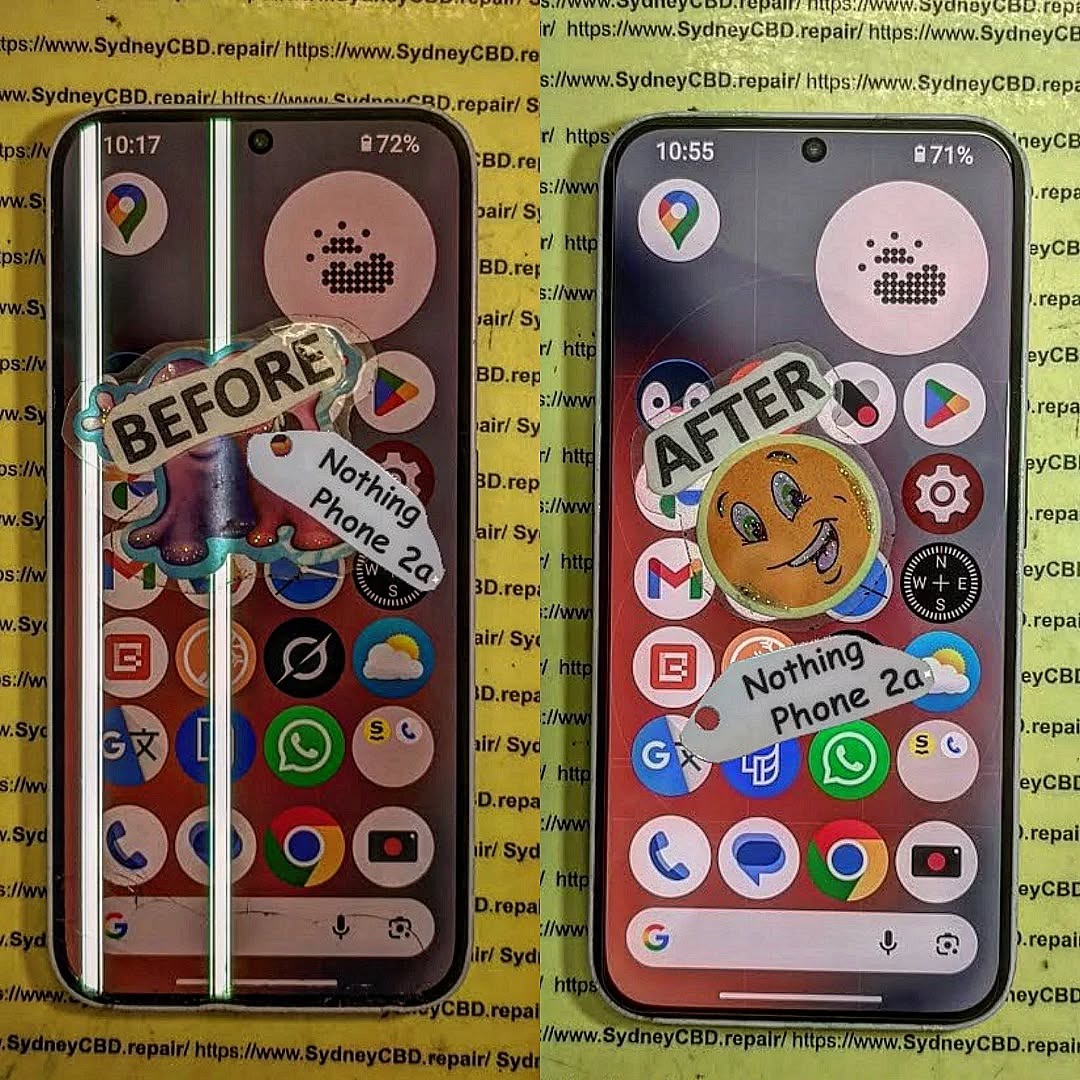
ULTIMATE REFINEMENT! Nothing Phone 2a Glyph Interface Screen Repair | Sydney CBD Repair Centre – 7 Powerful Reasons to Fix Your Device Fast
Introduction to Nothing Phone 2a Screen Repairs
The Nothing Phone 2a has quickly become one of the most talked-about smartphones on the market. With its futuristic design, stunning OLED display, and signature Glyph Interface, it’s a device that stands out from the crowd. However, like any premium smartphone, accidents can happen. Cracked glass, unresponsive touchscreens, dead pixels, and display flickering are all common issues users face after drops or impacts.
That’s where professional Nothing Phone 2a Glyph Interface Screen Repair services become essential. A damaged display doesn’t just affect the appearance of your device. It can also interfere with touch sensitivity, display clarity, battery performance, and even the functionality of the iconic Glyph lighting system.
At Sydney CBD Repair Centre, experienced technicians specialize in restoring devices to their best condition using high-quality replacement parts and precise repair methods. Whether your phone has suffered a shattered screen or internal OLED damage, getting it fixed quickly can save you from bigger problems down the line.
In today’s fast-paced world, smartphones are essential tools for communication, work, entertainment, and navigation. Consequently, a damaged screen can disrupt your daily routine. Fortunately, professional repair services provide fast turnaround times, reliable workmanship, and warranty-backed repairs that give customers peace of mind.
The standout feature of the Nothing Phone 2a is undoubtedly its Glyph Interface. Unlike traditional smartphones, the device uses LED lighting patterns on the back panel to provide notifications, charging indicators, timers, and visual alerts.
What Makes the Glyph Interface Unique
The Glyph Interface transforms the user experience by making notifications more interactive and less intrusive. Instead of constantly checking the display, users can rely on custom lighting signals to stay informed.
Some key features include:
Visual notification alerts
Charging progress indicators
Camera fill-light assistance
Timer countdown animations
Music synchronization lighting
Because the Glyph Interface is integrated closely with the phone’s internal components, screen repairs require careful handling. Poor-quality repairs may damage internal connectors or affect LED synchronization.
That’s why choosing a qualified repair specialist is critical.
Common Causes of Screen Damage
Even though the device uses durable materials, accidents still happen. Some of the most common causes of damage include:
Cause
Resulting Damage
Accidental Drops
Cracked glass and OLED damage
Pressure in Bags or Pockets
Display discoloration
Water Exposure
Touchscreen malfunction
Impact Damage
Frame bending and screen separation
Heat Exposure
Flickering and display burnout
Many users continue using their phones despite visible cracks. However, this can worsen the problem over time. Tiny fractures may spread across the screen, while exposed internal components become vulnerable to dust and moisture.
Recognizing repair symptoms early can help prevent expensive motherboard or display failures.
Touchscreen Malfunctions
One major warning sign is poor touch response. If the screen becomes sluggish, registers ghost touches, or stops responding entirely, the display assembly may already be damaged internally.
Symptoms include:
Delayed touch response
Random screen taps
Frozen applications
Multi-touch failures
These issues often develop after drops, even if the glass appears intact.
OLED Display Issues
OLED technology produces vibrant colors and deep blacks. However, it’s more delicate than traditional LCD panels.
Common OLED issues include:
Green lines
Purple blotches
Black screen despite phone vibration
Burn-in shadows
Brightness inconsistency
If left untreated, OLED damage can spread further.
Flickering and Dead Pixels
Screen flickering usually points to loose connectors or display panel damage. Dead pixels appear as tiny black or colored dots that remain permanently visible.
Professional Nothing Phone 2a Glyph Interface Screen Repair technicians can accurately diagnose whether the issue affects only the glass, the OLED panel, or deeper motherboard components.
Why Professional Screen Repair Matters
Many people consider cheap repair options or DIY kits after cracking their screens. While this might seem cost-effective initially, it often creates larger problems later.
Risks of DIY Repairs
Modern smartphones are incredibly complex. The Nothing Phone 2a contains delicate flex cables, adhesive layers, biometric components, and advanced display technology.
DIY repair risks include:
Damaging internal connectors
Breaking the OLED panel completely
Water resistance failure
Poor adhesive application
Fingerprint sensor malfunction
Without specialized equipment, repairs can quickly become disastrous.
Benefits of Expert Technicians
Professional technicians use advanced tools and proper repair procedures to ensure device safety and reliability.
Benefits include:
Accurate diagnostics
Genuine-quality parts
Safe disassembly techniques
Proper adhesive sealing
Thorough testing procedures
Repair warranties
Additionally, experienced repair specialists understand how to preserve the functionality of the Glyph Interface during screen replacements.
According to Nothing Technology Official Website, the design architecture of Nothing devices is intentionally engineered for unique hardware integration, which makes skilled repair work especially important.
The Sydney CBD Repair Centre Advantage
When it comes to Nothing Phone 2a Glyph Interface Screen Repair, choosing the right repair center makes all the difference.
Genuine-Quality Parts
At Sydney CBD Repair Centre, repairs are performed using premium replacement parts designed for excellent display quality, durability, and touch responsiveness.
Inferior aftermarket screens often suffer from:
Low brightness
Poor color accuracy
Weak touch sensitivity
Fast battery drain
Short lifespan
Using high-quality components helps maintain the premium feel of the device.
Same-Day Repairs
Nobody wants to be without their phone for days. Fortunately, many screen repairs can be completed the same day, depending on parts availability and device condition.
This fast turnaround is ideal for:
Students
Business professionals
Travelers
Content creators
Everyday users
Efficient service minimizes downtime and restores convenience quickly.
Warranty Protection
Reliable repair centers stand behind their work. Warranty-backed repairs provide confidence that any post-repair issues will be addressed professionally.
A quality warranty generally covers:
Warranty Coverage
Included
Screen defects
Yes
Touch functionality
Yes
Installation faults
Yes
Accidental damage
No
Water damage after repair
Usually No
Always ask about warranty terms before approving repairs.
Step-by-Step Nothing Phone 2a Repair Process
Understanding the repair process helps customers feel more informed and comfortable.
Diagnosis
The first step involves a complete device assessment. Technicians inspect:
Display condition
Frame integrity
Internal connectors
Touch responsiveness
OLED functionality
Glyph Interface operation
This ensures no hidden issues are overlooked.
Screen Replacement
Once diagnosed, the damaged display is carefully removed using specialized heating and separation tools.
The replacement process typically includes:
Device disassembly
Battery isolation
Screen removal
Adhesive cleaning
New screen installation
Reassembly
Professional alignment is crucial because improper installation can cause light bleeding or touch issues.
Quality Testing
Before returning the device, technicians perform extensive testing.
Testing includes:
Touch accuracy
Display brightness
Face unlock functionality
Speaker performance
Charging operation
Glyph Interface synchronization
Only after all functions pass inspection is the phone considered ready for pickup.
Cost Factors for Nothing Phone 2a Repairs
Repair costs can vary depending on several factors.
These include:
Factor
Impact on Price
OLED panel damage
Higher cost
Glass-only repair availability
Lower cost
Genuine part quality
Moderate increase
Frame damage
Additional labor
Water damage complications
Higher repair complexity
While cheap repairs may appear attractive, they often use low-grade screens with inferior longevity.
Investing in professional Nothing Phone 2a Glyph Interface Screen Repair services helps protect the overall lifespan of your device.
How to Protect Your Nothing Phone 2a Screen
Preventing future damage is just as important as repairing current issues.
Protective Cases
A high-quality shockproof case absorbs impact energy during accidental drops.
Look for features such as:
Raised screen edges
Reinforced corners
Anti-slip texture
Durable TPU materials
Cases significantly reduce crack risks.
Tempered Glass Protection
Tempered glass protectors provide an additional defensive layer against scratches and impacts.
Benefits include:
Scratch resistance
Crack absorption
Fingerprint reduction
Easier screen cleaning
Replacing a screen protector is far cheaper than replacing an OLED display.
Additionally, avoiding excessive heat exposure and keeping phones away from moisture can help preserve long-term screen health.
Frequently Asked Questions
How long does Nothing Phone 2a screen repair take?
Most repairs can be completed the same day, depending on technician workload and part availability.
Will the Glyph Interface still work after repair?
Yes. Professional technicians ensure the Glyph Interface remains fully functional after the screen replacement process.
Is it worth repairing a cracked Nothing Phone 2a screen?
Absolutely. Repairing the device restores usability, prevents further damage, and extends the phone’s lifespan.
Can OLED damage spread over time?
Yes. Black spots, green lines, and flickering often worsen if ignored.
Do repairs include warranty coverage?
Many professional repair centers provide warranties covering workmanship and replacement parts.
Will my data be deleted during repair?
In most cases, no. However, customers should always back up important files before repairs.
Can a tempered glass protector prevent cracks?
It can reduce damage severity significantly, although no protector guarantees total protection.
Why should I avoid cheap replacement screens?
Low-quality screens often have poor brightness, inaccurate colors, weak durability, and unreliable touch performance.
Conclusion
The Nothing Phone 2a is an innovative smartphone that combines futuristic design with impressive performance. However, its sophisticated OLED display and Glyph Interface require professional attention when damage occurs.
Choosing expert Nothing Phone 2a Glyph Interface Screen Repair services ensures your device receives proper care, accurate diagnostics, premium-quality parts, and dependable warranty support.
Whether your phone suffers from cracked glass, dead pixels, touch issues, or display flickering, professional technicians can restore it quickly and safely. Investing in quality repairs not only improves device performance but also protects your smartphone’s long-term value.
For trusted repair services, fast turnaround times, and experienced technicians, Sydney CBD Repair Centre remains a reliable destination for premium smartphone repairs.
David from Sydney CBD Repair Centre – The Best place to fix mobile phones as 7 Years In A Row! Top Mobile Phone Repair In Sydney. More than 2000 Positive Reviews on Google and Same Day Repairs.
We take pride in delivering exceptional repair services for all major phone brands including Apple, Samsung, Google, and more. Our expert technicians use only genuine parts and offer 90days warranty on repairs. Located in the heart of Sydney CBD, we’re your one-stop solution for all mobile device repairs.
Our commitment to excellence has earned us the trust of thousands of satisfied customers. Whether it’s a cracked screen, battery replacement, or water damage repair, we handle it all with professional care and expertise. Walk in today and experience why we’re Sydney’s #1 choice for mobile phone repairs.
Visit us for:
✓ Same Day Express Repairs
✓ Genuine Parts Guarantee
✓ Professional Technicians
✓ Competitive Pricing
✓ 2000+ 5-Star Google Reviews
✓ 7-Time Award Winner for Best Phone Repairs
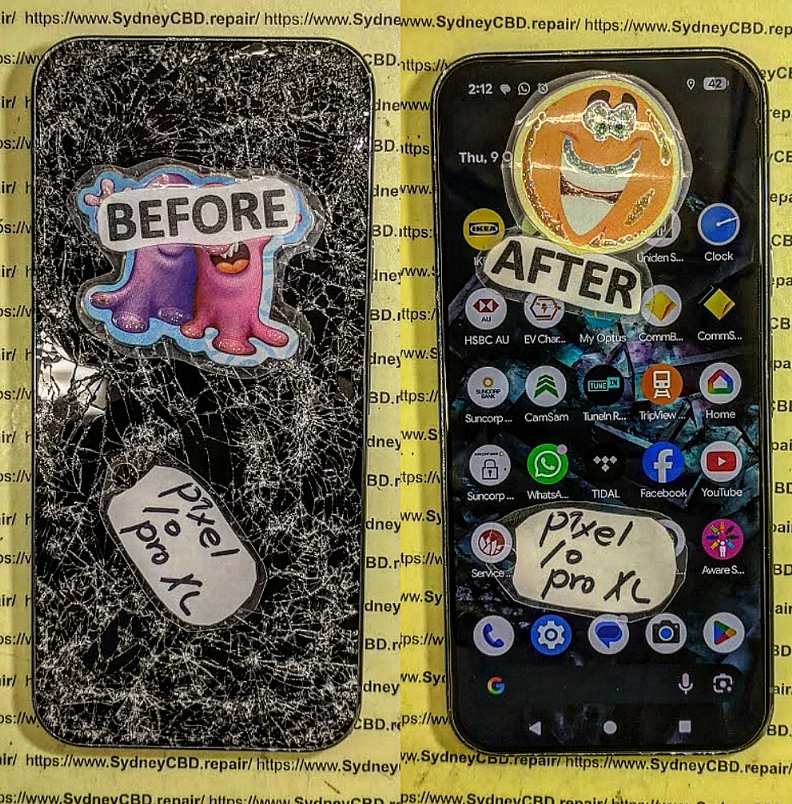
PRECISION WORK! Google Pixel 10 Pro XL Display Restoration Sydney CBD Repair Centre – 7 Expert Techniques for Stunning Screen Recovery
Introduction
Modern smartphones are more advanced than ever, and the Google Pixel 10 Pro XL stands at the top of premium Android innovation. However, even flagship devices can suffer accidental drops, cracked screens, flickering displays, or touchscreen failures. That’s where professional Google Pixel 10 Pro XL display restoration Sydney CBD Repair Centre services become essential.
A damaged screen doesn’t just affect appearance. It impacts usability, battery efficiency, responsiveness, and even long-term device reliability. Fortunately, skilled technicians can restore your Pixel device quickly and safely using advanced repair tools and precision techniques.
Whether your phone has a shattered OLED panel, dead pixels, green lines, or touch sensitivity problems, professional repair specialists can bring it back to life. Furthermore, choosing an experienced repair centre ensures your valuable device receives the care it deserves.
The growing popularity of Google Pixel devices has increased demand for reliable display restoration services in Sydney. Customers now expect fast turnaround times, genuine replacement parts, and transparent diagnostics. Thankfully, Sydney CBD Repair Centre has become a trusted destination for premium smartphone repairs.
The Google Pixel 10 Pro XL features one of the most sophisticated smartphone displays on the market. Its advanced OLED panel delivers:
Vibrant colours
Deep contrast levels
Smooth refresh rates
Enhanced outdoor visibility
Superior touch responsiveness
Because of these premium features, repairing the display requires specialized expertise. Unlike older LCD screens, OLED technology is delicate and more complex to restore correctly.
Key Features of the Pixel 10 Pro XL Display
Feature
Benefit
OLED Technology
Rich colour reproduction
High Refresh Rate
Smooth scrolling and gaming
HDR Support
Enhanced video quality
Gorilla Glass Protection
Improved durability
Edge-to-Edge Design
Immersive viewing experience
Unfortunately, despite strong glass protection, accidental impacts still occur daily.
Many users are surprised by how easily premium devices can sustain screen damage. While the Pixel 10 Pro XL is durable, it’s not indestructible.
Frequent Causes of Display Damage
Accidental drops
Pressure inside pockets or bags
Water exposure
Sharp object scratches
Heat-related display failure
Manufacturing defects
Battery swelling
Even a small crack can worsen over time. In many cases, tiny fractures eventually lead to complete touchscreen failure or OLED bleeding.
Signs Your Pixel 10 Pro XL Needs Display Restoration
Sometimes screen damage is obvious. Other times, the symptoms appear gradually.
Warning Signs Include
Black spots on the display
Green or purple lines
Flickering brightness
Ghost touch issues
Unresponsive touchscreen
Screen burn-in
Cracked glass
Display discoloration
If you notice any of these problems, seeking immediate professional repair can prevent further internal damage.
Understanding OLED Display Technology
OLED technology has revolutionized smartphone displays. Unlike traditional LCD screens, OLED panels illuminate individual pixels independently. This creates sharper contrast and more vibrant colours.
However, OLED displays are also more sensitive to impact and moisture. That’s why Google Pixel 10 Pro XL display restoration Sydney CBD Repair Centre specialists use precision equipment during repairs.
Why OLED Repairs Require Expertise
OLED restoration is not a simple process. Technicians must carefully separate components without damaging:
Display flex cables
Under-screen sensors
Touch digitizers
Internal frame structures
Additionally, improper repairs can cause:
Face unlock issues
Fingerprint scanner malfunction
Battery drain
Overheating
Touch latency
This is why choosing a professional repair provider matters enormously.
Advanced Tools Used During Repairs
Professional repair centres use specialized tools such as:
Tool
Purpose
Heat Separation Machines
Screen removal
Precision Screwdrivers
Device disassembly
OLED Testing Equipment
Display calibration
Anti-Static Mats
Component protection
Microscope Inspection Tools
Micro-level diagnostics
Without these tools, repair quality may suffer significantly.
Why Professional Repair Matters
DIY repair kits may look tempting online, but they often create more problems than solutions. Inexperienced repairs frequently lead to:
Damaged connectors
Broken waterproof seals
Dust contamination
Poor adhesive application
Inferior screen quality
Professional technicians have extensive experience handling delicate Google Pixel components.
Benefits of Expert Repair Services
Faster turnaround
Reliable diagnostics
Genuine-quality parts
Warranty protection
Safer repair process
Proper device testing
Furthermore, professional restoration maintains the overall resale value of your device.
Benefits of Genuine Display Parts
Using genuine-quality replacement components is critical for long-term performance. Cheap aftermarket displays often cause:
Dull colours
Reduced brightness
Laggy touch response
Rapid battery drain
Short lifespan
By contrast, premium-grade replacement screens restore the original Google Pixel experience.
Genuine Parts Improve Performance
A high-quality OLED replacement ensures:
Accurate colour calibration
Smooth animations
Consistent touch accuracy
Reliable fingerprint recognition
Better battery optimization
At Sydney CBD Repair Centre, technicians focus on maintaining original device performance standards.
The Sydney CBD Repair Centre Restoration Process
Professional repair isn’t just about swapping screens. It involves a complete restoration workflow designed for accuracy and reliability.
Step-by-Step Repair Process
1. Initial Inspection
Technicians inspect the device thoroughly to identify:
External damage
Internal component issues
Water exposure indicators
Battery condition
2. Diagnostic Testing
Specialized software and hardware tests determine the exact source of display failure.
3. Safe Disassembly
The device is carefully opened using precision heating and anti-static procedures.
4. Display Replacement
The damaged OLED assembly is replaced with a premium-quality component.
5. Reassembly and Calibration
Technicians recalibrate the display and test touch responsiveness.
6. Final Quality Testing
Every repaired phone undergoes:
Brightness testing
Camera verification
Charging checks
Touchscreen accuracy testing
This meticulous approach ensures long-lasting results.
Diagnostic Testing and Assessment
Before beginning repairs, a complete assessment helps identify hidden issues.
Common Diagnostic Checks
Diagnostic Area
Purpose
OLED Brightness Test
Detect pixel failure
Touch Accuracy Test
Verify responsiveness
Battery Health Check
Assess power stability
Moisture Detection
Identify water damage
Internal Inspection
Examine connectors
Sometimes display problems are linked to motherboard issues rather than the screen itself.
Glass Repair vs Full OLED Replacement
Many customers wonder whether they need glass-only replacement or full OLED restoration.
Glass-Only Repairs
Glass replacement is possible when:
OLED remains functional
Touchscreen works properly
No dead pixels exist
This repair can be more affordable in certain cases.
Full OLED Replacement
A full display assembly replacement is required if:
Screen flickers
Touch stops responding
Black spots appear
OLED bleeding spreads
Display remains blank
Technicians assess the device carefully before recommending the best option.
Water Damage and Display Recovery
Water exposure can cause severe screen complications. Moisture may damage:
Professional repair centres use ultrasonic cleaning equipment and corrosion treatment techniques to restore affected devices.
Data Protection During Repairs
One major concern customers have is data security. Fortunately, professional repair technicians prioritize device privacy.
How Data Is Protected
Reliable repair providers:
Avoid unnecessary data access
Use secure handling procedures
Maintain customer confidentiality
Recommend backup procedures
In most display restoration cases, customer data remains fully intact.
Same-Day Repair Advantages
Modern lifestyles depend heavily on smartphones. Waiting several days for repairs can be extremely inconvenient.
Benefits of Same-Day Service
Minimal downtime
Faster work productivity
Immediate communication access
Reduced stress
Sydney CBD Repair Centre offers efficient turnaround times for many Google Pixel repairs.
Preventing Future Display Damage
After repairing your device, protecting it becomes essential.
Recommended Protection Methods
Use a Tempered Glass Protector
A quality screen protector absorbs impact and reduces scratches.
Invest in a Durable Case
Shock-resistant cases minimize drop damage.
Avoid Extreme Temperatures
Heat exposure can weaken OLED panels.
Keep Moisture Away
Even water-resistant phones can suffer liquid damage.
Best Protective Accessories
Accessory
Benefit
Tempered Glass
Scratch prevention
Shockproof Case
Drop protection
Waterproof Pouch
Moisture safety
Camera Lens Protector
Lens protection
Cost Factors for Pixel 10 Pro XL Repairs
Repair pricing varies depending on several factors.
Main Cost Influences
Extent of Damage
Minor glass cracks cost less than full OLED replacements.
Part Quality
Premium-quality screens provide better performance and longevity.
Additional Internal Damage
Sometimes drops damage internal connectors or batteries.
Repair Complexity
Advanced OLED repairs require specialized labour and equipment.
Although premium repairs may cost more initially, they often save money long-term by preventing repeated failures.
Warranty and Repair Guarantees
Trustworthy repair centres stand behind their workmanship.
Why Repair Warranties Matter
A warranty provides peace of mind and protects customers against:
Installation defects
Component issues
Unexpected failures
Always ask about repair warranty terms before proceeding.
Frequently Asked Questions
How long does Google Pixel 10 Pro XL display restoration take?
Most standard repairs can be completed within a few hours, depending on part availability and damage severity.
Will my data be erased during screen repair?
In most cases, no. Display restoration typically does not affect internal storage or personal data.
Is OLED replacement better than cheap aftermarket screens?
Yes. Premium OLED replacements provide superior brightness, responsiveness, and durability.
Can water-damaged Pixel screens be repaired?
Yes, but success depends on how quickly the device receives professional treatment.
Why is my screen flickering after a drop?
Internal OLED layers or display connectors may have been damaged during impact.
Should I repair or replace my Pixel 10 Pro XL?
If the phone functions well aside from display damage, repair is usually the most cost-effective option.
Does a cracked screen worsen over time?
Yes. Small cracks often expand and eventually cause touch failure or OLED bleeding.
Are genuine-quality replacement screens worth it?
Absolutely. They maintain original display performance and improve long-term reliability.
Conclusion
The Google Pixel 10 Pro XL is a remarkable smartphone that deserves expert care when damage occurs. Whether you’re dealing with a cracked screen, OLED bleeding, touch failure, or water damage, professional Google Pixel 10 Pro XL display restoration Sydney CBD Repair Centre services provide reliable solutions.
With skilled technicians, premium replacement parts, advanced diagnostic tools, and same-day repair options, restoring your Pixel device has never been easier. More importantly, professional restoration protects your investment and extends the lifespan of your phone.
Instead of struggling with a damaged display, trust experienced specialists to restore your device to peak condition quickly and safely.
David from Sydney CBD Repair Centre – The Best place to fix mobile phones as 7 Years In A Row! Top Mobile Phone Repair In Sydney. More than 2000 Positive Reviews on Google and Same Day Repairs.
We take pride in delivering exceptional repair services for all major phone brands including Apple, Samsung, Google, and more. Our expert technicians use only genuine parts and offer 90days warranty on repairs. Located in the heart of Sydney CBD, we’re your one-stop solution for all mobile device repairs.
Our commitment to excellence has earned us the trust of thousands of satisfied customers. Whether it’s a cracked screen, battery replacement, or water damage repair, we handle it all with professional care and expertise. Walk in today and experience why we’re Sydney’s #1 choice for mobile phone repairs.
Visit us for:
✓ Same Day Express Repairs
✓ Genuine Parts Guarantee
✓ Professional Technicians
✓ Competitive Pricing
✓ 2000+ 5-Star Google Reviews
✓ 7-Time Award Winner for Best Phone Repairs
Sydney CBD Repair Centre – Where Quality Meets Reliability.
Call : +61280114119
Website: Sydney CBD Repair Centre
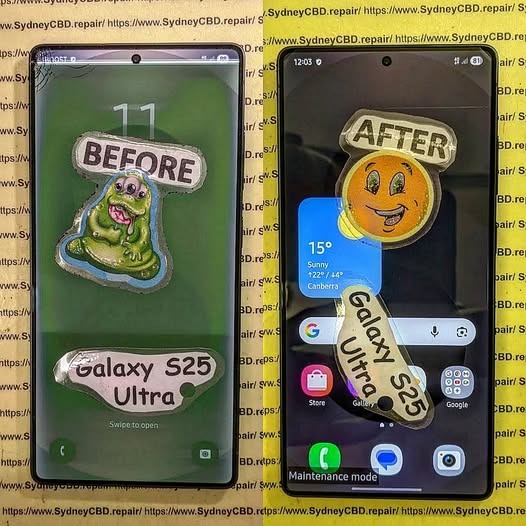
CAN IT SURVIVE? Extreme Samsung Galaxy S25 Ultra Screen Repair | Sydney CBD Repair Centre + 7 Powerful Recovery Secrets
Introduction to Samsung Galaxy S25 Ultra Screen Repair
The Samsung Galaxy S25 Ultra is one of the most advanced smartphones ever released by Samsung. With its premium AMOLED display, titanium frame, AI-powered features, and cutting-edge camera system, it’s built for users who demand top-tier performance. However, even a flagship phone can suffer catastrophic damage after a serious drop, water exposure, or crushing impact.
That’s where professional Samsung Galaxy S25 Ultra screen repair becomes essential.
At Sydney CBD Repair Centre, technicians regularly handle phones that look beyond saving. Cracked OLED panels, black screens, green lines, and unresponsive touch functions are all common issues. Yet surprisingly, many heavily damaged devices can still be restored to full working condition.
Modern Samsung phones use advanced display bonding technology. Because of this, repairing them requires specialized tools, expert handling, and precision calibration. Attempting DIY fixes can often make the problem worse. Fortunately, experienced technicians can safely replace damaged components while preserving the phone’s internal functionality.
In this article, we’ll explore the full Samsung Galaxy S25 Ultra screen repair process, explain common problems, compare genuine versus aftermarket screens, and reveal how professional repair services bring damaged devices back to life.
The Samsung Galaxy S25 Ultra isn’t just another smartphone. It’s a premium investment packed with industry-leading technology.
Premium AMOLED Display Technology
One major reason Samsung Galaxy S25 Ultra screen repair is expensive involves the display itself. Samsung uses advanced Dynamic AMOLED technology with extremely high brightness, vivid colors, and deep contrast levels.
These screens are engineered with:
High refresh rate technology
HDR support
Ultrasonic fingerprint integration
Curved edge precision
High pixel density
Because the OLED panel and touch layer are fused together, repairing the screen is far more complex than older smartphone displays.
Gorilla Glass Protection Features
Samsung also equips the Galaxy S25 Ultra with durable protective glass. However, no glass is completely unbreakable. Hard impacts can still shatter the display or damage the OLED layer underneath.
Many customers assume their phone is safe because the outer glass looks intact. In reality, internal display damage may already exist beneath the surface.
Even careful users experience accidents. Here are the most common reasons people seek Samsung Galaxy S25 Ultra screen repair services.
Accidental Drops
Drops remain the number one cause of broken screens. A fall onto concrete or tiles can instantly crack the OLED panel.
Sometimes the damage appears minor at first. Then days later, black spots or green lines begin spreading across the screen.
Pressure Damage
Phones carried in tight pockets or bags can suffer pressure damage. Sitting on the device or placing heavy objects on it may fracture the internal OLED structure.
Unlike simple glass cracks, pressure damage often causes:
Ink-like black bleeding
Flickering
Touch failure
Dead display sections
Water Exposure
Although Samsung devices offer water resistance, seals weaken over time. Water entering the phone can short internal display connectors.
Moisture damage often leads to:
Water Damage Symptom
Possible Cause
Green display tint
OLED moisture contamination
Random touch input
Corrosion on connectors
Black screen
Shorted display circuit
Flickering brightness
Water inside display layers
Heat Damage
Extreme temperatures may damage internal adhesives and display components. Leaving a phone inside a hot vehicle is riskier than many people realize.
Heat can weaken the OLED panel and affect touch responsiveness.
Warning Signs Your Samsung Galaxy S25 Ultra Needs Repair
Some users delay repairs because the phone still partially works. Unfortunately, display problems often worsen over time.
Flickering Screen
Screen flickering usually signals OLED damage or connector issues. Ignoring it may eventually lead to total display failure.
Green or Purple Lines
Vertical lines are a common issue after impact damage. These lines indicate that the OLED matrix has been compromised.
Black Screen Problems
A black screen doesn’t always mean the phone is dead. Often, the motherboard still functions while only the display fails.
Signs your phone is still alive include:
Vibrations
Charging sounds
Notifications
Alarm activity
Ghost Touch Issues
Ghost touching occurs when the phone registers touches that aren’t actually happening. This can make the device nearly impossible to use safely.
The Extreme Samsung Galaxy S25 Ultra Screen Repair Process
Professional Samsung Galaxy S25 Ultra screen repair involves far more than simply replacing glass.
Diagnostic Inspection
Technicians first inspect the device carefully. They check for:
Frame bending
Battery swelling
Water damage
Motherboard faults
Display connector damage
This step helps determine whether the phone is fully repairable.
Safe Device Disassembly
Modern Samsung phones use strong adhesive sealing. Opening the device incorrectly can crack the back glass or damage internal flex cables.
Professional technicians use:
Heat separation tools
Precision screwdrivers
Anti-static equipment
Specialized opening picks
OLED Screen Replacement
The damaged display assembly is carefully removed and replaced with a new screen.
This stage requires extreme precision because Samsung components are delicate and expensive.
The repair includes:
Removing damaged adhesive
Disconnecting battery safely
Installing replacement OLED assembly
Testing touch response
Calibrating fingerprint sensor
Waterproof Seal Restoration
After repair, new adhesive seals are installed to help restore water resistance.
Although no repair shop can guarantee factory-level waterproofing forever, professional resealing significantly improves protection.
Genuine vs Aftermarket Samsung Galaxy S25 Ultra Screens
Choosing the right replacement screen matters enormously.
Display Quality Differences
Genuine Samsung displays provide:
Better brightness
Accurate colors
Smooth refresh rates
Superior fingerprint recognition
Aftermarket displays may appear cheaper initially but often deliver reduced quality.
Durability Comparison
Genuine screens typically last longer and resist burn-in more effectively.
Aftermarket parts sometimes suffer:
Weak adhesives
Lower brightness
Faster degradation
Poor fitment
Touch Sensitivity
Premium Samsung displays are designed for ultra-responsive touch input.
Inferior aftermarket screens may introduce lag or inconsistent touch accuracy.
At Samsung Official Website, Samsung highlights the importance of quality components and certified servicing for maintaining device performance.
How Long Does Samsung Galaxy S25 Ultra Screen Repair Take?
Most professional Samsung Galaxy S25 Ultra screen repair jobs can be completed the same day depending on parts availability.
Repair times vary based on:
Repair Type
Estimated Time
Basic screen replacement
1-3 hours
Frame repair included
3-5 hours
Water damage plus screen
1-2 days
Severe motherboard repair
Several days
Fast turnaround matters because many people rely on their phones for work, communication, banking, and navigation.
Cost Factors for Samsung Galaxy S25 Ultra Screen Repair
Several factors influence repair pricing.
Screen Type
Genuine Samsung OLED panels cost more than aftermarket alternatives.
Extent of Damage
If the frame, battery, or motherboard is also damaged, repair complexity increases.
Technician Expertise
Experienced repair specialists may charge more, but proper workmanship reduces long-term risks.
Warranty Coverage
Professional repair centres often provide warranties that protect customers after repair completion.
DIY Repair vs Professional Repair
Many online tutorials make Samsung Galaxy S25 Ultra screen repair look simple. In reality, it’s extremely challenging.
Risks of DIY Repair
Attempting self-repair may cause:
Battery puncture
Face ID or fingerprint failure
Internal cable tearing
Waterproofing loss
Permanent motherboard damage
Benefits of Professional Repair
Professional repair centres provide:
Specialized equipment
Genuine components
Safe repair methods
Warranty support
Quality testing
Although DIY kits appear cheaper initially, mistakes often increase final repair costs dramatically.
Why Sydney CBD Repair Centre Is Trusted
Sydney CBD Repair Centre has built a strong reputation for premium Samsung Galaxy S25 Ultra screen repair services.
Experienced Technicians
The team handles advanced Samsung repairs daily, including:
OLED replacement
Water damage restoration
Charging issues
Back glass repair
Battery replacement
Genuine Parts
Using quality components helps maintain device performance and reliability.
Fast Turnaround
Same-day service minimizes inconvenience for busy customers.
Strong Customer Reviews
Thousands of positive reviews reflect consistent workmanship and professional customer support.
Protecting your phone after repair is extremely important.
Use a Quality Case
Shock-resistant cases absorb impact energy during drops.
Install a Tempered Glass Protector
Screen protectors reduce surface scratches and minor crack risks.
Avoid Extreme Heat
Never leave your phone inside hot vehicles or under direct sunlight for long periods.
Keep the Device Dry
Even water-resistant phones benefit from extra caution around moisture.
Handle Carefully During Charging
Avoid using damaged cables or cheap charging accessories.
Frequently Asked Questions
FAQ 1: Can a completely black Samsung Galaxy S25 Ultra screen be repaired?
Yes. In many cases, the motherboard still functions normally while only the OLED display is damaged. Professional technicians can usually replace the screen successfully.
Absolutely. The Galaxy S25 Ultra is a premium flagship device, and repairing it is often far cheaper than buying a brand-new replacement phone.
FAQ 3: How can I tell if my OLED display is damaged?
Signs include:
Green lines
Flickering
Black spots
Dead pixels
Touch issues
Screen bleeding
FAQ 4: Will water resistance remain after repair?
Professional repair centres install replacement adhesive seals. However, long-term waterproofing can never be guaranteed exactly like factory conditions.
FAQ 5: Are aftermarket Samsung screens bad?
Not always, but genuine Samsung screens generally offer superior brightness, durability, and touch performance.
FAQ 6: How long does Samsung Galaxy S25 Ultra screen repair usually last?
A properly installed quality screen can last for years when the phone is handled carefully and protected with a case.
FAQ 7: Can screen damage affect battery life?
Yes. Damaged OLED panels may draw irregular power, causing faster battery drain or overheating issues.
Conclusion
The Samsung Galaxy S25 Ultra is an incredible smartphone, but even advanced technology can’t fully prevent accidental damage. Thankfully, professional Samsung Galaxy S25 Ultra screen repair services can restore devices that appear completely destroyed.
From cracked OLED panels to black screens and severe impact damage, experienced technicians use specialized tools and quality components to revive premium smartphones safely.
Choosing a trusted repair provider matters enormously. Proper diagnostics, genuine parts, expert workmanship, and careful sealing all contribute to long-lasting repair quality.
If your Galaxy S25 Ultra has suffered screen damage, acting quickly can often prevent additional complications and save your valuable device from permanent failure.
David from Sydney CBD Repair Centre – The Best place to fix mobile phones as 7 Years In A Row! Top Mobile Phone Repair In Sydney. More than 2000 Positive Reviews on Google and Same Day Repairs.
We take pride in delivering exceptional repair services for all major phone brands including Apple, Samsung, Google, and more. Our expert technicians use only genuine parts and offer 90days warranty on repairs. Located in the heart of Sydney CBD, we’re your one-stop solution for all mobile device repairs.
Our commitment to excellence has earned us the trust of thousands of satisfied customers. Whether it’s a cracked screen, battery replacement, or water damage repair, we handle it all with professional care and expertise. Walk in today and experience why we’re Sydney’s #1 choice for mobile phone repairs.
Visit us for:
✓ Same Day Express Repairs
✓ Genuine Parts Guarantee
✓ Professional Technicians
✓ Competitive Pricing
✓ 2000+ 5-Star Google Reviews
✓ 7-Time Award Winner for Best Phone Repairs
Common Android Phone Repair Problems and Solutions
Android smartphones have become an essential part of our lives—handling everything from communication to banking. But like all technology, they can develop problems over time. At Sydney CBD Repair Centre, we’ve repaired thousands of Android devices, from Samsung and Google Pixel to Oppo and OnePlus, and we’ve identified the most frequent issues and how to fix them.
The Problem:
Accidental drops can cause cracks, dead pixels, or unresponsive touchscreens.
Our Solution:
We replace damaged screens with genuine AMOLED or LCD panels to restore both display quality and touch sensitivity. Most replacements are completed the same day.
The Problem:
Aging batteries lose capacity and may cause the phone to overheat.
Our Solution:
We perform genuine battery replacements, ensuring longer battery life and safe performance. We also check for background app issues or hardware faults that might cause heat buildup.
3. Charging Port Problems
The Problem:
Loose charging cables, slow charging, or no charging at all often indicate a faulty charging port.
Our Solution:
We clean or replace the charging port, ensuring proper alignment and fast charging capability.
4. Water Damage
The Problem:
Even with water resistance ratings, Android phones can suffer damage from prolonged liquid exposure.
Our Solution:
We disassemble the device, clean corrosion, replace damaged components, and test all functions to bring your phone back to life.
5. Software Glitches and Crashes
The Problem:
Phones may freeze, restart randomly, or suffer from app crashes.
Our Solution:
We run diagnostics to remove malware, update firmware, or perform a factory reset if needed—without risking your data whenever possible.
6. Camera Malfunctions
The Problem:
Blurry images, lens scratches, or camera app errors can ruin your photography experience.
Our Solution:
We replace camera lenses or entire modules with original manufacturer parts, ensuring crystal-clear shots again.
7. Back Glass Damage
The Problem:
Cracked back panels look bad, compromise waterproofing, and can cause injury.
Our Solution:
We use laser separation technology to remove broken glass and replace it with a matching original back panel.
Why Choose Sydney CBD Repair Centre for Android Repairs?
Your Android phone deserves quality repairs with genuine parts. Whether it’s a cracked screen, faulty charging port, or water damage, we’ll get it working like new—fast, professionally, and reliably.
Thank you for using
Themify Popup
This is a sample pop up. Themify Builder or Builder Lite (free) plugin is recommended to design the pop up layouts.