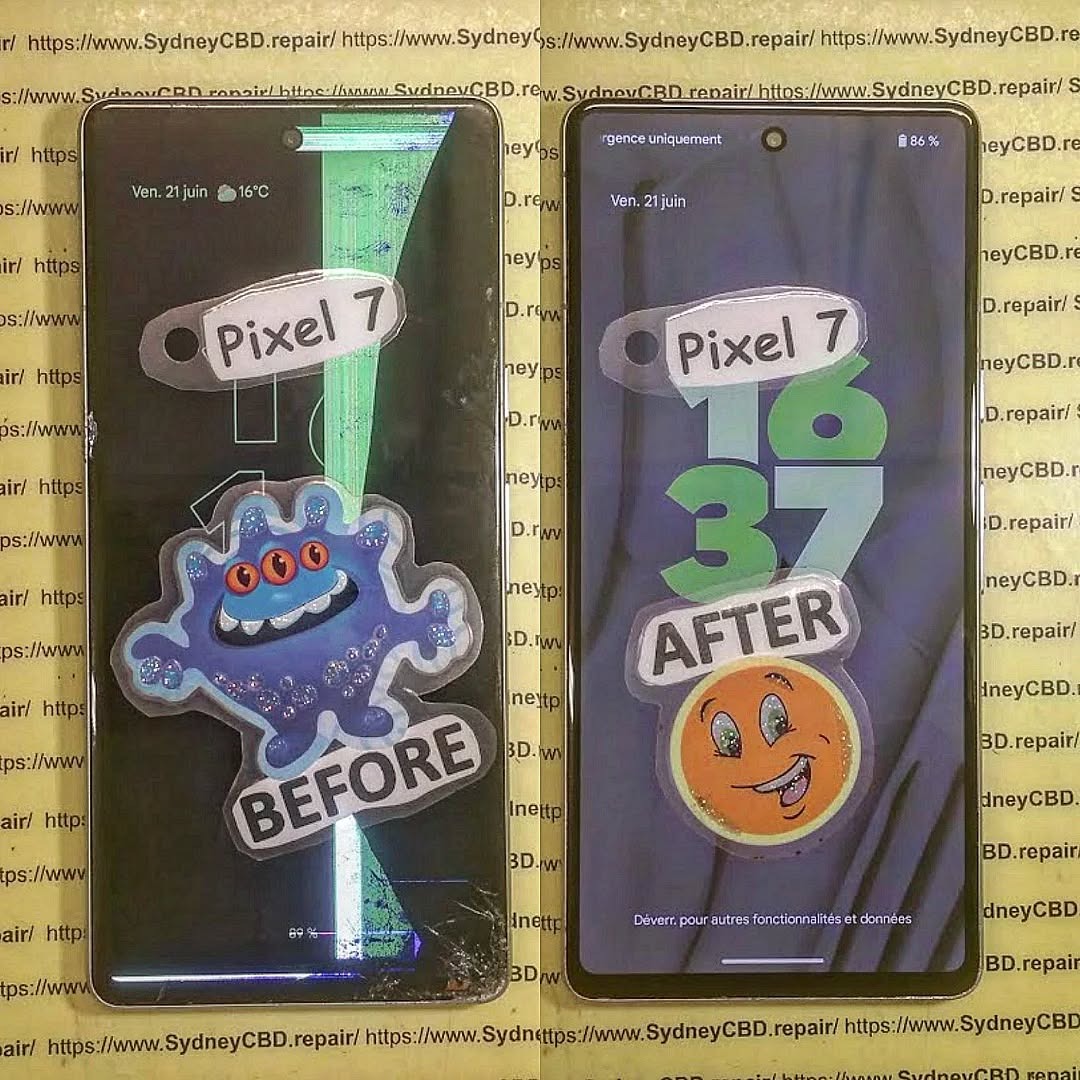
Google Pixel 9 Pro Durability: Real-World Repair Stories
The Google Pixel 9 Pro is a powerhouse smartphone, designed with premium materials and advanced features. But like any high-tech device, it’s not invincible. At Sydney CBD Repair Centre, we’ve seen firsthand how real-world accidents can put this flagship phone’s durability to the test. From cracked glass to unexpected water exposure, customers often ask: How tough is the Pixel 9 Pro, really?
Even with Gorilla Glass and an IP68 water-resistance rating, the Pixel 9 Pro isn’t immune to damage. Some of the most common repair cases we’ve handled include:
Cracked Displays – A single drop on concrete can shatter the screen. Despite the strengthened glass, impact points like corners remain vulnerable.
Battery Wear – Heavy users report battery degradation after a year of daily fast charging. Replacements restore performance to like-new condition.
Water Damage – While splash-resistant, extended submersion can still cause corrosion and internal short circuits.
Camera Lens Scratches – The protruding camera bump makes lenses prone to scratches if used without a case.
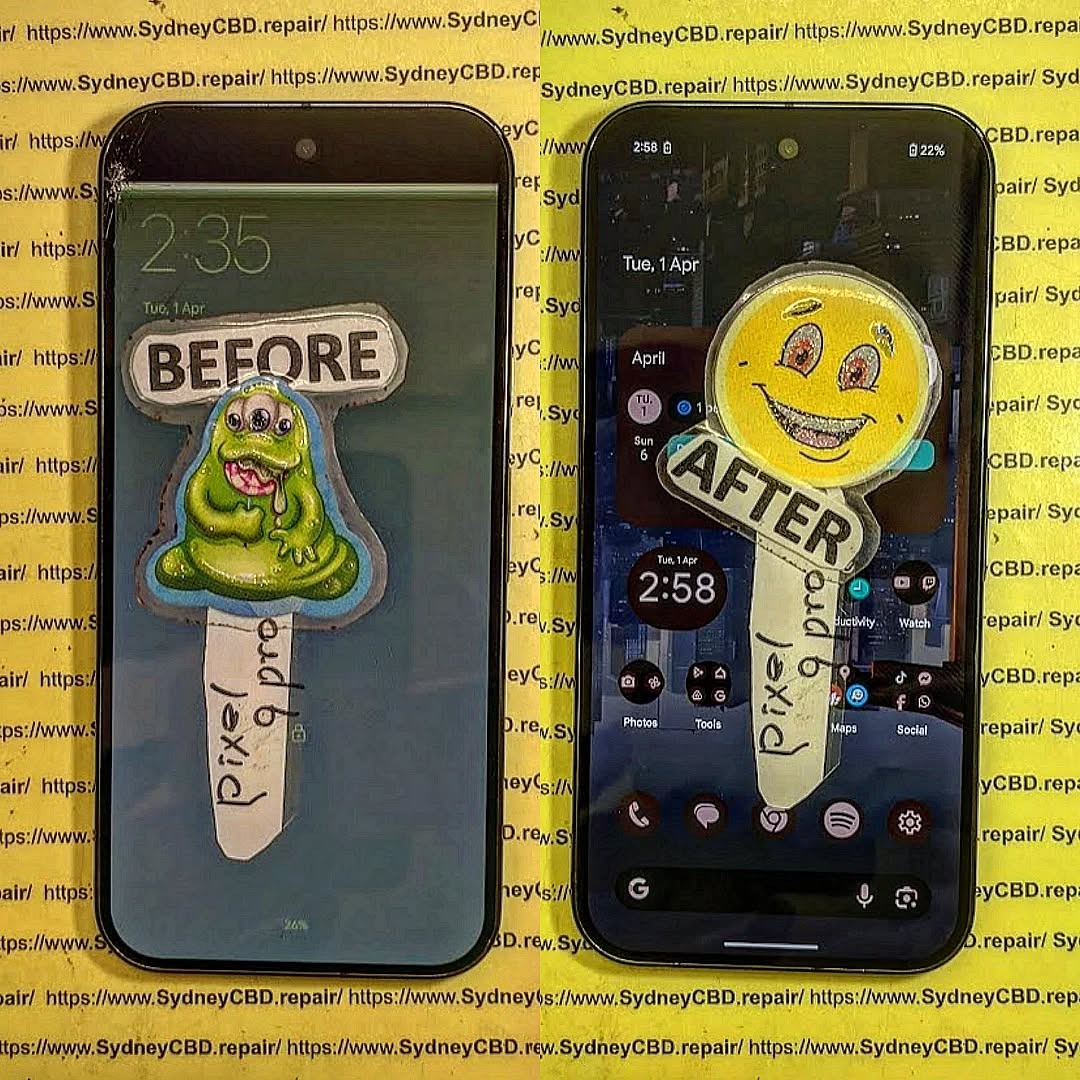
A customer dropped their Pixel 9 Pro while stepping off a bus. The impact cracked the corner of the display, causing touch sensitivity issues. Within an hour, our technicians replaced the screen with a genuine Google display, restoring full functionality.
Case 2: Coffee Spill Disaster
Another user accidentally spilled coffee over their phone during a meeting. Despite wiping it quickly, the phone wouldn’t power on. After professional cleaning and board-level inspection, we revived the device and saved important business data.
Case 3: Battery Swelling After a Year
A heavy gamer noticed the Pixel 9 Pro’s battery swelling, lifting the back cover. We replaced it with a new genuine battery, and the customer reported longer gaming sessions without overheating.
Why Choose Professional Repair for Pixel 9 Pro
While DIY repair videos make it look easy, the Pixel 9 Pro’s compact design and delicate components mean that professional repair is always safer. Attempting self-repair risks:
Damaging the waterproof seals.
Breaking fragile connectors.
Using counterfeit parts that shorten lifespan.
At Sydney CBD Repair Centre, we ensure:
✅ Same-day repairs for most Pixel 9 Pro issues.
✅ 90-day warranty on all repairs.
✅ Only genuine Google parts.
✅ Experienced technicians with thousands of successful repairs.
Final Thoughts
The Pixel 9 Pro is built tough but still vulnerable to real-life accidents. Whether it’s a cracked screen, water damage, or battery problems, professional repair can extend your phone’s life and protect your investment.
If you own a Pixel 9 Pro and need expert care, trust David and the team at Sydney CBD Repair Centre—Sydney’s #1 mobile repair specialists.
CRACKED ALREADY? Google Pixel 10 Pro XL Full Display Restoration Sydney CBD – Ultimate Guide with 15 Expert Insights
Introduction
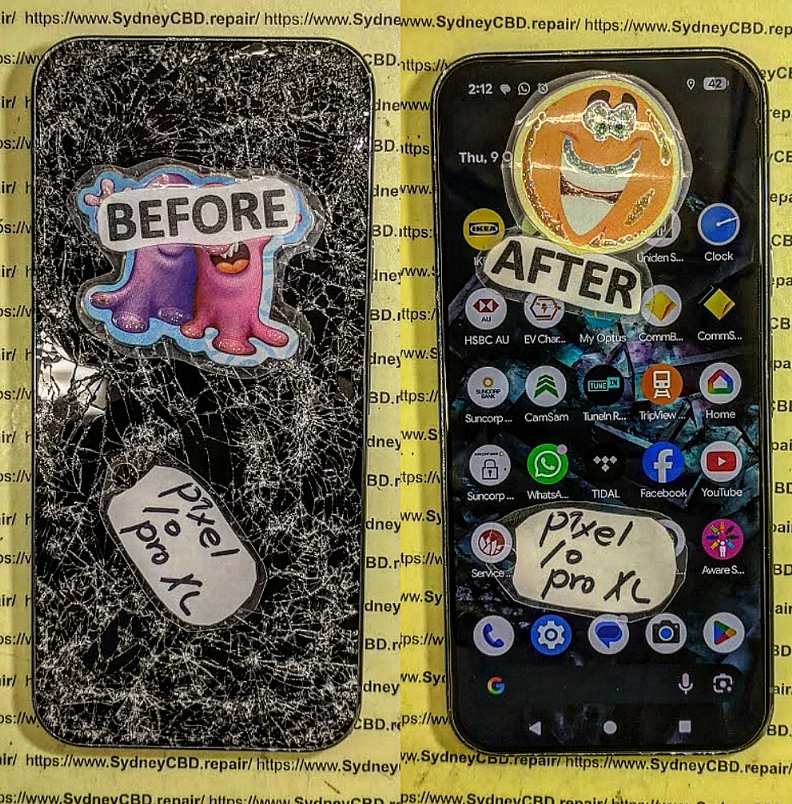
If your Google Pixel 10 Pro XL has a cracked, flickering, unresponsive, or completely black display, don’t panic. A damaged screen doesn’t always mean you need a new phone. Professional display restoration can bring your device back to life while preserving its premium features and performance.
This guide explains everything you need to know about Google Pixel 10 Pro XL Full Display Restoration Sydney CBD, including common causes of screen damage, repair options, restoration techniques, genuine replacement parts, and how professional technicians ensure your phone performs like new.
The Google Pixel 10 Pro XL Full Display Restoration Sydney CBD service has become increasingly important as more users invest in Google’s flagship smartphones. While the Pixel 10 Pro XL is designed with premium materials and advanced engineering, no smartphone is immune to accidental damage.
A cracked display may start as a tiny fracture in the corner of the screen, but it can quickly grow into a larger issue. Over time, cracks allow moisture and dust to enter the device. Even worse, internal OLED damage may spread beneath the glass, leading to flickering, touch failures, or a completely black display.
Fortunately, professional restoration services offer an effective solution. Skilled technicians can replace the complete display assembly using high-quality components and specialized equipment. When performed correctly, the repair restores the phone’s appearance, touchscreen responsiveness, vibrant colors, and everyday usability.
Rather than replacing an expensive flagship phone, many owners choose professional repairs because they’re faster, more economical, and environmentally responsible.
The Google Pixel 10 Pro XL features one of Google’s most advanced display technologies. Its premium OLED panel delivers exceptional brightness, deep blacks, accurate colors, smooth scrolling, and outstanding outdoor visibility.
Unlike older LCD screens, OLED technology allows every individual pixel to illuminate independently. This creates impressive contrast while reducing power consumption during dark mode usage.
However, this advanced technology also means the display assembly is highly sophisticated. The front glass, OLED panel, digitizer, fingerprint sensor integration, adhesives, and flexible cables work together as one complete module.
Because of this design, significant damage usually requires replacing the entire display assembly rather than just the outer glass.
OLED Technology Explained
OLED stands for Organic Light Emitting Diode. Instead of relying on a separate backlight like traditional LCD displays, every OLED pixel emits its own light.
This design provides several important advantages:
Rich, vibrant colors
Excellent contrast ratios
True black levels
Improved battery efficiency
Thin display construction
Smooth refresh rates
These premium characteristics make the Pixel 10 Pro XL a pleasure to use, whether you’re watching videos, editing photos, gaming, or browsing the web.
Unfortunately, OLED panels are also more delicate. Heavy impacts can damage the internal organic layers even if the outer glass appears only slightly cracked.
Why the Pixel Display Is Expensive
Many customers wonder why flagship smartphone screen repairs cost more than older devices.
Several factors contribute to the higher value of a Pixel display:
Component
Purpose
OLED Panel
Produces the image
Touch Digitizer
Detects finger input
Display Controller
Processes graphics
Flexible Cables
Connect display to motherboard
Fingerprint Integration
Supports secure unlocking
Precision Adhesives
Maintain structural integrity
Each of these components must work perfectly together. Even a tiny mistake during installation can affect touch sensitivity or display quality.
This is why professional repair centers invest in specialized tools and experienced technicians.
Common Causes of Screen Damage
Despite Google’s engineering improvements, accidents remain the leading reason customers seek Google Pixel 10 Pro XL Full Display Restoration Sydney CBD services.
Understanding how damage occurs can help reduce future repair costs.
Accidental Drops
By far the most common cause is dropping the phone.
Typical scenarios include:
Falling from a pocket
Slipping from a table
Landing on concrete
Impacting tiled flooring
Dropping while exiting a vehicle
Even premium protective cases cannot eliminate every risk.
If the phone lands directly on a corner, tremendous force concentrates into a tiny area, often cracking both the glass and OLED panel beneath it.
Pressure Damage
Not every broken screen comes from a dramatic fall.
Pressure damage can occur when:
Sitting with the phone in your back pocket
Carrying it inside an overloaded backpack
Closing it inside a laptop bag
Heavy objects pressing against the display
Unlike impact damage, pressure damage often creates internal OLED fractures without severely damaging the outer glass.
Common symptoms include:
Purple ink spots
Green vertical lines
Black patches
Touch dead zones
These usually worsen over time.
Water Exposure
Although flagship Pixel devices include water resistance, they’re not waterproof.
Water resistance naturally decreases over time due to:
Everyday wear
Previous repairs
Frame impacts
Aging adhesive seals
Moisture entering the display assembly may cause:
Flickering
Random touches
Screen discoloration
Corrosion
Permanent OLED failure
Prompt professional inspection can often prevent more extensive internal damage.
Not every cracked screen behaves the same way. Sometimes the damage is obvious, while in other cases the internal OLED panel continues to deteriorate over several days or weeks. If you notice any of the following symptoms, it’s time to consider a Google Pixel 10 Pro XL Full Display Restoration Sydney CBD service before the problem becomes worse.
Professional technicians don’t simply look at the cracked glass. They examine the complete display assembly, internal flex cables, frame condition, battery health, and motherboard connections to determine whether a full display restoration is the best solution.
Black Screen but the Phone Still Works
One of the most confusing problems occurs when the phone appears dead, yet it continues to vibrate, ring, or make notification sounds.
Typical signs include:
The phone vibrates when the power button is pressed.
Notifications can still be heard.
Calls continue to come through.
The charging sound is present.
Google Assistant responds normally.
These symptoms usually indicate that the OLED display has failed while the rest of the phone continues functioning properly.
In many cases, replacing the complete display assembly restores full operation without affecting your personal data.
Flickering Display
Display flickering may begin subtly before becoming severe.
You might notice:
Brightness constantly changing
Random flashes
Horizontal flickering
Screen dimming unexpectedly
Partial image distortion
Although software updates can occasionally affect display behavior, physical damage is the far more common cause after a drop.
A technician can quickly determine whether the issue originates from the display assembly, connector, or motherboard.
Green or Pink Vertical Lines
Vertical colored lines have become a well-known symptom of damaged OLED displays.
These lines typically appear because microscopic internal display circuits have fractured after impact.
Common characteristics include:
Green vertical lines
Pink lines
White lines
Multiple colored bands
Lines that grow over time
Unfortunately, these defects cannot be repaired through software.
Replacing the damaged OLED assembly is usually the only permanent solution.
Ghost Touch Problems
Ghost touch occurs when the display registers touches that the user never made.
Symptoms include:
Apps opening automatically
Random typing
Screen scrolling by itself
Buttons activating unexpectedly
Phone becoming difficult to control
This problem usually develops after moisture exposure or digitizer damage.
Professional display restoration replaces the damaged touch layer together with the OLED display, restoring normal responsiveness.
Dead Touch Zones
Sometimes only part of the display stops responding.
Examples include:
Top portion not responding
Bottom keyboard unusable
Left edge ignoring touch
Right edge freezing
Center area becoming unresponsive
Since the touch digitizer is integrated into the display assembly, replacing the complete module restores full touch performance.
Professional Google Pixel 10 Pro XL Display Restoration Process
Professional repair is far more involved than simply swapping one screen for another. Every step is designed to protect the device while ensuring long-lasting reliability.
Step 1 – Complete Diagnostic Assessment
Every repair should begin with a detailed inspection.
Technicians typically evaluate:
Inspection Item
Purpose
Display Condition
Determine OLED damage
Frame Alignment
Check for bends or twists
Battery Health
Ensure safe repair
Rear Glass
Identify additional damage
Charging Port
Verify functionality
Cameras
Confirm normal operation
Speakers
Test audio performance
Face and Fingerprint Functions
Confirm biometric compatibility
A thorough diagnosis prevents hidden issues from being overlooked.
Step 2 – Safe Device Disassembly
The Pixel 10 Pro XL uses strong waterproof adhesive to secure its display.
Professional technicians carefully:
Heat the adhesive evenly.
Use precision opening tools.
Protect delicate flex cables.
Disconnect the battery first.
Remove damaged components safely.
Skipping these procedures can damage:
Display connectors
Wireless charging coils
NFC antennas
Camera modules
Motherboard components
This is why experience matters.
Step 3 – Removing the Damaged Display
Once the phone is safely opened, technicians remove:
Broken glass
OLED panel
Adhesive residue
Dust particles
Glass fragments
The internal frame is then cleaned thoroughly before installing the replacement display.
Proper preparation helps ensure a secure fit and reduces the risk of future issues.
Step 4 – Installing the New Display
High-quality replacement displays are installed using precise alignment techniques.
During installation, technicians:
Position the display accurately.
Reconnect all flex cables.
Replace waterproof adhesive.
Verify cable routing.
Secure the display evenly.
Attention to detail helps restore the phone’s original appearance and functionality.
Step 5 – Comprehensive Quality Testing
Before returning the phone, technicians perform a series of functional tests.
Typical checks include:
OLED brightness
Color accuracy
Multi-touch responsiveness
Fingerprint recognition
Auto-brightness
Proximity sensor
Ambient light sensor
Speaker performance
Camera operation
Charging functionality
Wireless charging
Microphone testing
Network connectivity
Only after passing these inspections should the repair be considered complete.
Genuine vs Aftermarket Google Pixel Displays
One of the most important decisions during a repair is selecting the replacement display.
Although lower-cost aftermarket screens may appear attractive, they often differ significantly from premium-quality components.
Genuine Displays
High-quality or genuine-specification displays are designed to deliver performance close to the original factory screen.
Benefits include:
Excellent brightness
Accurate color reproduction
Smooth scrolling
Reliable touch sensitivity
Better durability
Improved fingerprint compatibility
These displays provide the premium experience expected from a flagship smartphone.
Aftermarket Displays
Budget replacement screens vary widely in quality.
Possible drawbacks include:
Lower brightness
Reduced color accuracy
Thicker glass
Slower touch response
Higher battery consumption
Shorter lifespan
While some aftermarket options perform reasonably well, choosing quality components is generally the best long-term investment.
Comparison Table
Feature
Premium Display
Budget Aftermarket
Brightness
Excellent
Moderate
Color Accuracy
Excellent
Fair
Touch Response
Excellent
Variable
Fingerprint Support
Reliable
May vary
Durability
High
Moderate
Battery Efficiency
Better
Lower
Viewing Angles
Wide
Reduced
Why Professional Repairs Make a Difference
Repairing a flagship smartphone requires specialized tools, technical expertise, and careful attention to detail.
Professional repair centers invest in:
Precision repair equipment
Anti-static workstations
Professional heating systems
High-quality adhesives
Experienced technicians
Strict quality control procedures
These resources help ensure that every Google Pixel 10 Pro XL Full Display Restoration Sydney CBD repair is completed safely and to a high standard.
Additionally, professional technicians can identify hidden damage that might otherwise lead to future failures, saving both time and money in the long run.
Preventing Future Google Pixel 10 Pro XL Display Damage
After investing in a professional Google Pixel 10 Pro XL Full Display Restoration Sydney CBD, you’ll naturally want to protect your phone from future accidents. Although no smartphone is indestructible, adopting a few simple habits can significantly reduce the risk of another costly repair.
Invest in a Quality Protective Case
A high-quality protective case is one of the best defenses against accidental drops. Look for cases that feature:
Reinforced corners for impact absorption
Raised edges around the display
Durable shock-resistant materials
Secure button covers
A slim design that doesn’t compromise protection
Remember, even premium cases can’t guarantee complete protection, but they can greatly reduce the force transferred to the display during a fall.
Apply a Tempered Glass Screen Protector
A tempered glass protector adds an extra sacrificial layer over your display. While it won’t prevent every type of OLED damage, it can:
Reduce scratches
Absorb minor impacts
Minimize cosmetic damage
Help prevent small cracks from spreading
Replacing a damaged screen protector is much more affordable than replacing the entire display.
Avoid Extreme Pressure
Modern smartphones are thin and lightweight, but that also makes them vulnerable to pressure damage.
Try to avoid:
Sitting on your phone
Carrying it in a back pocket
Placing heavy objects on top of it
Storing it in an overcrowded backpack
Even without visible cracks, excessive pressure can permanently damage the OLED panel.
Keep Your Device Dry
Although the Google Pixel 10 Pro XL is designed with water resistance, it’s important to remember that water-resistant does not mean waterproof.
Avoid:
Submerging the phone intentionally
Charging the device when the USB-C port is wet
Exposing it to saltwater
Leaving it in humid environments for extended periods
If your phone becomes wet, dry it carefully and seek professional advice if you notice unusual display behavior.
Repair or Replace? Which Option Makes More Sense?
Many users wonder whether they should repair their damaged Pixel or purchase a brand-new device.
In most situations, a professional display restoration is the more practical choice.
Repair Is Often the Better Option When:
The phone still performs well.
The motherboard is functioning normally.
Cameras remain operational.
Battery life is acceptable.
The damage is limited to the display assembly.
Professional repairs allow you to keep your data, avoid the hassle of transferring files, and extend the life of a premium smartphone.
Replacement May Be Worth Considering When:
The motherboard has severe damage.
Multiple expensive components have failed.
The device has significant water damage affecting several systems.
Repair costs approach the value of a replacement phone.
An experienced technician can inspect the device and provide honest advice based on its condition.
Why Experience Matters
Not all repair services deliver the same level of quality.
Experienced repair professionals understand the complexity of flagship smartphones and follow careful procedures throughout the repair process.
A reputable repair center should provide:
Thorough diagnostics
Professional installation techniques
High-quality replacement components
Transparent pricing
Warranty support
Post-repair quality testing
Choosing an experienced technician reduces the likelihood of repeat repairs and helps restore your phone to excellent working condition.
External Resource
For official information about Google Pixel devices, features, and support, visit the Google Pixel Help Center:
This resource offers troubleshooting guides, software support, and official documentation for Pixel smartphones.
Frequently Asked Questions
1. Can a cracked Google Pixel 10 Pro XL screen be repaired?
Yes. In most cases, a damaged display can be restored by replacing the complete display assembly. Professional technicians inspect the phone first to determine whether any additional internal components require attention.
2. Will I lose my data during a display restoration?
Normally, no. A screen replacement does not erase your photos, contacts, apps, or personal files. However, it’s always recommended to maintain regular backups before any repair.
3. How long does a professional display repair usually take?
Many professional repair centers can complete a display restoration on the same day, depending on parts availability and the overall condition of the device.
4. Can the fingerprint sensor continue working after the repair?
Yes. When high-quality compatible parts are used and the repair is performed correctly, biometric functions such as the fingerprint sensor should continue operating as intended.
5. Is it safe to keep using a cracked screen?
Using a cracked display is not recommended. Cracks can worsen over time, allow dust or moisture into the device, and increase the risk of complete OLED failure or touch issues.
6. Does replacing the screen restore the phone to normal?
If the damage is limited to the display assembly, a professional repair can restore the phone’s appearance, touchscreen responsiveness, and display quality, allowing it to function much like it did before the damage occurred.
Conclusion
A cracked display doesn’t have to mark the end of your smartphone’s life. With a professional Google Pixel 10 Pro XL Full Display Restoration Sydney CBD, your device can regain its premium appearance, vibrant OLED display, and responsive touchscreen while avoiding the cost of purchasing a replacement phone.
Whether your Pixel has suffered a minor crack, a completely black screen, green lines, ghost touch, or accidental impact damage, prompt professional attention can prevent further complications and help preserve the value of your investment.
Choosing experienced technicians, quality replacement components, and careful repair procedures ensures that your phone continues to deliver the performance expected from Google’s flagship devices. By pairing professional restoration with sensible protective measures—such as a quality case and tempered glass protector—you can enjoy your Google Pixel 10 Pro XL with greater confidence for years to come. Thank you for reading this comprehensive guide on Google Pixel 10 Pro XL Full Display Restoration Sydney CBD. We hope it has helped you better understand the repair process, the importance of professional workmanship, and the value of restoring your device instead of replacing it. If your Pixel requires expert attention, choosing a trusted repair specialist can make all the difference.
David from Sydney CBD Repair Centre – The Best place to fix mobile phones as 7 Years In A Row! Top Mobile Phone Repair In Sydney. More than 2000 Positive Reviews on Google and Same Day Repairs.
We take pride in delivering exceptional repair services for all major phone brands including Apple, Samsung, Google, and more. Our expert technicians use only genuine parts and offer 90 days warranty on repairs. Located in the heart of Sydney CBD, we’re your one-stop solution for all mobile device repairs.
Our commitment to excellence has earned us the trust of thousands of satisfied customers. Whether it’s a cracked screen, battery replacement, or water damage repair, we handle it all with professional care and expertise. Walk in today and experience why we’re Sydney’s #1 choice for mobile phone repairs.
Visit us for:
✓ Same Day Express Repairs
✓ Genuine Parts Guarantee
✓ Professional Technicians
✓ Competitive Pricing
✓ 2000+ 5-Star Google Reviews
✓ 7-Time Award Winner for Best Phone Repairs
Sydney CBD Repair Centre – Where Quality Meets Reliability.
Rescuing a Google Pixel 10 Pro Crushed by a Sydney Light Rail Tram: 11 Remarkable Lessons from an Extreme Phone Recovery
Introduction to the Incident
Few smartphone accidents are as dramatic as watching a premium device disappear beneath the wheels of a moving tram. Yet that was exactly the situation involving a Google Pixel 10 Pro in Sydney. What began as a routine commute quickly transformed into a major recovery challenge when the device slipped onto the tracks and was subsequently crushed by a Sydney light rail tram.
At first glance, the phone appeared beyond saving. The display was shattered, the frame was twisted, and several internal components had suffered severe impact damage. However, modern smartphones are more resilient than many people realize. Through careful handling, advanced diagnostic procedures, and professional repair techniques, even a severely damaged device can sometimes be restored.
This article explores the complete journey of rescuing a Google Pixel 10 Pro crushed by a Sydney light rail tram, highlighting the repair process, lessons learned, and the importance of expert intervention.
Urban transportation systems move thousands of people every day. Busy stations, crowded platforms, and rushed commuters create countless opportunities for accidents involving personal devices.
The Moment Everything Went Wrong
The incident occurred during a typical weekday rush. While boarding the light rail, the owner attempted to place the phone into a pocket. Unfortunately, the device slipped free and landed near the platform edge.
Before retrieval was possible, the tram began moving. Within seconds, the Google Pixel 10 Pro found itself directly beneath several tonnes of moving rail equipment.
The result was catastrophic physical damage.
Initial Assessment of the Damage
Upon recovery, technicians observed:
Completely shattered front glass
Cracked rear panel
Bent aluminum frame
Damaged camera housing
Screen separation from chassis
Potential motherboard stress
Battery deformation concerns
Despite the destruction, there remained hope for recovering both functionality and valuable data.
Battery assessment remains one of the most important steps.
A damaged battery can:
Swell unexpectedly
Lose capacity
Overheat
Present safety hazards
Replacement is usually recommended after severe crush events.
Data Recovery from a Crushed Smartphone
One of the most encouraging aspects of a Google Pixel 10 Pro crushed by a Sydney light rail tram is that data often survives even when the phone appears destroyed.
Photos, videos, contacts, documents, and application data are frequently stored on memory chips that remain intact despite extensive physical damage.
Professional recovery methods include:
Logic Board Restoration
Technicians may repair:
Broken traces
Damaged connectors
Cracked solder joints
This temporary restoration can allow data extraction.
Temporary Screen Installation
In some situations, technicians install:
Test displays
Diagnostic batteries
Temporary charging assemblies
This enables phone access long enough to create a complete backup.
Chip-Level Techniques
Advanced recovery sometimes involves:
Microsoldering
Board reconstruction
Data extraction procedures
These methods require specialized equipment and extensive experience.
Fortunately, modern Google cloud synchronization also provides an additional layer of protection.
Why Professional Repair Matters
When facing severe smartphone damage, DIY repairs rarely succeed.
Professional repair centers provide:
Specialized Equipment
Experts use:
Thermal cameras
Microscopes
Precision soldering stations
Diagnostic software
Professional calibration tools
These resources significantly improve repair outcomes.
Experience with Complex Cases
Repair specialists have encountered:
Vehicle-crushed phones
Water-damaged devices
Fire-damaged electronics
Extreme impact failures
This experience helps identify practical recovery options.
Cost Savings
Replacing a flagship smartphone is expensive.
Repairing a Google Pixel 10 Pro crushed by a Sydney light rail tram can often cost substantially less than purchasing a new device while preserving important personal data.
Preventing Similar Accidents
Although accidents happen, several precautions can reduce risk.
Use Secure Storage
Avoid placing phones loosely in shallow pockets.
Better options include:
Zippered compartments
Secure bags
Dedicated phone sleeves
Install Protective Cases
A quality case offers:
Improved grip
Shock absorption
Reduced slipping risk
While a case won’t stop tram damage, it can prevent the drop that causes the accident.
Enable Automatic Backups
Regular backups are essential.
Consider:
Google Drive synchronization
Cloud photo backup
Automatic contacts syncing
Data protection should never depend solely on physical device survival.
Stay Aware During Commuting
Busy transport environments demand extra attention.
Simple habits can prevent costly accidents:
Hold devices securely
Avoid multitasking near platform edges
Use both hands when boarding
Small precautions often make a big difference.
Frequently Asked Questions
1. Can a Google Pixel 10 Pro survive being crushed by a tram?
While severe damage is expected, internal components and stored data may survive. Professional assessment is necessary to determine repairability.
2. Is data recovery possible after tram damage?
Yes. In many cases, technicians can recover photos, contacts, and documents even when the phone itself appears destroyed.
3. Should I try charging a crushed phone?
No. Charging a physically damaged smartphone may create safety risks, especially if the battery has been compromised.
4. How long does the repair process take?
Repair times vary depending on parts availability and damage severity. Simple repairs may take hours, while complex recoveries can require several days.
5. Is repairing a tram-crushed Google Pixel 10 Pro worth it?
If valuable data can be recovered or the motherboard remains functional, repair may be considerably more economical than replacement.
6. Can a bent frame be repaired?
Minor bends may be corrected. Severe deformation often requires complete housing replacement.
7. Will waterproofing remain intact after repairs?
Professional technicians can install new seals, although original factory water resistance may not always be fully restored.
8. What is the most important step after recovering the phone?
Avoid using or charging the device and seek professional diagnostic assessment immediately.
Conclusion
The story of rescuing a Google Pixel 10 Pro crushed by a Sydney light rail tram demonstrates both the vulnerability and resilience of modern smartphones. While tram-related accidents can inflict devastating physical damage, professional repair techniques continue to advance, allowing many devices to be restored or at least yield their valuable data.
The key lessons are straightforward: act quickly, prioritize safety, avoid DIY experimentation, and consult experienced technicians. Even when a phone appears beyond hope, expert diagnostics may reveal surprising recovery possibilities.
Most importantly, maintaining regular backups ensures that no accident—no matter how dramatic—results in the permanent loss of important memories, documents, or personal information.
For additional information about smartphone safety and device protection, visit the official Android support resources at Android Help Center.
David from Sydney CBD Repair Centre – The Best place to fix mobile phones as 7 Years In A Row! Top Mobile Phone Repair In Sydney. More than 2000 Positive Reviews on Google and Same Day Repairs.
We take pride in delivering exceptional repair services for all major phone brands including Apple, Samsung, Google, and more. Our expert technicians use only genuine parts and offer 90days warranty on repairs. Located in the heart of Sydney CBD, we’re your one-stop solution for all mobile device repairs.
Our commitment to excellence has earned us the trust of thousands of satisfied customers. Whether it’s a cracked screen, battery replacement, or water damage repair, we handle it all with professional care and expertise. Walk in today and experience why we’re Sydney’s #1 choice for mobile phone repairs.
Visit us for:
✓ Same Day Express Repairs
✓ Genuine Parts Guarantee
✓ Professional Technicians
✓ Competitive Pricing
✓ 2000+ 5-Star Google Reviews
✓ 7-Time Award Winner for Best Phone Repairs
Reviving Dead Flagship: Pixel 8a No Power Solution + Proven Fixes in 2025
Introduction: Why the Pixel 8a Might Suddenly Die
The Google Pixel 8a is one of the most refined mid-range flagships in 2025, combining excellent performance, AI-powered photography, and long-lasting battery life. Yet, despite its technological advancements, many users encounter a frustrating issue: the Pixel 8a won’t turn on or shows no signs of power.
A dead Pixel can cause panic, especially if you depend on it for work, communication, or daily tasks. Thankfully, in most cases, this problem has a solution. Whether the issue stems from software glitches, faulty accessories, or deeper hardware damage, you can revive your Pixel 8a with the right troubleshooting steps.
In this guide, we’ll explore common causes, quick DIY fixes, advanced repair methods, and professional repair options to restore your phone’s life.
Before attempting advanced repairs, start with these basic checks:
Inspecting the Charging Cable and Adapter
Use the original Google-certified adapter and cable.
Test your charger on another device to confirm it works.
Cleaning the Charging Port
Dust or pocket lint often blocks proper charging.
Use a toothpick or compressed air to gently clean the port.
Checking for External Damage
Look for cracks, dents, or water damage indicators.
If the Pixel shows corrosion inside the charging port, seek professional help.
Quick Fixes That Often Work Instantly
Forced Restart (Soft Reset)
Hold down Power + Volume Down for 30 seconds.
This bypasses software crashes and forces the Pixel 8a to reboot.
Safe Mode Booting
If the phone powers on but freezes, boot in Safe Mode by holding Power > Long-press “Power Off” > Tap Safe Mode.
This disables third-party apps to isolate problems.
Wireless Charging Test
Place the Pixel 8a on a Qi wireless charger.
If it responds here but not via USB-C, the charging port may be faulty.
Advanced Solutions for Stubborn Cases
Recovery Mode and Factory Reset
Hold Power + Volume Down, then select Recovery Mode.
Use Volume keys to choose Wipe Data/Factory Reset.
⚠️ Warning: This erases all data but resolves software corruption.
Flashing Factory Image with ADB/Fastboot
If Android won’t load, you can flash Google’s factory image using a PC.
Requires installing ADB & Fastboot tools, then running commands to reinstall system software.
Calibrating Battery Performance
Fully drain your Pixel 8a until it shuts off.
Charge to 100% without interruptions, then reboot.
This helps recalibrate Android’s battery monitoring system.
When to Suspect Hardware Failure
Signs of a Dead Battery
Phone gets warm but screen stays black.
No charging icon despite using multiple adapters.
Logic Board and Power IC Problems
Random shutdowns, flickering lights, or complete dead-state.
Only repairable by a professional technician.
Professional Repair Options
Google Service Center Repairs
Covered by warranty if no physical or water damage.
May take days or weeks depending on stock availability.
Third-Party Professional Repair Shops
Same-day turnaround in most cases.
Often more affordable than official service.
Pixel 8a Battery Replacement Process Explained
A technician opens the back panel with specialized tools.
Old adhesive is removed before replacing the Lithium-ion battery.
Genuine Pixel 8a batteries restore full power capacity.
At Sydney CBD Repair Centre, replacements are done within the same day with warranty coverage.
Preventive Tips to Avoid Future Power Failures
Always use Google-certified chargers and cables.
Avoid overnight charging in hot environments.
Keep your phone’s software updated.
Protect against dust and liquid exposure with a quality case.
FAQs
1. Why won’t my Pixel 8a turn on even after charging?
It could be a completely drained battery, faulty charger, or system crash. Try a soft reset before suspecting hardware.
2. Can water damage cause Pixel 8a no power issues?
Yes, even minimal liquid exposure can corrode internal circuits and prevent booting.
3. How do I know if my Pixel 8a battery is dead?
If it won’t charge despite working cables and adapters, the battery may need replacement.
4. Is a factory reset safe for fixing Pixel no power issues?
Yes, but it erases all your data. Back up your phone if possible before resetting.
5. Should I replace the Pixel 8a battery myself?
It’s not recommended. The Pixel 8a has a sealed design, and DIY repairs risk damaging delicate components.
6. How much does it cost to repair a Pixel 8a in Sydney?
Prices vary by repair type, but Sydney CBD Repair Centre offers competitive rates with same-day service.
Conclusion: Bringing Your Pixel 8a Back to Life
A Pixel 8a that won’t power on isn’t always a lost cause. From simple charging checks to advanced recovery methods, there are multiple solutions to revive your device. If the issue is hardware-related, professional repair ensures your Pixel returns to peak performance without risks.
For Sydney-based users, Sydney CBD Repair Centre is your trusted partner for Pixel 8a repairs. With expert technicians, genuine parts, and a 90-day warranty, your dead Pixel can be brought back to life—quickly and reliably.
✅ David from Sydney CBD Repair Centre – The Best place to fix mobile phones as 6 Years In A Row!
Top Mobile Phone Repair In Sydney. More than 2000 Positive Reviews on Google and Same Day Repairs.
📍 Visit us for:
✓ Same Day Express Repairs
✓ Genuine Parts Guarantee
✓ Professional Technicians
✓ Competitive Pricing
✓ 2000+ 5-Star Google Reviews
✓ 6-Time Award Winner for Best Phone Repairs
Condensation Catastrophe: Pixel 7 DIY Fix? 7 Proven Steps to Save Your Phone
Introduction: Why Pixel 7 Users Face Condensation Issues
The Google Pixel 7 is one of the most advanced smartphones on the market, praised for its sleek design, powerful performance, and IP68 water resistance rating. However, even with these modern protections, many users encounter condensation inside the Pixel 7, especially after exposure to sudden temperature changes or humid conditions.
This issue doesn’t always result from water submersion—it can occur in everyday scenarios like stepping out of an air-conditioned room into the summer heat, or using your phone in the bathroom during a hot shower. The result? Moisture inside your device, leading to screen fogging, unresponsive touch controls, and potential long-term damage if not addressed quickly.
If you’re dealing with a condensation catastrophe on your Pixel 7, don’t panic. This guide will walk you through 7 proven DIY steps to fix the issue at home, highlight what not to do, and explain when it’s time to seek professional help.
While the Pixel 7 is marketed as water-resistant with its IP68 rating, this doesn’t make it completely waterproof. The rating means the phone can withstand being submerged in up to 1.5 meters of fresh water for up to 30 minutes. But real-world conditions often vary.
Humidity: Moist air can sneak into your phone through microscopic gaps.
Wear and Tear: Over time, seals degrade, reducing water resistance.
Temperature Fluctuations: Going from hot to cold environments creates condensation inside sealed devices.
Thus, condensation is a risk that even flagship devices like the Pixel 7 cannot fully eliminate.
Condensation forms when warm, humid air cools inside your Pixel 7, turning vapor into liquid droplets. For example:
Taking your phone from an air-conditioned car into humid outdoor air.
Using your phone in steamy bathrooms.
Leaving your phone in a cold room overnight, then warming it up quickly.
Difference Between Water Damage and Condensation
Water Damage: Direct exposure, like dropping your phone in a pool.
Condensation: Indirect exposure, caused by environmental temperature shifts.
The latter may seem less serious, but it can corrode circuits, damage the display, and weaken the battery if untreated.
Common Signs of Condensation Damage in Pixel 7
Condensation isn’t always obvious at first. Look for these early indicators:
Screen Fogging
If your Pixel 7 display looks misty or cloudy, condensation is likely forming between the screen layers.
Unresponsive Touchscreen
Moisture affects capacitive touch sensors, making swipes and taps unresponsive.
Battery Drain and Charging Issues
Unexpected power loss, slow charging, or the phone refusing to charge could be moisture-related.
First Response: What To Do Immediately
When you spot condensation, act fast.
Powering Off and Removing Accessories
Turn off your Pixel 7 immediately. Do not attempt to charge it. Remove your SIM tray and any protective cases to allow airflow.
Safe Drying Techniques
Pat the phone dry with a lint-free microfiber cloth. Avoid hair dryers or heaters, which can push moisture deeper inside.
Pixel 7 DIY Fix: 7 Proven Steps
Here’s a structured method to save your device at home:
Step 1: Power Down Immediately
Prevents short circuits caused by moisture.
Step 2: Remove Case and SIM Tray
Opens air pathways for moisture to escape.
Step 3: Gently Dry with Microfiber Cloth
Never use tissues or paper towels—they leave fibers behind.
Step 4: Use Silica Gel Packs (Not Rice!)
Silica gel effectively absorbs moisture without leaving starch residue. Place your phone in a sealed container with silica packs.
Step 5: Place in Ventilated Area
Keep the container in a cool, dry environment for 24–48 hours.
Step 6: Wait Before Powering Back On
Patience is key—rushing could fry internal circuits.
Step 7: Monitor for Performance Issues
Once powered on, check touch response, charging, and speaker clarity.
What NOT to Do When Fixing Condensation
❌ Don’t put your Pixel 7 in uncooked rice (can cause dust and starch damage).
❌ Don’t blow hot air with a hair dryer.
❌ Don’t keep switching the phone on and off.
❌ Don’t ignore warning signs like overheating or screen flickering.
Professional Repair Options in Sydney CBD
If your Pixel 7 still shows issues after DIY drying, it’s time for professional help.
Why Choose Sydney CBD Repair Centre
David from Sydney CBD Repair Centre has been Sydney’s trusted name in phone repairs for over 6 years in a row. With 2,000+ Google 5-star reviews and same-day service, the shop specializes in water damage and condensation-related repairs for all major brands, including Google Pixel, Samsung, and iPhone models.
Benefits of Genuine Parts and Same-Day Repairs
✅ Genuine replacement parts for long-lasting results.
✅ 90-day warranty on repairs.
✅ Professional technicians with years of experience.
Consider a water-resistant case or nano-coating protection for extra defense.
Smart Usage in Humid Environments
Avoid using your Pixel 7 in steamy bathrooms or saunas. When transitioning between climates, give your phone time to adjust in a bag or pocket before direct exposure.
FAQs: Pixel 7 Condensation Fix
Q1: Is condensation damage covered under Google’s warranty?
No. Most warranties exclude moisture-related damage, even with IP68 protection.
Q2: Can condensation permanently damage my Pixel 7?
Yes. Prolonged exposure can corrode circuits, ruin the display, and weaken the battery.
Q3: How long should I leave my Pixel 7 in silica gel?
At least 24–48 hours, depending on the severity of the condensation.
Q4: Can I still use my Pixel 7 if there’s minor condensation?
It’s risky. Using the phone while wet can short-circuit components. Always power it down first.
Q5: Does rice work for condensation removal?
No. Rice is less effective and may introduce dust particles inside your device.
Q6: Where’s the best place in Sydney for Pixel 7 condensation repair? Sydney CBD Repair Centre—the #1 choice with same-day repairs and genuine parts.
Conclusion: DIY or Professional – Choose Wisely
Condensation inside your Pixel 7 can be alarming, but with the right DIY steps, you can often save your phone from serious damage. However, if performance problems persist, seeking expert repair is the safest option.
At Sydney CBD Repair Centre, you’ll find fast, reliable, and affordable solutions with genuine parts and professional care. Don’t let condensation ruin your device—trust the experts who’ve been voted the best mobile phone repair shop in Sydney 6 years in a row.
📍 Visit us for: ✓ Same Day Express Repairs ✓ Genuine Parts Guarantee ✓ Professional Technicians ✓ Competitive Pricing ✓ 2000+ 5-Star Google Reviews ✓ 6-Time Award Winner for Best Phone Repairs
Sydney CBD Repair Centre – Where Quality Meets Reliability. 📞 Call: +61280114119
Pixel 7 Water Damage: Wait or Fix? 7 Critical Reasons You Should Act Fast
Understanding Pixel 7 Water Resistance
Many Pixel 7 owners assume that their device is fully waterproof. While the Pixel 7 is marketed as water-resistant, it isn’t immune to damage from liquids.
IP68 Rating: What It Really Means
The IP68 certification indicates that the Pixel 7 can withstand being submerged in up to 1.5 meters of fresh water for 30 minutes. However, this test is conducted in controlled environments—not in the messy real world where water contains salt, soap, or chlorine.
Common Misconceptions About Waterproof Phones
Saltwater is highly corrosive and can damage internal circuits.
Shower steam can penetrate seals over time.
Droplet intrusion can occur through small cracks or worn gaskets.
Waiting can make the situation worse. Water residue can corrode sensitive components, turning a simple fix into a costly motherboard replacement.
Benefits of Immediate Professional Repair
Acting fast means:
Higher chance of saving data
Lower repair costs
Extending the overall lifespan of your Pixel 7
DIY Fixes: Myths and Realities
Why Rice Doesn’t Really Work
The rice trick is a common myth. While rice can absorb surface moisture, it doesn’t extract water trapped inside the phone. Meanwhile, corrosion continues.
What You Should and Shouldn’t Do at Home
✅ Power off the device immediately
✅ Remove any accessories or SIM cards
❌ Don’t use a hairdryer (heat damages components)
❌ Don’t try to charge the phone
Professional Pixel 7 Water Damage Repair
Diagnostic Process
At Sydney CBD Repair Centre, technicians begin with a full diagnostic to identify affected areas—charging port, motherboard, or display connectors.
Screen replacement if water leaks under the display
Cost of Pixel 7 Water Damage Repair
Factors That Influence Repair Costs
Extent of damage (surface vs. motherboard)
Replacement parts needed
Labor complexity
Repair vs. Replacement: Which Is Smarter?
If repairs exceed 70% of the phone’s value, replacement may be the better option. However, in most cases, professional repair is more cost-effective.
How to Protect Your Pixel 7 from Future Water Damage
Best Protective Cases and Accessories
Waterproof cases for outdoor adventures
Charging port plugs to block accidental splashes
Habits That Extend Device Life
Avoid charging in humid bathrooms
Wipe your phone after exposure to rain or sweat
Regularly check seals and case integrity
FAQs About Pixel 7 Water Damage
Q1: Can Pixel 7 survive rain?
Yes, brief rain exposure usually isn’t an issue, but prolonged contact increases risks.
Q2: Does Google warranty cover water damage?
No, water damage is considered accidental damage and isn’t covered by standard warranties.
Q3: How can I tell if my Pixel 7 has water damage?
Check the Liquid Contact Indicator (LCI) inside the SIM tray—if it’s red, water has entered.
Q4: Is it safe to use my Pixel 7 if it works after water exposure?
Not really. Internal corrosion can progress silently and cause sudden failure.
Q5: How long does professional water damage repair take?
At Sydney CBD Repair Centre, most repairs are completed on the same day.
Q6: Is DIY repair recommended for water damage?
No. Without professional tools and cleaning solutions, you risk worsening the damage.
Conclusion: Why Acting Fast Saves Your Pixel 7
Pixel 7 water damage is a race against time. Waiting too long can escalate repair costs and risk permanent data loss. By seeking professional repair services immediately, you boost the chances of restoring your device to full functionality.
For Sydney users, Sydney CBD Repair Centre remains the go-to destination for reliable Pixel 7 water damage repairs. With same-day service, genuine parts, and over 2000 glowing reviews, you’re in safe hands.
RESCUING ROAD-DAMAGED GOOGLE PIXEL 9: Full Restoration
Introduction
Accidents happen. Dropping your phone on the road—or worse, having it run over—can leave your device in a state that looks beyond repair. For many Google Pixel 9 owners, a road-damaged phone means shattered glass, a broken frame, and even internal hardware failure.
But is your Pixel 9 really a lost cause? The answer is no. With the right expertise and genuine replacement parts, a full restoration is absolutely possible. At Sydney CBD Repair Centre, we’ve brought countless “hopeless” devices back to life—including heavily road-damaged smartphones like the Pixel 9.
When a Pixel 9 is damaged on the road, these are the most common issues we see:
Cracked or shattered OLED screen
Damaged back glass and frame scratches
Battery dents or swelling
Broken camera lenses
Bent charging ports or loose connections
Internal motherboard damage from impact
Each of these problems requires a careful inspection before restoration can begin.
Step 1: Full Diagnostic Check
Before we restore a road-damaged Google Pixel 9, our technicians perform a comprehensive diagnostic test. This helps identify not only visible cracks but also hidden damage to:
Display panel
Motherboard
Battery and connectors
Cameras and sensors
This step ensures we repair the phone completely instead of just fixing surface issues.
Step 2: Screen and Frame Replacement
The Pixel 9’s AMOLED screen is usually the first casualty of a road accident. At Sydney CBD Repair Centre, we use genuine Google screens to restore display quality and touch responsiveness. If the frame is bent or cracked, we realign or replace it to ensure the device maintains its original durability.
Step 3: Battery and Internal Component Repair
Impact damage often affects the dual-cell battery in the Pixel 9. A swollen or punctured battery can be dangerous, so replacing it with a brand-new genuine unit is critical. We also check the:
Charging port
Speakers and microphones
Flex cables and connectors
All faulty parts are replaced to restore full functionality.
Step 4: Camera and Sensor Restoration
The Pixel 9 is known for its world-class camera performance. Unfortunately, road damage can crack lenses or misalign sensors. Our repair process includes:
Replacing damaged lenses
Re-aligning sensors for proper focus
Testing image and video quality
Step 5: Quality Testing and Final Restoration
After all repairs are complete, we run a multi-point quality check:
Touchscreen responsiveness
Battery health
Speaker and microphone clarity
Camera functionality
Connectivity (Wi-Fi, Bluetooth, mobile data)
Only when the device passes all checks do we return it to the customer—looking and working like new.
While DIY repair kits are available online, restoring a road-damaged Pixel 9 is a high-risk process that requires:
Specialized tools
Technical expertise
Genuine replacement parts
One wrong move can permanently damage your phone. Professional repair ensures reliability, safety, and long-term performance.
Conclusion
A road-damaged Google Pixel 9 may look like a total loss, but with the right repair service, it can be fully restored. From screen replacement to battery repair and camera restoration, Sydney CBD Repair Centre specializes in giving your phone a second life.
If your Pixel 9 has suffered road damage, don’t give up—bring it to the experts who have over 2000 five-star reviews and are trusted as Sydney’s #1 phone repair specialists.
Sydney CBD Repair Centre – Where Quality Meets Reliability
David from Sydney CBD Repair Centre – The Best place to fix mobile phones as 6 Years In A Row! Top Mobile Phone Repair In Sydney. More than 2000 Positive Reviews on Google and same-day repairs.
We take pride in delivering exceptional repair services for all major phone brands including Apple, Samsung, Google, and more. Our expert technicians use only genuine parts and offer a 90-day warranty on repairs.
✓ Same Day Express Repairs
✓ Genuine Parts Guarantee
✓ Professional Technicians
✓ Competitive Pricing
✓ 2000+ 5-Star Google Reviews
✓ 6-Time Award Winner for Best Phone Repairs
Thank you for using
Themify Popup
This is a sample pop up. Themify Builder or Builder Lite (free) plugin is recommended to design the pop up layouts.