Why Modern Budget Smartphone Displays Fail Testing Before Final Frame Installation

Why Modern Budget Smartphone Displays Fail Testing Before Final Frame Installation: 11 Critical Reasons for a Powerful Repair Breakthrough
Introduction
A smartphone display may look perfect on the workbench but fail as soon as a technician begins testing it. This is especially frustrating when repairing affordable phones, where customers expect reliable performance without spending more than necessary. Understanding why modern budget smartphone displays fail testing before final frame installation helps technicians catch problems early, reduce wasted parts, and deliver better repair results.
This guide explores the most common causes of display failure, practical testing procedures, repair mistakes to avoid, and quality-control methods that can make a major difference in everyday smartphone repairs.

1. Understanding Why Display Testing Matters Before Final Frame Installation
Modern smartphone repairs require more than simply connecting a new screen and checking whether it lights up. A display must pass several tests before a technician permanently secures it inside the phone’s frame.
The pre-installation stage is one of the most important steps in a successful screen replacement. Once adhesive is applied and the display is firmly installed, correcting a hidden fault can take much longer. In some cases, the technician may need to remove the new screen again, increasing the risk of damage.
What Is Pre-Installation Display Testing?
Pre-installation display testing is the process of checking a replacement screen before completing the final assembly of a smartphone.
During this stage, a technician typically checks:
-
Image quality: The screen should show a clear image without lines, dark patches, or unusual colour changes.
-
Touch response: The touchscreen should respond correctly across the entire panel.
-
Brightness: The display should adjust to suitable brightness levels.
-
Connector stability: The display should work reliably when its connector is correctly seated.
-
Physical compatibility: The screen should fit the device’s frame without unusual gaps or pressure.
-
Additional features: Functions such as fingerprint recognition, proximity sensing, or automatic brightness should be checked when applicable.
Not every replacement screen supports every feature in the same way. The exact checks depend on the smartphone model and the replacement part.
Why Should Technicians Test Before Installing the Frame?
Testing early can reveal a defective replacement part before the technician spends time finishing the repair.
For example, imagine a customer brings in a budget Android phone with a cracked LCD. The replacement screen turns on, but the right side doesn’t respond to touch. If the technician identifies this problem while the display is still uninstalled, they can investigate the connector or test another compatible screen before applying adhesive.
This approach saves time and helps prevent avoidable rework.
What Happens When Testing Is Skipped?
Skipping the testing stage creates several risks:
-
A faulty display may be installed permanently.
-
Touchscreen problems may go unnoticed.
-
The technician may need to reopen the phone.
-
Additional labour may increase the total repair cost.
-
The customer may experience problems shortly after collecting the device.
The bottom line is simple: a few minutes of careful testing can prevent a much larger repair problem later.
2. How Modern Budget Smartphone Displays Work
To diagnose a display problem correctly, technicians need to understand the basic components involved.
Budget smartphones may use LCD technology, OLED technology, or other display configurations depending on the manufacturer and model. Although these technologies differ, both rely on electronic connections and carefully manufactured layers.
LCD Displays and Their Main Components

An LCD, or liquid crystal display, uses liquid crystals to control light passing through the panel. Many LCD smartphone screens also use a backlight.
The main components include:
-
The liquid crystal panel.
-
The backlight assembly.
-
The touchscreen digitiser.
-
The display driver circuitry.
-
The flexible ribbon cable and connector.
A failure in any of these components can produce different symptoms.
For example, a damaged backlight may cause a screen to appear black even when the phone is still operating. A faulty digitiser may allow the screen to display an image while failing to register touch.
OLED Displays and Their Differences
OLED displays use self-emitting pixels, meaning each pixel produces its own light. They don’t require a separate backlight.
Depending on the design, OLED screens can provide strong contrast, deep blacks, and vibrant colours. However, they can still suffer from manufacturing defects, damaged pixel circuits, ribbon-cable problems, and pressure-related damage.
A replacement OLED panel may also have compatibility limitations if it wasn’t designed for the exact phone model or variant.
Why the Display Connector Is So Important
The display’s flexible printed circuit, often called an FPC or flex cable, carries electrical signals between the screen and the phone’s mainboard.
The connector may contain numerous small contacts. If the cable is misaligned, the contacts are damaged, or the connector isn’t fully seated, the display may behave unpredictably.
Possible symptoms include:
-
A completely black screen.
-
Flickering or intermittent images.
-
Missing colours.
-
Unresponsive touch.
-
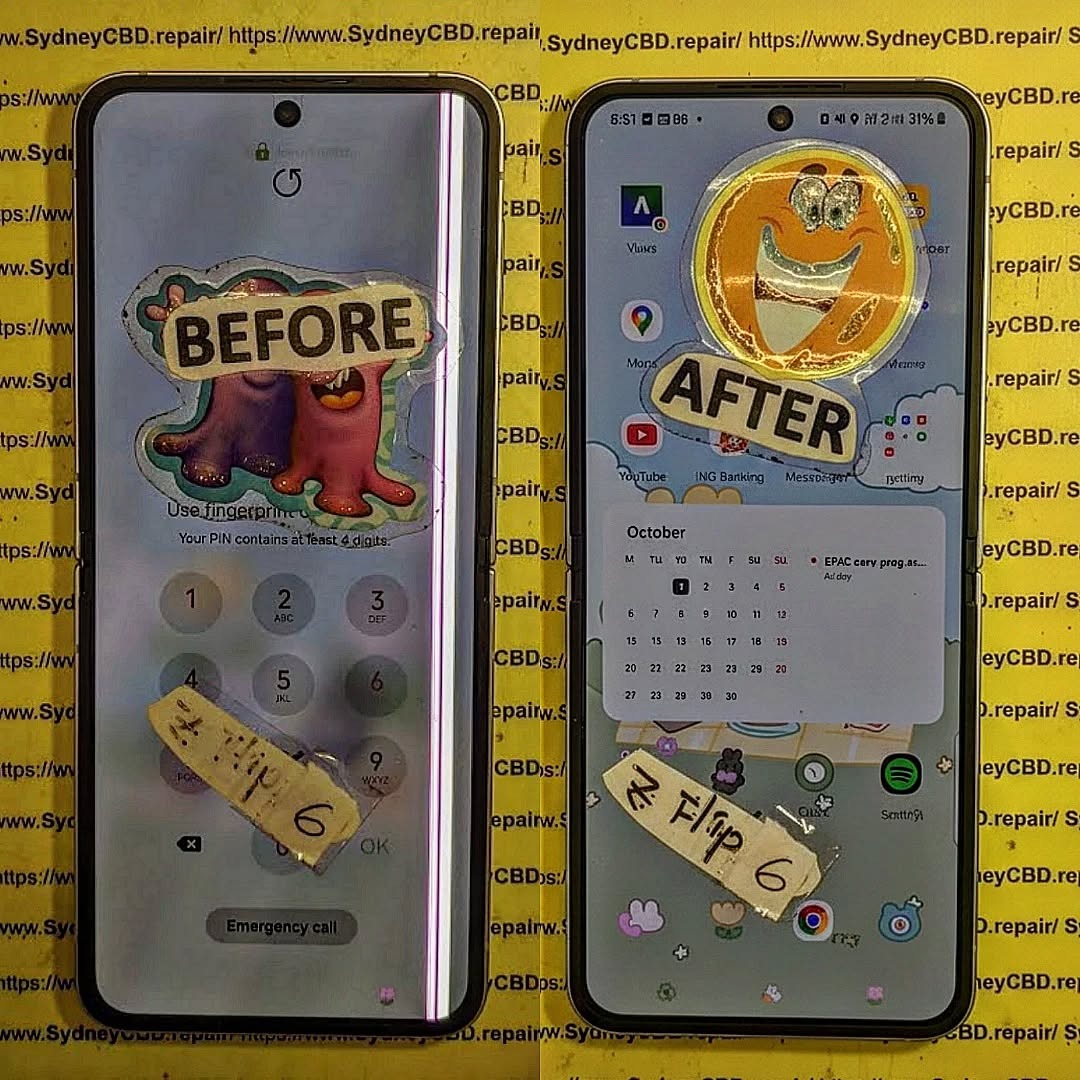
Vertical or horizontal lines.
A careful inspection of the connector should therefore be part of every display diagnosis.
3. Eleven Critical Reasons Budget Smartphone Displays Fail Testing
Several factors can cause a replacement screen to fail before final installation. The following 11 issues cover the most common areas technicians should investigate.
Reason 1: A Defective Replacement Display
Even a new screen can be faulty.
Manufacturing defects may include dead pixels, uneven brightness, colour abnormalities, touch-sensitive areas that don’t respond, or damaged internal circuitry.
A replacement display might also have suffered damage during shipping, storage, or handling.
How to identify the problem:
Connect the replacement screen using the manufacturer’s recommended procedure and check its image and touch response. If the same fault remains after inspecting the connector and confirming compatibility, the screen itself may be defective.
Where possible, compare the results with a known-good, compatible display.
Recommended solution: Stop the installation and document the fault. Replace the defective part through the supplier’s appropriate return or warranty process rather than attempting an unapproved repair on a new panel.
Reason 2: Incorrect Display Compatibility
Budget smartphones sometimes have multiple variants with similar names. Different production batches, regional versions, or hardware revisions may use different display assemblies.
A screen that physically resembles the original may still have an incompatible connector, different pin configuration, or unsupported touch circuitry.
This is why modern budget smartphone displays fail testing before final frame installation even when the replacement part appears to be in excellent condition.
How to prevent this problem:
-
Confirm the exact model number.
-
Check the device’s hardware revision when relevant.
-
Compare the replacement part number with reliable supplier information.
-
Inspect the connector layout and cable position.
-
Confirm that the display supports the required functions.
Don’t rely on the phone’s marketing name alone. Two similar-looking models may require different components.
Reason 3: A Loose or Misaligned Flex Cable
The display’s flex cable is delicate. Incorrect handling can bend, tear, or damage it.
If the connector isn’t seated correctly, the screen may work intermittently or fail to turn on.
A connector can also appear connected while one or more contacts aren’t making a reliable electrical connection.
Common warning signs:
-
The display works only at certain angles.
-
The screen goes black after movement.
-
Touch response comes and goes.
-
The image flickers when the connection is disturbed.
Recommended solution: Power the device down and disconnect the battery before inspecting or reseating internal connectors, following the model-specific service procedure. Check for bent contacts, contamination, damaged latches, and cable tears.
Never force a connector into place. Doing so can damage the connector or the mainboard.
Reason 4: Damage to the Mainboard Display Connector
Sometimes the replacement screen isn’t the problem at all.
A phone that has suffered a previous repair, impact, or liquid exposure may have a damaged display connector on the mainboard. Bent pins, lifted connector pads, and corrosion can prevent a new screen from operating correctly.
This can make a perfectly good replacement display appear defective.
How technicians investigate it:
First, confirm that the replacement is compatible. Next, inspect the board connector under suitable magnification and look for physical damage or contamination.
If the fault remains, advanced diagnosis may be needed to assess the display power supply and related circuits.
Board-level repairs should be performed by a trained technician with suitable equipment. Replacing screens repeatedly without diagnosing the board can waste money and time.
Reason 5: Insufficient or Unstable Display Power
Displays require the correct electrical power to operate. If the phone’s display power circuit is damaged, the screen may fail to start or behave inconsistently.
Possible causes include damaged power-management components, short circuits, liquid damage, or faults caused by previous repairs.
Symptoms may include:
-
A black display while the phone otherwise responds.
-
Flickering during startup.
-
A screen that briefly lights up and then turns off.
-
Unusual heating around an electrical fault.
A black screen alone doesn’t prove that the display power circuit has failed. The screen, connector, battery, and mainboard may all be involved.
Recommended solution: Begin with basic compatibility and connection checks. If those don’t identify the issue, a qualified technician can use the appropriate diagnostic equipment and model-specific service information to investigate the power circuit.
Avoid applying random voltages or using improvised wiring to force a screen to turn on.
Reason 6: Touchscreen Digitiser Failure
A display can produce a perfect image while its touch function remains faulty.
The digitiser detects finger contact and sends touch information to the phone. Depending on the display design, the digitiser may be integrated into the screen assembly.
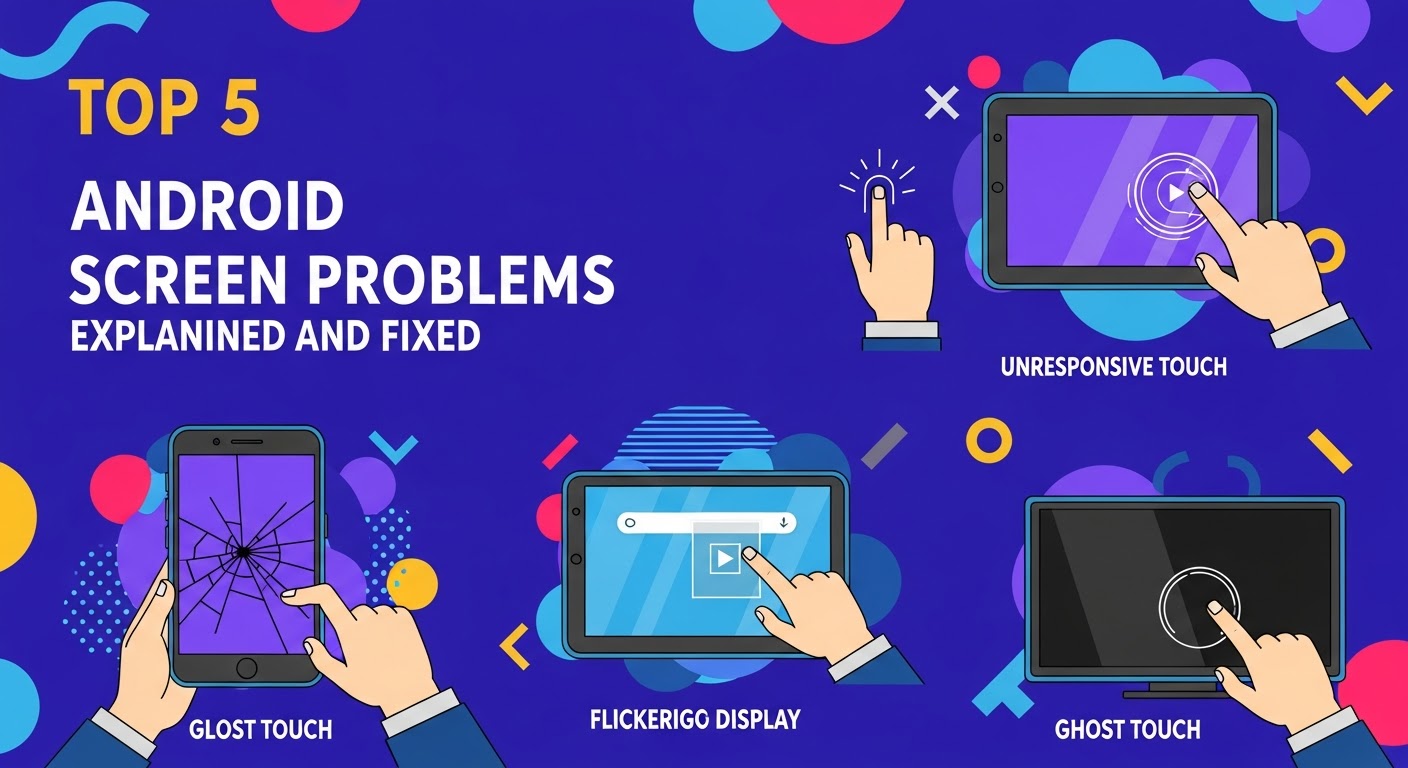
A faulty digitiser can cause missed touches, ghost touches, dead zones, or delayed responses.
A practical test:
Open a touch-testing interface or a suitable drawing application. Move a finger slowly across the entire screen, including the corners and edges.
Check for:
-
Lines that break unexpectedly.
-
Areas that don’t register movement.
-
Touches appearing without contact.
-
Delayed or inconsistent response.
If the device has a built-in diagnostic tool, that may provide additional information.
A touch problem can also come from software, connector damage, or mainboard faults. Technicians should confirm the cause before replacing another component.
Reason 7: Poor-Quality Replacement Parts
Not all replacement displays offer the same quality, even when they’re advertised as compatible with the same phone.
Differences may include brightness, colour accuracy, touch sensitivity, durability, and manufacturing consistency.
Some low-cost parts may work initially but perform poorly during extended testing.
How to reduce the risk:
Choose suppliers that provide clear compatibility information, traceable part details, and a reasonable warranty policy. Inspect the screen before installation and test it against the original device’s expected functions.
A higher price doesn’t automatically guarantee a better part, and a low price doesn’t automatically mean the screen is defective. Reliable sourcing and actual test results matter more than price alone.
Reason 8: Dirt, Corrosion, or Contamination on Contacts
Tiny particles, adhesive residue, corrosion, or oily contamination can interfere with electrical connections.
Liquid-damaged phones are particularly challenging because corrosion may develop underneath connectors or within board components.
Even a small amount of contamination can prevent reliable contact.
Recommended inspection process:
-
Power down the phone and isolate the battery as required by the service procedure.
-
Inspect accessible connectors under magnification.
-
Look for corrosion, residue, or damaged contacts.
-
Use only appropriate electronics-cleaning methods.
-
Allow all approved cleaning agents to dry completely before reconnecting components.
Never scrape delicate contacts with sharp metal tools. If corrosion extends beneath the connector or onto the mainboard, professional board-level cleaning or repair may be required.
Reason 9: Incorrect Testing Procedures
A technician may incorrectly conclude that a display is defective simply because the phone wasn’t prepared properly for testing.
For example, the battery may not be connected correctly, the phone may not have started fully, or the replacement part may not have been seated properly.
A faulty testing process can lead to unnecessary part returns and repeated repairs.
Better testing practices include:
-
Following the manufacturer’s recommended connection sequence.
-
Checking the phone’s startup behaviour.
-
Allowing sufficient time for the operating system to load.
-
Testing both the image and touchscreen.
-
Recording any error messages or unusual behaviour.
Consistency matters. Every screen should be tested using a repeatable procedure rather than a quick glance at whether it lights up.
Reason 10: Physical Pressure or Flex Cable Damage During Handling
Smartphone displays are thin and can be damaged by bending, twisting, or uneven pressure.
A screen might pass its first test but fail after being handled incorrectly during frame preparation.
Flex cables are especially vulnerable when they’re folded too tightly or trapped between components.
Preventive measures:
-
Handle the screen by its suitable edges.
-
Avoid pressing hard on the active display area.
-
Keep the flex cable clear of sharp edges.
-
Use the correct support surface.
-
Never force a panel into a frame that doesn’t fit properly.
If the display develops lines or black patches after handling, stop the repair and investigate before proceeding.
Reason 11: Frame Problems and Incorrect Adhesive Placement
The frame itself can prevent a display from sitting correctly.
A bent frame, leftover adhesive, dust, or uneven mounting surfaces may create pressure points. Incorrect adhesive placement can also interfere with the display cable or prevent the screen from sitting flush.
This is especially important for phones with thin panels and tightly packed internal components.
How to prevent installation-related failure:
Inspect the frame for bends and damage. Remove old adhesive using suitable tools and methods, then clean the mounting surfaces carefully.
Before applying fresh adhesive, check that the replacement panel fits correctly and that the cable follows its intended route.
Never use excessive force to close a gap. If the screen doesn’t sit correctly, identify the obstruction or compatibility issue first.
4. The Correct Pre-Installation Workflow for Smartphone Displays
A reliable workflow helps technicians find faults early and avoid repeated assembly.
The following process is a general guide. Always follow the model-specific service instructions because connector layouts, battery isolation procedures, and display installation methods vary.
Step 1: Confirm the Device and Replacement Part
Record the exact phone model and inspect the replacement display.
Check the part number, connector design, visible condition, and supplier information. Compare the replacement against the original assembly where appropriate.
Don’t proceed if the component appears damaged or its compatibility is uncertain.
Step 2: Inspect the Original Device
Before removing or connecting components, check the phone for signs of impact, bending, liquid damage, or previous repair work.
Inspect the display connector and surrounding area when accessible.
A damaged frame or board connector may explain why a new display doesn’t work.
Step 3: Prepare the Device Safely
Power the phone down and follow the recommended procedure for disconnecting the battery before connecting or disconnecting internal display components.
Use suitable anti-static precautions and tools.
Avoid working on exposed circuitry while the device is powered unless a specific diagnostic procedure requires it and can be performed safely.
Step 4: Connect the Replacement Display
Position the display securely on a clean, stable surface.
Route the flex cable without twisting or stretching it, then connect it carefully according to the device’s service instructions.
Don’t press hard on the connector or repeatedly reconnect it without checking its alignment.
Step 5: Power On and Test the Image
Once the device is safely reassembled enough for powered testing, check whether the display starts correctly.
Look for:
-
A stable image.
-
Normal colours.
-
No unexpected lines or flickering.
-
Consistent brightness.
-
No unexplained black patches.
Check the startup screen and operating system, where possible.
Step 6: Test Touch and Related Features
Test touch response across the full panel. Check the keyboard, gestures, scrolling, and edge areas.
Where supported, verify fingerprint recognition, proximity sensing, automatic brightness, and other affected functions according to the model’s service procedure.
Some features may require software configuration, calibration, or approved pairing processes after a repair.
Step 7: Inspect the Fit Before Final Installation
Power the phone down again if required by the service procedure.
Check that the flex cable is routed correctly and that the display sits evenly in the frame.
Confirm that no screws, brackets, or other components are missing or incorrectly positioned.
Only proceed with final adhesive installation after the display passes the required checks.
Step 8: Complete Final Quality Control
After the display is installed and the adhesive has cured as instructed, perform another functional check.
Test the image, touch response, buttons, sensors, and any relevant device functions.
If the repair affects water resistance, remember that replacing adhesive alone doesn’t prove the original water-resistance rating has been restored. Appropriate service methods and testing are needed.
5. Diagnosing Display Symptoms Before Replacing More Parts
Recognising the symptom is an important part of finding the cause. However, one symptom can have several possible explanations.
Use the following table as a starting point rather than a definitive diagnosis.
| Display symptom | Possible causes | Recommended next step |
|---|---|---|
| Completely black screen | Defective panel, loose cable, power fault | Check device operation and connector |
| Vertical or horizontal lines | Panel damage, cable fault, board issue | Inspect connections and test a known-good part |
| Touch doesn’t work | Digitiser failure, connector problem, software issue | Test touch across the panel |
| Flickering image | Loose connection, defective display, unstable power | Check compatibility and connections |
| Screen works intermittently | Connector damage, cable strain, board fault | Inspect flex cable and connector |
| Uneven brightness | Panel defect, backlight problem, settings | Check settings and compare display performance |
| Ghost touches | Defective digitiser, contamination, electrical interference | Clean accessible areas and test a compatible screen |
| Screen doesn’t fit flush | Wrong part, bent frame, adhesive obstruction | Check part compatibility and frame condition |
Why a Black Screen Doesn’t Always Mean a Dead Display
A phone may still vibrate, ring, or respond to button presses when its screen is black. This suggests the device may be operating even though the display isn’t showing an image.
However, these signs don’t identify the exact fault.
The issue could be a defective panel, damaged flex cable, board connector problem, or display power fault. A systematic inspection helps narrow the possibilities.
When Should Technicians Stop Troubleshooting?
Stop and seek more advanced diagnosis if you find a damaged connector, suspected short circuit, significant corrosion, or abnormal heating.
Continuing to connect replacement parts without understanding the electrical problem may damage otherwise good components.
6. Genuine, Compatible, and Low-Quality Replacement Displays
Selecting the correct screen is an important part of a successful repair, but the terminology used by suppliers can be confusing.
Understanding Common Display Categories
| Category | What it generally means | What to check |
|---|---|---|
| Genuine service part | A part supplied through an authorised or recognised genuine-parts channel | Provenance, compatibility, and warranty |
| Aftermarket display | A replacement manufactured outside the original manufacturer’s parts channel | Quality, specifications, and supplier reputation |
| Refurbished display | A previously used display that has been restored or fitted with replacement components | Refurbishment quality and test results |
| Pulled original display | A screen removed from another device | Condition, wear, and functionality |
| Incompatible display | A part that doesn’t correctly match the device | Model number, connector, and supported features |
The labels used by sellers aren’t always consistent. Ask for clarification when a supplier’s description is unclear.
Why Cheap Screens Can Become Expensive
A very cheap screen may seem like a bargain until it fails testing or needs to be replaced soon after installation.
Consider the total cost of a repair:
-
Replacement part cost.
-
Technician labour.
-
Testing time.
-
Adhesive and consumables.
-
Potential rework.
-
Warranty-related costs.
A slightly more expensive but dependable component may offer better overall value.
Still, no part should be considered reliable based on marketing claims alone. Test the actual component and maintain clear supplier records.
How to Check Supplier Reliability
Look for suppliers that provide accurate model compatibility, clear product descriptions, accessible support, and a defined returns process.
Ask whether the part has been tested before dispatch and whether defects are covered under warranty.
For additional technical background, consult the iFixit repair guides, which offer device-specific repair instructions for many electronics. Always verify that a guide matches the exact model being serviced.
7. Preparing the Smartphone Frame for Installation
A good replacement screen can still fail if the frame isn’t prepared correctly.
The frame supports the display and helps keep internal components in their intended positions. Even minor damage can create an uneven mounting surface.
Remove Old Adhesive Carefully
Old adhesive can prevent the screen from sitting flush.
Use suitable tools and manufacturer-approved methods to remove residue without damaging the frame, nearby components, or cable routing.
Avoid sharp tools that could scratch the mounting surface or puncture internal components.
Check for Frame Bending
Place the frame on a suitable inspection surface and look for visible distortion.
Pay attention to corners and edges because these areas may affect display alignment.
If the frame is significantly bent, forcing a new screen into position could place stress on the panel.
Apply Adhesive Correctly
Use the appropriate adhesive type and placement for the specific phone model.
Keep adhesive away from connectors, microphones, speakers, and other openings unless the original design specifically requires adhesive in those locations.
Too much adhesive can create pressure points or interfere with assembly.
Never Force a Poor Fit
If the screen doesn’t fit correctly, stop and inspect the part and frame again.
A replacement panel that requires unusual pressure may be incompatible, incorrectly routed, or obstructed by leftover adhesive.
Forcing it into place can turn a simple repair into a costly failure.
8. Essential Tools for Display Testing and Diagnosis
The right tools make smartphone repairs safer and more consistent.
Not every repair requires advanced laboratory equipment. However, technicians should have suitable tools for inspection, handling, and diagnosis.
Basic Repair Tools
Common tools include:
-
Precision screwdrivers matched to the device.
-
Plastic opening tools and suitable tweezers.
-
Anti-static equipment.
-
Magnification or a microscope for connector inspection.
-
A clean, stable work surface.
-
Appropriate adhesive-removal tools.
-
Device-specific installation guides.
Use tools designed for electronics repair rather than improvised objects that may damage components.
Diagnostic Equipment
Depending on the problem, technicians may also use:
A multimeter: Useful for qualified technicians checking electrical continuity and specified circuit measurements.
A known-good display: Helps determine whether a fault follows the replacement panel or remains with the phone.
A controlled power supply: Can support certain board-level diagnostic procedures when used by a trained technician with the correct settings and current limits.
Magnification equipment: Helps reveal bent contacts, corrosion, and damaged flex cables that are difficult to see with the naked eye.
Software diagnostics: Manufacturer-provided tools or suitable test applications can help assess touch response and supported device features.
Why More Tools Don’t Always Mean Better Diagnosis
Buying additional equipment won’t solve a problem if the technician doesn’t follow a clear testing process.
A careful visual inspection, correct part identification, and systematic testing often provide more value than replacing components based on guesswork.
9. Building a Reliable Display Quality-Control Process
Quality control should be part of every screen replacement, not an optional step at the end.
A repeatable process helps different technicians achieve consistent results and provides a record of the repair.
Create a Pre-Installation Checklist
Use a checklist similar to the following:
Not every device supports the same tests, so adapt the checklist to the model.
Keep Records of Failed Parts
When a display fails, record the model, supplier, part number, symptoms, and test results.
Photographs can help document visible defects, while written notes can help identify repeated issues.
Over time, these records may reveal patterns, such as one part batch producing more touch failures than others.
This information supports better purchasing decisions and more efficient troubleshooting.
Test Again After Final Assembly
Passing the initial test is necessary, but it isn’t the end of quality control.
Final assembly can introduce new problems if a cable becomes trapped, a bracket is installed incorrectly, or pressure is applied unevenly.
Once the phone is assembled, repeat the relevant functional checks. Confirm that the display remains stable and that touch works correctly.
10. Reducing Repair Costs and Improving Customer Satisfaction
Display failures affect more than the technician’s workload. They can delay the repair and leave customers without their phones for longer than expected.
A structured testing process can reduce unnecessary part replacements and make repair estimates more accurate.
Calculate the True Cost of a Failed Display
Suppose a technician buys a replacement screen, spends time preparing the phone, and applies adhesive before discovering that touch doesn’t work.
The cost may include the original part, additional labour, removal materials, and time spent waiting for another component.
If the same screen had been tested before adhesive installation, much of that extra work could have been avoided.
The exact savings depend on the phone model, part price, and repair process, but the principle is the same: detect defects early.
Explain Testing to Customers
Customers may not realise how much work happens before a repaired phone is ready.
A short explanation helps set realistic expectations.
For example, a repair centre can explain that the replacement screen will be tested for image quality, touch response, and compatibility before final installation.
If a part fails, the technician can explain the next step without promising an unrealistic completion time.
Balance Speed with Quality
Fast repairs are valuable, especially for customers who rely on their phones for work, communication, and daily tasks.
However, speed shouldn’t come at the expense of safety or testing.
A well-organised workspace, dependable suppliers, and a consistent testing checklist help technicians work efficiently while maintaining quality.
11. Frequently Asked Questions
FAQ 1: Why do modern budget smartphone displays fail testing before final frame installation?
Common causes include defective replacement panels, incompatible parts, loose flex cables, damaged mainboard connectors, touchscreen faults, and incorrect testing procedures. Frame damage and poor adhesive preparation can also create problems during installation.
The best approach is to test the screen systematically before applying adhesive.
FAQ 2: Can a new replacement screen be faulty straight out of the box?
Yes. New displays can have manufacturing defects or suffer damage during shipping and storage.
Inspect the panel and test its image and touch functions before installation. If a fault persists after compatibility and connector checks, document it and contact the supplier.
FAQ 3: Why does my replacement screen turn on but not respond to touch?
Possible causes include a faulty digitiser, incompatible replacement part, incorrectly seated connector, damaged flex cable, or a software-related issue.
Test the full touchscreen area and check the connection according to the device’s service procedure. If the issue continues, compare the results with a known-good compatible screen when available.
FAQ 4: Should a smartphone display be tested before applying adhesive?
Yes. Whenever the device’s design and service procedure permit it, test the replacement display before final adhesive installation.
Check the image, brightness, touch response, connector stability, and relevant supported functions. Testing early makes it easier to investigate a faulty part without repeating the entire installation.
FAQ 5: Can a damaged smartphone frame cause display failure?
Yes. A bent or damaged frame may prevent the screen from sitting correctly. Uneven pressure can stress the panel, while leftover adhesive may obstruct the display or its flex cable.
Inspect and prepare the frame before fitting the replacement. Never force a screen into an unsuitable frame.
FAQ 6: How can I tell whether the screen or mainboard is faulty?
A known-good, compatible display can help isolate the problem. If multiple compatible screens show the same fault, the connector, power supply, or mainboard may need further investigation.
However, this isn’t conclusive by itself. A qualified technician should inspect the connector and perform appropriate diagnostics before deciding which component needs repair.
FAQ 7: Are aftermarket smartphone displays always poor quality?
No. Aftermarket displays vary in quality, specifications, and reliability.
Check compatibility, supplier reputation, available warranty terms, and actual test performance. The cheapest part isn’t necessarily the worst, and the most expensive part isn’t automatically the best.
FAQ 8: What should a technician do if the screen flickers during testing?
First, stop and assess the device safely. Confirm that the part is compatible and inspect the flex cable and connector for damage or poor seating.
If the fault persists, test with a known-good display or investigate the display power circuitry as appropriate. Avoid repeatedly reconnecting parts while the device is powered.
FAQ 9: Can a display work during testing but fail after installation?
Yes. Physical pressure, a trapped flex cable, incorrect adhesive placement, or an uneven frame can cause problems during final assembly.
That’s why technicians should handle the panel carefully, verify cable routing, and repeat the relevant tests after completing the installation.
FAQ 10: How long should pre-installation display testing take?
The time depends on the phone model, the repair procedure, and the symptoms being investigated. A straightforward replacement may require only a short set of checks, while intermittent faults or possible mainboard damage can take much longer to diagnose.
The priority should be completing the necessary checks rather than meeting an arbitrary time limit.
FAQ 11: Does a successful display test guarantee that water resistance is restored?
No. A working display doesn’t prove that the phone’s original water resistance has been restored.
Water resistance depends on the device’s seals, adhesives, frame condition, and other design features. Appropriate service procedures and suitable testing are necessary where water resistance is part of the repair requirements.
Conclusion: Test First, Install with Confidence

Modern budget smartphone displays can fail for many reasons, from defective panels and incompatible parts to connector damage, touchscreen faults, and poor frame preparation.
The most effective way to reduce these failures is to follow a consistent diagnostic process. Confirm the replacement part, inspect the device, connect the screen correctly, test image and touch performance, and check the physical fit before completing the installation.
Just as importantly, repeat the relevant checks after final assembly. A display that passes the first test still needs to work correctly once the phone is fully put together.
For repair businesses, these steps can reduce unnecessary rework, protect valuable components, and improve customer confidence. For customers, choosing a repair centre that prioritises compatibility, careful installation, and functional testing can make a real difference.
The key lesson is simple: don’t rush the final installation. Test carefully, diagnose accurately, and complete every repair with quality in mind.
David from Sydney CBD Repair Centre – The Best place to fix mobile phones as 7 Years In A Row! Top Mobile Phone Repair In Sydney. More than 2000 Positive Reviews on Google and Same Day Repairs.
We take pride in delivering exceptional repair services for all major phone brands including Apple, Samsung, Google, and more. Our expert technicians use only genuine parts and offer 90days warranty on repairs. Located in the heart of Sydney CBD, we’re your one-stop solution for all mobile device repairs.
Our commitment to excellence has earned us the trust of thousands of satisfied customers. Whether it’s a cracked screen, battery replacement, or water damage repair, we handle it all with professional care and expertise. Walk in today and experience why we’re Sydney’s #1 choice for mobile phone repairs.
Visit us for:
✓ Same Day Express Repairs
✓ Genuine Parts Guarantee
✓ Professional Technicians
✓ Competitive Pricing
✓ 2000+ 5-Star Google Reviews
✓ 7-Time Award Winner for Best Phone Repairs
Sydney CBD Repair Centre – Where Quality Meets Reliability.
Call: +61280114119
Website: https://SydneyCBD.repair/locate-us