Screen Replacement: Heat, Glue, and Tools Explained
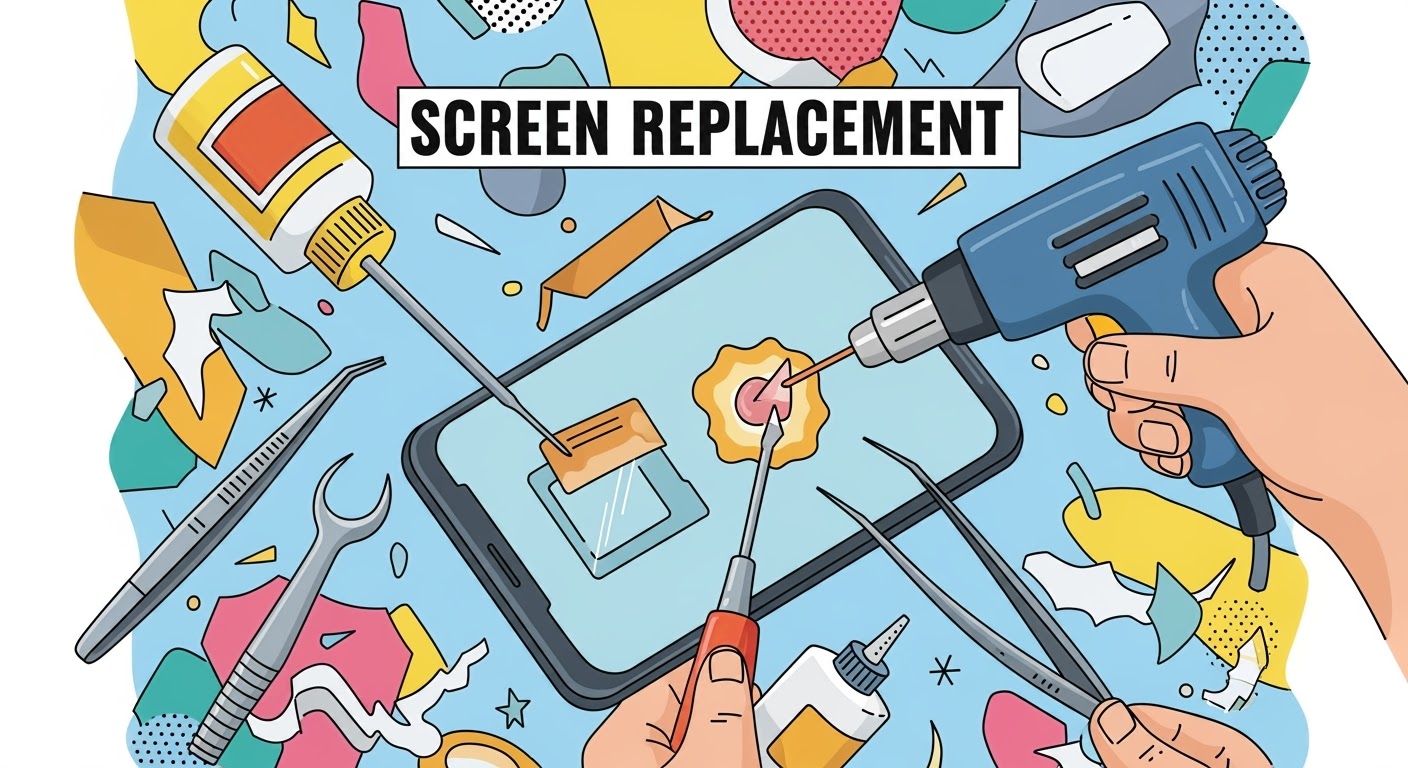
Replacing a smartphone screen might sound straightforward, but in reality, it’s a delicate process that requires the right tools, heat application, and adhesive techniques. Whether it’s a cracked display on your flagship device or a gaming powerhouse like the ASUS ROG Phone, understanding how heat, glue, and tools come into play will help you appreciate why professional repair is often the safest choice.
Most modern smartphones are sealed together using strong industrial adhesive to make them durable and water-resistant. To remove the screen safely, this adhesive must be softened first.
How it’s done: Technicians use a heat gun, hot air station, or specialized heating pad to gently warm the edges of the device.
Why it matters: Without controlled heat, prying the screen can cause cracks or damage to internal components.
Common mistake in DIY: Using a hairdryer unevenly can overheat some areas and leave others too sticky, making removal risky.
The glue or adhesive is not just about sticking the screen in place—it plays a critical role in structural integrity and dust resistance.
Factory-grade adhesive: Manufacturers use precision-applied glues to ensure even sealing.
During replacement: Professionals apply pre-cut adhesive strips or liquid adhesive to replicate factory standards.
Risks of poor application: Too much glue can seep into delicate parts, while too little can cause the screen to lift or lose touch sensitivity.
Tools Every Technician Relies On
Replacing a screen isn’t possible without the proper toolkit. Here are the essentials:
Precision screwdrivers – to remove tiny screws without stripping them
Plastic pry tools and spudgers – to separate the glass without scratching
Suction cups – to lift the display gently after heating
ESD-safe tweezers – to handle tiny components safely
Adhesive applicators and clamps – to ensure the screen bonds firmly during reassembly
For DIY repairs, missing even one of these tools can make the process much harder and riskier.
Why Professional Repair Makes a Difference
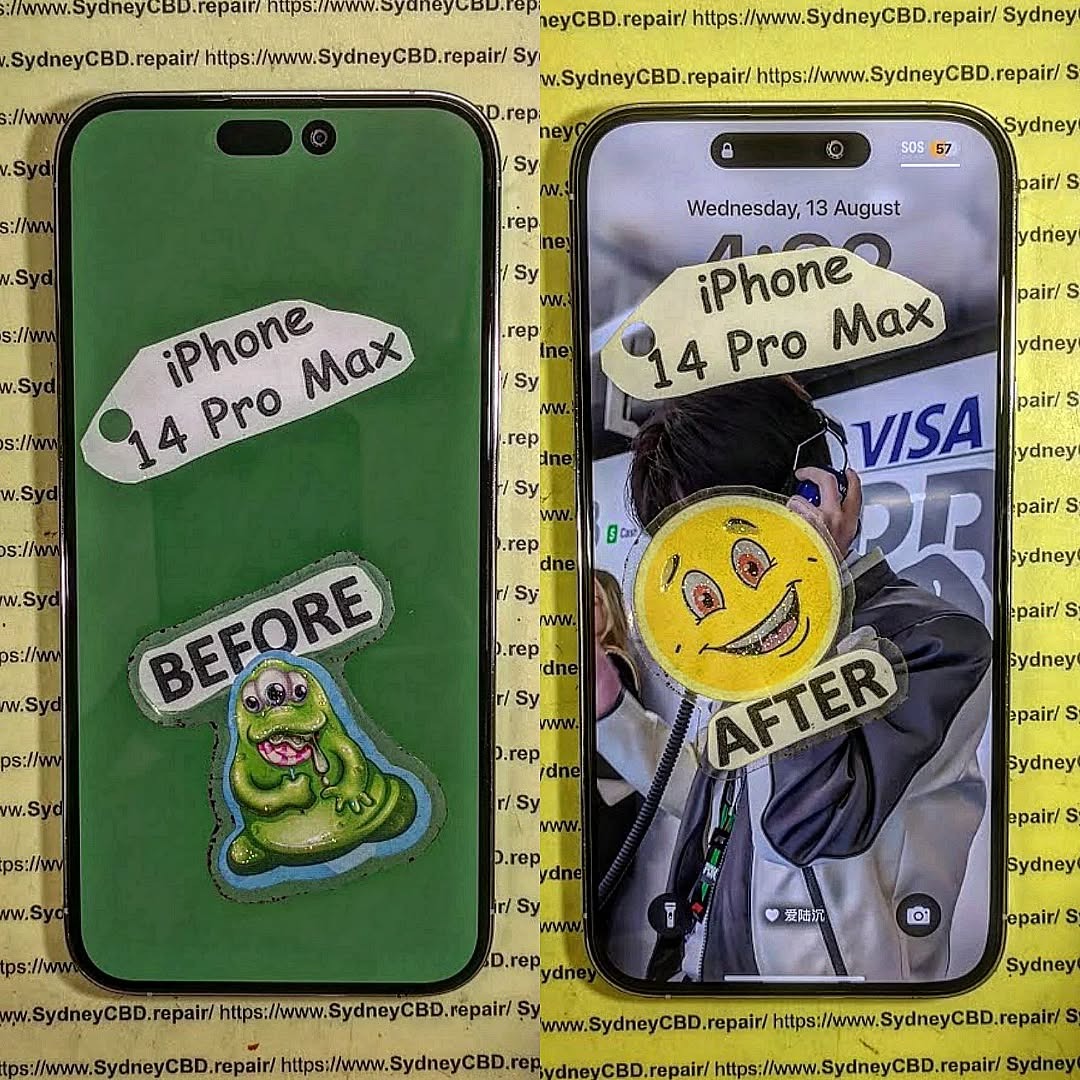
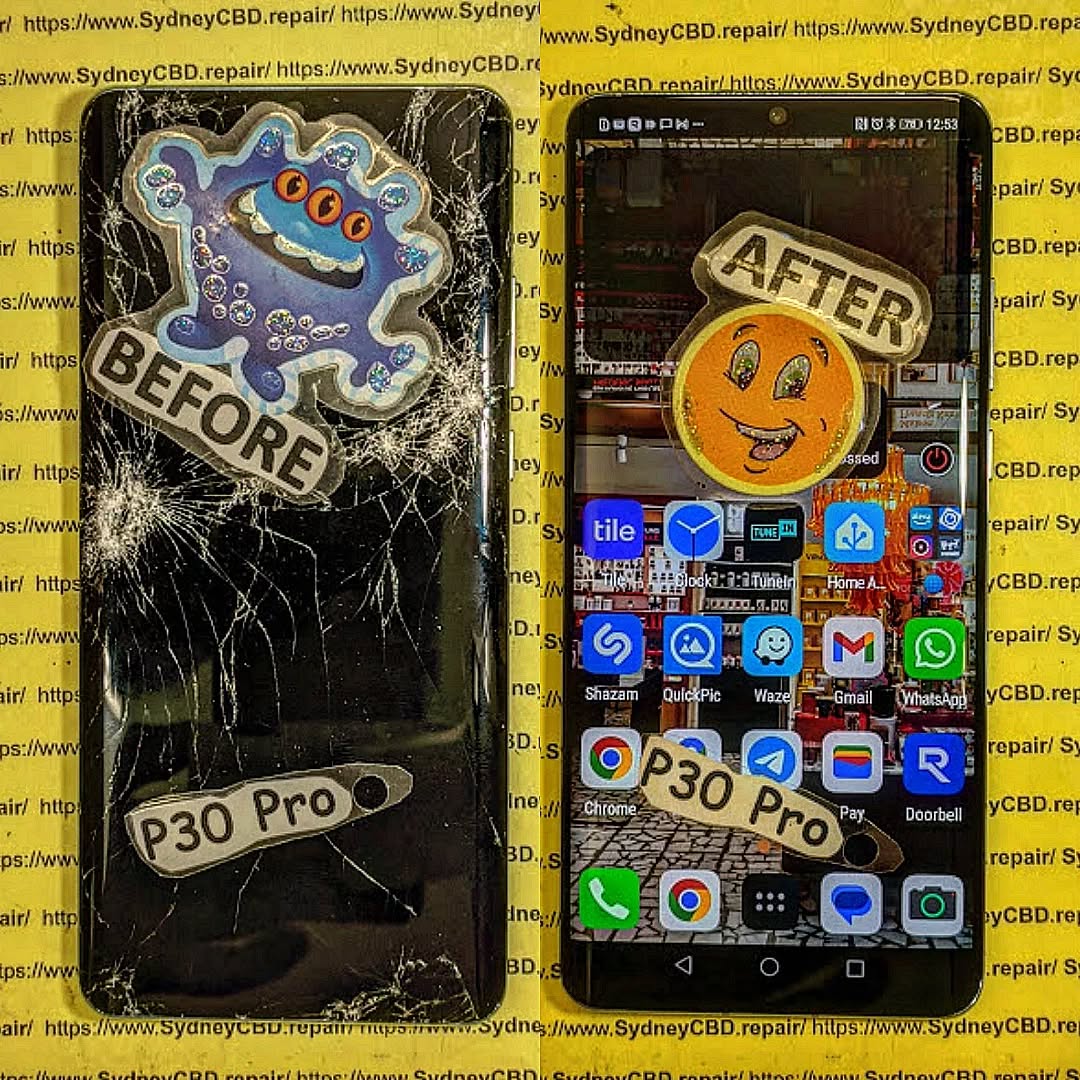
While DIY guides make screen replacement look simple, the reality is different. Professional repair centers like Sydney CBD Repair Centre have experience, advanced equipment, and access to genuine parts. This means:
Faster turnaround times
Proper sealing to maintain water resistance
Warranty on both parts and labor
Peace of mind knowing your device won’t fail due to a small mistake
✅ In short: Screen replacement is more than just swapping glass. It’s about balancing heat, glue, and tools with precision. Unless you’re highly skilled, professional repair ensures your device is restored to factory standards.
David from Sydney CBD Repair Centre – The Best place to fix mobile phones as 6 Years In A Row! Top Mobile Phone Repair In Sydney. More than 2000 Positive Reviews on Google and Same Day Repairs.
We take pride in delivering exceptional repair services for all major phone brands including Apple, Samsung, Google, and more. Our expert technicians use only genuine parts and offer 90 days warranty on repairs. Located in the heart of Sydney CBD, we’re your one-stop solution for all mobile device repairs.
Visit us for:
✓ Same Day Express Repairs
✓ Genuine Parts Guarantee
✓ Professional Technicians
✓ Competitive Pricing
✓ 2000+ 5-Star Google Reviews
✓ 6-Time Award Winner for Best Phone Repairs
The Best Tools and Techniques for Phone Screen Repair – Top 15 Expert Tips for Flawless Results
📱 Introduction
Cracked or shattered phone screens are an unfortunate reality in today’s smartphone world. But whether you’re an aspiring DIYer or a technician, the tools and techniques you use can make or break the repair. In this guide, we’ll explore the best tools and professional tips to ensure your phone screen replacement is a success.
Here are the core tools every screen repair should include:
✅ Precision Screwdriver Set
Modern smartphones use tiny screws like pentalobe, tri-point, and Phillips #000. A quality screwdriver kit allows you to open the device without stripping screws.
✅ Plastic Pry Tools and Spudgers
These non-metal tools help you separate the screen from the frame without damaging internal components.
✅ Suction Cup Tool
Used to gently lift the screen after loosening adhesive. This is especially helpful for iPhones and Samsung models.
✅ Heat Gun or Hair Dryer
Softens adhesive holding the screen in place. A temperature-controlled heat gun is safer for delicate devices.
✅ ESD-Safe Tweezers
Great for handling small components like display cables and connectors without static damage.
✅ Anti-Static Wrist Strap
Protects sensitive internal circuits from electrostatic discharge during the repair process.
✅ Magnetic Work Mat
Keeps screws and components organized, which is essential when reassembling the phone.
✅ Replacement Adhesive Strips
Used to reattach the screen securely and ensure dust/water resistance is maintained.
🧪 Advanced Tools for Professionals
At Sydney CBD Repair Centre, we use state-of-the-art equipment to perform safe and efficient repairs.
🔥 Laser Separator Machine
Used to separate glass from OLED displays without damaging delicate layers—ideal for high-end devices.
🌀 OLED Laminating Machine
Rebonds replacement glass and digitizer to the OLED for a factory-level finish.
📲 Choosing the Right Replacement Screen
Whether you’re using an OEM or high-grade aftermarket screen, compatibility and quality are non-negotiables.
Pro Tip: Always check your phone’s model number and screen technology (LCD vs OLED) before ordering.
🔍 Key Techniques for Safe and Clean Removal
Power off the device before starting.
Use a heat gun to soften the adhesive.
Apply gentle prying motion with a plastic spudger.
Use a suction cup for clean lifting—never use sharp force.
Disconnect battery before removing display connectors.
🧩 Tips for Installing the New Screen Correctly
Test the new screen before sealing the phone back up.
Apply even pressure while connecting ribbon cables.
Use precise adhesive placement for dust resistance.
Avoid over-tightening screws—this can crack new glass.
⚠️ Common Mistakes to Avoid During Repairs
Using metal tools inside the phone
Skipping heat application before prying
Not organizing screws properly
Touching screen internals with bare fingers
Reusing old adhesives
🧑🔧 Should You Attempt DIY or Go to a Pro?
Factor
DIY
Professional
Cost
Lower
Higher
Risk
High
Low
Quality
Variable
Guaranteed
Time
2–4 hrs
30–60 mins
Tools Needed
Yes
No
Warranty
No
Yes (e.g. 90 days at Sydney CBD Repair Centre)
🛡 Safety Precautions to Follow
Wear an anti-static strap
Always power off the phone
Don’t work on a carpeted surface
Keep liquids and magnets away
Watch out for battery punctures
🧠 Professional Tips from Sydney CBD Repair Centre
“We’ve repaired thousands of screens over the past decade. Our advice? Don’t compromise on tools. Cheap kits lead to costly damage. We only use OEM-quality parts, and every repair is backed by our 90-day warranty.”
— David, Head Technician, Sydney CBD Repair Centre
❓ FAQs
1. Can I repair a screen with household tools?
No. Using improper tools like kitchen knives or screwdrivers can severely damage your phone.
2. Is a heat gun necessary?
Yes, especially for iPhones and newer Androids. It helps loosen adhesive without cracking the display.
3. How long does screen replacement take?
DIY can take hours. Professionals like Sydney CBD Repair Centre finish most repairs in under an hour.
4. Are aftermarket tools safe to use?
If purchased from a reputable source, yes. However, cheap kits often break easily and can damage your phone.
5. Do I need adhesive strips to reattach the screen?
Absolutely. Using glue or tape instead can lead to dust ingress and screen separation.
6. Where can I find professional repair help in Sydney?
Screen repair is more than just swapping glass—it’s a technical process requiring precision, the right tools, and a deep understanding of phone internals. Whether you’re a DIY enthusiast or prefer professional help, investing in proper tools or expert service is key to a lasting repair.
📞 Call to Action – Trust Sydney CBD Repair Centre
Don’t risk your phone with untrained hands or cheap tools.
📍 Sydney CBD Repair Centre – Where Quality Meets Reliability
🛠️ Same Day Repairs | 90-Day Warranty | OEM Parts
🌟 2000+ 5-Star Google Reviews | 6-Time Award Winner
The Ultimate Guide to The Evolution of Phone Screen Replacement Techniques: 15 Breakthroughs Every User Should Know
📱 Introduction: How Far We’ve Come
From the chunky phones of the early 2000s to today’s sleek foldables, screen technology has transformed dramatically—and so have the techniques to repair them. In this guide, we’ll walk you through the evolution of phone screen replacement, shedding light on how repair practices have adapted to each technological leap.
At Sydney CBD Repair Centre, we’ve evolved alongside the industry, mastering techniques from the simplest glass swaps to complex AMOLED and foldable screen repairs.
In the beginning, mobile phones used small, non-touch LCD screens protected by a separate layer of plastic or glass. If the outer layer cracked, it could be replaced independently—a relatively simple fix.
Key characteristics:
No touchscreen integration
Manual disassembly with limited adhesive
Minimal risk of internal damage
These screens were cheaper and more forgiving to repair compared to modern devices.
As screen tech advances, so must the toolkits and technician expertise.
🔍 Genuine Parts vs Aftermarket Screens: Quality Matters
The demand for cheap repairs has flooded the market with aftermarket screens—but not all are equal. Key differences include:
Touch sensitivity
Fingerprint sensor support
Display brightness and colour
Durability over time
At Sydney CBD Repair Centre, we only use OEM or manufacturer-authorised parts, giving our customers peace of mind with every repair.
🧠 The Role of Software in Modern Screen Calibration
Modern screens often require software-level calibration post-repair to restore:
Brightness levels
Touch response mapping
Fingerprint sensor accuracy
Face ID and proximity sensor alignment
Our technicians use brand-specific software tools to guarantee the display performs like new—even after complex repairs.
🛠️ Sydney CBD Repair Centre’s Evolution in Screen Repair Services
We’ve come a long way from simple glass swaps. Our journey includes:
Adopting foldable screen repair early
Investing in laser and lamination technology
Training technicians to handle fingerprint and biometric calibration
Winning 6 awards and earning 2000+ 5-star reviews
We continue to innovate, making us Sydney’s top choice for advanced phone screen repairs.
🚀 What’s Next? The Future of Phone Screen Repairs
Looking ahead, we expect to see:
Self-healing screens
Transparent displays on dual-sided phones
Modular screen components for easier replacement
More AI-driven diagnostics and calibration tools
At Sydney CBD Repair Centre, we’re committed to staying ahead of the curve, ensuring your future devices get the expert care they deserve.
❓ FAQs About Modern Screen Repair Techniques
Q1: Are modern screens harder to repair?
Yes. With components like OLED layers and under-display sensors, screen repairs today require expert precision.
Q2: Can cracked foldable screens be repaired?
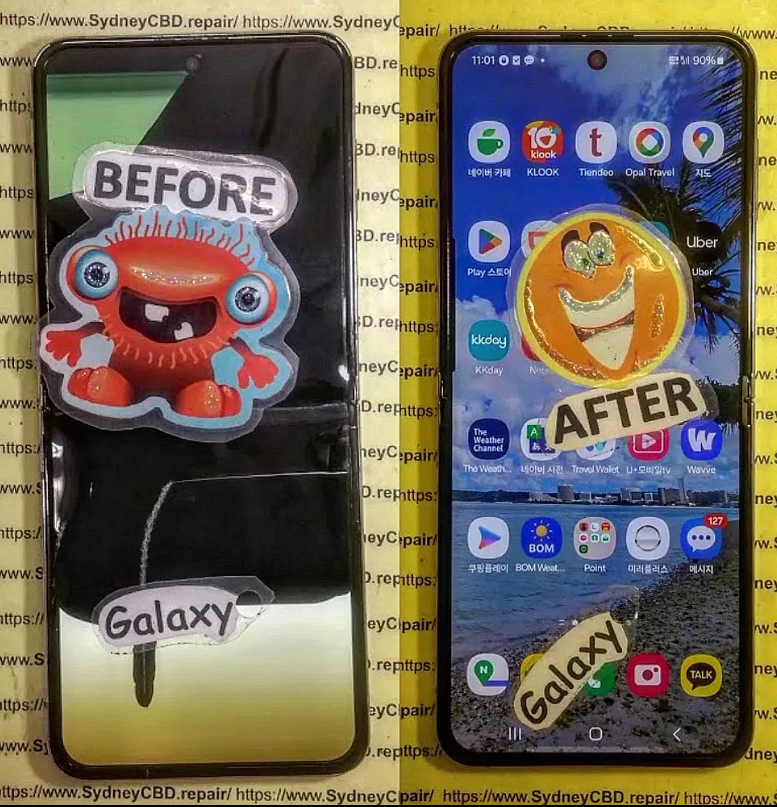
Absolutely. We repair Galaxy Z Fold and Flip series using specialised tools and genuine Samsung parts.
Q3: Is it safe to use aftermarket displays?
They may work, but often lack the brightness, touch accuracy, and fingerprint compatibility of genuine parts.
Q4: How long do modern screen repairs take?
Standard OLED screen replacements take 1–2 hours, while foldables may take 3–4 hours depending on part availability.
Q5: Does screen repair affect waterproofing?
Yes, but professional repair shops like ours use OEM-grade adhesives to restore water resistance.
Q6: Will my fingerprint or Face ID still work after a screen replacement?
Yes—if done properly using the right parts and tools, which we ensure at Sydney CBD Repair Centre.
✅ Conclusion: Why Expert Repairs Matter More Than Ever
As screen technology becomes more advanced, so do the challenges of replacing them. Gone are the days of easy glass swaps—today’s repairs require technical knowledge, precision tools, and genuine parts.
At Sydney CBD Repair Centre, we blend innovation with experience, ensuring every screen replacement meets factory standards. Whether you own a classic iPhone or the latest Galaxy Fold, we’re here to help—fast, reliable, and trusted.
📞 Call us today at +61280114119 or visit our store for expert screen repair solutions you can trust.
Thank you for using
Themify Popup
This is a sample pop up. Themify Builder or Builder Lite (free) plugin is recommended to design the pop up layouts.