Screen Replacement: Heat, Glue, and Tools Explained
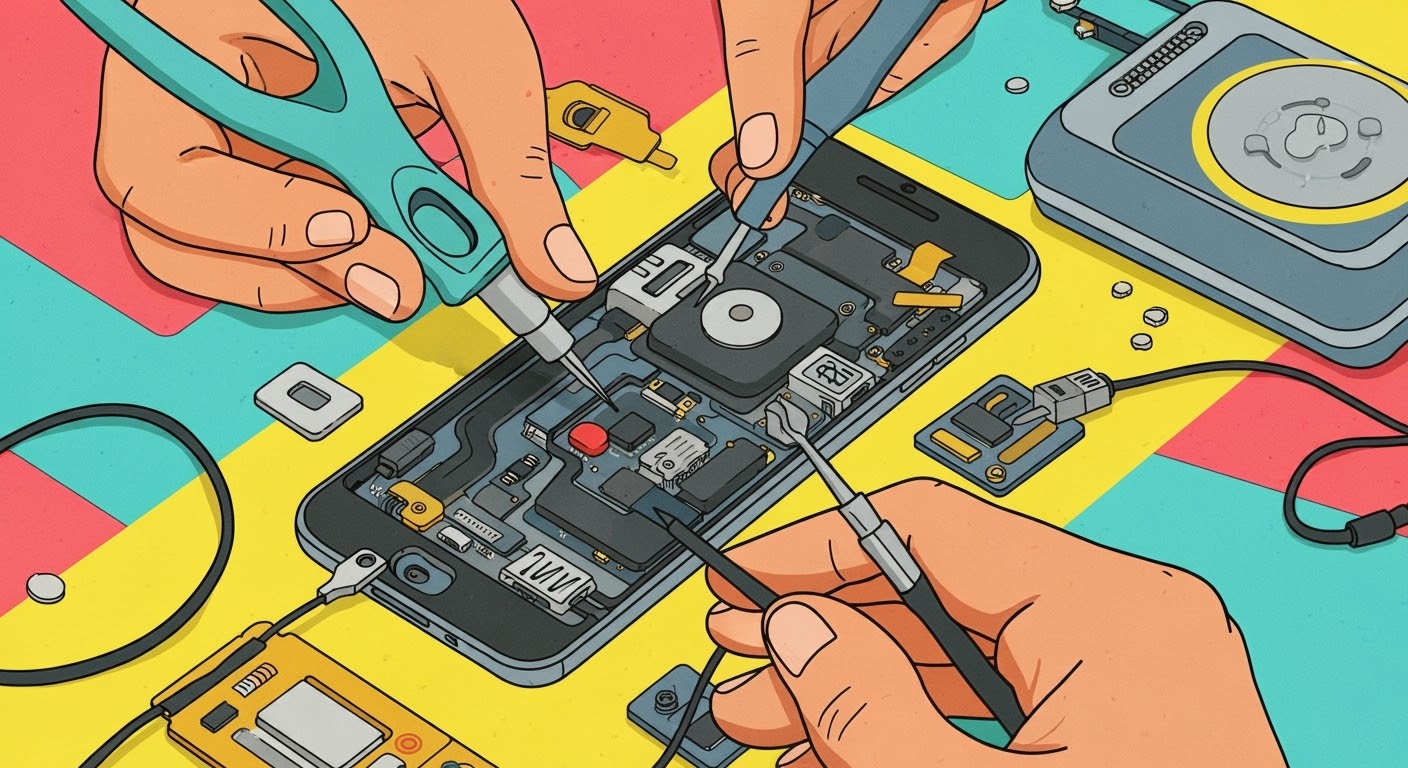
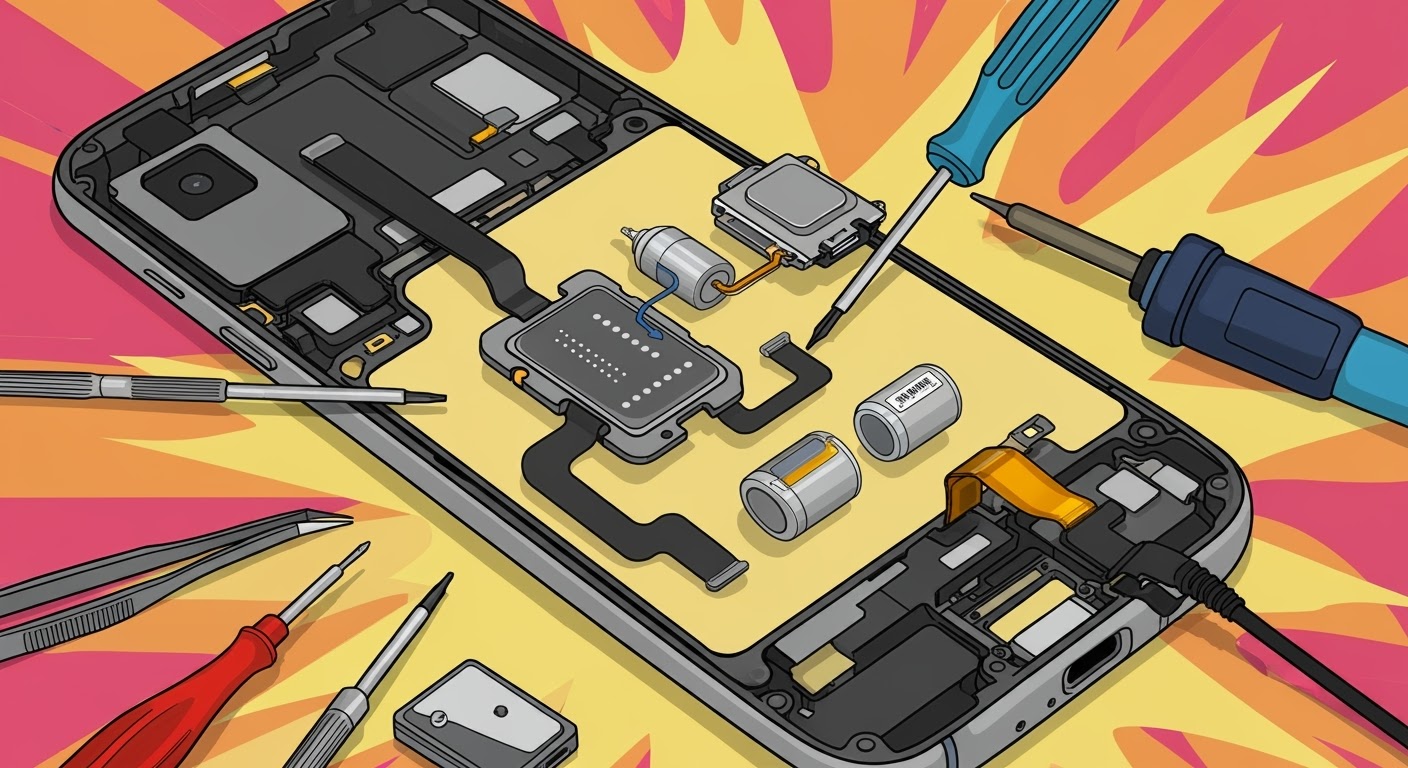
Replacing a smartphone screen might sound straightforward, but in reality, it’s a delicate process that requires the right tools, heat application, and adhesive techniques. Whether it’s a cracked display on your flagship device or a gaming powerhouse like the ASUS ROG Phone, understanding how heat, glue, and tools come into play will help you appreciate why professional repair is often the safest choice.
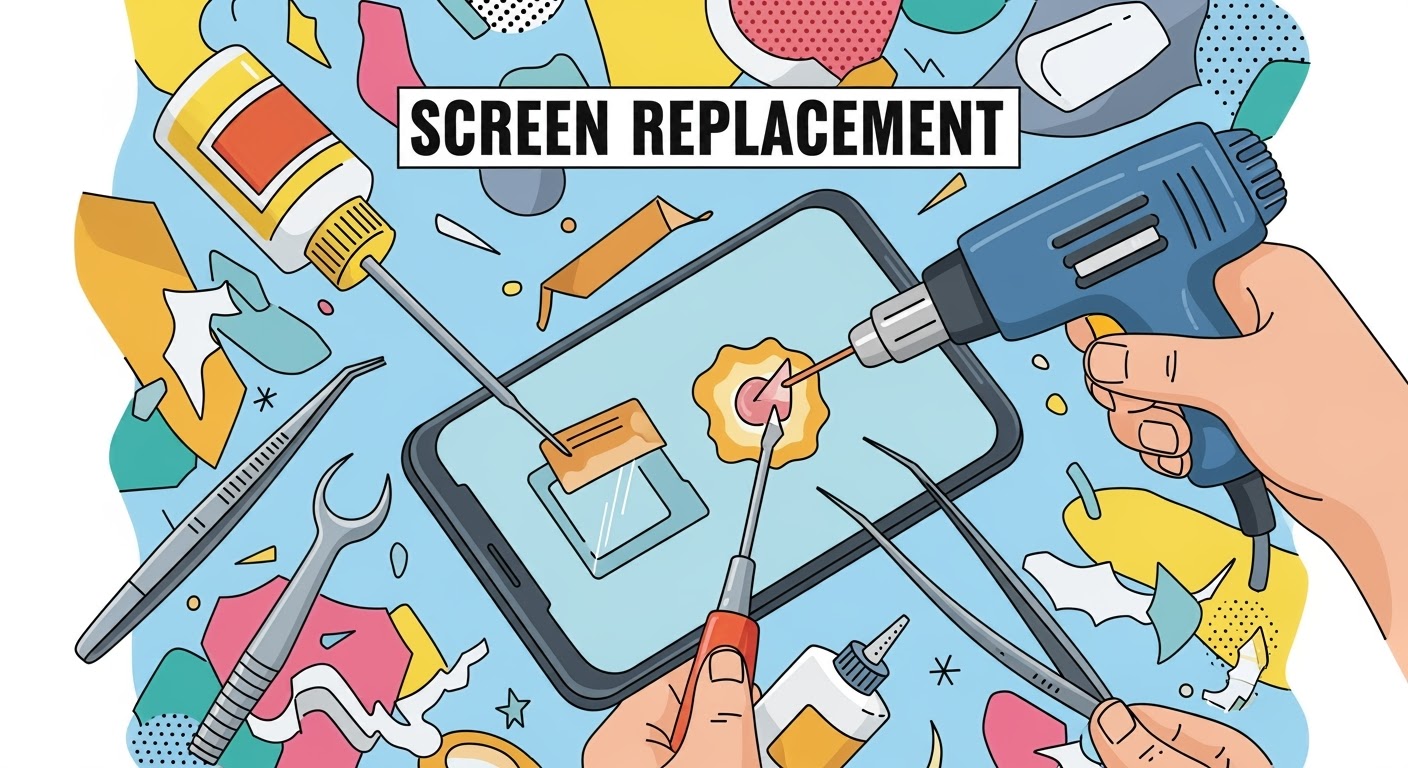
Most modern smartphones are sealed together using strong industrial adhesive to make them durable and water-resistant. To remove the screen safely, this adhesive must be softened first.
How it’s done: Technicians use a heat gun, hot air station, or specialized heating pad to gently warm the edges of the device.
Why it matters: Without controlled heat, prying the screen can cause cracks or damage to internal components.
Common mistake in DIY: Using a hairdryer unevenly can overheat some areas and leave others too sticky, making removal risky.
The glue or adhesive is not just about sticking the screen in place—it plays a critical role in structural integrity and dust resistance.
Factory-grade adhesive: Manufacturers use precision-applied glues to ensure even sealing.
During replacement: Professionals apply pre-cut adhesive strips or liquid adhesive to replicate factory standards.
Risks of poor application: Too much glue can seep into delicate parts, while too little can cause the screen to lift or lose touch sensitivity.
Tools Every Technician Relies On
Replacing a screen isn’t possible without the proper toolkit. Here are the essentials:
Precision screwdrivers – to remove tiny screws without stripping them
Plastic pry tools and spudgers – to separate the glass without scratching
Suction cups – to lift the display gently after heating
ESD-safe tweezers – to handle tiny components safely
Adhesive applicators and clamps – to ensure the screen bonds firmly during reassembly
For DIY repairs, missing even one of these tools can make the process much harder and riskier.
Why Professional Repair Makes a Difference
While DIY guides make screen replacement look simple, the reality is different. Professional repair centers like Sydney CBD Repair Centre have experience, advanced equipment, and access to genuine parts. This means:
Faster turnaround times
Proper sealing to maintain water resistance
Warranty on both parts and labor
Peace of mind knowing your device won’t fail due to a small mistake
✅ In short: Screen replacement is more than just swapping glass. It’s about balancing heat, glue, and tools with precision. Unless you’re highly skilled, professional repair ensures your device is restored to factory standards.
David from Sydney CBD Repair Centre – The Best place to fix mobile phones as 6 Years In A Row! Top Mobile Phone Repair In Sydney. More than 2000 Positive Reviews on Google and Same Day Repairs.
We take pride in delivering exceptional repair services for all major phone brands including Apple, Samsung, Google, and more. Our expert technicians use only genuine parts and offer 90 days warranty on repairs. Located in the heart of Sydney CBD, we’re your one-stop solution for all mobile device repairs.
Visit us for:
✓ Same Day Express Repairs
✓ Genuine Parts Guarantee
✓ Professional Technicians
✓ Competitive Pricing
✓ 2000+ 5-Star Google Reviews
✓ 6-Time Award Winner for Best Phone Repairs
DIY Screen Swap vs. Professional Repair: ROG Phone Showdown with 10 Critical Insights
Introduction: Why ROG Phone Repairs Demand Extra Attention
The ASUS ROG Phone is not your average smartphone. It’s a gaming powerhouse built with high-end hardware, custom cooling systems, and a fragile AMOLED display that delivers buttery-smooth refresh rates. With such premium features comes complexity, which makes screen repair a daunting challenge for many users.
Cracks, ghost touches, dead pixels, and display malfunctions can transform your cutting-edge gaming device into a frustrating experience. This is why deciding between a DIY screen swap and a professional repair service isn’t just about cost — it’s about ensuring your ROG Phone’s performance and longevity.
In this article, we’ll break down the pros, cons, costs, and risks of each approach while offering real-world insights. Whether you’re a tech-savvy gamer who loves tinkering or someone who values reliability, you’ll walk away knowing which repair path suits you best.
The ROG Phone is engineered differently from most smartphones. Its dual charging ports, vapor chamber cooling, and performance-centric hardware mean there’s a lot more under the hood than just a screen and battery. Opening the phone without the right tools can damage delicate connectors and components.
Fragile Display Technology
The ROG Phone’s AMOLED display offers stunning visuals with refresh rates up to 165Hz. However, this makes it incredibly fragile and costly to replace. Even a minor mishap during DIY installation can ruin the panel entirely, making the device unusable.
Many gamers are tempted to attempt a DIY repair after watching YouTube tutorials or reading online guides. While possible, it requires skill, patience, and the right tools.
Tools Required for Screen Replacement
Precision screwdriver kit
Heat gun or hairdryer (to loosen adhesive)
Plastic pry tools
Adhesive strips for resealing
Replacement ROG Phone screen (preferably genuine)
Step-by-Step DIY Process
Power off the device and remove the SIM tray.
Heat the edges to soften the adhesive.
Carefully pry open the back cover.
Disconnect the battery and screen flex cables.
Remove the damaged display and install the new one.
Reconnect all components, reseal the phone, and test functionality.
Pros of DIY Screen Swap
Lower upfront cost if successful
Satisfaction of fixing your own device
No waiting time for repair shops
Cons of DIY Screen Swap
Risk of damaging sensitive components
No warranty or service guarantee
Sourcing genuine parts can be difficult
Time-consuming and stressful
Professional Repair for ROG Phone
Choosing professional repair services means handing your device to experts who specialize in complex smartphones like the ROG Phone.
Expertise and Specialized Equipment
Technicians at certified centers, such as Sydney CBD Repair Centre, use advanced tools and follow manufacturer-approved procedures to ensure safe repairs without compromising device integrity.
Genuine Parts vs. Aftermarket
Professionals have access to genuine OEM parts, ensuring your ROG Phone retains its performance and resale value. DIYers often end up with cheaper aftermarket screens that affect touch response, brightness, and durability.
Warranty and Service Guarantees
Reputable repair centers provide warranties on parts and labor, giving you peace of mind. If something goes wrong, you’re covered — unlike with a failed DIY attempt.
Cost Comparison: DIY vs. Professional Repair
Upfront Expenses
DIY: $150–$300 (depending on screen source, tools, and adhesive)
Professional Repair: $350–$500 (with warranty and expert service included)
Long-Term Value
While DIY seems cheaper, failed attempts often lead to higher costs when professionals must fix additional damage. Professional repairs save money in the long run by ensuring your phone lasts longer.
Risk Factors in DIY Repairs
Screen Damage During Installation
The AMOLED screen is delicate. Applying too much heat, pressure, or bending during installation can permanently damage the panel.
Risk of Voiding Warranty
Opening your ROG Phone without authorization typically voids the manufacturer’s warranty. This can be costly if other issues arise later.
Impact on Device Performance
Improper installation can affect cooling systems, battery connections, and gaming performance, turning your powerful device into a sluggish one.
Benefits of Professional Repair Services
Time Efficiency
A professional can replace your screen in under an hour, while DIY repairs can take several frustrating hours or even days.
Safety and Reliability
Expert technicians minimize risks, ensuring your ROG Phone works flawlessly after repair.
Customer Support and Aftercare
Trusted centers like Sydney CBD Repair Centre offer aftercare support, troubleshooting, and advice to extend your device’s lifespan.
Real-World Case Studies: DIY Gone Wrong
Case 1: A gamer attempted DIY repair but cracked the motherboard connector, leaving the phone unusable. Repair costs doubled.
Case 2: An aftermarket screen from an online marketplace had poor touch response, forcing the user to seek professional repair anyway.
Key Considerations Before Choosing DIY or Professional
Skill Level and Patience
Are you experienced with electronics? If not, DIY is risky.
Availability of Tools and Parts
Do you have access to genuine parts and proper tools? Professionals do.
Value of Your Device
If your ROG Phone is your daily driver or main gaming device, professional repair offers more peace of mind.
FAQs: ROG Phone Screen Repair
1. How long does a professional ROG Phone screen replacement take?
Most professional repairs are completed within 1–2 hours.
2. Can I buy genuine ROG Phone screens online?
Genuine parts are difficult to source. It’s safer to rely on certified repair shops.
3. Will DIY repair void my warranty?
Yes, opening the phone without authorization usually voids the warranty.
4. Why are ROG Phone repairs more expensive than other smartphones?
The advanced display and complex design make the repair process costlier.
5. Can a cracked screen affect gaming performance?
Yes. Cracks can cause ghost touches, poor responsiveness, and even overheating.
6. Is professional repair worth the extra cost?
Yes. Professional repair ensures safety, quality, and long-term device performance.
Conclusion: Striking the Balance Between Cost and Quality
While a DIY screen swap for the ROG Phone might look appealing due to lower costs, it comes with significant risks — from voided warranties to permanent device damage. Professional repair services, especially from trusted providers like Sydney CBD Repair Centre, ensure your gaming phone remains in peak condition.
If your ROG Phone is central to your gaming lifestyle, professional repair isn’t just the safer choice — it’s the smarter investment.
David from Sydney CBD Repair Centre – The Best place to fix mobile phones as 6 Years In A Row! Top Mobile Phone Repair In Sydney. More than 2000 Positive Reviews on Google and Same Day Repairs.
We take pride in delivering exceptional repair services for all major phone brands including Apple, Samsung, Google, and more. Our expert technicians use only genuine parts and offer 90 days warranty on repairs. Located in the heart of Sydney CBD, we’re your one-stop solution for all mobile device repairs.
Visit us for:
✓ Same Day Express Repairs
✓ Genuine Parts Guarantee
✓ Professional Technicians
✓ Competitive Pricing
✓ 2000+ 5-Star Google Reviews
✓ 6-Time Award Winner for Best Phone Repairs
How To Fix Common Samsung Galaxy S24 Problems – Expert Guide with 12 Proven Solutions
📱 Introduction
The Samsung Galaxy S24 series is packed with top-tier features—but like any cutting-edge device, it’s not without its flaws. From battery drain to screen flickering, these issues can be frustrating.
Whether you’re a casual user or a power user, this guide covers the 12 most common problems Galaxy S24 users face and offers expert solutions—from DIY tips to professional repair options in Sydney.
With its advanced Exynos/Snapdragon chips, high refresh rate display, and One UI software enhancements, the S24 is a beast—but that also means greater demand on hardware and software, leading to potential issues, especially early in the device’s lifecycle.
📊 Galaxy S24 Series Overview
Released in early 2024, the Galaxy S24, S24+, and S24 Ultra offer:
120Hz AMOLED display
Snapdragon 8 Gen 3 / Exynos 2400 (region-based)
AI-powered features
One UI 6.1 on Android 14
These advanced specs make it a premium phone—but they also introduce unique repair and software challenges.
🏆 Why Choose Sydney CBD Repair Centre for Galaxy S24 Issues
🔧 Genuine Samsung Parts
⚡ Same Day Repairs
📍 Heart of Sydney CBD
🌟 2000+ 5-Star Google Reviews
✅ 90-Day Warranty on Repairs
From screen replacements to charging port repairs and battery fixes, we handle every S24 problem with precision and care.
❓ FAQs
1. Is it safe to repair the S24 myself?
Only if you have experience. Otherwise, the risks are high—especially with OLED displays.
2. How much does it cost to replace a Galaxy S24 screen?
Prices vary, but Sydney CBD Repair Centre offers competitive pricing with genuine parts.
3. Can battery issues be fixed without replacement?
Yes—sometimes optimizing settings works. But if the battery is worn out, replacement is best.
4. How long do repairs take?
Most S24 repairs are completed within 30–60 minutes.
5. Will repairs void my warranty?
Professional repairs using genuine parts generally don’t void your warranty. Ask your provider for clarity.
✅ Final Thoughts
The Samsung Galaxy S24 is a powerful device, but no smartphone is perfect. Whether you’re facing battery drain, screen glitches, or charging issues, addressing them early prevents long-term damage.
If DIY fixes don’t work—or you want it done right the first time—Sydney CBD Repair Centre is your trusted repair partner.
📞 Call to Action – Trust Sydney CBD Repair Centre
📍 Sydney CBD Repair Centre – Where Quality Meets Reliability
🛠️ Same Day Repairs | OEM Samsung Parts | 90-Day Warranty
🌟 2000+ 5-Star Google Reviews | 6-Time Award Winner
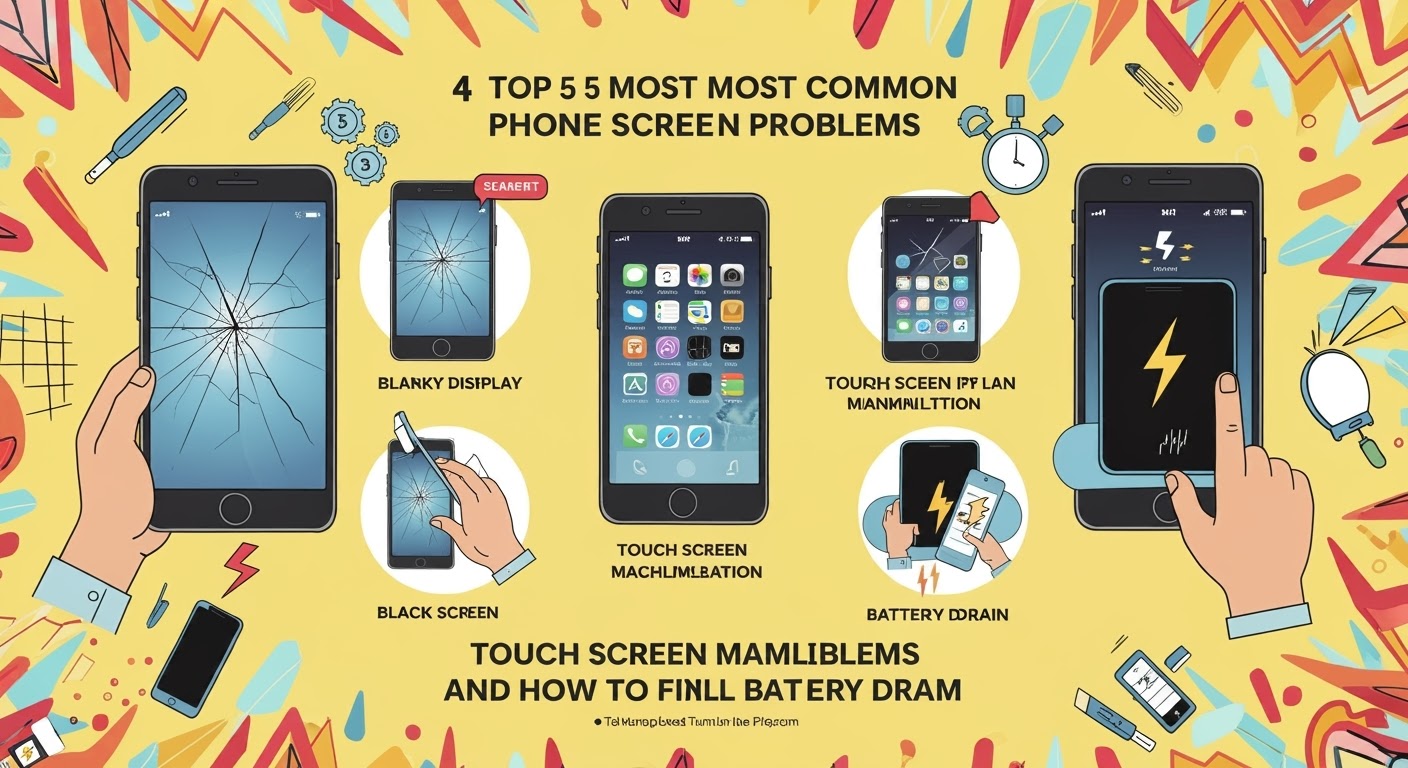
📱 Top 5 Most COMMON Phone Screen Problems and How to Fix Them
🛠️ Introduction
Smartphones have become essential to our daily lives—but they’re far from indestructible. One accidental drop or glitch, and you’re dealing with a frustrating screen issue. At Sydney CBD Repair Centre, we’ve helped thousands of customers fix everything from shattered glass to dead pixels.
In this article, we’ll explore the five most common phone screen problems and guide you through how to fix them—or when it’s best to let the pros handle it.
⚠️ Using aftermarket screens often leads to more dead pixels. We only use high-quality displays for lasting performance.
5️⃣ Screen Burn-In or Image Retention
🔥 What Is It?
Ghost images remain on the screen even after switching apps
Common on OLED screens (like Samsung or iPhones)
🧪 Causes:
Prolonged display of static images (navigation bars, game interfaces)
Brightness set to high for extended periods
🔧 Fix:
Reduce screen brightness
Use dark mode and enable screen savers
Severe burn-in? Screen replacement is the only solution
🛡️ Our OLED screen replacements come with a 90-day warranty to protect your investment.
🧠 When to DIY vs When to Visit a Pro
Problem Type
DIY-Friendly
Pro Repair Recommended
Minor Cracks
✅
❌
Ghost Touch
❌
✅
Display Flicker
❌
✅
Dead Pixels
🔄 Maybe
✅
Burn-In
❌
✅
DIY fixes can sometimes make things worse. Trusting a certified repair technician ensures a longer-lasting, safer solution.
🏆 Why Choose Sydney CBD Repair Centre?
Same Day Express Repairs
Genuine Parts Guarantee
2000+ 5-Star Google Reviews
Certified Technicians
90-Day Warranty on All Repairs
6-Time Award Winner for Best Phone Repairs in Sydney
📍 Visit us today in the heart of Sydney CBD
📞 Call: +61280114119
🌐 Locate us here
❓ Frequently Asked Questions (FAQs)
Q1: Can I use my phone with a cracked screen?
A: You can, but it’s risky. Cracks can lead to deeper damage, unresponsive touch, or even injury from glass shards.
Q2: How much does a screen replacement cost?
A: It depends on your phone model and screen type (LCD vs OLED). Contact us for a free quote.
Q3: Will replacing my screen erase my data?
A: No, screen replacements do not affect your internal data. Still, we always recommend backing up just in case.
Q4: How long does a typical repair take?
A: Most screen repairs are done in under 1 hour at Sydney CBD Repair Centre.
Q5: Do you offer a warranty?
A: Yes, we offer a 90-day warranty on all parts and labour.
Q6: What if my screen issue returns after the repair?
A: Bring it back. We’ll recheck everything under warranty and fix it at no extra cost if the part is at fault.
🎯 Final Thoughts
Don’t let a screen problem ruin your mobile experience. Whether you’ve got a crack, dead pixel, ghost touch, or screen flicker, knowing the right solution—and choosing the right repair centre—makes all the difference.
Trust the experts at Sydney CBD Repair Centre to get your device back in perfect shape, fast.
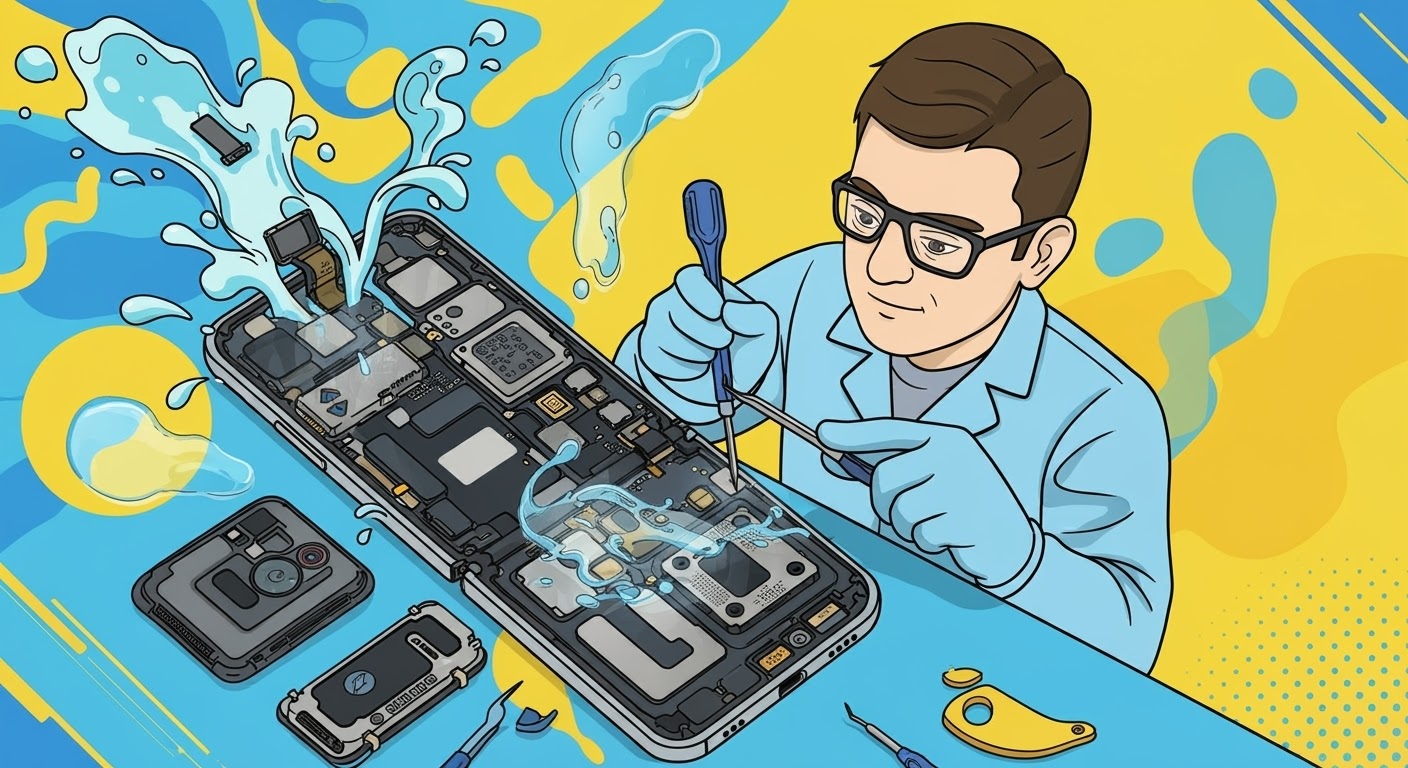
Repairing a Water-Damaged Foldable Phone: What You Need to Know in 2025
Water and electronics have never been friends—and that’s even more true for foldable phones, where advanced hinges, dual screens, and intricate internal components make water damage a serious concern. At Sydney CBD Repair Centre, we’re seeing a growing number of Samsung Galaxy Z Fold, Z Flip, and other foldable devices affected by accidental spills, submersion, or even high humidity.
Unlike standard phones, foldable devices are composed of multiple hinges, flexible display layers, and additional moving parts, making them more prone to damage when exposed to moisture. While manufacturers have improved IPX ratings for water resistance, no device is truly waterproof—especially over time.
🚨 Signs of Water Damage in Foldable Phones
If your phone has come in contact with water, watch for these symptoms:
Black screen or flickering display
Unresponsive or glitchy touchscreen
Crackling sound or no audio at all
Device won’t charge or boot up
Condensation under the screen
Non-functioning fingerprint scanner or camera
Even if your phone seems fine initially, corrosion can set in slowly, leading to more expensive issues down the track.
At Sydney CBD Repair Centre, we use a professional multi-step process for water damage repairs:
Step
Details
Initial Diagnosis
We open the device and inspect internal components for corrosion or residue
Ultrasonic Cleaning
We place affected parts in a state-of-the-art ultrasonic bath
Component-Level Testing
We test the mainboard, battery, screen, connectors, and sensors
Part Replacement (if needed)
Using genuine Samsung or Google parts only
Final Quality Check
Ensuring all features, including folding mechanism, work seamlessly
💡 Expert Tip:
Do not try to turn on a wet foldable phone. This is one of the biggest mistakes people make—it can instantly short-circuit the motherboard. Bring it to our technicians as soon as possible for the best chance of recovery.
🔍 Why Trust Sydney CBD Repair Centre?
✅ 2000+ Google 5-Star Reviews
✅ Same Day Turnaround
✅ Genuine Foldable Parts
✅ 90-Day Warranty
✅ 6-Time Award-Winning Service
✅ Located right in the heart of Sydney CBD
We’ve successfully revived hundreds of water-damaged foldable phones, including Z Fold3, Z Flip4, Pixel Fold, and more. Even if your device is completely unresponsive, there’s still hope—but timing is critical.
📞 Ready to Save Your Foldable?
Don’t wait for the damage to worsen. Contact us today or walk into our shop for a free diagnosis.
👉 Call us now: +61280114119
👉 Locate us here:https://SydneyCBD.repair/locate-us
Troubleshooting Common Screen Problems After Replacement: 10 Expert Fixes You Need to Know
📝 Introduction
Getting your phone screen replaced should mean smooth sailing from there—but sometimes, it doesn’t go as planned. From ghost touches to flickering displays, screen problems after a repair are more common than you’d think.
But don’t panic.
In this article, we’ll walk you through 10 common post-replacement screen issues, why they happen, and what to do about them. Whether it’s a DIY fix or a case for professional repair, we’ve got you covered.
One of the most common causes of screen issues post-repair is improper installation. If the screen wasn’t fitted correctly or if connectors weren’t aligned properly, problems will pop up quickly.
– Low-Quality or Incompatible Parts
Cheap or knockoff screens can cause:
Poor touch sensitivity
Off-color displays
Shortened lifespan
That’s why genuine parts matter—especially for high-end devices like iPhones or Samsung Galaxy models.
1. Screen Not Turning On
Your phone seems on (vibrates, rings) but the screen is black.
Possible Fixes:
Check for loose connections (especially if DIY repair was done).
Force restart your device.
Return to the shop to check display connector placement.
2. Unresponsive Touchscreen
If touches don’t register or feel delayed:
Causes:
Damaged digitizer
Poor calibration
Software glitch
Fix: Restart first. If issue persists, the screen or digitizer may be faulty and needs inspection.
3. Display Flickering or Glitching
The screen flashes, dims, or behaves erratically.
Common in: iPhones, Android OLED displays
Fixes:
Update software (iOS/Android)
Boot into safe mode to rule out third-party apps
If hardware-related, the screen may be defective or poorly grounded
4. Ghost Touch Issues
Ghost touch means the phone reacts to touches you didn’t make.
Fixes:
Remove screen protector if misaligned
Check for moisture under the glass
Get screen reinstalled or replaced at a trusted repair centre
5. Screen Brightness Too Low or Uneven
If your display is dim or brightness fluctuates oddly:
Causes:
Faulty LCD backlight
Cheap third-party screen
Damaged light sensor during repair
Solution: Replacement with a high-quality genuine part is often required.
6. Screen Color Distortion or Dead Pixels
You may notice:
Washed-out colors
Blue or yellow tint
Black or white dots that don’t move
Fix: This is a hardware issue. The display panel is likely defective and must be replaced again.
7. Delayed Screen Response or Lag
If there’s a noticeable delay between your input and screen response:
Causes:
Poor screen calibration
Slow software
Incompatible screen model
Fixes:
Update firmware
Perform factory reset
Replace with a compatible, high-grade part
8. Face ID or Fingerprint Sensor Not Working
This often happens with iPhones or Samsung Galaxy phones.
Reasons:
The biometric sensor wasn’t reinstalled properly
Cable or sensor damaged during repair
Solution: Only skilled technicians should handle biometric components. Return to your repair shop.
9. Screen Detachment or Lifting at Edges
If your screen lifts from the frame or has uneven gaps:
Why it happens:
Weak adhesive
Poor fitment
Frame not properly cleaned
Fix: A professional reinstallation using OEM adhesive can resolve this.
10. Cracks Reappearing After Installation
A new screen shouldn’t crack days later—unless:
It was a refurbished part
Installed under stress or bent frame
Poor adhesive led to pressure spots
Solution: Demand a proper warranty-backed replacement.
If any of these problems show up, especially within the warranty period, don’t wait:
Collect your receipt and warranty card
Take photos/videos of the issue
Visit the shop for a check-up or free re-repair
Why Choose a Trusted Repair Centre Like Sydney CBD Repair Centre
– Same Day Repairs with Genuine Parts
We repair phones the right way—the first time. That includes:
OEM screens and digitizers
Precision tools
Manufacturer-aligned processes
– 90-Day Warranty for Peace of Mind
Every repair at Sydney CBD Repair Centre is backed by a 90-day warranty, so you’re covered in case something goes wrong.
❓ FAQs
How do I know if my screen was installed incorrectly?
Look for lifting edges, unresponsive touch, display flickers, or screen lag. These are red flags of poor installation.
Is it normal for a screen to glitch after a repair?
No, especially not with genuine parts. Glitches suggest a poor connection or low-quality display.
Can I fix ghost touch myself?
Only if it’s caused by a misaligned screen protector or debris. Otherwise, seek professional help.
What should I do if Face ID doesn’t work after screen replacement?
Visit the repair centre immediately. The Face ID module may need calibration or reconnection.
How long should a screen replacement last?
With quality parts, it should last as long as the original screen—often several years if the device isn’t dropped again.
Is flickering caused by the screen or software?
Could be either. Start by updating your software. If flickering persists, the screen may be defective.
✅ Conclusion
Screen issues after a replacement can be frustrating—but they’re not always the end of the world. The key is to act quickly, identify the cause, and get expert help when needed.
At Sydney CBD Repair Centre, we take screen replacements seriously. With same-day service, genuine parts, and a 90-day warranty, we ensure your phone gets the care it deserves—no flickers, glitches, or ghost touches.
Repairing a Cracked Screen Without Replacing It: Is It Possible?
📝 Introduction
Cracked phone screens are one of the most common—and frustrating—issues smartphone users face. Whether you dropped your device on the pavement or it slipped off your lap, that dreaded web of fractures can appear in a second.
But here’s the big question: Can you repair a cracked screen without replacing it?
In this article, we’ll break down whether it’s possible, explore temporary solutions, and help you decide the safest, most cost-effective option for your phone.
To know whether a cracked screen can be fixed without full replacement, it’s essential to understand its layers.
– Outer Glass vs LCD or OLED Panel
A modern smartphone screen is typically made up of three parts:
Glass (outer layer): The protective surface
Digitizer: Responsible for touch sensitivity
Display (LCD or OLED): Shows images and visuals
If only the outer glass is cracked and the touch + display work fine, you might be able to get away without full replacement—but it’s not always recommended.
Each cause affects the screen differently. Surface cracks might look minor but could worsen over time.
Can You Repair a Cracked Screen Without Full Replacement?
– Surface-Level Cracks
If your phone has minor hairline cracks and the display and touch still function normally, you can try temporary solutions (we’ll cover them below). However, these are only cosmetic fixes—not permanent.
– Deep Cracks or Touchscreen Failure
If the crack is deep or your touch/display is affected, then screen replacement is necessary. No surface-level repair will restore full functionality in such cases.
Temporary Fixes for Minor Cracks
These DIY options might help protect your phone temporarily, but they are not long-term solutions:
– Using a Screen Protector Over the Crack
Applying a high-quality tempered glass protector can:
Prevent the crack from spreading
Stop glass shards from cutting your fingers
Buy you time until a proper repair
– DIY Liquid Glass Solutions
Some users swear by “liquid glass” (nano-liquid screen protectors). While these may fill in micro-scratches, they won’t magically “heal” deep cracks.
– Clear Nail Polish Method
Applying clear nail polish on minor cracks can seal them and reduce their visibility—but it’s messy and not advised for long-term use. It can also seep into internal components.
Risks of Avoiding Proper Screen Replacement
Avoiding screen replacement when needed can lead to:
– Touchscreen Malfunction
Cracks often worsen and affect the digitizer, making your screen unresponsive or glitchy.
– Exposure to Moisture and Dust
A cracked screen breaks your phone’s seal, letting in moisture, dust, and debris, which can damage internal components.
When Is Full Screen Replacement Necessary?
You’ll likely need a full screen replacement if:
The crack spans across the screen
Touch sensitivity is impaired
Dead pixels or display discoloration is visible
The phone becomes unresponsive
In these cases, only replacing the full screen (glass + digitizer + display) will fully restore your device.
Professional vs DIY Repair Options
– Why Professional Repairs Are Safer
Choosing a professional repair shop like Sydney CBD Repair Centre ensures:
Correct diagnosis of screen layers affected
Use of genuine replacement parts
Fast, efficient repairs without damaging your phone further
Warranty for peace of mind
– What to Avoid with DIY Fixes
Avoid:
Cheap screen repair kits from unreliable sources
Online tutorials that oversimplify complex repairs
Opening your phone without proper tools or training
A DIY mistake can easily damage internal components or void your warranty.
Benefits of Choosing Professional Repair Shops
– Genuine Parts and Warranty
Professional shops use original or OEM parts, which ensure:
Proper fit and finish
Long-term durability
Compatibility with your device
At Sydney CBD Repair Centre, you also get a 90-day warranty on all repairs.
– Fast and Reliable Turnaround
Why wait for weeks? Local shops like ours offer:
Same-day repairs
Expert technicians
Transparent pricing
Cost Comparison: Temporary Fix vs Replacement
Solution
Estimated Cost
Durability
Risk Level
Clear Nail Polish
$2 – $5
Very low
High
Liquid Glass
$10 – $30
Low
Medium
Screen Protector
$10 – $50
Medium
Low
Professional Replacement
$150 – $400 (varies by model)
High
Very low
Temporary fixes may save money short-term, but they don’t address the real issue. If your phone is valuable or under warranty, invest in professional repair.
❓ FAQs
Can toothpaste really fix a cracked screen?
No. Toothpaste is an internet myth. It may buff out minor scratches but won’t fix cracks—and may cause more damage.
Will my phone be waterproof after a screen crack repair?
If repaired by a professional who reseals the screen properly, it may retain some water resistance—but never assume it’s waterproof again.
Is it safe to keep using a phone with a cracked screen?
Not really. Cracked screens can cut your fingers, allow moisture inside, and get worse quickly. Temporary use is fine, but get it fixed soon.
How much does a professional screen repair cost in Sydney?
Prices range from $150 to $400, depending on your model. Flagship devices like iPhones or Galaxy models cost more due to high-end parts.
Will repairing only the glass fix my touch issues?
No. If your touchscreen is unresponsive, it means the digitizer is damaged. You’ll need a full screen replacement.
Can you fix a screen without replacing the digitizer?
Only if the digitizer and display are untouched. In most modern phones, the glass, digitizer, and display come as a single unit.
✅ Conclusion
So, can you repair a cracked screen without replacing it? Yes—but only in minor cases, and the fix is temporary at best. For anything more serious, a full replacement is the safest, most reliable option.
At Sydney CBD Repair Centre, we offer same-day repairs, use only genuine parts, and provide a 90-day warranty. Whether your phone is slightly cracked or completely shattered, we’ve got you covered with trusted, affordable service.
Replacing Haptics & Vibration: DIY Smartphone Repair – What You Need to Know Before You Begin
📱 Introduction: Why Haptics and Vibration Matter
When you type on your phone’s keyboard, receive a silent notification, or use gesture feedback — that’s haptic technology at work. Vibrations aren’t just there for calls; they provide physical feedback, enhance gaming, and offer accessibility features for users with hearing impairments.
So when your phone stops vibrating, it can impact your user experience, productivity, and even safety. Let’s explore how you can handle the repair yourself and when you should call in the experts.
1. Can I replace my phone’s vibration motor myself?
Yes, but only if you have the skills, tools, and knowledge — and understand the risks involved.
2. Is it worth repairing a non-working vibration motor?
Absolutely, especially if you rely on vibration alerts for calls or accessibility.
3. How much does professional haptic motor replacement cost in Sydney?
Prices vary, but most range between $80–$180, depending on brand and model.
4. Do I lose water resistance after replacing the vibration motor?
Yes, unless the phone is professionally resealed.
5. Can you replace the Taptic Engine on an iPhone?
Yes, but it requires special tools and calibration – best left to professionals.
6. How long does it take to fix vibration problems?
Typically 1–2 hours at Sydney CBD Repair Centre.
✅ Conclusion: Weighing the Pros and Cons of DIY Haptic Repairs
Replacing your phone’s vibration or haptic motor is possible — but not always practical. Between tiny components, the risk of damage, and the need for calibration, DIY repairs come with real trade-offs. If you’re unsure, reach out to Sydney’s trusted experts for fast, reliable service that keeps your phone working like new.
Repairing a Cracked Camera Lens: Pixel 7 Pro Edition
📸 Cracked Pixel 7 Pro Camera Lens? Here’s What You Need to Know
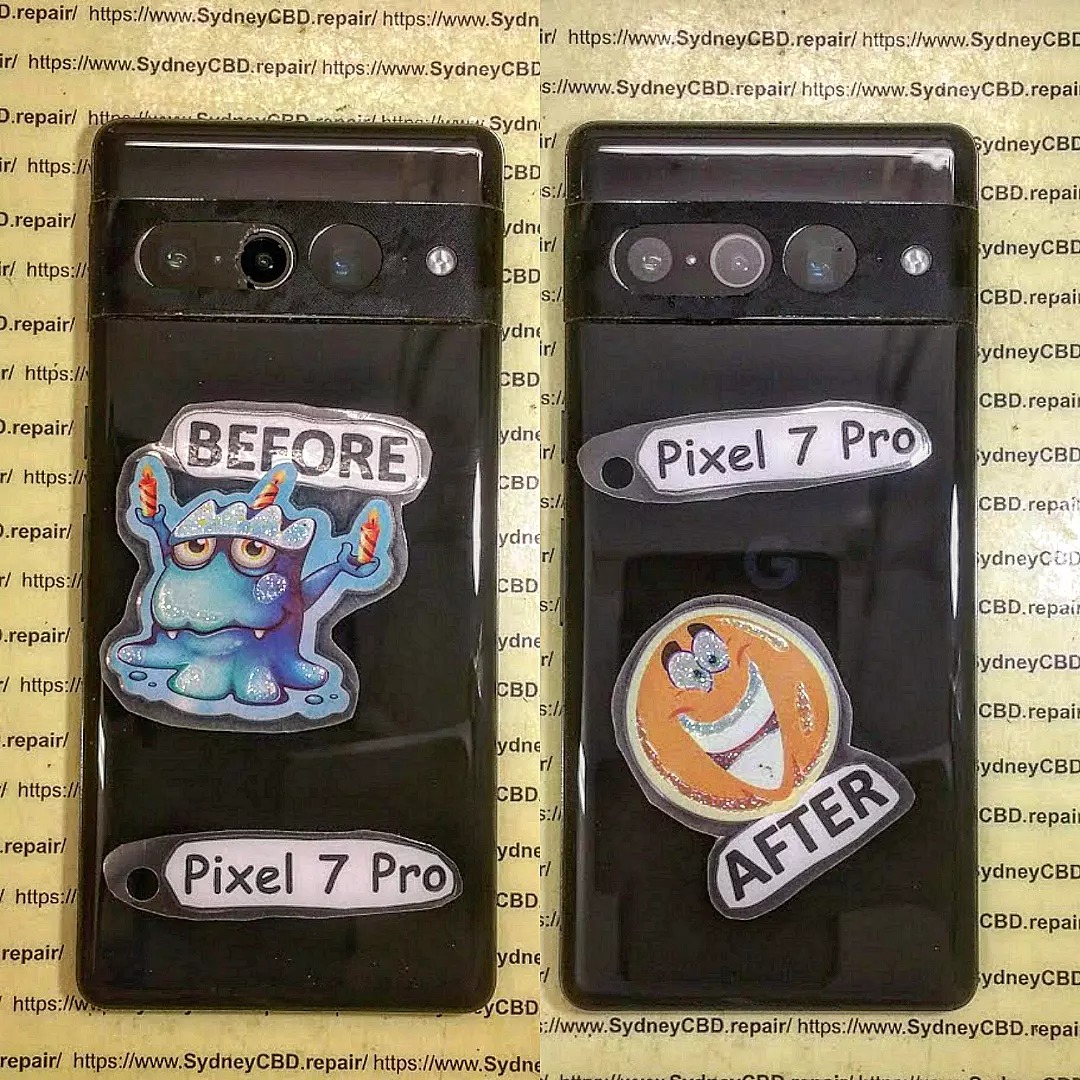
The Google Pixel 7 Pro features one of the best smartphone cameras on the market—boasting a triple-lens setup with cutting-edge AI image processing. But as powerful as its camera is, the lens glass isn’t immune to accidental drops or impact damage.
If you’ve noticed a crack, scratch, or shattered glass over the lens, you’re probably wondering:
Can it be fixed? How much will it cost? Will it affect image quality?
While YouTube may offer DIY tutorials, here’s why professional repair is safer:
❌ Camera sensors are extremely sensitive to dust
❌ A misaligned lens will distort all images
❌ Improper adhesive can cause fogging or condensation
❌ Water resistance is lost without proper sealing
A small mistake can turn a simple repair into a costly full-camera replacement.
🏆 Why Sydney CBD Repair Centre?
We’re one of the few specialist repair centres in Sydney that performs camera lens-only repairs—without replacing the entire camera module.
Why our customers trust us:
✅ 6-Time Winner for Best Phone Repairs in Sydney
✅ 90-Day Warranty on All Repairs
✅ Google Pixel Specialists
✅ Only Genuine Parts Used
✅ Transparent Pricing—No Hidden Fees
✅ 2000+ Verified 5-Star Google Reviews
💬 What Customers Say
“The wide lens on my Pixel 7 Pro was scratched. I thought I needed a full camera replacement—but Sydney CBD Repair Centre fixed just the glass. Camera works perfectly again.”
— Michael L., Sydney
“Other shops told me to replace the whole camera for over $500. These guys saved me time, money, and stress. Professional work.”
— Sarah P., Surry Hills
📍 Book Your Repair Today
Stop struggling with blurry shots and camera glare. Get your Pixel 7 Pro back to photo-ready condition—fast, affordable, and with a warranty.
📌 Locate Us Here
📞 Call Now: +61280114119
🕘 Walk-ins Welcome | Express Service Available
Comparing the Screen Quality of a Generic Screen vs. an Original Samsung Galaxy S23 Ultra Screen: Ultimate Guide with 15 Shocking Differences
📱 Comparing the Screen Quality of a Generic Screen vs. an Original Samsung Galaxy S23 Ultra Screen
Introduction
In today’s tech-driven world, your smartphone screen is more than just a display—it’s your portal to the digital universe. So when your Samsung Galaxy S23 Ultra suffers a screen crack, the decision between a generic replacement screen and an original Samsung screen is no small matter. This guide dives deep into the 15 most crucial differences, giving you everything you need to make an informed decision.
Why Screen Quality Matters
Your smartphone screen affects everything—from watching videos, gaming, and reading to how fast and accurately you can type or swipe. A high-quality screen enhances your user experience, while a poor-quality one can lead to frustration, eye strain, and even faster battery drain.
What is a Generic Replacement Screen?
A generic screen is typically manufactured by third-party companies not affiliated with Samsung. While they might look similar on the surface, these screens often compromise on key factors like brightness, resolution, durability, and touch sensitivity to reduce cost.
An original Samsung screen is produced by Samsung or its authorized manufacturers. These displays use Dynamic AMOLED 2X technology, are factory-calibrated, and engineered to integrate perfectly with your S23 Ultra’s hardware and software.
Features of Original Screen:
Bright, vivid colors with HDR10+
3088 x 1440 resolution
Adaptive 120Hz refresh rate
Gorilla Glass Victus 2
Energy-efficient and eye-friendly
1. Display Technology: AMOLED vs. LCD
Feature
Original Samsung S23 Ultra
Generic Replacement
Tech Type
Dynamic AMOLED 2X
LCD or Basic OLED
Contrast
Infinite (True Blacks)
Limited (Grays)
HDR Support
Yes (HDR10+)
Rarely
Resolution
3088 x 1440
Often 1080p or less
AMOLED panels offer stunning blacks and vibrant colors by turning off individual pixels, while LCDs use a backlight, reducing contrast and efficiency.
2. Brightness and Visibility Under Sunlight
Samsung’s original screen offers up to 1750 nits of peak brightness, making it readable even in direct sunlight. Generic screens struggle here, often maxing out at 500-700 nits, causing visibility issues outdoors.
3. Color Accuracy and Reproduction
The Galaxy S23 Ultra’s screen is factory-calibrated for excellent sRGB and DCI-P3 coverage. This matters when editing photos, watching HDR content, or just enjoying accurate visuals. Generic screens often have a bluish or greenish tint and washed-out colors.
4. Touch Responsiveness
Original Samsung screens have ultra-responsive digitizers and support 120Hz adaptive refresh, making them ideal for gaming and smooth browsing. Generic screens may lag, stutter, or respond inaccurately to input.
5. Refresh Rate and Smoothness
Refresh Rate
User Experience
120Hz (Original)
Silky smooth scrolling and gaming
60Hz or less (Generic)
Noticeable lag, choppy animations
The refresh rate dramatically affects how smooth animations feel. Samsung’s original screen adapts between 1Hz and 120Hz to save battery without compromising performance.
6. Durability and Scratch Resistance
The Gorilla Glass Victus 2 on Samsung’s screen is top-tier for scratch and drop protection. Generic replacements might use tempered glass or plastic composites that scratch easily and offer less impact resistance.
7. Viewing Angles
With the original AMOLED panel, colors and clarity remain consistent even when viewed from sharp angles. Generic screens often experience color distortion and brightness loss at an angle.
8. Battery Efficiency
Samsung’s Dynamic AMOLED screens are more power-efficient, especially with their adaptive refresh rate. Generic screens can drain battery faster due to inefficient backlighting and static refresh rates.
9. Longevity and Burn-In Risks
While burn-in is possible with any OLED, Samsung has developed intelligent pixel-shifting and dimming features to minimize this. Generic screens, especially low-grade OLEDs, may burn-in quicker or suffer from dead pixels sooner.
10. Cost vs. Value
Factor
Original Screen
Generic Screen
Initial Cost
Higher
Lower
Performance
Optimal
Sub-par
Long-term Reliability
Excellent
Uncertain
Resale Impact
Positive
Negative
Although the upfront cost of an original screen is higher, it ensures you get the full value of your premium smartphone.
11. Impact on Resale Value
Phones with original Samsung parts retain significantly higher resale value. Generic replacements are often red flags for buyers and may devalue the device by 20–30%.
12. Compatibility with Software Updates
Non-original screens may cause issues with One UI features, fingerprint sensors, or even OTA updates, leading to instability or errors.
13. Safety and Blue Light Filtering
Original Samsung screens are TÜV Rheinland-certified for low blue light emissions, reducing eye strain. Generic screens may lack this protection, making long use harmful to your eyes.
14. Installation Differences
Installing an original screen typically requires professional calibration and tools. At Sydney CBD Repair Centre, we only use genuine screens and OEM-grade adhesives, ensuring perfect fit and function.
15. Warranty and Support
Genuine Samsung screens often come with a 90-day warranty or more when installed by certified repair centers. Generic replacements usually have limited or no warranty.
🙋 Frequently Asked Questions (FAQs)
1. Will a generic screen affect my phone’s performance?
Yes. It can cause issues with touch sensitivity, brightness, and compatibility with software updates.
2. Can I still use fingerprint unlock with a generic screen?
Not reliably. Many generic screens don’t support ultrasonic fingerprint sensors.
3. How much does an original Samsung S23 Ultra screen replacement cost?
It varies by region, but typically ranges from $400–$600 AUD with labor.
4. Is it safe to use third-party repair shops?
Only if they use genuine Samsung parts and have professional technicians—like Sydney CBD Repair Centre.
5. Will a generic screen void my Samsung warranty?
Yes. Using non-authorized parts usually voids any remaining warranty from Samsung.
6. How long does a genuine screen replacement take?
Most replacements at Sydney CBD Repair Centre are done the same day—often within a few hours.
Conclusion
The Samsung Galaxy S23 Ultra is a powerhouse, and its screen is one of its most defining features. Replacing it with a generic screen might seem like a budget-friendly choice at first, but the long-term trade-offs in performance, quality, and safety just aren’t worth it. If you’re in Sydney, trust the experts at Sydney CBD Repair Centre for genuine parts and professional service.
David from Sydney CBD Repair Centre – The Best place to fix mobile phones as 6 Years In A Row!
Top Mobile Phone Repair In Sydney. More than 2000 Positive Reviews on Google and Same Day Repairs.
We take pride in delivering exceptional repair services for all major phone brands including Apple, Samsung, Google, and more. Our expert technicians use only genuine parts and offer 90-days warranty on repairs.
Located in the heart of Sydney CBD, we’re your one-stop solution for all mobile device repairs.
Visit us for:
✓ Same Day Express Repairs
✓ Genuine Parts Guarantee
✓ Professional Technicians
✓ Competitive Pricing
✓ 2000+ 5-Star Google Reviews
✓ 6-Time Award Winner for Best Phone Repairs
Sydney CBD Repair Centre – Where Quality Meets Reliability
📞 Call: +61280114119
🌐 Website