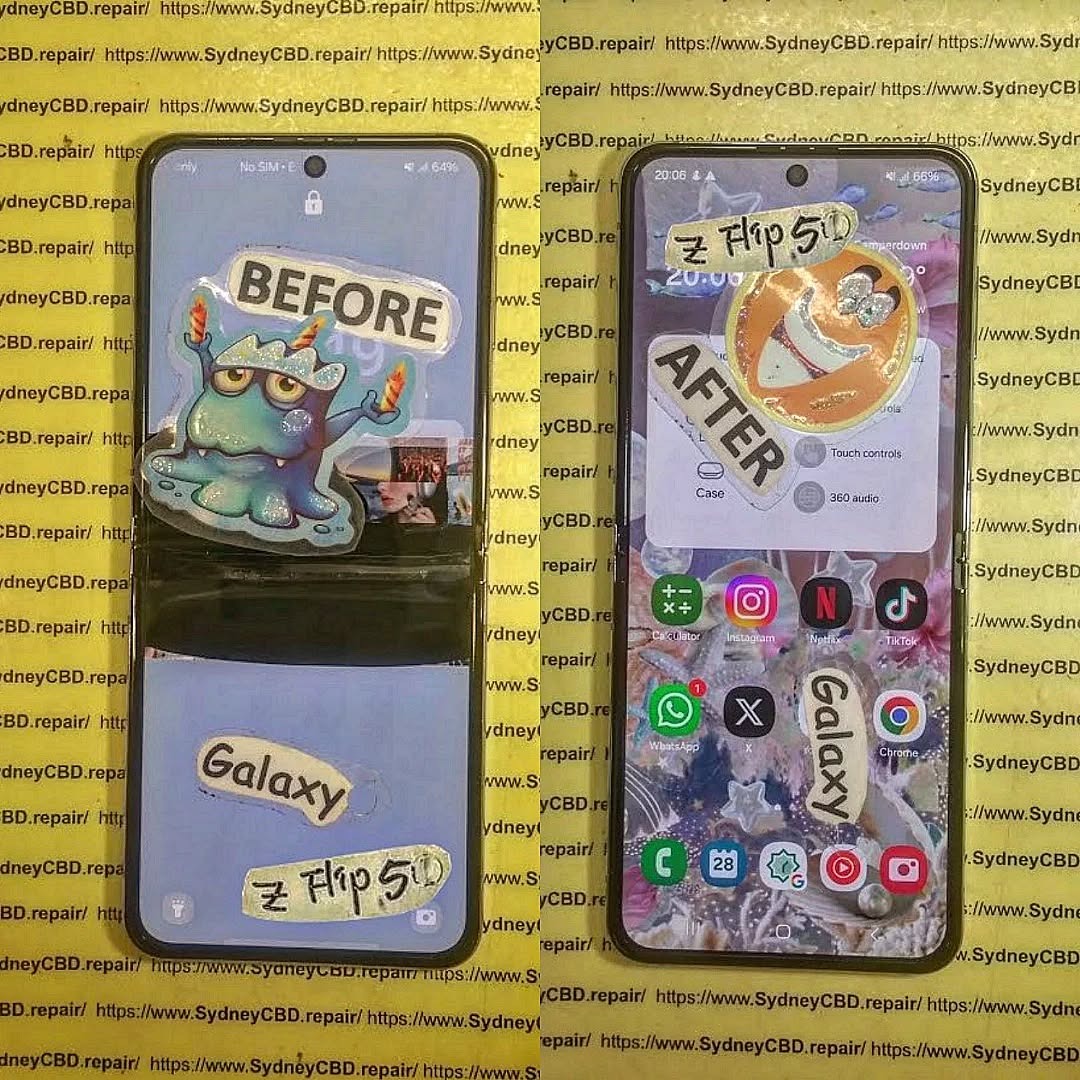
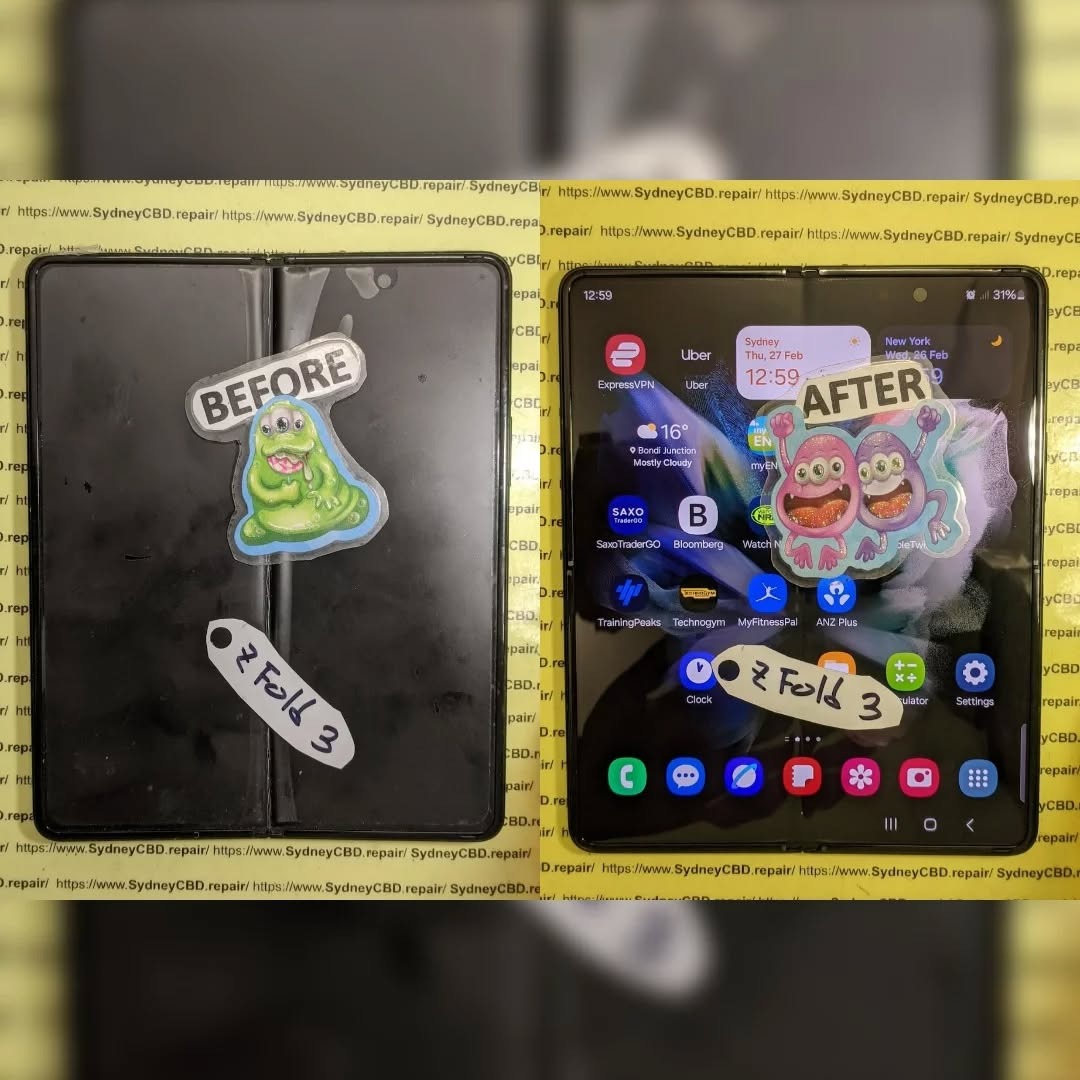
The Step by Step Samsung Galaxy Z Flip 5 Internal Folding Screen Replacement Guide + Proven Expert Method (2026)
Introduction to Samsung Galaxy Z Flip 5 Internal Folding Screen Replacement
The Samsung Galaxy Z Flip 5 internal folding screen replacement is one of the most delicate smartphone repairs available today. Unlike traditional slab smartphones, the Samsung Galaxy Z Flip 5 features a flexible AMOLED panel that bends along a hinge system. That innovation makes it exciting—but also more complex to repair.
If your Flip 5 shows black lines, dead pixels, flickering, touch failure, or a crease crack along the fold, you may need a full Samsung Galaxy Z Flip 5 internal folding screen replacement. While it’s possible to attempt this repair yourself, it requires precision, patience, and professional-grade tools.
Before attempting a Samsung Galaxy Z Flip 5 internal folding screen replacement, it’s essential to understand how the screen is constructed.
AMOLED Technology Explained
The Flip 5 uses a flexible Dynamic AMOLED 2X panel. Unlike LCD displays, AMOLED screens don’t require a backlight. Each pixel produces its own light. That’s why blacks are deeper and colors look vibrant.
However, AMOLED layers are extremely thin and sensitive to:
Pressure damage
Moisture intrusion
Heat exposure
Hinge stress
When damaged, the entire panel typically needs replacement.
Ultra Thin Glass (UTG) Structure
Samsung reinforced the folding display with Ultra Thin Glass (UTG). While stronger than plastic, it’s still flexible and layered:
Protective film
Ultra Thin Glass
OLED layer
Touch digitizer
Flexible substrate
Damage to any internal layer requires a complete Samsung Galaxy Z Flip 5 internal folding screen replacement.
Common Causes of Internal Screen Failure
Dropping the device while open
Pressure at the crease
Hinge debris buildup
Manufacturing fatigue
Removing factory screen protector
Foldable phones are advanced, but they’re not invincible.
However, many customers prefer trusted third-party specialists.
When to Choose Professional Repair Services
If you’re unsure about performing a Samsung Galaxy Z Flip 5 internal folding screen replacement, professional repair is safer.
At Sydney CBD Repair Centre, we’ve handled thousands of complex foldable repairs. Our team specializes in Samsung foldable models including:
Samsung Galaxy Z Fold 5
Samsung Galaxy Z Flip 4
Samsung Galaxy Z Flip 5
We use genuine-grade parts, offer same-day service, and provide warranty coverage.
Foldables aren’t just phones—they’re precision-engineered devices. Professional handling matters.
FAQs About Samsung Galaxy Z Flip 5 Internal Folding Screen Replacement
1. How long does Samsung Galaxy Z Flip 5 internal folding screen replacement take?
Professional repair typically takes 2–4 hours. DIY may take much longer.
2. Can I replace only the glass layer?
No. The internal layers are fused. Full display assembly replacement is required.
3. Will water resistance remain after repair?
IP rating may be reduced unless resealed professionally.
4. Is it worth repairing instead of replacing the phone?
Yes, if motherboard and hinge are intact.
5. Why is the folding screen so expensive?
Flexible AMOLED technology and hinge integration increase cost.
6. Does removing the factory screen protector damage the screen?
It can. Samsung advises professional removal.
Conclusion
The Samsung Galaxy Z Flip 5 internal folding screen replacement is a high-level repair. While technically possible at home, it carries substantial risk.
Foldable phones represent the future—but they demand expert care.
If precision isn’t your forte, professional repair is often the smarter and safer choice.
David from Sydney CBD Repair Centre – The Best place to fix mobile phones as 7 Years In A Row! Top Mobile Phone Repair In Sydney. More than 2000 Positive Reviews on Google and Same Day Repairs.
We take pride in delivering exceptional repair services for all major phone brands including Apple, Samsung, Google, and more. Our expert technicians use only genuine parts and offer 90days warranty on repairs. Located in the heart of Sydney CBD, we’re your one-stop solution for all mobile device repairs.
Our commitment to excellence has earned us the trust of thousands of satisfied customers. Whether it’s a cracked screen, battery replacement, or water damage repair, we handle it all with professional care and expertise. Walk in today and experience why we’re Sydney’s #1 choice for mobile phone repairs.
Visit us for:
✓ Same Day Express Repairs
✓ Genuine Parts Guarantee
✓ Professional Technicians
✓ Competitive Pricing
✓ 2000+ 5-Star Google Reviews
✓ 7-Time Award Winner for Best Phone Repairs
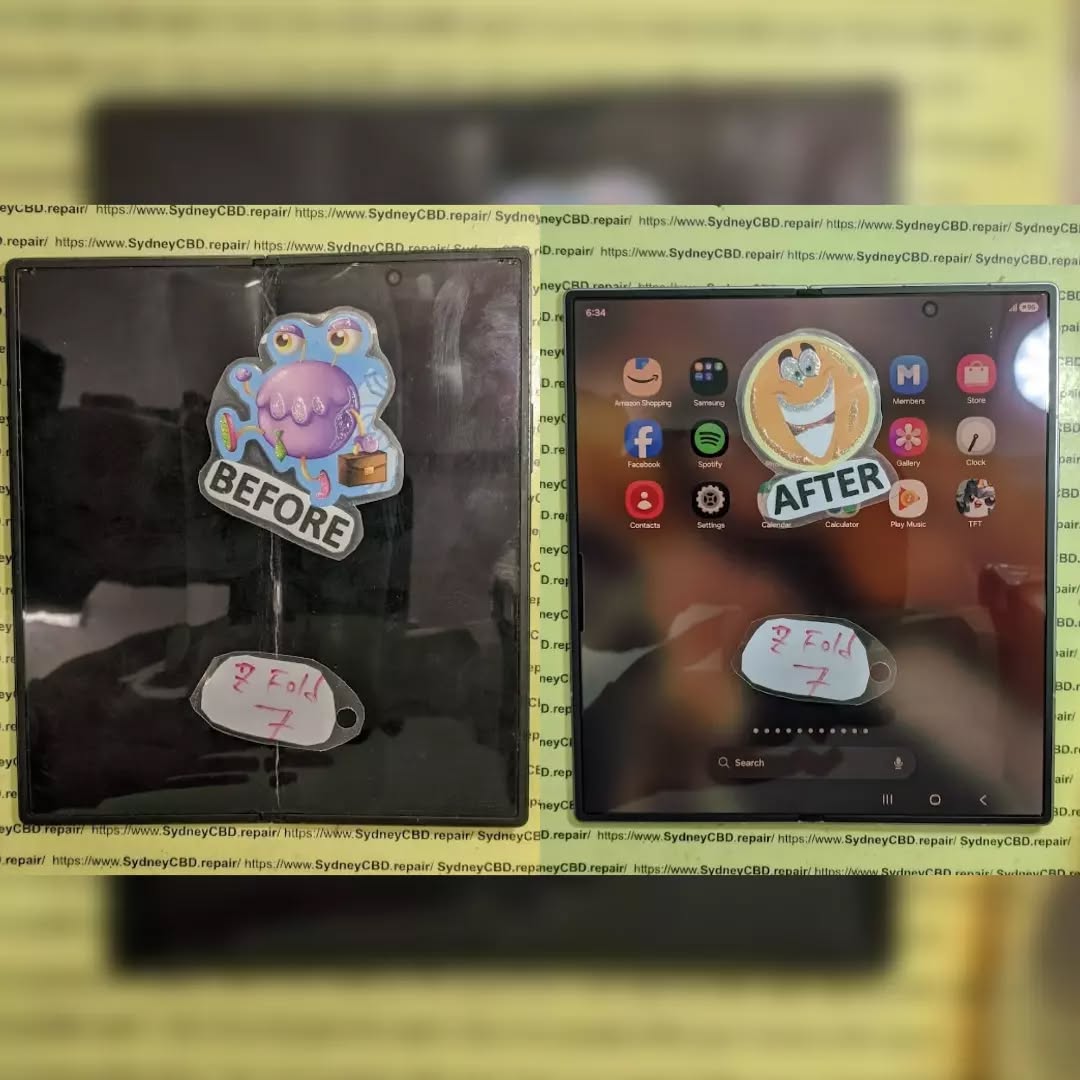
CAN IT SURVIVE? Samsung Galaxy Z Fold 7 Inner Display Restoration Process – Ultimate 12-Step Professional Repair Guide
Introduction
Foldable smartphones have transformed the mobile industry, and the Samsung Galaxy Z Fold 7 Inner Display Restoration Process represents one of the most advanced repair procedures in modern smartphone servicing. Unlike traditional slab phones, the Galaxy Z Fold 7 features an ultra-thin flexible OLED panel protected by specialized layers, making every repair a precision task.
When the inner display develops black spots, flickering lines, dead pixels, or stops responding entirely, many owners wonder whether the device is beyond repair. Fortunately, professional restoration techniques allow experienced technicians to replace damaged components while maintaining the integrity of the phone.
This guide explains how professionals perform the Samsung Galaxy Z Fold 7 Inner Display Restoration Process, what tools are required, common causes of damage, and why proper repair procedures matter for the longevity of your premium foldable device.
The Galaxy Z Fold 7 is engineered around one of Samsung’s most sophisticated flexible displays. Unlike conventional smartphones that rely on rigid glass panels, this foldable flagship incorporates several delicate layers working together.
These layers include:
Ultra-Thin Glass (UTG)
Flexible AMOLED panel
Digitizer
Polarizer
Protective films
Flexible display cables
Each component must flex thousands of times throughout the phone’s life.
Samsung designed the hinge mechanism to distribute stress evenly across the folding area. Nevertheless, even with improved engineering, repeated opening and closing eventually places wear on both the display assembly and the ultra-thin glass.
The Samsung Galaxy Z Fold 7 Inner Display Restoration Process is significantly more complicated than replacing a normal smartphone screen because every layer is connected with extremely fragile flex cables that can be damaged with excessive force.
Professional technicians rely on years of experience alongside specialized equipment to remove the damaged display without affecting nearby components such as:
Wireless charging coil
Battery assemblies
Front camera
Under-display camera
Speaker modules
Hinge mechanism
Motherboard connectors
Unlike traditional screen replacements, foldable repairs require careful hinge positioning throughout the procedure. Even a slight misalignment during installation may affect how smoothly the device folds.
Another important consideration is heat.
Modern repair stations utilize precision heating plates rather than uncontrolled heat guns. Controlled temperatures soften factory adhesive without overheating the OLED panel or damaging internal plastic components.
This level of precision explains why foldable phone repairs require dedicated repair environments instead of simple DIY toolkits.
Although Samsung continues to improve durability with every generation, the Galaxy Z Fold 7 remains a sophisticated engineering masterpiece that requires proper care.
Several factors contribute to inner display failures.
Accidental Drops
Even if the outer frame appears undamaged, internal shock can crack the flexible OLED beneath the surface.
The phone may continue functioning initially before developing:
Professional Diagnostic Procedures Before Restoration
Before beginning the Samsung Galaxy Z Fold 7 Inner Display Restoration Process, professional technicians never assume that the display alone is at fault. A thorough diagnosis ensures that all underlying issues are identified before any components are removed. This approach saves time, prevents unnecessary replacements, and helps restore the device to its original performance.
A comprehensive inspection typically includes:
Visual examination of the frame and hinge
Internal moisture indicator inspection
Touchscreen responsiveness testing
OLED brightness evaluation
Display cable integrity checks
Charging and battery health assessment
Wireless charging functionality
Speaker and microphone testing
Camera operation verification
Fingerprint sensor performance
Fold angle consistency
Software diagnostics
Professional repair centres document the phone’s condition before disassembly. This provides a repair history and helps customers understand the extent of the damage.
External Inspection
The repair begins with a close inspection of the phone’s exterior.
Technicians look for:
Frame deformation
Scratches near the hinge
Signs of impact
Glass separation
Loose bezels
Cosmetic wear
Even a slightly bent frame can place pressure on a new foldable display if it isn’t corrected first.
Functional Testing
Every feature is tested before repairs begin.
This includes:
Component
Diagnostic Purpose
Inner Display
Dead pixels, touch response
Outer Display
Screen quality
Cameras
Autofocus and image clarity
Speakers
Audio quality
USB-C Port
Charging and data transfer
Wi-Fi & Bluetooth
Connectivity
Cellular Signal
Antenna integrity
Face Recognition
Sensor performance
Fingerprint Reader
Authentication accuracy
Documenting these functions helps verify that every feature works correctly after restoration.
Preparing the Galaxy Z Fold 7 for Repair
Preparation is one of the most important stages of the Samsung Galaxy Z Fold 7 Inner Display Restoration Process. Foldable smartphones contain delicate components that require a controlled environment and careful handling.
Professional repair benches are designed to reduce dust, static electricity, and accidental contamination.
Step 1 – Data Protection
Although replacing the inner display typically doesn’t erase data, technicians always recommend creating a complete backup before any repair.
Important items include:
Photos
Videos
Contacts
Documents
Notes
App data
Backing up the phone provides peace of mind should unexpected issues arise.
Step 2 – Powering Down
The device is completely switched off before opening.
This reduces the risk of:
Electrical short circuits
Connector damage
Component overheating
Step 3 – Removing the SIM Tray
The SIM tray is removed first to prevent accidental damage while separating the frame.
Step 4 – Controlled Heating
Factory adhesive securely holds the rear glass and display assembly.
Professional heating equipment gently softens this adhesive using carefully controlled temperatures. Excessive heat can damage the OLED display, wireless charging coil, or battery, so precision is essential.
Step 5 – Opening the Device
Specialized opening tools are inserted carefully around the edges.
Unlike metal tools, professional plastic picks reduce the chance of scratching or damaging internal components.
The back cover is slowly lifted while technicians monitor internal flex cables to ensure nothing is strained.
Step-by-Step Samsung Galaxy Z Fold 7 Inner Display Restoration Process
Once preparation is complete, the intricate restoration work begins.
Every movement during this stage must be precise because foldable displays are significantly more fragile than traditional smartphone screens.
Disconnecting the Battery
Safety always comes first.
The battery connectors are disconnected before any display cables are touched.
This prevents:
Electrical damage
Short circuits
Accidental component failure
Professional technicians never skip this critical step.
Removing Internal Components
Several modules must be removed to access the display assembly.
These may include:
Protective shields
Speaker assemblies
Wireless charging components
Antenna brackets
Connector covers
Every screw is carefully organised to ensure proper reassembly.
Disconnecting Display Flex Cables
The Galaxy Z Fold 7 contains multiple display flex cables running through the hinge mechanism.
These cables require exceptional care because they are:
Extremely thin
Highly flexible
Easily torn
Precision aligned
Technicians use anti-static tweezers and magnification to disconnect each cable safely.
Removing the Damaged Display
The damaged inner screen is separated gradually using precision heating equipment and specialized lifting tools.
The goal is to remove the display without disturbing:
Hinge alignment
Internal frame
Camera assembly
Cable routing
Adhesive surfaces
Old adhesive residue is thoroughly cleaned before installing the replacement screen.
A perfectly clean surface helps ensure a secure bond and reduces the risk of future lifting or uneven folding.
Inspecting the Hinge Mechanism
Before installing the new display, the hinge receives a detailed inspection.
Technicians check for:
Dirt buildup
Dust particles
Mechanical wear
Uneven resistance
Structural damage
If debris is present, it is removed using professional cleaning methods.
A smooth hinge reduces stress on the replacement display and helps maintain the phone’s folding performance.
Installing the New Inner Display
With the frame cleaned and prepared, attention turns to installing the replacement display.
This is one of the most critical moments in the Samsung Galaxy Z Fold 7 Inner Display Restoration Process.
Applying Fresh Adhesive
Only high-quality adhesive designed for foldable devices should be used.
Proper adhesive application ensures:
Even pressure distribution
Secure bonding
Long-term durability
Reduced risk of display lifting
Too much adhesive can interfere with folding, while too little may compromise the display’s stability.
Positioning the Display
The replacement display is aligned using factory reference points.
Technicians verify that:
All edges are flush
The crease aligns correctly
Flex cables route naturally
No trapped dust is present
Even a tiny particle beneath the OLED panel can create visible imperfections.
Reconnecting Internal Components
After securing the display, every connector is reattached in the correct order.
Components are reinstalled one by one, including:
Speaker modules
Shield plates
Antenna brackets
Wireless charging assembly
Battery connectors
Each screw is tightened to the appropriate torque to avoid damaging delicate mounting points.
Calibration and Quality Testing
Replacing the display is only part of the repair. Comprehensive testing ensures that the restored Galaxy Z Fold 7 performs like it should.
Professional technicians carry out a series of checks to confirm everything is functioning correctly.
Display Calibration
The new inner display is evaluated for:
Brightness consistency
Colour accuracy
Refresh rate performance
Touch sensitivity
Fold transition smoothness
Any irregularities are addressed before final assembly.
Touchscreen Testing
The entire display surface is tested to ensure every area registers touch accurately.
Technicians verify:
Multi-touch functionality
Gesture recognition
Stylus compatibility (where applicable)
Edge responsiveness
Camera and Sensor Verification
Because the inner display surrounds several sensors and cameras, technicians confirm that:
Under-display camera functions correctly
Ambient light sensor responds properly
Proximity sensor operates normally
Hinge Operation
The device is opened and closed repeatedly to ensure:
Smooth folding action
Proper screen alignment
No unusual sounds
Consistent resistance
A correctly restored Galaxy Z Fold 7 should feel natural throughout its full range of motion.
One of the final and most important stages of the Samsung Galaxy Z Fold 7 Inner Display Restoration Process is restoring the device’s protective seals. Although opening the phone inevitably breaks the factory adhesive, professional technicians use premium replacement adhesives and sealing techniques to provide the best possible protection against dust and moisture.
It is important to understand that while a professionally repaired foldable phone can regain excellent sealing performance, no repair can officially restore the original factory IP rating unless performed under the manufacturer’s certification process.
Professional repair centres take several precautions, including:
Removing all old adhesive residue
Cleaning every sealing surface thoroughly
Applying precision-cut waterproof adhesive
Evenly pressing the rear panel during curing
Inspecting every edge for proper alignment
These steps help maximize durability while maintaining the premium feel of the Galaxy Z Fold 7.
Common Challenges During Foldable Display Restoration
The Samsung Galaxy Z Fold 7 Inner Display Restoration Process is among the most technically demanding smartphone repairs available today. Even experienced technicians must overcome several unique challenges.
Flexible OLED Fragility
Unlike conventional displays, the flexible AMOLED panel cannot tolerate excessive twisting or uneven pressure. Careless handling can permanently damage a brand-new display before installation is complete.
Dust Contamination
Tiny dust particles can become trapped beneath the display, creating visible imperfections. Professional repair environments minimize contamination using clean workspaces and specialized tools.
Hinge Alignment
If the hinge is even slightly misaligned, the new display may experience uneven stress during folding. Proper alignment is essential for long-term reliability.
Adhesive Placement
Applying too much or too little adhesive may lead to:
Display lifting
Uneven pressure
Reduced durability
Folding inconsistencies
Delicate Flex Cables
The display flex cables pass through extremely tight spaces within the hinge assembly. Incorrect routing can damage the cables or affect folding performance.
DIY Repair vs. Professional Restoration
Many repair kits are available online, but foldable smartphones are significantly more complex than standard mobile devices.
DIY Repair
Professional Repair
Basic tools
Professional equipment
Higher risk of damage
Controlled repair procedures
No calibration equipment
Full diagnostic testing
Variable part quality
High-quality replacement components
Limited experience
Skilled technicians
No workmanship warranty
Repair warranty available
Attempting a foldable display replacement without the proper knowledge can easily result in additional damage that increases the overall repair cost.
Professional technicians follow proven procedures developed through extensive experience working with foldable devices.
Why Genuine Quality Parts Matter
The quality of the replacement display directly affects the user experience after repair.
High-quality components provide:
Accurate colour reproduction
Smooth refresh rates
Reliable touch sensitivity
Better folding durability
Consistent brightness
Improved longevity
Inferior aftermarket displays may suffer from:
Uneven colours
Poor touch response
Premature failures
Reduced brightness
Visible creasing
Inconsistent display performance
Choosing a trusted repair provider helps ensure that replacement parts meet high standards of quality and compatibility.
Maintenance Tips After a Galaxy Z Fold 7 Display Restoration
Once the Samsung Galaxy Z Fold 7 Inner Display Restoration Process is complete, proper care can significantly extend the lifespan of the new display.
Follow these practical recommendations:
Keep the Inner Screen Clean
Use a soft microfiber cloth to gently remove fingerprints and dust. Avoid abrasive materials that could scratch the protective surface.
Never Press the Folding Crease
The centre crease is engineered to flex naturally. Applying unnecessary pressure may shorten the display’s lifespan.
Keep Debris Away from the Hinge
Before closing the phone, check that no small objects such as sand, crumbs, or coins are trapped between the two halves.
Use a Protective Case
A quality case helps absorb impact during accidental drops while protecting the frame and hinge.
Avoid Extreme Temperatures
Very hot or very cold environments can affect battery performance, adhesives, and flexible display materials.
Fold the Device Naturally
Avoid forcing the phone open or closed. Let the hinge move smoothly through its designed range of motion.
Schedule Professional Inspections
If you notice unusual noises, increased resistance while folding, or display flickering, have the device inspected before the issue becomes more severe.
Frequently Asked Questions
1. Can the Samsung Galaxy Z Fold 7 inner display be repaired?
Yes. In most cases, professional technicians can replace the damaged inner display assembly, restoring the phone’s appearance and functionality without replacing the entire device.
2. How long does the Samsung Galaxy Z Fold 7 Inner Display Restoration Process take?
Repair times vary depending on the extent of the damage and parts availability. Many professional repair centres can complete the restoration on the same day once the required components are in stock.
3. What causes green lines on the Fold 7 display?
Green or pink lines are commonly caused by OLED panel damage, flex cable issues, or impact-related stress affecting the display circuitry.
4. Is it safe to continue using a damaged foldable display?
Using a damaged inner display may cause the problem to worsen over time. Prompt professional assessment can help prevent further damage to surrounding components.
5. Will my data be erased during the repair?
A display replacement typically does not erase personal data. However, creating a complete backup before any repair is always recommended.
6. Why should I choose professional repair instead of doing it myself?
Foldable smartphones contain highly delicate components, flexible cables, and complex hinge systems. Professional technicians have the experience, tools, and testing equipment needed to perform the repair safely and accurately.
Learn More About Foldable Device Care
For additional information about protecting and maintaining Galaxy foldable devices, visit the official Samsung Support resources:
The Samsung Galaxy Z Fold 7 Inner Display Restoration Process showcases the remarkable precision required to repair one of today’s most advanced smartphones. Every stage—from diagnostics and safe disassembly to hinge inspection, display installation, calibration, and quality testing—demands specialized tools, technical expertise, and careful attention to detail.
Although foldable devices are engineered to withstand years of daily use, accidental drops, pressure damage, or natural wear can eventually affect the delicate inner display. Fortunately, professional restoration offers an effective solution that can return the Galaxy Z Fold 7 to excellent working condition while preserving its premium folding experience.
Choosing experienced technicians, high-quality replacement parts, and proven repair methods greatly improves the likelihood of a durable and reliable repair. Equally important is adopting good maintenance habits after restoration, such as keeping the hinge clean, avoiding unnecessary pressure on the inner screen, and protecting the device with a quality case.
When handled correctly, a professionally restored Galaxy Z Fold 7 can continue delivering the productivity, entertainment, and innovation that make Samsung’s foldable smartphones stand out. Investing in expert repair not only extends the life of the device but also provides peace of mind that every fold, swipe, and tap performs as intended.
David from Sydney CBD Repair Centre – The Best place to fix mobile phones as 7 Years In A Row! Top Mobile Phone Repair In Sydney. More than 2000 Positive Reviews on Google and Same Day Repairs.
We take pride in delivering exceptional repair services for all major phone brands including Apple, Samsung, Google, and more. Our expert technicians use only genuine parts and offer 90 days warranty on repairs. Located in the heart of Sydney CBD, we’re your one-stop solution for all mobile device repairs.
Our commitment to excellence has earned us the trust of thousands of satisfied customers. Whether it’s a cracked screen, battery replacement, or water damage repair, we handle it all with professional care and expertise. Walk in today and experience why we’re Sydney’s #1 choice for mobile phone repairs.
Visit us for:
✓ Same Day Express Repairs
✓ Genuine Parts Guarantee
✓ Professional Technicians
✓ Competitive Pricing
✓ 2000+ 5-Star Google Reviews
✓ 7-Time Award Winner for Best Phone Repairs
Sydney CBD Repair Centre – Where Quality Meets Reliability.
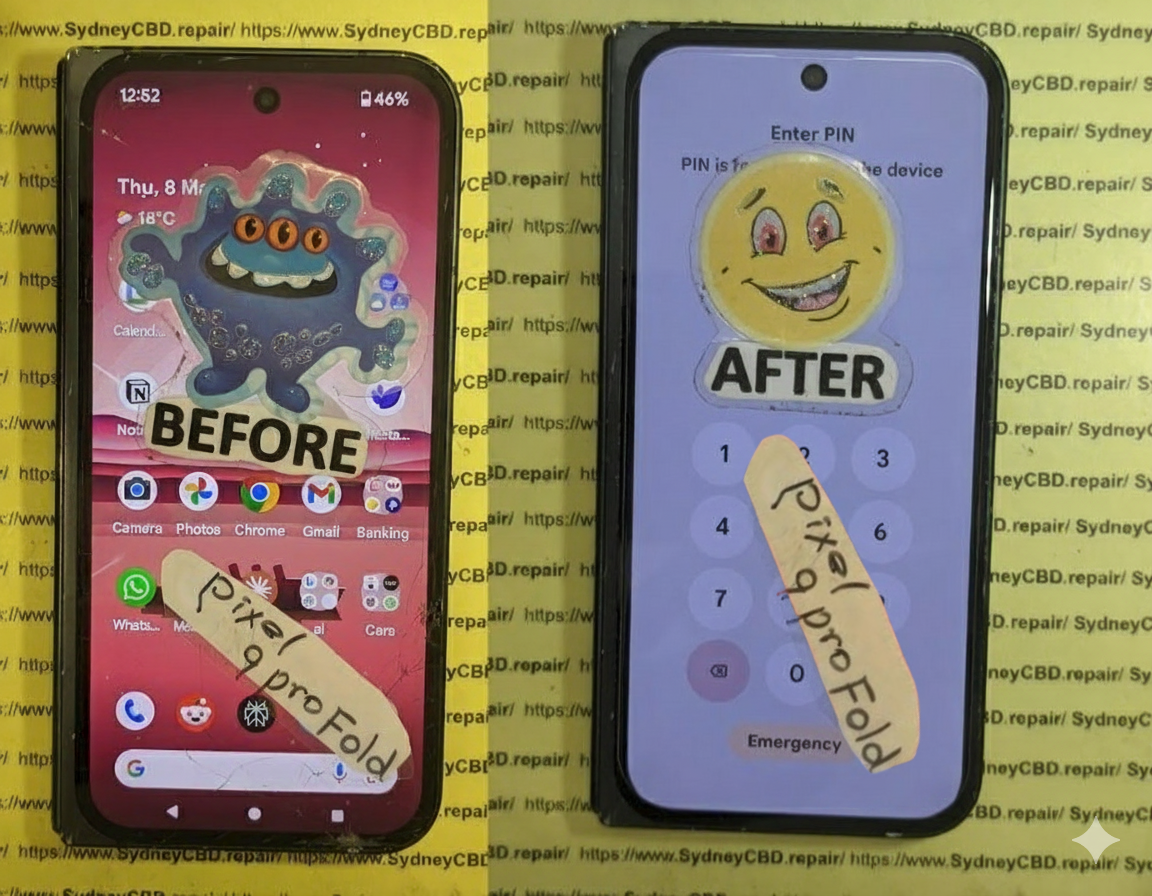
Pixel Fold Phone’s Screen Repair: The unexpected challenges of flexible displays + 7 Key Insights
Introduction: The Rise of Flexible Display Technology
Flexible displays are no longer a futuristic concept—they’re a reality reshaping the smartphone landscape. Devices like the Pixel Fold have popularized foldable technology, combining portability with large-screen experiences. However, this innovation introduces a set of challenges for device repair, particularly when it comes to screen replacement. Unlike traditional rigid displays, foldable screens are delicate, requiring specialized handling, tools, and expertise to maintain optimal functionality.
Pixel Fold users often underestimate the fragility of these devices. While the ability to fold the phone adds convenience, it also increases the risk of damage over time. This guide explores the complexities of Pixel Fold screen replacement, addressing common issues, repair techniques, and preventative measures.
The Pixel Fold utilizes flexible OLED technology, allowing the screen to bend without breaking. Unlike conventional LCDs, OLEDs generate light from individual pixels, eliminating the need for a backlight. This results in thinner, more vibrant displays capable of folding seamlessly. However, this thinness comes at the cost of durability. Even minor mishandling can cause pixel burnout, dead zones, or permanent creases.
Hinge Mechanism and Screen Durability
The hinge is central to the Pixel Fold’s functionality. While it provides smooth folding action, it also subjects the screen to repeated stress. Over time, improper folding or pressure on specific points can weaken the display. Maintaining hinge health and avoiding unnecessary force is crucial to prolonging screen life.
A drop is arguably the most common cause of screen failure. Flexible displays are more prone to cracking from direct impact due to their thin structure. Protective cases reduce risk, but no accessory can fully prevent damage from high-impact drops.
Pressure Points and Folding Stress
Unlike flat smartphones, foldables endure repeated bending stress. Carrying the Pixel Fold in tight pockets or placing objects on the screen can create pressure points, resulting in micro-tears or creases.
Water and Dust Exposure
While many modern devices offer water resistance, foldable phones have more entry points, especially around the hinge. Moisture or dust entering the hinge can damage internal layers of the display and affect touch sensitivity.
Why Pixel Fold Screen Replacement is Tricky
Fragility of Flexible OLED Panels
Repairing a flexible OLED isn’t as straightforward as replacing a rigid screen. The delicate layers, including touch sensors, polarizers, and protective films, require extreme caution to avoid further damage.
Specialized Tools and Techniques Needed
Standard repair tools often aren’t sufficient. Technicians must use specialized clamps, heat guns with precise temperature control, and anti-static equipment to remove and install the new screen without causing warping or short circuits.
Limited Availability of Genuine Parts
Pixel Fold replacement screens are scarce. Using non-genuine parts may compromise performance, display quality, and hinge alignment. Accessing authentic components is essential for a successful repair.
Step-by-Step Pixel Fold Screen Replacement Process
Preparing for the Repair
Before starting, back up all data and power down the device. Work in a clean, dust-free environment and ensure you have all specialized tools ready.
Removing the Damaged Screen
Careful heating of the adhesive and gentle prying are required. Avoid bending the screen excessively. Detach connectors methodically, labeling each to ensure proper reassembly.
Installing the New Flexible Display
Position the replacement screen precisely, reconnect all cables, and apply uniform adhesive. Ensure no dust or debris is trapped under the display.
Testing and Calibration
Power on the device to test touch responsiveness, color accuracy, and hinge operation. Perform calibration if necessary to restore optimal performance.
Tools and Equipment Required for Pixel Fold Screen Repairs
Professional-Grade Tools Overview
Essential tools include:
Precision screwdrivers
Heat guns with adjustable temperature
Anti-static tweezers
Specialized screen clamps
Thin pry tools
Importance of Anti-Static Precautions
Static electricity can permanently damage OLED panels. Using anti-static mats and wristbands prevents unintended short circuits.
Cost Factors for Pixel Fold Screen Replacement
Labor vs Parts Pricing
The cost depends on the complexity of the repair and part authenticity. Genuine Pixel Fold screens are expensive, often exceeding the price of traditional displays.
Warranty Considerations
Always check warranty status before attempting DIY repairs. Unauthorized repairs may void manufacturer coverage.
Tips to Extend the Life of Your Pixel Fold Screen
Proper Handling and Folding Habits
Fold your device gently, avoid sharp bends, and never force the screen to open or close rapidly.
Protective Accessories and Cases
Use custom cases designed for foldables, avoiding tight enclosures that stress the hinge.
Environmental Awareness: Temperature and Humidity
Avoid exposing the device to extreme heat, direct sunlight, or high humidity, which can weaken the flexible display layers.
DIY vs Professional Repair: Risks and Rewards
When to Attempt DIY Repairs
DIY may be considered only if you have experience with fragile electronics and access to genuine parts and professional tools.
Why Professional Repair is Recommended
Expert technicians minimize risk, ensuring proper alignment, calibration, and handling of fragile components. Attempting DIY can easily worsen the damage.
External Resources for Pixel Fold Repair Guidance
Official Manufacturer Support
Refer to Google’s Pixel Support for repair guidelines, official parts, and warranty details.
Community and Repair Forums
Repair communities, like iFixit, provide step-by-step guides, video tutorials, and discussion threads from experienced users.
Frequently Asked Questions (FAQs)
1. How long does a Pixel Fold screen last on average?
With careful handling, the screen can last 3–5 years, though repeated folding increases wear risk.
2. Can I use third-party replacement screens?
Technically yes, but quality may vary, affecting touch sensitivity, color accuracy, and hinge alignment.
3. Will the hinge mechanism be affected after screen replacement?
If replaced correctly with genuine parts, the hinge should function normally. Improper installation can cause misalignment.
4. How can I prevent creasing on my flexible display?
Avoid tight folds, excessive pressure, and store the device in protective cases to prevent permanent creases.
5. What is the turnaround time for professional Pixel Fold repair?
Most repair centers complete the replacement within 1–2 business days, depending on part availability.
6. Are screen replacements covered under warranty?
Warranty coverage varies; accidental damage typically isn’t included. Always check your manufacturer’s warranty terms.
Conclusion: Ensuring Longevity for Flexible Screens
Pixel Fold screen replacement demands precision, patience, and specialized knowledge. By understanding the unique challenges of flexible displays, following preventive measures, and relying on expert technicians when necessary, users can extend the life of their foldable devices. Remember: investing in professional repair ensures quality, reliability, and peace of mind for your high-end device.
David from Sydney CBD Repair Centre – The Best place to fix mobile phones as 7 Years In A Row! Top Mobile Phone Repair In Sydney. More than 2000 Positive Reviews on Google and Same Day Repairs.
We take pride in delivering exceptional repair services for all major phone brands including Apple, Samsung, Google, and more. Our expert technicians use only genuine parts and offer 90days warranty on repairs. Located in the heart of Sydney CBD, we’re your one-stop solution for all mobile device repairs.
Our commitment to excellence has earned us the trust of thousands of satisfied customers. Whether it’s a cracked screen, battery replacement, or water damage repair, we handle it all with professional care and expertise. Walk in today and experience why we’re Sydney’s #1 choice for mobile phone repairs.
Visit us for:
✓ Same Day Express Repairs
✓ Genuine Parts Guarantee
✓ Professional Technicians
✓ Competitive Pricing
✓ 2000+ 5-Star Google Reviews
✓ 7-Time Award Winner for Best Phone Repairs
Restoring from Pieces to Perfection Restoring a Smashed Google Pixel Fold Using OEM Parts + 7 Proven Techniques
Introduction
The Google Pixel Fold represents a groundbreaking leap in mobile technology, combining the portability of a smartphone with the expansive experience of a tablet. Its sleek foldable design allows users to multitask, enjoy larger screens for media, and carry advanced technology in a compact form. However, with innovation comes vulnerability. The delicate foldable screen, intricate hinge mechanism, and ultra-thin internal components make the Pixel Fold prone to damage from drops, pressure, or even minor mishandling.
Restoring a smashed Pixel Fold isn’t just about replacing a screen or battery—it’s about understanding the device’s unique engineering, using high-quality OEM parts, and following precise repair techniques to ensure the device functions like new. Whether you’re a DIY enthusiast looking to attempt the repair yourself or considering professional service, knowing the step-by-step process, potential pitfalls, and the importance of genuine parts is essential.
In this comprehensive guide, we’ll explore everything from identifying damage, sourcing the right OEM components, executing meticulous repairs, to preventing future issues. By the end, you’ll have the knowledge and confidence to bring your Pixel Fold back from “pieces to perfection.”
The Google Pixel Fold is a marvel of modern mobile technology, combining a tablet-sized screen with a pocketable form factor. Its foldable design offers versatility, but it also introduces vulnerabilities not seen in standard smartphones. The foldable hinge, ultra-thin OLED display, and flexible internal components are prone to cracking, creasing, or malfunctioning if mishandled. Understanding these weaknesses is the first step toward effective repair.
Unlike traditional smartphones, even minor pressure in the wrong spot can lead to permanent screen damage. Many users overlook hinge care, which can result in misalignment, screen separation, or internal component stress. Being proactive and understanding the Pixel Fold’s unique engineering ensures a higher success rate when restoring a smashed device.
Organized Parts Tray: Avoid losing screws or small components during reassembly.
Preparation is half the battle; rushing increases chances of irreversible damage.
Step-by-Step Guide to Screen Replacement
Replacing the Pixel Fold screen is intricate but achievable with patience and proper OEM components.
Removing the Damaged Display
Power off the device.
Heat the edges gently to soften adhesive.
Use a suction cup and spudger to lift the screen without bending the OLED.
Disconnect ribbon cables carefully to avoid tearing.
Installing the New OEM Screen
Align the new screen precisely with the hinge and frame.
Connect ribbon cables securely.
Test functionality before sealing with adhesive.
Press gently to ensure adhesion without warping.
Battery Replacement and Optimization
A damaged battery can reduce performance even after a screen replacement. When replacing:
Use OEM batteries only.
Avoid bending or puncturing the battery.
Calibrate after installation by charging to 100% and discharging fully once.
Proper battery replacement ensures longer lifespan and prevents overheating.
Repairing Internal Components
Other internal repairs include:
Logic Board Fixes: Address short circuits or flex cable damage.
Camera Replacement: Carefully detach connectors.
Hinge Adjustment: Replace worn bushings or lubricate hinge pins.
Sensor Alignment: Ensure fold detection sensors function properly.
All repairs require OEM parts and patience to avoid cascading failures.
Reassembling the Device Safely
Reassembly involves:
Using correct screws for each component
Applying adhesive only where necessary
Aligning hinge for smooth folding
Checking screen flushness and touch sensitivity
Skipping any step can result in poor fold mechanics or uneven display.
Software Calibration After Repair
Once hardware is restored:
Check touchscreen responsiveness across the fold
Test fold sensors and animations
Update software to the latest patch
Run built-in diagnostics to confirm component integrity
This ensures the device functions as if it were new.
Preventative Tips to Avoid Future Damage
Use a robust foldable case
Apply high-quality screen protectors
Avoid sitting on the device or storing in tight spaces
Keep away from heat and moisture
Schedule routine diagnostics if fold responsiveness declines
These simple steps extend the Pixel Fold’s lifespan dramatically.
Cost Analysis: DIY vs Professional Repair
Factor
DIY
Professional
Cost
Lower upfront but risk of mistakes
Higher but includes warranty
Tools
Must buy precision tools
Provided by technician
Time
Can take hours
Typically same-day or 1-2 days
Risk
High if inexperienced
Low, experts handle delicate parts
Warranty
None if DIY
Usually 90 days+ with OEM parts
While DIY is tempting, professional repair ensures longevity and preserves device value.
FAQ Section
Q1: Can I use non-OEM screens for Pixel Fold repair?
A1: Technically yes, but non-OEM screens can have reduced durability, touch sensitivity issues, and color inaccuracies.
Q2: How long does a Pixel Fold screen replacement take?
A2: With experience, 60–90 minutes. For DIY beginners, allow 2–3 hours.
Q3: Does replacing the battery affect fold performance?
A3: Only if improper handling bends internal components; OEM batteries maintain normal fold mechanics.
Q4: How can I prevent hinge damage?
A4: Avoid placing stress on the fold, keep it free of dust, and consider professional lubrication.
Q5: Is software calibration necessary after screen replacement?
A5: Absolutely. Calibration ensures touchscreen responsiveness and correct fold detection.
Q6: What warranty applies to OEM part replacements?
A6: Typically, professional repairs with OEM parts provide at least 90 days warranty, covering defects and functionality issues.
Conclusion
Restoring a smashed Google Pixel Fold using OEM parts is both feasible and highly recommended. OEM components preserve device integrity, ensure optimal performance, and reduce future maintenance. Whether opting for professional repair or a carefully planned DIY approach, understanding the unique vulnerabilities of the Pixel Fold, using the right tools, and following precise steps can return your foldable device to “as-new” condition. For additional support and genuine parts, visit Google Support.
David from Sydney CBD Repair Centre – The Best place to fix mobile phones as 7 Years In A Row! Top Mobile Phone Repair In Sydney. More than 2000 Positive Reviews on Google and Same Day Repairs.
We take pride in delivering exceptional repair services for all major phone brands including Apple, Samsung, Google, and more. Our expert technicians use only genuine parts and offer 90days warranty on repairs. Located in the heart of Sydney CBD, we’re your one-stop solution for all mobile device repairs.
Our commitment to excellence has earned us the trust of thousands of satisfied customers. Whether it’s a cracked screen, battery replacement, or water damage repair, we handle it all with professional care and expertise. Walk in today and experience why we’re Sydney’s #1 choice for mobile phone repairs.
Visit us for:
✓ Same Day Express Repairs
✓ Genuine Parts Guarantee
✓ Professional Technicians
✓ Competitive Pricing
✓ 2000+ 5-Star Google Reviews
✓ 7-Time Award Winner for Best Phone Repairs
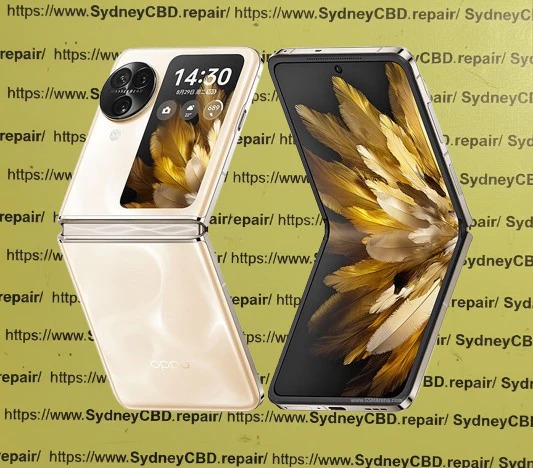
Restoring a Crushed Oppo Find N3: Advanced Hinge and Internal Screen Calibration – 15 Powerful Expert Techniques
Introduction to Oppo Find N3 Structural Damage
Foldable smartphones have transformed mobile technology, and the Oppo Find N3 stands among the most sophisticated devices in this category. However, when severe impact damage occurs, restoring a crushed Oppo Find N3 becomes one of the most technically demanding repair procedures in the industry.
Unlike conventional smartphones, the Oppo Find N3 integrates a precision-engineered folding hinge, flexible OLED display, advanced sensors, and complex structural components. A single crushing event can affect multiple systems simultaneously, making professional diagnosis and repair essential.
This guide explores the complete process of restoring a crushed Oppo Find N3, with a focus on advanced hinge restoration and internal screen calibration techniques used by experienced repair specialists.
The Oppo Find N3 is designed around a foldable form factor that combines tablet-sized functionality with smartphone portability. While this innovation delivers remarkable user experiences, it also introduces additional mechanical complexity.
When a device experiences crushing forces, damage may include:
Bent hinge assemblies
Broken flexible OLED screens
Misaligned frame structures
Damaged fold sensors
Internal cable strain
Display calibration errors
Touch responsiveness issues
Restoring a crushed Oppo Find N3 requires much more than replacing visible components. Every subsystem must be inspected and calibrated to restore original functionality.
Professional technicians often follow a structured repair workflow that begins with diagnostics and ends with extensive quality assurance testing.
Understanding how damage occurs helps determine repair priorities.
Impact Compression
Heavy impacts remain one of the most common causes of catastrophic foldable phone damage.
Examples include:
Vehicle accidents
Heavy objects falling onto the device
Sitting on the phone
Industrial workplace incidents
Compression forces often transfer directly into the hinge assembly.
Accidental Folding Pressure
Foldables are engineered to fold naturally but can suffer damage if excessive force is applied.
Potential risks include:
Forced closure with foreign objects inside
Twisting while folding
Uneven pressure during transport
These incidents can bend internal structural components.
Liquid and Debris Intrusion
Small particles can become trapped inside hinge channels.
Over time, contaminants may:
Restrict movement
Damage internal gears
Create friction points
Accelerate wear
Professional cleaning is often required during restoration.
Initial Diagnostic Procedures
A successful repair begins with a comprehensive diagnostic process.
External Assessment
Technicians first inspect visible damage.
Areas examined include:
Front display glass
Rear housing
Camera modules
Hinge exterior
Frame corners
Charging ports
Photographic documentation is commonly performed before disassembly.
Internal Functional Testing
Even severely damaged devices may provide valuable diagnostic information.
Technicians evaluate:
Touch functionality
Speaker operation
Charging performance
Camera systems
Wi-Fi connectivity
Bluetooth functionality
Cellular reception
This data helps identify hidden damage before repair work begins.
Advanced Hinge Restoration Techniques
The most challenging stage of restoring a crushed Oppo Find N3 involves hinge recovery.
Hinge Disassembly
The device is carefully disassembled using specialized equipment.
Important tools may include:
Precision screwdrivers
Heating platforms
Anti-static workstations
Microscope inspection systems
The hinge assembly is removed and inspected for:
Bent components
Cracked brackets
Broken springs
Gear wear
Debris contamination
Technicians often perform microscopic inspections to identify hidden structural defects.
Structural Alignment
Once damage has been identified, structural correction begins.
Common procedures include:
Frame straightening
Hinge bracket replacement
Internal support reinforcement
Alignment verification
Precision measurement tools help restore factory tolerances.
Even slight deviations can affect:
Folding smoothness
Screen longevity
Device stability
A successful alignment process ensures the foldable display experiences uniform stress throughout operation.
Lubrication and Reinforcement
Modern foldable hinges rely on controlled movement.
After cleaning, technicians apply approved lubricants to designated points.
Benefits include:
Reduced friction
Smoother folding
Extended lifespan
Improved mechanical consistency
Reinforcement procedures may also be performed when replacement components are installed.
Internal Screen Replacement and Calibration
The internal display is typically the most expensive component in a foldable phone.
Flexible OLED Installation
Installing a replacement flexible OLED requires patience and expertise.
The process includes:
Removing damaged display layers
Cleaning adhesive surfaces
Preparing alignment fixtures
Installing replacement OLED assembly
Securing flexible cables
Performing preliminary tests
Temperature control plays a major role during installation.
Improper heating can:
Warp display layers
Damage adhesives
Create pressure marks
Experienced technicians use calibrated equipment to maintain optimal conditions.
Display Calibration Process
Once installation is complete, calibration begins.
The goal is to restore visual consistency across the entire display.
Calibration typically evaluates:
Parameter
Purpose
Brightness Uniformity
Consistent illumination
Color Accuracy
Natural color reproduction
Touch Response
Accurate input detection
Refresh Performance
Smooth motion rendering
Fold Transition
Seamless display operation
Restoring a crushed Oppo Find N3 often requires multiple calibration cycles to achieve factory-level performance.
Technicians monitor:
Dead pixels
Touch lag
Flickering
Display artifacts
Brightness variation
Only after all measurements fall within acceptable limits is the display considered fully restored.
Software and Sensor Calibration
Modern foldables depend heavily on intelligent sensor systems.
Fold Detection Sensors
The Oppo Find N3 continuously monitors folding status.
Sensors determine:
Open position
Closed position
Intermediate angles
Following hinge repairs, recalibration ensures software accurately recognizes device orientation.
Symptoms of poor calibration include:
Incorrect screen switching
Unexpected display behavior
App scaling issues
Motion and Orientation Calibration
Additional sensors require testing after structural restoration.
These include:
Accelerometers
Gyroscopes
Proximity sensors
Ambient light sensors
Technicians use specialized diagnostic software to verify performance.
Proper calibration ensures:
Smooth screen rotation
Accurate brightness adjustment
Reliable multitasking functions
This stage is critical when restoring a crushed Oppo Find N3 because physical damage often affects sensor positioning.
Post-Repair Quality Assurance
Repair completion does not guarantee success.
Comprehensive testing must follow.
Quality assurance typically includes:
Mechanical Testing
Technicians repeatedly fold and unfold the device.
Checks include:
Smooth operation
Consistent resistance
Proper alignment
Noise elimination
Display Verification
The screen is evaluated under varying conditions.
Tests include:
Brightness measurement
Color analysis
Touch mapping
Pixel integrity checks
Functional Validation
Every major system undergoes verification.
Examples include:
Cameras
Microphones
Speakers
Wireless charging
Cellular connectivity
Fingerprint recognition
Only after passing these inspections should the device be returned to the owner.
Preventing Future Foldable Damage
Preventive care significantly extends device lifespan.
Recommended practices include:
Use Protective Cases
Choose accessories designed specifically for foldable devices.
Benefits include:
Impact absorption
Corner protection
Improved grip
Keep the Hinge Clean
Regular maintenance reduces wear.
Avoid:
Dust accumulation
Sand exposure
Pocket debris
Fold Carefully
Never force the device closed.
Inspect for:
Foreign objects
Credit cards
Coins
Small debris
Avoid Extreme Temperatures
Temperature fluctuations can affect:
Adhesives
OLED layers
Battery performance
Store the phone in moderate environmental conditions whenever possible.
Frequently Asked Questions
1. Can a severely crushed Oppo Find N3 be repaired?
In many cases, yes. If the motherboard remains functional, technicians can replace damaged structural, hinge, and display components.
2. Is hinge replacement always necessary?
Not always. Some hinges can be restored through alignment and component replacement. Severe deformation, however, often requires a complete hinge assembly replacement.
3. Why is foldable screen repair more expensive?
Foldable OLED displays are significantly more complex and costly than traditional smartphone screens due to their flexible construction and precision manufacturing.
4. How long does advanced hinge restoration take?
Depending on damage severity, repairs can range from several hours to multiple days, especially when calibration and testing are required.
5. Will the phone fold normally after repair?
A professionally restored Oppo Find N3 should fold and unfold smoothly with behavior closely matching factory specifications.
6. Can screen calibration improve display quality?
Yes. Calibration helps restore color accuracy, touch responsiveness, brightness consistency, and overall user experience.
7. Does water damage affect hinge restoration?
Absolutely. Corrosion can damage hinge components, sensors, cables, and display assemblies, increasing repair complexity.
8. How can users prevent future hinge damage?
Use a protective case, keep the hinge clean, avoid excessive force, and inspect the device before folding.
Conclusion
Restoring a crushed Oppo Find N3 is among the most advanced repair procedures in modern mobile technology. The device’s sophisticated foldable architecture demands expertise in mechanical restoration, display replacement, hinge alignment, sensor calibration, and quality assurance testing.
Successful restoration depends on careful diagnostics, precision workmanship, and extensive post-repair validation. When performed correctly, advanced hinge restoration and internal screen calibration can return a severely damaged Oppo Find N3 to reliable daily operation.
As foldable technology continues to evolve, professional repair practices will remain essential for maintaining performance, extending device lifespan, and protecting the substantial investment owners make in premium foldable smartphones.
For additional information about foldable display technology, visit the official Oppo website.
David from Sydney CBD Repair Centre – The Best place to fix mobile phones as 7 Years In A Row! Top Mobile Phone Repair In Sydney. More than 2000 Positive Reviews on Google and Same Day Repairs.
We take pride in delivering exceptional repair services for all major phone brands including Apple, Samsung, Google, and more. Our expert technicians use only genuine parts and offer 90days warranty on repairs. Located in the heart of Sydney CBD, we’re your one-stop solution for all mobile device repairs.
Our commitment to excellence has earned us the trust of thousands of satisfied customers. Whether it’s a cracked screen, battery replacement, or water damage repair, we handle it all with professional care and expertise. Walk in today and experience why we’re Sydney’s #1 choice for mobile phone repairs.
Visit us for:
✓ Same Day Express Repairs
✓ Genuine Parts Guarantee
✓ Professional Technicians
✓ Competitive Pricing
✓ 2000+ 5-Star Google Reviews
✓ 7-Time Award Winner for Best Phone Repairs
Z Fold 3 Outer Screen: Is It Worth Repairing in 2026? 7 Insights You Need to Know
Introduction
The Samsung Galaxy Z Fold 3 represents a breakthrough in foldable smartphone technology, offering users the convenience of a smartphone with the expansive display of a tablet. Its innovative design, featuring both an inner foldable screen and an outer display, has made it a favorite among tech enthusiasts and professionals alike. However, the very feature that sets it apart—the foldable design—also introduces new challenges, particularly when it comes to screen durability.
In 2026, many Z Fold 3 owners face a common dilemma: the outer screen is cracked, unresponsive, or damaged. With repair costs, technological complexity, and options for upgrading, deciding whether to repair the outer screen is more complicated than simply replacing a standard phone screen. This guide will explore every aspect of Z Fold 3 outer screen repair, from understanding the screen’s unique technology to analyzing repair costs, pros and cons, professional versus DIY options, and preventive tips to prolong screen life.
By the end of this article, you will have a complete roadmap to make an informed decision on whether repairing your Z Fold 3 outer screen is worth it in 2026, ensuring your device continues to deliver the premium experience you invested in.
The Samsung Galaxy Z Fold 3 is a marvel of foldable technology, blending smartphone convenience with tablet-like functionality. But when the outer screen cracks or malfunctions, many users wonder: Is it worth repairing in 2026? With advancements in foldable tech, repair costs, and durability improvements, the answer isn’t as straightforward as it once was.
This article dives deep into the Z Fold 3 outer screen repair, providing a complete guide to costs, processes, alternatives, and expert tips. Whether you’re considering a DIY repair, professional service, or replacement, this guide covers everything you need to make an informed decision.
The Samsung Galaxy Z Fold 3’s outer screen is a sophisticated piece of technology designed to handle everyday smartphone tasks without unfolding the device. Unlike traditional glass displays, the Z Fold 3 uses a foldable ultra-thin glass (UTG) layer combined with a protective polymer.
This design allows for a flexible display but also makes the outer screen more susceptible to scratches, cracks, and dead pixels. While Samsung claims improved durability over previous generations, repairing the outer screen remains more complex than standard smartphone screens.
Key features of the outer screen include:
Size: 6.2 inches Dynamic AMOLED 2X
Refresh rate: 120Hz adaptive display
Protection: Gorilla Glass Victus + foldable polymer coating
Touch sensitivity: Optimized for smooth navigation
Because of this unique construction, the outer screen cannot be replaced with standard smartphone glass. Only certified parts or specialized third-party replacements can restore full functionality.
Even minor drops can crack the ultra-thin glass of a Z Fold 3. Unlike rigid smartphones, foldable devices distribute impact differently, increasing the risk of screen fractures along edges or corners.
Pressure and Flexing
Constant folding and pressing can stress the polymer layer beneath the outer glass. Over time, this can cause:
Micro-cracks
Pixel lines
Touch responsiveness issues
Improper storage in tight pockets or bags can exacerbate these issues.
Manufacturing Defects
While rare, some units may exhibit early screen failure due to:
Adhesive degradation
Misalignment during assembly
Pre-existing microscopic cracks
Samsung warranty may cover certain defects, but accidental damage typically isn’t included.
Repair vs Replacement: Cost Analysis
Repairing the Z Fold 3 outer screen in 2026 involves balancing cost, convenience, and potential risks. Here’s a breakdown.
Professional Repair Services
Professional repair centers offer:
Service Type
Cost Range (AUD)
Pros
Cons
Authorized Samsung Repair
$550 – $700
Genuine parts, warranty
Expensive, longer wait time
Third-Party Repair
$400 – $550
Faster, slightly cheaper
May void warranty, variable quality
Authorized repairs use OEM parts, ensuring touch sensitivity and display color accuracy. Third-party services may offer refurbished or compatible parts at lower prices but carry risks.
DIY Repair Kits
DIY kits are available online but are not recommended for Z Fold 3 outer screens. Risks include:
Permanent screen damage
Loss of touch functionality
Voiding any remaining warranty
Unless you’re an experienced technician, professional repair is safer.
Replacement Costs in 2026
Due to inflation and supply chain issues, outer screen replacements are slightly higher than in 2023. Expect:
Warranty offered – Minimum 90-day post-repair warranty is ideal
Customer reviews – Check Google or local feedback
Pricing transparency – Avoid hidden fees or upselling
Professional repair centers in Sydney CBD consistently rank high due to expertise, quick turnaround, and genuine parts use.
Tips to Avoid Future Screen Damage
Use a protective case – Foldable-compatible cases reduce accidental drops.
Screen protectors – Consider ultra-thin tempered glass designed for foldables.
Avoid excessive folding stress – Don’t press hard on the hinge or screen.
Safe storage – Keep your Z Fold 3 in a pocket or bag that’s not too tight.
Temperature control – Avoid extreme heat or cold to preserve adhesive and polymer layers.
Alternatives to Repairing
If repair costs seem too high, consider these options:
Insurance claims: Many mobile insurers cover accidental damage for a fraction of replacement cost.
Trade-ins: Samsung or third-party platforms often offer discounts for damaged devices.
Upgrade: Consider trading your Z Fold 3 for Z Fold 4 or 5 for better durability and features.
FAQs About Z Fold 3 Outer Screen Repair
Q1: Can I use my Z Fold 3 if the outer screen is cracked?
A1: Yes, but cracks may worsen over time, and touch functionality could degrade.
Q2: Is DIY repair safe?
A2: Not recommended. The ultra-thin glass is fragile, and improper handling can permanently damage the device.
Q3: Will Samsung warranty cover outer screen cracks?
A3: Only if it’s a manufacturing defect. Accidental damage is generally excluded.
Q4: How long will a professional repair last?
A4: With genuine parts, repairs can last as long as the original screen, especially with proper care.
Q5: Can third-party repairs affect device performance?
A5: Poor-quality parts may impact touch sensitivity, brightness, or color accuracy. Choose certified repair centers.
Q6: How much does outer screen repair cost in 2026?
A6: OEM replacement ranges from $650–$700 AUD; third-party repairs are slightly cheaper at $400–$550 AUD.
Conclusion: Is Repair Worth It?
In 2026, repairing your Z Fold 3 outer screen is often worth it if:
The device is otherwise in good condition
You choose a professional, certified repair center
You want to preserve data and avoid purchasing a new phone
While costs are higher than traditional smartphones, the benefits of functionality, aesthetics, and device longevity outweigh the downsides. For Sydney users, Sydney CBD Repair Centre provides same-day service, genuine parts, and expert technicians to ensure your Z Fold 3 is restored to peak performance.
Investing in quality repair and preventive care ensures your foldable phone remains a long-term, functional, and stylish device.
David from Sydney CBD Repair Centre – The Best place to fix mobile phones as 7 Years In A Row! Top Mobile Phone Repair In Sydney. More than 2000 Positive Reviews on Google and Same Day Repairs.
We take pride in delivering exceptional repair services for all major phone brands including Apple, Samsung, Google, and more. Our expert technicians use only genuine parts and offer 90days warranty on repairs. Located in the heart of Sydney CBD, we’re your one-stop solution for all mobile device repairs.
Our commitment to excellence has earned us the trust of thousands of satisfied customers. Whether it’s a cracked screen, battery replacement, or water damage repair, we handle it all with professional care and expertise. Walk in today and experience why we’re Sydney’s #1 choice for mobile phone repairs.
Visit us for:
✓ Same Day Express Repairs
✓ Genuine Parts Guarantee
✓ Professional Technicians
✓ Competitive Pricing
✓ 2000+ 5-Star Google Reviews
✓ 7-Time Award Winner for Best Phone Repairs
Solving Green Lines: Galaxy Z Fold 6 Inner Screen Cost and Repair Guide – 7 Powerful Facts Every Owner Should Know
Introduction
The foldable smartphone market has grown rapidly, and devices like the Samsung Galaxy Z Fold 6 represent the cutting edge of mobile innovation. With its expansive inner display, powerful performance, and premium build quality, the device offers a tablet-like experience in a pocket-sized form.
However, one issue some users encounter is the appearance of green lines on the foldable inner display. This visual glitch can start as a thin vertical streak and gradually spread across the screen. When that happens, many owners immediately begin searching for one key answer:
What is the Galaxy Z Fold 6 inner screen cost to repair?
The reality is that repairing a foldable OLED screen is more complex—and often more expensive—than repairing traditional smartphone displays. Still, understanding the cause, repair process, and cost factors can help you make the right decision.
In this complete guide, we’ll break down everything you need to know about the Galaxy Z Fold 6 inner screen cost, including why green lines appear, how technicians fix the issue, and how you can prevent it in the future.
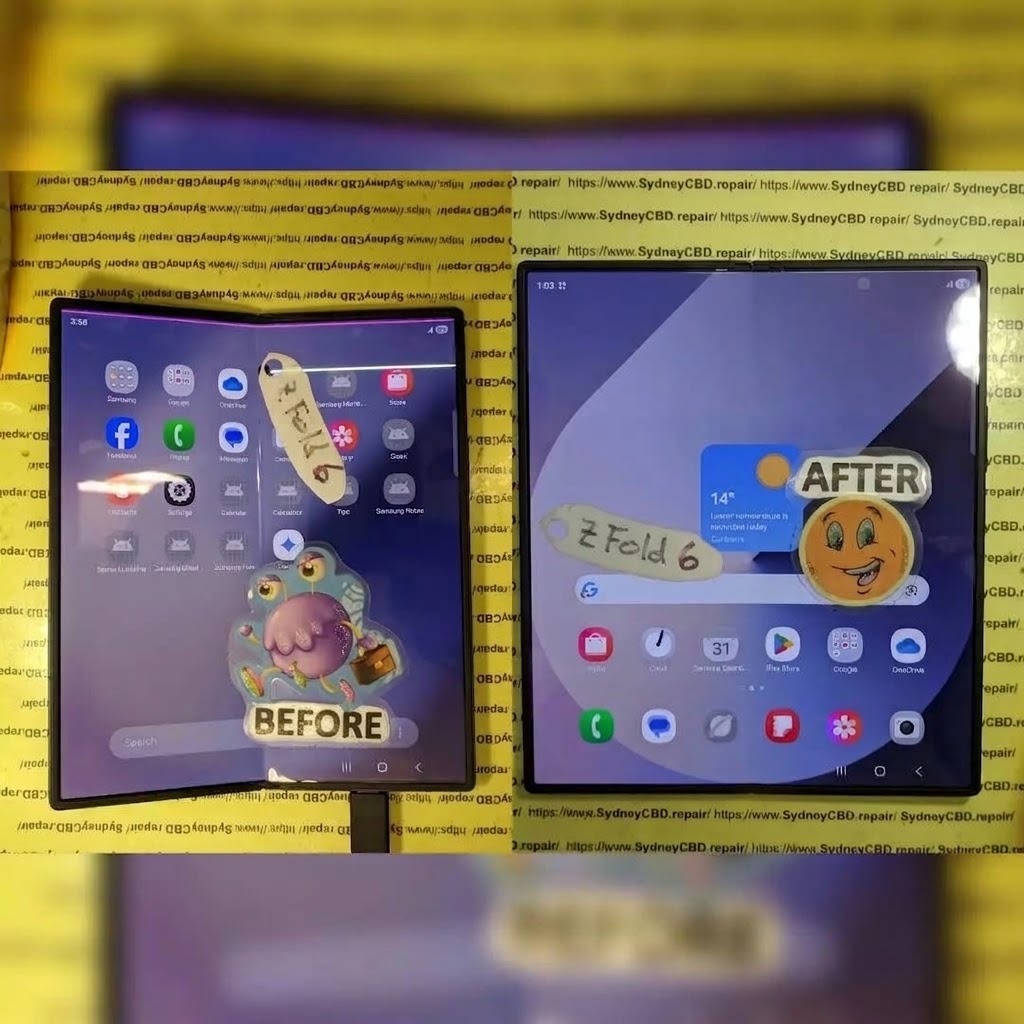
The inner display of the Samsung Galaxy Z Fold 6 uses advanced Dynamic AMOLED foldable technology. Unlike traditional smartphone screens, this panel is designed to bend repeatedly without breaking.
Instead of rigid glass, the screen consists of multiple ultra-thin layers:
Ultra Thin Glass (UTG)
Flexible OLED panel
Touch digitizer
Protective polymer layers
Adhesive bonding materials
These layers work together to create a display that can fold hundreds of thousands of times.
The result?
A massive internal screen that transforms the phone into a mini tablet. But because of this sophisticated design, repairs become far more specialized.
That’s why the Galaxy Z Fold 6 inner screen cost is typically higher than standard smartphone display repairs.
Why Foldable Screens Are More Sensitive
Foldable screens endure mechanical stress every time the device opens or closes. Over time, this stress can affect delicate internal components.
Common stress points include:
The hinge mechanism
The display flex cable
The OLED pixel layer
Pressure points along the fold crease
Unlike rigid displays, foldable panels must tolerate bending thousands of times.
Even though manufacturers test these screens for durability, unexpected factors such as drops, debris inside the hinge, or pressure on the screen can still cause damage.
When the OLED layer becomes compromised, the result may appear as:
Vertical green lines
Flickering pixels
Dead display zones
Touch unresponsiveness
In many cases, these symptoms indicate the need for a complete inner display replacement, which directly impacts the Galaxy Z Fold 6 inner screen cost.
Green lines on smartphone displays are usually linked to OLED pixel failures or display signal disruptions. Foldable phones, however, introduce a few additional causes.
OLED Pixel Failure
The OLED panel contains millions of tiny organic pixels that emit light individually. When a column of pixels fails, a vertical green line may appear.
This happens because:
The green subpixels remain active
Red and blue subpixels stop functioning
The display driver can no longer regulate the column
Once this occurs, the damage is typically permanent.
Unfortunately, software resets rarely fix this issue. Instead, technicians must replace the entire panel.
That replacement contributes heavily to the Galaxy Z Fold 6 inner screen cost.
Hinge Stress and Flex Cable Damage
Foldable devices rely on internal flex cables to transmit signals between the motherboard and the display.
These cables bend every time the phone folds.
Over time, repeated stress can cause:
Micro fractures in the cable
Display signal interference
Pixel column failures
Random screen lines
When a damaged flex cable disrupts the signal to a column of pixels, green lines often appear.
Because the cable is integrated with the display assembly, technicians usually replace the entire inner screen.
Software vs Hardware Display Faults
Although hardware failures are the most common cause, some display problems stem from software glitches.
Examples include:
GPU driver errors
Display calibration faults
Temporary rendering glitches
Before assuming the worst, technicians typically perform diagnostic tests such as:
Safe mode boot
Display calibration
Firmware updates
Hardware diagnostics
If the green line persists after these tests, the issue is almost certainly hardware-related.
Galaxy Z Fold 6 Inner Screen Cost Breakdown

One of the most important questions for owners facing this issue is the total repair price.
Let’s break down the main factors that determine the Galaxy Z Fold 6 inner screen cost.
Official Manufacturer Repair Costs
Authorized repair centers often provide the most reliable replacements.
According to repair trends from foldable phone repairs, the inner screen replacement cost for premium foldables generally ranges between:
Repair Type
Estimated Cost
Inner OLED Panel Replacement
$450 – $800
Full Display Assembly
$600 – $900
Frame + Screen Replacement
$750 – $1000
These prices vary depending on region and availability.
Although expensive, manufacturer repairs guarantee:
Genuine display panels
Water resistance restoration
Original display quality
Third-Party Repair Center Pricing
Independent repair specialists often offer lower prices for the Galaxy Z Fold 6 inner screen cost.
Typical third-party repair pricing:
Repair Provider
Estimated Price
Independent Repair Shops
$400 – $650
Specialist Foldable Repair Labs
$500 – $750
Express Same-Day Repair
$600+
Advantages include:
Faster repairs
Competitive pricing
Same-day service availability
However, it’s important to choose experienced technicians who understand foldable devices.
Warranty and Insurance Coverage
If your phone is still under warranty, you might pay significantly less.
Coverage options may include:
Manufacturer warranty
Samsung Care+
Mobile carrier insurance
Retail protection plans
In some cases, repairs may cost as little as:
$99 – $250 under insurance claims.
However, accidental damage usually requires deductibles.
How the Inner Screen Repair Process Works
Replacing a foldable display is far more complex than a regular phone repair.
Technicians must carefully dismantle multiple delicate components.
Diagnostic Procedures
Before starting the repair, technicians run several tests:
Display pixel diagnostics
Flex cable inspection
Hinge movement analysis
Software testing
This step confirms that the green line truly originates from display damage.
Screen Replacement Steps
Repairing the inner display generally involves these steps:
Power off the device
Remove the back panel
Disconnect the battery
Detach the hinge components
Remove the damaged inner screen
Install a new foldable OLED panel
Reassemble the device frame
The process requires specialized equipment because foldable displays are extremely fragile.
Quality Testing After Repair
After installation, technicians perform quality checks:
Display brightness tests
Pixel integrity inspection
Touch responsiveness verification
Hinge folding cycle tests
Only after these checks pass is the device returned to the owner.
Should You Repair or Replace the Phone?
Sometimes repairing the phone makes sense. Other times upgrading might be smarter.
Let’s examine both options.
Comparing Repair Cost vs Phone Value
If the Galaxy Z Fold 6 inner screen cost approaches the value of the phone, upgrading might be better.
Consider these factors:
Device age
Overall condition
Battery health
Future resale value
For newer devices, repair usually makes financial sense.
When Repair Makes Sense
Repair is the best choice when:
The phone is less than two years old
The device works perfectly otherwise
Repair cost is under 50% of device value
You want to keep using the foldable experience
When Upgrading Is Better
Sometimes replacing the phone is the smarter move.
Examples include:
Multiple hardware failures
Severe hinge damage
Extremely high repair costs
Desire for newer technology
How to Prevent Green Lines on Foldable Phones
Although foldable displays are durable, careful handling dramatically reduces the risk of screen damage.
Safe Folding Habits
Always fold your device gently.
Avoid:
Snapping the phone shut
Folding with debris inside
Twisting the hinge
Gentle folding helps protect the OLED panel.
Screen Care Tips
To extend the life of your foldable display:
Use protective cases
Avoid pressing hard on the screen
Keep sharp objects away
Clean the hinge regularly
These simple habits can prevent expensive repairs.
Environmental Factors
Extreme conditions can also affect OLED screens.
Avoid exposing your phone to:
High heat
Freezing temperatures
Excessive humidity
Direct pressure
Protecting the device from environmental stress reduces the chance of display failure.
Frequently Asked Questions
1. Why does a green line appear on the Galaxy Z Fold 6 screen?
A green line usually appears due to OLED pixel column failure or display cable damage. This is typically a hardware issue requiring screen replacement.
2. What is the average Galaxy Z Fold 6 inner screen cost?
The Galaxy Z Fold 6 inner screen cost generally ranges between $450 and $900, depending on the repair provider and whether genuine parts are used.
3. Can software updates fix green lines?
In rare cases, display glitches can be software-related. However, persistent green lines usually indicate hardware damage.
4. How long does foldable screen repair take?
Most professional repair centers complete the repair within 3 to 6 hours, though some may require 1–2 days if parts are unavailable.
5. Is the green line problem common in foldable phones?
It’s not extremely common, but foldable displays are more vulnerable than traditional screens due to mechanical stress from folding.
6. Can the green line spread across the display?
Yes. If the OLED panel continues to degrade, the line may grow or additional lines may appear over time.
7. Does warranty cover foldable screen lines?
If the issue results from a manufacturing defect, warranty coverage may apply. However, accidental damage is usually excluded.
Conclusion
The Galaxy Z Fold 6 inner screen cost may seem high at first glance, but it reflects the advanced engineering behind foldable display technology. When green lines appear on the screen, the issue usually stems from OLED pixel damage or hinge-related stress.
Fortunately, professional repair services can restore the device to full functionality with a complete display replacement. Understanding the causes, repair options, and preventive measures allows you to make the best decision for your device.
If handled properly and repaired by skilled technicians, your foldable phone can continue delivering its unique productivity and entertainment experience for years to come.
David from Sydney CBD Repair Centre – The Best place to fix mobile phones as 7 Years In A Row! Top Mobile Phone Repair In Sydney. More than 2000 Positive Reviews on Google and Same Day Repairs.
We take pride in delivering exceptional repair services for all major phone brands including Apple, Samsung, Google, and more. Our expert technicians use only genuine parts and offer 90days warranty on repairs. Located in the heart of Sydney CBD, we’re your one-stop solution for all mobile device repairs.
Our commitment to excellence has earned us the trust of thousands of satisfied customers. Whether it’s a cracked screen, battery replacement, or water damage repair, we handle it all with professional care and expertise. Walk in today and experience why we’re Sydney’s #1 choice for mobile phone repairs.
Visit us for:
✓ Same Day Express Repairs
✓ Genuine Parts Guarantee
✓ Professional Technicians
✓ Competitive Pricing
✓ 2000+ 5-Star Google Reviews
✓ 7-Time Award Winner for Best Phone Repairs