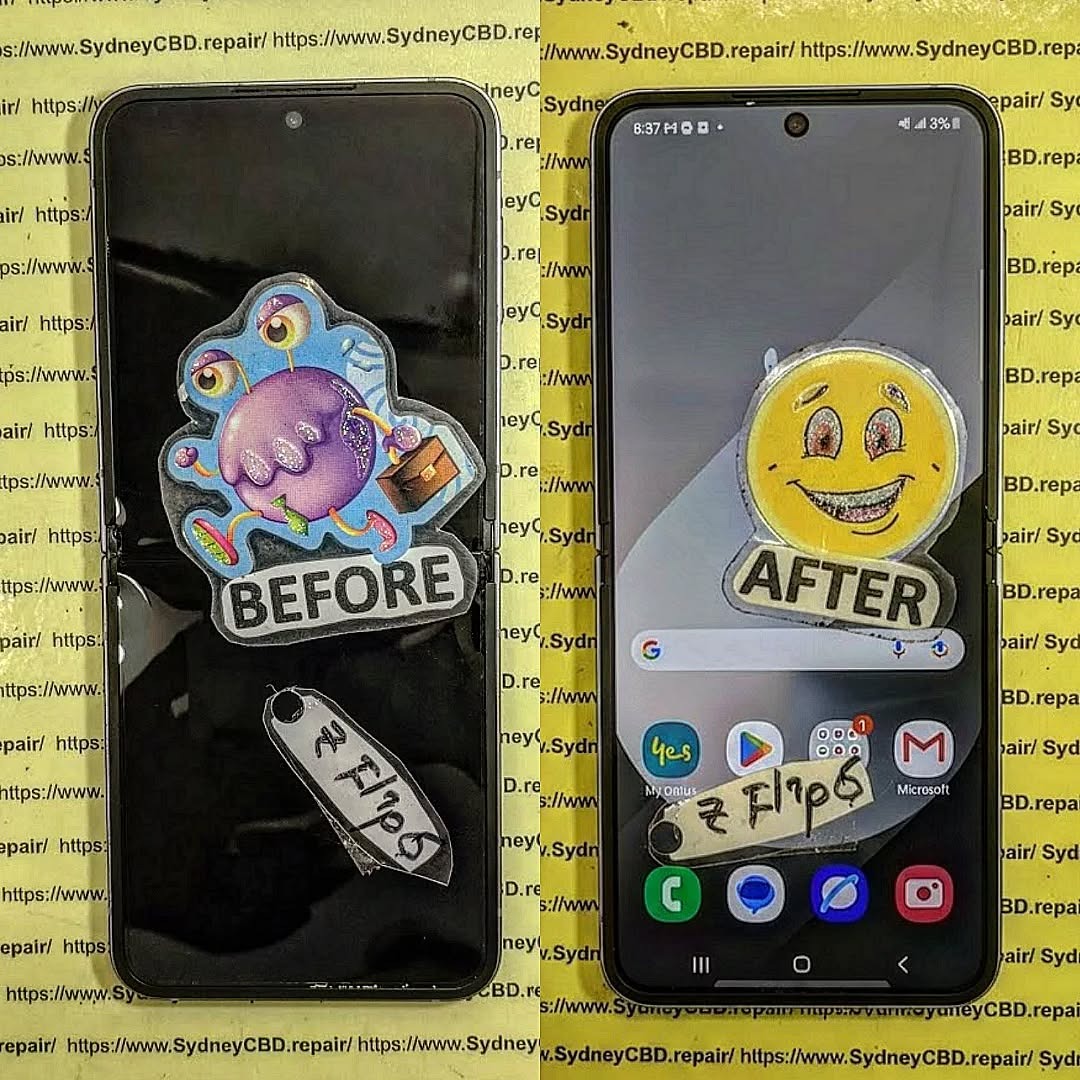
Can You Fix It for Less? 10 Proven Ways to Repair Your Samsung Galaxy Z Flip 6 Without Samsung Prices
Introduction: Why Z Flip 6 Repairs Can Be Costly
Repairing the Samsung Galaxy Z Flip 6 can feel like a wallet-busting experience. Foldable displays, delicate internals, and proprietary parts make replacement expensive, especially through official Samsung channels. But it doesn’t mean you’re doomed to pay sky-high prices. With smart strategies, you can repair your Z Flip 6 without breaking the bank, keeping it functional and stylish for years.
The Samsung Galaxy Z Flip 6 is sophisticated, which also makes it prone to a few predictable issues. Knowing them helps in making cost-effective repair choices.
Screen Damage and Foldable Display Issues
Foldable phones are inherently delicate. Scratches, creases, or cracks in the foldable display are common. While Samsung charges premium prices for OEM replacements, certified repair shops often offer the same quality at a fraction of the cost.
Repair tips:
Use tempered glass protectors specifically designed for foldable screens.
Avoid DIY replacements unless you have proper tools.
Check for warranty coverage before opting for out-of-pocket repair.
Battery Drain and Charging Problems
Battery issues can cripple your device. Swelling or fast-draining batteries are often caused by prolonged usage or software mismanagement.
Repair tips:
Replace the battery with genuine or high-quality third-party alternatives.
Avoid cheap batteries—they can damage your device.
Perform software optimizations to prolong battery life.
Water Damage and Internal Corrosion
Even a splash can lead to long-term damage due to corrosion. Immediate action can save hundreds.
Repair tips:
Turn off your phone and remove the SIM/memory card immediately.
Avoid charging until fully dried.
Seek professional ultrasonic cleaning for severe damage.
DIY vs Professional Repair: What You Need to Know
Repairing your Z Flip 6 at home can be tempting. But understanding the risks and limitations is crucial.
Safety Precautions for DIY Repairs
Use anti-static gloves to avoid component damage.
Follow online tutorials cautiously—missing steps can worsen damage.
Invest in precision tools: screwdrivers, spudgers, heat guns.
When to Seek Professional Help
Some issues, like display replacement or water damage, are better left to experts. Professional repair reduces risk of voiding warranty and ensures genuine parts are used.
Choosing Affordable Repair Services
Knowing where to take your device can save a fortune.
Local Repair Shops vs Official Samsung Service
Samsung: High cost, guaranteed genuine parts.
Local shops: 30-50% cheaper, some may use OEM parts.
Online Repair Services and Mail-In Options
Convenient for busy users.
Compare reviews and warranty policies.
Avoid no-name services—they often reuse parts.
Essential Tools and Replacement Parts
For DIY enthusiasts or pros, having the right tools and parts is essential.
Sourcing Genuine vs Third-Party Parts
Genuine: Expensive, ensures full compatibility.
Third-Party: Affordable, but quality varies—research reviews.
Screen replacement: Professional alignment is crucial.
Battery replacement: Disconnect power fully to avoid short circuits.
Water damage: Professional ultrasonic cleaning yields the best results.
Software fixes: Regular updates, factory resets, and safe mode troubleshooting.
Maintaining Your Z Flip 6 After Repair
Use protective cases and screen guards.
Avoid overcharging or draining the battery fully.
Regularly clean ports to prevent corrosion.
Frequently Asked Questions (FAQ)
1. Can I replace my Z Flip 6 screen at home?
Yes, but it’s risky due to the foldable design. Professional repair is recommended.
2. How much does a battery replacement cost outside Samsung?
Typically 40-60% less than official service, depending on the shop and battery quality.
3. Does water damage void the warranty?
Often, yes. Avoid DIY attempts if under warranty.
4. Are third-party parts reliable?
Some are high-quality, but research is key. Reviews and certifications matter.
5. How long will my repaired Z Flip 6 last?
With proper maintenance, another 2–3 years is achievable.
6. Can I insure my repaired Z Flip 6?
Yes, but notify the insurer of previous repairs for accurate coverage.
Conclusion
Repairing your Samsung Galaxy Z Flip 6 doesn’t have to drain your wallet. By understanding common issues, weighing DIY versus professional services, sourcing affordable parts, and practicing proper maintenance, you can extend the life of your device affordably and safely. With the right approach, high-quality repair is accessible without paying Samsung prices.
David from Sydney CBD Repair Centre – The Best place to fix mobile phones as 7 Years In A Row! Top Mobile Phone Repair In Sydney. More than 2000 Positive Reviews on Google and Same Day Repairs.
We take pride in delivering exceptional repair services for all major phone brands including Apple, Samsung, Google, and more. Our expert technicians use only genuine parts and offer 90days warranty on repairs. Located in the heart of Sydney CBD, we’re your one-stop solution for all mobile device repairs.
Our commitment to excellence has earned us the trust of thousands of satisfied customers. Whether it’s a cracked screen, battery replacement, or water damage repair, we handle it all with professional care and expertise. Walk in today and experience why we’re Sydney’s #1 choice for mobile phone repairs.
Visit us for:
✓ Same Day Express Repairs
✓ Genuine Parts Guarantee
✓ Professional Technicians
✓ Competitive Pricing
✓ 2000+ 5-Star Google Reviews
✓ 7-Time Award Winner for Best Phone Repairs
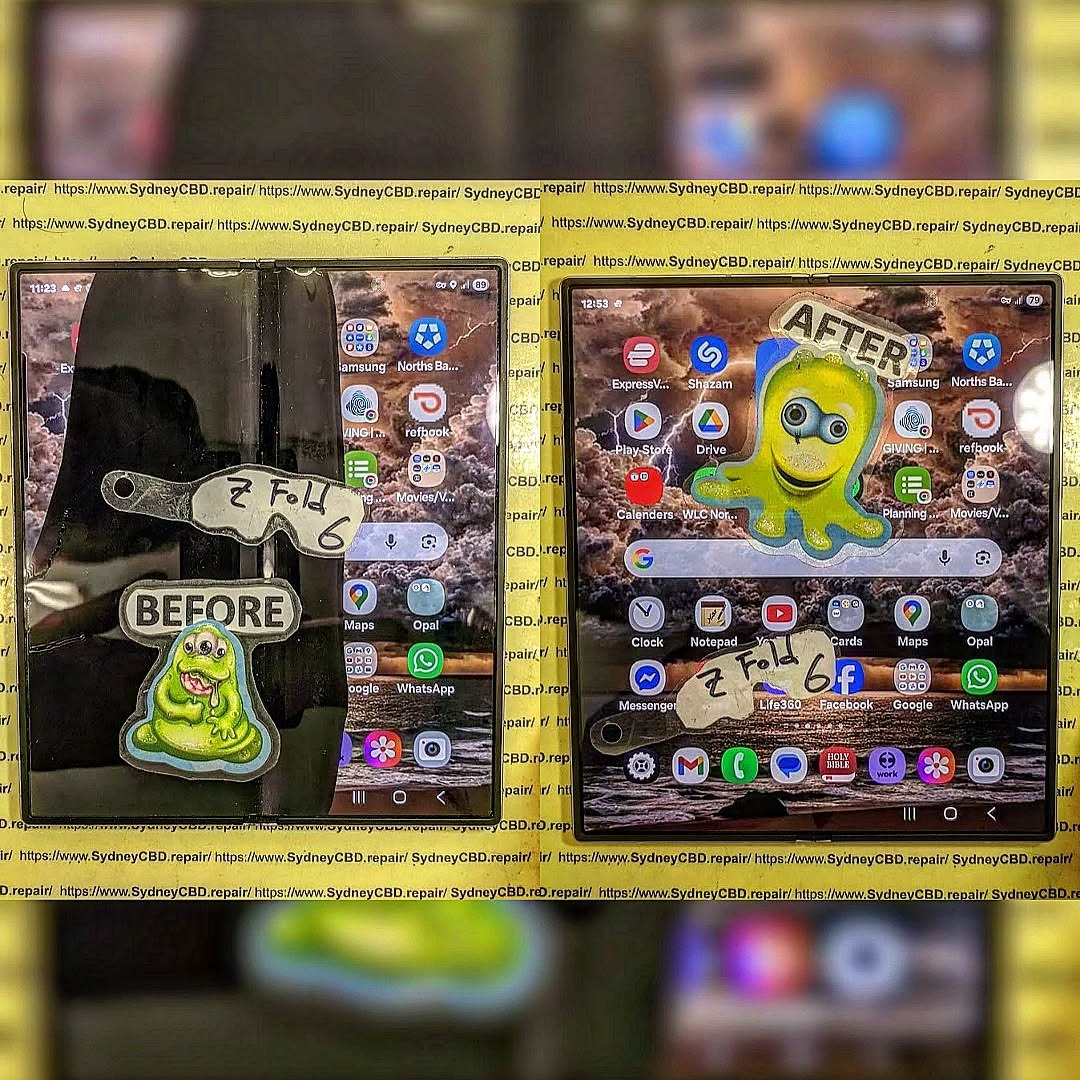
Complex Ribbon Cable Replacement for Samsung Galaxy Z Fold 6 Internal Screen Repair Mastery 2026
Introduction to Samsung Galaxy Z Fold 6 Ribbon Cable Repairs
The Samsung Galaxy Z Fold 6 is one of the most advanced foldable smartphones ever released. Its innovative folding mechanism, immersive AMOLED display, and premium engineering make it a standout device in the mobile industry. However, despite all its cutting-edge technology, one small component often becomes the source of major problems — the internal ribbon cable.
Complex ribbon cable replacement for Samsung Galaxy Z Fold 6 internal screen repairs has become increasingly common as foldable devices age. Since the phone constantly folds and unfolds, the internal flex cables experience ongoing stress. Over time, these cables may weaken, crack, or disconnect entirely.
Unlike standard slab smartphones, foldable phones contain sophisticated moving parts. The ribbon cable inside the Galaxy Z Fold 6 handles communication between the motherboard, internal display, touch sensors, and hinge assembly. If this cable fails, the entire internal display may stop functioning correctly.
Users often notice symptoms gradually. At first, the screen may flicker occasionally. Then dead pixels might appear near the fold area. Eventually, the display could go black while the outer screen continues working normally. In many cases, the device still powers on, receives notifications, and vibrates, but the internal display becomes unusable.
This type of repair isn’t simple. Replacing the internal ribbon cable requires advanced technical expertise, specialized tools, and delicate handling of the foldable OLED panel. One tiny mistake during disassembly can permanently damage the display.
As foldable smartphones become more mainstream, understanding how ribbon cable systems work is essential. Whether you’re considering professional repair or simply researching the issue, knowing the repair process can help you make smarter decisions.
The internal screen ribbon cable system inside the Samsung Galaxy Z Fold 6 is far more complicated than traditional smartphone wiring. Instead of fixed internal connectors, foldable phones rely on flexible cables that bend repeatedly alongside the hinge mechanism.
Why Foldable Phones Depend on Flexible Cables
Traditional smartphones remain rigid throughout their lifespan. Foldable devices, on the other hand, experience continuous motion every single day. Every fold introduces mechanical stress to the internal flex cables.
The ribbon cable performs several crucial tasks:
Transfers display signals
Connects touch digitizer functions
Supplies power to the OLED panel
Communicates hinge sensor data
Maintains refresh rate synchronization
Without this cable functioning correctly, the phone’s internal screen cannot operate reliably.
The engineering behind these cables is genuinely impressive. Manufacturers design them with ultra-thin conductive traces that flex repeatedly while maintaining stable electrical performance. Nevertheless, even premium materials eventually wear down after thousands of folds.
Common Ribbon Cable Failure Points
Several areas inside the phone are especially vulnerable:
Failure Area
Description
Hinge Bend Region
Constant folding weakens conductive layers
Connector Ends
Pressure loosens delicate connections
Adhesive Channels
Heat damages cable insulation
OLED Junction Area
Screen movement creates tension
The most common failure point is near the hinge. This section bends constantly and endures the greatest mechanical strain.
In some cases, the cable itself remains intact while the connector becomes partially detached. Other times, microscopic tears develop inside the conductive pathways. Unfortunately, these tiny fractures can be difficult to diagnose without professional equipment.
Modern foldable devices are engineering marvels, yet they still face durability challenges. That’s why complex ribbon cable replacement for Samsung Galaxy Z Fold 6 internal screen repairs requires highly trained technicians familiar with foldable architecture.
Recognizing the early signs of ribbon cable damage can help prevent more serious internal screen failures.
Flickering Display Problems
One of the first symptoms users notice is intermittent flickering. The display may flash briefly when opening or closing the device. This occurs because the damaged cable struggles to maintain stable signal transmission.
Sometimes the issue appears only at certain folding angles. Users may think it’s a software glitch initially, but the underlying cause is usually hardware-related.
Black Screen While Phone Still Works
A completely black internal display is another common symptom. Interestingly, the device often continues functioning normally in the background.
Typical signs include:
Phone vibrates normally
Notifications still arrive
External display works
Audio remains functional
Calls continue connecting
This indicates the motherboard still operates correctly while the ribbon cable fails to communicate with the internal OLED screen.
Touchscreen Delays and Ghost Touches
Ribbon cable damage can also affect touch responsiveness. Users may experience:
Delayed touch input
Random ghost touches
Partial touch failure
Dead zones near the fold
Inconsistent scrolling
Since the cable carries touch digitizer data, damaged connections directly affect touchscreen performance.
In severe cases, pressure near the hinge temporarily restores functionality. While this may seem encouraging, it usually indicates worsening cable deterioration.
Main Causes of Samsung Galaxy Z Fold 6 Ribbon Cable Failure
Several factors contribute to ribbon cable damage over time.
Repeated Folding Stress
The biggest cause is simple wear and tear. Every fold cycle introduces tiny amounts of stress to the cable assembly.
Samsung designs the Fold 6 hinge to survive hundreds of thousands of folds, but real-world conditions vary. Dust, temperature, pressure, and accidental impacts accelerate wear significantly.
Heavy users who open and close their devices constantly may experience earlier failures.
Liquid and Dust Intrusion
Although the Samsung Galaxy Z Fold 6 includes water resistance features, moisture and fine particles can still affect internal components.
Tiny contaminants may enter through hinge gaps and gradually damage:
Cable insulation
Connector pins
Internal adhesives
OLED bonding layers
Over time, corrosion weakens electrical conductivity.
Accidental Drops and Pressure Damage
Even minor drops can shift internal components slightly. Foldable phones contain extremely tight tolerances, meaning small impacts may stress ribbon connections.
Common accidental damage sources include:
Sitting on the device
Carrying it in tight pockets
Dropping it while unfolded
Pressure from heavy bags
Because foldable devices contain moving parts, impact damage can be more severe than on conventional smartphones.
Tools Required for Complex Ribbon Cable Replacement
Professional technicians use highly specialized tools during foldable phone repairs.
Professional Repair Equipment
A proper repair setup usually includes:
Tool
Purpose
Precision Screwdrivers
Remove internal fasteners
Plastic Pry Tools
Prevent frame scratches
OLED Separation Tools
Lift delicate screen components
Microscope
Inspect tiny cable damage
ESD Protection Equipment
Prevent static damage
Heat Pads
Soften strong adhesives
Without professional tools, the risk of damaging the OLED display increases dramatically.
Heat and Adhesive Handling
Foldable phones rely heavily on strong adhesives for waterproofing and structural stability. Controlled heat application is essential during disassembly.
Technicians carefully heat specific sections to soften adhesive without overheating nearby components. Excessive heat can permanently damage the OLED layer.
This stage requires patience and precision. Rushing the process often leads to cracked displays or torn cables.
Step-by-Step Ribbon Cable Replacement Process
Complex ribbon cable replacement for Samsung Galaxy Z Fold 6 internal screen repairs involves multiple delicate stages.
Device Preparation
The repair begins with powering down the device and removing the SIM tray. Technicians then inspect the frame for hidden damage.
Battery safety is critical. Foldable batteries are extremely sensitive to punctures and overheating.
Internal Disassembly
The rear glass panel must be removed carefully using heat and specialized opening tools.
Afterward, technicians disconnect:
Battery connectors
Wireless charging assembly
Mainboard shields
Speaker modules
Hinge protection plates
Each screw must return to its original location during reassembly.
Removing the Damaged Ribbon Cable
This is the most delicate stage of the repair. The damaged flex cable routes through the hinge mechanism and beneath the internal OLED panel.
Technicians must carefully:
Separate the OLED layer
Remove adhesive channels
Extract damaged cable sections
Inspect connectors for corrosion
Prepare replacement pathways
Even slight bending errors can crack the display permanently.
Installing the Replacement Cable
The new cable must align perfectly with existing channels. Improper routing creates tension that shortens cable lifespan.
Technicians use precision alignment techniques to ensure:
Smooth hinge movement
Stable signal transmission
Proper connector seating
Even adhesive pressure
After installation, temporary testing confirms functionality before final sealing.
Reassembly and Testing
The device undergoes extensive testing after reassembly.
Key tests include:
Fold cycle testing
Brightness uniformity checks
Touchscreen diagnostics
Hinge resistance evaluation
Camera functionality
Wi-Fi and Bluetooth testing
Finally, technicians replace waterproofing seals where possible.
Challenges During Galaxy Z Fold 6 Internal Screen Repairs
Foldable phone repairs are among the most challenging tasks in the smartphone industry.
Fragile OLED Components
The internal OLED display is exceptionally thin and flexible. Unlike standard screens, foldable panels are highly vulnerable during disassembly.
Common repair risks include:
Display cracking
Dead pixels
Pressure marks
Delamination
Touch layer separation
This explains why inexperienced DIY repairs often fail.
Waterproofing Concerns
Opening the phone compromises factory waterproof seals. While technicians can replace adhesives, achieving original factory resistance remains difficult.
Users should understand that repaired foldable phones may have reduced water resistance afterward.
Hinge Alignment Issues
The hinge mechanism must remain perfectly aligned. Tiny positioning errors can cause:
Uneven folding
Additional cable stress
Display creasing
Frame gaps
Professional calibration helps minimize these risks.
Why Professional Repair Matters
Professional repair services provide major advantages when handling foldable devices.
Certified technicians understand:
Foldable architecture
OLED handling procedures
Cable routing techniques
Adhesive replacement methods
Diagnostic testing protocols
Attempting DIY repair without proper experience can transform a repairable issue into a complete screen replacement.
Professional repair centers also use high-quality replacement parts. Inferior aftermarket flex cables may fail quickly or cause display instability.
Furthermore, reputable repair providers typically offer warranties on workmanship and parts.
Estimated Repair Costs in 2026
Repair pricing varies depending on damage severity and part availability.
Repair Type
Estimated Cost
Ribbon Cable Only
$180 – $350
Cable + OLED Repair
$450 – $800
Full Internal Screen Assembly
$700 – $1200
Hinge and Cable Combo Repair
$900 – $1400
Pricing also depends on region, technician expertise, and whether genuine components are used.
While these repairs may seem expensive, replacing the entire device costs significantly more.
Preventing Future Ribbon Cable Damage
Prevention remains the best strategy for extending foldable phone lifespan.
Here are practical tips:
Avoid snapping the phone shut aggressively
Keep the hinge area clean
Don’t expose the phone to sand or dust
Use protective cases designed for foldables
Avoid placing pressure on the folded device
Open and close the phone gently
Regular maintenance inspections can also identify early warning signs before catastrophic failure occurs.
DIY Repair vs Professional Service
Some users consider DIY repair kits after seeing online tutorials. However, foldable phone repairs differ greatly from standard smartphone repairs.
DIY Repair
Professional Repair
High risk of damage
Lower repair risk
Limited tools
Professional equipment
No warranty
Service warranty
Difficult waterproofing
Better sealing methods
Lower upfront cost
Higher long-term reliability
Although DIY repair may appear cheaper initially, accidental display damage often increases total costs substantially.
Frequently Asked Questions
Can a damaged ribbon cable cause a black screen?
Yes. A damaged ribbon cable often interrupts communication between the motherboard and OLED display, resulting in a black internal screen.
Is ribbon cable replacement cheaper than full screen replacement?
Usually, yes. If the OLED panel remains intact, replacing only the ribbon cable is significantly cheaper.
How long does Galaxy Z Fold 6 ribbon cable repair take?
Most professional repairs require 4 to 24 hours depending on technician workload and parts availability.
Will the phone remain waterproof after repair?
Water resistance may be reduced after repair. While technicians replace seals, factory waterproof certification cannot always be fully restored.
Can folding the device too much damage the cable?
Yes. Repeated folding creates mechanical fatigue over time, eventually weakening the internal flex cable.
Is it safe to continue using the phone with flickering issues?
Using the device while the ribbon cable deteriorates can worsen damage and potentially affect the OLED display permanently.
Are genuine replacement parts important?
Absolutely. Genuine or premium-quality flex cables provide better durability and compatibility with foldable devices.
Conclusion
The Samsung Galaxy Z Fold 6 represents the future of smartphone innovation, but its advanced foldable design also introduces unique repair challenges. Complex ribbon cable replacement for Samsung Galaxy Z Fold 6 internal screen repairs requires exceptional technical precision, advanced tools, and specialized expertise.
From flickering displays to complete screen failure, ribbon cable damage can severely impact device usability. Fortunately, professional repair services can restore functionality effectively when handled correctly.
Understanding the causes, warning signs, repair process, and prevention strategies helps users protect their investment and extend device lifespan. While foldable phones remain more delicate than traditional smartphones, careful usage and expert maintenance can keep them performing smoothly for years.
As foldable technology continues evolving, repair techniques will also improve. For now, trusting experienced professionals remains the safest approach for complex internal screen ribbon cable repairs.
David from Sydney CBD Repair Centre – The Best place to fix mobile phones as 7 Years In A Row! Top Mobile Phone Repair In Sydney. More than 2000 Positive Reviews on Google and Same Day Repairs.
We take pride in delivering exceptional repair services for all major phone brands including Apple, Samsung, Google, and more. Our expert technicians use only genuine parts and offer 90days warranty on repairs. Located in the heart of Sydney CBD, we’re your one-stop solution for all mobile device repairs.
Our commitment to excellence has earned us the trust of thousands of satisfied customers. Whether it’s a cracked screen, battery replacement, or water damage repair, we handle it all with professional care and expertise. Walk in today and experience why we’re Sydney’s #1 choice for mobile phone repairs.
Visit us for:
✓ Same Day Express Repairs
✓ Genuine Parts Guarantee
✓ Professional Technicians
✓ Competitive Pricing
✓ 2000+ 5-Star Google Reviews
✓ 7-Time Award Winner for Best Phone Repairs
Sydney CBD Repair Centre – Where Quality Meets Reliability.
Call : +61280114119
Website: Sydney CBD Repair Centre
Thank you for using
Themify Popup
This is a sample pop up. Themify Builder or Builder Lite (free) plugin is recommended to design the pop up layouts.