




Samsung Z Flip 6 Fingerprint Sensor Testing and Calibration After Screen Repair

Samsung Z Flip 6 Fingerprint Sensor Testing and Calibration After Screen Repair: Complete Guide to Perfect Biometric Performance
Introduction
The Samsung Galaxy Z Flip 6 combines cutting-edge foldable technology with a highly responsive side-mounted fingerprint sensor integrated into the power button. While replacing a damaged screen restores the device’s appearance and touch functionality, professional technicians understand that the repair is incomplete without thoroughly testing and verifying biometric performance.
A fingerprint sensor that fails after repair isn’t always defective. In many cases, improper assembly, loose flex cable connections, damaged side-button assemblies, or incomplete diagnostic testing are responsible.
At Sydney CBD Repair Centre, every Samsung Z Flip 6 undergoes comprehensive fingerprint sensor testing before it leaves our workshop, ensuring customers receive a phone that functions exactly as Samsung intended.
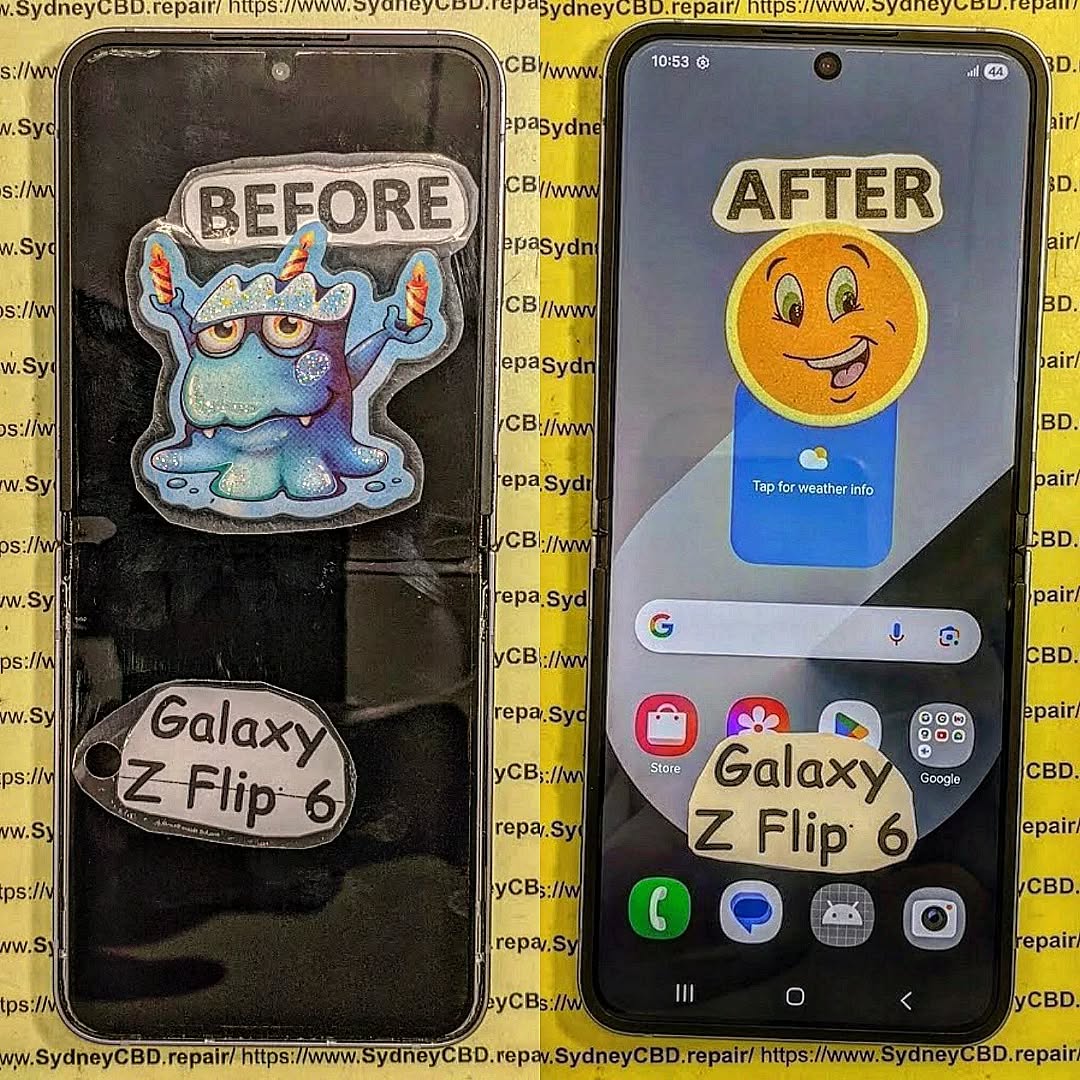
Understanding the Samsung Z Flip 6 Fingerprint Sensor
Unlike under-display fingerprint readers, the Galaxy Z Flip 6 uses a capacitive fingerprint sensor built directly into the power button located on the side frame.
This design offers:
- Faster unlocking
- Better reliability
- Lower power consumption
- High biometric accuracy
- Improved durability
Because the sensor is integrated into the side button assembly, any screen repair requiring frame disassembly must be performed carefully to avoid stressing the fingerprint flex cable.
Why Fingerprint Testing Matters After Screen Repair
Many repair shops simply verify that the display lights up and touch functions work.
Professional repair centres go much further.
Every repair should include testing of:
- Fingerprint enrollment
- Fingerprint recognition speed
- Wake button functionality
- Power button clicks
- Side key responsiveness
- Security authentication
- Samsung Pass compatibility
- App authentication
- Lock screen unlocking
Even a tiny assembly mistake can reduce fingerprint accuracy.
Common Fingerprint Sensor Problems After Screen Replacement
Some issues only become apparent after the phone has been fully reassembled.
Examples include:
Fingerprint Not Detected
The phone displays:
- Fingerprint hardware unavailable
- Sensor not responding
- Unable to register fingerprint
Possible causes include:
- Loose connector
- Damaged flex cable
- Pinched cable
- Damaged power button assembly
Fingerprint Recognition Is Slow
The sensor responds but takes several attempts.
Possible reasons include:
- Improper seating
- Flex cable stress
- Software needing optimization
- Contaminated sensor surface
Fingerprint Enrollment Fails
Users may see:
“Couldn’t register fingerprint.”
Professional diagnostics determine whether the issue is software-related or hardware-related.
Sensor Works Intermittently
Sometimes the sensor functions only occasionally.
This often points to:
- Incomplete connector engagement
- Frame pressure
- Cable damage
- Internal movement
Does the Samsung Z Flip 6 Need Fingerprint Calibration?
Unlike some smartphones with under-display ultrasonic sensors, the Samsung Galaxy Z Flip 6 side-mounted fingerprint sensor generally does not require optical recalibration after a standard screen replacement.
However, technicians should still verify:
- Firmware communication
- Hardware detection
- Sensor response
- Security authentication
- Knox integrity
- Biometric registration
Professional testing confirms everything is functioning correctly before returning the device to the customer.
Professional Diagnostic Procedures

At Sydney CBD Repair Centre, every Z Flip 6 follows a structured inspection process.
Visual Inspection
Technicians examine:
- Side frame
- Power button
- Flex routing
- Connector condition
- Water-resistant seals
Internal Inspection
After opening the device:
- Battery disconnected safely
- Fingerprint connector inspected
- Flex cable examined under magnification
- Connector reseated
- Frame alignment checked
Functional Diagnostics
Technicians verify:
- Side key input
- Fingerprint response
- Wake functionality
- Sleep mode
- Authentication
Step-by-Step Fingerprint Sensor Testing
Professional testing includes multiple stages.
Stage 1
Delete all saved fingerprints.
Stage 2
Restart the phone.
Stage 3
Register a completely new fingerprint.
Stage 4
Perform multiple unlock attempts.
Stage 5
Test unlocking from different finger angles.
Stage 6
Verify Samsung Pass.
Stage 7
Test biometric authentication inside secure apps.
Checking Side Fingerprint Flex Cable Connections
The fingerprint sensor communicates through an extremely delicate flex cable.
Technicians carefully inspect for:
- Bent contacts
- Torn cable
- Loose connector
- Connector contamination
- Compression damage
Even microscopic damage may reduce reliability.
Testing Power Button Responsiveness
Because the sensor shares the power button assembly, technicians verify:
- Single press
- Long press
- Double press
- Emergency shortcut
- Camera shortcut
- Screen wake
- Screen sleep
Any inconsistency could indicate assembly issues.
Software Calibration and Firmware Verification
Modern Samsung devices rely on firmware communication between hardware components.
Professional technicians verify:
- Latest software updates
- Hardware detection
- Biometric framework
- Samsung security services
- Knox status
- Error logs
Firmware verification helps identify hidden hardware faults.
Samsung Service Mode Diagnostics
Professional repair centres use Samsung diagnostic tools to test:
- Fingerprint hardware
- Side key response
- Touch functionality
- Display
- Battery
- Cameras
- Sensors
Comprehensive diagnostics ensure every major component operates correctly after repair.
Common Mistakes During Screen Repairs
Several repair mistakes can affect fingerprint performance.
Forgetting Battery Disconnection
Working on connectors while the battery remains connected risks damaging sensitive circuits.
Damaging the Fingerprint Cable
Improper tool placement may:
- Tear the cable
- Stretch the cable
- Bend connectors
Poor Cable Routing
Incorrect cable positioning may lead to:
- Pressure damage
- Fold fatigue
- Connector movement
Cheap Replacement Parts
Low-quality components can affect:
- Button fitment
- Frame alignment
- Internal tolerances
Professional repairs rely on high-quality replacement parts designed for precise compatibility.
Importance of Genuine Samsung Parts
High-quality replacement components ensure:
- Correct frame alignment
- Accurate button placement
- Reliable flex routing
- Long-term durability
- Better overall repair quality
Inferior parts may introduce unnecessary complications that affect the fingerprint sensor and other hardware.
Why DIY Repairs Can Cause Fingerprint Failures
Foldable phones are significantly more complex than traditional smartphones.
DIY repairs often lack:
- Professional heating equipment
- Precision screwdrivers
- Anti-static protection
- Diagnostic software
- Experience handling foldable assemblies
Small mistakes can lead to expensive secondary damage.
Professional Quality Control Before Device Return
Every Samsung Z Flip 6 repaired at Sydney CBD Repair Centre undergoes extensive quality control.
Technicians test:
- Display brightness
- OLED performance
- Touch sensitivity
- Folding mechanism
- Charging
- Wireless charging
- Cameras
- Speakers
- Microphones
- Wi-Fi
- Bluetooth
- Cellular signal
- Fingerprint sensor
- Side button
- Face Unlock
- Battery performance
Only after passing every inspection is the device returned to the customer.
Why Choose Sydney CBD Repair Centre
David from Sydney CBD Repair Centre has built a reputation for precision repairs, honest service, and exceptional customer satisfaction.
Why customers trust us:
- Best place to fix mobile phones 7 Years In A Row
- Top Mobile Phone Repair in Sydney
- More than 2000 Positive Google Reviews
- Same Day Express Repairs
- Genuine Parts Guarantee
- Professional Technicians
- Competitive Pricing
- 90-Day Repair Warranty
- Repairs for Samsung, Apple, Google Pixel, Motorola, Huawei, Oppo, OnePlus, ASUS ROG, Nokia, Xiaomi, and more
- Convenient Sydney CBD location
Whether your Samsung Z Flip 6 needs a screen replacement, battery service, hinge repair, charging port repair, or fingerprint sensor diagnosis, our experienced technicians are ready to help.
Sydney CBD Repair Centre – Where Quality Meets Reliability.
Call: +61 2 8011 4119
Website: https://SydneyCBD.repair/locate-us
Frequently Asked Questions
Can a Samsung Z Flip 6 fingerprint sensor stop working after a screen replacement?
Yes. Improper assembly, connector issues, or flex cable damage can prevent the fingerprint sensor from functioning correctly after a repair.
Does the fingerprint sensor require calibration?
The side-mounted fingerprint sensor generally does not require optical calibration after a standard screen replacement, but comprehensive hardware and software testing is essential to verify proper operation.
Can a damaged flex cable be repaired?
In some cases, replacement of the damaged fingerprint button or flex assembly is the most reliable solution, depending on the extent of the damage.
Why is my fingerprint recognition slower after repair?
Slow recognition may be caused by connector issues, contamination, mechanical stress on the flex cable, or software-related factors. Professional diagnostics can identify the exact cause.
Is the fingerprint sensor part of the display?
No. On the Samsung Galaxy Z Flip 6, the fingerprint sensor is integrated into the side-mounted power button rather than the display.
How long does fingerprint testing take?
A thorough professional inspection and testing process typically takes only a few minutes but is an important part of ensuring the repair is complete.
Conclusion

A successful Samsung Galaxy Z Flip 6 screen repair is about more than replacing a damaged display. Every critical feature—including the fingerprint sensor—must be carefully inspected, tested, and verified before the device is returned to its owner. Comprehensive diagnostics, precise assembly, and quality replacement parts all contribute to restoring the phone’s original performance and reliability.
At Sydney CBD Repair Centre, fingerprint sensor testing is an essential part of every Samsung Z Flip 6 repair. From connector inspection and hardware diagnostics to biometric enrollment and quality assurance, every device receives meticulous attention from experienced technicians. That commitment to precision is why thousands of customers continue to trust Sydney CBD Repair Centre for professional mobile phone repairs.
David from Sydney CBD Repair Centre – The Best place to fix mobile phones as 7 Years In A Row! Top Mobile Phone Repair In Sydney. More than 2000 Positive Reviews on Google and Same Day Repairs.
📍 Visit us today for:
✓ Same Day Express Repairs
✓ Genuine Parts Guarantee
✓ Professional Technicians
✓ Competitive Pricing
✓ 2000+ 5-Star Google Reviews
✓ 7-Time Award Winner for Best Phone Repairs
Sydney CBD Repair Centre – Where Quality Meets Reliability.
📞 Call : +61280114119
🌐 Website: https://SydneyCBD.repair/locate-us

