




NOTHING PHONE 2a TEARDOWN: Expert Screen and Unique Glyph Interface Component Repair

NOTHING PHONE 2a TEARDOWN: Expert Screen and Unique Glyph Interface Component Repair + Powerful Guide 2026
Introduction to the NOTHING PHONE 2a TEARDOWN
The NOTHING PHONE 2a TEARDOWN reveals the inner engineering behind one of the most visually distinctive smartphones on the market. Designed by Nothing, the device continues the brand’s philosophy of transparency and innovation. From its iconic Glyph interface to its sleek internal layout, the Phone 2a represents a modern approach to smartphone hardware.
A teardown isn’t just about curiosity. It’s an essential process for technicians, repair specialists, and enthusiasts who want to understand how devices are assembled and how easily they can be repaired. By carefully dismantling the Nothing Phone 2a, experts can evaluate:
- Screen replacement complexity
- Battery accessibility
- Glyph LED repairability
- Component modularity
This knowledge helps repair professionals perform safe and efficient repairs while minimizing risks to sensitive components.
Moreover, understanding a phone’s internal structure is crucial for sustainability. When technicians can repair a device instead of replacing it, the lifespan of the product increases significantly. As a result, teardowns like this one play a major role in promoting environmentally responsible electronics repair.
In this detailed guide, we’ll walk through every major step of the NOTHING PHONE 2a TEARDOWN, including screen repair, internal component replacement, and troubleshooting the device’s iconic lighting system.
Understanding the Nothing Phone 2a Design Philosophy
Before opening the device, it’s important to understand the design philosophy behind the Nothing Phone 2a. The company focuses on creating technology that feels transparent—both visually and conceptually.
Unlike many smartphones that hide their internal structure behind opaque glass, Nothing celebrates the hardware beneath the surface.
Key Hardware Specifications
The Phone 2a combines style with solid performance. Some of its key specifications include:
| Component | Specification |
|---|---|
| Display | 6.7-inch AMOLED |
| Resolution | 2412 × 1084 |
| Processor | MediaTek Dimensity 7200 Pro |
| Battery | 5000mAh |
| Charging | 45W fast charging |
| Rear Cameras | Dual 50MP sensors |
| OS | Nothing OS based on Android |
These specs make the device competitive in the mid-range smartphone market while maintaining a unique visual identity.
The Signature Glyph Interface
Perhaps the most recognizable feature of the phone is the Glyph Interface.
This lighting system consists of multiple LED strips arranged beneath the transparent back panel. These lights perform several functions:
- Notifications
- Charging indicators
- Timer countdowns
- Camera fill lighting
However, the system also adds complexity to repairs. During the NOTHING PHONE 2a TEARDOWN, technicians must carefully disconnect the Glyph lighting modules to avoid damaging delicate ribbon cables.
Despite the additional components, the internal layout remains relatively organized compared with many modern smartphones.
Tools Required for a Safe NOTHING PHONE 2a TEARDOWN
Performing a successful teardown requires the right tools. Without proper equipment, the risk of damaging internal components increases dramatically.
Professional Technician Toolkit
Here are the most commonly used tools during a NOTHING PHONE 2a TEARDOWN:
- Precision screwdriver set
- Plastic opening picks
- Suction cup
- Heat gun or heating pad
- ESD-safe tweezers
- Isopropyl alcohol
- Anti-static wrist strap
These tools help technicians safely remove adhesive, disconnect fragile cables, and access internal modules.
Safety Precautions Before Disassembly
Before opening the phone, several precautions should be taken:
- Power off the device completely
- Remove the SIM card tray
- Discharge battery below 25%
- Work on an anti-static surface
- Use gentle heat to soften adhesive
Skipping these steps could lead to component damage or even battery hazards.
Professional repair labs follow strict procedures to ensure both technician safety and device integrity.
Step-by-Step NOTHING PHONE 2a TEARDOWN Process

Now let’s explore the full NOTHING PHONE 2a TEARDOWN procedure.
Removing the Back Panel
The teardown begins with heating the rear panel. The phone uses strong adhesive to secure the transparent back glass.
Steps:
- Apply heat around the edges for 1–2 minutes.
- Attach a suction cup to lift slightly.
- Insert a plastic pick along the edge.
- Slowly slide around the perimeter.
Once the adhesive loosens, the panel can be lifted carefully. However, the Glyph LED connectors are attached beneath the panel, so pulling too quickly may damage them.
Disconnecting the Battery
Before touching any internal component, the battery must be disconnected.
This step prevents:
- Short circuits
- Electrical damage
- Accidental device booting
After removing protective shields, technicians unplug the battery connector from the motherboard.
Removing Internal Shields
Metal shields protect several internal components.
These shields cover:
- Motherboard connectors
- Camera modules
- Charging circuits
By removing these shields, technicians gain full access to the device’s internal architecture.
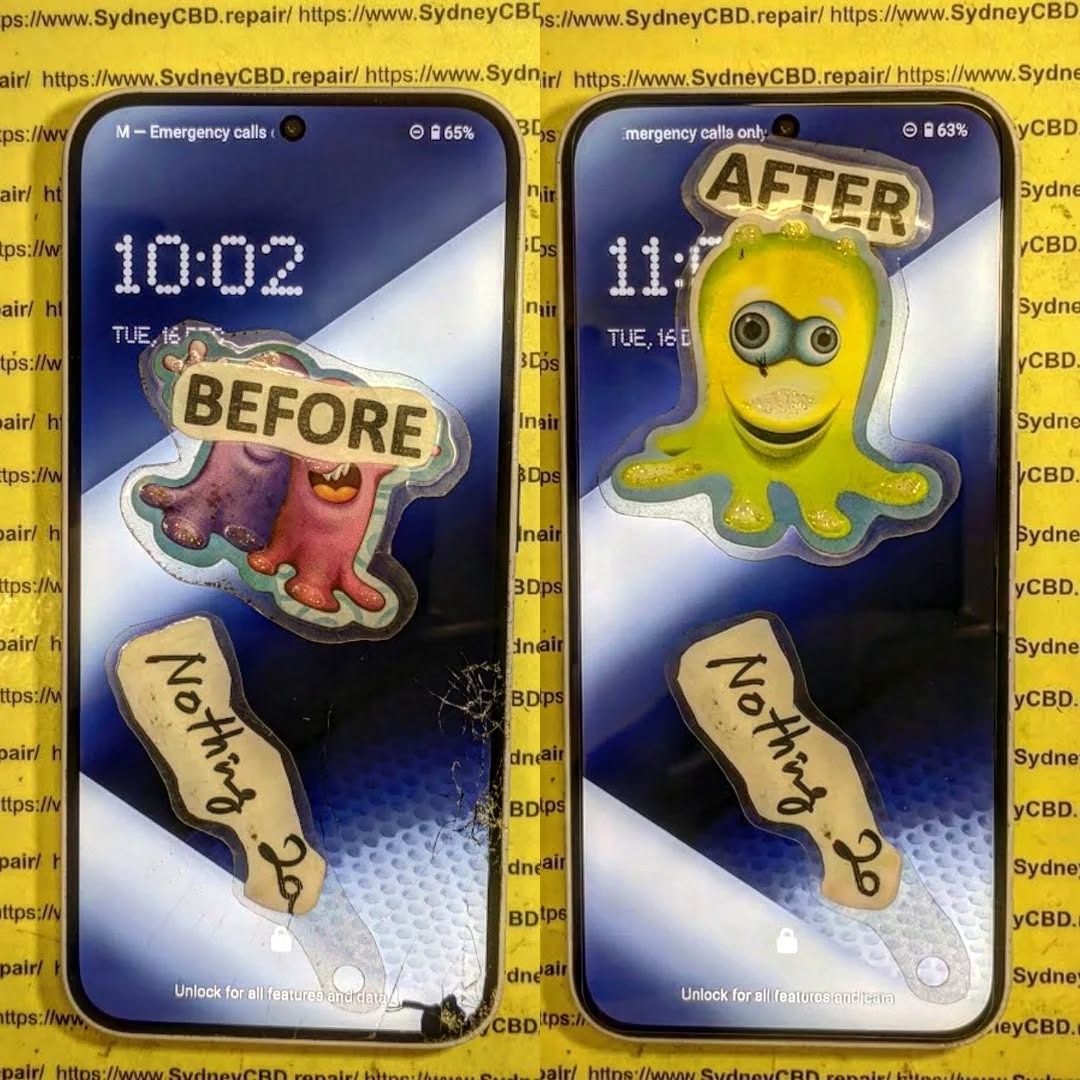
NOTHING PHONE 2a Screen Replacement Guide
The display is one of the most commonly repaired smartphone components.
A cracked or malfunctioning display often requires immediate replacement.
OLED Panel Structure
The Nothing Phone 2a features an AMOLED display composed of multiple layers:
- Protective glass
- Touch digitizer
- OLED panel
- Display flex cable
Damage to any of these layers can cause:
- Dead pixels
- Ghost touches
- Flickering
- Black screens
Frame vs Screen-Only Replacement
There are two main repair methods.
| Repair Type | Advantages | Disadvantages |
|---|---|---|
| Screen-Only | Lower cost | Requires advanced skill |
| Screen with Frame | Easier installation | Higher part cost |
Professional technicians often recommend screen-with-frame replacement because it reduces repair risk.
During the NOTHING PHONE 2a TEARDOWN, removing the display requires careful heating and adhesive separation.
Repairing the Unique Glyph Interface Components
One of the most delicate aspects of the device is repairing the Glyph lighting system.
Glyph Lighting Modules
The interface contains several LED strips arranged in patterns across the back panel.
These modules connect to the motherboard through flexible ribbon cables.
Functions include:
- Notification alerts
- Charging progress indicators
- Music visualizer effects
- Camera lighting
Because the system is integrated with the rear panel, repairs often require replacing the entire back assembly.
Common Glyph Repair Issues
Technicians frequently encounter these issues:
- LED segments not lighting
- Flickering lights
- Notification failures
- Damaged flex cables
In many cases, replacing the Glyph module assembly resolves these problems.
For more technical information about Nothing devices, you can explore the official site:
https://nothing.tech
Battery and Charging Port Replacement
Battery health naturally declines over time.
After about 500 charge cycles, many smartphone batteries begin to lose capacity.
Battery Removal Steps
The Phone 2a battery is secured using strong adhesive strips.
Removal steps include:
- Apply controlled heat.
- Pull adhesive tabs slowly.
- Lift battery using plastic tools.
Using metal tools is strongly discouraged because puncturing the battery can cause thermal runaway.
USB-C Port Repair
Charging issues often originate from the USB-C port.
Common causes include:
- Dust buildup
- Bent connector pins
- Liquid damage
Fortunately, the charging port sits on a separate daughterboard, making replacement easier compared to phones where the port is soldered to the motherboard.
Motherboard and Camera Components
At the heart of the device lies the motherboard.
This board houses:
- Processor
- RAM
- Storage
- Wireless chips
MediaTek Dimensity Chipset
The Phone 2a uses the MediaTek Dimensity 7200 Pro, which delivers strong mid-range performance with improved power efficiency.
Key benefits include:
- Smooth multitasking
- Efficient gaming performance
- Reduced battery consumption
Camera Module Replacement
The device includes dual 50MP cameras.
Replacement is relatively straightforward:
- Remove shielding brackets.
- Disconnect camera flex cables.
- Lift modules from the housing.
These modular components make camera repairs more manageable for experienced technicians.
Repairability Score and Durability Analysis
Based on the NOTHING PHONE 2a TEARDOWN, the device earns a respectable repairability score.
Pros:
- Modular charging port
- Accessible battery
- Organized internal layout
Cons:
- Strong adhesive on back glass
- Complex Glyph LED wiring
- Screen replacement difficulty
Overall repairability score: 7/10
This score suggests the phone is moderately repair-friendly compared with many sealed flagship devices.
Professional Repair vs DIY Repair
Many users wonder whether they should attempt repairs themselves.
Here’s a quick comparison.
| Factor | DIY Repair | Professional Repair |
|---|---|---|
| Cost | Lower | Higher |
| Risk | High | Low |
| Tools Required | Yes | No |
| Warranty | Often void | Often included |
For complex repairs like screen replacement or Glyph interface issues, professional repair services are usually the safer option.
Frequently Asked Questions
1. Is the NOTHING PHONE 2a TEARDOWN difficult?
The teardown is moderately challenging due to adhesive and the Glyph lighting connectors.
2. Can the Nothing Phone 2a screen be replaced easily?
Screen replacement requires heat and precision. Many technicians recommend replacing the screen with frame.
3. What makes the Glyph interface unique?
It uses programmable LED strips that provide notifications, charging indicators, and visual alerts.
4. How long does a professional repair take?
Most repairs can be completed within 1–2 hours, depending on the issue.
5. Is the battery replaceable?
Yes. The battery can be replaced once adhesive is removed and connectors are unplugged.
6. Does opening the phone void the warranty?
Yes, opening the device without authorization typically voids the manufacturer warranty.
Conclusion

The NOTHING PHONE 2a TEARDOWN provides valuable insight into the engineering behind one of today’s most distinctive smartphones.
From its transparent design to the innovative Glyph interface, the device blends style with functionality. While some repairs—such as screen replacement—require technical expertise, many components remain accessible to trained technicians.
Overall, the phone strikes a balance between visual innovation and reasonable repairability. For users who value both design and longevity, that’s a promising combination.
David from Sydney CBD Repair Centre – The Best place to fix mobile phones as 7 Years In A Row! Top Mobile Phone Repair In Sydney. More than 2000 Positive Reviews on Google and Same Day Repairs.
We take pride in delivering exceptional repair services for all major phone brands including Apple, Samsung, Google, and more. Our expert technicians use only genuine parts and offer 90days warranty on repairs. Located in the heart of Sydney CBD, we’re your one-stop solution for all mobile device repairs.
Our commitment to excellence has earned us the trust of thousands of satisfied customers. Whether it’s a cracked screen, battery replacement, or water damage repair, we handle it all with professional care and expertise. Walk in today and experience why we’re Sydney’s #1 choice for mobile phone repairs.
Visit us for:
✓ Same Day Express Repairs
✓ Genuine Parts Guarantee
✓ Professional Technicians
✓ Competitive Pricing
✓ 2000+ 5-Star Google Reviews
✓ 7-Time Award Winner for Best Phone Repairs
Sydney CBD Repair Centre – Where Quality Meets Reliability.
Call : +61280114119
Website: https://SydneyCBD.repair/locate-us

