




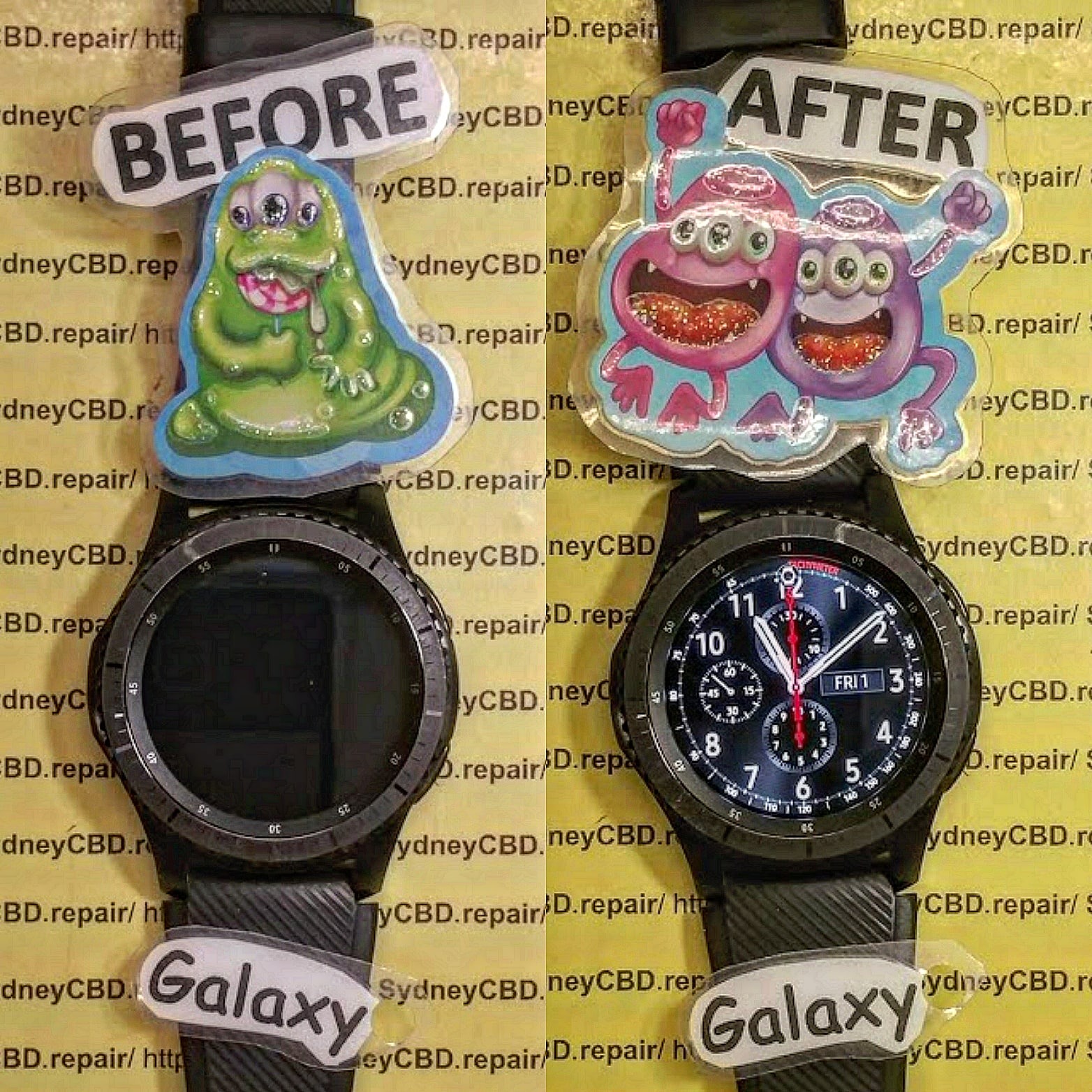
SURGICAL PRECISION! Galaxy Gear S3 Frontier Watch Battery Replacement and Gasket Resealing Sydney CBD

SURGICAL PRECISION! Galaxy Gear S3 Frontier Watch Battery Replacement and Gasket Resealing Sydney CBD + 7 Steps to Ensure Longevity
Introduction: Why Battery Health Matters for Your Gear S3 Frontier
In the world of wearable tech, few things are as frustrating as a smartwatch battery dying prematurely or losing its water resistance. The Galaxy Gear S3 Frontier is designed to withstand everyday wear and tear, but its battery and gaskets need occasional attention. In this article, we’ll guide you step-by-step on battery replacement and gasket resealing, ensuring your device continues to operate like new.
Your Gear S3 Frontier is more than just a smartwatch; it’s a hub for notifications, fitness tracking, and daily productivity. A weak or failing battery can compromise performance, cause unexpected shutdowns, and even reduce long-term device longevity. By addressing battery issues promptly and resealing gaskets correctly, you can protect your investment and maintain peak performance.
Understanding Your Gear S3 Frontier Battery
Battery Specifications and Lifespan
The Gear S3 Frontier features a 380mAh rechargeable lithium-ion battery designed for 2–3 days of typical usage. Over time, lithium-ion batteries lose capacity, usually after 18–24 months of daily charge cycles.
Key Features:
- Voltage: 3.85V
- Type: Lithium-ion
- Average Charge Cycles: 300–500
- Expected Lifespan: 2–3 years
Signs You Need a Battery Replacement
- Watch shuts down unexpectedly
- Battery percentage fluctuates rapidly
- Device fails to hold a full charge
- Overheating during charging
Tools and Materials Needed for a Safe Replacement
Essential Tools Checklist
- Precision screwdriver set
- Plastic spudger
- Tweezers
- ESD (Electrostatic Discharge) wrist strap
- Soft microfiber cloth
- Replacement gasket (if needed)
- New Gear S3 battery
Recommended Replacement Parts
Always opt for genuine Samsung batteries to ensure safety and longevity. Non-genuine batteries can swell, overheat, or damage internal circuits.
Step-by-Step Galaxy Gear S3 Frontier Battery Replacement Guide

Step 1: Power Down and Prepare Workspace
Begin by turning off your Gear S3. Use a clean, well-lit workspace, and lay out all tools to minimize the risk of losing small screws or components.
Step 2: Remove Back Cover Safely
- Use a precision screwdriver to loosen screws
- Carefully lift the back cover using a spudger
- Avoid prying with metal tools to prevent scratches
Step 3: Detach Battery Connector
- Locate the battery connector on the motherboard
- Gently lift the connector using a plastic tool
- Avoid bending pins or damaging the connector
Step 4: Remove Old Battery
- Carefully lift the battery from its compartment
- If adhesive is present, use slow, steady pressure
- Dispose of the old battery responsibly
Step 5: Install New Battery
- Place the new battery in the compartment
- Align contacts precisely
- Secure any adhesive without excess pressure
Step 6: Reconnect Battery and Test
- Reattach the connector
- Power on the watch to confirm battery functionality
- Verify charging and operational status
Step 7: Seal and Gasket Resealing
- Inspect the rubber gasket for damage
- Replace or clean the gasket if needed
- Ensure proper alignment to restore water resistance
- Tighten back cover screws in a cross pattern
Common Mistakes to Avoid During Replacement
- Using metal tools directly on battery contacts
- Forcing the back cover without gasket alignment
- Ignoring signs of adhesive or corrosion
- Using low-quality batteries
How Gasket Resealing Protects Your Smartwatch
Water Resistance and Longevity Benefits
Proper gasket resealing restores the IP68 water resistance of the Gear S3 Frontier, preventing damage from sweat, rain, or accidental splashes.
Proper Gasket Alignment Techniques
- Ensure gasket sits evenly in the groove
- Avoid stretching or twisting the rubber seal
- Lightly lubricate with silicone grease if recommended
Professional vs DIY Battery Replacement: Pros and Cons
| Aspect | Professional Repair | DIY Repair |
|---|---|---|
| Tools Required | Provided by service | Must purchase |
| Risk of Damage | Minimal | Higher if inexperienced |
| Warranty | Usually included | Often voids manufacturer warranty |
| Cost | Moderate | Lower, but risk of mistakes |
| Time | Fast | May take hours |
Maintaining Your Gear S3 Battery Between Replacements
Charging Habits That Extend Battery Life
- Avoid letting the battery fully drain frequently
- Charge between 20–80% whenever possible
- Use official Samsung chargers
Avoiding Heat and Environmental Damage
- Keep away from direct sunlight
- Avoid extreme temperatures
- Remove watch during high-heat workouts if possible
Frequently Asked Questions (FAQs)
Q1: Can I Replace the Battery Without Professional Help?
A: Yes, with proper tools and guidance. However, inexperienced users risk damaging the watch or voiding warranties.
Q2: How Often Should I Replace My Gear S3 Battery?
A: Typically every 2–3 years, depending on usage and charge cycles.
Q3: Will Resealing Gaskets Restore Water Resistance Completely?
A: Proper resealing restores most water resistance, but it’s not guaranteed for deep or prolonged submersion.
Q4: How Long Does a Replacement Take?
A: A professional repair usually takes 30–45 minutes; DIY may take 1–2 hours.
Q5: Are Genuine Samsung Parts Necessary?
A: Yes, they ensure safety, longevity, and proper fit. Non-genuine parts can cause swelling or operational issues.
Q6: Can a Faulty Battery Affect Watch Performance?
A: Absolutely. A failing battery can cause random shutdowns, slow performance, or overheating.
Conclusion: Keep Your Galaxy Gear S3 Frontier Running Smoothly

A timely battery replacement and proper gasket resealing can extend the life of your Galaxy Gear S3 Frontier. By following these steps and avoiding common pitfalls, you ensure your smartwatch stays reliable, accurate, and resistant to everyday hazards.
External Resources and References
David from Sydney CBD Repair Centre – The Best place to fix mobile phones as 7 Years In A Row! Top Mobile Phone Repair In Sydney. More than 2000 Positive Reviews on Google and Same Day Repairs.
We take pride in delivering exceptional repair services for all major phone brands including Apple, Samsung, Google, and more. Our expert technicians use only genuine parts and offer 90 days warranty on repairs. Located in the heart of Sydney CBD, we’re your one-stop solution for all mobile device repairs.
Visit us for:
✓ Same Day Express Repairs
✓ Genuine Parts Guarantee
✓ Professional Technicians
✓ Competitive Pricing
✓ 2000+ 5-Star Google Reviews
✓ 7-Time Award Winner for Best Phone Repairs
Sydney CBD Repair Centre – Where Quality Meets Reliability.
Call : +61280114119
Website: https://SydneyCBD.repair/locate-us

