




Recovering Data from a Smashed Galaxy S24 Ultra with Total Screen Replacement

Recovering Data from a Smashed Galaxy S24 Ultra with Total Screen Replacement – Ultimate Guide 7
Introduction to Data Recovery on Damaged Devices
Recovering data from a smashed Galaxy S24 Ultra with total screen replacement can feel overwhelming, especially when your phone holds valuable memories, work files, and personal information. When the screen is completely shattered and unresponsive, accessing data becomes a challenge—but not an impossible one.
Fortunately, modern smartphones like the Galaxy S24 Ultra are designed with robust internal storage systems that often remain intact even after severe display damage. That means your photos, contacts, and documents are likely still safe inside the device. The key is knowing how to retrieve them without causing further harm.
In this guide, we’ll walk you through everything you need to know—from understanding the device’s hardware to performing a full screen replacement and exploring alternative recovery methods. Whether you’re a technician or a DIY enthusiast, this guide will help you approach the situation with confidence.
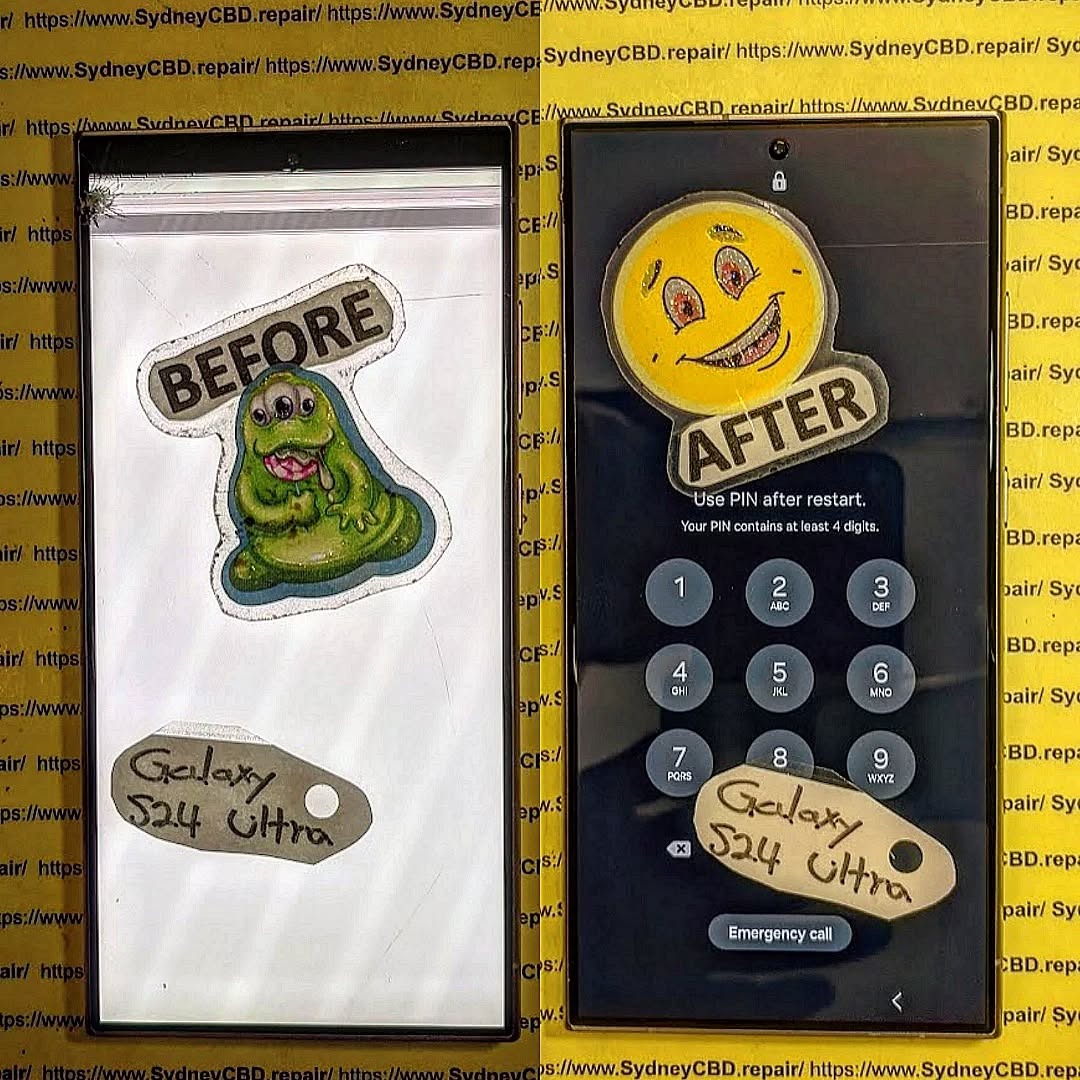
Understanding the Galaxy S24 Ultra Hardware
Display Assembly and Internal Components
The Galaxy S24 Ultra features a high-resolution AMOLED display fused with a digitizer and protected by durable glass. While the outer layer may shatter, the internal storage chip—where your data resides—is located on the motherboard and is typically unaffected by screen damage.
This separation is crucial. It means that even if the screen is completely unusable, your data may still be intact and recoverable through proper techniques.
Why Screen Damage Affects Data Access
Here’s the catch: although your data is safe, accessing it requires interaction with the device. A smashed screen often disables touch functionality or display output, making it difficult to unlock the phone or enable file transfer.
That’s why recovering data from a smashed Galaxy S24 Ultra with total screen replacement is often the most reliable solution. By restoring the display, you regain full control of the device.
Signs Your Data is Still Recoverable
Before proceeding, it’s important to determine whether your phone is still functional internally.
Device Powers On
If the phone vibrates, lights up, or shows signs of booting, that’s a good sign the motherboard is intact.
Vibrations and Notifications
Hearing notification sounds or feeling vibrations indicates the operating system is running in the background.
Recognized by Computer
If you connect your phone to a computer and it’s detected, your chances of successful data recovery are very high.
Preparing for Data Recovery

Tools Required
To safely perform a screen replacement, you’ll need:
- Heat gun or hairdryer
- Plastic pry tools
- Precision screwdriver set
- Replacement screen assembly
- Adhesive strips
- Anti-static gloves
Safety Precautions
Working with smartphones requires care. Always:
- Power off the device before starting
- Avoid overheating components
- Use proper tools to prevent internal damage
- Work in a clean, static-free environment
Recovering Data from a Smashed Galaxy S24 Ultra with Total Screen Replacement
This is the most effective method when the screen is completely unusable.
Step-by-Step Screen Replacement
Removing Broken Display
Start by heating the edges of the phone to soften the adhesive. Carefully use a pry tool to lift the shattered screen. Take your time—rushing can damage internal components.
Disconnect the display cable once the screen is removed.
Installing New Screen
Attach the new display by reconnecting the cable. Before sealing the phone, power it on to test functionality. If everything works, apply adhesive and secure the screen in place.
Powering On After Replacement
Once the new screen is installed, turn on the device. You should now have full access to your phone, allowing you to back up or transfer your data immediately.
Alternative Data Recovery Methods
If replacing the screen isn’t an option, there are other ways to recover your data.
Using Samsung Smart Switch
Samsung Smart Switch allows you to transfer data to another device or computer. If your phone can connect and is unlocked, this method is quick and effective.
Using USB Debugging
If USB debugging was enabled before the damage, you can connect your phone to a computer and access files using specialized software.
Cloud Backup Recovery
Check if your data is backed up to Samsung Cloud or Google Drive. Simply log in from another device and restore your files.
Professional Data Recovery Services
When to Seek Expert Help
If your phone doesn’t power on or isn’t recognized by a computer, it’s time to consult professionals. They have specialized tools to extract data directly from the motherboard.
While this option can be costly, it’s often the only solution for severely damaged devices.
Common Mistakes to Avoid
When recovering data from a smashed Galaxy S24 Ultra with total screen replacement, avoid these common pitfalls:
- Forcing the screen off without heating
- Using metal tools that can short components
- Ignoring static protection
- Attempting repairs without proper knowledge
These mistakes can turn a recoverable situation into permanent data loss.
Cost of Screen Replacement vs Data Recovery
Screen replacement is generally more affordable than professional data recovery services.
| Service | Estimated Cost |
|---|---|
| Screen Replacement | Moderate |
| Data Recovery Service | High |
If your goal is data retrieval, replacing the screen is usually the most cost-effective option.
Preventing Future Data Loss
Backup Strategies
Always keep your data backed up:
- Enable automatic cloud backups
- Use external storage devices
- Schedule regular backups
Protective Accessories
Investing in protection can save you from future headaches:
- Shockproof cases
- Tempered glass screen protectors
- Waterproof pouches
FAQs
1. Can I recover data without replacing the screen?
Yes, but only if the phone is still responsive or connected to a computer. Otherwise, screen replacement is the best option.
2. Is data lost when the screen breaks?
No, the data is stored on the internal memory chip, not the screen.
3. How long does screen replacement take?
Typically, it takes 1–2 hours for an experienced technician.
4. Is it safe to replace the screen myself?
It can be safe if you have the right tools and experience. Otherwise, professional help is recommended.
5. What if my phone doesn’t turn on?
You may need professional data recovery services, as the issue could be motherboard-related.
6. Will replacing the screen delete my data?
No, screen replacement does not affect stored data.
Conclusion

Recovering data from a smashed Galaxy S24 Ultra with total screen replacement is not only possible—it’s often the most reliable solution. While the damage may seem catastrophic, your data is usually सुरक्षित inside the device, waiting to be retrieved.
By carefully replacing the screen or using alternative methods, you can regain access to your valuable files without unnecessary stress. And moving forward, adopting better backup habits and protective measures will ensure you’re never caught off guard again.
David from Sydney CBD Repair Centre – The Best place to fix mobile phones as 7 Years In A Row! Top Mobile Phone Repair In Sydney. More than 2000 Positive Reviews on Google and Same Day Repairs.
We take pride in delivering exceptional repair services for all major phone brands including Apple, Samsung, Google, and more. Our expert technicians use only genuine parts and offer 90days warranty on repairs. Located in the heart of Sydney CBD, we’re your one-stop solution for all mobile device repairs.
Our commitment to excellence has earned us the trust of thousands of satisfied customers. Whether it’s a cracked screen, battery replacement, or water damage repair, we handle it all with professional care and expertise. Walk in today and experience why we’re Sydney’s #1 choice for mobile phone repairs.
Visit us for:
✓ Same Day Express Repairs
✓ Genuine Parts Guarantee
✓ Professional Technicians
✓ Competitive Pricing
✓ 2000+ 5-Star Google Reviews
✓ 7-Time Award Winner for Best Phone Repairs
Sydney CBD Repair Centre – Where Quality Meets Reliability.
Call : +61280114119
Website: https://SydneyCBD.repair/locate-us

