




Troubleshooting Flashing Red Light After Battery Replacement Solved by Experts

Troubleshooting Flashing Red Light After Battery Replacement: Solved by Experts + 7 Proven Fixes
Introduction
Replacing a device battery should be a straightforward process, but sometimes things don’t go as planned. One of the most alarming issues users face after a battery replacement is a flashing red light. This blinking indicator can be confusing and worrisome, signaling potential problems with the device, battery, or internal circuitry.
A flashing red light is not merely a cosmetic annoyance—it’s a warning. It can indicate improper battery installation, faulty or incompatible batteries, or even underlying hardware and software issues. Left unchecked, it may lead to device malfunction, battery damage, or a complete failure of the device.
In this article, we’ll guide you step-by-step through understanding why the flashing red light occurs, how to troubleshoot it safely, and expert-recommended solutions to resolve it. You’ll also learn preventative tips to avoid future occurrences, so your device remains reliable and safe. Whether you’re a DIY enthusiast or prefer professional assistance, this guide has everything you need to tackle the issue confidently.
By following these expert insights, you can restore your device to full functionality while protecting both the battery and internal components. Let’s dive in and uncover how to fix the flashing red light after a battery replacement, ensuring peace of mind and a fully operational device.
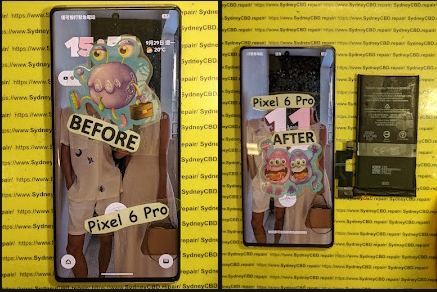
Understanding the Flashing Red Light Issue
A flashing red light after battery replacement is more than a mere inconvenience. It signals that something isn’t functioning correctly within your device. Whether it’s a smartphone, tablet, or other battery-operated gadget, this indicator is critical. Ignoring it can lead to device damage or even permanent battery failure.
The red light is essentially a warning system. Typically, it appears immediately after a new battery installation or after power cycling your device. But why does this happen? Understanding the root causes is the first step to resolving the issue efficiently.
Common Causes of Flashing Red Light After Battery Replacement
- Battery Malfunction – New batteries may be faulty or incompatible with your device.
- Improper Installation – Loose connections, misaligned terminals, or damaged connectors can trigger alerts.
- Software Conflicts – Firmware or operating system issues sometimes fail to recognize the new battery.
- Internal Hardware Damage – Overheating, short circuits, or motherboard issues may contribute.
- Power Supply Irregularities – Chargers or power adapters delivering inconsistent voltage can cause red light warnings.
Why Immediate Action is Crucial
Failing to address a flashing red light promptly may lead to severe outcomes such as:
- Battery swelling or leakage
- Permanent hardware damage
- Reduced device lifespan
- Voiding manufacturer warranty
Immediate intervention not only safeguards your device but ensures optimal battery performance over time.
Preparing for Troubleshooting
Before tackling the issue, preparation is key. A systematic approach minimizes risk and improves success rates.
Safety Measures Before Opening Your Device
- Power off the device completely
- Disconnect all external power sources
- Use anti-static wristbands to avoid electrical damage
- Work in a clean, well-lit area
Tools Required for Battery Replacement Check
- Precision screwdrivers
- Multimeter for voltage testing
- Thermal gloves to prevent burns
- Cleaning brushes or cotton swabs for connectors
Step-by-Step Troubleshooting Guide

Now comes the core of the solution: actionable steps to fix the flashing red light issue.
Inspect the Battery Connection
- Remove the battery carefully
- Check connectors for corrosion or dust
- Re-seat the battery ensuring firm, even contact
Check for Software or Firmware Issues
- Perform a soft reset of your device
- Update firmware to the latest version
- Calibrate the battery if your device supports it
Identify Hardware Faults
- Inspect internal circuitry for visible damage
- Look for signs of burnt components or swelling
- Use a multimeter to check for continuity and voltage irregularities
Testing Battery Health
- Measure voltage using a multimeter
- Compare with manufacturer’s specifications
- Conduct capacity testing to ensure full charge potential
Advanced Fixes
If standard troubleshooting fails, these advanced solutions may resolve persistent flashing red light problems.
Replacing the Battery with Genuine Parts
OEM (Original Equipment Manufacturer) batteries ensure compatibility and safety. Avoid cheap alternatives as they may trigger recurring red light warnings.
Resetting Device Hardware
- Soft Reset: Minor resets that clear temporary glitches
- Hard Reset: Restores device to factory settings, eliminating software conflicts
Firmware Reinstallation
Reinstalling the device’s firmware can eliminate firmware corruption or miscommunication with the new battery. Follow manufacturer instructions carefully to prevent data loss.
Expert Tips to Prevent Future Issues
Prevention is better than repair. Implementing a few practices can prevent flashing red light scenarios in the future.
Battery Care Best Practices
- Avoid overcharging or deep discharges
- Keep devices at optimal temperature ranges
- Replace batteries before they degrade significantly
Regular Software Updates
- Update your device firmware regularly
- Ensure app compatibility with new battery management systems
When to Seek Professional Help
Certain signs indicate it’s time to consult an expert:
- Persistent flashing red light despite troubleshooting
- Physical damage or swelling of battery
- Unfamiliar noises or overheating
- Error messages related to power management
Professional Repair Services
Sydney CBD Repair Centre specializes in battery replacements and complex repairs. Our technicians use genuine parts and provide a 90-day warranty for peace of mind. Learn more here: Sydney CBD Repair Centre.
FAQs
1. What does a flashing red light mean after battery replacement?
It typically signals a connection issue, battery incompatibility, or firmware miscommunication.
2. Can I fix a flashing red light myself?
Yes, if you follow safety precautions and perform systematic troubleshooting. However, professional help is recommended for persistent issues.
3. How long should the red light last?
If the battery and device are functioning properly, the light should disappear immediately or after the first full charge.
4. Are all replacement batteries safe?
No. Only OEM or certified batteries ensure proper compatibility and safety.
5. Can software updates fix the red light issue?
Yes. Firmware or battery management software updates often resolve recognition problems.
6. What happens if I ignore a flashing red light?
Ignoring it may lead to battery damage, device malfunction, or voiding of warranty.
Conclusion

Flashing red lights after battery replacement are more than a simple warning—they’re your device’s way of alerting you to potential issues. By understanding the causes, following step-by-step troubleshooting, and implementing preventative measures, you can restore your device to optimal function safely. And when in doubt, consulting professional services like Sydney CBD Repair Centre ensures fast, reliable, and expert repair.
David from Sydney CBD Repair Centre – The Best place to fix mobile phones as 6 Years In A Row! Top Mobile Phone Repair In Sydney. More than 2000 Positive Reviews on Google and Same Day Repairs.
Visit us for:
✓ Same Day Express Repairs
✓ Genuine Parts Guarantee
✓ Professional Technicians
✓ Competitive Pricing
✓ 2000+ 5-Star Google Reviews
✓ 6-Time Award Winner for Best Phone Repairs
Sydney CBD Repair Centre – Where Quality Meets Reliability.
Call : +61280114119
Website: https://SydneyCBD.repair/locate-us

