


How to diagnose and fix a screen that flickers or goes blank

How to Diagnose and Fix a Screen That Flickers or Goes Blank – Top 14 Solutions for Mobile Display Issues
📱 Introduction
Has your phone screen suddenly started flickering, flashing, or even going completely black for no reason? You’re not alone. This is one of the most common issues reported by smartphone users, especially as devices age or after accidental drops.
In this guide, you’ll learn how to diagnose and fix screen flickering or blank display problems using tried-and-tested solutions—and when it’s time to bring your device to Sydney CBD Repair Centre for expert help.
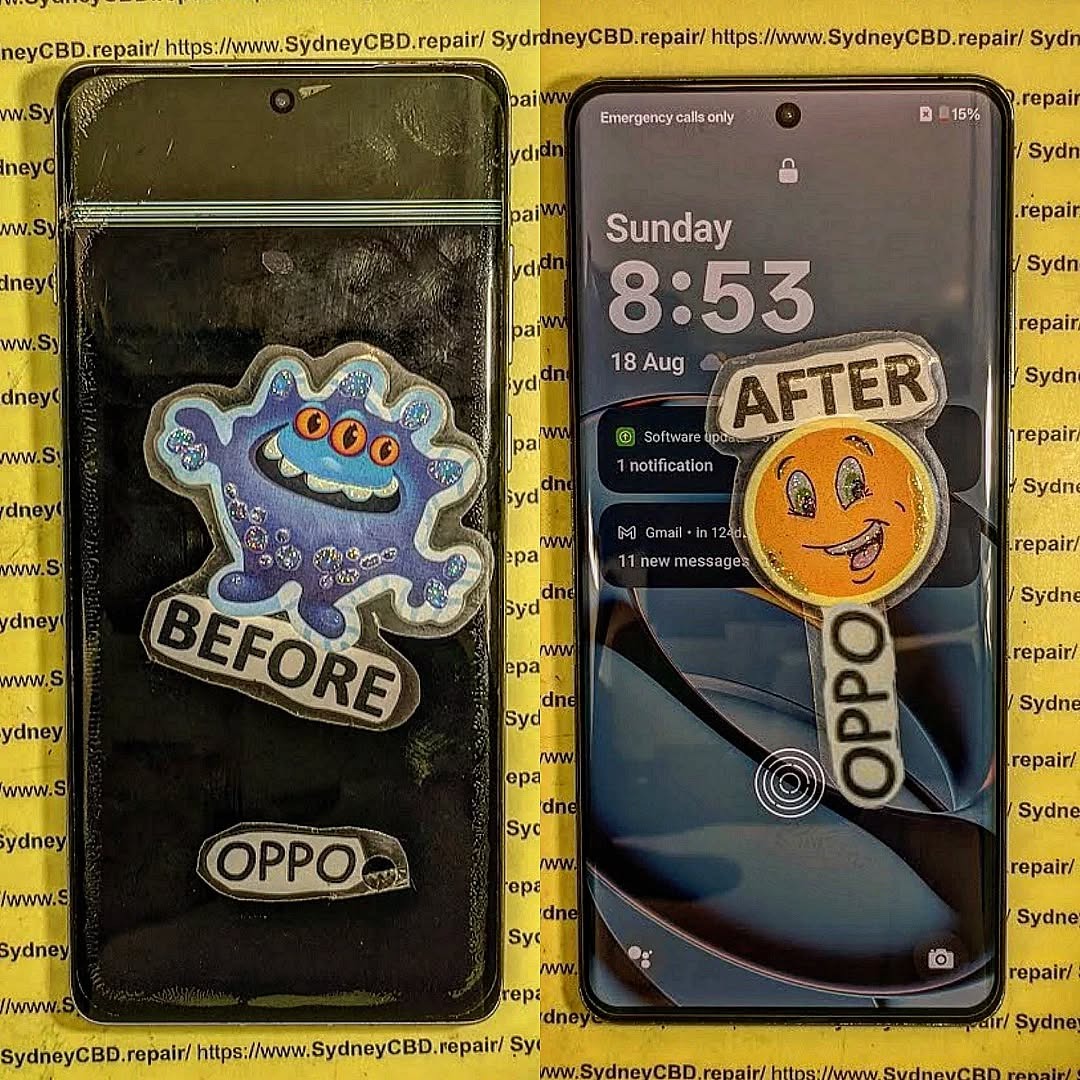
🧠 What Causes Screen Flickering or Blank Displays?
Common culprits include:
- Loose display connectors
- Physical damage to the screen
- Software bugs or system corruption
- Failing GPU or internal circuits
- Incompatible apps or malware
Understanding the cause is the first step toward an effective fix.
🧐 Signs and Symptoms to Watch For
You may be dealing with screen flicker or blank display issues if you notice:
- Flashing white/green/purple lines
- Screen randomly goes black but audio continues
- Brightness flickers automatically
- Ghost touches or delayed response
- Screen comes back after a tap or twist
🧰 Quick Checks Before You Start Repairs
Before jumping to conclusions:
- Restart your phone
- Check for updates
- Remove screen protectors or cases
- Boot in safe mode
These simple steps often eliminate temporary glitches.
🔌 Problem 1: Loose Display Connector
Symptoms: Screen turns off intermittently, responds to slight pressure or shaking.
Fix:
This is usually hardware-related. A technician can:
- Open the device safely
- Reseat or replace the display connector
- Ensure firm contact with the logic board
✅ Sydney CBD Repair Centre handles this with precision and anti-static tools.
💾 Problem 2: Software Bugs or Glitches
Symptoms: Flickering after software updates, random blackouts
Fixes:
- Update your phone OS
- Wipe cache partition in recovery mode
- Perform a soft or factory reset
If flicker began after a major update, a patch fix may be released by the manufacturer soon.
🛠️ Problem 3: App Conflicts or Malware
Symptoms: Flicker occurs only when using certain apps
Fixes:
- Reboot in Safe Mode to check app behavior
- Uninstall suspicious or recently installed apps
- Run a malware scan
Apps with bad coding or ads can trigger screen issues.
🧑💻 Problem 4: Faulty Display Driver
Drivers control how your screen communicates with the system.
Fix:
You may need a firmware reflash to reset drivers. This should be done by professionals like those at Sydney CBD Repair Centre.
🧨 Problem 5: Damaged LCD or OLED Panel
Symptoms: Ghost images, vertical lines, green tints, screen completely blank
Causes:
- Drop or pressure damage
- Manufacturing defects
- Water exposure
Fix: Full screen replacement. Our team uses OEM-quality LCD/OLED panels with same-day service.
🌗 Problem 6: Low Brightness or Auto Brightness Malfunction
Symptoms: Screen looks black but device is running
Fixes:
- Turn off Adaptive Brightness
- Manually increase brightness via settings
- Use Samsung Members or iPhone Diagnostics to test the ambient light sensor
🗂️ Problem 7: Corrupted Cache or System Files
Fixes:
- Boot into recovery mode
- Select “Wipe cache partition”
- Avoid “Factory Reset” unless you back up data
Corrupted system files can cause screen blinking or freezing during usage.
🔋 Problem 8: Battery or Power Supply Problems
Power instability can cause flickers or shutdowns.
Fixes:
- Replace worn-out battery
- Avoid fast chargers from third-party brands
- Check battery usage and health in settings
Sydney CBD Repair Centre offers quick and safe battery replacements using genuine parts.
🔧 Problem 9: Faulty Motherboard or GPU
Symptoms: Permanent flicker, screen won’t turn on at all
Fix:
Advanced board-level diagnostics required. If the GPU or related circuits are failing, a micro-soldering repair may be needed—something only certified technicians like ours can handle.
🛠️ DIY Fixes vs Professional Repairs
| Task | DIY | Professional |
|---|---|---|
| Reboot & Safe Mode | ✅ Easy | ✅ Done |
| App Removal | ✅ | ✅ |
| Cache Wipe | ⚠ Requires Recovery Access | ✅ Safe |
| Display Connector Fix | ❌ Not Recommended | ✅ Yes |
| OLED Replacement | ❌ Needs Tools | ✅ Same Day |
| Software Reflash | ❌ Risky | ✅ Clean Process |
Unless you’re experienced, DIY is risky for hardware-related issues.
🏥 When to Visit Sydney CBD Repair Centre

Visit us if:
- Screen flickers persist after software resets
- You’ve recently dropped or cracked the device
- You suspect liquid damage
- Your phone is underperforming across multiple apps
We use premium tools, genuine parts, and offer a 90-day repair warranty.
❓ FAQs
1. Can flickering screens be fixed permanently?
Yes, especially if the cause is hardware-based and the right repair is done.
2. Will a screen protector cause flickering?
Rarely, but if it presses too hard on the screen, it might cause ghost touches.
3. How much does screen replacement cost?
Depends on the model. Contact Sydney CBD Repair Centre for an accurate quote.
4. Can a factory reset fix flickering?
Only if the problem is software-related.
5. Should I keep using a flickering screen?
No—it can get worse or damage internal components. Get it checked promptly.
✅ Final Thoughts
A flickering or blank screen isn’t just annoying—it could signal serious damage. Don’t ignore it. Start with basic checks and diagnose the issue properly. If in doubt, trust a professional.
📞 Call to Action – Get Your Screen Fixed Today
📍 Sydney CBD Repair Centre – Where Quality Meets Reliability
🛠️ Same Day Express Repairs | OEM Parts | 90-Day Warranty
🌟 2000+ 5-Star Reviews | 6-Time Award Winner for Best Phone Repairs
👉 Call Now: +61280114119
👉 Find Us: https://SydneyCBD.repair/locate-us

