


Pixel 8 Pro Teardown: Heat Management Woes

Pixel 8 Pro Teardown: Heat Management Woes and Repair Insights
Introduction: Pixel 8 Pro and the Heat Debate
Google’s Pixel 8 Pro is one of the most advanced Android smartphones on the market, boasting the powerful Tensor G3 chipset, AI-driven features, and a world-class camera. But as the teardown shows, one of its biggest challenges isn’t performance—it’s heat management.
With compact designs and power-hungry processors, heat buildup is a recurring issue. The Pixel 8 Pro teardown highlights both the brilliance and the limitations of Google’s thermal engineering choices.
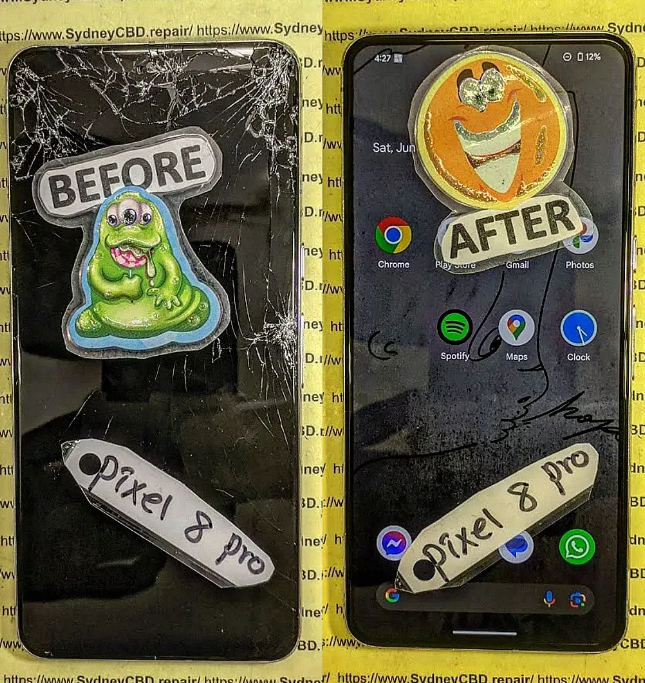
Inside the Pixel 8 Pro: Teardown Highlights
Slim Profile and Component Density
The Pixel 8 Pro’s slim build leaves little room for airflow or cooling components, making heat harder to dissipate.
Battery and Heat Distribution
The large battery sits near the logic board, absorbing and redistributing heat during heavy use or charging.
Thermal Paste and Copper Heat Pipes
Google uses copper heat spreaders and thermal paste, but compared to competitors like Samsung and Apple, the cooling system is relatively modest.
Motherboard Placement and Cooling Challenges
The motherboard is positioned near the camera housing, which generates extra heat during extended photo and video sessions.
Why Heat Management Is a Struggle in Pixel 8 Pro
High-Performance Tensor G3 Chipset
The custom-built Tensor G3 chip delivers AI performance but consumes more power, producing noticeable heat under stress.
Limited Internal Cooling Space
The Pixel’s compact design sacrifices extra vapor chambers or advanced cooling systems that gaming phones often use.
Software Optimization and Heat Regulation
Software updates try to regulate heat by throttling performance, but this can leave users frustrated with slower speeds under load.
Common Heat-Related Issues in Pixel 8 Pro
Battery Overheating and Swelling
Constant overheating can cause battery wear, swelling, or sudden shutdowns.
Performance Throttling During Gaming
Gamers often notice frame drops or reduced brightness due to thermal throttling.
Camera Module Heating Problems
Extended 4K recording heats up the camera housing, sometimes disabling functions until the device cools.
Charging-Induced Overheating
Using fast charging while multitasking generates additional heat, stressing both the charger and the phone.
Repair Insights from the Teardown
Replacing Thermal Paste and Pads
Worn-out thermal paste and pads can be replaced to improve cooling efficiency.
Battery Safety and Cooling Checks
Technicians check for swelling or overheating indicators to decide whether a battery replacement is needed.
Motherboard Rework and Heat Redistribution
Microsoldering experts can improve heat distribution by reworking solder points and IC chips.
Cleaning and Reapplying Adhesive Seals
Dust and degraded adhesive seals affect thermal flow; resealing improves both cooling and water resistance.
DIY Fixes vs Professional Heat Management Repairs
Simple User-Level Fixes
- Avoid gaming while charging.
- Use certified fast chargers.
- Keep the phone out of direct sunlight.
- Update software regularly.
Why Professional Repairs Are Essential
Professional repair shops use thermal cameras, ultrasonic cleaners, and OEM-grade parts to diagnose and fix deep-rooted heat problems.
How Sydney CBD Repair Centre Tackles Pixel 8 Pro Overheating

Advanced Diagnostic Tools
We use infrared thermal scanners and professional-grade testing equipment to pinpoint overheating sources.
OEM-Grade Replacement Parts
Only genuine Pixel parts are used to restore performance and maintain long-term reliability.
Real Case Studies of Pixel 8 Pro Repairs
- A Pixel 8 Pro with constant overheating repaired by reapplying thermal paste and replacing a faulty battery.
- A camera overheating issue fixed by reseating the motherboard and improving insulation.
- A charging port replacement that resolved overheating during charging cycles.
👉 Learn more about Google Pixel repair guidance here: Google Pixel Support
FAQs: Pixel 8 Pro Heat and Repair
Q1: Why does my Pixel 8 Pro overheat so quickly?
The Tensor G3 processor and compact design generate more heat, especially under heavy use.
Q2: Can overheating damage the Pixel 8 Pro battery?
Yes, prolonged heat exposure shortens battery lifespan and may cause swelling.
Q3: How can I prevent my Pixel 8 Pro from overheating?
Avoid gaming while charging, use original accessories, and keep apps updated.
Q4: Is overheating covered under warranty?
Google’s warranty usually covers defective batteries or components, but not damage caused by misuse.
Q5: Can professional repair shops fix Pixel 8 Pro overheating?
Yes, experts can replace thermal materials, faulty batteries, or repair motherboard heat issues.
Q6: How long does Pixel 8 Pro heat-related repair take?
Most repairs take 1–2 hours at Sydney CBD Repair Centre.
Conclusion: Managing Heat for a Longer Pixel 8 Pro Lifespan
The Pixel 8 Pro’s teardown reveals heat management woes that can impact performance and long-term reliability. But overheating isn’t the end of the road—professional repair solutions exist.
At Sydney CBD Repair Centre, we specialize in addressing these challenges with genuine parts, advanced tools, and same-day service. So if your Pixel 8 Pro feels like it’s burning up, remember: overheating can be fixed, and your device’s lifespan can be extended.

