




DIY screen replacement for Google Pixel 4a: common mistakes to avoid

DIY Screen Replacement for Google Pixel 4a – 7 Common Mistakes to Avoid
Introduction to Pixel 4a Screen Repair
The Google Pixel 4a is a well-regarded device for its balance of performance and affordability. However, like any smartphone, it’s vulnerable to cracked screens and display issues. While many users are tempted to save money by doing their own screen replacement, the Pixel 4a has a few design quirks that can make DIY repairs risky if not done correctly.
Let’s walk through the key tools, safety steps, and most importantly — the common mistakes to avoid when replacing your Pixel 4a screen yourself.
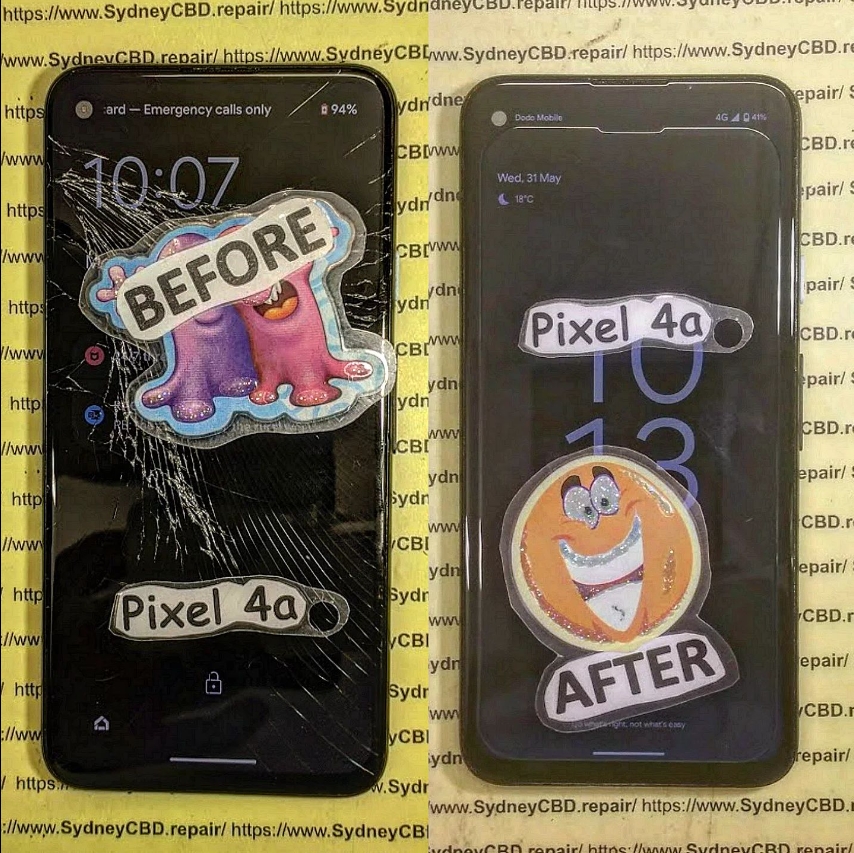
Tools You Need for DIY Screen Replacement
To safely replace the screen, gather the following:
- Plastic pry tools
- Suction cup tool
- Heat gun or hot plate
- Phillips and Torx screwdrivers
- Isopropyl alcohol (90%+)
- Tweezers
- OEM replacement screen
- Anti-static gloves or wrist strap
- Microfiber cloth
Missing even one essential tool can complicate the job or damage components inside the phone.
Safety Tips Before Beginning the Repair
- Backup your data: Any repair comes with a risk of data loss.
- Power off the device completely.
- Work on a static-free surface with proper lighting.
- Avoid metal tools when prying open the phone to prevent shorts.
- Keep small screws organized — the Pixel 4a uses several different sizes.
Taking a few minutes to prepare your workspace will make your repair smoother and safer.
Top 7 Common DIY Mistakes and How to Avoid Them
1. Not Powering Off the Phone First
Many DIYers forget to turn the phone off before opening it. This is dangerous — it can lead to short circuits or electric shock. Always power down the device completely before attempting any repair.
2. Skipping the Battery Disconnect Step
Even after powering off, the battery still holds a charge. Failing to disconnect it increases the risk of damage. Always remove the battery connector before handling display or motherboard components.
3. Using Excessive Force on the Display
Pixel 4a screens are adhered tightly. Applying too much pressure while prying can crack the LCD or damage internal components. Use controlled heat and gentle, even pressure with plastic tools to lift the screen.
4. Damaging the Fingerprint Sensor Cable
The rear-mounted fingerprint sensor cable is thin and fragile. If you yank the back cover off too quickly, you may tear the flex cable. Disconnect it slowly and carefully using tweezers.
5. Using Low-Quality or Non-OEM Screens
Cheaper replacement screens may fit, but they often have issues:
- Dim brightness
- Poor touch sensitivity
- No fingerprint sensor support
To retain full functionality, use only OEM-quality parts.
6. Forgetting to Clean and Align Components
Dirt, leftover adhesive, or misaligned parts can cause:
- Screen lift-off
- Flex cable pinching
- Overheating
Always clean the frame and align the screen carefully before sealing the phone shut.
7. Rushing Reassembly Without Testing
Test the new screen before sealing the phone. Connect the screen, power on the phone, and check:
- Touch response
- Display quality
- Fingerprint sensor
- Front camera alignment
This gives you a chance to fix any issues before fully closing the device.
Why OEM Parts Matter in a Pixel 4a Repair
Pixel phones are designed to work best with Google-certified components. Using OEM parts ensures:
- Accurate color reproduction
- Fast and reliable fingerprint recognition
- Strong adhesive bonding
- Long-lasting performance
At Sydney CBD Repair Centre, we use only genuine OEM screens for all Google Pixel repairs.
Professional vs. DIY: What’s the Better Option?
| Factor | DIY Repair | Professional Repair |
|---|---|---|
| Cost | Lower upfront, but risky | Slightly higher, but guaranteed results |
| Risk of Damage | High (especially for first-timers) | Minimal with expert handling |
| Repair Time | 2–4 hours (or more) | 30–90 minutes |
| Warranty | None (unless parts have limited warranty) | Yes – often 90 days or more |
| Fingerprint Sensor Work | Not guaranteed | Calibrated professionally |
If you value your phone and want peace of mind, professional repair is often worth the investment.
Advantages of Getting Repairs at Sydney CBD Repair Centre

David and the team at Sydney CBD Repair Centre offer:
- Same day repairs on most Google Pixel models
- 90-day warranty on all screen replacements
- Only genuine Google Pixel parts used
- Expert handling of fingerprint sensors and flex cables
- Over 2000+ 5-star Google reviews
- Competitive pricing and 6-time award-winning service
📍 Located in the heart of Sydney CBD
🔗 Find us here
📞 Call us: +61280114119
FAQs
1. Can I replace the Pixel 4a screen myself?
Yes, but it’s not easy. The Pixel 4a’s screen is glued tightly, and the fingerprint sensor and display cables are delicate. DIY is possible but risky for first-timers.
2. What if I damage the fingerprint sensor?
If the cable is torn or the connector is damaged, the fingerprint sensor may no longer work. Repairs may then require replacing the entire module or back housing.
3. How long does a DIY screen replacement take?
2–4 hours on average, depending on your experience and tools.
4. How much does professional screen replacement cost?
At Sydney CBD Repair Centre, prices for Pixel 4a screen replacement typically range from $180 to $240, depending on part availability and warranty.
5. Will using a cheap screen affect my phone?
Absolutely. Poor-quality screens may have bad touch response, weak brightness, and poor color accuracy — plus they often don’t support fingerprint sensors.
6. Do you offer same-day Pixel repairs?
Yes! Most Google Pixel repairs, including the Pixel 4a, are completed same-day at our Sydney CBD location.
Conclusion
DIY screen replacement on a Google Pixel 4a might seem like a smart way to save money, but it comes with serious risks. One wrong move can damage your device further — especially if you’re not equipped with the right tools or OEM parts. By avoiding the 7 common mistakes above, you can reduce the risk and improve your chances of success.
However, for guaranteed results, expert workmanship, and peace of mind, trust the professionals at Sydney CBD Repair Centre. We’re your go-to for fast, reliable, and affordable screen replacements with genuine parts and professional care.

