


ASMR Restoration: Reviving a Water-Damaged Samsung S25 Ultra in Sydney

ASMR Restoration: Reviving a Water-Damaged Samsung S25 Ultra in Sydney + 7 Proven Techniques
Introduction
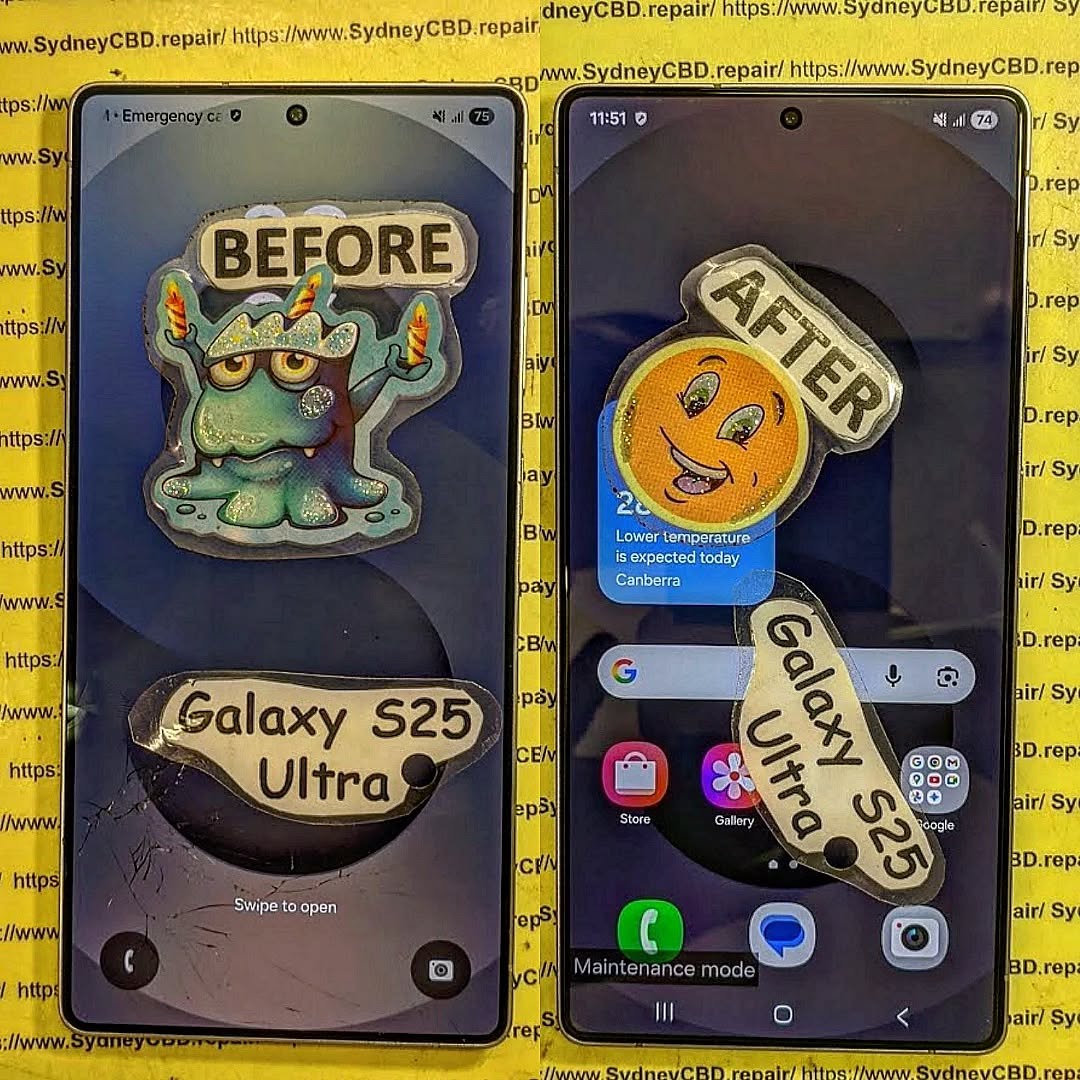
Water damage is one of the most common and devastating issues a smartphone owner can face, and when it happens to a premium device like the Samsung S25 Ultra, the stakes are even higher. A single drop of liquid can interfere with sensitive internal components, causing unresponsive screens, erratic battery behavior, or even total device failure. In Sydney, where mobile devices are an essential part of daily life, professional repair services have perfected the art of restoring water-damaged phones through ASMR restoration techniques—a meticulous process that focuses on reviving devices while preserving their original functionality.
This article will guide you through understanding water damage in Samsung S25 Ultra devices, immediate actions to minimize harm, professional restoration procedures, DIY options, and preventive strategies to safeguard your phone. By the end, you’ll know how to act quickly, choose the right repair solution, and protect your device from future accidents, ensuring that your Samsung S25 Ultra continues to function smoothly for years to come.
Water damage is a nightmare for any smartphone owner, especially for premium devices like the Samsung S25 Ultra. Even a few drops of liquid can compromise sensitive electronics, resulting in malfunctioning screens, unresponsive touch features, or total system failure. Fortunately, expert repair services in Sydney specialize in ASMR restoration techniques that bring water-damaged devices back to life while preserving data and functionality. This article will provide a comprehensive guide on handling water damage, professional restoration methods, and preventive measures.
Understanding Water Damage in Samsung S25 Ultra
Water can infiltrate your device through various entry points, causing immediate or delayed problems. Understanding how water affects your Samsung S25 Ultra is critical for taking the right action.
Common Causes of Water Damage
- Spills and Accidents: Coffee, soda, or even water bottles leaking in bags or pockets.
- Environmental Exposure: Rain, snow, or humidity while carrying your phone outdoors.
- Device Mishandling: Dropping your phone in sinks, toilets, or swimming pools.
- Condensation: Rapid temperature changes causing moisture accumulation internally.
Signs Your Samsung S25 Ultra is Water-Damaged
- Flickering or unresponsive screen
- Random shutdowns or boot loops
- Battery draining faster than usual
- Unusual sounds or overheating
- Charging port corrosion or malfunction
- Moisture indicators showing water contact
Early detection is key to preventing permanent damage. If you notice any of these signs, act quickly.
Immediate Actions to Take After Water Exposure
Time is of the essence when handling water damage. Follow these immediate steps:
Power Off and Disconnect Accessories
Turning off your Samsung S25 Ultra immediately reduces the risk of short circuits. Disconnect all chargers, headphones, and other peripherals.
Remove SIM, SD Cards, and Battery (if removable)
Extracting removable components prevents corrosion and data loss. Even if the battery isn’t removable, avoid powering the device.
Drying Techniques: What Works and What Doesn’t
- Effective Methods: Silica gel packets, professional drying cabinets, or compressed air at low pressure.
- Myths to Avoid: Rice method may absorb moisture but often leaves starch residues, potentially worsening damage.
Professional Repair vs DIY Restoration

While some DIY approaches can help, professional restoration is more reliable, especially for high-end devices like the Samsung S25 Ultra.
When to Seek Expert Help in Sydney
- Visible corrosion on internal components
- Persistent malfunction after initial drying
- Data recovery is a priority
- Expensive replacement costs justify professional repair
DIY Methods That Can Help
- Using silica gel packets for short-term moisture absorption
- Avoiding power-on until thoroughly dried
- Gentle air-drying (avoid hair dryers or heat sources)
Step-by-Step ASMR Restoration Process
Professional technicians follow a meticulous process that maximizes device survival.
Disassembly and Inspection
The phone is carefully opened, and each component is examined for corrosion, residue, or water damage.
Ultrasonic Cleaning and Drying
Specialized ultrasonic machines clean PCBs and connectors. Controlled drying ensures no moisture remains.
Component Replacement and Testing
Damaged screens, batteries, or internal boards are replaced. Every function is tested thoroughly to ensure full restoration.
Preventive Measures to Avoid Future Water Damage
Using Protective Accessories
- Waterproof cases and pouches
- Screen protectors with moisture-resistant coatings
Behavioral Changes
- Avoid using phones near water
- Store in temperature-stable, dry locations
- Invest in insurance or extended warranties
Cost of Professional Water Damage Repair in Sydney
- Screen replacement: $250–$450 AUD
- Motherboard cleaning or repair: $400–$700 AUD
- Full restoration: $500–$900 AUD
- Costs vary depending on severity and parts availability
Reviews and Testimonials from Sydney Users
- John P., Sydney CBD: “My Samsung S25 Ultra was submerged in a puddle. Sydney CBD Repair Centre revived it completely!”
- Emma R., Bondi: “Quick, professional, and reliable—highly recommend for water damage issues.”
External Resources and References
Frequently Asked Questions (FAQs)
Q1: Can a water-damaged Samsung S25 Ultra be fully restored?
A1: Yes, with professional ASMR restoration techniques, most water-damaged devices can be fully recovered, especially if action is taken quickly.
Q2: How long does water damage repair take?
A2: Depending on severity, repairs may take 1–3 days. Complex motherboard cleaning may require additional time.
Q3: Is DIY restoration safe?
A3: Minor drying can help, but attempting repairs without expertise can cause permanent damage.
Q4: Will data be safe after water damage?
A4: Professional restoration prioritizes data recovery. Acting fast increases success rates.
Q5: Does insurance cover water damage?
A5: Many smartphone insurance plans include accidental water damage coverage. Check your policy details.
Q6: How to prevent water damage in future?
A6: Use waterproof cases, avoid risky environments, and keep the device dry.
Conclusion

Water damage doesn’t have to mean the end of your Samsung S25 Ultra. Immediate action, combined with professional ASMR restoration in Sydney, can restore your device fully while safeguarding data. Invest in preventive measures and rely on trusted repair services like Sydney CBD Repair Centre to keep your phone safe, functional, and long-lasting.
David from Sydney CBD Repair Centre – The Best place to fix mobile phones as 6 Years In A Row! Top Mobile Phone Repair In Sydney. More than 2000 Positive Reviews on Google and Same Day Repairs.
We take pride in delivering exceptional repair services for all major phone brands including Apple, Samsung, Google, and more. Our expert technicians use only genuine parts and offer 90days warranty on repairs. Located in the heart of Sydney CBD, we’re your one-stop solution for all mobile device repairs.
Visit us for:
✓ Same Day Express Repairs
✓ Genuine Parts Guarantee
✓ Professional Technicians
✓ Competitive Pricing
✓ 2000+ 5-Star Google Reviews
✓ 6-Time Award Winner for Best Phone Repairs
Sydney CBD Repair Centre – Where Quality Meets Reliability.
Call : +61280114119
Website: https://SydneyCBD.repair/locate-us

