


Beyond ASUS ROG Phone 6 Screen Repair: A Deep Dive

Beyond ASUS ROG Phone 6 Screen Repair: A Deep Dive Into 10 Expert Solutions You Must Know
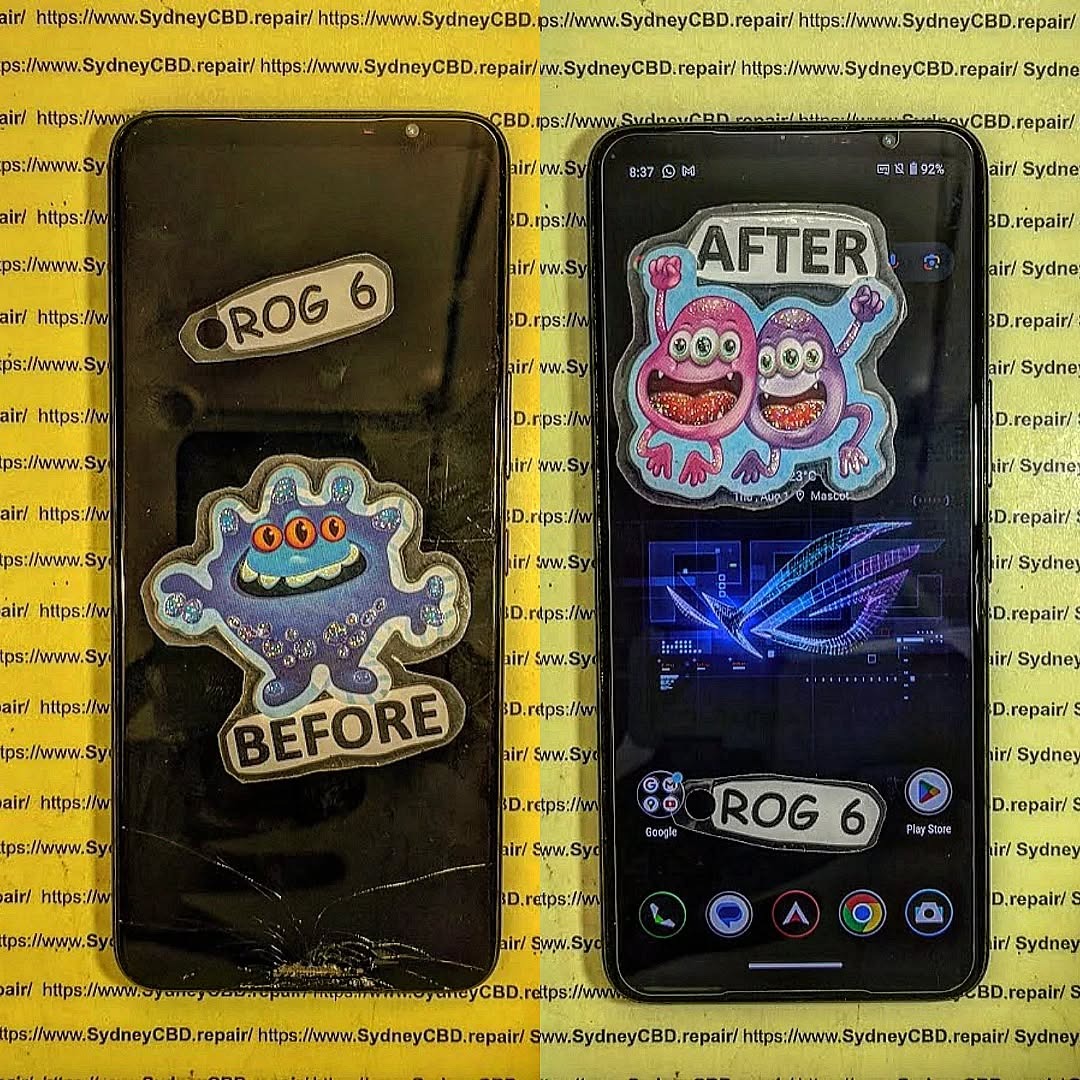
The ASUS ROG Phone 6 is one of the most advanced gaming smartphones on the market, featuring a high-refresh-rate AMOLED display designed for smooth visuals and responsive touch. However, even the toughest screens can suffer from cracks, dead pixels, or unresponsiveness. Going beyond basic ASUS ROG Phone 6 screen repair involves understanding the technology, diagnosing problems accurately, choosing the right repair methods, and adopting preventative care for longevity. This article explores ten expert solutions, combining professional advice and DIY tips, ensuring your device stays in peak condition.
Introduction
The ASUS ROG Phone 6 has taken the mobile gaming world by storm with its cutting-edge technology, vibrant AMOLED display, and ultra-responsive touch capabilities. While it is built for high performance, even the most advanced screens are not immune to cracks, discoloration, or unresponsiveness caused by accidental drops, wear and tear, or software issues. Understanding the intricacies of your device’s display and knowing the right steps for repair can save both time and money.
This article goes beyond simple screen repair and offers a deep dive into ten expert solutions designed to keep your ROG Phone 6 in peak condition. From diagnosing problems accurately to DIY repair tips, professional service options, and preventative maintenance strategies, this guide equips you with the knowledge to protect your device and ensure a long-lasting, seamless gaming experience. Whether you are a casual user or a hardcore gamer, mastering these techniques will help you maintain your phone’s exceptional performance and display quality.
Understanding ASUS ROG Phone 6 Screen Technology
The screen is the heart of any smartphone, and the ROG Phone 6 features an AMOLED display with up to 165Hz refresh rate, HDR support, and ultra-responsive touch sensors. Understanding this technology is crucial for both repair and maintenance.
AMOLED Display Advantages
AMOLED (Active Matrix Organic Light-Emitting Diode) displays provide:
- Vibrant colors: True blacks and high contrast ratios enhance gaming visuals.
- Energy efficiency: Each pixel emits its own light, reducing battery consumption when displaying dark images.
- Thin design: Allows slimmer phones without sacrificing quality.
Common Screen Issues
Even high-quality AMOLED panels are susceptible to issues:
- Cracks and scratches: Often caused by drops or improper handling.
- Unresponsive touch: Ghost touches or dead zones affect gameplay.
- Discoloration: Burn-in or uneven color can develop over time.
- Screen flickering: Firmware bugs or hardware failure may trigger intermittent flickers.
Diagnosing Screen Problems
Accurate diagnosis prevents unnecessary repairs and ensures longevity.
Physical Damage Assessment
Inspect the device carefully:
- Check for hairline cracks and deep fractures.
- Look for dead pixels or black spots on the screen.
- Examine corners and edges where impacts are most common.
Software-Related Screen Issues
Not all screen problems are hardware-related:
- Calibration errors: May cause touch delay or misalignment.
- Ghost touch: Sometimes triggered by outdated firmware or apps.
- Firmware updates: Manufacturers often release patches to fix screen responsiveness.
Step-by-Step DIY Screen Repair

While professional repair is recommended, skilled users can attempt DIY fixes.
Removing the Broken Screen
- Power off the device completely.
- Use heat guns or adhesive removers to loosen the screen safely.
- Carefully pry the screen using specialized tools to avoid damaging internal components.
Installing a Replacement Screen
- Align the new screen accurately with connectors and frame.
- Test touch responsiveness and display before sealing the device.
- Reapply adhesive or frame clamps to secure the screen firmly.
⚠️ Note: DIY repair carries risks. Improper handling can damage your motherboard, void warranty, or worsen cracks.
Choosing Professional Repair Services
Professional repair ensures reliability, warranty coverage, and genuine parts.
Sydney CBD Repair Centre Case Study
Located in the heart of Sydney CBD, this 6-time award-winning repair centre offers:
- Same-day express repairs.
- Genuine ASUS replacement screens.
- 90-day warranty on all repairs.
- Experienced technicians handling 2000+ devices successfully.
Choosing a professional service minimizes risks of improper installation and ensures optimal performance.
Preventative Screen Maintenance Tips
Maintaining your screen can prevent expensive repairs.
Cleaning and Care Best Practices
- Use a microfiber cloth with a small amount of screen-safe solution.
- Avoid household cleaners with ammonia or alcohol.
- Clean regularly to prevent dust buildup affecting touch sensitivity.
Avoiding Extreme Conditions
- Keep your phone away from excessive heat or moisture.
- Use a protective case and tempered glass screen protector.
- Avoid placing the phone in tight pockets or on hard surfaces.
Upgrading or Customizing Your Screen
- Refresh rate optimization: Adjust settings for battery efficiency or smoother gaming.
- Color calibration: Use built-in software to tweak display color profiles for vibrant visuals.
Alternative Solutions Beyond Repair
Sometimes repair isn’t the only option:
- Screen insurance: Many carriers offer accidental damage protection.
- Trade-ins: Upgrade to the latest ROG Phone or other gaming models.
- Screen replacement programs: ASUS sometimes offers discounted replacement schemes.
Cost Analysis of Screen Repairs
| Option | Average Cost | Pros | Cons |
|---|---|---|---|
| DIY Repair | $80–$150 | Lower cost, hands-on | Risky, voids warranty |
| Professional Repair | $180–$250 | Warranty, genuine parts | Higher cost, may require appointment |
| Manufacturer Replacement | $250+ | Guaranteed compatibility | Expensive, longer turnaround |
Investing in professional repairs usually saves time, stress, and potential additional costs.
FAQs About ASUS ROG Phone 6 Screen Repair
1. Can I repair my ROG Phone 6 screen myself?
Yes, but it requires technical skills and the right tools. Professional repair is safer.
2. How long does professional screen repair take?
Most services, like Sydney CBD Repair Centre, can repair within a few hours.
3. Will repairing the screen affect touch sensitivity?
If done correctly with genuine parts, touch responsiveness remains intact.
4. Does insurance cover screen damage?
Many policies do, but it depends on your provider and plan.
5. Can cracked screens cause further damage?
Yes, cracks can lead to internal component damage, so timely repair is recommended.
6. How do I prevent screen burn-in?
Avoid static images for long periods and adjust brightness levels.
Conclusion

Beyond ASUS ROG Phone 6 screen repair lies a combination of proper diagnosis, professional servicing, preventative care, and sometimes DIY fixes. Understanding the AMOLED technology, evaluating issues accurately, and choosing the right repair method ensures your device remains responsive, vibrant, and durable. For Sydney users, trusted centers like Sydney CBD Repair Centre provide professional, award-winning repair services that combine expertise, genuine parts, and reliable warranties. Preventative maintenance, such as protective cases and screen cleaning, can further extend the lifespan of your device, making sure your gaming experience stays seamless and enjoyable.
External Reference: For official ASUS repair and warranty information, visit ASUS Support.
David from Sydney CBD Repair Centre – The Best place to fix mobile phones as 6 Years In A Row! Top Mobile Phone Repair In Sydney. More than 2000 Positive Reviews on Google and Same Day Repairs.
📍 Visit us today for:
✓ Same Day Express Repairs
✓ Genuine Parts Guarantee
✓ Professional Technicians
✓ Competitive Pricing
✓ 2000+ 5-Star Google Reviews
✓ 6-Time Award Winner for Best Phone Repairs
Sydney CBD Repair Centre – Where Quality Meets Reliability.
📞 Call : +61280114119
🌐 Website: https://SydneyCBD.repair/locate-us

