



Inside Look: Our Toughest Tablet Fixes

Inside Look: Our Toughest Tablet Fixes + Ultimate Guide + 12
Modern tablets have become essential everyday tools, but they’re also among the trickiest devices to repair. This article takes an inside look at our toughest tablet fixes, how experts solve them, and what users can do to avoid costly damage. Throughout this guide, you’ll see detailed examples, explanations, and expert insights from real-world repair situations.
Introduction
Tablets have become an indispensable part of daily life, serving as tools for work, education, entertainment, and creative projects. Despite their convenience and portability, they are also surprisingly delicate, making them prone to damage from drops, spills, and general wear and tear. For many users, a broken tablet is more than just an inconvenience—it can disrupt productivity and even compromise important data.
Repairing modern tablets is far from simple. Advances in technology have made devices slimmer, faster, and more feature-rich, but these improvements also increase the complexity of repairs. From cracked displays to swollen batteries and water damage, each issue presents unique challenges that require professional expertise, precision tools, and high-quality replacement parts.
In this guide, we take an inside look at some of the toughest tablet repairs our technicians have tackled. You’ll gain insight into common problems, the step-by-step solutions used to restore devices, and practical tips to prevent damage and extend your tablet’s lifespan. Whether you’re a tablet owner, a tech enthusiast, or someone considering professional repair services, this comprehensive overview will provide valuable knowledge and guidance.
By the end of this article, you’ll understand why professional tablet repair is both an art and a science, and why entrusting your device to experienced technicians can save you time, money, and frustration.
Understanding the Complexity of Modern Tablet Repairs
Tablet repairs used to be simple—replace a screen, swap a battery, and you’re good to go. But today, tablets combine powerful processors, multi-layered displays, laminated touch sensors, fragile flex cables, and tightly sealed waterproofing systems. Because of this, technicians face complicated challenges when diagnosing and repairing them.
How Tablets Became Harder to Repair
Tablets have evolved rapidly. With every new model, manufacturers try to make devices thinner, lighter, faster, and more durable. While these upgrades are great for users, they make repair work extremely difficult.
Some major changes include:
- Edge-to-edge laminated displays
The glass, touch panel, and LCD are fused together, meaning one crack often requires full module replacement. - Stronger adhesives
Heat-resistant adhesives make it harder to open tablets without damaging internal parts. - Integrated components
Buttons, antennas, and even microphones are built into single flex cables, making them more fragile. - Highly compact internal layouts
Components are stacked tightly, leaving almost no room for error during disassembly.
Growing Demand for Professional-level Repairs
As tablets increase in value and capabilities (especially for school, business, and creative work), more owners choose repair over replacement. However, DIY repairs often lead to additional damage—ripped flex cables, cracked LCDs, fried connectors—which makes expert intervention even more necessary.
Common Tablet Issues Seen in Professional Repair Centres
Repair centres encounter a wide range of tablet problems every day. While some repairs are simple, others involve deep internal damage that demands advanced tools and techniques.
Here are the most common issues:
1. Shattered screens and unresponsive touch panels
The most frequent repair request. A single drop can crack not just the glass but also damage the sensitive digitizer layer underneath.
2. Battery swelling
A swollen battery can push the screen outward, warp the frame, or even leak chemicals.
3. Water damage
Tablets exposed to moisture often suffer corrosion, short circuits, and dead motherboard components.
4. Charging port failures
Due to constant plugging and unplugging, ports loosen, break, or gather debris.
5. Power IC failures
Low-quality chargers or overheating can damage integrated circuits responsible for power distribution.
6. Firmware and software corruption
Failed updates, resets, or system bugs can render tablets unusable.
Why Tablet Repairs Have Become More Challenging
Tablet repair difficulty has increased due to design decisions, better waterproofing, component integration, and ultra-thin frames. Let’s look at the top reasons technicians face challenges:
1. Strong waterproof sealing
Waterproofing uses tight glue and rubber gaskets—great for protection, tough for repair.
2. Multi-layered displays
Because LCD and digitizer are fused, replacement costs and repair difficulty rise.
3. Hidden cables and connectors
Flex cables secretly run under boards or behind frames, making disassembly risky.
4. Non-modular parts
Manufacturers often solder or fuse components instead of making them replaceable.
Our Real-World Cases: Toughest Tablet Fixes Explained
These cases highlight the type of challenging repairs technicians deal with daily. Each scenario required expert skill, patience, and specialized tools.
Case Study 1: Severely Cracked Displays and Touch Failures
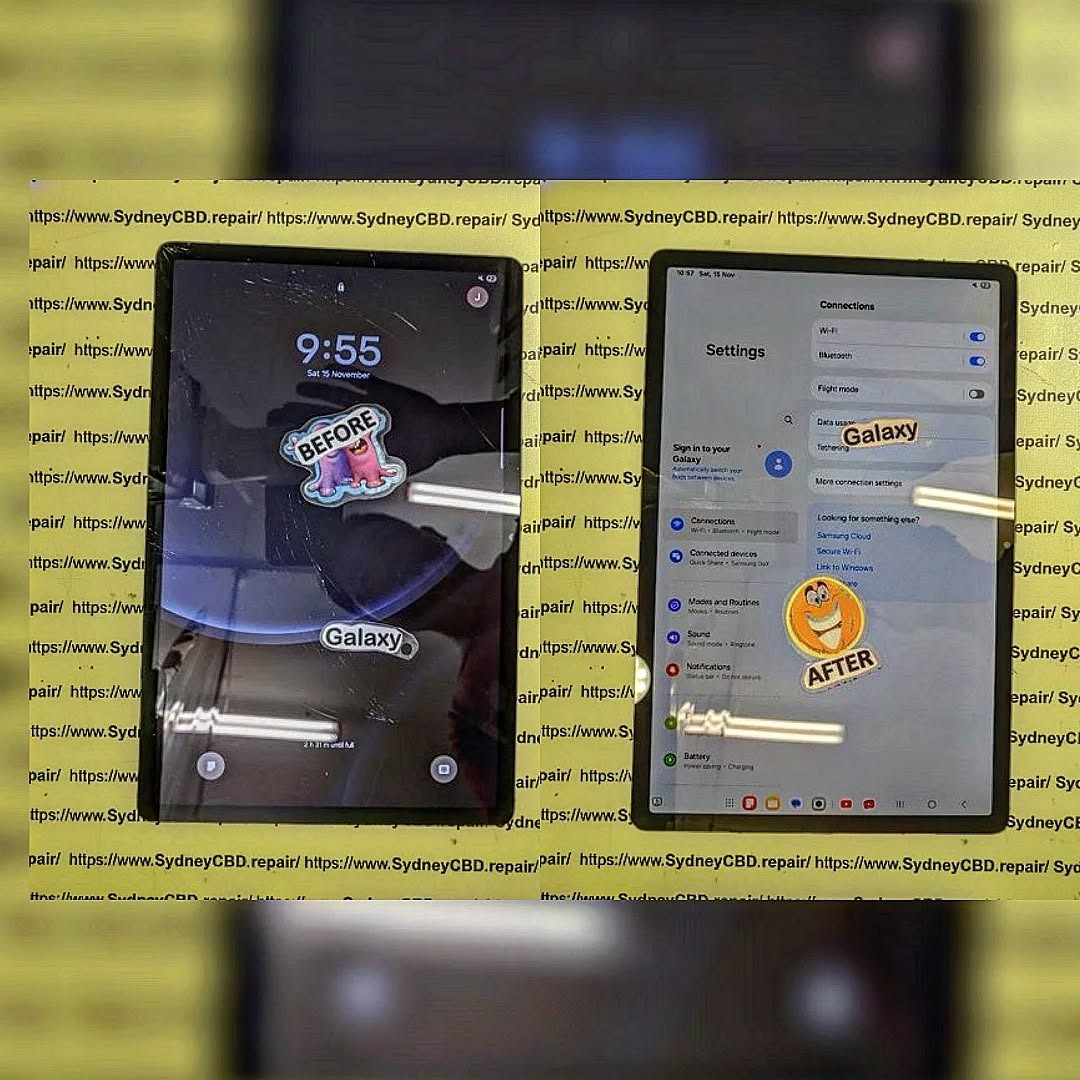
A popular high-end tablet arrived with a web-like shattered display. The customer dropped it on concrete, cracking the touch layer and damaging the LCD. The adhesive was extremely strong, and tiny shards risked cutting flex cables beneath the screen.
Process
- Heating the display to soften the adhesive
- Slow lifting using micro-suction tools
- Cleaning glass fragments from the frame
- Reconnecting and testing a new display module
Any mistake here could destroy the motherboard.
Case Study 2: Deep Battery Swelling and Structural Damage
A swollen battery had pushed the front display outward by several millimetres. The frame was bent, adhesive was compromised, and the internal components were under pressure.
Repair Steps
- Carefully opening the warped frame
- Removing the expanded battery without puncturing it
- Straightening the tablet housing
- Installing a protected, genuine battery
- Rebuilding structural support
Battery swelling cases remain among the most dangerous repairs.
Case Study 3: Water and Liquid Intrusion Beyond the Logic Board
This tablet was dropped into a pool, soaked for hours, and left unpowered for days. Corrosion reached the logic board, connectors, and various flex cables.
Repair Complexity
- Full disassembly
- Chemical cleaning
- Microsoldering on affected components
- Replacing multiple connectors
- Restoring firmware and recalibrating the board
Even after deep cleaning, success isn’t guaranteed.
Case Study 4: Dead Tablets with Zero Power Signs
This was a no-power issue. No charging indicator, no vibration, nothing. Such cases are extremely complex because the cause could hide anywhere—battery failure, charging IC damage, blown capacitors, or motherboard shorts.
Diagnostic Process
- Checking voltages
- Inspecting charging circuits
- Testing the battery
- Using microscopes to locate board damage
- Replacing power management ICs
Only advanced repair centres can perform this level of board-level work.
Tools, Techniques, and Technology Behind Expert Tablet Repairs

To handle modern tablet repairs, professionals rely on:
Precision Opening Tools
- Adhesive cutters
- Heat guns
- Infrared separators
- Plastic prying tools
Advanced Diagnostic Tools
- Multimeters
- Thermal cameras
- Microsoldering stations
- Firmware tools
Software Calibration
After replacing displays or batteries, calibration ensures accurate touch response, brightness, and battery reporting.
Importance of Genuine Parts
Using high-quality parts ensures:
- Accurate touch input
- Brighter and colour-accurate displays
- Safe battery performance
- Long device lifespan
Preventing Tablet Damage and Extending Device Lifespan
Best Practices for Tablet Care
- Use a shock-resistant case
- Apply a tempered glass protector
- Avoid cheap chargers
- Keep liquids away
- Update software regularly
User Mistakes to Avoid
- Leaving tablet under direct heat
- Ignoring swelling
- Using non-certified cables
- Overcharging overnight
Useful Accessories
- Rugged cases
- Keyboard covers
- Anti-glare screen protectors
- Waterproof sleeves
FAQs
1. Is a cracked tablet screen still safe to use?
Not always. Cracks can worsen and expose internal components, and broken glass can injure your fingers.
2. Can a swollen tablet battery explode?
While rare, swollen batteries can rupture if punctured. Professional replacement is essential.
3. Is water damage repairable?
Yes, but not guaranteed. Success depends on how long the tablet was wet and how quickly it’s brought for repair.
4. Why is tablet screen replacement expensive?
Because LCD, digitizer, and glass are fused, manufacturers charge more for modules, increasing repair costs.
5. Are third-party chargers harmful?
Some are. Low-quality chargers can damage charging ICs and batteries.
6. How long do professional repairs take?
Most take 1–3 hours, but complex logic board work may take 1–3 days.
Conclusion

Tablet repairs have become more difficult, but with expert technicians, advanced tools, and proper care, even the toughest problems can be solved. If your tablet suffers from cracked screens, battery swelling, water damage, or power failure, professional repair centres have both the knowledge and experience to bring it back to life.
David from Sydney CBD Repair Centre – The Best place to fix mobile phones as 6 Years In A Row! Top Mobile Phone Repair In Sydney. More than 2000 Positive Reviews on Google and Same Day Repairs.
📍 Visit us today for:
✓ Same Day Express Repairs
✓ Genuine Parts Guarantee
✓ Professional Technicians
✓ Competitive Pricing
✓ 2000+ 5-Star Google Reviews
✓ 6-Time Award Winner for Best Phone Repairs
Sydney CBD Repair Centre – Where Quality Meets Reliability.
📞 Call : +61280114119
🌐 Website: https://SydneyCBD.repair/locate-us

