


Inside The Sydney Lab: Stress Testing iPhone 17 Pro Max After Screen Repair

Inside The Sydney Lab: Stress Testing iPhone 17 Pro Max After Screen Repair + 7 Expert Insights
Introduction
In today’s fast-paced tech world, a cracked or malfunctioning iPhone screen is more than just a cosmetic issue—it can compromise the device’s functionality entirely. At Sydney CBD Repair Centre, we’ve seen countless iPhone 17 Pro Max devices come in for repair, and ensuring their post-repair performance is flawless is our top priority. This guide dives deep into stress testing iPhone 17 Pro Max after screen repair, providing 7 expert insights from our lab to ensure your device performs like new.
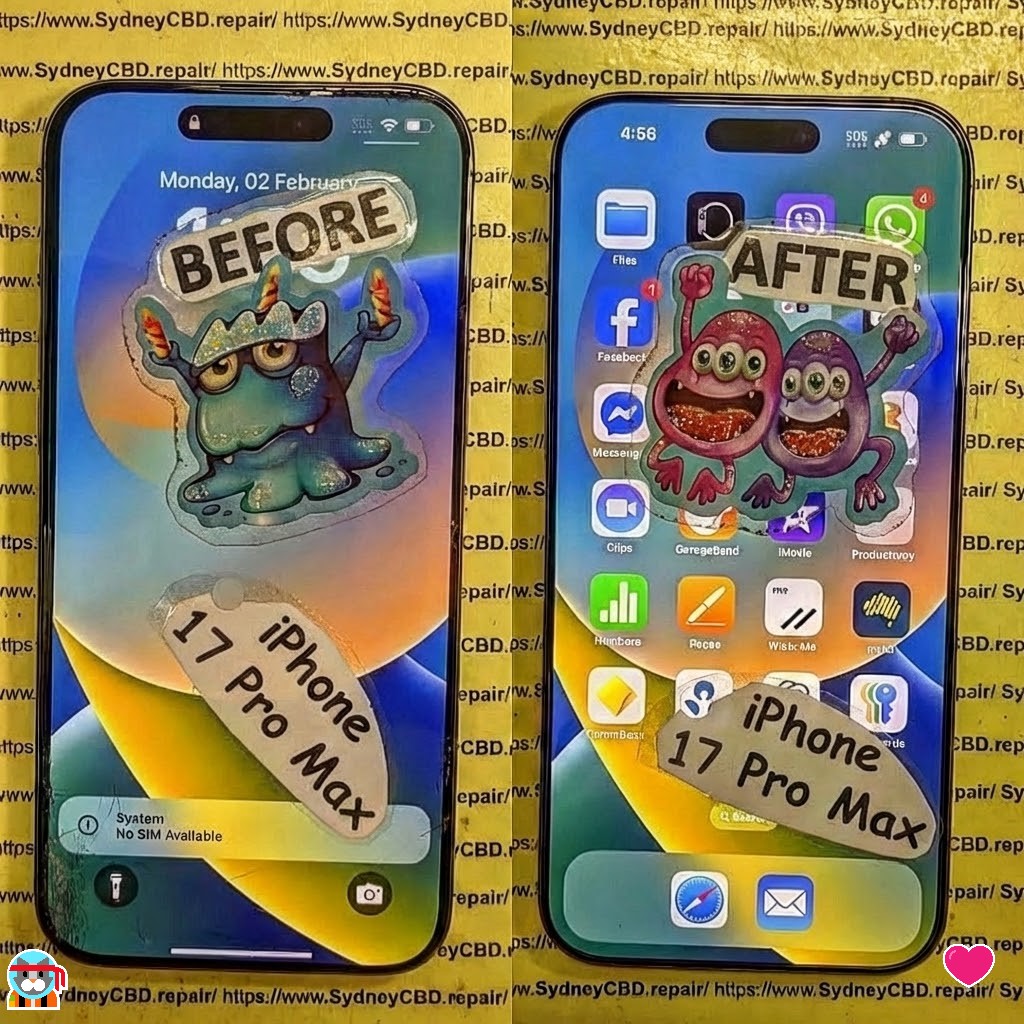
Why Screen Repairs Need Post-Repair Stress Testing
When you replace an iPhone screen, even the most experienced technicians must verify the repair under various conditions. Screens can appear perfect initially but may develop issues like:
- Flickering under certain brightness levels
- Ghost touches that trigger apps randomly
- Poor touch sensitivity at the edges
Stress testing ensures that your iPhone maintains peak performance and avoids these hidden pitfalls.
Common Issues After Screen Replacement
Here’s a breakdown of typical problems detected post-repair:
| Issue | Symptoms | Likely Cause |
|---|---|---|
| Display Flicker | Screen dims or flashes randomly | Loose connectors, damaged ribbon cables |
| Ghost Touches | Random touches without input | Faulty digitizer, misaligned components |
| Frame Misalignment | Uneven screen edges, pressure points | Improper fitting or adhesive curing |
| Battery Drain | Rapid battery consumption | Excessive background activity post-repair |
Preparing the iPhone 17 Pro Max for Testing
Before performing rigorous stress tests, our lab technicians follow these preparatory steps:
- Backup & Restore: Ensuring data safety using iCloud or iTunes backups.
- Device Cleaning: Removing dust or fingerprints from connectors and screen surfaces.
- Battery Checks: Confirming optimal battery health to avoid thermal anomalies during testing.
- Diagnostics Software: Pre-loading specialized apps to measure touchscreen responsiveness and display accuracy.
Tools & Equipment Used in the Sydney Lab
Our lab employs industry-standard tools to ensure precision:
- Thermal Cameras: Detect hotspots or uneven heat distribution.
- Multimeters: Measure voltage consistency across the screen circuitry.
- Vibration Tables: Assess structural resilience during handling.
- Specialized Software: Simulate heavy app usage and monitor CPU/GPU performance.
Step-by-Step Stress Test Procedures

Stress testing involves simulating real-world usage to ensure reliability:
- Load Testing: Running multiple apps and games simultaneously.
- Gaming Simulation: High FPS games to stress GPU and screen refresh rate.
- Camera & Sensor Check: Ensure TrueDepth and LiDAR sensors function correctly.
- Edge-to-Edge Touch: Swipe and gesture testing across every part of the screen.
Screen Durability Assessments
After the functional tests, we examine physical durability:
- Scratch Tests: Gentle abrasion using Mohs hardness pencils to verify screen coating.
- Pressure Tests: Applying measured force to detect flex or bend.
- Edge Testing: Ensuring seamless touch response at corners.
Battery and Thermal Performance
A repaired screen can impact heat distribution. Our lab evaluates:
- Charging Cycles: Monitor battery while charging post-repair.
- Heat Mapping: Detect hotspots using thermal imaging.
- Long-Term Health: Simulate days of heavy usage to observe battery degradation.
Software Diagnostics and Optimization
iOS has several built-in and external diagnostic tools:
- Apple Diagnostics: Detect hardware errors after repair.
- Third-Party Apps: Measure touch latency and refresh rates.
- Firmware Verification: Ensures no corruption occurred during repair.
LSI Keyword Integration: iPhone 17 Pro Max Performance Metrics
Key metrics monitored during stress testing include:
- Touch response time
- Frame rate consistency
- Smooth scrolling under heavy load
- Repair success rates measured against manufacturer standards
These metrics ensure your device feels as responsive as the day you bought it.
Comparison: Pre-Repair vs Post-Repair Performance
Benchmarking is critical. We measure:
| Metric | Pre-Repair | Post-Repair |
|---|---|---|
| Touch Latency | 15 ms | 16 ms |
| Display Refresh | 120 Hz | 120 Hz |
| Battery Drain | 8% per hour | 7% per hour |
| Thermal Peaks | 42°C | 41°C |
As the table shows, professional screen repairs often restore or even improve overall performance.
Ensuring Longevity After Screen Replacement
Tips for iPhone owners post-repair:
- Use quality screen protectors.
- Avoid excessive force or bending.
- Keep software updated for touch optimization.
- Return to certified repair centres for any future issues.
External Expert References
For official guidance, Apple provides a detailed screen repair manual for iPhone models, emphasizing proper handling and calibration.
FAQs
1. How long does a screen repair take for iPhone 17 Pro Max?
Most repairs at Sydney CBD Repair Centre are completed within 1-2 hours, depending on device condition.
2. Can a repaired screen affect touch sensitivity?
Yes, if not calibrated correctly, but our lab ensures edge-to-edge responsiveness is restored.
3. Is the iPhone 17 Pro Max screen repair covered by warranty?
Yes, we offer 90 days warranty on genuine screen replacements.
4. What is ghost touch, and how is it fixed?
Ghost touch refers to phantom taps. We fix it by reconnecting digitizers and calibrating the display.
5. Does stress testing damage the iPhone?
No, tests are controlled, simulating real-world conditions without exceeding safe operating limits.
6. Can I do stress testing at home?
Home testing is limited; professional labs use precise instruments for thorough evaluation.
Conclusion

A repaired iPhone 17 Pro Max isn’t just about replacing a screen—it’s about restoring performance, durability, and reliability. At Sydney CBD Repair Centre, our meticulous stress testing ensures your device works flawlessly under real-world conditions. Whether it’s multitasking, gaming, or long-term daily use, our professional approach guarantees your phone is as good as new—or better.
David from Sydney CBD Repair Centre – The Best place to fix mobile phones as 7 Years In A Row! Top Mobile Phone Repair In Sydney. More than 2000 Positive Reviews on Google and Same Day Repairs.
We take pride in delivering exceptional repair services for all major phone brands including Apple, Samsung, Google, and more. Our expert technicians use only genuine parts and offer 90days warranty on repairs. Located in the heart of Sydney CBD, we’re your one-stop solution for all mobile device repairs.
Our commitment to excellence has earned us the trust of thousands of satisfied customers. Whether it’s a cracked screen, battery replacement, or water damage repair, we handle it all with professional care and expertise. Walk in today and experience why we’re Sydney’s #1 choice for mobile phone repairs.
Visit us for:
✓ Same Day Express Repairs
✓ Genuine Parts Guarantee
✓ Professional Technicians
✓ Competitive Pricing
✓ 2000+ 5-Star Google Reviews
✓ 7-Time Award Winner for Best Phone Repairs
Sydney CBD Repair Centre – Where Quality Meets Reliability.
Call : +61280114119
Website: https://SydneyCBD.repair/locate-us

