




Pixel Camera Out of Focus? Mastering Google Camera Lens Replacements

Pixel Camera Out of Focus? Mastering Google Camera Lens Replacements: Ultimate Guide + 12 Tips
Introduction
In today’s world, smartphone photography has become an essential part of everyday life, and Google Pixel devices are renowned for their superior camera performance. However, even the best cameras are not immune to problems. One common issue many Pixel users face is a camera that suddenly goes out of focus. Blurry photos, lagging autofocus, and inconsistent clarity can be frustrating, especially when capturing important moments.
Fortunately, most focus problems are repairable, and understanding the process of Google Camera lens replacement can save both time and money. This guide is designed to help you identify the causes of focus issues, differentiate between software glitches and hardware problems, and walk you step by step through the lens replacement process. Whether you’re a DIY enthusiast or considering professional repair, mastering these techniques ensures your Pixel camera continues to deliver the crisp, sharp images it was designed for.
With the right tools, techniques, and preventative measures, you can restore your Pixel camera to peak performance and maintain it for years to come. From diagnosing lens issues to proper maintenance tips, this guide covers everything you need to know about mastering Google Camera lens replacements.
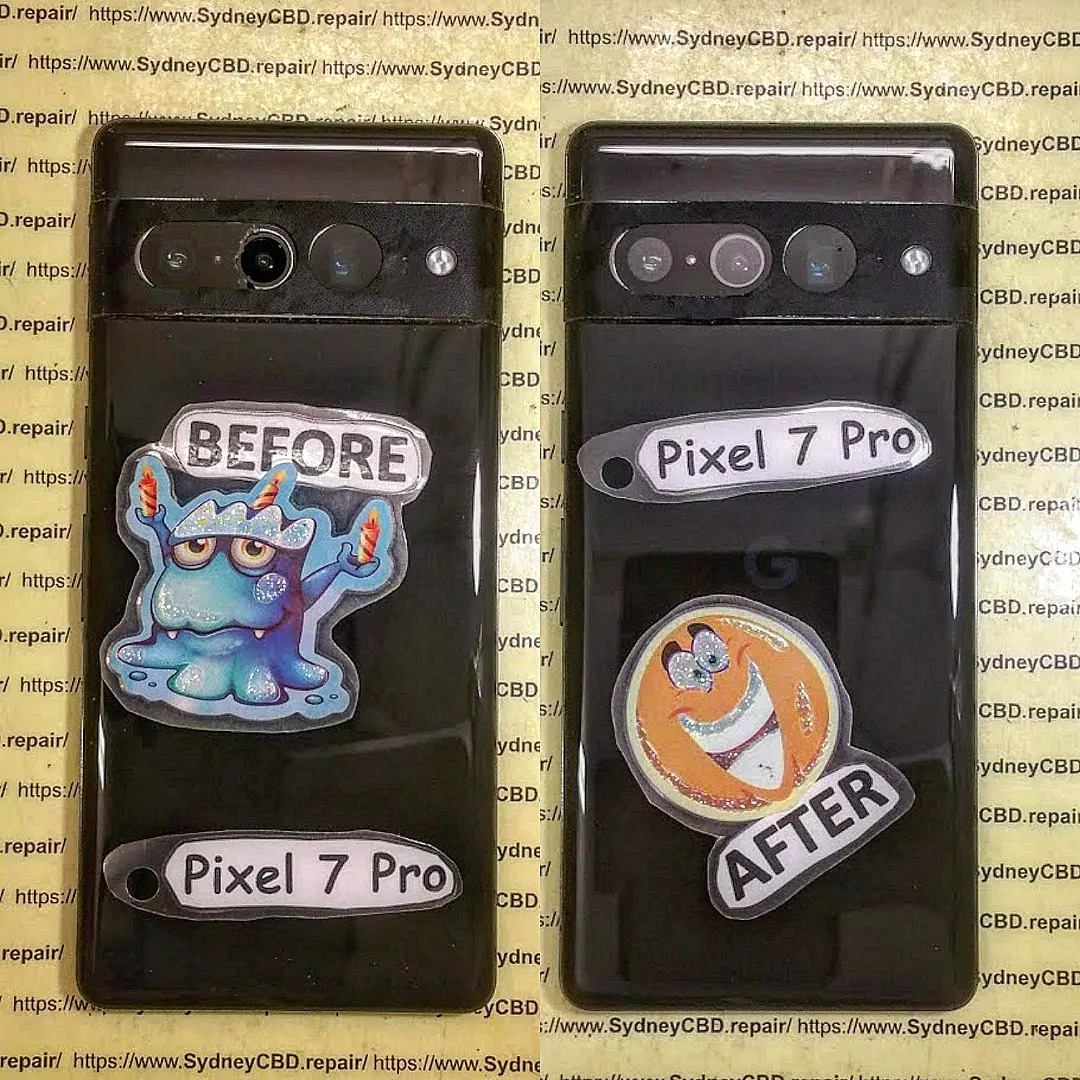
Understanding Why Pixel Cameras Go Out of Focus
Pixel cameras are widely recognized for their precision and AI-assisted clarity, but even these devices are not immune to focus problems. A blurry camera can result from hardware issues, like scratches on the lens, dust accumulation, or a misaligned camera module, as well as software glitches, such as outdated firmware or app-specific errors. Understanding the cause is crucial before attempting any lens replacement.
Common triggers include accidental drops, exposure to water, or tiny particles lodged inside the lens assembly. It’s essential to distinguish between software-related focus issues—which often resolve with app updates or cache clearing—and genuine hardware faults that necessitate physical repair.
Common Symptoms of Lens Issues
Some warning signs that your Pixel camera lens might be damaged include:
- Persistent blurriness across all camera modes
- Autofocus failing or lagging
- Physical scratches or cracks on the lens
- Dust or debris visible inside the lens area
- Inconsistent focus when switching between cameras
These symptoms often require immediate attention to prevent permanent damage to the sensor.
Differentiating Between Software and Hardware Problems
Before disassembling your device, perform these diagnostics:
- Restart your phone and open the stock camera app.
- Test focus in different lighting conditions.
- Clear the camera app cache.
- Update your device to the latest firmware.
If the problem persists, a hardware repair—such as lens replacement—becomes necessary.
Preparing for a Google Camera Lens Replacement
Replacing a Pixel camera lens demands both precision and patience. A clean workspace, the correct tools, and safety measures are essential.
Essential Tools for Lens Replacement
- Precision screwdriver set (Pentalobe, Torx, or Phillips depending on model)
- Suction cup tool for safely lifting the back cover
- Plastic spudger for detaching flex cables
- Tweezers with anti-static tips
- Replacement camera lens (OEM recommended)
Safety Precautions Before Opening Your Pixel Device
- Work in a dust-free environment
- Wear an anti-static wrist strap
- Avoid using metal tools directly on the motherboard
- Keep screws organized and labeled to prevent reassembly errors
Step-by-Step Pixel Lens Replacement Guide

Removing the Back Cover Safely
- Warm the edges using a heat gun or hairdryer to soften adhesive.
- Apply suction cup to gently lift the back cover.
- Use a spudger to slowly separate the cover from the chassis.
Disconnecting the Camera Module
- Identify the camera flex cable and remove screws securing it.
- Carefully detach the module using tweezers, avoiding flex damage.
Replacing the Lens
- Remove the old lens using precision tools.
- Clean the camera sensor with a microfiber cloth and lens-safe solution.
- Align and insert the new lens carefully, ensuring proper sealing.
Reassembling the Pixel Device
- Reconnect the camera module and secure screws.
- Reattach the back cover using adhesive or OEM sealant.
- Power on the device to verify functionality.
Testing the Camera After Replacement
Software Calibration
- Open the Google Camera app and focus on a stationary object.
- Test autofocus in different lighting and zoom conditions.
- If necessary, perform a factory reset to clear residual software errors.
Troubleshooting Common Post-Replacement Issues
- Lens misalignment may cause edge blurring—realign if necessary.
- Residual dust requires cleaning inside the module.
- Slow autofocus can be addressed by clearing app data.
Cost Considerations: DIY vs Professional Repair
DIY Repair Cost Analysis
- Replacement lens: $15–$50
- Tools (one-time investment): $20–$60
- Total estimated cost: $35–$110
Professional Repair Benefits
- Expert handling reduces risk of motherboard or sensor damage
- Genuine parts with warranty (often 90 days)
- Same-day service available in Sydney CBD link
Maintaining Your Pixel Camera Lens for Longevity
Recommended Lens Cleaning Techniques
- Use microfiber cloths with lens-safe cleaning solution
- Avoid tissue paper or abrasive materials
- Periodically inspect for dust or scratches
Avoiding Common Mistakes
- Don’t expose your Pixel to water or sand
- Avoid dropping the device
- Store the device in protective cases when not in use
FAQs
1. How do I know if my Pixel camera lens is damaged?
Check for persistent blurriness, autofocus issues, and visible scratches or dust inside the lens.
2. Can software updates fix focus problems?
Sometimes, but hardware issues like scratches or misalignment require lens replacement.
3. Is DIY lens replacement safe?
Yes, if you have the proper tools, a clean workspace, and follow safety protocols carefully.
4. How much does professional repair cost?
Depending on the model, it typically ranges from $80–$150, including parts and labor.
5. How do I prevent future lens damage?
Use protective cases, clean regularly with microfiber cloths, and avoid drops or exposure to dust and water.
6. Where can I get genuine Pixel replacement lenses?
OEM lenses are available online or through professional repair centers like Sydney CBD Repair Centre.
Conclusion

Mastering Google Camera lens replacements empowers Pixel users to restore clarity and precision to their photos. While DIY repair is possible with the right tools, professional services provide peace of mind, genuine parts, and a warranty. Maintaining the camera lens post-replacement ensures years of crisp, sharp images.
David from Sydney CBD Repair Centre – The Best place to fix mobile phones as 7 Years In A Row! Top Mobile Phone Repair In Sydney. More than 2000 Positive Reviews on Google and Same Day Repairs.
We take pride in delivering exceptional repair services for all major phone brands including Apple, Samsung, Google, and more. Our expert technicians use only genuine parts and offer 90days warranty on repairs. Located in the heart of Sydney CBD, we’re your one-stop solution for all mobile device repairs.
Visit us for:
✓ Same Day Express Repairs
✓ Genuine Parts Guarantee
✓ Professional Technicians
✓ Competitive Pricing
✓ 2000+ 5-Star Google Reviews
✓ 7-Time Award Winner for Best Phone Repairs
Sydney CBD Repair Centre – Where Quality Meets Reliability.
Call : +61280114119
Website: https://SydneyCBD.repair/locate-us

