


RECOVERING LOST MEMORIES! Data Extraction From A Completely Shattered Google Pixel 9 Pro

RECOVERING LOST MEMORIES! Data Extraction From A Completely Shattered Google Pixel 9 Pro + 7 Proven Techniques
Introduction
In today’s fast-paced digital world, our smartphones are more than just communication tools—they are vaults of our memories, containing photos, videos, contacts, and important documents. But what happens when a Google Pixel 9 Pro suffers catastrophic damage? A shattered screen, internal component failures, or water exposure can make your phone seem irrecoverable. For many, the panic sets in immediately: “Have I lost everything?”
Recovering lost memories from a completely broken device may sound impossible, but with the right knowledge, techniques, and tools, it’s far from hopeless. This guide dives into proven data extraction methods, ranging from simple software solutions to advanced hardware-based procedures, ensuring that even the most damaged Pixel 9 Pro can yield its valuable information.
Whether you’re a tech-savvy DIY enthusiast or someone who prefers professional intervention, this article will equip you with the confidence and actionable steps to safely retrieve your data. From initial assessment to final verification, every stage is covered in detail, helping you maximize recovery chances while minimizing risk.
By the end of this guide, you’ll understand not only how to extract your files, but also how to prevent future data loss, safeguarding your digital life against unexpected accidents. Your memories matter—let’s make sure they’re never truly lost.
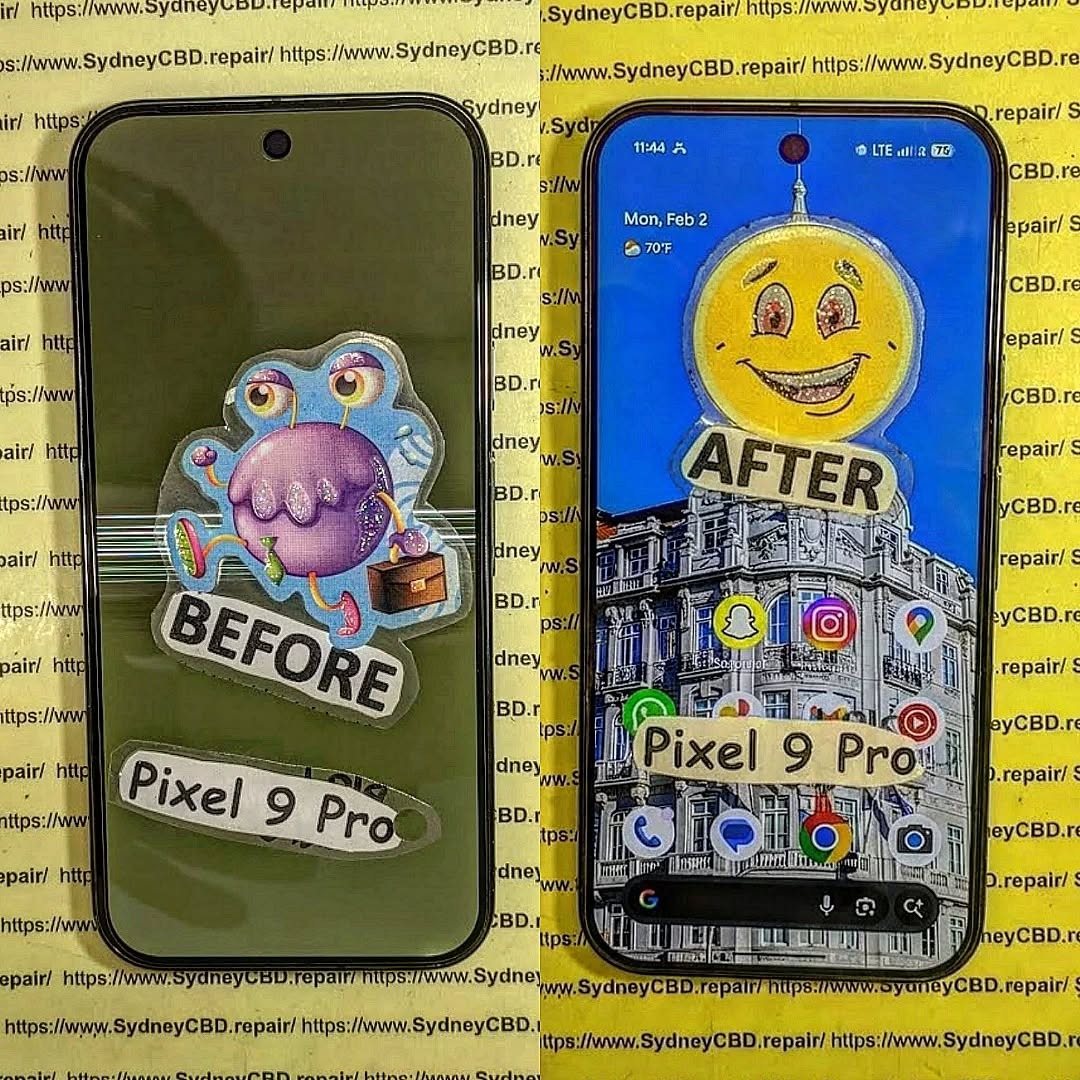
Understanding the Risks of a Shattered Google Pixel 9 Pro
A completely shattered Google Pixel 9 Pro isn’t just visually broken—it’s a ticking time bomb for your precious data. Attempting to retrieve memories, contacts, or work files without proper precautions can lead to permanent loss. Cracks in the screen, damaged internal components, or water intrusion all compromise the device’s integrity. Even seemingly minor damage can cause corruption in storage systems.
The first step is awareness: know that every attempt at data extraction carries risks. Mistakes like forcing the phone to power on or connecting unreliable cables can make recovery impossible. Optimism is key, but it must be paired with caution. Understanding the underlying risks helps you choose the right recovery path, whether software-based or professional.
Initial Assessment: Is Your Device Recoverable?
Before diving into recovery, a careful evaluation is essential. Here’s a structured approach:
Physical Damage Inspection
Look for:
- Cracked or shattered screens: Severe cracks may prevent touch input.
- Loose parts: Buttons or frames may no longer connect properly.
- Water or liquid damage: Corrosion can short circuits internally.
Battery and Power Assessment
Check whether:
- The device powers on.
- It responds to charging or vibration.
- LEDs blink or the screen flickers.
If the device shows no signs of life, professional hardware intervention may be necessary.
Backup Strategies Before Attempting Recovery
Even broken devices may contain some recoverable data. Before trying extraction, implement safety measures.
Cloud Backup Options
Google Pixel integrates seamlessly with Google Drive. Log in via a PC to see if contacts, photos, and documents have synced. Often, this is the fastest way to regain access without physically interacting with a damaged phone.
Local Backup Methods
For partially functional devices:
- OTG cables: Connect your phone to a computer or external drive.
- Recovery software: Programs like Dr.Fone or EaseUS MobiSaver can help extract data without booting the phone fully.
Software-Based Data Recovery Tools
Software solutions are the first line of recovery.
Android-Specific Recovery Solutions
Popular options for Pixel devices include:
- Dr.Fone – Data Recovery (Android)
- iMobie PhoneRescue
- Tenorshare UltData for Android
These apps can scan internal memory even when the device is partially damaged, extracting messages, contacts, and media.
Third-Party Recovery Applications
- Pros: Convenient, cost-effective, minimal hardware risk.
- Cons: Some may require root access or may not work if the device storage is physically damaged.
Hardware-Based Recovery Techniques
For severe damage, software tools alone won’t cut it.
Chip-Off Data Extraction
Involves physically removing the NAND memory chip and reading it with specialized hardware. Only professionals should attempt this, as it’s extremely delicate.
JTAG/ISP Techniques
JTAG (Joint Test Action Group) allows direct communication with internal circuits. It’s effective for retrieving data from unresponsive devices but requires advanced expertise and equipment.
DIY vs Professional Repair

While DIY methods may work for minor damage, fully shattered Pixel 9 Pros usually demand professional intervention:
| Method | Pros | Cons |
|---|---|---|
| DIY Software Recovery | Low cost, quick | Risk of overwriting files, limited if phone is dead |
| Professional Hardware Recovery | High success rate | Expensive, requires trust and time |
At Sydney CBD Repair Centre, experts handle chip-off and JTAG recovery safely, preserving your memories with a high success rate.
Step-by-Step Guide to Extracting Data
Preparing the Device
- Ensure battery has sufficient charge or use a powered USB hub.
- Use original cables when connecting to computers.
- Avoid forcing the device to boot if internal damage is suspected.
Running Recovery Software Safely
- Select “Read-only” mode to avoid overwriting data.
- Perform scans in segments to reduce risk of system crashes.
- Backup recovered data immediately to multiple storage locations.
Verifying Extracted Data
- Check file integrity and metadata.
- Open photos, documents, and videos to confirm usability.
- Cross-reference contact lists and messages to ensure nothing is missing.
Common Challenges in Data Recovery
- Corrupted storage: Damaged NAND may yield unreadable files.
- Inaccessible partitions: Some system areas may require professional tools.
- Failed recovery attempts: Multiple software scans may be necessary.
Mitigation involves patience, professional tools, and avoiding repeated DIY attempts if initial scans fail.
Preventing Future Data Loss
- Enable automatic Google backups.
- Use external cloud storage like Dropbox or OneDrive.
- Regularly export contacts and photos to a secure location.
- Protect your device with durable cases and waterproofing.
FAQs
1. Can I recover data from a Pixel 9 Pro with a completely broken screen?
Yes, if the internal storage is intact. Software tools or professional hardware recovery can extract data.
2. Is chip-off recovery safe for my data?
Yes, when performed by professionals using proper equipment. DIY attempts are extremely risky.
3. How long does data extraction take?
It depends on the method and damage level. Software recovery may take 1–3 hours; chip-off methods can take longer.
4. Will I lose data if the device won’t power on?
Not necessarily. Hardware recovery techniques can access memory without powering the device.
5. Can cloud backups replace physical recovery?
They can help restore most files, but any unsynced data will require device-specific extraction.
6. Where can I get professional Pixel 9 Pro recovery?
Sydney CBD Repair Centre specializes in advanced recovery for shattered devices. Visit Sydney CBD Repair Centre.
Conclusion

Recovering lost memories from a completely shattered Google Pixel 9 Pro is challenging but possible. Start with a thorough assessment, explore cloud backups, and carefully use recovery software. For severe damage, professional hardware recovery ensures the highest success rate. Implement preventive strategies to safeguard data for the future.
Even in the worst-case scenario, with patience, proper tools, and expert help, your precious memories can be retrieved safely.
David from Sydney CBD Repair Centre – The Best place to fix mobile phones as 7 Years In A Row! Top Mobile Phone Repair In Sydney. More than 2000 Positive Reviews on Google and Same Day Repairs.
We take pride in delivering exceptional repair services for all major phone brands including Apple, Samsung, Google, and more. Our expert technicians use only genuine parts and offer 90days warranty on repairs. Located in the heart of Sydney CBD, we’re your one-stop solution for all mobile device repairs.
Our commitment to excellence has earned us the trust of thousands of satisfied customers. Whether it’s a cracked screen, battery replacement, or water damage repair, we handle it all with professional care and expertise. Walk in today and experience why we’re Sydney’s #1 choice for mobile phone repairs.
Visit us for:
✓ Same Day Express Repairs
✓ Genuine Parts Guarantee
✓ Professional Technicians
✓ Competitive Pricing
✓ 2000+ 5-Star Google Reviews
✓ 7-Time Award Winner for Best Phone Repairs
Sydney CBD Repair Centre – Where Quality Meets Reliability.
Call : +61280114119
Website: https://SydneyCBD.repair/locate-us

