



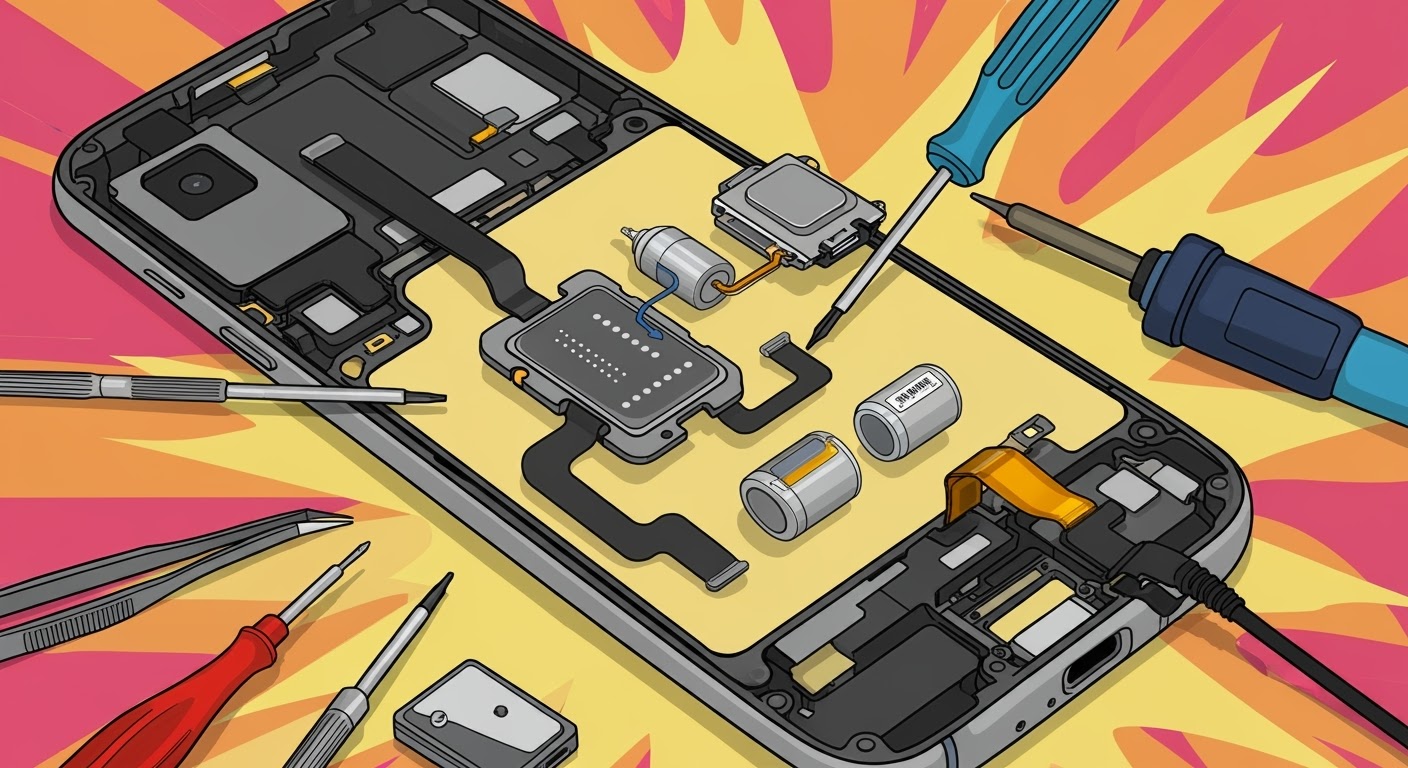
Replacing Haptics & Vibration: DIY Smartphone Repair

Replacing Haptics & Vibration: DIY Smartphone Repair – What You Need to Know Before You Begin
📱 Introduction: Why Haptics and Vibration Matter
When you type on your phone’s keyboard, receive a silent notification, or use gesture feedback — that’s haptic technology at work. Vibrations aren’t just there for calls; they provide physical feedback, enhance gaming, and offer accessibility features for users with hearing impairments.
So when your phone stops vibrating, it can impact your user experience, productivity, and even safety. Let’s explore how you can handle the repair yourself and when you should call in the experts.

⚠️ Common Causes of Vibration Motor Failure
📉 Physical Damage
Drops and impacts can dislodge or damage the motor.
🌊 Water or Liquid Damage
Moisture corrodes internal components, including the vibration unit.
⚙️ Manufacturing Defects
Even new devices can have factory-installed motors that degrade prematurely.
🛠️ Identifying Vibration or Haptic Issues
🔍 Common Symptoms to Watch For
- No vibration during calls or messages
- Inconsistent or weak feedback
- Buzzing sounds without physical vibration
- Vibration only working in certain apps
📲 Built-In Diagnostic Tools
Many phones have hidden diagnostic menus. For example:
- Samsung: Dial
*#0*# - Google Pixel: Use the Device Health Services app
- iPhone: No built-in test, but apps like TestM can help
🔧 Tools and Equipment Needed for DIY Repair
🧰 Basic Toolkit
- Precision screwdriver set
- Plastic pry tools
- Anti-static tweezers
- Adhesive strips or glue
🛠️ Optional Tools for Better Results
- Heat gun (for softening glue)
- Magnetic mat for small screws
- ESD wrist strap
🔄 Step-by-Step Guide: Replacing the Vibration Motor
⚠️ Important: Only attempt this if you’re confident in phone repairs. Otherwise, consult a pro.
🔌 Step 1: Power Off and Disassemble
Remove SIM tray, screws, and back panel carefully.
🔎 Step 2: Locate the Vibration Motor
Usually found near the lower half of the phone, beside the charging port.
🧲 Step 3: Remove the Old Motor
Use tweezers or a spudger. Some motors are soldered – desolder carefully.
🆕 Step 4: Install the New One
Align properly, secure with adhesive or re-solder if needed.
🔁 Step 5: Reassemble and Test
Put everything back in reverse order. Test vibration through settings or diagnostics.
🤔 DIY or Professional Repair? How to Decide
🧠 Skill Level and Risk Assessment
If you’ve never disassembled a phone before, replacing a motor could lead to more harm than good.
💸 Warranty and Repair Cost Considerations
Tampering may void warranty. Plus, fixing a failed DIY job costs more.
📱 Phone Models with Complex Haptic Systems
🍎 Apple’s Taptic Engine
Apple uses a proprietary Taptic Engine, which is tightly integrated into the iOS system. Repairing it requires special parts and precise calibration.
📳 Samsung and Pixel Haptics
Many Android phones use Linear Resonant Actuators (LRAs) or ERMs that are glued or soldered, making DIY harder.
⚠️ Risks of Replacing Vibration Units Yourself
- Breaking flex cables
- Damaging motherboard
- Poor motor performance post-install
- Losing water resistance
💼 Advantages of Getting It Fixed Professionally
🛡️ Genuine Parts and Warranties
Shops like Sydney CBD Repair Centre use only authentic vibration units, offering peace of mind.
⏱️ Fast Turnaround and Better Results
Most vibration motor replacements are done within 1–2 hours.
🛠️ What Makes Sydney CBD Repair Centre the Right Choice

- Over 2000 5-Star Reviews on Google
- Same-Day Repairs
- Genuine Parts Only
- Specialists in iPhone, Samsung, Google Pixel, and more
- Located conveniently in Sydney CBD
❓ FAQs
1. Can I replace my phone’s vibration motor myself?
Yes, but only if you have the skills, tools, and knowledge — and understand the risks involved.
2. Is it worth repairing a non-working vibration motor?
Absolutely, especially if you rely on vibration alerts for calls or accessibility.
3. How much does professional haptic motor replacement cost in Sydney?
Prices vary, but most range between $80–$180, depending on brand and model.
4. Do I lose water resistance after replacing the vibration motor?
Yes, unless the phone is professionally resealed.
5. Can you replace the Taptic Engine on an iPhone?
Yes, but it requires special tools and calibration – best left to professionals.
6. How long does it take to fix vibration problems?
Typically 1–2 hours at Sydney CBD Repair Centre.
✅ Conclusion: Weighing the Pros and Cons of DIY Haptic Repairs
Replacing your phone’s vibration or haptic motor is possible — but not always practical. Between tiny components, the risk of damage, and the need for calibration, DIY repairs come with real trade-offs. If you’re unsure, reach out to Sydney’s trusted experts for fast, reliable service that keeps your phone working like new.

