


Smartphone Screen Compatibility: S22 vs. S22 5G

Smartphone Screen Compatibility: S22 vs. S22 5G – What You Need to Know Before Replacing
📱 Introduction
When your Samsung Galaxy S22 screen cracks, your first instinct is to get it replaced quickly. But what many users don’t realize is that screen compatibility can be a major issue—especially when it comes to S22 vs. S22 5G.
Although they may look identical, different models of the Galaxy S22 series may not share the same internal components, including the display.
In this article, we’ll explore everything you need to know about S22 screen compatibility, including part numbers, installation risks, and best practices.
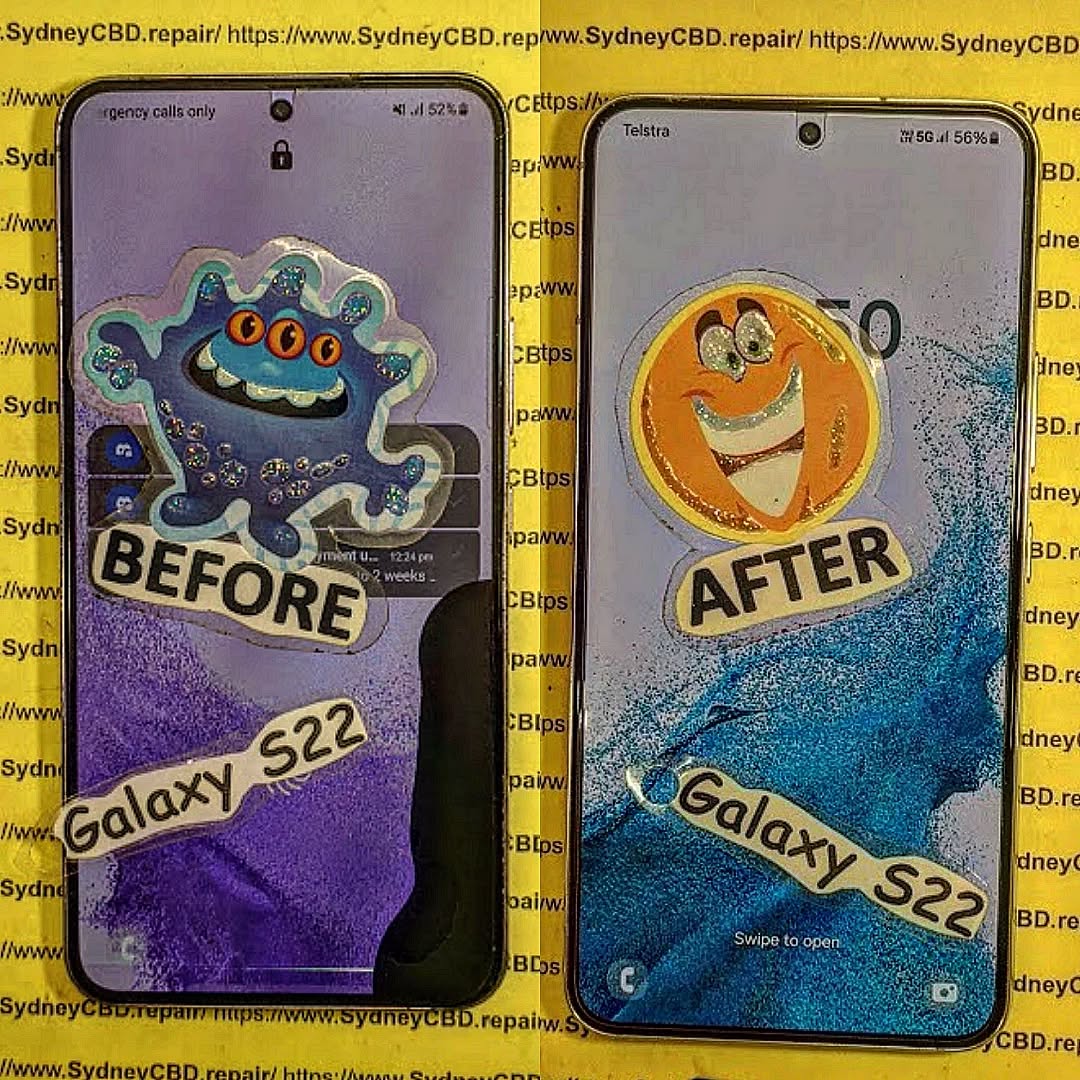
🔍 Overview of the Samsung Galaxy S22 Lineup
Key Models and Variants
Samsung released several variants under the S22 name:
- Galaxy S22 (Standard 5G model)
- Galaxy S22+ and S22 Ultra
- Regional variants (Exynos and Snapdragon versions)
- Carrier-specific models
Each version may feature slight changes in display configuration—even if the phone appears identical externally.
🤔 Are the S22 and S22 5G the Same Device?
Understanding Regional Differences
While globally marketed as “Galaxy S22 5G,” in some regions (like Australia and Europe), the “5G” label is implied and not always listed. However, the underlying hardware—especially the processor (Snapdragon vs. Exynos)—can influence display compatibility.
For example:
- Exynos models (SM-S901B) may use different screen controllers compared to Snapdragon models (SM-S901U/U1).
📐 Comparing Screen Specifications
Resolution and Size
Both S22 and S22 5G feature:
- 6.1-inch Dynamic AMOLED 2X
- 2340 x 1080 resolution
- Gorilla Glass Victus+ front
Refresh Rate and Brightness
- 120Hz refresh rate
- Peak brightness up to 1300 nits
These specs are technically identical—but screen connectors and firmware tuning may vary.
🔄 Do S22 and S22 5G Use the Same Screen?
Panel Type and Connector Compatibility
Most models of the Galaxy S22 use the same Dynamic AMOLED 2X panel, but that doesn’t guarantee universal compatibility.
What varies:
- Display connector layout
- Touch IC (integrated circuit)
- Firmware handshake with the motherboard
⚠️ Using the wrong screen—even if it fits—may result in:
- Ghost touch
- No display
- Incompatible brightness controls
🆔 OEM Part Numbers and Manufacturer Variations
Identifying Correct Display Replacements
Genuine Samsung screens have distinct part numbers, such as:
- GH82-28564A (commonly used for Galaxy S22 SM-S901 variants)
It’s important to match:
- Part number
- Model number (SM-S901B, SM-S901U, etc.)
- Manufacturer brand (Samsung, BOE, LG, etc.)
Even if the size and display resolution match, internal compatibility must align perfectly.
⚠️ What Happens If You Install the Wrong Screen?
Issues with Touch, Display, and Sensors
A mismatched screen can lead to:
- Touchscreen delays or non-responsiveness
- Screen flicker or color tinting
- Inoperable fingerprint sensor
- Face ID or proximity sensor misalignment
Worst case? You damage your phone’s logic board or void any remaining warranty.
🧠 Software and Firmware Compatibility
Screen Calibration and One UI Integration
Samsung’s One UI firmware auto-calibrates display output based on your screen’s specific ID. If a non-matching screen is installed:
- It may fail calibration
- You may lose adaptive brightness or refresh rate control
- Updates might cause further bugs
Technicians at Sydney CBD Repair Centre use calibration tools to verify screen data and alignment with Samsung firmware.
📝 Tips to Ensure You Order the Right Screen
Check Model Number and Region Code
Locate your model number:
- Go to Settings > About Phone
- Look for SM-S901B, SM-S901U, etc.
Use Samsung’s official database to cross-check part compatibility.
Compare IMEI with Samsung Database
IMEI number can help identify:
- Regional variant
- Factory configuration
- Original display panel used
You can check your IMEI via #06# or in Settings > About Phone.
🔧 How Technicians Verify Screen Compatibility
Diagnostic Tools and Testing Before Installation
Reputable technicians use:
- Pre-installation display testers
- Samsung Smart Repair software
- Magnification tools to inspect connector type
At Sydney CBD Repair Centre, we match the screen using:
- Model and IMEI data
- OEM part lookup
- Hands-on testing
This guarantees zero mismatch issues during or after installation.
🛠️ Why You Should Choose a Trusted Repair Centre

How Sydney CBD Repair Centre Gets It Right
With over 2000+ 5-star Google reviews and 6 years of award-winning service, Sydney CBD Repair Centre:
- Uses only genuine Samsung parts
- Checks compatibility before installation
- Offers a 90-day warranty
- Delivers same-day screen replacements
📍 Located in Sydney’s CBD:
👉 Locate Us
📞 Call: +61280114119
Don’t risk a mismatch. Trust the pros.
❓ Frequently Asked Questions (FAQs)
Q1: Are Galaxy S22 and S22 5G screens the same?
Technically, yes—but internal compatibility can vary based on region and processor. Always match part numbers.
Q2: Can I use an S22 Ultra screen on an S22?
No. The S22 Ultra uses a larger display and different panel assembly altogether.
Q3: What happens if I install an incompatible screen?
You may experience issues with touch, display brightness, fingerprint reader, or even total screen failure.
Q4: How do I know my S22 model number?
Go to Settings > About Phone or dial *#06# to see the IMEI and model number.
Q5: Can I replace the screen myself?
Only if you’re experienced and have the right tools. Otherwise, professional repair is recommended.
Q6: Do all S22 screens come with fingerprint sensor support?
Only OEM-quality displays preserve full biometric compatibility. Many cheap copies don’t.
✅ Conclusion
When it comes to screen compatibility for Galaxy S22 vs. S22 5G, small differences can cause big problems. Always check your model number, part number, and firmware requirements before ordering a replacement screen.
Want a worry-free repair? Sydney CBD Repair Centre provides expert diagnostics, genuine parts, and seamless installation—guaranteed to work with your device.

