


Choosing the Best Replacement Screen for Your Phone

Choosing the Best Replacement Screen for Your Phone – Ultimate Guide + 10 Key Tips
🧠 Choosing the Best Replacement Screen for Your Phone
When your phone screen breaks, it’s not just a cosmetic issue—it affects your entire user experience. Whether you’re dealing with flickering, ghost touches, or a spiderweb of cracks, getting the right replacement screen is critical. But with so many choices out there—OEM, aftermarket, refurbished—it can be overwhelming.
Let’s break it down step-by-step so you know exactly how to choose the best screen replacement without sacrificing quality or overpaying.
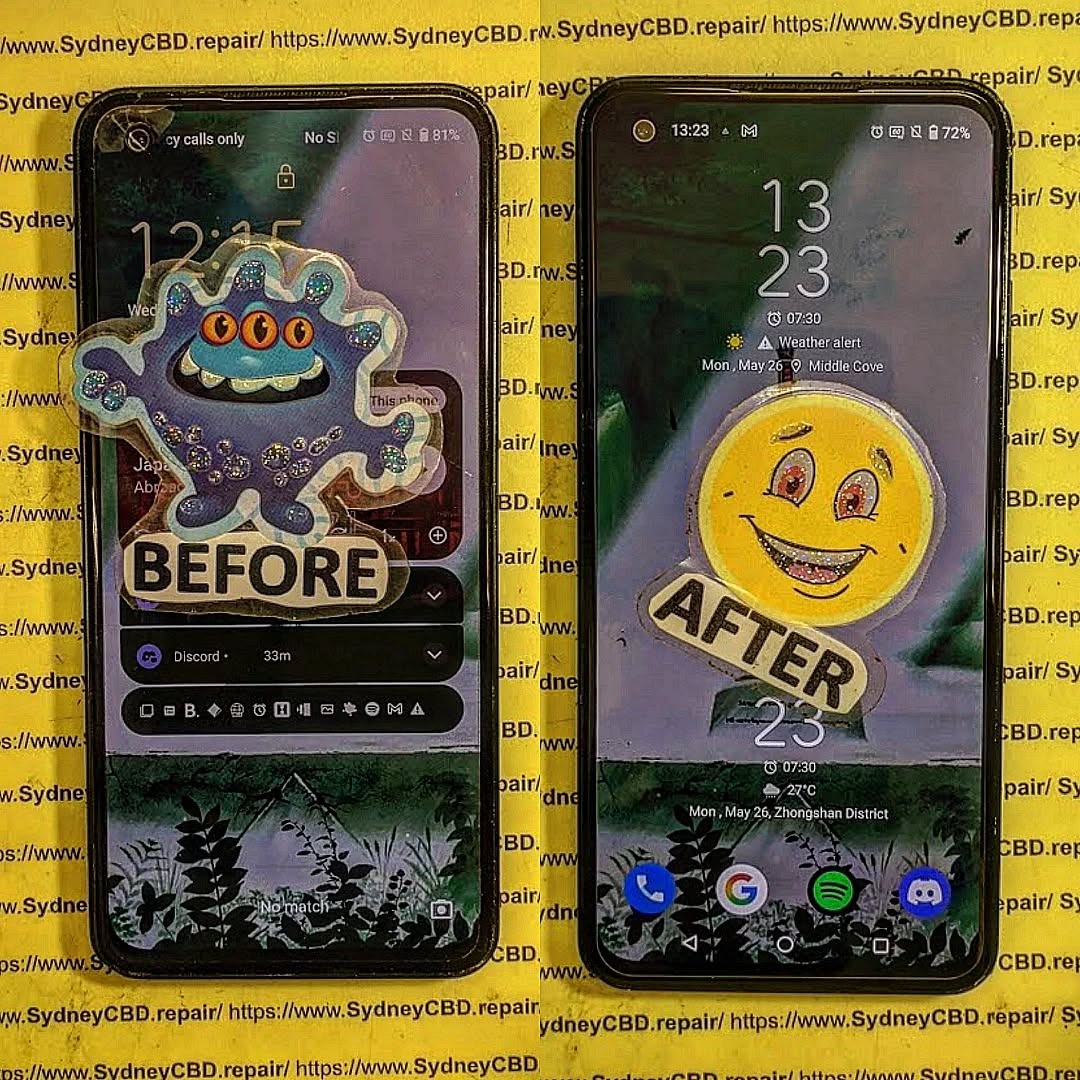
🔧 Why Replacing a Damaged Screen Is Crucial
A cracked screen is more than an eyesore. Here’s why quick replacement matters:
-
Safety Hazard: Broken glass can cut your fingers.
-
Touch Malfunction: Cracks can affect responsiveness.
-
Display Issues: Dead pixels, flickering, or blackouts.
-
Water Vulnerability: Screen cracks reduce water resistance.
-
Lower Resale Value: Damaged screens kill trade-in offers.
Replacing your screen promptly can save you from more costly repairs down the road, especially with newer models that integrate fingerprint scanners and sensors into the display.
🆚 OEM vs. Aftermarket Screens – What’s the Difference?
Let’s talk about the two main screen types available on the market:
🔷 OEM (Original Equipment Manufacturer)
-
Made by the same manufacturer as your original phone screen.
-
Guaranteed fit, color accuracy, and responsiveness.
-
Often comes with a warranty.
-
Costs more, but worth it for flagship phones.
🔶 Aftermarket
-
Made by third-party companies.
-
May differ in brightness, touch sensitivity, and durability.
-
Budget-friendly, but quality varies widely.
-
Good for older or secondary devices.
🛠️ Pro Tip: For flagship phones like iPhones, Samsung Galaxy S, or Pixel series—always go OEM or high-grade refurbished.
⚠️ Signs You Need a Screen Replacement
Not sure if a full replacement is necessary? Watch out for these red flags:
-
Cracks or shattered glass
-
Unresponsive touch
-
Discoloration or pixel bleeding
-
Flickering or random ghost touches
-
Screen blackouts but the phone still rings
Any of these signs indicate a screen issue that won’t get better with time. In fact, most will worsen—especially ghost touch, which can cause unintended actions.
💡 Understanding Screen Types: LCD, OLED, AMOLED
Each screen type has its own advantages. Here’s how they compare:
| Type | Quality | Battery Usage | Common Devices |
|---|---|---|---|
| LCD | Decent | Higher | Budget to mid-range |
| OLED | High | Lower | Mid to high-end |
| AMOLED | Superior | Very low | Flagships (Samsung, Pixel, etc.) |
Knowing your screen type ensures you don’t downgrade your phone’s performance with a mismatched part.
🔍 How to Choose the Right Replacement Screen
Here are 10 key tips to make sure you get the right screen:
-
Check your phone model EXACTLY.
-
Match screen resolution and refresh rate.
-
Go for OEM or Grade A parts.
-
Buy from a reputable seller or repair centre.
-
Compare warranties.
-
Ask if the digitizer is included.
-
Check return policies.
-
Avoid super cheap deals.
-
Read customer reviews.
-
Consult a professional when unsure.
The best replacement screen isn’t always the cheapest—it’s the one that fits and works like your original.
❌ Top 5 Mistakes to Avoid When Choosing a Screen
-
Buying without checking compatibility.
-
Going for the cheapest option available.
-
Not verifying the supplier’s reputation.
-
Forgetting about the digitizer.
-
Attempting a complex DIY repair without tools or experience.
Mistakes during screen selection or installation can lead to touch lag, poor visibility, or worse—frying your device.
🏆 Benefits of Using Genuine Parts
When you’re weighing up your screen‑replacement options, nothing beats genuine components. Original screens match your phone’s factory‑fresh colour profile, brightness, and touch latency. There’s no washed‑out white, no laggy gestures—just that smooth, vibrant display you fell in love with on day one.
| Genuine Part Advantage | Why It Matters in Daily Use |
|---|---|
| Factory calibration | Authentic colours and sharp text, crucial for creatives and gamers |
| Integrated sensors | Face ID / fingerprint scanners work flawlessly |
| Proper adhesive & seals | Preserves your phone’s water‑resistance rating |
| Warranty support | Manufacturer honours future hardware claims |
You’ll also dodge the hidden costs of cheap knock‑offs. Poor‑quality glass can shatter again after a minor bump; sub‑par digitisers create “ghost touches” that reorder your groceries at 3 a.m. Protect your sanity—and your wallet—by insisting on genuine parts from a reputable repair centre.
🛠️ DIY vs. Professional Screen Replacement
“Should I just fix it myself?” is a question we hear every day. Let’s break down the realities:
DIY Pros
-
Lower upfront cost (if you already own specialised tools).
-
Learning experience for tech enthusiasts.
-
Flexible timing—repair at midnight in your pyjamas.
DIY Cons
-
Risk of further damage to motherboard, ribbon cables, and backlight.
-
No parts warranty unless you buy from an approved supplier.
-
Time‑consuming—a first‑timer can spend three hours on a 30‑minute pro job.
-
Loss of waterproofing if adhesive isn’t applied perfectly.
Professional Pros
-
Certified technicians with thousands of successful repairs.
-
Genuine parts guarantee and service warranty (Sydney CBD Repair Centre offers 90 days).
-
Same‑day turnaround—grab a coffee, come back to a brand‑new screen.
-
Data safety—experts know how to avoid short circuits that fry storage chips.
Professional Cons
-
Higher labour cost—but remember: cheap fixes often become expensive re‑fixes.
Bottom line: If your phone is a daily driver or flagship model, let experts handle it. DIY makes sense only for older backup devices where data loss won’t ruin your week.
💰 Average Costs for Screen Replacement in 2025
Costs vary by brand, screen tech, and region. Here’s a ballpark guide (parts plus labour) based on 2025 market rates in Australia:
| Phone Category | Typical Screen Type | Price Range (AUD) |
|---|---|---|
| Entry‑level Android | LCD | $120 – $180 |
| Mid‑range Android | OLED | $180 – $260 |
| Flagship Android (e.g., Galaxy S24, Pixel 9) | AMOLED | $320 – $450 |
| iPhone 12/13 series | OLED | $320 – $420 |
| iPhone 14/15 series | OLED (Dynamic Island) | $420 – $550 |
| Foldables (Galaxy Z Fold 5, Flip 5) | Foldable AMOLED | $700 – $900 |
Prices include GST and a 90‑day workmanship warranty at Sydney CBD Repair Centre. For comparison, Apple’s own service pricing in Australia starts at $269 AUD for older iPhones and climbs to $579 AUD for the iPhone 15 Pro Max (source: Apple Support).
👀 How to Spot Low‑Quality Replacement Screens
Before you swipe your card, run through this quick checklist:
-
Inconsistent colour temperature – blues look purple, whites look grey.
-
Uneven backlight – bright spots in the corners, dim centre.
-
Thick black borders – indicates a cheap digitiser assembly.
-
Poor oleophobic coating – fingerprints stick immediately.
-
No manufacturer stamp on flex cables—OEM parts always have one.
-
Stripped screw holes or missing seals—often found in refurb units sold as “new.”
If the seller can’t answer basic questions about origin, warranty, or return policy, walk away.
🛒 Where to Buy Reliable Replacement Screens
Finding the right supplier is half the battle. Stick with one of these sources:
-
Authorised service centres (Samsung, Apple, Google).
-
Specialist repair shops such as Sydney CBD Repair Centre—verified genuine parts, express service.
-
Reputable online platforms (iFixit Pro, MobileSentrix) that publish part‑grade data.
-
Carrier stores for in‑warranty devices.
Avoid random auction sites with “AAA‑grade OEM‑equivalent” claims—90 % of the time they’re anything but.
🌟 Why Choose Sydney CBD Repair Centre

David and his award‑winning team have dominated Sydney’s repair scene for six consecutive years—and counting! Here’s why:
-
Same‑Day Express Repairs – most screens swapped in under one hour.
-
Genuine Parts Guarantee – sourced directly from manufacturers or Tier‑1 distributors.
-
Professional Technicians – every tech completes 600 hours of specialised training.
-
Competitive Pricing – transparent quotes, no surprise add‑ons.
-
2000+ 5‑Star Google Reviews – real customers, real feedback.
-
90‑Day Warranty – covers parts and labour.
-
Central CBD Location – pop in during lunch, pick up after coffee.
“I shattered my Galaxy S24 on George Street at 9 a.m. By 11 a.m. it looked factory‑new again. Legends!” — Mia L. (Google Review)
Call +61 2 8011 4119 or visit our workshop: https://SydneyCBD.repair/locate‑us.
🗣️ Customer Testimonials & Case Studies
-
Tom K. – iPhone 13 Pro
-
Problem: Cracked display, Face ID failure.
-
Solution: OEM OLED + sensor re‑alignment.
-
Outcome: Full Face ID restoration, completed in 45 minutes.
-
-
Rachel D. – Samsung Galaxy Z Flip 5
-
Problem: Crease line distortion.
-
Solution: Genuine foldable AMOLED panel.
-
Outcome: 5 ⭐️ review; Samsung Care+ wouldn’t cover accidental damage, but Sydney CBD saved her $250.
-
-
Alex M. – Google Pixel 8
-
Problem: Ghost touches after DIY attempt.
-
Solution: Board‑level cleaning + OEM screen.
-
Outcome: Phone now works flawlessly; Alex swears off DIY.
-
🛡️ Maintenance Tips to Prolong Screen Life
-
Use a quality tempered‑glass protector—it’s cheaper than another replacement.
-
Choose a cushioned case with a raised lip.
-
Avoid extreme temperatures—OLED burn‑in accelerates above 35 °C.
-
Enable auto‑brightness to reduce backlight stress.
-
Keep hands clean—grit can scratch even Gorilla Glass.
-
Update software—touch‑firmware patches improve longevity.
Good habits today mean fewer repair bills tomorrow.
❓ Frequently Asked Questions
1. Does replacing my screen void the manufacturer warranty?
A: If you use an authorised centre or certified parts, your warranty usually remains intact. Always check the fine print.
2. Can I upgrade from LCD to OLED on the same phone?
A: In most cases, no. The motherboard, firmware, and housing are designed for a specific display type.
3. How long will a replacement screen last?
A: With genuine parts and normal use, expect lifespan equal to the original—often 3‑5 years.
4. Is water resistance still guaranteed after repair?
A: Only if high‑grade seals and factory‑spec adhesive are used (standard practice at Sydney CBD Repair Centre).
5. Why is my new screen dimmer than the old one?
A: You may have received a lower‑grade aftermarket panel. Return it or have a professional install a genuine unit.
6. Do I need to back up my data before repair?
A: Absolutely! While data loss is rare, sudden power surges or disconnections can occur during any hardware service.
🔚 Conclusion: Make the Smart Choice for Your Device
Choosing the best replacement screen for your phone isn’t just about price—it’s about quality, fit, and peace of mind. Opt for genuine parts, rely on trained professionals, and follow smart maintenance tips. Your phone will reward you with vibrant visuals and seamless touch for years to come.
Ready to restore your device? Visit Sydney CBD Repair Centre—Where Quality Meets Reliability.

