




The Epic Battery Battle: Apple Watch vs. Fitbit Battery Replacement

The Epic Battery Battle: Apple Watch vs. Fitbit Battery Replacement – 2026 Ultimate Guide
Introduction to Wearable Battery Life
Smartwatches have become essential for fitness tracking, notifications, and health monitoring. However, like all electronics, their batteries degrade over time. Understanding the process of battery replacement is crucial, whether you own an Apple Watch or a Fitbit. In this guide, we’ll compare both devices’ battery systems, explore replacement strategies, and provide tips to extend battery life.
Battery health isn’t just a minor inconvenience; a failing battery can affect device performance, accuracy of fitness tracking, and even safety when swelling occurs. Both Apple Watch and Fitbit are engineered for longevity, but each has unique challenges when it comes to battery replacement.
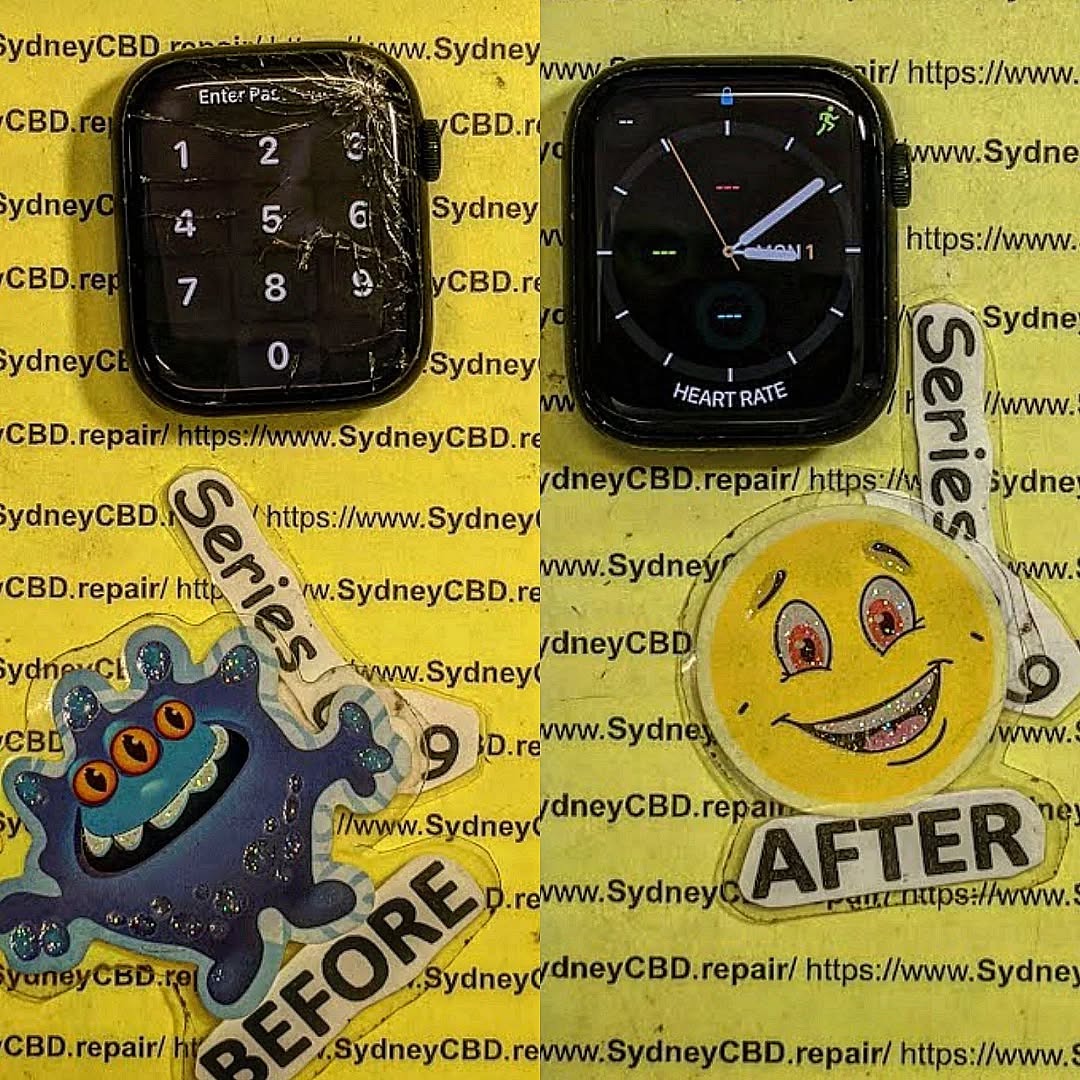
Understanding Apple Watch Batteries
Battery Technology in Apple Watch
Apple Watches utilize lithium-ion (Li-ion) batteries, renowned for their high energy density and lightweight design. These batteries are compact yet powerful, designed to support daily use including heart rate monitoring, GPS tracking, and constant notifications.
Key specifications:
- Typical lifespan: 18–24 months (around 300–500 full charge cycles)
- Charging method: Magnetic induction with fast charging in newer models
- Common models: Series 3 to Series 9 and Ultra models
Li-ion batteries degrade naturally due to chemical aging. Factors accelerating degradation include high-temperature exposure, frequent full discharges, and using non-certified chargers.
Common Battery Problems in Apple Watch
Apple Watch users report several battery issues, often signaling the need for replacement:
- Rapid Drainage: Battery percentage drops faster than expected.
- Swelling or Bulging: Can distort the watch screen.
- Failure to Charge: Device may not recognize the charger.
- Unexpected Shutdowns: Occurs even when battery percentage appears sufficient.
Understanding these signs early helps prevent further damage and extends device life.
Understanding Fitbit Batteries
Battery Technology in Fitbit Devices
Fitbit uses lithium-polymer (Li-Po) batteries. Li-Po batteries are flexible, allowing slimmer device designs, and have a lower risk of leakage. Despite these advantages, they share common wear issues with Li-ion batteries.
Key specifications:
- Typical lifespan: 12–24 months (200–400 full charge cycles)
- Charging method: Proprietary magnetic pins or docking stations
- Popular models: Fitbit Charge, Versa, Sense, and Inspire series
Li-Po cells are sensitive to overcharging, high temperatures, and prolonged inactivity.
Common Battery Problems in Fitbit
- Fast Discharge: Noticeably shorter battery life than expected.
- Charging Failure: Device won’t start charging or disconnects intermittently.
- Overheating: Rare but can indicate internal battery faults.
- Device Malfunction: Battery degradation can affect screen responsiveness and tracking accuracy.
Signs Your Device Needs a Battery Replacement

Both Apple Watch and Fitbit exhibit common warning signs when a battery is failing:
- Battery drains faster than 50% of expected life
- Device won’t hold a charge overnight
- Swelling or deformation of the device
- Unexpected shutdowns during normal use
Regular monitoring of battery health through device settings (Apple Watch: Settings > Battery > Battery Health, Fitbit: Fitbit App battery status) can prevent sudden failures.
DIY Battery Replacement: Risks and Tips
Replacing a smartwatch battery yourself can save money but carries risks:
- Warranty Voiding: DIY replacement may void manufacturer warranty.
- Device Damage: Fragile components can break easily.
- Safety Risks: Swollen Li-ion/Li-Po batteries may catch fire if punctured.
Tips if attempting DIY:
- Use high-quality replacement batteries
- Follow detailed tutorials specific to your model
- Keep a fireproof container nearby
- Avoid forcing connectors or removing glued components
Professional Battery Replacement Services
Choosing a certified repair centre ensures safe replacement, quality parts, and device integrity. Professional services offer:
- 90-day warranties
- Same-day repairs in many cases
- Genuine or high-quality OEM batteries
- Expert handling of delicate components
Cost Comparison: Apple Watch vs Fitbit Battery Replacement
| Device | Average Cost (USD/AUD) | Timeframe | Notes |
|---|---|---|---|
| Apple Watch | $79–$129 | 1–3 hours | Higher complexity, glued screen |
| Fitbit | $49–$89 | 1–2 hours | Compact battery, easier to access |
Choosing a Reputable Repair Centre
- Check online reviews (Google, Yelp)
- Verify warranty and battery authenticity
- Compare pricing but prioritize expertise over cost
- Ask about post-replacement testing for device performance
Battery Maintenance Tips for Longevity
Maintaining battery health prolongs device lifespan:
- Charge partially, avoid full 0–100% cycles frequently
- Avoid high temperatures and direct sunlight
- Update firmware to benefit from battery optimization
- Remove watch from charger after full charge
- Store devices at ~50% battery if unused for long periods
Environmental Impact and Recycling
Old batteries should never be thrown into regular trash. Li-ion and Li-Po batteries are recyclable:
- Take old batteries to certified recycling centers
- Participate in manufacturer trade-in programs
- Reduce environmental impact by prolonging battery life
Apple Watch vs Fitbit: User Experience Post-Replacement
After professional battery replacement:
- Apple Watch typically restores original performance, sometimes slightly improved responsiveness
- Fitbit devices regain full-day tracking and faster charging
- Both devices benefit from optimized battery calibration post-replacement
Users report a significant improvement in reliability and daily usage convenience.
Frequently Asked Questions (FAQs)
Q1: How long does an Apple Watch battery last after replacement?
A: Typically 18–24 months depending on usage and charging habits.
Q2: Can I replace a Fitbit battery myself safely?
A: Technically yes, but risks include damaging the device and voiding the warranty.
Q3: Why is my smartwatch battery swelling?
A: Swelling is caused by gas formation inside Li-ion or Li-Po cells, often due to overcharging or aging.
Q4: How much does it cost to replace a Fitbit battery professionally?
A: Generally between $49–$89, depending on the model and repair center.
Q5: Will battery replacement improve device speed?
A: Not directly, but restored battery health ensures consistent performance without unexpected shutdowns.
Q6: Can firmware updates affect battery life?
A: Yes, updates may include optimizations that improve energy efficiency and extend battery longevity.
Conclusion

Battery replacement for Apple Watch and Fitbit is a critical maintenance step to ensure device longevity, safety, and optimal performance. While DIY methods exist, professional replacement is safer and often more reliable. By following proper maintenance tips, choosing certified repair centres, and understanding battery technology, users can enjoy their smartwatches for years to come.
For detailed information on professional repairs, visit Apple Battery Replacement Guide.
David from Sydney CBD Repair Centre – The Best place to fix mobile phones as 7 Years In A Row! Top Mobile Phone Repair In Sydney. More than 2000 Positive Reviews on Google and Same Day Repairs.
We take pride in delivering exceptional repair services for all major phone brands including Apple, Samsung, Google, and more. Our expert technicians use only genuine parts and offer 90days warranty on repairs. Located in the heart of Sydney CBD, we’re your one-stop solution for all mobile device repairs.
Our commitment to excellence has earned us the trust of thousands of satisfied customers. Whether it’s a cracked screen, battery replacement, or water damage repair, we handle it all with professional care and expertise. Walk in today and experience why we’re Sydney’s #1 choice for mobile phone repairs.
Visit us for:
✓ Same Day Express Repairs
✓ Genuine Parts Guarantee
✓ Professional Technicians
✓ Competitive Pricing
✓ 2000+ 5-Star Google Reviews
✓ 7-Time Award Winner for Best Phone Repairs
Sydney CBD Repair Centre – Where Quality Meets Reliability.
Call : +61280114119
Website: https://SydneyCBD.repair/locate-us



