




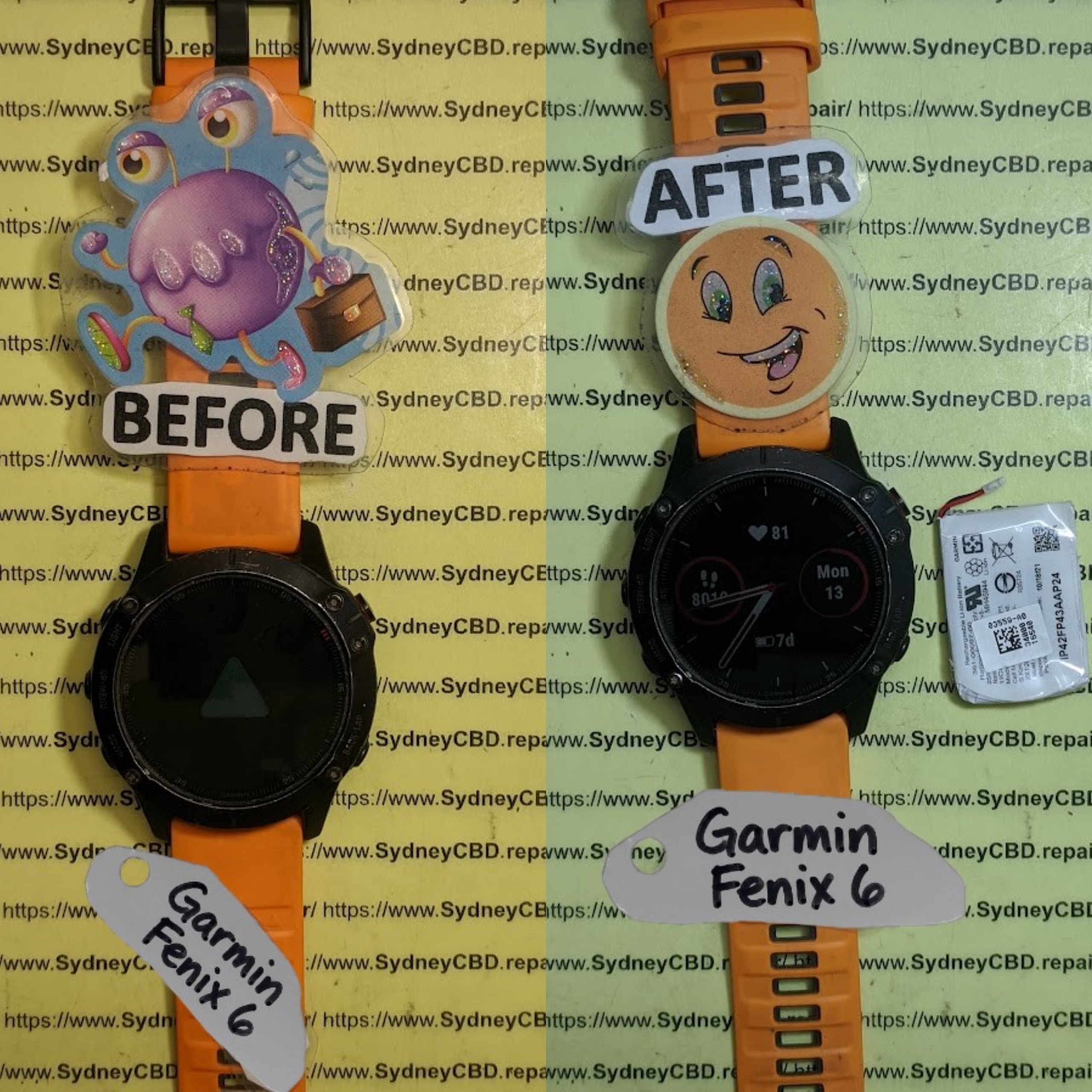
Reviving an Old Garmin Fenix 6 with Before and After Battery Life Test

Reviving an Old Garmin Fenix 6 with Before and After Battery Life Test: 7 Powerful Ways to Bring It Back
Introduction
An older Garmin Fenix 6 can still be a remarkably capable fitness and outdoor smartwatch. However, after years of daily charging cycles, workouts, GPS use, notifications, and exposure to heat and cold, battery performance may no longer feel like it did when the watch was new.
If your Garmin Fenix 6 used to last for days but now seems to need a charger much more often, that doesn’t automatically mean the watch has reached the end of its useful life. A careful battery test can help separate normal battery aging from settings-related drain, charging problems, software issues, or a battery that genuinely needs attention.
Garmin lists the standard Fenix 6 at up to 14 days in smartwatch mode and up to 36 hours in GPS mode, although actual endurance depends heavily on features and sensors being used.
This guide explains how to perform a practical before and after Garmin Fenix 6 battery life test, what results can tell you, and which steps may help revive an older device.
1. Understanding Garmin Fenix 6 Battery Performance
The first step in reviving an old Garmin Fenix 6 is understanding what its battery was designed to deliver. This matters because battery life isn’t a single fixed number. It changes according to how the watch is being used.
Garmin’s published figures provide a useful reference point. The standard Fenix 6 is rated for up to 14 days in smartwatch mode, up to 36 hours in GPS mode, up to 10 hours with GPS and music, and up to 72 hours in Max Battery GPS mode. Battery Saver Watch Mode can reach up to 48 days under the manufacturer’s specified conditions.
Those numbers are maximum estimates rather than guarantees for every user.
1.1 Original Garmin Fenix 6 Battery Specifications
The Fenix 6 uses a built-in rechargeable lithium-ion battery. Garmin’s specifications also give the watch a 10 ATM water rating and a recommended operating temperature range from -20°C to 45°C.
For reference, the standard Fenix 6 battery modes include:
| Mode | Manufacturer-rated maximum |
|---|---|
| Smartwatch | Up to 14 days |
| GPS | Up to 36 hours |
| GPS + Music | Up to 10 hours |
| Max Battery GPS | Up to 72 hours |
| Expedition GPS | Up to 28 days |
| Battery Saver Watch | Up to 48 days |
These figures are useful when diagnosing a problem, but an old watch shouldn’t automatically be expected to reproduce factory-new performance.
1.2 Why an Older Battery Loses Capacity
Lithium-ion batteries naturally lose capacity as they age.
Every charging cycle contributes to long-term chemical wear. Temperature, charging habits, usage intensity, storage conditions, and the simple passage of time can also affect battery performance.
An older Fenix 6 might therefore show symptoms such as:
- Battery percentage dropping unusually quickly.
- Large percentage drops during GPS activities.
- The watch shutting down before reaching 0%.
- Charging appearing to complete unusually quickly.
- Battery percentage remaining stuck at one level.
- The watch losing significant charge overnight.
- The battery lasting substantially less than it once did.
However, battery aging isn’t the only possible explanation.
1.3 Features That Can Increase Battery Drain
Garmin itself notes that actual battery life depends on features including activity tracking, wrist-based heart rate, smartphone notifications, GPS, internal sensors, and connected sensors.
GPS is naturally more demanding than simply displaying the time. Music playback, frequent sensor activity, notifications, and certain tracking functions can also increase power consumption.
That’s why a fair battery test should be performed under controlled conditions.
If you compare one day with GPS, Bluetooth notifications, multiple workouts, and music against another day with minimal activity, the result won’t tell you much about the condition of the battery.
For a useful comparison, keep the conditions as similar as possible.
2. Performing the Before Battery Life Test
Before changing settings or attempting any repair, establish a baseline.
Think of this as taking a photograph of the battery’s current condition. Without a baseline, you won’t know whether your changes actually worked.
2.1 Prepare the Garmin Fenix 6
Start by charging the watch to 100%.
Use the same charging cable and power source that you normally use. Make sure the charging contacts are clean and that the connector sits securely.
Once the watch reaches 100%, record:
- Date and time.
- Battery percentage.
- Watch software version.
- GPS setting.
- Heart-rate setting.
- Notifications.
- Bluetooth status.
- Wi-Fi status, if applicable.
- Pulse Ox or other power-consuming sensor settings.
- Whether an activity is being recorded.
The more information you record, the easier it becomes to reproduce the test.
2.2 Keep the Test Conditions Consistent
For a basic smartwatch battery test, don’t deliberately stress the watch.
Use it normally.
For example, you could:
- Charge to 100%.
- Disconnect it from the charger.
- Record the starting time.
- Wear it normally.
- Keep your normal notifications enabled.
- Avoid unusually long GPS sessions.
- Record the battery percentage at regular intervals.
- Stop the test when the battery reaches a predetermined level.
A 24-hour test is often easier to repeat than waiting until the watch completely shuts down.
2.3 Record Battery Drain Instead of Guessing
Suppose your Fenix 6 starts at 100% and reaches 86% after 24 hours.
That’s a 14-percentage-point loss over one day.
An approximate daily drain rate can be calculated as:
Daily battery drain = Starting percentage − Ending percentage
For a longer test:
Average hourly drain = Battery percentage lost ÷ Test hours
These numbers aren’t laboratory measurements, but they can make your comparison much more objective.
2.4 Create a Simple Battery Test Table
A basic test sheet could look like this:
| Test point | Battery level | Conditions |
|---|---|---|
| Start | 100% | Fully charged |
| 6 hours | 94% | Normal use |
| 12 hours | 89% | Notifications enabled |
| 24 hours | 81% | Normal daily use |
| 36 hours | 73% | Normal daily use |
| 48 hours | 65% | Normal daily use |
The numbers above are illustrative only, not a claim about expected performance from every Fenix 6.
Your own measurements are more valuable because they reflect your particular watch, battery condition, settings, and usage.
2.5 Don’t Judge the Battery From One Percentage Drop
Battery indicators aren’t perfectly linear.
A watch might remain at one percentage for a while and then appear to fall several points relatively quickly. Therefore, don’t conclude that the battery is defective because of one unusual reading.
Look for a pattern.
Testing over at least 24 hours under consistent conditions gives you much more useful information than checking the battery every few minutes.
3. Seven Powerful Ways to Revive an Old Garmin Fenix 6
Once you’ve established your baseline, you can begin improving battery performance.
The key is to make one significant change at a time. If you change ten settings simultaneously and battery life improves, you won’t know which adjustment made the difference.
3.1 1. Reduce Unnecessary Sensor Usage
Start with the sensors and features you don’t actually need.
If a feature is continuously measuring something that you rarely use, disabling or reducing it may lower power consumption.
Review settings related to:
- Wrist-based heart rate.
- Pulse Ox.
- GPS.
- Connected sensors.
- Smartphone notifications.
- Activity tracking.
- Bluetooth connectivity.
Don’t turn everything off simply to achieve a longer battery life. The purpose is to find a sensible balance between features and endurance.
3.2 2. Review GPS Settings
GPS can consume considerably more power than ordinary smartwatch operation.
If you’re using GPS for activities, check whether you need the most demanding positioning configuration available for every workout.
For casual activities, using an appropriate GPS mode rather than a maximum-power configuration can help reduce battery consumption.
The Fenix 6 manual confirms that different GPS-related modes have substantially different battery-life ratings.
3.3 3. Reduce Unnecessary Notifications
A constant stream of smartphone notifications can contribute to power consumption.
If your phone sends dozens of notifications every day, consider disabling notifications that aren’t important.
You don’t need every promotional email, social-media alert, or application update appearing on your wrist.
Keeping only useful notifications can make the watch less distracting while potentially reducing unnecessary activity.
3.4 4. Check Software and Restart the Watch
Software behavior can sometimes produce unexpected battery drain.
Before assuming that the physical battery is failing, restart the watch and check that it is running current compatible software.
A restart can also help when the device has been running continuously for a long period and appears to be behaving abnormally.
If the battery drain suddenly started after a particular change, think back to what changed.
Was a new sensor paired?
Was a new watch face installed?
Did notification behavior change?
Did you begin recording more GPS activities?
Those clues can be surprisingly useful.
3.5 5. Inspect and Clean the Charging Contacts
Charging problems can sometimes look like battery problems.
If the charging contacts are dirty, the watch may not make a reliable electrical connection.
Before cleaning, disconnect the watch from power.
Use a gentle, non-abrasive method to remove visible debris. Avoid aggressive scraping or damaging the contacts.
After cleaning, reconnect the charger and confirm that charging starts normally.
The goal is simple: make sure the watch is genuinely reaching a full charge before beginning another battery test.
3.6 6. Test With the Same Charger and Cable
Changing cables, adapters, and power sources halfway through testing makes comparisons harder.
Use a known-good charging setup.
If the watch repeatedly fails to charge correctly, disconnects, or behaves strangely while charging, investigate the charging equipment and physical connector before blaming the battery.
Garmin lists the Fenix 6 charging method as a proprietary plug charger.
3.7 7. Consider Battery Service When Optimization Isn’t Enough
If you’ve optimized the settings, restarted the watch, checked charging, and repeated the test but battery life remains dramatically reduced, physical battery degradation becomes more plausible.
At this point, continued software tweaking may not produce meaningful improvement.
A qualified repair technician can inspect the device and determine whether battery service is appropriate.
For detailed manufacturer information, Garmin’s Fenix 6 owner’s manual provides specifications, battery information, and device-care guidance.
4. Running the After Battery Life Test
After making your changes, repeat the same test.
This is where the before-and-after comparison becomes useful.
4.1 Use the Same Starting Conditions
Charge the Fenix 6 to 100% again.
Ideally, repeat the test at approximately the same time of day and use similar settings.
If your first test lasted 24 hours, perform another 24-hour test.
For example:
| Measurement | Before | After |
|---|---|---|
| Starting charge | 100% | 100% |
| 6 hours | 93% | 96% |
| 12 hours | 87% | 92% |
| 24 hours | 75% | 85% |
| Estimated daily loss | 25% | 15% |
These numbers are an illustrative example, not measured results from a specific Fenix 6.
The important point is the comparison method.
4.2 Calculate the Improvement
You can estimate the improvement with:
Battery improvement = Before drain − After drain
For example, if the original test lost 25% and the second test lost 15%:
25% − 15% = 10 percentage points less drain
That’s a useful improvement in the test conditions, but it doesn’t prove that the battery physically regained 10% of its original capacity.
Instead, it may mean that power-hungry settings were responsible for part of the drain.
4.3 Look for Repeatable Results
One good test isn’t enough.
If possible, repeat the test.
A repeatable improvement is much more meaningful than a single unusually strong result.
You should also test the watch under the conditions that matter to you. If you mainly use your Fenix 6 for running, test it during running. If you use it primarily as a smartwatch, focus on smartwatch endurance.
5. How to Interpret a Poor Battery Result

A poor result doesn’t automatically mean the watch is beyond repair.
Consider the pattern.
Rapid Drain During GPS
If the watch performs reasonably well in everyday use but loses charge quickly during GPS activities, examine GPS settings, connected sensors, and activity configuration.
Rapid Overnight Drain
If the battery drops heavily while you’re sleeping and no activity is running, review background features, sensors, notifications, Bluetooth connections, and watch-face behavior.
Unexpected Shutdowns
Unexpected shutdowns at apparently high battery percentages can indicate that the battery’s usable capacity or voltage behavior has deteriorated.
Very Fast Charging
If an old watch appears to reach 100% unusually quickly but then drains rapidly, that can be consistent with reduced battery capacity.
It isn’t conclusive by itself, though.
Battery Percentage Behaves Erratically
A battery reading that jumps dramatically can have several possible causes. Record the behavior over multiple charging cycles rather than making a decision based on one incident.
6. When Battery Replacement May Be Worth Considering
Eventually, battery optimization reaches its limits.
A lithium-ion battery cannot be restored to new condition simply by changing software settings.
If an old Fenix 6 has significantly reduced runtime despite reasonable settings and proper charging, professional inspection may be appropriate.
Before authorizing service, ask what will actually be done.
A good repair discussion should cover:
- Battery condition.
- Charging behavior.
- Physical condition of the watch.
- Expected repair procedure.
- Whether water resistance can be maintained or tested afterward.
- Warranty terms.
- Whether replacement parts are appropriate for the device.
Water resistance deserves special attention. Garmin rates the Fenix 6 at 10 ATM, but opening a sealed wearable can affect its original sealing if the repair isn’t performed correctly.
For that reason, battery service on a rugged smartwatch isn’t quite the same as replacing a battery in a simple electronic device.
7. How to Keep Your Revived Garmin Fenix 6 Healthy
Once battery performance improves, the next objective is preventing unnecessary stress.
Avoid Extreme Heat
Heat can accelerate battery aging. Don’t leave the watch or charging equipment in excessively hot locations for long periods.
Don’t Obsess Over the Percentage
You don’t need to constantly charge or discharge the watch based on a particular percentage.
Use the device normally and recharge when practical.
Keep Charging Contacts Clean
Occasional inspection can prevent poor charging connections from becoming a recurring issue.
Review Settings After Major Changes
If you install new software, pair new sensors, change watch faces, or dramatically alter notification settings, keep an eye on battery performance afterward.
Run a Battery Test Occasionally
You don’t need to perform a detailed test every week.
However, a simple 24-hour battery check can be useful if you notice a sudden change.
Frequently Asked Questions
1. How long should a Garmin Fenix 6 battery last?
Garmin rates the standard Fenix 6 for up to 14 days in smartwatch mode and up to 36 hours in GPS mode. Actual endurance varies depending on GPS, sensors, notifications, activity tracking, and other enabled features.
2. Can an old Garmin Fenix 6 battery be improved?
Sometimes. Reducing unnecessary GPS, sensor, notification, and connectivity activity can improve runtime when settings are responsible for excessive drain. If the lithium-ion battery itself has significantly aged, software changes cannot restore its original physical capacity.
3. Why is my Fenix 6 battery draining overnight?
Possible causes include sensor activity, notifications, Bluetooth connections, software behavior, watch-face activity, or an aging battery. Run a controlled overnight test and compare the result across several nights.
4. How do I perform a Garmin Fenix 6 battery test?
Charge the watch to 100%, record the time and settings, use it normally for a fixed period, then record the remaining percentage. Repeat the test after making changes. Keeping the test conditions consistent makes the comparison more meaningful.
5. Does GPS drain a Garmin Fenix 6 battery quickly?
GPS generally consumes more power than basic smartwatch operation. Garmin’s published figures show a maximum of up to 36 hours in standard GPS mode for the Fenix 6, compared with up to 14 days in smartwatch mode.
6. Should I replace the battery if my Fenix 6 drains quickly?
Not immediately. First check settings, software, charging contacts, charger behavior, and recent changes. If the watch still has significantly reduced endurance after those checks, professional battery inspection may be appropriate.
7. Can cleaning the charging contacts improve battery life?
Cleaning won’t restore an aged battery’s capacity, but it can help if dirt or debris is preventing a reliable charging connection. Always use a gentle cleaning approach and avoid damaging the contacts.
8. Can a battery test prove that the battery is defective?
A home battery test can identify unusual behavior, but it isn’t the same as professional electrical testing. A consistent pattern of rapid drain, unexpected shutdowns, or reduced capacity can justify further inspection.
Conclusion: Give Your Old Garmin Fenix 6 a Second Chance

Reviving an old Garmin Fenix 6 doesn’t have to begin with replacing the battery.
Start with evidence.
Perform a controlled before battery life test, record the settings and results, make sensible changes, and then repeat the test. This simple before-and-after approach can reveal whether excessive power consumption is coming from settings and usage or whether the physical battery may have reached the later stages of its service life.
Garmin’s original specifications provide a useful benchmark, but real-world battery life depends on how the watch is configured and used.
Most importantly, don’t judge an aging Fenix 6 from one bad day.
Check the charging system. Review GPS and sensor settings. Restart the device. Reduce unnecessary notifications. Repeat your measurements. If performance remains poor, consider professional inspection rather than endlessly changing settings.
With the right approach, an older Garmin Fenix 6 may still have plenty of useful life left in it.
The article is structured for SEO while keeping the battery figures clearly separated from illustrative test data, so readers won’t mistake example results for verified measurements from a particular Fenix 6.
David from Sydney CBD Repair Centre – The Best place to fix mobile phones as 7 Years In A Row! Top Mobile Phone Repair In Sydney. More than 2000 Positive Reviews on Google and Same Day Repairs.
We take pride in delivering exceptional repair services for all major phone brands including Apple, Samsung, Google, and more. Our expert technicians use only genuine parts and offer 90days warranty on repairs. Located in the heart of Sydney CBD, we’re your one-stop solution for all mobile device repairs.
Our commitment to excellence has earned us the trust of thousands of satisfied customers. Whether it’s a cracked screen, battery replacement, or water damage repair, we handle it all with professional care and expertise. Walk in today and experience why we’re Sydney’s #1 choice for mobile phone repairs.
Visit us for:
✓ Same Day Express Repairs
✓ Genuine Parts Guarantee
✓ Professional Technicians
✓ Competitive Pricing
✓ 2000+ 5-Star Google Reviews
✓ 7-Time Award Winner for Best Phone Repairs
Sydney CBD Repair Centre – Where Quality Meets Reliability.
Call : +61280114119
Website: https://SydneyCBD.repair/locate-us

