




Reviving a Dead Phone: ASUS ROG Phone 7 Power Button Repair

Reviving a Dead Phone: ASUS ROG Phone 7 Power Button Repair Secrets + 10 Proven Tips
Introduction: Why the ASUS ROG Phone 7 Power Button Matters
The ASUS ROG Phone 7 is more than just a gaming phone—it’s a powerhouse designed for performance, speed, and durability. Yet, no matter how advanced the device, it relies on one simple but critical component: the power button.
If your power button stops responding, your ROG Phone can feel completely useless. You might find yourself unable to turn it on, lock the screen, or even restart the device. That’s why power button repair is often the first step in reviving a phone that seems completely dead.
In this guide, you’ll discover the common causes of ASUS ROG Phone 7 power button failure, the symptoms to look out for, DIY fixes you can try at home, and why professional repair may be your best bet. By the end, you’ll know how to bring your gaming beast back to life with confidence.
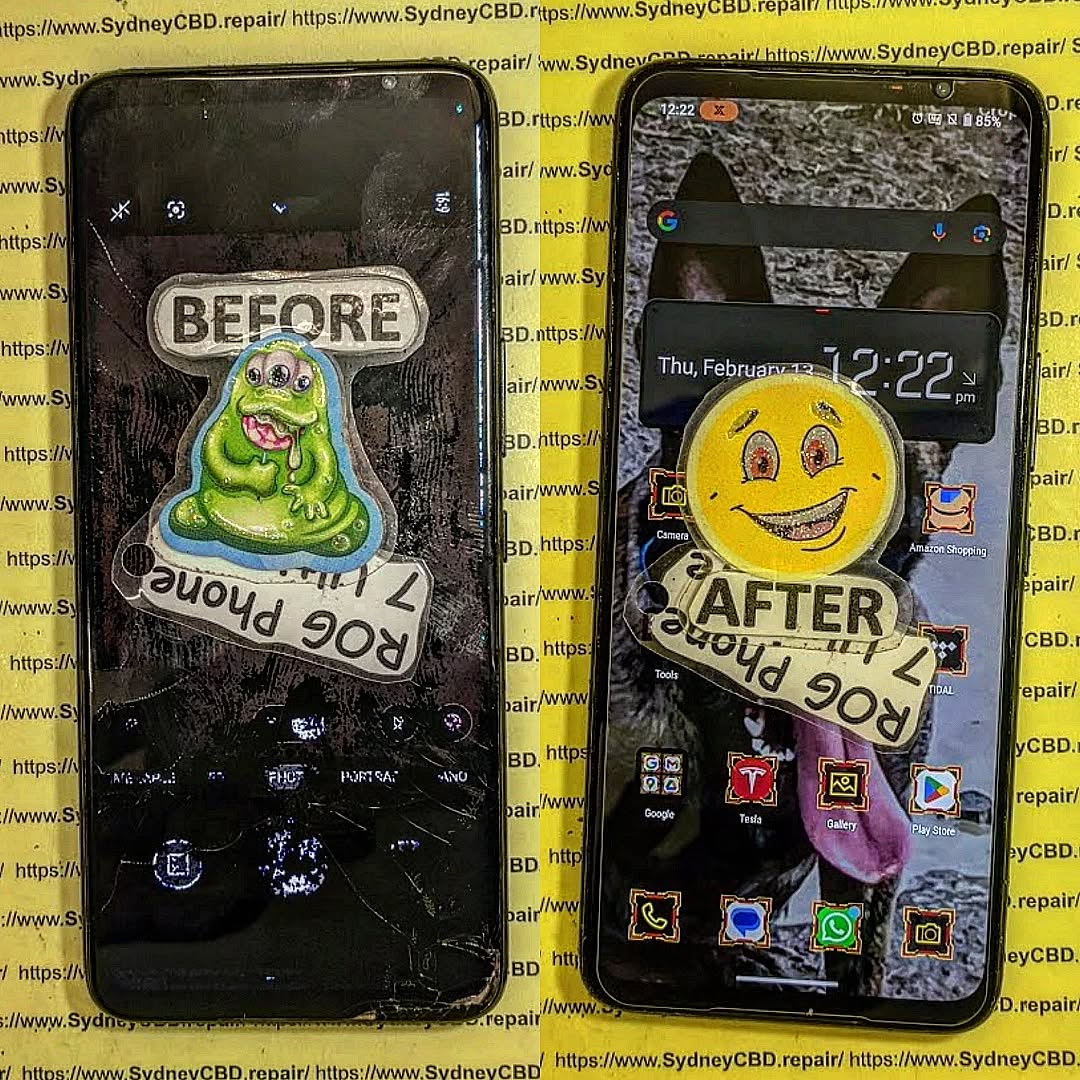
Common Causes of Power Button Failure in ASUS ROG Phone 7
Like any smartphone, the ASUS ROG Phone 7’s power button is prone to failure due to regular use, environmental conditions, and accidents. Let’s break down the most common causes.
Wear and Tear Over Time
Every press of the power button puts stress on the internal mechanism. Over time, the mechanical switch beneath the button may lose its responsiveness. Since most users press the power button dozens of times daily, natural wear is one of the most frequent reasons for failure.
Dust, Dirt, and Debris
The ROG Phone 7 is often used in fast-paced gaming environments or outdoor settings. Tiny particles of dust and debris can slip into the button housing, leading to unresponsive or sticky button behavior.
Accidental Drops and Physical Damage
The most immediate cause of button failure comes from drops or impacts. Even with a protective case, a strong impact can misalign the button, damage the flex cable, or break the delicate solder joints inside.
Symptoms of a Failing Power Button
Knowing the early signs of failure can help you take action before your phone becomes completely unusable.
Phone Not Responding to Press
The most obvious sign is when nothing happens after pressing the button. No vibration, no screen wake-up—just silence.
Delayed Response or Multiple Presses
If you notice you need to press harder than usual or multiple times before the phone reacts, your button may already be failing.
Phone Powering On/Off Randomly
In rare cases, a faulty button may cause ghost presses, leading to your device restarting or turning off without warning.
Step-by-Step Guide: Diagnosing the Issue
Before you assume the power button is completely broken, it’s essential to diagnose whether it’s a hardware or software problem.
Checking for Software-Related Problems
Sometimes, the issue may not be the button at all but rather a software glitch. A buggy update or system error can prevent proper button functionality. Start by performing a soft reset or connecting your phone to a charger to see if it wakes up.
Testing with Safe Mode and ADB Commands
Booting into Safe Mode disables third-party apps, helping you identify whether software interference is the culprit. For advanced users, Android Debug Bridge (ADB) commands can be used from a PC to simulate button presses and test functionality.
Hardware Inspection for Physical Damage
If the software checks out, it’s time to physically inspect the button. Look for signs of misalignment, cracks, or looseness around the button area.
DIY Fixes Before Professional Repair
Not every power button issue requires immediate repair. Here are some simple fixes you can try at home before heading to a repair shop.
Cleaning the Power Button Area Safely
Use a soft brush or compressed air to clear away dust and dirt. Avoid using liquids, as moisture can worsen the damage.
Restarting with Button Combinations
If your power button is partially functional, try pressing it together with volume keys to restart the phone. This method often bypasses minor mechanical issues.
Using Scheduled Power On/Off Settings
ASUS phones often include a Scheduled Power On/Off feature. Enabling it lets your phone turn on automatically at a set time, reducing reliance on the power button.
Professional ASUS ROG Phone 7 Power Button Repair
When DIY fixes don’t cut it, it’s time to seek professional repair services.
Why Expert Repair is Recommended
Opening an ASUS ROG Phone 7 is no small task. The device is tightly sealed, and improper handling may damage the motherboard or battery. A certified technician ensures that repairs are done safely.
Tools and Techniques Professionals Use
Technicians use precision tools, including heat guns, spudgers, and micro-soldering equipment, to access and repair the internal button mechanism or replace the flex cable.
Expected Cost and Repair Duration
On average, power button repair costs between $120–$200 AUD in Australia and can take 1–2 hours depending on parts availability.
Preventing Future Power Button Issues
Once your button is repaired, you’ll want to extend its lifespan with a few preventive measures.
Using Protective Cases
A durable case with raised edges helps absorb impact during accidental drops, protecting sensitive components.
Regular Cleaning and Maintenance
Every few weeks, gently clean the button openings with a microfiber cloth or compressed air to prevent dirt buildup.
Avoiding Excessive Force on Buttons
Press firmly but gently—excessive force shortens the button’s lifespan and risks damaging the flex cable beneath.
FAQs on ASUS ROG Phone 7 Power Button Repair
Q1: Can I repair the ASUS ROG Phone 7 power button myself?
Yes, but it’s not recommended unless you have technical expertise. The device’s compact design makes self-repair risky.
Q2: How long does a power button replacement last?
With proper care, a professionally replaced power button can last as long as the original—several years of normal use.
Q3: Is it safe to use apps as a substitute for a power button?
Yes, apps like “Power Button to Volume Button” can serve as temporary solutions, but they don’t replace a permanent repair.
Q4: Will a broken power button affect gaming performance?
Indirectly, yes. Without reliable power control, your device may shut down unexpectedly, interrupting gameplay.
Q5: What’s the difference between button repair and button replacement?
Repair involves fixing or reattaching the flex cable, while replacement means swapping in a brand-new button assembly.
Q6: Where can I get professional ASUS ROG Phone 7 repairs in Sydney?
The Sydney CBD Repair Centre is the trusted choice, offering genuine parts, expert service, and a 90-day warranty. Learn more here.
Conclusion: Revive Your ASUS ROG Phone 7 with Confidence

The ASUS ROG Phone 7 power button is small but mighty—it’s your gateway to controlling and enjoying one of the most powerful gaming phones on the market. Whether your phone refuses to turn on or the button feels unresponsive, there are clear solutions available.
Start with basic cleaning and software checks, then explore professional repair if necessary. By taking swift action, you can revive your dead phone and extend the life of your gaming device.
David from Sydney CBD Repair Centre – The Best place to fix mobile phones as 6 Years In A Row! Top Mobile Phone Repair In Sydney. More than 2000 Positive Reviews on Google and Same Day Repairs.
We take pride in delivering exceptional repair services for all major phone brands including Apple, Samsung, Google, and more. Our expert technicians use only genuine parts and offer 90days warranty on repairs. Located in the heart of Sydney CBD, we’re your one-stop solution for all mobile device repairs.
Our commitment to excellence has earned us the trust of thousands of satisfied customers. Whether it’s a cracked screen, battery replacement, or water damage repair, we handle it all with professional care and expertise. Walk in today and experience why we’re Sydney’s #1 choice for mobile phone repairs.
Visit us for:
✓ Same Day Express Repairs
✓ Genuine Parts Guarantee
✓ Professional Technicians
✓ Competitive Pricing
✓ 2000+ 5-Star Google Reviews
✓ 6-Time Award Winner for Best Phone Repairs
Sydney CBD Repair Centre – Where Quality Meets Reliability.
📞 Call: +61280114119
🌐 Website: https://SydneyCBD.repair/locate-us

