


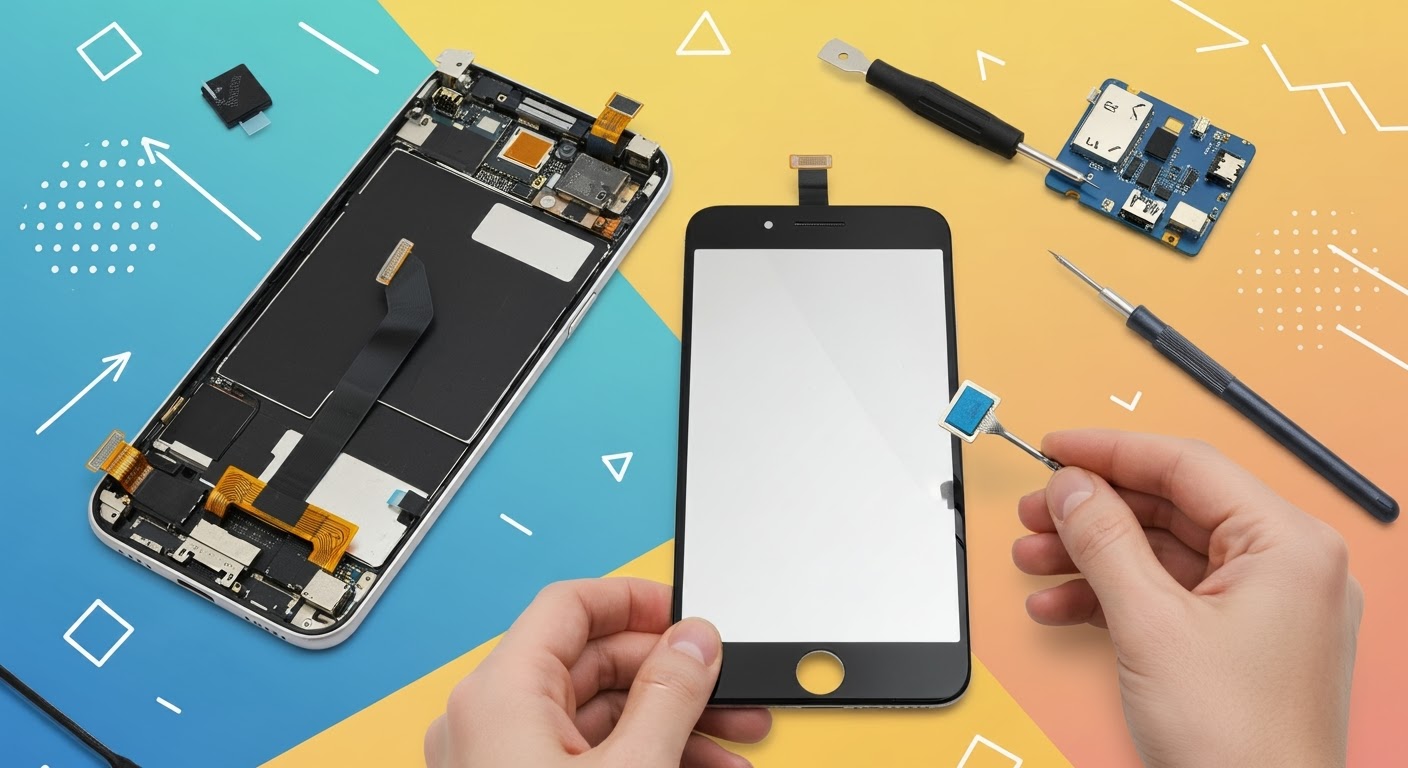
DIY Phone Repair: Replacing Only the LCD Screen

DIY Phone Repair: Replacing Only the LCD Screen – What You Need to Know Before You Begin
📱 Introduction
Got a blank screen but an otherwise working phone? If your touchscreen doesn’t display anything or shows weird colours, you may be dealing with a damaged LCD. While full screen replacements are common, some DIYers wonder: “Can I replace just the LCD?”
In this guide, we’ll break down DIY phone repair focused on replacing only the LCD screen. You’ll learn the process, the tools required, and the risks—plus when it’s better to visit professionals like Sydney CBD Repair Centre.
🧠 What is the LCD Screen and Why Replace Only It?

Understanding Phone Display Layers
Most smartphones have three display components:
- Glass (Digitizer): The outermost layer you touch
- Touch Sensor: Detects finger movement
- LCD (or OLED): Displays images, colours, and brightness
If the LCD is damaged but the glass and touch still work, you may be able to replace just the LCD panel.
Signs Your LCD Screen Needs Replacement
- Screen stays black or blank even though the phone is on
- Ink-like blotches or coloured lines on the display
- Screen flickers or fades randomly
- Ghost images or screen burn-in (common in OLEDs)
❓ Can You Replace Just the LCD Screen?
Situations Where LCD-Only Replacement is Possible
- The touchscreen still works
- The glass isn’t cracked
- The LCD panel is not fused to the digitizer
Many older or mid-range phones (especially LCD-based models) allow for separate replacements.
When Full Screen Replacement is Better
Modern phones (especially iPhones, Samsung AMOLED, or flagship models) use a fused screen assembly. Trying to separate layers often causes more damage. In such cases, it’s safer—and often more cost-effective—to replace the entire screen unit.
🧰 Tools & Materials You’ll Need
- Replacement LCD panel (specific to your phone model)
- Precision screwdriver set
- Plastic pry tools / spudger
- Heat gun or hairdryer (for softening adhesive)
- Suction cup (to lift screen)
- Tweezers
- Anti-static wrist strap (recommended)
- Microfiber cloth and isopropyl alcohol
- Magnetic mat (optional but helpful)
🛠️ Step-by-Step Guide to Replacing the LCD Screen
⚠️ Note: Proceed only if you’re confident and the LCD is not fused. This process varies depending on your phone model.
1. Power Off and Disassemble the Device
- Turn off the phone
- Remove SIM tray and screws (usually near charging port)
- Use a suction cup and pry tool to separate the screen from the frame
- Be cautious of fingerprint sensors or ribbon cables
2. Remove the Broken LCD
- Carefully detach ribbon connectors using a spudger
- Remove any shielding plates or adhesive layers
- Gently lift out the damaged LCD panel
3. Install the New LCD Panel
- Align the new LCD properly
- Reconnect ribbon cables
- Secure it back into the frame
- Apply new adhesive (if needed)
4. Reassemble and Test the Phone
- Put everything back together
- Power on the device
- Test the display, touch, brightness, and screen responsiveness
⚖️ Pros and Cons of DIY LCD Replacement
✅ Pros:
- Lower upfront cost (just parts and tools)
- Learn a new skill
- Can be done at home (if confident)
❌ Cons:
- High risk of permanent damage
- No warranty
- May void manufacturer or insurance cover
- Complex for modern smartphones with fused displays
⚠️ Common Mistakes and How to Avoid Them
| Mistake | How to Avoid It |
|---|---|
| Damaging internal components | Use plastic tools and work gently |
| Choosing the wrong screen | Double-check model number |
| Forgetting to disconnect battery | Always remove power first |
| Skipping re-adhesion | Use new adhesive to avoid loose fit |
| Not testing before reassembly | Power on to test before closing the phone |
👨🔧 When to Call a Professional Instead
- You’re not comfortable handling electronics
- Your screen is glued or fused
- Your phone has multiple issues (e.g., battery, motherboard)
- You want a warranty-backed repair
In these cases, save yourself the stress and visit an expert like Sydney CBD Repair Centre.
🌟 Why Sydney CBD Repair Centre is the Smart Alternative

- 6-Time Award-Winning phone repair shop
- More than 2000+ 5-Star Google Reviews
- Uses genuine parts only
- Same-Day Repairs for most models
- Backed by a 90-day warranty
📍 Visit us in Sydney CBD
📞 Call: +61280114119
❓ FAQs
1. Is it really possible to replace only the LCD screen?
Yes—but only if the screen is not fused. Most modern phones use fused assemblies, so this is usually an option for older or budget models.
2. How do I know if my LCD is fused?
Search your phone model online or consult a technician. You can also check teardown videos to confirm.
3. Will replacing only the LCD affect phone performance?
If done correctly with a compatible part, no. But improper installation can cause ghost touch or brightness issues.
4. Is it cheaper to replace only the LCD?
Yes, but it’s harder to do, and not always possible. Whole screen assemblies are often more practical.
5. Can I damage my phone during DIY repair?
Absolutely. Incorrect tools or too much pressure can damage the logic board, battery, or other internal components.
6. Do you offer LCD-only replacement at Sydney CBD Repair Centre?
We always inspect devices first. If only the LCD needs replacing and it’s not fused, we’ll perform the most cost-effective and safest repair.
✅ Conclusion
Replacing just the LCD screen on your phone can be a rewarding DIY project—but it’s not without risks. If your device allows separate LCD replacement and you’re confident in your skills, it may save money. But if you’re unsure, or using a flagship model, professional repair is the best route.
At Sydney CBD Repair Centre, we ensure your device gets top-tier service, fast turnaround, and peace of mind through genuine parts and warranty. Don’t take chances—get it done right the first time.

