




The Google Pixel 8 Pro Teardown: Why This Sensor Makes Phone Screen Replacement Difficult

The Google Pixel 8 Pro Teardown: Why This Sensor Makes Phone Screen Replacement Difficult – 7 Critical Repair Secrets
Introduction to the Google Pixel 8 Pro Teardown
The Google Pixel 8 Pro is one of the most advanced Android smartphones ever produced by Google. It combines premium hardware, artificial intelligence features, and a stunning OLED display into a sleek flagship device. However, when technicians perform a Google Pixel 8 Pro teardown, they quickly discover one major issue: screen replacement is far more complicated than expected.
At first glance, the repair process seems straightforward. Remove the damaged OLED panel, disconnect a few flex cables, and install a replacement screen. Yet hidden beneath the display lies a delicate sensor system that dramatically increases repair difficulty. This tiny but essential component often becomes the reason many DIY repairs fail.
The Google Pixel 8 Pro teardown process reveals how tightly integrated the screen, fingerprint reader, ambient light sensor, and proximity sensor are inside the phone’s chassis. Because of this compact design, even a slight mistake can cause screen flickering, touch failure, biometric issues, or sensor malfunction.
Modern flagship phones are becoming thinner and more sophisticated every year. Unfortunately, repairability often suffers as manufacturers prioritize waterproofing, structural rigidity, and aesthetic design. Google followed this trend with the Pixel 8 Pro by using extremely strong adhesive, layered display construction, and tightly packed internal components.
For repair professionals, this means patience and precision are absolutely necessary. A rushed repair can easily damage the OLED panel or disconnect hidden flex cables. Moreover, calibration procedures are now required after many screen replacements, especially when the fingerprint scanner is involved.
Another challenge comes from the curved edge design and thin bezels. During a Google Pixel 8 Pro teardown, technicians must carefully apply controlled heat to loosen adhesive without overheating the display. Too much heat can permanently discolor the OLED screen or damage internal components.
Consumers often underestimate how complex modern smartphone repairs have become. Years ago, replacing a smartphone display was relatively easy. Today, however, flagship devices are essentially layered computers with interconnected hardware modules. One damaged sensor can impact multiple phone functions simultaneously.
Despite these challenges, successful repairs are absolutely possible with the right tools and techniques. Professional repair centers understand how to safely separate the display assembly, protect internal sensors, and recalibrate components after installation.
In this detailed guide, we’ll explore exactly why this sensor makes screen replacement difficult during a Google Pixel 8 Pro teardown. We’ll also explain the repair process, common mistakes, essential tools, and how professional technicians achieve reliable results.
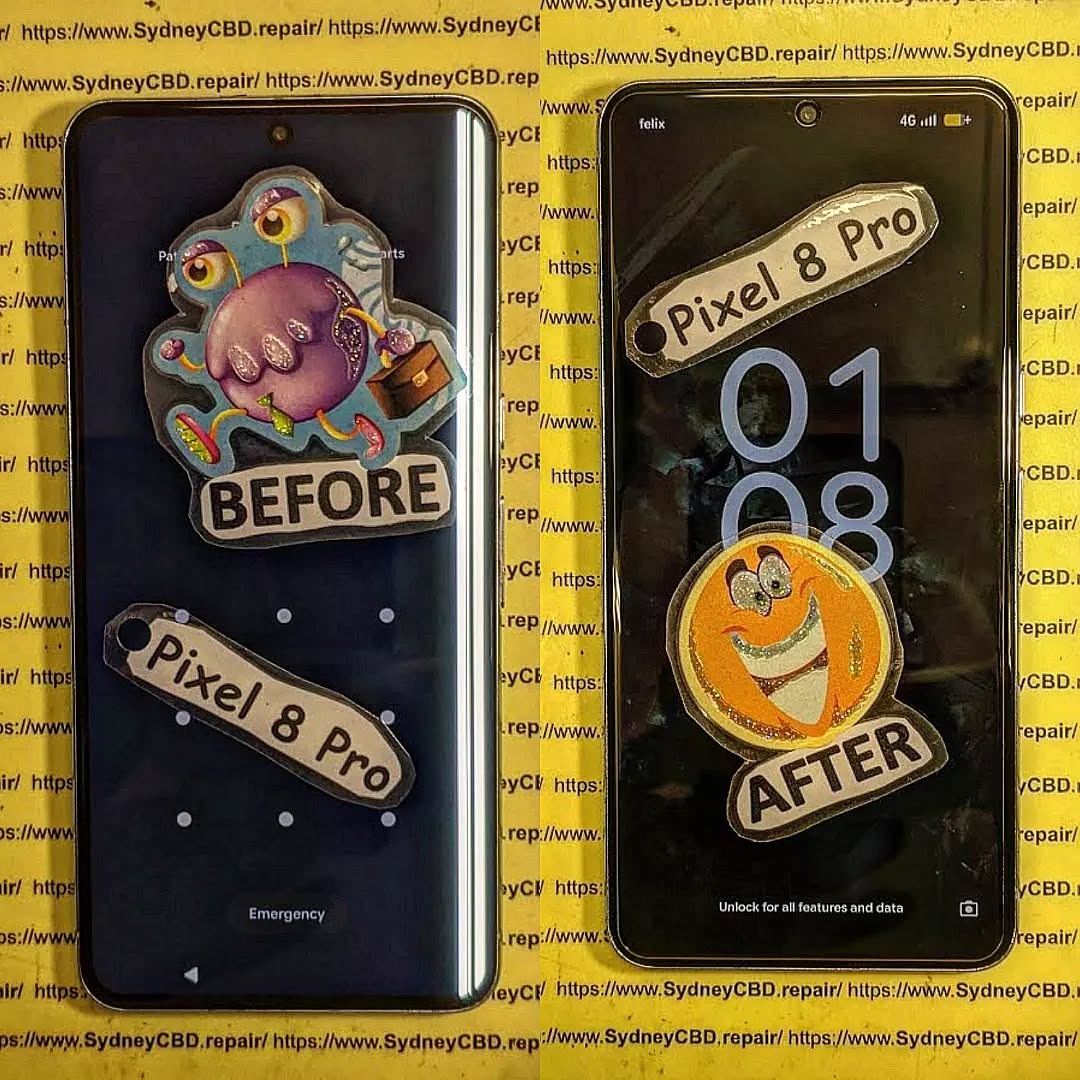
Understanding the Pixel 8 Pro Display Assembly
The display assembly is the centerpiece of the Google Pixel 8 Pro. During a Google Pixel 8 Pro teardown, technicians quickly realize the screen is much more than a simple glass panel.
OLED Technology Inside the Pixel 8 Pro
Google equipped the Pixel 8 Pro with a high-resolution LTPO OLED display capable of smooth refresh rate adjustments and vibrant color reproduction. OLED technology provides excellent contrast because each pixel emits its own light independently.
However, OLED panels are also fragile. Unlike older LCD screens, OLED displays can crack internally even when external glass appears intact. During a Google Pixel 8 Pro teardown, technicians must carefully separate the display from the frame to avoid damaging these sensitive layers.
OLED displays are expensive due to their advanced manufacturing process. That’s why Pixel 8 Pro screen replacements typically cost more than repairs for mid-range devices.
Another complication is display lamination. The glass, touch digitizer, and OLED layers are bonded together. If one component fails, the entire display assembly usually requires replacement.
Tensor G3 and Display Integration
Google’s Tensor G3 processor works closely with the display system to support AI features, adaptive brightness, and smooth animations. During a Google Pixel 8 Pro teardown, technicians often notice how deeply integrated the display hardware is with the phone’s software.
The under-display fingerprint scanner relies on communication between the OLED panel and internal security hardware. This means some aftermarket screens may not perform correctly unless properly calibrated.
Additionally, the display assembly houses multiple sensors beneath the glass. These components help control auto-brightness, screen wake functions, and proximity detection during calls.
As smartphones become smarter, hardware integration becomes tighter. Unfortunately, this also makes repairs significantly more complex.
The Hidden Sensor That Complicates Repairs
One of the biggest discoveries during a Google Pixel 8 Pro teardown is the hidden sensor system beneath the display assembly.
What the Proximity and Ambient Sensor Does
The proximity sensor detects when your face is near the screen during a phone call. This prevents accidental touches while talking. Meanwhile, the ambient light sensor adjusts screen brightness based on surrounding lighting conditions.
These sensors are tiny but extremely important. If damaged during a Google Pixel 8 Pro teardown, the phone may experience:
- Screen staying black during calls
- Auto-brightness malfunction
- Increased battery drain
- Accidental screen touches
- Face unlock inconsistencies
Because the sensors sit very close to the display adhesive, technicians must carefully remove the screen without pulling or tearing sensor cables.
Why Sensor Alignment Matters
Sensor alignment is critical during reassembly. Even slight misalignment can affect performance. This is one reason why screen replacement is difficult on the Pixel 8 Pro.
Manufacturers design these sensors with narrow tolerances. If adhesive thickness changes or the sensor shifts slightly, readings may become inaccurate.
Professional repair technicians use precision alignment techniques and specialized adhesive placement to maintain factory-level positioning. Without proper alignment, the phone may behave unpredictably after repair.
Furthermore, the under-display fingerprint sensor requires calibration after many repairs. Without calibration, fingerprint recognition may become slow or completely nonfunctional.
Why Screen Replacement Is Difficult on the Pixel 8 Pro

Many users assume screen replacement is easy because replacement parts are available online. However, a Google Pixel 8 Pro teardown reveals several hidden challenges.
Strong Adhesive Challenges
Google uses industrial-grade adhesive to secure the display and maintain water resistance. This adhesive is incredibly strong.
Technicians must apply controlled heat evenly across the screen perimeter. Too little heat makes removal impossible. Too much heat damages the OLED panel.
The adhesive also becomes sticky and messy during removal. Improper prying techniques can crack the display or bend the frame.
Fragile Flex Cable Routing
Inside the Pixel 8 Pro are delicate flex cables routed through tight spaces. During a Google Pixel 8 Pro teardown, these cables are especially vulnerable.
A single torn flex cable can disable:
- Touch functionality
- Display output
- Sensors
- Fingerprint recognition
Repair professionals use plastic pry tools and careful cable management to prevent accidental damage.
Fingerprint Sensor Calibration
One of the most frustrating aspects of Pixel repairs is fingerprint sensor calibration. The under-display sensor must properly communicate with the new screen.
Without calibration:
- Fingerprints may fail to register
- Unlock speed becomes slower
- Security features may malfunction
Google provides calibration software for authorized repair procedures, but many DIY technicians overlook this critical step.
Tools Needed for a Safe Pixel 8 Pro Repair
A successful Google Pixel 8 Pro teardown requires specialized tools and proper preparation.
Professional Repair Equipment
Professional technicians typically use:
| Tool | Purpose |
|---|---|
| Heat Pad | Softens adhesive |
| Plastic Pry Tools | Prevents scratches |
| Precision Screwdrivers | Removes internal screws |
| Suction Cup | Lifts display safely |
| Isopropyl Alcohol | Cleans adhesive residue |
| Anti-Static Equipment | Protects components |
Using improper tools increases the risk of permanent damage.
Genuine vs Aftermarket Screens
Choosing the correct replacement display is extremely important.
Genuine OLED screens provide:
- Better color accuracy
- Reliable touch sensitivity
- Proper brightness levels
- Improved fingerprint performance
Aftermarket displays may be cheaper, but quality varies widely. Some aftermarket screens suffer from ghost touch issues, poor brightness, or fingerprint incompatibility.
When performing a Google Pixel 8 Pro teardown, professionals usually recommend OEM-quality components whenever possible.
Step-by-Step Google Pixel 8 Pro Teardown
Understanding the teardown process helps explain why the repair is so difficult.
Removing the Rear Glass
Technicians begin by heating the rear glass adhesive. Carefully inserted pry tools separate the glass panel from the frame.
This step already requires caution because excessive force can crack the back glass.
Disconnecting the Battery
Battery disconnection is essential before touching display connectors. This reduces the risk of short circuits during repair.
Modern smartphones contain highly sensitive circuits, so electrical safety matters greatly.
Separating the OLED Screen
The OLED screen is heated gradually to loosen adhesive. Technicians slowly work around the edges while monitoring temperature carefully.
This is the most dangerous phase of the Google Pixel 8 Pro teardown because:
- OLED panels crack easily
- Sensor cables can tear
- Adhesive may resist removal
- Display layers are thin
Professional experience makes a huge difference during this stage.
Common Mistakes During Pixel 8 Pro Repairs
Many failed repairs happen because of avoidable mistakes.
Damaging the Under-Display Sensor
The hidden sensor assembly is extremely delicate. Pulling the screen too aggressively often tears the sensor cable.
This can lead to expensive secondary repairs.
Overheating the OLED Panel
Too much heat causes:
- Green lines
- Black spots
- Flickering
- Permanent OLED burn damage
Temperature control is critical during a Google Pixel 8 Pro teardown.
Using Low-Quality Adhesive
Cheap adhesive weakens waterproofing and may allow dust or moisture into the phone.
Professional repair shops use high-quality adhesive designed specifically for smartphone repairs.
How Professional Technicians Handle Pixel Repairs
Professional technicians follow systematic procedures to reduce risk.
First, they inspect the device carefully before opening it. This helps identify hidden frame damage or battery swelling.
Second, they use specialized heating equipment that distributes heat evenly across the phone.
Third, they document cable positions and screw placement during the Google Pixel 8 Pro teardown process. This prevents reassembly errors.
Finally, they test all functions thoroughly after repair, including:
- Display brightness
- Touch response
- Fingerprint scanning
- Sensors
- Cameras
- Charging
Experienced technicians also understand calibration requirements and software verification procedures.
Cost of Google Pixel 8 Pro Screen Replacement
Screen replacement costs vary depending on location and part quality.
Factors affecting repair cost include:
- Genuine vs aftermarket display
- Labor expertise
- Sensor calibration requirements
- Frame damage
- Water resistance restoration
Premium OLED displays remain expensive because of manufacturing complexity.
Although DIY repairs may seem cheaper initially, mistakes can quickly increase overall costs.
DIY Repair vs Professional Repair
DIY repair offers learning opportunities and possible savings. However, the Pixel 8 Pro is not beginner-friendly.
DIY Advantages
- Lower upfront cost
- Personal satisfaction
- Learning experience
DIY Risks
- Sensor damage
- OLED breakage
- Waterproofing loss
- Calibration failure
Professional repair shops offer warranties and specialized expertise that reduce overall risk.
For most users, professional repair remains the safest option.
Preventing Future Screen Damage
Prevention is always cheaper than repair.
Users can protect their Pixel 8 Pro by:
- Using tempered glass protectors
- Installing shockproof cases
- Avoiding extreme temperatures
- Keeping phones away from water
- Handling devices carefully
Protective accessories significantly reduce accidental damage risks.
Frequently Asked Questions
Does the Google Pixel 8 Pro use an OLED display?
Yes. The Pixel 8 Pro uses a premium LTPO OLED display with adaptive refresh rate technology.
Why is Pixel 8 Pro screen replacement difficult?
The repair is difficult because of strong adhesive, fragile OLED layers, hidden sensors, and fingerprint calibration requirements.
Can aftermarket screens affect fingerprint performance?
Yes. Some aftermarket screens may not properly support the under-display fingerprint sensor.
Is the Pixel 8 Pro waterproof after repair?
Water resistance may decrease after repair unless proper adhesive and sealing techniques are used.
How long does professional screen replacement take?
Most professional repair centers complete repairs within a few hours, depending on parts availability.
Can I repair the Pixel 8 Pro myself?
Technically yes, but the repair requires experience, precision tools, and careful handling.
What happens if the proximity sensor is damaged?
The screen may not turn off during calls, leading to accidental touches and usability problems.
Conclusion

The Google Pixel 8 Pro is an impressive flagship smartphone packed with advanced technology. However, a Google Pixel 8 Pro teardown clearly shows why this sensor makes screen replacement difficult.
Modern smartphone engineering prioritizes sleek design, waterproofing, and integrated hardware. Unfortunately, these advancements also make repairs more challenging than ever before.
The hidden sensor system, delicate OLED display, strong adhesive, and fingerprint calibration process all contribute to repair complexity. While DIY repair is possible, the risks are substantial without proper experience and equipment.
Professional technicians overcome these challenges using specialized tools, careful techniques, and extensive repair knowledge. Their expertise helps ensure successful repairs while preserving functionality and reliability.
As smartphone technology continues evolving, repair procedures will likely become even more advanced. Understanding these complexities helps consumers appreciate the skill required for high-quality smartphone repairs.
For users facing a damaged Pixel 8 Pro display, choosing experienced repair professionals remains the smartest path toward restoring device performance safely and effectively.
David from Sydney CBD Repair Centre – The Best place to fix mobile phones as 7 Years In A Row! Top Mobile Phone Repair In Sydney. More than 2000 Positive Reviews on Google and Same Day Repairs.
We take pride in delivering exceptional repair services for all major phone brands including Apple, Samsung, Google, and more. Our expert technicians use only genuine parts and offer 90days warranty on repairs. Located in the heart of Sydney CBD, we’re your one-stop solution for all mobile device repairs.
Our commitment to excellence has earned us the trust of thousands of satisfied customers. Whether it’s a cracked screen, battery replacement, or water damage repair, we handle it all with professional care and expertise. Walk in today and experience why we’re Sydney’s #1 choice for mobile phone repairs.
Visit us for:
✓ Same Day Express Repairs
✓ Genuine Parts Guarantee
✓ Professional Technicians
✓ Competitive Pricing
✓ 2000+ 5-Star Google Reviews
✓ 7-Time Award Winner for Best Phone Repairs
Sydney CBD Repair Centre – Where Quality Meets Reliability.
Call : +61280114119
Website: https://SydneyCBD.repair/locate-us

