


The Ultimate Screen Repair Guide: Tips and Tricks for DIY Fixes

The Ultimate Screen Repair Guide: Tips and Tricks for DIY Fixes + Expert Techniques + 10 Must-Know Hacks
Why Screen Damage Happens and How to Prevent It
Cracked screens are a frustratingly common issue for smartphone users. Most often, damage results from accidental drops, impact from keys or hard surfaces, or even sitting on your phone while it’s in your back pocket. Fortunately, you can reduce your risk significantly by investing in a sturdy case and a high-quality screen protector. Avoid placing your phone in your lap, and always be mindful when placing it near edges.
Additionally, extreme temperatures can weaken glass over time. Avoid exposing your phone to direct sunlight for long periods or leaving it in cold vehicles overnight. These small habits can help prolong your screen’s integrity and save you from costly repairs.
Essential Tools for DIY Screen Repair
Before diving into a repair, gather all the tools you’ll need. Here’s a list of essential items:
- Precision screwdriver set
- Plastic prying tools
- Suction cup tool
- Heat gun or hair dryer
- Replacement screen
- Anti-static wrist strap
- Tweezers
- Cleaning wipes or alcohol swabs
Pro Tip: If you’re new to repairs, purchase a complete screen repair kit tailored to your phone model. Kits usually include all tools and parts needed for a basic screen replacement.
Safety First: Precautions Before Starting a Repair
Safety should always be your top priority. Before opening your device, take the following precautions:
- Power off your device completely
- Discharge static electricity by wearing an anti-static wrist strap
- Work on a clean, flat, well-lit surface
- Keep small parts organized to avoid confusion later
- Use a magnetic pad or labeled container to store screws
These steps will protect both you and your phone from accidental damage or electric shock.
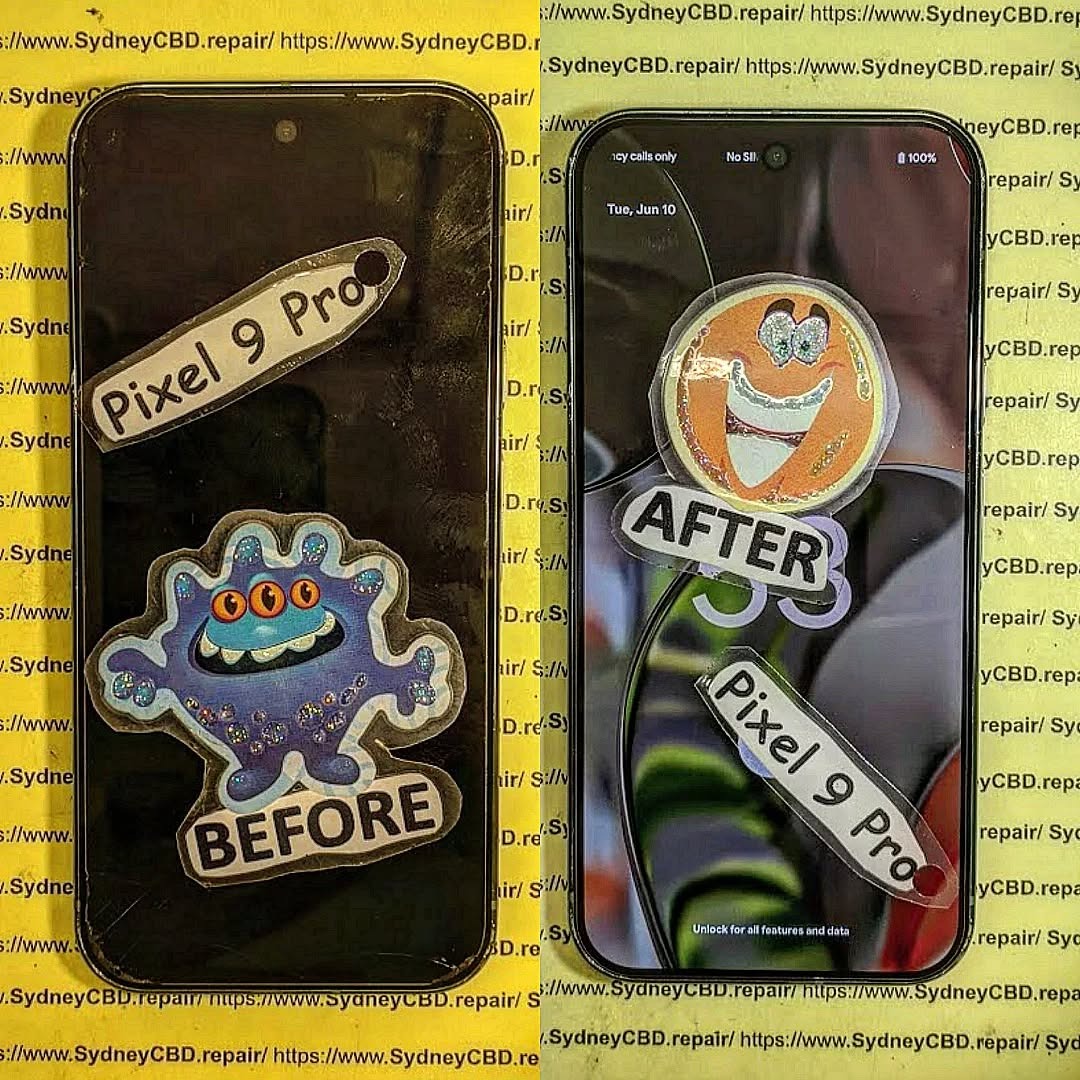
Types of Screen Damage and How to Identify Them
Understanding what type of damage you’re dealing with is critical to fixing it properly.
Cracks vs. Shatters
Cracks usually occur in one area and may not affect the phone’s functionality. Shattered screens, on the other hand, involve spiderweb-like damage and can compromise both visuals and touch sensitivity.
LCD vs. Glass Damage
If your phone displays rainbow lines, dark spots, or remains black even though it’s powered on, it’s likely your LCD is damaged. If it’s only the surface that’s broken but everything functions well, it’s probably just the glass.
DIY Screen Repair: Step-by-Step Instructions
For iPhone Users
- Remove the two bottom screws using a Pentalobe screwdriver.
- Use a suction cup to slightly lift the screen.
- Insert a prying tool to gently open the screen casing.
- Disconnect the battery and screen cables.
- Replace the screen and reassemble carefully.
For Android Users
Due to brand variation, steps can vary. However, general guidelines include:
- Use a heat gun to soften adhesive.
- Pry open the back cover.
- Disconnect internal cables and screws.
- Replace the broken screen.
- Reassemble and test thoroughly.
Note: Always follow a detailed guide or video specific to your device model.
Temporary Fixes: What to Do Until You Can Replace Your Screen
If you’re waiting for a new screen or can’t repair it right away, try these short-term solutions:
- Apply clear tape over the cracked area to avoid cuts
- Use a screen protector to hold glass together
- Disable touch sensitivity for areas that malfunction
- Connect a USB mouse via OTG if the screen is unresponsive
These are only stop-gap solutions, so prioritize a full replacement as soon as possible.
Common Mistakes to Avoid During a DIY Repair
- Rushing the process
- Skipping documentation steps (photos help!)
- Using excessive force when opening the device
- Forgetting to disconnect the battery
- Losing or mixing up screws
Being patient and methodical can be the difference between a successful repair and a bricked phone.
When to Call the Pros: Knowing Your Limits
DIY isn’t for everyone. If you’re dealing with:
- Water-damaged screens
- Severe internal hardware issues
- Broken fingerprint sensors or Face ID components
- Phones under warranty
It’s best to consult professionals like Sydney CBD Repair Centre. With over 2000 five-star reviews and same-day service, they offer peace of mind and guaranteed quality.
Screen Repair Cost Comparison: DIY vs Professional
| Repair Method | Average Cost | Pros | Cons |
|---|---|---|---|
| DIY Repair | $50 – $150 | Affordable, educational | Risk of further damage |
| Professional Repair | $150 – $350 | Reliable, guaranteed parts and labor | More expensive upfront |
The Importance of Using Genuine Replacement Parts
Genuine parts ensure:
- Proper fit
- Long-lasting durability
- Full compatibility
- Preservation of device warranty (in some cases)
Aftermarket parts may be cheaper but often come with hidden downsides like poor display brightness, touch lag, or faster degradation.
Tools vs. Kits: Which One Should You Get?
| Option | Description | Best For |
|---|---|---|
| Individual Tools | Buying tools separately as needed | Experienced users with some tools |
| Repair Kits | Complete package with parts/tools | Beginners or one-time repairs |
If this is your first time, start with a repair kit that includes instructions and proper screwdrivers.
Expert Tips for a Successful Screen Replacement
- Watch a repair video specific to your device
- Label your screws and parts
- Double-check connections before sealing the screen
- Test before final assembly
- Don’t force anything—patience is key
FAQs About Screen Repair
Q1: Can I repair a screen without tools?
No, proper tools are necessary to safely open and repair your device.
Q2: Is it cheaper to repair or replace a phone?
Repairing is usually much cheaper, especially if the phone is under 3 years old.
Q3: What if I replace the screen but it doesn’t turn on?
Check all cable connections. If issues persist, it may be the LCD or motherboard.
Q4: Can I use super glue for small cracks?
Avoid it! Super glue can damage your touch functionality and internal components.
Q5: Will a cracked screen get worse over time?
Yes. Cracks spread and can lead to full display failure. Repair ASAP.
Q6: Does DIY repair void my warranty?
Yes, most manufacturers void the warranty once the phone is opened by the user.
Conclusion: Mastering the Art of DIY Screen Repair

DIY screen repair is not only cost-effective but also empowering. With the right tools, guidance, and a little patience, anyone can learn to fix their phone. However, know your limits—when in doubt, call a trusted expert like David from Sydney CBD Repair Centre, Sydney’s top-rated mobile phone repair service for 6 years in a row.
Same-day repairs, genuine parts, and over 2000 glowing reviews prove why Sydney CBD Repair Centre is where quality meets reliability. Visit us today for professional screen repair services!
📞 Call: +61280114119
🌐 Website: https://SydneyCBD.repair/locate-us

