



SAMSUNG S24 ULTRA: UNEXPECTED SCREEN LINE FIX!

SAMSUNG S24 ULTRA: UNEXPECTED SCREEN LINE FIX! Discover the Simple Solution You Didn’t Expect
Introduction
The Samsung S24 Ultra stands as one of the most advanced smartphones on the market — combining innovation, speed, and display brilliance. However, even this premium flagship can sometimes surprise users with unexpected issues, such as the appearance of mysterious screen lines. These faint or bright streaks running vertically or horizontally across the display can be both alarming and frustrating, especially when you’ve invested in one of Samsung’s most powerful devices.
While many assume that such a problem means an expensive screen replacement, the reality is that not all screen line issues require drastic solutions. In fact, some are the result of simple software glitches, minor hardware disconnections, or firmware bugs that can be corrected easily.
In this article, we’ll explore why Samsung S24 Ultra screen lines occur, how to diagnose the type of screen issue you’re facing, and the most effective ways to fix it — from quick DIY methods to expert professional repair services. By the end, you’ll know exactly how to restore your device’s crystal-clear display and ensure it stays flawless for years to come.
If you’re currently staring at your S24 Ultra’s display, wondering how to fix those unexpected lines — don’t panic. This guide walks you through every step, offering insights from professional repair experts at Sydney CBD Repair Centre, Sydney’s #1 choice for mobile phone repairs.
SAMSUNG S24 ULTRA: UNEXPECTED SCREEN LINE FIX!
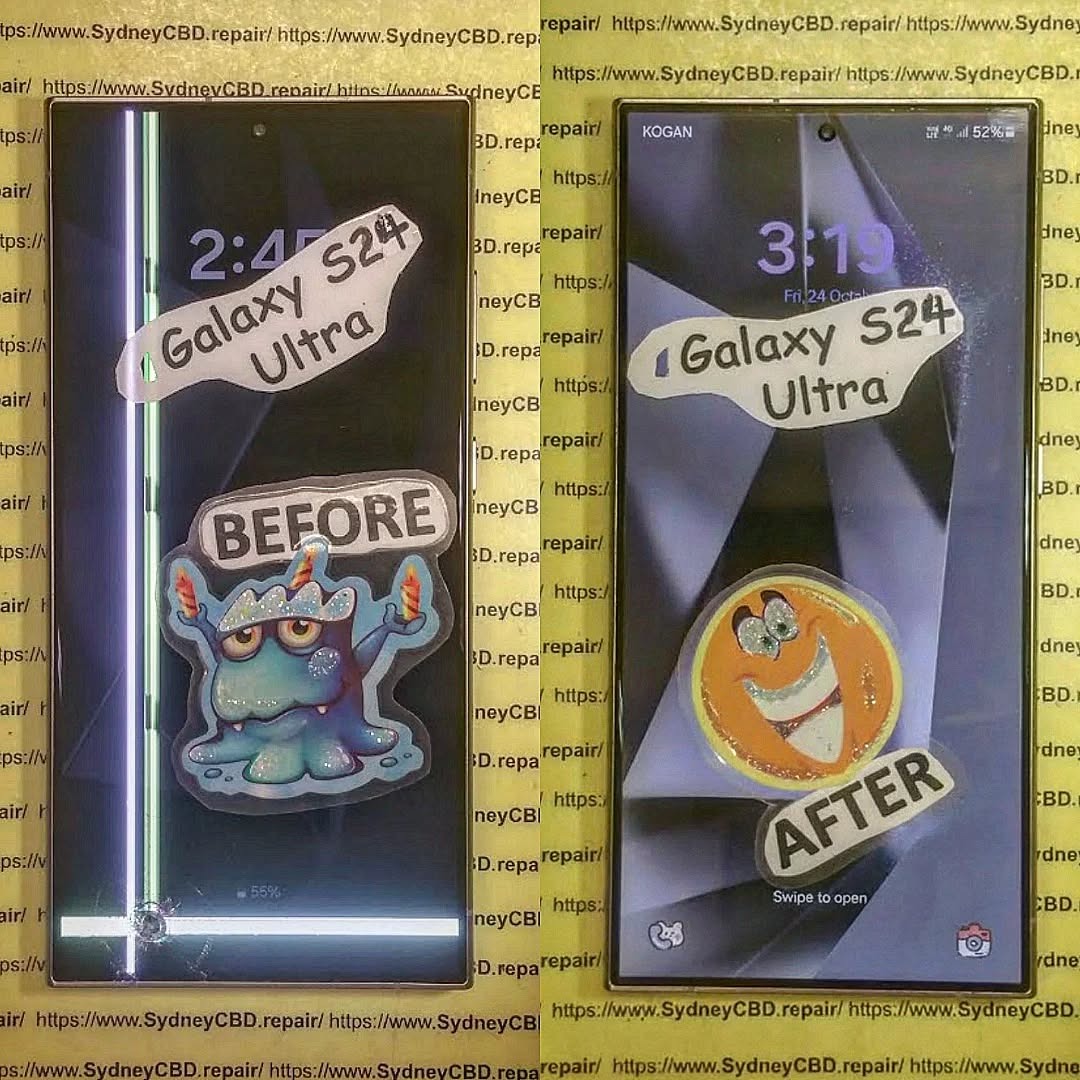
Samsung’s S24 Ultra is a powerhouse of performance and design, but even premium devices can face unexpected issues. One of the most concerning problems users encounter is the sudden appearance of screen lines — thin vertical or horizontal streaks disrupting the stunning AMOLED display.
These lines can be a result of software bugs, hardware failures, or accidental damage, and they often leave users wondering if their expensive phone needs a complete replacement. The good news? In most cases, it’s fixable without replacing the entire screen — especially with the right diagnostics and expert care.
Let’s dive deep into understanding the root causes, fixes, and preventive steps to bring your Samsung S24 Ultra display back to perfection.
Understanding the Samsung S24 Ultra Screen Line Issue
The Samsung S24 Ultra screen line issue can range from faint flickers to bright streaks that remain visible regardless of content. This can occur suddenly, especially after software updates or minor impacts.
In technical terms, these lines appear when there’s disruption in pixel communication between the phone’s motherboard and display panel. Identifying whether the cause is software- or hardware-related determines whether a simple reset or professional repair is needed.
Common Reasons Behind Screen Line Problems
Screen lines can result from several triggers, but the main culprits usually fall into two categories: software-related and hardware-related issues.
Software Glitches and Firmware Errors
Occasionally, Samsung’s firmware updates can introduce temporary driver mismatches that affect the screen rendering process. This can lead to faint or persistent lines across the screen. Performing a soft reset, cache wipe, or firmware reinstall often resolves these issues quickly.
Hardware Faults and Manufacturing Defects
If the lines persist after resets or software updates, the issue likely lies in the hardware. A damaged display ribbon connector, loose flex cable, or defective AMOLED module could be responsible. Physical drops or moisture exposure can also trigger display anomalies that mimic software bugs.
How to Identify Screen Line Types

Understanding what kind of screen line you’re seeing is key to diagnosing the root cause.
Vertical Lines
Vertical lines often point to connection issues between the motherboard and screen flex cable. These may appear after drops or sudden impacts and can worsen if ignored.
Horizontal Lines
Horizontal lines, on the other hand, tend to indicate graphics processing or pixel driver issues. Sometimes, overheating or prolonged use at high brightness can also lead to these artifacts.
Knowing the difference helps in selecting the right fix — whether it’s a firmware refresh or hardware servicing.
DIY Fixes for Samsung S24 Ultra Screen Lines
Before heading to a repair centre, try these safe and effective DIY solutions to determine if the issue is minor.
Restart and Safe Mode Test
A simple restart clears temporary cache and software conflicts.
If the issue persists, boot into Safe Mode to check whether a third-party app is responsible.
If the lines disappear in Safe Mode, uninstall recently added apps.
Software Update or Reinstall
Ensure your firmware is up-to-date. Go to Settings > Software Update and check for updates.
If the latest version still causes issues, consider reinstalling the firmware using Samsung Smart Switch or visiting a Samsung service centre for professional re-flashing.
Factory Reset (As a Last Resort)
If none of the above works, back up your data and perform a factory reset.
This clears all potential software conflicts that might be causing the issue.
Navigate to Settings > General Management > Reset > Factory Data Reset.
⚠️ Note: Always back up your data before performing a reset.
Professional Repair Options
If DIY steps don’t resolve the issue, it’s time for professional intervention.
Why Choose Sydney CBD Repair Centre
When it comes to fixing screen lines on your Samsung S24 Ultra, Sydney CBD Repair Centre stands out as the most trusted option in Sydney.
With over 2000 positive Google reviews and 6 years in a row as the city’s top mobile phone repair centre, their expert technicians have restored thousands of Samsung devices to pristine condition.
They use only genuine Samsung parts, offer a 90-day warranty, and complete most repairs the same day.
What to Expect During Repair
- Diagnostic Check: Technicians identify whether it’s a hardware fault or connector issue.
- Genuine Replacement Parts: Only authentic display panels or flex cables are used.
- Post-Repair Testing: Ensures color accuracy and display uniformity.
- Warranty & Customer Support: Every repair comes with a warranty and satisfaction guarantee.
Visit: SydneyCBD.repair/locate-us or call +61280114119.
Preventive Tips to Avoid Future Screen Issues
Use of Protective Accessories
- Always use a premium screen protector and shock-resistant case.
- Avoid applying pressure on the screen or placing it in tight pockets.
Avoiding Overheating and Pressure Damage
- Don’t expose the device to prolonged heat or direct sunlight.
- Close heavy apps running in the background to reduce strain on the GPU.
- Avoid bending or twisting your phone — even minimal flex can affect the display connectors.
Frequently Asked Questions (FAQs)
1. Why did my Samsung S24 Ultra suddenly develop a screen line?
This could be due to software bugs after updates, loose display connectors, or minor hardware faults. A professional inspection helps confirm the cause.
2. Can screen lines disappear on their own?
Sometimes yes — if caused by temporary firmware glitches. However, hardware-related lines typically require repair.
3. Does replacing the screen fix the issue permanently?
Yes, if the issue is hardware-related. Replacing the AMOLED display or connector usually restores full functionality.
4. Is it safe to continue using my phone with screen lines?
It’s not ideal. Screen line issues can worsen and lead to display burnout if ignored.
5. How much does it cost to fix a Samsung S24 Ultra screen line in Sydney?
At Sydney CBD Repair Centre, costs vary depending on the damage, but are often more affordable than full replacements and include a warranty.
6. How long does a typical repair take?
Most Samsung S24 Ultra screen repairs are completed the same day, often within a few hours.
Conclusion

Screen line issues on the Samsung S24 Ultra can be unsettling, but the good news is — most are fixable without needing a full replacement. Whether it’s a firmware glitch or a minor hardware connection, taking prompt action prevents further damage.
For guaranteed results, trust the experts at Sydney CBD Repair Centre — Sydney’s most reviewed and awarded repair shop for Samsung devices.
Bring your phone back to life with genuine parts, same-day service, and a 90-day warranty.
📍 Visit: SydneyCBD.repair/locate-us
📞 Call: +61280114119
David from Sydney CBD Repair Centre – The Best place to fix mobile phones as 6 Years In A Row!
Top Mobile Phone Repair In Sydney. More than 2000 Positive Reviews on Google and Same Day Repairs.

