




Retro Revival: Restoring Vintage Nokia and Motorola Phones to Their Glory

Retro Revival: Restoring Vintage Nokia and Motorola Phones to Their Glory + Expert Guide + 12 Tips
Introduction
In an era dominated by sleek, high-tech smartphones, there’s something undeniably captivating about vintage phones. Models like the classic Nokia 3310 and the iconic Motorola Razr aren’t just relics—they’re symbols of durability, nostalgia, and timeless design. For enthusiasts and collectors, restoring these devices is more than a hobby; it’s a chance to preserve history, relive memories, and showcase the craftsmanship of an earlier tech era.
Restoring vintage Nokia and Motorola phones to their former glory may seem daunting at first, but with the right tools, guidance, and techniques, it’s entirely achievable. From addressing common issues like battery degradation and screen damage to fine-tuning mechanical keypads and updating firmware, every step in the restoration process brings these classic devices back to life.
This guide dives deep into the world of retro phone restoration, providing expert tips, detailed step-by-step instructions, and essential maintenance advice. Whether you’re a collector seeking to increase a device’s value or a tech enthusiast wanting to relive the charm of simpler phones, this article will equip you with everything you need to successfully restore your vintage Nokia and Motorola phones.
Understanding the Appeal of Vintage Phones
Vintage phones, particularly the iconic Nokia and Motorola models, hold a special place in the hearts of mobile enthusiasts. Unlike modern smartphones, these devices were built to last, often featuring robust construction, long-lasting batteries, and simple but efficient user interfaces. The charm of restoring these phones lies not only in bringing them back to life but also in reconnecting with a piece of technological history.
Nostalgia Factor and Collectibility
One of the strongest motivations behind restoring old phones is nostalgia. Many people who grew up with Nokia 3310s or Motorola Razrs recall the excitement of their first mobile phone. These devices were often more than communication tools—they were status symbols, conversation starters, and even collectibles. Restoring them allows enthusiasts to preserve these memories while enhancing the device’s value in the collector’s market.
Durability and Longevity
Unlike modern smartphones, which are prone to screen shattering and battery degradation after a couple of years, vintage phones were known for their resilience. The sturdy plastic casings, removable batteries, and mechanical keypads ensured that devices could survive accidental drops and daily wear. Understanding these strengths helps restorers appreciate why investing time in reviving these devices is worthwhile.
Common Issues in Vintage Phones
Even the toughest devices face problems over time. Restoring vintage Nokia and Motorola phones requires identifying and addressing common issues.
Battery Degradation
One of the most frequent issues is battery degradation. Over years of use, NiMH or Li-ion batteries lose their capacity to hold a charge. A dead battery often renders the phone unusable. Restoration involves sourcing compatible replacement batteries or refurbishing old cells, ensuring safety and efficiency.
Screen Damage and Wear
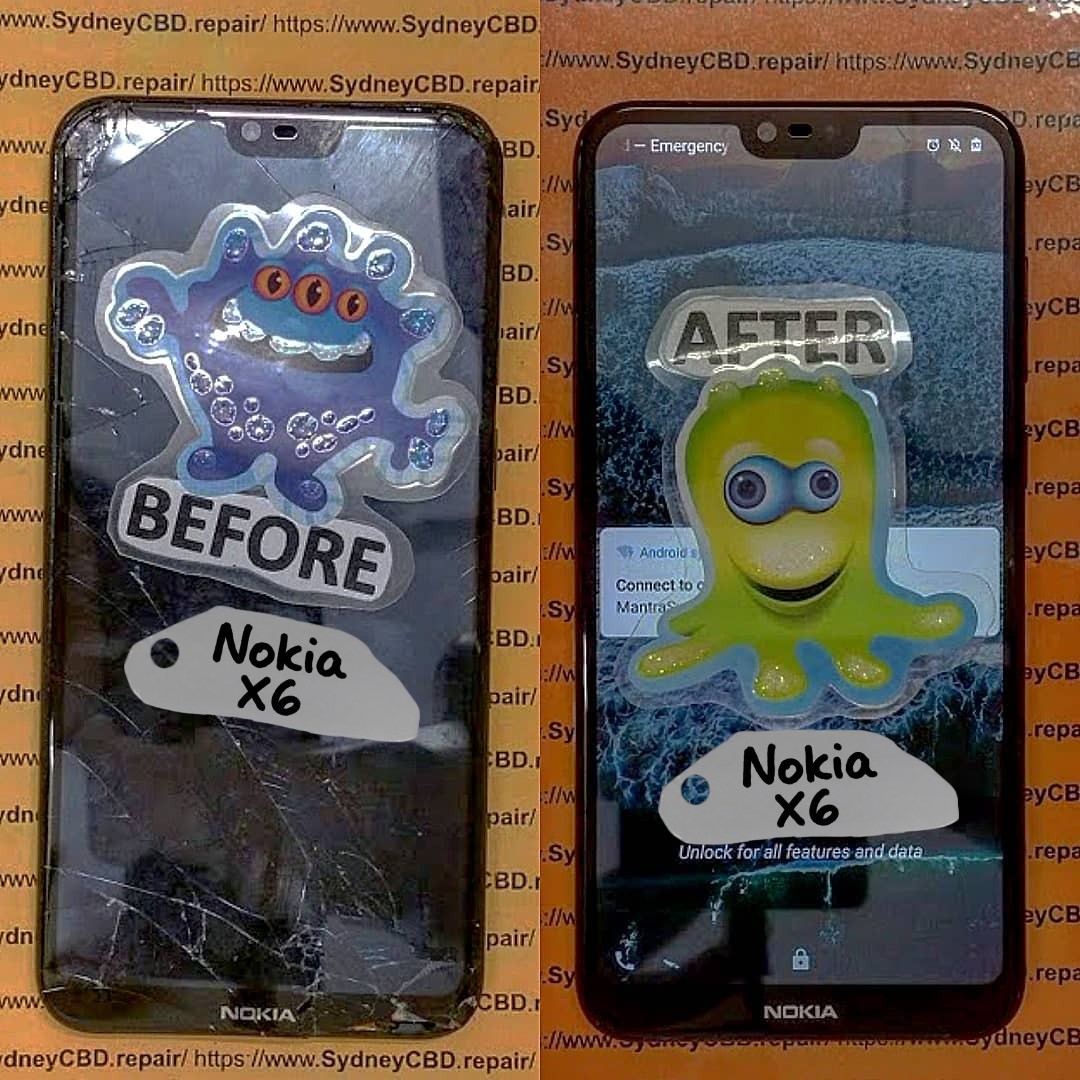
Although these older phones didn’t have fragile glass screens like modern smartphones, their displays can suffer from scratches, discoloration, and pixel issues. Repair techniques range from polishing minor scratches to replacing damaged LCD screens. For example, Motorola Razr screens often need specialized replacements due to their unique flip mechanism.
Mechanical Buttons Malfunction
Physical keypads were a hallmark of vintage phones. Over time, buttons may stick or stop functioning due to dirt, dust, or worn-out contacts. Cleaning the keypad with isopropyl alcohol, or replacing worn rubber contacts, can restore functionality. This is a meticulous process but crucial for preserving the authentic feel of the device.
Preparing for a Phone Restoration Project

Before diving into restoration, preparation is key. Rushing into repairs without proper planning often leads to irreversible damage.
Researching the Model and Parts Availability
The first step is researching your specific phone model. Check online marketplaces, manufacturer archives, or communities like iFixit for manuals and spare parts. Knowing where to find batteries, screens, and casing replacements saves time and prevents mistakes.
Safety Precautions and Tools Needed
Restoration requires precision tools and a clean workspace. Essential items include:
- Screwdrivers (Phillips, Torx, and flathead)
- Plastic opening tools
- Tweezers
- Soldering kit (for advanced repairs)
- Anti-static mat
- Isopropyl alcohol for cleaning
Safety is paramount. Disconnect batteries before working on circuits, wear gloves, and avoid forcing components apart.
Step-by-Step Restoration Process
Restoring vintage phones is a careful blend of cleaning, repairing, and replacing worn parts. Below is a detailed guide.
Cleaning and Disassembling the Phone
- Exterior Cleaning: Start with wiping down the casing using a soft cloth and mild soap. Avoid water contact with the internal components.
- Disassembly: Carefully remove screws and gently pry apart the casing. Organize screws in labeled containers to prevent loss.
- Internal Cleaning: Use compressed air or a soft brush to remove dust and corrosion. For stubborn grime, isopropyl alcohol works well.
Replacing Batteries and Internal Components
- Battery Replacement: Remove the old battery carefully. Insert a compatible replacement or refurbish the original if feasible.
- Capacitors and Resistors: Inspect the mainboard for any bulging capacitors or burned components. Replace damaged components to restore functionality.
Restoring Screens and Keypads
- Screen Restoration: For minor scratches, a polishing kit can improve appearance. For damaged LCDs, order exact replacements online.
- Keypad Repair: Remove rubber contacts and clean or replace them. Ensure each button depresses correctly.
Software and Firmware Updates
Some vintage phones, particularly Nokia smart feature phones, allow firmware updates. Updating the software ensures compatibility with modern networks and may resolve bugs. Use official manufacturer tools where available to prevent bricking the device.
Maintaining Your Vintage Device
Restoration is only the first step. Proper maintenance prolongs your phone’s life.
Storage Tips for Longevity
- Store phones in a cool, dry place away from direct sunlight.
- Remove batteries if storing for extended periods to prevent leakage.
- Use protective cases or pouches to avoid scratches.
Avoiding Common Mistakes
- Avoid over-tightening screws, which can crack casings.
- Don’t use excessive liquid cleaners on the internal components.
- Handle screens and circuit boards with care to prevent static damage.
Buying and Selling Restored Phones
Restored vintage phones can be valuable in the collector’s market. Understanding their value and selling ethically ensures you get fair returns.
Market Value Assessment
- Check completed listings on platforms like eBay to gauge demand.
- Rare models like the Motorola Razr V3 or Nokia 8210 often fetch higher prices.
- Condition, originality of parts, and working status greatly influence value.
Ethical Selling Practices
- Disclose any replacements or repairs.
- Provide accurate photos and descriptions.
- Package carefully to avoid damage during shipping.
Tools and Resources for Restoration
Having the right tools and knowledge is crucial.
Recommended Toolkits
- Precision screwdriver sets
- Suction cups for screen removal
- ESD-safe tweezers
- Cleaning kits with microfiber cloths and brushes
Online Communities and Guides
- Sydney CBD Repair Centre – step-by-step guides and forums.
- Reddit communities like r/RetroPhones for advice and spare parts.
- YouTube channels specializing in vintage phone restoration.
FAQs
1. Can all vintage Nokia and Motorola phones be restored?
Most can be restored, but severely damaged or missing component phones may require sourcing rare parts, which can be challenging.
2. Is it safe to replace old batteries myself?
Yes, but only with compatible replacements and proper safety precautions. Avoid puncturing or short-circuiting cells.
3. How do I find spare parts for rare models?
Check online marketplaces, manufacturer archives, and collector forums. Sites like eBay often have rare batteries, screens, and casings.
4. Will restored phones work on modern networks?
Some older models may have network limitations (e.g., 2G only). Check compatibility before restoration if you intend to use the device.
5. How long does a typical restoration take?
Simple cleaning and battery replacement may take a few hours, while full restoration including screen and keypad replacement can take several days.
6. Can I restore a phone without technical experience?
Basic cleaning and battery replacement are beginner-friendly, but advanced repairs like soldering require skill and patience.
Conclusion

Restoring vintage Nokia and Motorola phones is more than a hobby—it’s a way to preserve history, enjoy nostalgia, and even earn from collectible sales. With careful preparation, the right tools, and step-by-step guidance, anyone can revive these classic devices. Each restored phone carries stories from the past while showcasing craftsmanship that modern devices often lack. Whether for personal enjoyment or collector value, restoring vintage phones is a rewarding journey worth pursuing.
David from Sydney CBD Repair Centre – The Best place to fix mobile phones as 7 Years In A Row! Top Mobile Phone Repair In Sydney. More than 2000 Positive Reviews on Google and Same Day Repairs.
We take pride in delivering exceptional repair services for all major phone brands including Apple, Samsung, Google, and more. Our expert technicians use only genuine parts and offer 90days warranty on repairs. Located in the heart of Sydney CBD, we’re your one-stop solution for all mobile device repairs.
Our commitment to excellence has earned us the trust of thousands of satisfied customers. Whether it’s a cracked screen, battery replacement, or water damage repair, we handle it all with professional care and expertise. Walk in today and experience why we’re Sydney’s #1 choice for mobile phone repairs.
Visit us for:
✓ Same Day Express Repairs
✓ Genuine Parts Guarantee
✓ Professional Technicians
✓ Competitive Pricing
✓ 2000+ 5-Star Google Reviews
✓ 7-Time Award Winner for Best Phone Repairs
Sydney CBD Repair Centre – Where Quality Meets Reliability.
Call : +61280114119
Website: https://SydneyCBD.repair/locate-us

