


How to Tell if a Replacement Screen is Original

How to Tell if a Replacement Screen is Original: 10 Surefire Ways to Spot Genuine Parts
🔍 Introduction
So you just got your phone screen replaced—but something feels…off. Maybe the colors look washed out or the touch seems a little less snappy. If you’re wondering whether your new screen is original or a low-grade copy, you’re not alone.
Knowing how to tell if a replacement screen is original is crucial not just for performance—but also for long-term durability and device safety.
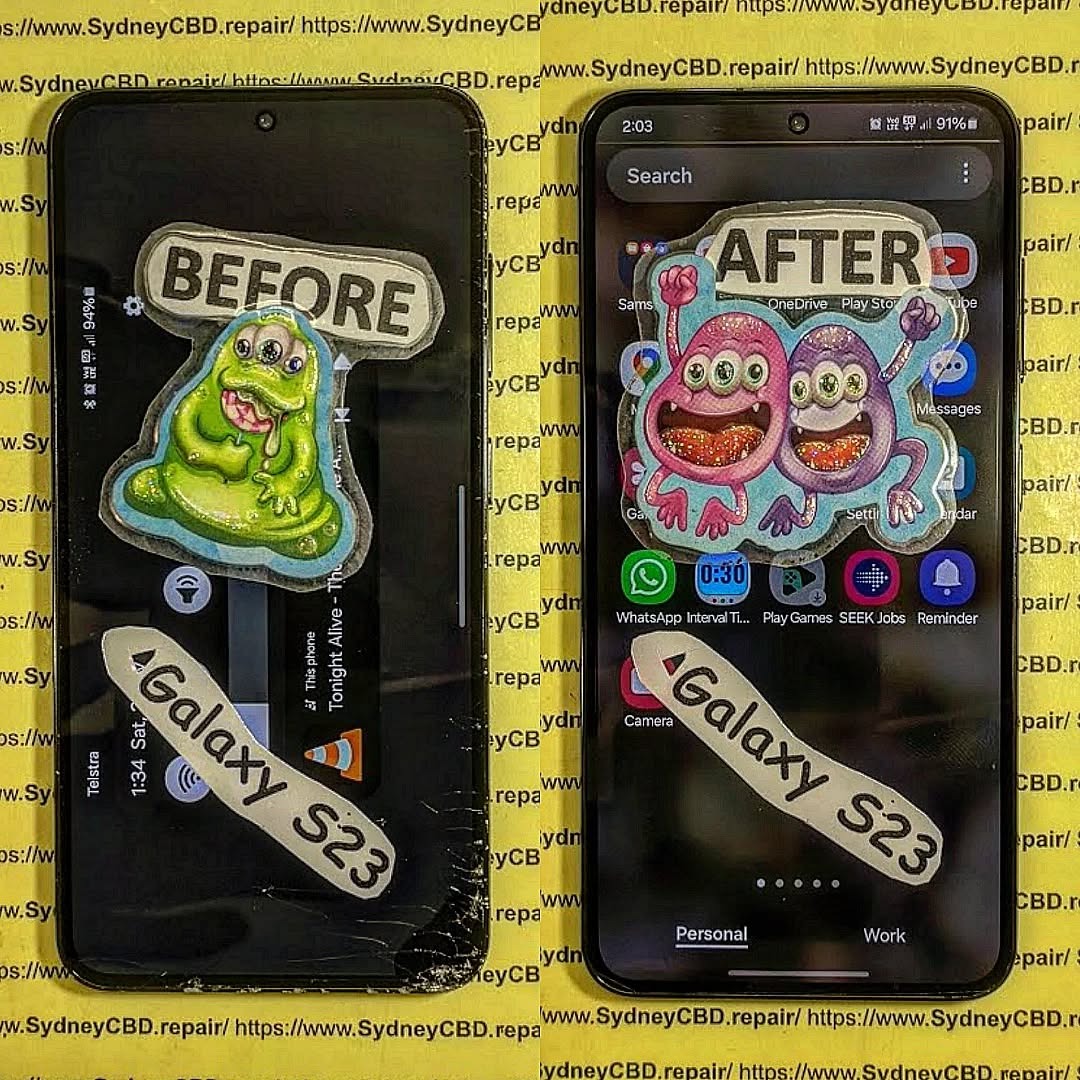
⚠️ Why It Matters: The Problem with Fake Replacement Screens
Counterfeit or low-quality screens may:
- Drain your battery faster
- Fail to support Face ID or fingerprint unlocking
- Break more easily
- Void your device warranty
In contrast, genuine OEM screens ensure:
- Full hardware compatibility
- Accurate color reproduction
- Optimal brightness and responsiveness
- Longer lifespan
✅ 1. Check the Brightness and Colour Accuracy
Original vs Aftermarket Visuals
A quick brightness and color comparison often reveals the truth:
- Original screens display true whites, deep blacks, and natural skin tones
- Fake screens often show bluish whites or oversaturated colors
Use side-by-side comparison with a similar device if possible.
✋ 2. Compare Touch Responsiveness
Lag and Delay in Fake Screens
Genuine touch panels respond instantly, with:
- Zero ghost touches
- No dead zones
- Smooth scrolling and gestures
Fake screens often:
- Struggle with multi-touch gestures
- Lag when typing quickly
- Misregister touch inputs
🔄 3. Verify the Screen’s Refresh Rate
High Refresh Rate Only on Genuine Panels
Many newer phones (e.g., Galaxy S22 Ultra, iPhone 13 Pro) have 120Hz displays. Aftermarket screens often default to 60Hz—even if advertised otherwise.
To test:
- Open developer options and check the screen refresh rate
- Use test apps like Display Checker
🔧 4. Inspect the Build Quality and Bezel Fit
Precision Cut vs Rough Edges
Original screens:
- Fit perfectly into the phone’s frame
- Have smooth edges and tight bezels
- Sit flush with no gaps
Aftermarket screens may:
- Wiggle slightly
- Feel loose or raised
- Have uneven glue lines or misaligned sensors
🧪 5. Use Diagnostic Codes or Tools
Built-in Testing Modes for Apple and Samsung
Samsung: Dial *#0*# for a hardware test
Apple: Use Settings > Display & Brightness > True Tone
These tests can identify:
- Color issues
- Touch calibration errors
- Missing sensor functionality
🔍 6. Look at the Manufacturer Logo or Part Number
Hidden Clues on Flex Cable or Display Back
Inside the phone, genuine displays typically have:
- Manufacturer logos (Samsung, LG, BOE for OLEDs)
- QR codes and Apple part numbers
- Uniform and clean flex cables
Third-party screens often lack branding or contain generic codes.
🌞 7. Evaluate Display Brightness Outdoors
Genuine Displays Have Superior Sunlight Visibility
Take your phone outdoors and crank up the brightness:
- Genuine screens remain readable even under direct sunlight
- Aftermarket displays become dull or washed out
Samsung’s OLED and Apple’s Retina displays are designed for premium brightness levels.
🔐 8. Test Face ID or Fingerprint Sensor Compatibility
Fake Screens May Disable Biometric Functions
Especially with iPhones:
- Face ID may stop working if not transferred properly
- Touch ID is often incompatible with non-original components
Sydney CBD Repair Centre uses screen calibration tools to preserve biometric functions post-repair.
✨ 9. Check for Oleophobic Coating
Genuine Screens Repel Fingerprints Better
Genuine screens:
- Have an oleophobic coating that resists oil, grease, and smudges
- Feel smoother and more premium
Try this: clean your screen, then swipe. If it feels sticky or greasy quickly, it may not be original.
📄 10. Ask for Proof of Authenticity or Invoice
Professional Repair Centres Provide Documentation
A reputable repair shop like Sydney CBD Repair Centre will:
- Clearly state the use of genuine OEM screens
- Provide a 90-day warranty
- Issue an itemized invoice showing the part’s details
If your technician is vague or refuses to show part details, it’s a red flag.
🧑🔧 Trusted Technicians vs Street Repairs
Getting your phone repaired at a mall kiosk or by an unverified technician might save a few dollars—but it’s risky.
At Sydney CBD Repair Centre, we guarantee:
- OEM parts only
- Expert installation using professional tools
- Same-day service
- Biometric calibration for Face ID and fingerprint sensors
With 2000+ 5-star Google Reviews, we’re Sydney’s most trusted name in mobile repairs.
📍 Visit us at:
SydneyCBD.repair/locate-us
❓ Frequently Asked Questions (FAQs)
Q1: Can I tell if my screen is fake just by looking at it?
Yes, but it helps to compare it to another phone or the original. Brightness, touch response, and screen fit are key indicators.
Q2: Will a fake screen damage my phone?
Potentially. Poor-quality displays can affect internal components or lead to overheating, ghost touch, and battery issues.
Q3: How do I know my repair shop used a genuine screen?
Ask for documentation, a warranty, or confirmation that the part is OEM (Original Equipment Manufacturer).
Q4: Are aftermarket screens always bad?
Not always. Some high-quality aftermarket screens work well, but they still fall short in brightness, color, and touch accuracy.
Q5: Do Apple or Samsung provide original screens to third-party repair shops?
Some independent repair shops are authorized and get genuine parts. Always check if your repair centre is certified.
Q6: What should I do if I suspect a fake screen?
Return to the repair centre immediately and request an inspection or replacement. If they refuse, seek a second opinion from a trusted technician.
🏁 Conclusion

Knowing how to tell if a replacement screen is original empowers you to make informed repair decisions. By checking for signs like color accuracy, touch response, and part numbers, you can spot a fake before it causes trouble.
Avoid the risk. Choose a professional, trusted repair centre like Sydney CBD Repair Centre, where you’re guaranteed genuine parts, expert service, and long-term peace of mind.

