


Sydney CBD Repair: Smartphone Battery Longevity Secrets

Sydney CBD Repair: Smartphone Battery Longevity Secrets That Work + 10 Proven Tips
Introduction: Why Battery Longevity Matters
Smartphones have become our constant companions. From early morning alarms to late-night video calls, our phones keep us connected, entertained, and productive. But none of this is possible without a healthy battery.
Battery longevity is more than just convenience—it’s about reliability, cost savings, and sustainability. A weak or damaged battery can cause frequent shutdowns, slower performance, or even overheating. Instead of upgrading your phone every time the battery weakens, you can take simple steps to extend its life.
That’s where Sydney CBD Repair Centre steps in. With years of experience in repairing and replacing batteries for iPhone, Samsung, Google Pixel, and other top brands, they’ve seen firsthand how smart habits and timely maintenance can dramatically improve battery lifespan.
The Science Behind Smartphone Batteries
Understanding how your battery works is the first step toward taking better care of it.
Lithium-Ion Technology Explained
Most modern smartphones use lithium-ion batteries. These batteries are lightweight, rechargeable, and capable of holding a large amount of energy. However, like all batteries, they naturally degrade over time. Each charge cycle—when you charge from 0% to 100%—slightly reduces the battery’s total capacity.
On average, lithium-ion batteries last between 300–500 charge cycles before they begin to lose noticeable capacity. This means that how you charge and use your phone directly affects how quickly your battery wears out.
Common Myths About Battery Life
Before we dive into the tips, let’s clear up a few misconceptions:
- Myth 1: “You must always charge to 100%.”
In reality, charging to 80–90% is often healthier for the battery. - Myth 2: “You should drain your battery to 0% often.”
Modern batteries don’t require full discharges; in fact, it can harm them. - Myth 3: “Fast charging destroys batteries.”
Certified fast charging is safe, though excessive heat should be avoided.
10 Proven Tips for Extending Battery Life
Now let’s get into the practical steps you can take today.
Tip 1: Avoid Extreme Temperatures
Heat is the number one enemy of smartphone batteries. Leaving your phone in a hot car, direct sunlight, or near heaters can cause permanent damage. Similarly, freezing temperatures reduce efficiency.
👉 Keep your phone between 16°C and 25°C (60°F to 77°F) whenever possible.
Tip 2: Charge Smart, Not Hard
Instead of waiting until your phone hits 0%, charge it when it drops to around 20–30%. Try unplugging around 80–90% to reduce stress on the battery. This technique, known as partial charging, can extend battery life significantly.
Tip 3: Enable Battery-Saving Features
Most modern phones include built-in battery saver modes. These limit background processes, reduce brightness, and optimize performance to conserve power. Turning this on during long days out can prevent deep discharges.
Tip 4: Keep Software Updated
Manufacturers often release software updates that improve battery efficiency. Always keep your phone updated, as these updates can fix bugs, optimize background processes, and extend runtime.
Tip 5: Optimize Screen Brightness
Your screen is the biggest battery drain. Reduce brightness manually or enable auto-brightness so the phone adjusts based on your environment. Also, using dark mode on OLED screens saves extra power.
Tip 6: Disable Unused Connectivity (Wi-Fi, Bluetooth, GPS)
When not in use, features like Wi-Fi, Bluetooth, and GPS drain power. Turn them off when unnecessary, or set them to automatic smart switching to conserve energy.
Tip 7: Manage Background Apps
Apps running in the background use memory, data, and power. Regularly check your battery usage stats to identify apps that drain too much and limit their activity.
Tip 8: Use Original or Certified Chargers
Cheap, uncertified chargers can damage your battery over time. Always use original or certified third-party accessories. At Sydney CBD Repair Centre, technicians recommend genuine OEM chargers to ensure safety and longevity.
Tip 9: Embrace Partial Charging
As mentioned earlier, partial charging keeps the battery healthier. Aiming for 20%–80% charging cycles reduces long-term degradation compared to frequent full charges.
Tip 10: Replace Old Batteries Early
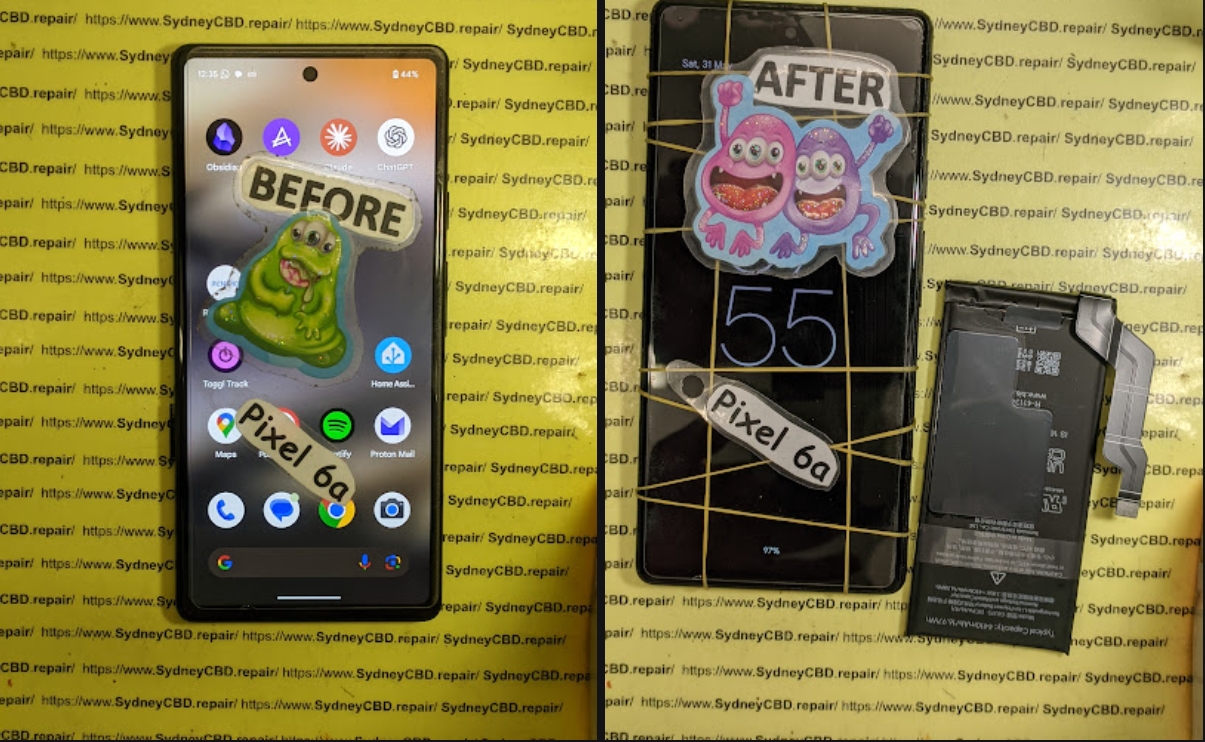
Even with the best care, batteries eventually wear out. If your phone struggles to hold charge, gets hot, or shuts down unexpectedly, it’s time for a professional replacement. Sydney CBD Repair Centre offers same-day battery replacements with genuine parts.
How Professional Repairs Improve Battery Longevity
Sometimes, no amount of optimization will fix a worn-out battery. That’s when professional repair services become invaluable.
- Diagnosis First: Skilled technicians test your battery and charging system before replacement.
- Genuine Parts: Only original or OEM-certified batteries are installed.
- Warranty Guarantee: At Sydney CBD Repair Centre, all repairs come with a 90-day warranty.
- Expert Handling: Safe battery removal prevents risks like swelling or short-circuiting.
Why Choose Sydney CBD Repair Centre
Sydney CBD Repair Centre isn’t just another repair shop—it’s Sydney’s most trusted mobile repair provider.
✅ 6 Years in a Row – Best Phone Repair in Sydney
✅ 2000+ Google 5-Star Reviews
✅ Same Day Express Repairs
✅ Genuine Parts Guarantee
✅ Competitive Pricing
✅ Professional Technicians
Whether it’s a battery replacement, cracked screen repair, or water damage fix, you’ll get expert service and lasting solutions.
📍 Location: Sydney CBD Repair Centre
📞 Call: +61280114119
FAQs About Smartphone Battery Longevity
1. How long should a smartphone battery last?
With proper care, most batteries last 2–3 years before needing replacement.
2. Is it okay to charge my phone overnight?
Yes, but avoid overheating. Modern phones stop charging at 100%, but leaving them plugged in for days is not recommended.
3. Can I replace my phone battery myself?
It’s possible, but not recommended. DIY battery swaps risk damage and safety hazards. Always visit professionals like Sydney CBD Repair Centre.
4. Does fast charging shorten battery life?
Certified fast charging is safe. Problems only occur with poor-quality chargers or excess heat.
5. Why does my phone battery drain so fast?
Common causes include background apps, high screen brightness, outdated software, or a worn-out battery.
6. When should I replace my smartphone battery?
If your phone shuts down unexpectedly, heats up often, or lasts only a few hours per charge, it’s time for replacement.
Conclusion: Take Control of Your Battery’s Future

Your smartphone battery is the lifeline of your device. By following the 10 proven tips, you can maximize its lifespan, save money, and reduce electronic waste. And when replacement is necessary, trust the experts at Sydney CBD Repair Centre for professional, same-day service with genuine parts.
Keep your phone reliable, powerful, and ready whenever you need it.
✅ Visit us for:
✓ Same Day Express Repairs
✓ Genuine Parts Guarantee
✓ Professional Technicians
✓ Competitive Pricing
✓ 2000+ 5-Star Google Reviews
✓ 6-Time Award Winner for Best Phone Repairs
📍 Sydney CBD Repair Centre – Where Quality Meets Reliability.
📞 Call: +61280114119
🌐 Website: https://SydneyCBD.repair/locate-us

