


Inside the Z Flip 4: Detailed Internal Screen Replacement and Cost Analysis

Inside the Z Flip 4: Detailed Internal Screen Replacement and Cost Analysis + Ultimate Guide
Introduction
The Samsung Z Flip 4 represents a breakthrough in smartphone innovation, combining the convenience of a compact phone with the full functionality of a flagship device. Its foldable Dynamic AMOLED 2X screen and advanced hinge design make it a stylish and futuristic gadget, yet they also introduce unique challenges when it comes to repair. Unlike traditional flat-screen smartphones, the Z Flip 4’s internal display is highly delicate, consisting of multiple layers that can be easily compromised by drops, pressure, or moisture.
For many users, internal screen damage manifests as flickering, dead pixels, or unresponsive touch—issues that are impossible to ignore and can affect the overall performance of the device. Understanding how to identify these problems, along with knowing the process and cost of internal screen replacement, is essential whether you plan to attempt a DIY repair or seek professional services.
In this comprehensive guide, we’ll explore everything you need to know about Z Flip 4 internal screen replacement. From recognizing early warning signs to detailed step-by-step repair instructions, cost analysis, and preventive care tips, this article equips you with the knowledge to protect your investment and ensure your foldable phone continues to function flawlessly.
By the end of this guide, you’ll have a clear understanding of how the Z Flip 4 works, the risks of ignoring internal damage, and why professional repair services like Sydney CBD Repair Centre can save you time, money, and frustration.
The Samsung Z Flip 4 is a marvel of modern smartphone engineering. Its foldable AMOLED screen and sophisticated hinge system allow users to carry a full-sized smartphone in a pocketable form factor. However, with this cutting-edge technology comes increased vulnerability—especially when it comes to internal screen damage. Whether you’re experiencing flickering, dead pixels, or unresponsive touch, understanding how the internal screen works and the cost of replacing it is crucial. This guide provides an in-depth exploration of Z Flip 4 screen repairs, offering practical advice for DIY enthusiasts and insights into professional repair options.
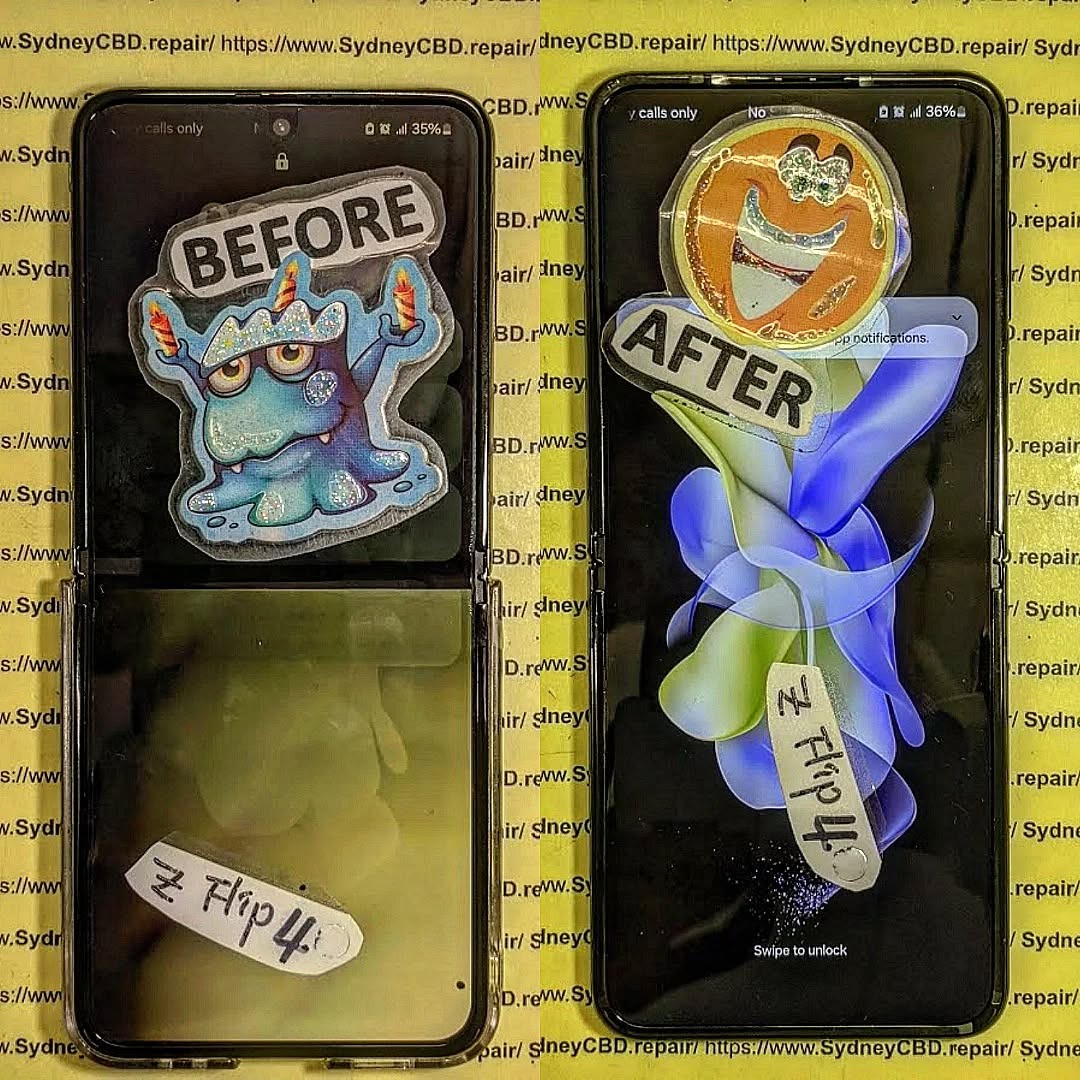
Understanding the Z Flip 4’s Unique Screen Technology
The Z Flip 4’s internal display is not your typical smartphone screen. It’s a foldable Dynamic AMOLED 2X panel that bends seamlessly along the hinge. This hinge mechanism, combined with ultra-thin glass, allows the phone to fold while maintaining vibrant colors and high touch responsiveness. Unlike traditional flat screens, the Z Flip 4’s internal screen has multiple layers: the flexible OLED layer, a touch sensor layer, and a protective ultra-thin glass layer.
The Evolution of Foldable Screens
Samsung pioneered foldable screens with the Galaxy Fold series, followed by the Z Flip 3. Each iteration improved hinge durability, crease minimization, and display protection. The Z Flip 4 introduced enhanced Gorilla Glass Victus+, refined hinge tension, and better resistance to scratches. Yet, foldable displays remain more delicate than standard flat panels, making internal screen replacement a critical skill for repair technicians.
Common Causes of Internal Screen Damage
Internal screen damage in the Z Flip 4 typically results from mechanical stress, accidental drops, or environmental factors. Understanding these causes can help prevent future damage.
Accidental Drops
Even a small drop can transfer force to the internal screen, leading to cracks beneath the ultra-thin glass layer. Unlike external glass cracks, these are invisible to the naked eye until the display begins malfunctioning.
Pressure and Flex Stress
Repeated folding and unfolding, especially if done too quickly or with objects in pockets, can strain the internal layers. Over time, this stress may cause lines, discoloration, or touch unresponsiveness.
Liquid and Moisture Damage
While the Z Flip 4 has some water resistance (IPX8 rating), moisture can still seep through hinges or worn seals. Water exposure can corrode connectors, damage OLED pixels, and impair touch functionality.
Signs You Need an Internal Screen Replacement
Detecting internal damage early can prevent further issues. Common signs include:
Screen Flickering and Unresponsiveness
Flickering, unresponsive areas, or ghost touches are often the first indicators of internal display damage. These issues suggest that the touch sensor layer has been compromised.
Visible Lines or Cracks Under Glass
Vertical or horizontal lines, pixel blackouts, or faint cracks beneath the surface indicate serious internal damage that cannot be fixed with a simple glass replacement.
Step-by-Step Internal Screen Replacement Process

Replacing the Z Flip 4’s internal screen requires precision, patience, and the right tools. This process should only be attempted by those comfortable with delicate electronics.
Required Tools and Materials
- Precision screwdrivers (pentalobe, Phillips)
- Plastic pry tools and spudgers
- Heat gun or iOpener for adhesive softening
- Replacement internal AMOLED screen
- Specialized adhesive for foldable displays
- ESD-safe gloves and workspace
Disassembly Steps
- Power off the device completely.
- Remove the back panel using heat and a suction cup to soften the adhesive.
- Unscrew hinge screws carefully and note their positions.
- Disconnect the battery to prevent short circuits.
- Carefully detach the ribbon cables connecting the internal display.
- Remove the damaged internal screen with a heat gun to soften adhesive.
Screen Replacement and Reassembly
- Clean the frame thoroughly to remove old adhesive residue.
- Apply the new foldable screen using precise alignment tools.
- Reconnect ribbon cables and battery.
- Test the screen for touch responsiveness and color accuracy before full reassembly.
- Reattach the back panel with fresh adhesive.
- Allow the adhesive to cure as recommended by the manufacturer.
⚠️ Note: DIY replacement risks permanent damage if handled incorrectly. Many users opt for professional repair to preserve warranty and ensure correct calibration.
Cost Analysis: DIY vs Professional Repair
Understanding the costs involved can guide your repair decision.
DIY Screen Replacement Costs
- Replacement screen: $450–$550
- Tools and adhesives: $50–$80
- Risk of mistakes: Potential total device loss
DIY replacement may save money upfront, but mistakes can be costly, especially with foldable OLED panels.
Professional Repair Pricing
- Samsung official repair: $599–$699
- Third-party repair centers (e.g., Sydney CBD Repair Centre): $450–$550 with warranty
- Advantages: Certified technicians, quality parts, no risk of voiding warranty if authorized
Professional repairs ensure long-term reliability, proper hinge alignment, and touch calibration.
Risks of Ignoring Internal Screen Damage
Neglecting internal screen issues can lead to:
- Permanent OLED burn-in or pixel damage
- Hinge stress and eventual mechanical failure
- Battery swelling or short circuits from damaged connectors
- Reduced resale value
Prompt repair minimizes these risks and preserves device longevity.
Tips to Extend Z Flip 4 Screen Lifespan
- Avoid sharp objects near the hinge.
- Fold the phone gently, without overextending.
- Use a slim case designed for foldables.
- Keep the device dry; avoid excessive moisture.
- Clean with microfiber cloths to remove debris that may scratch the internal layers.
Tools for Long-Term Maintenance
- Microfiber cleaning cloths
- Soft-bristled brushes for hinge debris
- Screen-safe cleaning solutions
- Optional hinge lubricant recommended by Samsung for extended smooth folding
Samsung Official Repair vs Third-Party Repair
| Feature | Samsung Official | Third-Party Repair (Sydney CBD) |
|---|---|---|
| Warranty | Yes, typically 12 months | 90 days |
| Cost | Higher ($599–$699) | Lower ($450–$550) |
| Turnaround | 3–5 days | Same day/express options |
| Parts Quality | OEM | OEM or certified replacement |
| Convenience | Official service centers | Flexible local locations |
Choosing a reputable third-party center can balance cost, speed, and quality while still providing genuine parts.
FAQ Section
How long does a Z Flip 4 screen replacement take?
Professional repair usually takes 2–4 hours, depending on part availability. DIY replacements may take several hours longer.
Can I replace the screen myself safely?
While possible, DIY replacement carries high risk. Precision and delicate handling are required, or you could damage the hinge or OLED layer.
Will a third-party replacement affect warranty?
If you use a certified third-party provider like Sydney CBD Repair Centre, the device remains functional, but Samsung’s official warranty may not cover future issues.
How much does it cost to fix a cracked Z Flip 4 screen?
DIY replacements range $450–$550 for parts; professional third-party repairs also fall in this range, while official Samsung service costs $599–$699.
Are there ways to prevent screen damage?
Yes, using foldable-specific cases, gentle folding, avoiding pressure or sharp objects near the hinge, and keeping the device dry all help.
Does internal screen damage affect hinge performance?
Yes, damaged screens can misalign the hinge, leading to stiff folding or increased wear over time.
Conclusion

Replacing the internal screen of the Samsung Z Flip 4 is a delicate process that requires understanding the device’s unique foldable technology. While DIY replacements are possible, professional repair centers like Sydney CBD Repair Centre offer faster, safer, and reliable solutions with genuine parts and warranty. Regular care and cautious handling can prolong your Z Flip 4’s lifespan, preventing costly repairs and preserving functionality.
For more detailed repair guides and professional services, visit Samsung Official Repair.
David from Sydney CBD Repair Centre – The Best place to fix mobile phones as 7 Years In A Row! Top Mobile Phone Repair In Sydney. More than 2000 Positive Reviews on Google and Same Day Repairs.
We take pride in delivering exceptional repair services for all major phone brands including Apple, Samsung, Google, and more. Our expert technicians use only genuine parts and offer 90days warranty on repairs. Located in the heart of Sydney CBD, we’re your one-stop solution for all mobile device repairs.
Our commitment to excellence has earned us the trust of thousands of satisfied customers. Whether it’s a cracked screen, battery replacement, or water damage repair, we handle it all with professional care and expertise. Walk in today and experience why we’re Sydney’s #1 choice for mobile phone repairs.
Visit us for:
✓ Same Day Express Repairs
✓ Genuine Parts Guarantee
✓ Professional Technicians
✓ Competitive Pricing
✓ 2000+ 5-Star Google Reviews
✓ 7-Time Award Winner for Best Phone Repairs
Sydney CBD Repair Centre – Where Quality Meets Reliability.
Call : +61280114119
Website: https://SydneyCBD.repair/locate-us


