




Watch out! Apple Watch and Galaxy Watch repair nightmares exposed

Watch out! Apple Watch and Galaxy Watch Repair Nightmares Exposed: 10 Shocking Truths
Introduction: Why Watch Repairs Can Be Risky
Smartwatches have become indispensable in our daily lives, from tracking fitness goals to managing notifications without touching our phones. But when they break, the repair process is often more complicated than most users realize. Watch out! Apple Watch and Galaxy Watch repair nightmares exposed – this article dives into 10 shocking truths that every smartwatch owner should know. From screen replacements to battery malfunctions, water damage, and software glitches, understanding the risks and solutions is crucial to prevent costly mistakes.
Smartwatches may appear small and simple, but the technology inside is highly intricate. Tiny components, delicate soldering, and water-resistant seals make repairing these devices a task best left to professionals. Many users underestimate the complexity of smartwatch repairs, leading to additional damage, voided warranties, and expensive replacements.
The rise in DIY repair videos online has made it tempting for owners to try fixing their devices at home. While it may seem cost-effective, the truth is, using the wrong tools or non-genuine parts can create long-term problems. Both Apple Watch and Galaxy Watch repairs carry their own unique set of challenges, which we’ll explore in detail.
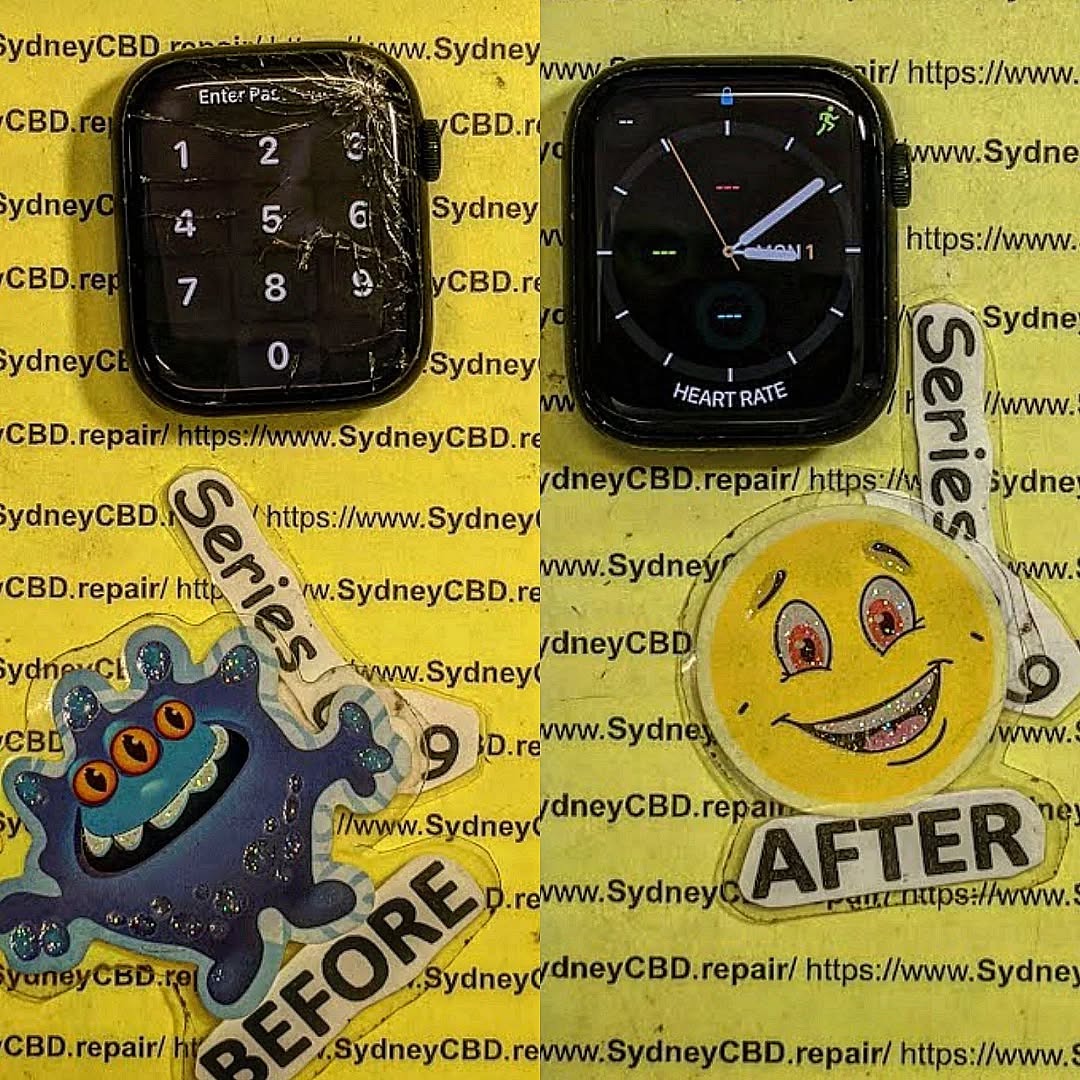
Common Apple Watch Repair Nightmares
Apple Watches are iconic for their sleek design, but this very design contributes to repair difficulties. Here are the most common problems users face:
Screen Replacement Challenges
The Apple Watch screen is not just glass—it’s an integrated OLED display with a touch-sensitive layer and haptic feedback mechanisms. Replacing it requires precise skill. DIY attempts often result in:
- Cracked screens during removal
- Misaligned displays causing touch sensitivity issues
- Haptic motor malfunctions
Professional repair costs for Apple Watch screens can range from $200 to $400, depending on the model. Using unofficial parts may lead to loss of waterproofing, shortened device lifespan, and reduced resale value.
Battery Swelling and Malfunctions
Apple Watch batteries degrade over time. Swelling batteries not only reduce device performance but can also physically damage the screen and internal components. Common battery-related nightmares include:
- Device overheating during charging
- Reduced battery life after replacement
- Risk of puncture or fire if replaced incorrectly
Technicians at trusted repair centers use genuine Apple batteries with calibrated tools to avoid these hazards.
Water Damage Complications
Even water-resistant Apple Watches aren’t fully waterproof. Water damage can be catastrophic, especially for internal electronics. Users often encounter:
- Corrosion on connectors
- Malfunctioning sensors like heart rate monitors
- Firmware errors post-repair
Professional repair involves ultrasonic cleaning, careful component replacement, and diagnostic testing to ensure long-term functionality.
Common Galaxy Watch Repair Nightmares
Samsung Galaxy Watches are durable but not immune to issues. Many Galaxy Watch users report repair headaches similar to Apple Watch owners:
Charging Port Failures
Frequent charging errors can be caused by debris, corrosion, or faulty connectors. Symptoms include:
- Slow charging or intermittent power
- Device failing to recognize the charger
- Overheating during charging
Repair requires microscopic inspection, part replacement, and testing for safe operation.
Screen and Glass Damage
Galaxy Watch screens, especially the curved AMOLED variants, are prone to cracking upon impact. Repair challenges include:
- Matching the exact color calibration
- Maintaining touch sensitivity
- Ensuring the replacement screen maintains water resistance
Software Glitches After Repairs
Sometimes, even after successful hardware replacement, Galaxy Watches may encounter software errors. This can include:
- Failing to sync with a smartphone
- WatchOS or Tizen crashes
- Sensor inaccuracies
Professional repair centers often perform a full firmware restore and calibration to prevent recurring issues.
DIY Repairs: The Hidden Dangers
DIY repairs may seem tempting but can create more harm than good.
Using Non-Genuine Parts
Many online stores sell cheap, third-party Apple or Galaxy Watch parts. The risks include:
- Reduced display quality or brightness
- Poor battery performance
- Loss of waterproofing and structural integrity
Tools and Expertise Needed
Smartwatches contain microscopic screws, ribbon cables, and adhesives that require specialized tools. Without proper experience, users can:
- Damage connectors beyond repair
- Void manufacturer warranties
- Accidentally cause short circuits
The saying “penny wise, pound foolish” is especially true when DIY repairs go wrong.
Choosing a Professional Repair Service

When your smartwatch breaks, choosing a reputable repair service can save time, money, and headaches.
Warranty Considerations
Always check if repairs are covered under warranty. Even if not, using authorized repair centers ensures:
- Genuine parts usage
- Preserved water resistance
- Certified technician work
Cost vs. Risk Analysis
While professional repairs may seem expensive upfront, consider:
- DIY mistakes often cost more in the long run
- Non-genuine parts reduce device lifespan
- Some repair centers offer same-day service, reducing downtime
Sydney CBD Repair Centre, for example, provides genuine parts with a 90-day warranty—a safer choice than risking a DIY attempt.
Case Studies: Repair Nightmares
- Apple Watch Series 7 – A user tried a DIY screen replacement. Result: cracked OLED, touch malfunction, and voided warranty. Professional repair cost: $350.
- Galaxy Watch 4 – Water damage after accidental exposure to rain. DIY cleaning attempt worsened corrosion. Professional ultrasonic cleaning restored functionality.
- Apple Watch SE – Battery swelling caused the screen to lift. Non-certified repair led to permanent touch sensor damage. Professional repair avoided further issues with genuine battery and adhesive.
These examples show how easily minor problems can escalate without proper repair expertise.
Preventing Watch Damage
Prevention is always better than repair. Simple measures can extend the life of your smartwatch.
Protective Accessories
- Screen protectors prevent scratches and cracks.
- Protective cases absorb shock from drops.
- Straps with secure clasps reduce accidental drops.
Usage Best Practices
- Avoid exposing watches to extreme water or heat.
- Charge with manufacturer-approved cables.
- Perform regular software updates to prevent glitches.
Following these habits reduces the likelihood of needing costly repairs.
FAQs
Q1: How much does an Apple Watch screen replacement cost?
A1: Depending on the model, professional screen replacement ranges from $200 to $400. DIY replacements risk damaging other components.
Q2: Can water-damaged watches be repaired?
A2: Yes, but success depends on the extent of corrosion. Professional ultrasonic cleaning and component replacement are usually required.
Q3: Are third-party repair parts safe?
A3: Non-genuine parts can compromise performance, reduce battery life, and void warranties. Genuine parts are highly recommended.
Q4: How long does a Galaxy Watch repair take?
A4: Many professional centers offer same-day repairs, but complex issues like water damage may require 1–3 days.
Q5: Will DIY repair void my warranty?
A5: Yes, opening the device or using third-party parts typically voids the manufacturer warranty.
Q6: Where can I find a reliable smartwatch repair service?
A6: Look for certified technicians, genuine parts, warranty coverage, and positive reviews. For example, Sydney CBD Repair Centre has 2000+ positive reviews and is a 7-time award winner.
Conclusion

Repairing Apple Watches and Galaxy Watches is not as simple as it seems. Common nightmares include screen replacement difficulties, battery swelling, water damage, charging port failures, and software glitches. DIY attempts often make these problems worse, risking warranty and device lifespan.
Choosing a professional repair service ensures genuine parts, technical expertise, and peace of mind. Prevention through protective accessories and careful usage also reduces repair risks. By understanding these shocking truths, smartwatch owners can make informed decisions, saving time, money, and frustration.
References
- Apple Watch Support – Apple
- Sydney CBD Repair Centre – Genuine Parts & Same-Day Service: https://SydneyCBD.repair/locate-us
David from Sydney CBD Repair Centre – The Best place to fix mobile phones as 7 Years In A Row! Top Mobile Phone Repair In Sydney. More than 2000 Positive Reviews on Google and Same Day Repairs.
We take pride in delivering exceptional repair services for all major phone brands including Apple, Samsung, Google, and more. Our expert technicians use only genuine parts and offer 90days warranty on repairs. Located in the heart of Sydney CBD, we’re your one-stop solution for all mobile device repairs.
Our commitment to excellence has earned us the trust of thousands of satisfied customers. Whether it’s a cracked screen, battery replacement, or water damage repair, we handle it all with professional care and expertise. Walk in today and experience why we’re Sydney’s #1 choice for mobile phone repairs.
Visit us for:
✓ Same Day Express Repairs
✓ Genuine Parts Guarantee
✓ Professional Technicians
✓ Competitive Pricing
✓ 2000+ 5-Star Google Reviews
✓ 7-Time Award Winner for Best Phone Repairs
Sydney CBD Repair Centre – Where Quality Meets Reliability.
Call : +61280114119
Website: https://SydneyCBD.repair/locate-us

