




Why Smartwatch Screen Repairs Are 10x Harder Than Smartphone Displays?

Why Smartwatch Screen Repairs Are 10x Harder Than Smartphone Displays? + BRUTAL TECH CHALLENGE + 11 Expert Secrets
Introduction
A cracked smartwatch screen might look like a smaller version of a broken smartphone display, but repairing it can be much more challenging. From tightly packed internal components to delicate sensors and water-resistant seals, every step requires precision, patience, and the right tools. In this guide, we’ll explore why smartwatch screen repairs can be significantly harder than smartphone display replacements, what makes these devices so delicate, and how professional technicians can help restore them safely.
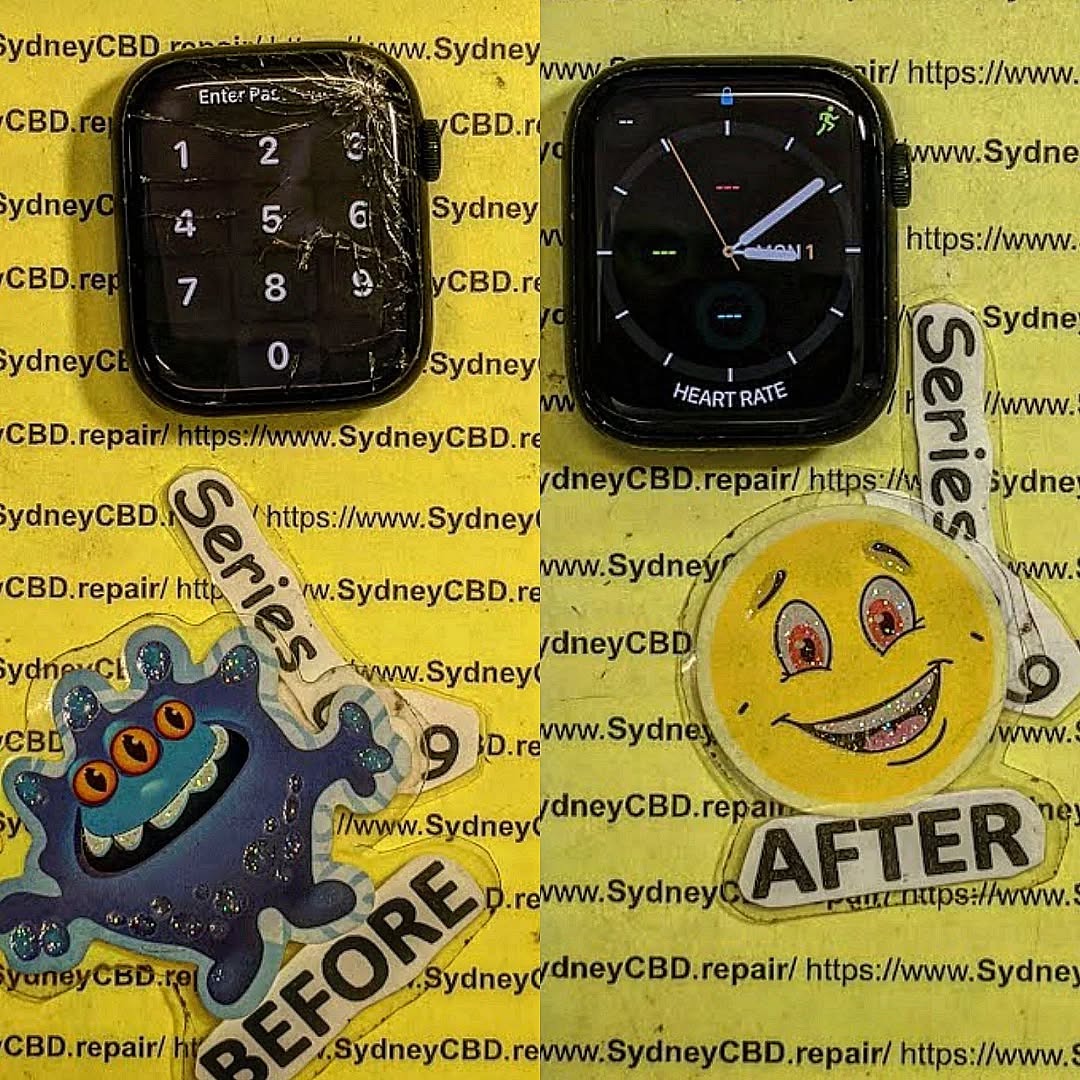
1. Introduction: Why Smartwatch Screen Repairs Are a Brutal Tech Challenge
Smartwatches have changed the way we communicate, exercise, monitor our health, and manage daily tasks. Devices such as the Apple Watch, Samsung Galaxy Watch, Google Pixel Watch, and Garmin smartwatches pack impressive technology into a space that fits comfortably on your wrist.
However, when the screen cracks, the repair can become surprisingly complicated.
Smartwatch screen repairs are often more delicate than smartphone display repairs because technicians must work around smaller components, tightly integrated sensors, compact batteries, and carefully designed water-resistant enclosures. The exact difficulty depends on the watch model, the type of damage, and whether the manufacturer supplies a replacement screen or a complete assembly.
The phrase “10x harder” in our title describes the challenge in an attention-grabbing way rather than a measured industry statistic. There isn’t a universal test proving that every smartwatch screen repair is ten times harder than a phone repair. Still, there are several clear technical reasons why repairing a tiny wearable display can demand exceptional skill.
Imagine replacing a smartphone screen with enough room to handle connectors, position tools, and inspect the frame. Now imagine doing similar work inside a compact watch housing where a small movement could damage a sensor cable or puncture a battery. That’s where the real challenge begins.
Why smartwatch displays are different
Smartwatches aren’t simply miniature smartphones. Their internal layouts are designed around wrist comfort, low power consumption, accurate sensors, and a slim profile.
These design priorities create several repair challenges:
- Limited workspace: Internal components are packed closely together.
- Delicate display layers: OLED panels and touch sensors can be damaged during removal.
- Strong adhesives: The screen often forms part of the device’s sealed enclosure.
- Sensitive electronics: Flex cables, connectors, and sensors can be extremely small.
- Water resistance: Opening the watch can compromise the original seal.
- Model-specific construction: Repair methods vary significantly between manufacturers and generations.
A successful repair must do more than make the display light up. The technician also needs to check touch response, screen brightness, charging, battery condition, sensor performance, and other functions affected by the repair.
For owners in Sydney, choosing a repair provider with suitable tools and experience can help prevent a minor screen problem from turning into a much more expensive failure.
2. Challenge One: The Extremely Small Internal Workspace
One of the biggest reasons smartwatch screen repairs are difficult is the lack of working space.
A typical smartphone offers a relatively broad internal area. Although modern phones are also densely packed, technicians can often see and access display connectors, screws, brackets, and other parts more easily.
A smartwatch presents a different situation. Its display, battery, circuit board, antennas, buttons, speakers, and sensor assemblies must fit inside a compact enclosure. Some models also use highly integrated internal modules that leave little room for conventional repair tools.
Why millimetres matter
During a smartwatch screen replacement, the technician may need to separate the display from the case without disturbing nearby components. A tool inserted at the wrong angle could:
- Tear a delicate flexible circuit.
- Scratch or puncture a battery.
- Damage a display connector.
- Cut an antenna or sensor cable.
- Crack the display panel further.
- Deform a sealing surface.
Even a small amount of excess pressure can cause problems when working with fragile glass and thin electronic assemblies. This is particularly important when dealing with a watch that has already suffered impact damage. A cracked screen may have sharp edges, while the force of the original impact could have loosened connectors or damaged the internal frame.
Precision beats speed
Experienced technicians don’t simply force the display away from the housing. They first examine the device, identify its construction, and determine the safest way to access the damaged assembly. Depending on the model, the process may involve controlled heating, specialised opening tools, magnification, and carefully placed separators.
- Inspecting the exterior for bends, cracks, and signs of liquid exposure.
- Checking whether the display still responds to touch.
- Reviewing model-specific repair instructions.
- Identifying nearby cables, batteries, and sensitive components.
- Opening the device gradually while monitoring resistance.
- Stopping immediately if unexpected resistance suggests a hidden attachment.
The goal isn’t to finish in the shortest possible time. It’s to complete the repair without causing additional damage.
Why DIY repairs can be risky
Online repair videos can make opening a smartwatch look straightforward. However, a video may show a different model, a replacement assembly with a different design, or a technician using tools that aren’t available at home.
A generic opening tool might be too thick. A household heat source may distribute heat unevenly. A metal blade could damage the case or create a short circuit if it contacts exposed electronics. If the watch is valuable, contains important health data, or has extensive internal damage, professional assessment is usually the safer starting point.
3. Challenge Two: Advanced OLED and AMOLED Display Technology
Modern smartwatches often use OLED or AMOLED displays because these technologies deliver vivid colours, deep blacks, and excellent contrast in a compact design.
Unlike a traditional LCD, an OLED display uses pixels that emit their own light. This allows individual pixels to switch off completely, helping produce deep black areas and efficient power use when displaying darker content. However, these advantages don’t make the screen easier to repair.
Multiple delicate layers
Depending on the model, a smartwatch display assembly may contain several bonded layers, including:
- Cover glass or another protective surface.
- A touch-sensitive layer.
- The OLED display panel.
- Flexible electrical connections.
- Optical or protective bonding materials.
When the cover glass cracks, the damage may extend beyond the outer surface. Pressure from an impact can affect the OLED panel, creating black spots, coloured lines, flickering, or a completely blank display.
Glass damage versus display damage
| Symptom | Possible Cause | Recommended Next Step |
|---|---|---|
| Fine cracks but normal picture | Damaged cover glass or bonded display assembly | Professional inspection |
| Black patches | Damaged OLED pixels or panel layers | Display assessment |
| Green or pink lines | Display panel or connection damage | Connector and panel diagnosis |
| Flickering screen | Panel, connector, or power issue | Electrical inspection |
| Touch doesn’t respond | Touch layer, cable, or software issue | Touch diagnostics |
| Completely black screen | Display failure, battery issue, or internal damage | Full device diagnosis |
Why display separation is difficult
On some devices, technicians can replace the complete display assembly. On others, separating bonded layers may be possible only with specialised equipment and a suitable replacement part. Attempting to separate a fragile OLED panel without the correct process can cause permanent damage. For this reason, a complete compatible display assembly is often the more practical option when the screen and touch layers are bonded together.
Brightness, colour, and touch accuracy
A replacement screen must also match the watch’s electrical and physical requirements. An incompatible panel may exhibit poor brightness, incorrect colours, unreliable touch response, excessive battery consumption, or problems fitting the original housing. The replacement must be suitable for the exact model and revision.
4. Challenge Three: Adhesives, Heat, and Safe Screen Separation
Many smartwatch manufacturers use strong adhesives to secure the display to the case. These adhesives help maintain a slim design and support the enclosure’s resistance to moisture and dust. Unfortunately, they also make screen removal challenging.
Why adhesive removal requires control
A technician may need to soften the adhesive before separating the damaged display. The correct temperature and technique depend on the device’s construction and the manufacturer’s repair guidance. Too little heat may leave the adhesive too firm, increasing the force needed to remove the screen. Too much heat can damage the display, battery, nearby plastic parts, or sensitive electronic components.
The danger of excessive force
When an adhesive bond doesn’t release easily, pushing harder isn’t the answer. A thin opening tool can slip beneath the wrong layer. A sharp blade can scratch the case, cut a cable, or damage the sealing surface. Twisting the display may also place uneven stress on the OLED panel.
Preparing the surface for reassembly
After the damaged display is removed, old adhesive must be cleared without harming the housing or leaving debris behind. The technician checks the bonding surface for:
- Bent edges or frame damage.
- Remaining adhesive fragments.
- Dust and contamination.
- Damaged sealing channels.
- Signs of liquid ingress.
- Residue near connectors and sensors.
Screen removal is only half the job. Preparing the housing and securing the replacement correctly are just as important.
5. Challenge Four: Waterproofing and Water-Resistant Seals
Water resistance is one of the most misunderstood features of modern smartwatches. Many watches are designed to tolerate particular levels of water exposure. However, their resistance depends on the model’s construction, seals, adhesives, and condition.
What happens when a smartwatch is opened?
The display and its adhesive seal can form an important part of the enclosure. When a technician removes the screen, that original bond may be disturbed. Even if the replacement display fits perfectly, the watch may no longer have the same water resistance unless the sealing system is restored correctly.
- Damaged or stretched gaskets.
- Incorrectly applied adhesive.
- Dust trapped beneath the replacement screen.
- Uneven pressure around the display perimeter.
- Small gaps caused by a bent housing.
- Seal damage caused by excessive heat.
Is smartwatch waterproofing guaranteed after repair?
No. A screen replacement alone doesn’t guarantee that the watch retains its original water-resistance rating. A responsible repair provider should explain whether post-repair testing is available and what the result actually confirms.
How professional technicians approach sealing
- Inspecting the housing and original seal.
- Removing old adhesive without damaging the bonding surface.
- Checking the case for deformation or cracks.
- Applying the correct replacement adhesive or gasket.
- Positioning the screen evenly.
- Allowing the adhesive to cure as specified.
- Performing appropriate sealing tests when supported.
6. Challenge Five: Sensors, Flex Cables, and Internal Electronics

Smartwatches pack heart rate monitors, pulse oximeters, ECG sensors, barometers, and gyroscopes into a tiny footprint. These functions rely on internal sensors and electronic connections that can easily be affected during screen repair.
Flexible cables are easy to damage
Flexible printed circuits connect compact electronic components without requiring rigid wiring. They save space, but their thin construction makes them vulnerable to tearing, creasing, and connector damage. That is why technicians should avoid pulling on cables or lifting assemblies before identifying their attachment points.
What should be tested after repair?
| Component or Feature | Example of a Useful Check |
|---|---|
| Display | Check for lines, spots, flickering, and uneven brightness |
| Touchscreen | Test touch response across the usable display area |
| Side buttons | Confirm normal physical actuation and response |
| Crown / rotating control | Check rotation and input response where applicable |
| Charging | Confirm the watch charges normally without overheating |
| Battery | Observe charging behaviour and unexpected power loss |
| Heart-rate sensor | Check readings using the device’s supported testing methods |
| Motion sensors | Confirm supported activity tracking functions |
| Microphone and speaker | Test audio input and output where fitted |
| Water resistance | Request an appropriate seal pressure test if available |
7. Challenge Six: Specialised Tools and Technical Experience
Repairing a smartwatch often requires equipment that differs from the basic tools used for common smartphone repairs:
- Magnification equipment: Microscopes and magnifiers help technicians inspect tiny connectors, solder joints, cable damage, and contamination.
- Controlled heating tools: Suitable hot air stations or heating plates soften adhesives while reducing heat exposure risks.
- Precision opening tools: Fine tweezers, ultra-thin curved picks, and micro-drivers allow controlled access to compact assemblies.
- Electrical testing equipment: Multimeters and diagnostic cables help identify power, connection, and charging faults.
Questions to ask a repair provider:
- Have you repaired this exact model or a similar generation?
- Is the replacement display compatible with my watch?
- Will you inspect the device for frame or internal damage?
- What functions will you test after the repair?
- Is replacement adhesive included?
- Can you assess water resistance after reassembly?
- What warranty applies to the replacement part and workmanship?
8. Smartwatch Screen Repair vs Smartphone Screen Repair
| Repair Factor | Smartwatch | Smartphone |
|---|---|---|
| Working space | Extremely restricted | Generally more room to access components |
| Display size | Very small and compact | Larger, but sometimes more complex |
| Internal cables | Miniature and tightly packed | Vary by model; often more accessible |
| Adhesive removal | Delicate around tiny perimeter components | Requires heat, but covers a broader area |
| Water resistance | Relies heavily on a single small sealed enclosure | Relies on broader perimeter gaskets and seals |
| Sensor integration | Compact, base-mounted biometric arrays | Biometric cameras, Face ID, optical fingerprint modules |
| Replacement parts | Limited availability depending on manufacturer | Broad selection of OEM and aftermarket parts |
| Overall difficulty | High on tightly integrated models | Ranges from straightforward to highly complex |
9. Genuine vs Aftermarket Smartwatch Displays
A genuine replacement part sourced through an authorised manufacturer channel preserves the original display calibration, touch sensitivity, and physical dimensions. However, not every manufacturer supplies standalone replacement screens to third parties.
Aftermarket parts vary substantially in quality. Some offer reliable performance, while others exhibit poor brightness, muted colours, sluggish touch responsiveness, or excessive battery draw. Always confirm the part origin, grade, and warranty terms prior to authorizing service.
10. Eleven Common Mistakes That Can Ruin a Smartwatch Screen Repair
- Using excessive heat: High or uneven temperatures can damage the display, battery, and surrounding components.
- Applying too much force: Forcing the screen open can crack the glass substrate or deform the casing.
- Using the wrong opening tool: Thick or blunt blades damage delicate internal flex ribbons.
- Ignoring battery safety: Puncturing a lithium-ion cell in an enclosed space is an immediate fire risk.
- Buying an incompatible display: Subtle revision differences can cause touch failure or display blackout.
- Pulling flex cables: Disconnecting cables without unlatching zero-insertion-force (ZIF) sockets tears connectors.
- Reusing damaged adhesive: Old seals will not adhere cleanly, risking water ingress and screen detachment.
- Skipping the initial diagnosis: Replacing a screen when the fault lies in the logic board wastes time and money.
- Failing to clean the housing: Residual adhesive prevents the replacement screen from seating flush.
- Ignoring water resistance: Failing to inform customers of compromised water resistance leads to liquid damage.
- Skipping final testing: Missing unseated sensors, malfunctioning buttons, or faulty charging before handoff.
11. The Professional Smartwatch Screen Replacement Process
- Initial inspection and diagnosis: Testing touch responsiveness, display output, and physical frame condition.
- Model verification: Confirming the precise generation and sub-model to order matching parts.
- Device preparation: Powering down, isolating power, and adhering to ESD-safe protocols.
- Damaged display removal: Applying targeted heat and micro-picks to lift the broken display cleanly.
- Internal component inspection: Checking for internal glass shards, swollen batteries, or bent frames.
- Housing preparation: Removing every remnant of old glue and degreasing mating surfaces.
- Fitting replacement display: Performing preliminary dry-fit testing before setting adhesive.
- Applying calibrated adhesive: Installing precision-cut gaskets or liquid adhesive under uniform clamping pressure.
- Multi-point testing: Testing touch, sensors, buttons, charging, and display calibration.
- Customer handover: Providing post-repair instructions, warranty details, and water-resistance guidance.
Smartwatch Screen Repair Costs: What Affects the Price?
Repair costs are shaped by display type (OLED panels cost significantly more than TFT-LCD), component availability, structural frame damage, and labour complexity.
Repair makes sense when the device is relatively current, the battery is healthy, and replacement components are accessible. When a smartwatch is older and replacement costs approach the device’s secondary-market value, replacing the entire watch may be more cost-effective.
For official manufacturer guidance and warranty policies, refer to the Apple Watch Support portal or your brand’s designated support center.
Smartwatch Screen Repairs: Frequently Asked Questions
- 1. Why are smartwatch screen repairs harder than smartphone display repairs?
- Smartwatches have significantly smaller internal dimensions, tightly nested ribbon cables, integrated sensor packs, and strong water-resistant adhesives that leave virtually zero tolerance for error.
- 2. Can a cracked smartwatch screen be repaired without replacing the entire watch?
- Yes, provided replacement display assemblies are available for that exact model and the internal frame has not been crushed.
- 3. Is it safe to replace a smartwatch screen at home?
- DIY repair is not recommended unless you have micro-soldering and wearable repair experience. One misplaced pick can puncture the lithium-ion battery or sever an irrecoverable sensor cable.
- 4. Will my smartwatch remain waterproof after a screen replacement?
- No repair provider can guarantee factory-grade water resistance once the original seal is broken. While fresh adhesive seals against splashes and dust, submersion and swimming should be avoided.
- 5. How long does a smartwatch screen replacement take?
- Depending on parts availability and adhesive curing times, repairs typically take from a few hours to a couple of business days.
- 6. Why does my smartwatch have a black screen even though it still vibrates?
- This indicates that the logic board and haptic motor are functional, but the OLED panel or display connection has failed from physical shock.
- 7. Are aftermarket smartwatch displays worth buying?
- High-tier aftermarket displays can be acceptable, but cheap generic panels often suffer from poor touch sensitivity, washed-out colors, and higher battery drain.
- 8. Can a screen replacement fix touchscreen problems?
- Yes, because the digitizer touch layer is fused to the display glass assembly in modern smartwatches.
- 9. Will replacing the screen affect heart-rate monitoring or other sensors?
- A properly executed screen replacement will not affect the rear biometric sensors, provided internal flex lines remain undamaged during disassembly.
- 10. What should I check before choosing a smartwatch repair service?
- Verify their experience with your specific watch model, ask about the source and quality of replacement parts, check what post-repair tests are conducted, and request a clear written warranty.
Conclusion: Precision, Not Guesswork

A damaged smartwatch does not always require purchasing a brand new device. With accurate diagnostics, quality replacement screens, and experienced micro-technicians, cracked or unresponsive smartwatches can be returned to reliable daily service.

