


WHY YOUR FLASH STOPPED WORKING: Hidden Dangers of DIY Battery and Screen Repairs

WHY YOUR FLASH STOPPED WORKING: Hidden Dangers of DIY Battery and Screen Repairs + 7 Critical Risks
Introduction
Have you ever tried replacing your phone’s battery or screen yourself, only to find that the flash stopped working afterward? You’re not alone. While DIY repairs can seem like a smart way to save money, they often come with hidden dangers that many users don’t anticipate. From short-circuiting the motherboard to damaging delicate flex cables, even small mistakes can lead to permanent flash failure.
In this article, we’ll uncover the most common reasons why your phone flash stops working after a DIY repair, explore the risks involved with battery and screen replacements, and explain how professional repairs can protect your device. Whether you’re a tech-savvy DIYer or simply curious about safeguarding your phone, understanding these hidden hazards is the first step to keeping your flash—and your entire phone—working perfectly.
By the end of this guide, you’ll know not only why DIY repairs can go wrong but also the preventive measures and professional solutions that can save you time, money, and stress.
If your phone flash suddenly stops working after a battery or screen replacement, you’re not alone. Thousands of DIY enthusiasts unknowingly trigger hidden dangers that compromise their devices. From short-circuiting to flex cable damage, a simple attempt to save money can quickly spiral into costly repairs.
In this guide, we’ll explore why DIY battery and screen repairs often fail, the hidden risks involved, and how professional solutions protect your device. By understanding these hazards, you can safeguard your phone’s flash and extend its lifespan.
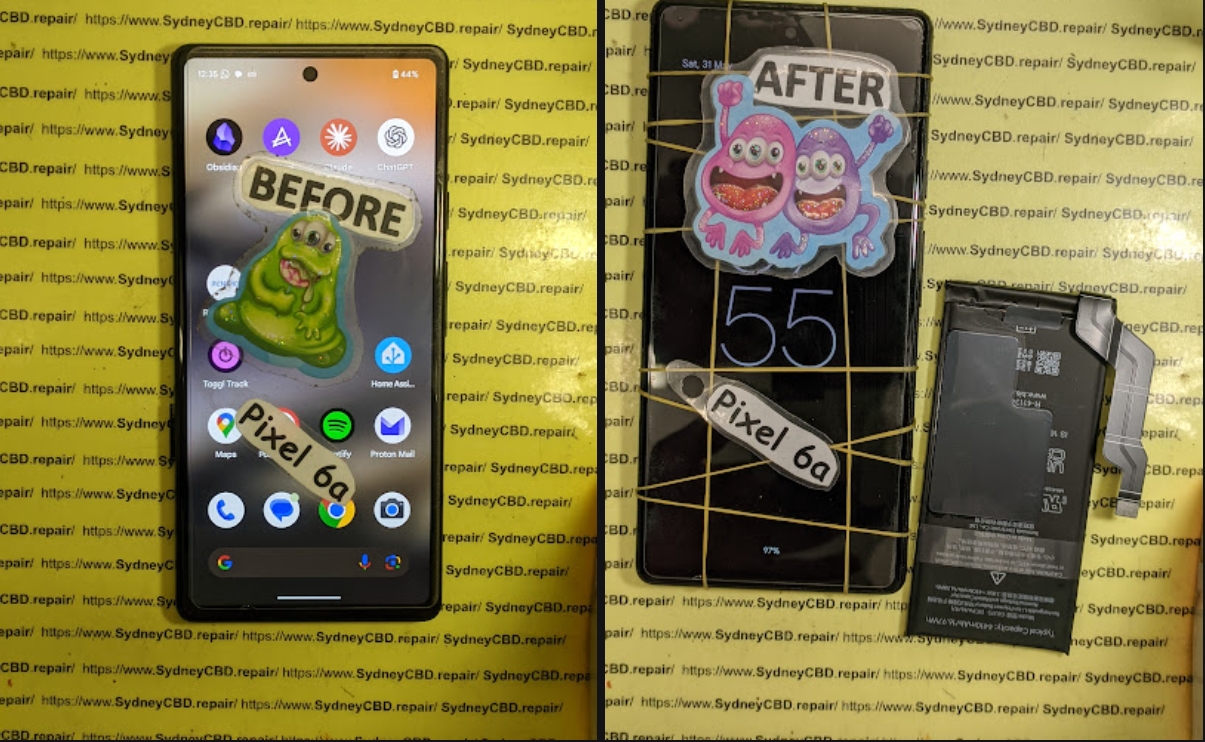
Understanding the Phone Flash System
A phone’s flash might look simple, but it’s a sophisticated system. It involves more than just the LED; it’s an integration of sensors, battery power, motherboard circuitry, and software calibration.
Components Involved in Flash Functionality
- Battery: Supplies stable power for high-intensity LED flashes.
- Motherboard: Controls voltage distribution and flash timing.
- LED Module: Emits light; sensitive to overheating and current spikes.
- Flex Cables & Connectors: Transmit signals; fragile and prone to damage during disassembly.
Common Flash Problems
- Overheating from prolonged use or defective batteries
- Short circuits caused by misconnected components
- Misalignment during screen replacements
- Software glitches or incompatible updates
Even minor mishandling during repairs can stop the flash from working entirely.
DIY Repairs: Why They Seem Tempting
DIY phone repairs have grown popular thanks to online tutorials and the promise of saving hundreds of dollars. YouTube guides make screen replacement look easy, and battery swaps seem straightforward.
Popular DIY Fixes
- Screen Replacement: Replacing cracked glass or digitizers
- Battery Swaps: Installing third-party or new OEM batteries
- Cleaning Connectors: Removing dust or corrosion from contacts
Tools & Techniques Used
- Precision screwdrivers, spudgers, and tweezers
- Heat guns or hair dryers for adhesive removal
- Suction cups for lifting screens
While DIY can succeed in some cases, the risks are significant, especially for high-tech components like the flash.
Hidden Dangers of DIY Battery Replacements
Swapping a battery might appear harmless, but lithium-ion batteries are volatile. Mishandling them can lead to immediate or long-term damage.
Risk of Short-Circuiting
Even a tiny slip can connect terminals incorrectly, frying flash circuits or damaging the motherboard. Short-circuiting is irreversible in many cases.
Battery Swelling & Fire Hazards
Overcharging, puncturing, or using incompatible batteries causes swelling, heat build-up, or even fire. A swollen battery can press against the flash module, rendering it useless.
Warranty Voids & Software Conflicts
Opening your device usually voids the manufacturer warranty. Additionally, some phones detect third-party batteries and restrict flash operation to prevent damage.
Hidden Dangers of DIY Screen Repairs
Screen replacement might seem easy, but phones are precise machines. A single misstep can disrupt flash performance.
Flex Cable Damage
Flex cables connect the screen and flash circuitry. Pinching, tearing, or improper reconnection disables flash or other functions.
Misalignment & Sensor Disruption
Even a slightly misaligned screen can block the flash sensor, causing inconsistent brightness or failure.
Low-Quality Replacement Parts
Cheap screens often have inferior LED placement or weak adhesive, reducing flash intensity and overall responsiveness.
Chain Reaction Damage Explained
One mistake can trigger a domino effect. For instance, a punctured battery can short the motherboard, which then prevents the flash and other components from functioning.
From Battery to Camera Failure
- Battery punctured → motherboard shorted → LED flash damaged → camera sensor affected
- Small, hidden damage can manifest days later
The Cost of Multiple Component Failures
DIY may save $100 upfront but could cost $500–$800 when multiple parts fail. Professional repair reduces this risk.
Professional Repair Advantages

Certified technicians provide a safe, precise, and guaranteed repair experience.
Genuine Parts & Precision Tools
Professionals use OEM components and calibrated tools, preventing damage to delicate flash circuits.
Experience in Diagnosing Hidden Damage
Technicians can detect motherboard faults, connector issues, or software misconfigurations that DIYers often overlook. A non-working flash may not even be a battery issue—it could be a flex cable problem.
Preventive Tips to Protect Your Flash
Even without repairs, proper care reduces flash issues.
Safe Charging & Battery Handling
- Avoid overcharging and extreme temperatures
- Replace batteries at first sign of swelling
Screen Protection & Cleaning
- Use tempered glass to prevent pressure on the flash
- Clean sensors gently with microfiber cloths
FAQs
Q1: Can a swollen battery permanently damage the flash?
Yes. Swelling can press against flash components, causing physical damage that software updates can’t fix.
Q2: Will replacing the screen fix a non-working flash?
Only if the flash circuitry isn’t damaged. Misaligned screens or damaged flex cables often require professional repair.
Q3: How do I test my flash after DIY repairs?
Use the camera app’s flash mode, test in different apps, or run a flashlight test app to ensure proper intensity and timing.
Q4: Are third-party batteries safe?
They’re often cheaper but may lack proper protection circuits, risking overheating or flash malfunction.
Q5: Can software updates restore a dead flash?
Sometimes updates fix software glitches, but hardware damage cannot be repaired with software alone.
Q6: How much does professional flash repair cost?
Typical repairs range from $80–$250 depending on model and component damage. Certified repairs prevent chain reaction failures.
Conclusion

DIY battery and screen repairs can seem cost-effective, but they carry hidden risks. From short circuits to flex cable damage, even minor mistakes can disable your flash permanently. Professional repair ensures genuine parts, precise handling, and long-term reliability. Coupled with preventive care, you can extend your phone’s life and keep the flash functioning perfectly.
For detailed professional guidance, you can also visit Apple’s Official Repair Page.
David from Sydney CBD Repair Centre – The Best place to fix mobile phones as 7 Years In A Row! Top Mobile Phone Repair In Sydney. More than 2000 Positive Reviews on Google and Same Day Repairs.
We take pride in delivering exceptional repair services for all major phone brands including Apple, Samsung, Google, and more. Our expert technicians use only genuine parts and offer 90days warranty on repairs. Located in the heart of Sydney CBD, we’re your one-stop solution for all mobile device repairs.
Our commitment to excellence has earned us the trust of thousands of satisfied customers. Whether it’s a cracked screen, battery replacement, or water damage repair, we handle it all with professional care and expertise. Walk in today and experience why we’re Sydney’s #1 choice for mobile phone repairs.
Visit us for:
✓ Same Day Express Repairs
✓ Genuine Parts Guarantee
✓ Professional Technicians
✓ Competitive Pricing
✓ 2000+ 5-Star Google Reviews
✓ 7-Time Award Winner for Best Phone Repairs
Sydney CBD Repair Centre – Where Quality Meets Reliability.
Call : +61280114119
Website: https://SydneyCBD.repair/locate-us

