


Z Flip 6 Touch Issues: Diagnostics and Repair

Z Flip 6 Touch Issues: Diagnostics and Repair + 7 Proven Solutions
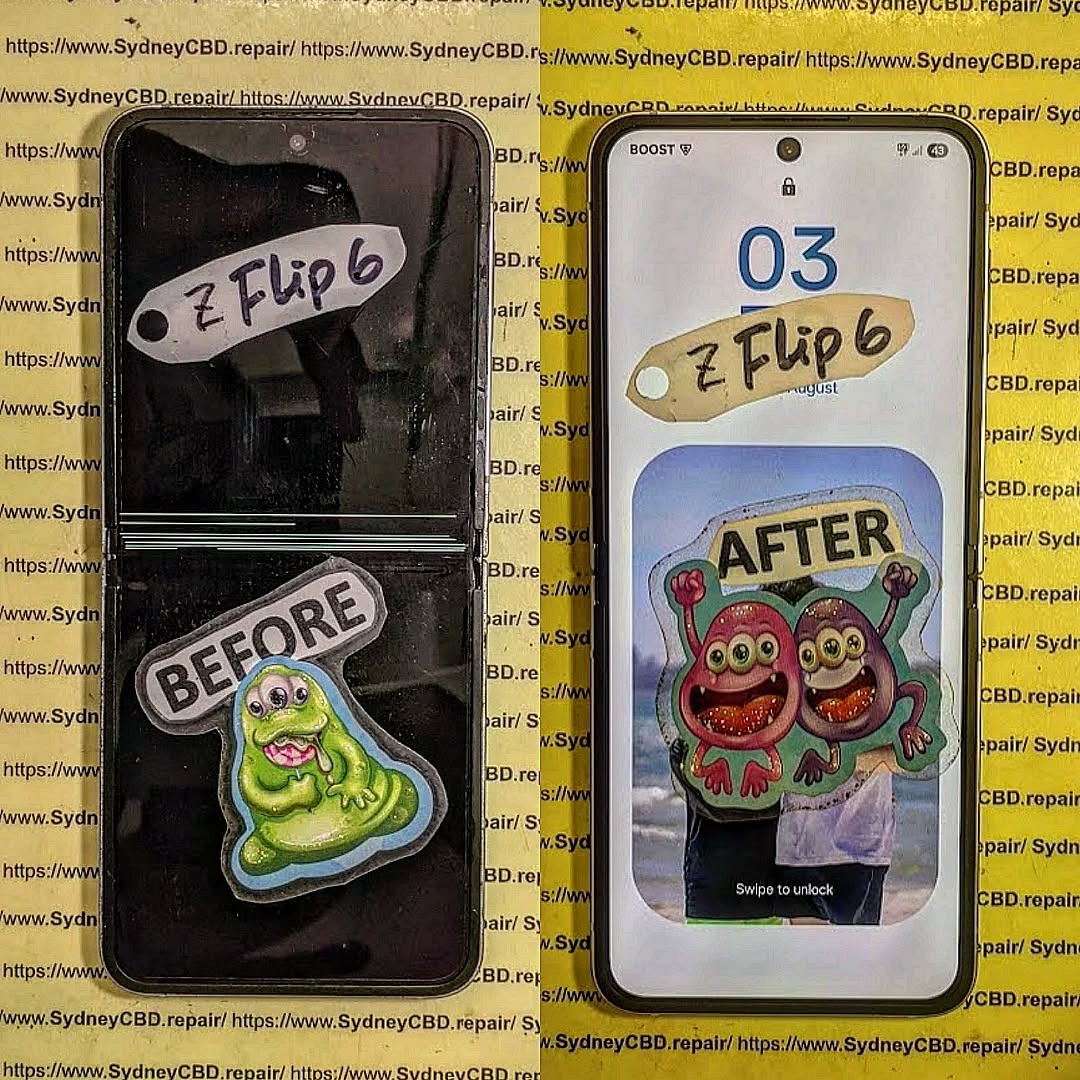
The Samsung Z Flip 6 is a marvel of foldable smartphone technology, but even cutting-edge devices are not immune to technical issues. Touch screen problems are one of the most common complaints among users, affecting the device’s usability and user experience. This comprehensive guide explores diagnostics, repair solutions, and preventative tips for Z Flip 6 touch issues. Whether you’re experiencing ghost touches, unresponsiveness, or lag, this article will provide actionable advice for both DIY fixes and professional repairs.
Introduction
The Samsung Z Flip 6 represents the forefront of foldable smartphone technology, combining sleek design, innovative mechanics, and a vibrant AMOLED display. Despite its cutting-edge engineering, many users encounter touch screen issues that can disrupt the seamless experience these devices are designed to deliver. From unresponsive screens to ghost touches and laggy input, these problems can stem from a variety of sources including software glitches, physical damage, or environmental factors.
In this comprehensive guide, we’ll walk you through the most common Z Flip 6 touch issues, provide step-by-step diagnostic methods, and explore both DIY solutions and professional repair options. Additionally, you’ll learn practical tips to prevent future touch screen problems, ensuring your device stays responsive and reliable for years to come. Whether you’re a tech enthusiast eager to troubleshoot your phone yourself or someone seeking professional assistance, this guide offers all the insights you need to restore your Z Flip 6’s touch performance.
Understanding Z Flip 6 Touch Screen Technology
The Samsung Z Flip 6 utilizes foldable AMOLED display technology, featuring a flexible ultra-thin glass panel layered with a sensitive touch digitizer. This combination allows for a vibrant, responsive screen while enabling the foldable design. Understanding the touch screen mechanics is crucial before attempting any troubleshooting or repair.
- Layers of the display: The Z Flip 6 screen comprises a cover layer, flexible glass, touch digitizer, and AMOLED panel. Each layer plays a role in touch sensitivity.
- Touch sensors: Embedded in the digitizer, these sensors detect finger position and pressure, converting them into touch commands.
- Fold mechanism: Unlike rigid screens, foldable devices are prone to stress at the hinge, which can impact touch performance over time.
Knowing how the technology works helps identify whether issues stem from physical damage, software conflicts, or environmental factors.
Common Z Flip 6 Touch Problems
Users of the Z Flip 6 often report several touch-related issues. Recognizing these symptoms early can prevent more serious damage.
Unresponsive Screen
An unresponsive touch screen may fail to register taps, swipes, or gestures. Common causes include:
- Accumulated dirt or moisture on the display
- Screen protector interference
- Software glitches or app conflicts
Ghost Touches
Ghost touches are phantom taps that occur without user input. They can result from:
- Pressure points near the fold
- Faulty digitizer or ribbon cable
- Environmental static discharge
Screen Lag and Delay
Lag refers to a delayed reaction to touch input, often caused by:
- Background apps consuming resources
- Outdated software
- Memory overload or corrupted cache
Causes of Touch Screen Failures

Touch screen problems can arise from multiple sources, often in combination.
Physical Damage
The Z Flip 6, being foldable, is more vulnerable to stress than standard phones. Physical causes include:
- Cracked or scratched screen
- Pressure applied to folded areas
- Liquid or dust ingress affecting internal components
Software Issues
Software glitches can mimic hardware failure. Typical causes:
- Outdated firmware or security patches
- Buggy third-party apps
- System cache corruption
Environmental Factors
External conditions can also interfere with touch sensitivity:
- Extreme temperatures (high heat or freezing)
- High humidity causing moisture condensation
- Electrostatic discharge in dry conditions
Initial Diagnostics
Before attempting a repair, proper diagnostics are essential.
Visual Inspection
Start with a close examination of your device:
- Look for cracks, dents, or scratches on the screen
- Inspect the hinge for uneven folds
- Check for dust or debris trapped under a screen protector
Software Diagnostics
Samsung devices include built-in diagnostic tools:
- Open the Samsung Members app
- Navigate to “Diagnostics” → “Interactive checks” → “Touch screen test”
- Follow on-screen instructions to detect dead zones or ghost touches
Safe Mode Testing
Booting into Safe Mode helps identify third-party app conflicts:
- Press and hold the power button → Tap “Power Off” → Hold “Power Off” until Safe Mode appears
- Test the screen functionality
- If the touch works normally, a third-party app is likely causing issues
DIY Solutions
Some touch issues can be resolved without professional help.
Restart and Reset
Power cycling often resolves temporary software glitches:
- Soft reset: Hold power + volume down for 10 seconds
- Factory reset: Settings → General Management → Reset → Factory Data Reset (backup recommended)
Software Updates
Ensuring the device is up-to-date can eliminate bugs:
- Settings → Software Update → Download and Install
- Regular updates often improve touch responsiveness and system stability
Cleaning and Protective Measures
Dust or a poorly aligned screen protector can hinder touch sensitivity:
- Clean screen with microfiber cloth
- Remove and reapply screen protector
- Avoid liquid cleaners directly on the screen
Professional Repair Options
When DIY fixes fail, professional repair is recommended.
Screen Replacement
Replacing the entire screen may be necessary if damage is severe:
- Full assembly includes AMOLED panel, digitizer, and frame
- Partial digitizer replacement is available but less common for foldables
Component Repair
Sometimes only the touch IC or ribbon cable needs attention:
- Requires advanced soldering and diagnostic tools
- Best handled by certified technicians
Certified Repair Centers
Authorized service centers ensure:
- Genuine parts and warranty protection
- Expertise in foldable devices
- Avoidance of secondary damage
For official Samsung repairs: Samsung Service Centers
Preventing Future Touch Issues
Maintaining your Z Flip 6 is essential to extend screen lifespan.
Usage Habits
- Avoid pressing too hard on the fold
- Keep sharp objects away from the screen
- Avoid placing heavy items on the phone
Environmental Care
- Keep the phone within operating temperature ranges
- Avoid prolonged exposure to humidity
- Use anti-static mats or cases in dry, static-prone environments
Software Maintenance
- Update firmware and apps regularly
- Clear cache periodically to prevent lag
- Uninstall unused apps to reduce system load
Cost and Time Estimates
Understanding the costs helps manage expectations.
DIY vs Professional Costs
| Option | Cost (AUD) | Time |
|---|---|---|
| DIY Reset/Update | Free | 5–15 mins |
| Screen Protector/Minor Fix | $15–50 | 10–30 mins |
| Professional Screen Replacement | $450–700 | 1–2 days |
| Component Repair (Touch IC) | $200–350 | 1–2 days |
Warranty Considerations
- Manufacturer warranty may cover hardware defects within 12 months
- Third-party repairs can void the official warranty
- Certified repair centers offer their own warranty, typically 90 days
FAQs
1. Why is my Z Flip 6 touch screen unresponsive after an update?
Software updates may temporarily cause glitches. Restart the device and check for further patches.
2. Can a screen protector cause ghost touches?
Yes, uneven or thick protectors may interfere with the digitizer.
3. Is liquid damage repair possible for the Z Flip 6?
Yes, but immediate professional assessment is recommended to prevent corrosion.
4. How can I test if it’s a hardware or software issue?
Use Safe Mode and Samsung’s diagnostic tools. Normal function in Safe Mode usually indicates a software problem.
5. What’s the lifespan of a Z Flip 6 foldable screen?
With proper care, foldable screens can last 3–5 years, though hinge stress may affect longevity.
6. Are DIY screen replacements recommended?
For foldables like the Z Flip 6, DIY replacement is risky. Professional repair is safer to avoid permanent damage.
Conclusion

Z Flip 6 touch issues can be frustrating, but most problems are diagnosable and repairable. By understanding the technology, performing initial diagnostics, applying DIY fixes, and seeking professional repairs when necessary, you can restore your device to full functionality. Preventative care—both hardware and software—ensures long-term touch screen performance. Whether you choose a certified repair center or take safe DIY measures, following the steps outlined here will maximize your Z Flip 6 experience.
For professional repairs in Sydney, visit Sydney CBD Repair Centre for genuine parts, expert technicians, and same-day service.
David from Sydney CBD Repair Centre – The Best place to fix mobile phones as 6 Years In A Row! Top Mobile Phone Repair In Sydney. More than 2000 Positive Reviews on Google and Same Day Repairs.
We take pride in delivering exceptional repair services for all major phone brands including Apple, Samsung, Google, and more. Our expert technicians use only genuine parts and offer 90days warranty on repairs. Located in the heart of Sydney CBD, we’re your one-stop solution for all mobile device repairs.
Our commitment to excellence has earned us the trust of thousands of satisfied customers. Whether it’s a cracked screen, battery replacement, or water damage repair, we handle it all with professional care and expertise. Walk in today and experience why we’re Sydney’s #1 choice for mobile phone repairs.
Visit us for:
✓ Same Day Express Repairs
✓ Genuine Parts Guarantee
✓ Professional Technicians
✓ Competitive Pricing
✓ 2000+ 5-Star Google Reviews
✓ 6-Time Award Winner for Best Phone Repairs
Sydney CBD Repair Centre – Where Quality Meets Reliability.
Call : +61280114119
Website: https://SydneyCBD.repair/locate-us

