



Z Flip 6 Touchscreen Fix: No Drops!

Z Flip 6 Touchscreen Fix: No Drops! 10 Proven Methods to Restore Your Phone
Introduction to Z Flip 6 Touchscreen Issues
The Samsung Z Flip 6 is a marvel of foldable technology, but its sophisticated touchscreen can be prone to issues. From unresponsive touches to erratic swipes, touchscreen malfunctions can disrupt daily use. Thankfully, many problems are fixable with simple techniques or minor professional intervention. In this guide, we’ll cover the top 10 proven methods to restore your Z Flip 6 touchscreen, helping you avoid costly replacements and unnecessary frustration.
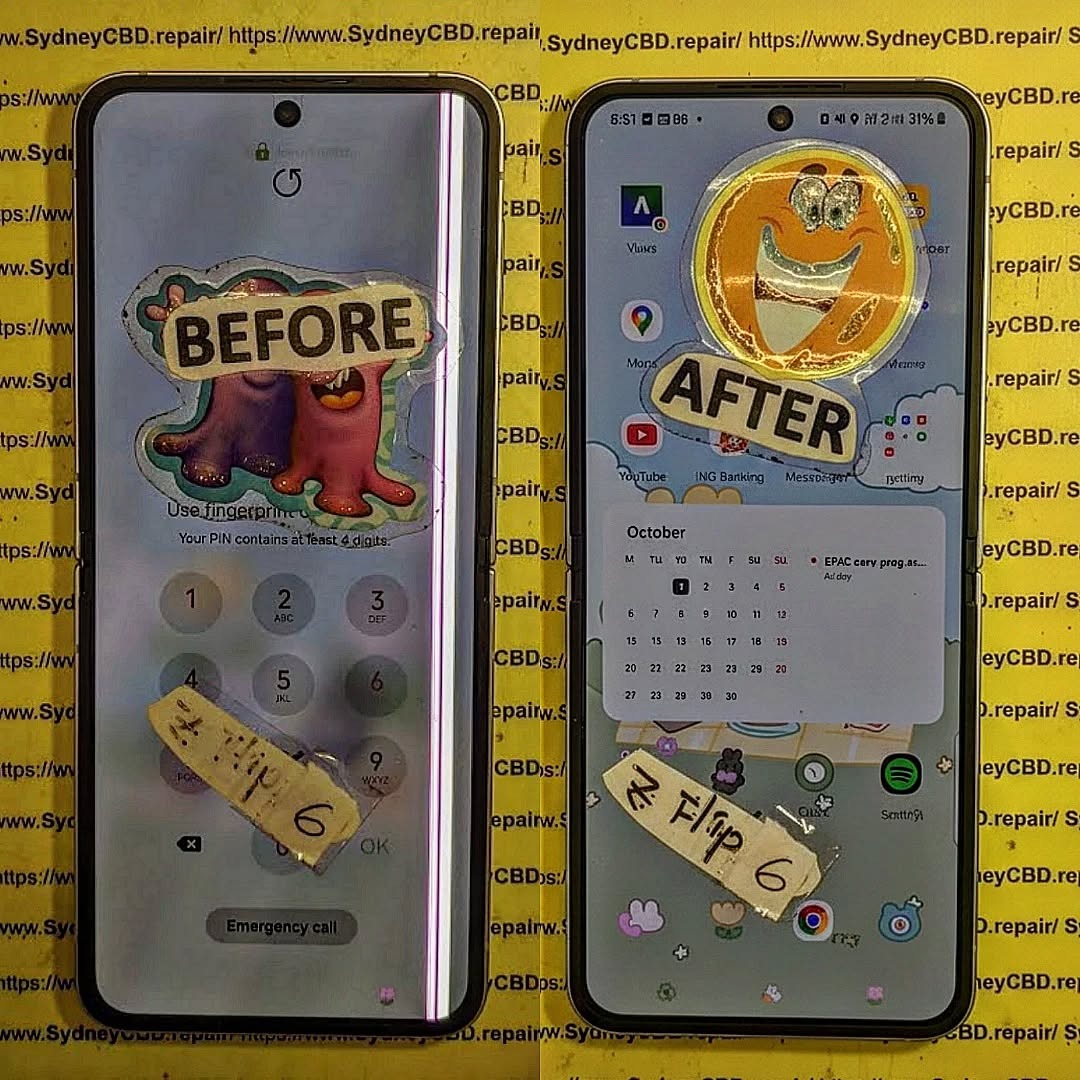
Common Causes of Z Flip 6 Touchscreen Malfunctions
Physical Damage and Cracks
Dropping your device or applying excessive pressure can crack the glass or damage the internal digitizer. Even minor cracks may cause touch irregularities or dead zones.
Water and Liquid Damage
Moisture exposure can corrode connectors inside the foldable display, leading to inconsistent touch responses or ghost touches.
Software Glitches and Bugs
Occasionally, system updates or app conflicts can make your touchscreen sluggish or unresponsive. Ensuring your software is up to date is key to avoiding these problems.
Diagnosing Your Z Flip 6 Touchscreen
Testing Touch Responsiveness
Use built-in diagnostic tools like Samsung Members or third-party apps to test touch input. Tap, swipe, and use multi-touch gestures to identify issues.
Checking for Dead Zones
A dead zone is an area of the touchscreen that fails to respond. Identify it by drawing lines across the screen or using touch-testing software. Documenting these areas helps professionals fix the problem efficiently.
10 Effective Methods to Fix Z Flip 6 Touchscreen

Method 1: Soft Reset Your Device
Sometimes, a simple reboot can resolve minor touch glitches. Press and hold the power button, then select “Restart.” This clears temporary software hiccups.
Method 2: Force Restart
If a soft reset doesn’t work, a force restart can help. Hold both volume down and power buttons for 10–15 seconds. This resets the touchscreen controller and refreshes the system.
Method 3: Update Software & Firmware
Samsung releases periodic updates to fix bugs and improve touch responsiveness. Navigate to Settings > Software Update > Download and Install to ensure your device runs the latest firmware.
Method 4: Clear Cache Partition
Clearing the system cache can remove corrupted temporary files causing touchscreen issues. Boot into recovery mode, select “Wipe Cache Partition,” then restart the device.
Method 5: Remove Third-Party Apps
Problematic apps may interfere with touchscreen functionality. Uninstall recent apps, then monitor if touch issues improve. Safe Mode (hold Power > tap & hold “Power Off” > Safe Mode) helps identify app conflicts.
Method 6: Adjust Touch Sensitivity Settings
Z Flip 6 offers touch sensitivity options. Enable “Increase Touch Sensitivity” in Settings > Display > Touch Sensitivity, especially if using screen protectors or foldable cases.
Method 7: Safe Mode Diagnostics
Booting in Safe Mode disables third-party apps temporarily. If touch responsiveness returns, the culprit is a downloaded app rather than hardware.
Method 8: Factory Reset
As a last resort, backup your data and perform a factory reset (Settings > General Management > Reset > Factory Data Reset). This removes software glitches causing persistent touchscreen problems.
Method 9: Screen Protector & Case Check
Thick or misaligned screen protectors can impede touch. Remove or adjust them and test the screen. Some cases also apply pressure that affects touch responsiveness.
Method 10: Professional Repair & OEM Parts
If all else fails, visit a certified repair center. Using OEM parts ensures your foldable screen retains its original touch sensitivity. Check Samsung Support for authorized service options.
Preventing Future Touchscreen Problems
Proper Handling and Storage
Avoid bending beyond the intended fold, and protect your device from drops. Using a quality case and careful handling prevents unnecessary damage.
Regular Software Updates
Keep your Z Flip 6 firmware updated to benefit from bug fixes and performance enhancements.
Avoiding Water & Extreme Temperatures
Waterproofing is limited; avoid prolonged exposure to moisture and extreme heat or cold to prevent touch malfunctions.
FAQs About Z Flip 6 Touchscreen Fix
- Why is my Z Flip 6 touchscreen not responding at all?
Most often, this is due to software glitches or physical damage. Try a soft reset or check for cracks. - Can water damage permanently ruin my touchscreen?
Yes, prolonged exposure can corrode the digitizer. Immediate drying and professional service can reduce damage. - Is it safe to replace the screen myself?
DIY repair risks further damage. Using OEM parts at a certified repair center is safer. - Why does my screen register ghost touches?
Ghost touches usually indicate moisture, debris, or a failing digitizer. Cleaning and calibration may help temporarily. - Will a factory reset fix touchscreen problems?
A factory reset can resolve software-related issues but won’t fix physical damage. - How can I prevent touch issues in the future?
Use a screen protector, update software regularly, avoid drops, and prevent exposure to moisture or extreme temperatures.
Conclusion

Z Flip 6 touchscreen issues can be frustrating, but most problems are solvable with careful troubleshooting or professional repair. From soft resets to OEM screen replacements, following these methods ensures your foldable device remains responsive and reliable. Remember, timely maintenance and cautious handling are your best defenses against touch failures.
David from Sydney CBD Repair Centre – The Best place to fix mobile phones as 6 Years In A Row! Top Mobile Phone Repair In Sydney. More than 2000 Positive Reviews on Google and Same Day Repairs.
We take pride in delivering exceptional repair services for all major phone brands including Apple, Samsung, Google, and more. Our expert technicians use only genuine parts and offer 90 days warranty on repairs. Located in the heart of Sydney CBD, we’re your one-stop solution for all mobile device repairs.
Visit us for:
✓ Same Day Express Repairs
✓ Genuine Parts Guarantee
✓ Professional Technicians
✓ Competitive Pricing
✓ 2000+ 5-Star Google Reviews
✓ 6-Time Award Winner for Best Phone Repairs
Sydney CBD Repair Centre – Where Quality Meets Reliability.
Call : +61280114119
Website: https://SydneyCBD.repair/locate-us

