


DEAD SCREEN! Advanced Galaxy S24 Display Solution.

DEAD SCREEN! Advanced Galaxy S24 Display Solution. Proven Fixes + 10 Expert Tips
Introduction: Why Galaxy S24 Display Problems Matter
The Samsung Galaxy S24 is one of the most advanced smartphones on the market, known for its Dynamic AMOLED 2X display, vibrant colors, and sharp resolution. Yet, even with cutting-edge technology, screen issues like a dead screen, flickering, or total blackout can still occur.
When your Galaxy S24 screen suddenly stops working, panic sets in. Is it a software glitch? Is it hardware damage? Or is it time to consider professional repair? Understanding the root cause and exploring the right solutions is crucial to avoid permanent damage and high repair costs.
This article will give you a complete breakdown of why Galaxy S24 screens fail, how to troubleshoot the problem at home, and when to seek professional help from trusted repair experts like Sydney CBD Repair Centre, Sydney’s #1 mobile phone repair shop for six years in a row.
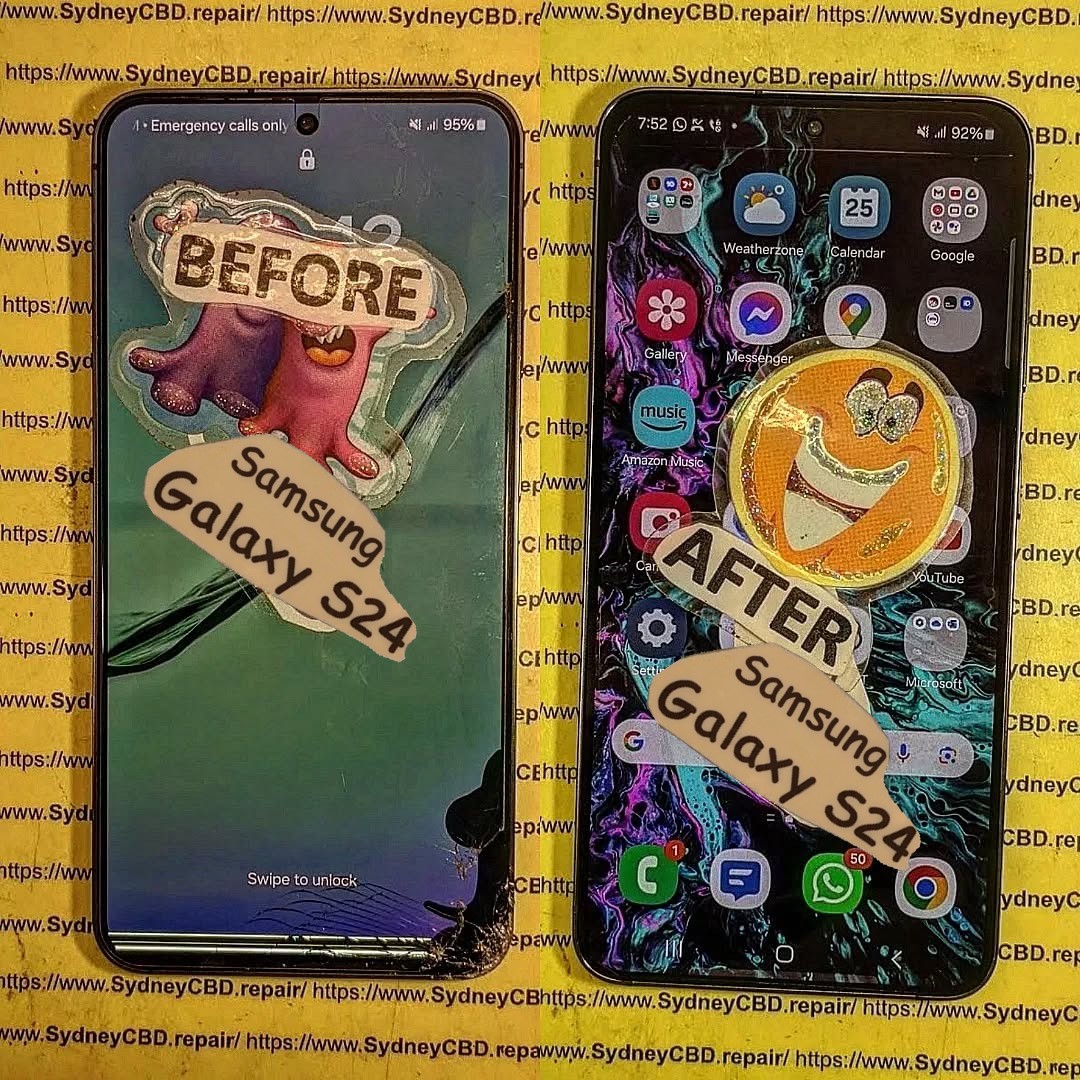
Common Causes of a Dead Galaxy S24 Screen
Several issues may trigger a Galaxy S24 screen failure. Identifying the underlying problem can save you both time and money.
Hardware Damage
- Impact Damage – Dropping your phone may cause invisible micro-cracks in the AMOLED panel.
- Water or Liquid Exposure – Even with water resistance ratings, long-term exposure can corrode internal display connectors.
- Connector Loosening – After heavy use or sudden shocks, the internal flex cable might loosen.
Software Glitches
- System Crash – Software updates sometimes cause boot-loop or black screen errors.
- App Conflicts – Corrupt third-party apps can freeze or disable display functions.
- Firmware Bugs – Samsung firmware occasionally introduces display-related issues.
Battery and Charging Issues
- Dead Battery – A fully discharged battery may mimic a dead screen.
- Faulty Charger/Cable – Using a non-original charger can result in inconsistent charging and screen power-up issues.
- Motherboard Power Faults – Internal power IC failures may prevent display illumination.
Signs Your Galaxy S24 Screen Needs Immediate Attention
Before labeling your phone as completely dead, check for these warning signs:
- Phone vibrates but screen stays black
- Faint lines, flickers, or discoloration
- Touch responsiveness disappears
- Overheating during charging without display output
- Screen goes black after software update
If you notice one or more of these symptoms, it’s time to take action before the damage worsens.
DIY Troubleshooting Before Professional Repair
While a dead screen is frustrating, you can try some safe DIY steps before seeking professional help.
Forced Restart Method
Press and hold the Power + Volume Down buttons simultaneously for at least 10 seconds. This can reboot the phone if the screen is frozen.
Safe Mode Boot
Booting into Safe Mode helps determine if a third-party app is causing the problem:
- Hold down the Power Button.
- Tap and hold Power Off until Safe Mode appears.
- If the screen works in Safe Mode, uninstall recently added apps.
Charging and Cable Check
- Plug in your Galaxy S24 with a genuine Samsung charger.
- Wait 15–30 minutes.
- If the charging icon does not appear, test with another certified charger.
If these steps don’t restore your display, move on to advanced fixes.
Advanced Fixes for Persistent Dead Screens
When simple troubleshooting doesn’t work, advanced methods may help revive your Galaxy S24.
Recovery Mode and Factory Reset
Entering recovery mode allows you to wipe cache or factory reset:
- Press Power + Volume Up.
- Select Wipe Cache Partition.
- If unresolved, select Factory Reset (warning: erases data).
Firmware Update or Reinstallation
Sometimes corrupted firmware causes dead screen issues. Use Samsung Smart Switch or Odin software to reinstall firmware.
Professional Screen Calibration
In rare cases, calibration issues may prevent the display from powering on correctly. Authorized technicians can recalibrate the screen using diagnostic tools.
Why Genuine Parts Are Crucial for Galaxy S24 Repairs
Using cheap, counterfeit parts might save money in the short term but can:
- Reduce screen brightness and clarity
- Cause touch sensitivity issues
- Shorten display lifespan
- Void Samsung warranty
At Sydney CBD Repair Centre, only genuine Samsung parts are used, ensuring your S24 works like new after repairs.
Professional Repair vs. DIY: Which is Better?
- DIY Repairs – Suitable for minor software fixes, but risky for hardware. Mistakes can cause permanent damage.
- Professional Repairs – Safe, reliable, and backed by warranty. Expert technicians use tools and diagnostic equipment that aren’t available to regular users.
For Galaxy S24 display repairs, professional service is always the safer choice.
Cost of Galaxy S24 Screen Repair in Sydney
Screen replacement costs depend on:
- Extent of screen damage (glass-only vs. AMOLED replacement)
- Availability of genuine parts
- Technician expertise
At Sydney CBD Repair Centre, customers benefit from:
- Competitive pricing
- Same-day service
- Warranty on all repairs
How Sydney CBD Repair Centre Solves Galaxy S24 Display Issues
As Sydney’s most trusted mobile phone repair shop, Sydney CBD Repair Centre delivers:
Same-Day Repairs
Walk in and get your Galaxy S24 screen repaired within hours.
Genuine Samsung Parts
Your device gets only original screens and components.
Warranty and Reliability
Every repair comes with a 90-day warranty for peace of mind.
📍 Located in the heart of Sydney CBD, the repair centre has over 2000+ 5-star Google reviews and is a 6-time award winner for best phone repairs.
Preventing Future Galaxy S24 Screen Failures
- Always use a protective case and screen protector
- Avoid exposing the phone to extreme temperatures
- Use genuine Samsung chargers
- Regularly update software to fix bugs
- Don’t delay professional repairs if damage occurs
FAQs: Galaxy S24 Dead Screen Problems
Q1: Why does my Galaxy S24 screen go black but the phone is still on?
A: This usually indicates display connector issues, AMOLED failure, or a system crash.
Q2: Can I fix a dead screen without replacing it?
A: Sometimes yes—if it’s software-related. If the AMOLED is physically damaged, replacement is necessary.
Q3: How much does Galaxy S24 screen repair cost in Sydney?
A: Prices vary, but Sydney CBD Repair Centre offers affordable, competitive rates with genuine parts.
Q4: Is it safe to repair the Galaxy S24 screen at home?
A: Not recommended. The device’s design is complex, and improper repairs can cause permanent damage.
Q5: How long does it take to repair a Galaxy S24 screen?
A: At Sydney CBD Repair Centre, most screen repairs are completed the same day.
Q6: Will repairing my Galaxy S24 screen affect its water resistance?
A: Professional technicians reseal your device properly to maintain water resistance, but DIY attempts may compromise it.
Conclusion: The Reliable Galaxy S24 Display Solution in Sydney

A dead Galaxy S24 screen doesn’t have to mean the end of your smartphone. With the right troubleshooting, advanced solutions, and professional help, you can restore your phone to perfect working order.
At Sydney CBD Repair Centre, you’ll find expert technicians, genuine Samsung parts, and fast, reliable service that Sydney residents have trusted for over six years. Don’t let a black screen stop your productivity—walk into the Sydney CBD Repair Centre today and experience award-winning service.

