




Is your Samsung Note 20 Ultra dead?

Is Your Samsung Note 20 Ultra Dead? 10 Proven Fixes to Bring It Back to Life
Introduction: When Your Note 20 Ultra Refuses to Turn On
It’s every smartphone owner’s nightmare — you press the power button on your Samsung Note 20 Ultra, and nothing happens. No vibration, no screen light, no response. Before you panic or rush to replace your phone, it’s important to understand that a “dead” device doesn’t always mean a permanently broken one.
Many users have revived their Note 20 Ultra using simple troubleshooting techniques. Whether it’s a battery failure, a software crash, or hardware damage, there’s often a fix available — especially when guided by experienced technicians like those at Sydney CBD Repair Centre, Sydney’s #1 mobile repair shop six years in a row.
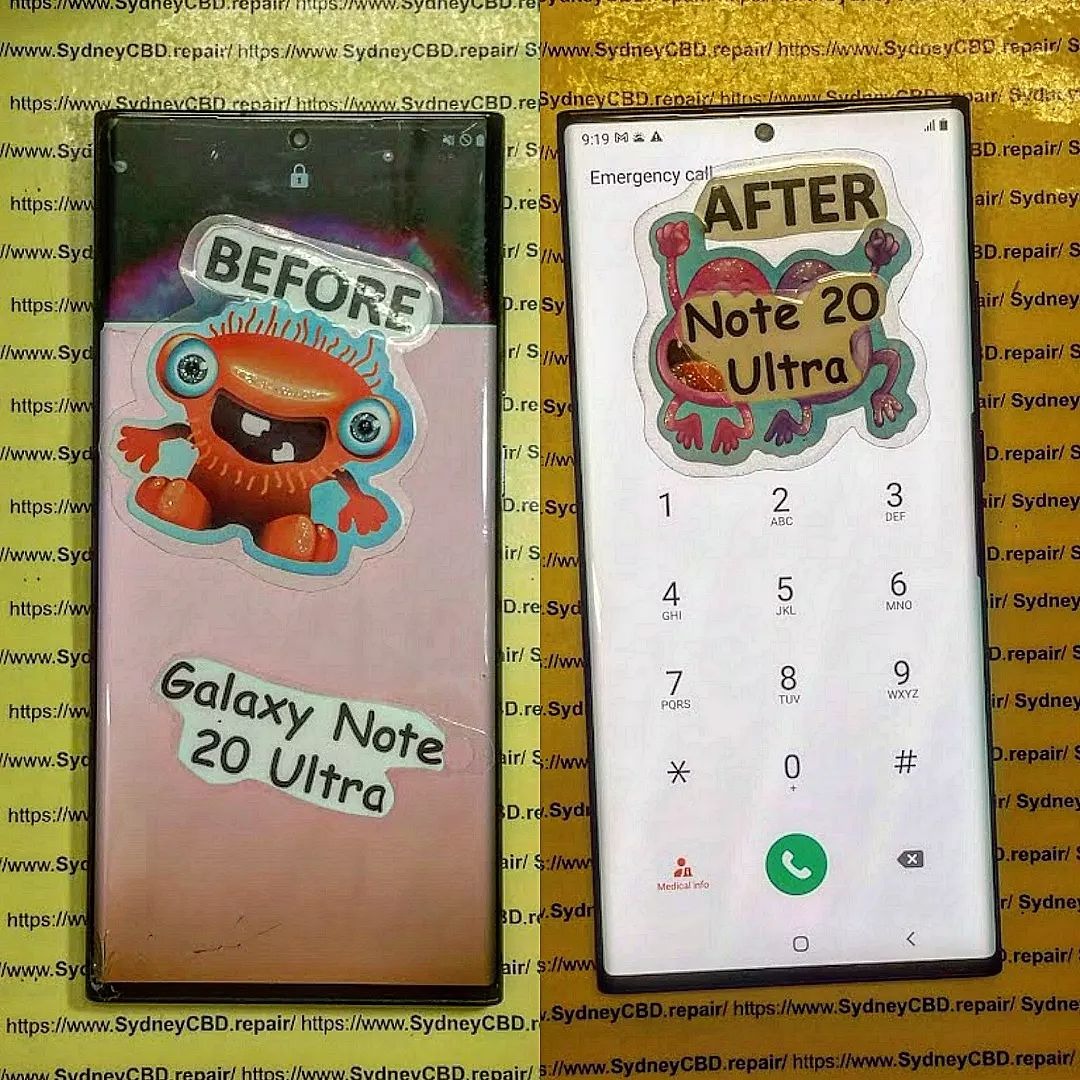
Common Causes Why a Samsung Note 20 Ultra Won’t Power On
Even premium devices like the Note 20 Ultra can face issues after months or years of use. Let’s explore the most common causes:
1. Drained or Faulty Battery
If your phone hasn’t been charging properly, the battery may have completely drained or deteriorated. A completely dead lithium battery often shows no signs of life until it’s replaced or charged correctly.
2. Damaged Charging Cable or Adapter
A faulty cable or charger can prevent power from reaching the device. Samsung recommends using genuine charging accessories to avoid voltage irregularities that can damage internal circuits.
3. Software Crash or Boot Loop
Sometimes, the Android system crashes, leaving your phone stuck on a black screen. A forced restart can usually fix this issue without data loss.
4. Hardware Damage (Screen, Motherboard, etc.)
If your phone suffered a drop, shock, or exposure to heat, internal components might be damaged — leading to a non-responsive screen even if the phone is on.
5. Water or Moisture Exposure
Even though the Note 20 Ultra is IP68-rated, long exposure to moisture or saltwater can corrode internal parts. This often results in delayed or partial boot failures.
Step-by-Step Solutions to Revive a Dead Samsung Note 20 Ultra
Let’s dive into 10 proven fixes that can bring your device back to life.
1. Perform a Forced Restart
Hold down the Volume Down and Power buttons simultaneously for 10–15 seconds. This forces the phone to reboot even if the system is unresponsive.
2. Check and Replace Charging Accessories
Try using another Samsung-certified charger and cable. Avoid third-party accessories that may not deliver stable power.
3. Clean the Charging Port Properly
Dust and debris can block the connection between the cable and charging pins. Use a soft brush or compressed air to gently clean the port.
4. Try Safe Mode Boot
To rule out software conflicts:
- Hold the Power button until the Samsung logo appears.
- When you see it, release the Power button and immediately press Volume Down until it boots into Safe Mode.
If the phone powers on in Safe Mode, a third-party app is likely causing the issue.
5. Charge Using a Wireless Charger
If the charging port is damaged, wireless charging can still work. Place your phone on a Qi-compatible wireless charger for at least 30 minutes.
6. Connect to a Computer and Check for Recognition
Plug the Note 20 Ultra into a PC using a USB cable. If the device is recognized, it may indicate a screen or display issue rather than a power failure.
7. Wipe Cache Partition from Recovery Mode
If your phone boots but behaves abnormally:
- Hold Volume Up + Power + Bixby.
- Use the volume buttons to navigate to Wipe Cache Partition.
- Confirm with the Power button.
This removes temporary system files without deleting data.
8. Flash Official Firmware Using Odin (Advanced Users)
If software corruption is severe, you can reinstall Samsung firmware using Odin. This requires downloading the correct ROM and following Samsung’s guidelines.
(Learn more on Samsung’s official support page here.)
9. Replace the Battery Professionally
Over time, the Note 20 Ultra’s battery capacity naturally declines. If charging doesn’t revive it, the battery might need replacement.
At Sydney CBD Repair Centre, technicians replace Samsung batteries with genuine parts and offer a 90-day warranty.
10. Visit Sydney CBD Repair Centre for Expert Assistance
When DIY fixes fail, professional diagnostics are the safest option.
Sydney CBD Repair Centre has over 2000+ 5-star Google reviews and has been awarded six years in a row for excellence.
They specialize in:
- Genuine Samsung part replacements
- Same-day repairs
- Water damage treatment
- Screen and motherboard repairs
📍 Visit: https://SydneyCBD.repair/locate-us
📞 Call: +61280114119
Preventive Tips to Avoid a Dead Samsung Note 20 Ultra

- Use only Samsung-certified chargers.
- Avoid using your phone while charging.
- Keep your device dry and clean.
- Perform regular software updates.
- Replace your battery every 2–3 years.
- Avoid full discharges; recharge at 20%.
These habits can significantly extend your phone’s lifespan.
FAQs: Samsung Note 20 Ultra Dead Fixes
1. How do I know if my Samsung Note 20 Ultra battery is completely dead?
If there’s no LED light, vibration, or charging icon even after 30 minutes, your battery might be fully drained or defective.
2. Can I fix my Note 20 Ultra at home?
Basic issues like software crashes or cable faults can be fixed at home. However, hardware repairs should always be done by professionals.
3. Will a wireless charger work if my phone is completely dead?
Yes — but only if the wireless charging system inside your phone is still functional.
4. How long should I charge a dead Samsung Note 20 Ultra before it turns on?
Charge it continuously for at least 30 to 60 minutes before attempting to power it on again.
5. What if my phone only vibrates but doesn’t show anything on screen?
This usually indicates a display issue. Professional screen replacement may be required.
6. Is it worth repairing a dead Samsung Note 20 Ultra?
Absolutely. Repairs are often cheaper than buying a new phone — especially at Sydney CBD Repair Centre, where genuine parts and expert service ensure lasting results.
Conclusion: Bring Your Note 20 Ultra Back to Life Today

A dead Samsung Note 20 Ultra doesn’t always mean it’s beyond repair. With the right steps — from simple reboots to professional servicing — your device can be restored to full functionality.
If you’re in Sydney, Sydney CBD Repair Centre is your trusted destination for fast, reliable, and affordable phone repairs. With over 2000 5-star reviews and same-day repair services, they’ve earned the title of Sydney’s best phone repair shop — six years in a row.
Sydney CBD Repair Centre – Where Quality Meets Reliability.
David from Sydney CBD Repair Centre – The Best place to fix mobile phones as 6 Years In A Row! Top Mobile Phone Repair In Sydney. More than 2000 Positive Reviews on Google and Same Day Repairs.
📍 Visit us today for:
✓ Same Day Express Repairs
✓ Genuine Parts Guarantee
✓ Professional Technicians
✓ Competitive Pricing
✓ 2000+ 5-Star Google Reviews
✓ 6-Time Award Winner for Best Phone Repairs
Sydney CBD Repair Centre – Where Quality Meets Reliability.
📞 Call : +61280114119
🌐 Website: https://SydneyCBD.repair/locate-us

