




Pixel Fold Screen Replacement The unexpected challenges of flexible displays

Pixel Fold Screen Replacement: The Unexpected Challenges of Flexible Displays + 7 Key Insights
Introduction: The Rise of Flexible Display Technology
Flexible displays are no longer a futuristic concept—they’re a reality reshaping the smartphone landscape. Devices like the Pixel Fold have popularized foldable technology, combining portability with large-screen experiences. However, this innovation introduces a set of challenges for device repair, particularly when it comes to screen replacement. Unlike traditional rigid displays, foldable screens are delicate, requiring specialized handling, tools, and expertise to maintain optimal functionality.
Pixel Fold users often underestimate the fragility of these devices. While the ability to fold the phone adds convenience, it also increases the risk of damage over time. This guide explores the complexities of Pixel Fold screen replacement, addressing common issues, repair techniques, and preventative measures.
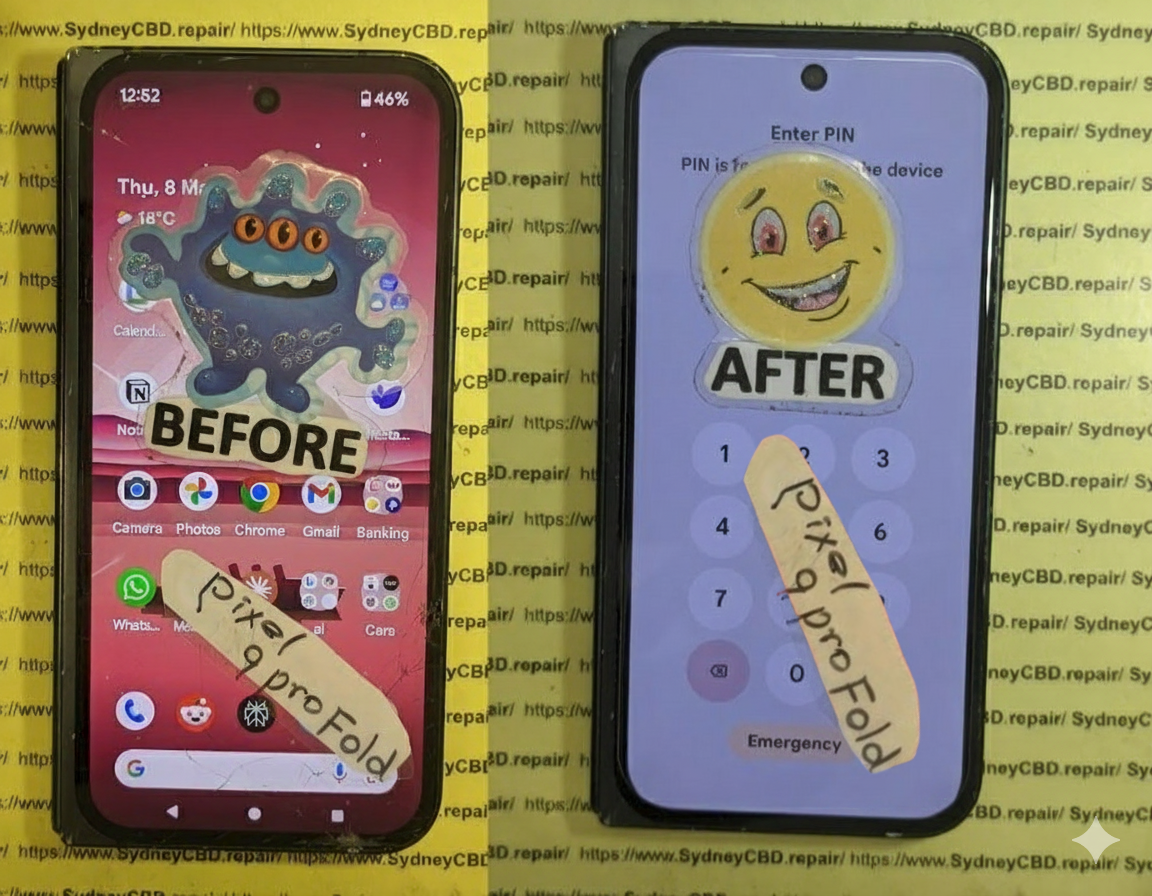
Understanding the Pixel Fold’s Unique Screen Design
Flexible OLED Technology Explained
The Pixel Fold utilizes flexible OLED technology, allowing the screen to bend without breaking. Unlike conventional LCDs, OLEDs generate light from individual pixels, eliminating the need for a backlight. This results in thinner, more vibrant displays capable of folding seamlessly. However, this thinness comes at the cost of durability. Even minor mishandling can cause pixel burnout, dead zones, or permanent creases.
Hinge Mechanism and Screen Durability
The hinge is central to the Pixel Fold’s functionality. While it provides smooth folding action, it also subjects the screen to repeated stress. Over time, improper folding or pressure on specific points can weaken the display. Maintaining hinge health and avoiding unnecessary force is crucial to prolonging screen life.
Common Causes of Pixel Fold Screen Damage
Accidental Drops and Impact
A drop is arguably the most common cause of screen failure. Flexible displays are more prone to cracking from direct impact due to their thin structure. Protective cases reduce risk, but no accessory can fully prevent damage from high-impact drops.
Pressure Points and Folding Stress
Unlike flat smartphones, foldables endure repeated bending stress. Carrying the Pixel Fold in tight pockets or placing objects on the screen can create pressure points, resulting in micro-tears or creases.
Water and Dust Exposure
While many modern devices offer water resistance, foldable phones have more entry points, especially around the hinge. Moisture or dust entering the hinge can damage internal layers of the display and affect touch sensitivity.
Why Pixel Fold Screen Replacement is Tricky
Fragility of Flexible OLED Panels
Repairing a flexible OLED isn’t as straightforward as replacing a rigid screen. The delicate layers, including touch sensors, polarizers, and protective films, require extreme caution to avoid further damage.
Specialized Tools and Techniques Needed
Standard repair tools often aren’t sufficient. Technicians must use specialized clamps, heat guns with precise temperature control, and anti-static equipment to remove and install the new screen without causing warping or short circuits.
Limited Availability of Genuine Parts
Pixel Fold replacement screens are scarce. Using non-genuine parts may compromise performance, display quality, and hinge alignment. Accessing authentic components is essential for a successful repair.
Step-by-Step Pixel Fold Screen Replacement Process

Preparing for the Repair
Before starting, back up all data and power down the device. Work in a clean, dust-free environment and ensure you have all specialized tools ready.
Removing the Damaged Screen
Careful heating of the adhesive and gentle prying are required. Avoid bending the screen excessively. Detach connectors methodically, labeling each to ensure proper reassembly.
Installing the New Flexible Display
Position the replacement screen precisely, reconnect all cables, and apply uniform adhesive. Ensure no dust or debris is trapped under the display.
Testing and Calibration
Power on the device to test touch responsiveness, color accuracy, and hinge operation. Perform calibration if necessary to restore optimal performance.
Tools and Equipment Required for Pixel Fold Screen Repairs
Professional-Grade Tools Overview
Essential tools include:
- Precision screwdrivers
- Heat guns with adjustable temperature
- Anti-static tweezers
- Specialized screen clamps
- Thin pry tools
Importance of Anti-Static Precautions
Static electricity can permanently damage OLED panels. Using anti-static mats and wristbands prevents unintended short circuits.
Cost Factors for Pixel Fold Screen Replacement
Labor vs Parts Pricing
The cost depends on the complexity of the repair and part authenticity. Genuine Pixel Fold screens are expensive, often exceeding the price of traditional displays.
Warranty Considerations
Always check warranty status before attempting DIY repairs. Unauthorized repairs may void manufacturer coverage.
Tips to Extend the Life of Your Pixel Fold Screen
Proper Handling and Folding Habits
Fold your device gently, avoid sharp bends, and never force the screen to open or close rapidly.
Protective Accessories and Cases
Use custom cases designed for foldables, avoiding tight enclosures that stress the hinge.
Environmental Awareness: Temperature and Humidity
Avoid exposing the device to extreme heat, direct sunlight, or high humidity, which can weaken the flexible display layers.
DIY vs Professional Repair: Risks and Rewards
When to Attempt DIY Repairs
DIY may be considered only if you have experience with fragile electronics and access to genuine parts and professional tools.
Why Professional Repair is Recommended
Expert technicians minimize risk, ensuring proper alignment, calibration, and handling of fragile components. Attempting DIY can easily worsen the damage.
External Resources for Pixel Fold Repair Guidance
Official Manufacturer Support
Refer to Google’s Pixel Support for repair guidelines, official parts, and warranty details.
Community and Repair Forums
Repair communities, like iFixit, provide step-by-step guides, video tutorials, and discussion threads from experienced users.
Frequently Asked Questions (FAQs)
1. How long does a Pixel Fold screen last on average?
With careful handling, the screen can last 3–5 years, though repeated folding increases wear risk.
2. Can I use third-party replacement screens?
Technically yes, but quality may vary, affecting touch sensitivity, color accuracy, and hinge alignment.
3. Will the hinge mechanism be affected after screen replacement?
If replaced correctly with genuine parts, the hinge should function normally. Improper installation can cause misalignment.
4. How can I prevent creasing on my flexible display?
Avoid tight folds, excessive pressure, and store the device in protective cases to prevent permanent creases.
5. What is the turnaround time for professional Pixel Fold repair?
Most repair centers complete the replacement within 1–2 business days, depending on part availability.
6. Are screen replacements covered under warranty?
Warranty coverage varies; accidental damage typically isn’t included. Always check your manufacturer’s warranty terms.
Conclusion: Ensuring Longevity for Flexible Screens

Pixel Fold screen replacement demands precision, patience, and specialized knowledge. By understanding the unique challenges of flexible displays, following preventive measures, and relying on expert technicians when necessary, users can extend the life of their foldable devices. Remember: investing in professional repair ensures quality, reliability, and peace of mind for your high-end device.
David from Sydney CBD Repair Centre – The Best place to fix mobile phones as 7 Years In A Row! Top Mobile Phone Repair In Sydney. More than 2000 Positive Reviews on Google and Same Day Repairs.
We take pride in delivering exceptional repair services for all major phone brands including Apple, Samsung, Google, and more. Our expert technicians use only genuine parts and offer 90days warranty on repairs. Located in the heart of Sydney CBD, we’re your one-stop solution for all mobile device repairs.
Our commitment to excellence has earned us the trust of thousands of satisfied customers. Whether it’s a cracked screen, battery replacement, or water damage repair, we handle it all with professional care and expertise. Walk in today and experience why we’re Sydney’s #1 choice for mobile phone repairs.
Visit us for:
✓ Same Day Express Repairs
✓ Genuine Parts Guarantee
✓ Professional Technicians
✓ Competitive Pricing
✓ 2000+ 5-Star Google Reviews
✓ 7-Time Award Winner for Best Phone Repairs
Sydney CBD Repair Centre – Where Quality Meets Reliability.
Call : +61280114119
Website: https://SydneyCBD.repair/locate-us

